Eclipse Maven 编译错误 Dynamic Web Module 3.0 requires Java 1.6 or newer 解决方案
Eclipse Maven 开发一个 jee 项目时,
编译时遇到以下错误:
Description Resource Path Location Type
Dynamic Web Module 3.0 requires Java 1.6 or newer. bdp line 1 Maven Java EE Configuration Problem
Description Resource Path Location Type
One or more constraints have not been satisfied. bdp line 1 Maven Java EE Configuration Problem
如图:

但是 Eclipse 明明已经将编译级别设置为 1.7:
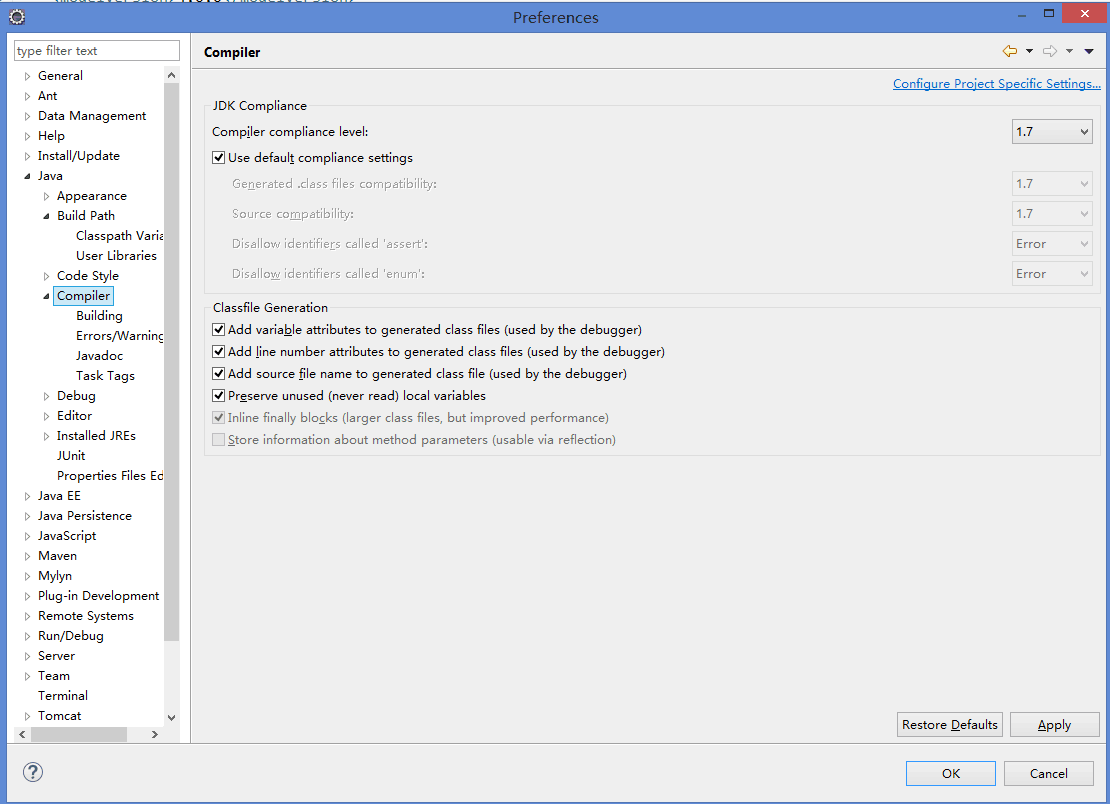
这是由于你的 Maven 编译级别是 jdk1.5 或以下,而你导入了 jdk1.6 以上的依赖包:查看 Eclipse 的 Navigator 视图下该项目的 .classpath 文件:
解决办法:
使用 maven-compiler-plugin 将 maven 编译级别改为 jdk1.6 以上:
参考资料
Description Resource Path Location Type
Dynamic Web Module 3.0 requires Java 1.6 or newer. bdp line 1 Maven Java EE Configuration Problem
Description Resource Path Location Type
One or more constraints have not been satisfied. bdp line 1 Maven Java EE Configuration Problem
如图:
但是 Eclipse 明明已经将编译级别设置为 1.7:
这是由于你的 Maven 编译级别是 jdk1.5 或以下,而你导入了 jdk1.6 以上的依赖包:查看 Eclipse 的 Navigator 视图下该项目的 .classpath 文件:
	<classpathentry kind="con" path="org.eclipse.jdt.launching.JRE_CONTAINER/org.eclipse.jdt.internal.debug.ui.launcher.StandardVMType/J2SE-1.5">
		<attributes>
			<attribute name="maven.pomderived" value="true"/>
		</attributes>
</classpathentry>解决办法:
使用 maven-compiler-plugin 将 maven 编译级别改为 jdk1.6 以上:
	<build>
		<plugins>
			<!-- define the project compile level -->
			<plugin>
				<groupId>org.apache.maven.plugins</groupId>
				<artifactId>maven-compiler-plugin</artifactId>
				<version>2.3.2</version>
				<configuration>
					<source>1.7</source>
					<target>1.7</target>
				</configuration>
			</plugin>
		</plugins>
	</build>
参考资料

 浙公网安备 33010602011771号