

【转载】Drawable Shape
声明:本文转载自http://www.cnblogs.com/oo-ihoney/archive/2013/02/01/2888627.html
版权和最终解释权给原作者所有,谢谢。
shape是一个通过声明属性来自定义图形的xml文件的根节点,可以做图片使用。
文件位置为 res/drawable/filename.xml。
文件名对应生成在R.java类中。引用方式为:代码方式:R.drawable.filename XML:@[package:]drawable/filename。
xml文件对应的编译解析类为GradientDrawable,继承Drawable父类。Drawable类实现原理是通过Rect实体来保存位置属性,通过io解析字节流或xml属性对,通过canvas画板和paint画笔最终实现绘图功能。
语法规范为:
<?xml version="1.0" encoding="utf-8"?>
<shape
    xmlns:android="http://schemas.android.com/apk/res/android"
    android:shape=["rectangle" | "oval" | "line" | "ring"] >
    <!—- shape属性为图片形状。依次对应分别为:矩形:默认形状
                                         椭圆形
                                         线形:这是一条横线,他的长宽与view相同,需要通过下面的stroke属性来定义
                                         菱形:只有shape为ring时,以下几个属性才会起作用
                                          android:innerRadius
                                     android:innerRadiusRatio
                                     android:thickness
                                     android:thicknessRatio
                                     android:useLevel  -->
    <corners
        android:radius="integer"
        android:topLeftRadius="integer"
        android:topRightRadius="integer"
        android:bottomLeftRadius="integer"
        android:bottomRightRadius="integer" />
    <!-- 圆角属性,只有shape为rectangle时,此属性才会起作用,解释一下它的子属性
         radius:所有圆角的值,此属性他四个属性覆盖。所有字属性值的类型都是integer类型,可直接定义,也可以引用dimension属性,值应大于1,否则取值为0 -->
    <gradient
        android:angle="integer"
        android:centerX="integer"
        android:centerY="integer"
        android:centerColor="integer"
        android:endColor="color"
        android:gradientRadius="integer"
        android:startColor="color"
        android:type=["linear" | "radial" | "sweep"]
        android:useLevel=["true" | "false"] />
    <!-- 渐变属性,用来描述图片的颜色。
              angle:渐变颜色角度,默认为0,指从左到右渐变。90为从下到上渐变。赋值应为45的倍数
              centerX,centerY:渐变的XY相对位置,取值范围为0~1.0
              startColor,centerColor,endColor: 取值为16进制颜色编码,或者引用资源
              gradientRadius:渐变角度,只有type为radial时此属性才起作用。
              type: linear:线形渐变,默认值   radial:射线渐变,起始值为centerColor  sweep:流线渐变-->
    <padding
        android:left="integer"
        android:top="integer"
        android:right="integer"
        android:bottom="integer" />
    <!-- 内边距属性,用来描述图片内容的形状大小,而不是图片本身的大小 -->
    <size
        android:width="integer"
        android:height="integer" />
    <!-- 图片大小,当引用对象为imageView时,应添加scaleType属性为center -->
    <solid
        android:color="color" />
    <!-- 图片填充纯色 -->
    <stroke
        android:width="integer"
        android:color="color"
        android:dashWidth="integer"
        android:dashGap="integer" />
    <!-- 图片描边属性
               dashWidth:虚线宽度,当dashGap属性设置时此属性有效
               dashGap:虚线间距 -->
</shape>
也可以通过代码的方式来实现Shape画图,对应类为ShapeDrawable
示例:
<?xml version="1.0" encoding="utf-8"?>
<shape xmlns:android="http://schemas.android.com/apk/res/android" >

    <corners android:radius="10dp" />

    <padding android:left="10dp" />

    <solid android:color="#29acf5" />

    <stroke
        android:width="10dp"
        android:color="#f0f0f0" />

</shape>

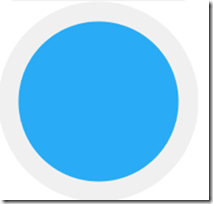
<?xml version="1.0" encoding="utf-8"?>
<shape xmlns:android="http://schemas.android.com/apk/res/android"
    android:shape="oval" >

    <corners android:radius="10dp" />

    <padding android:left="10dp" />

    <solid android:color="#29acf5" />

    <stroke
        android:width="10dp"
        android:color="#f0f0f0" />

</shape>

 浙公网安备 33010602011771号