

Java框架学习笔记------SSM
Spring
概念
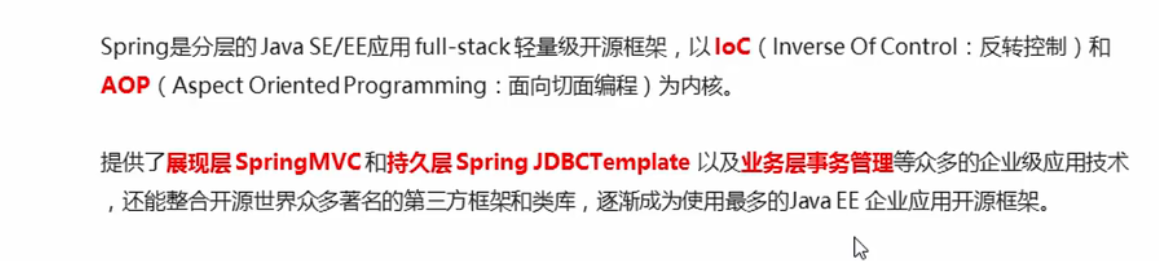
发展历程
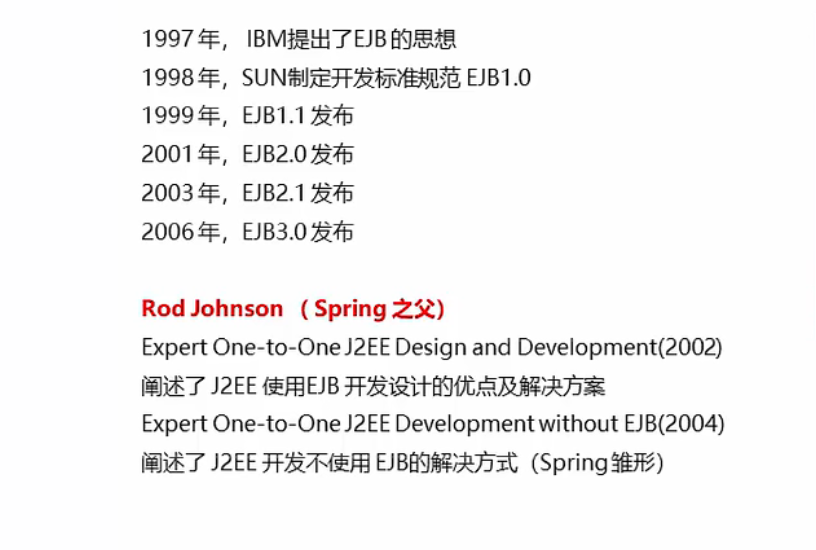
优势
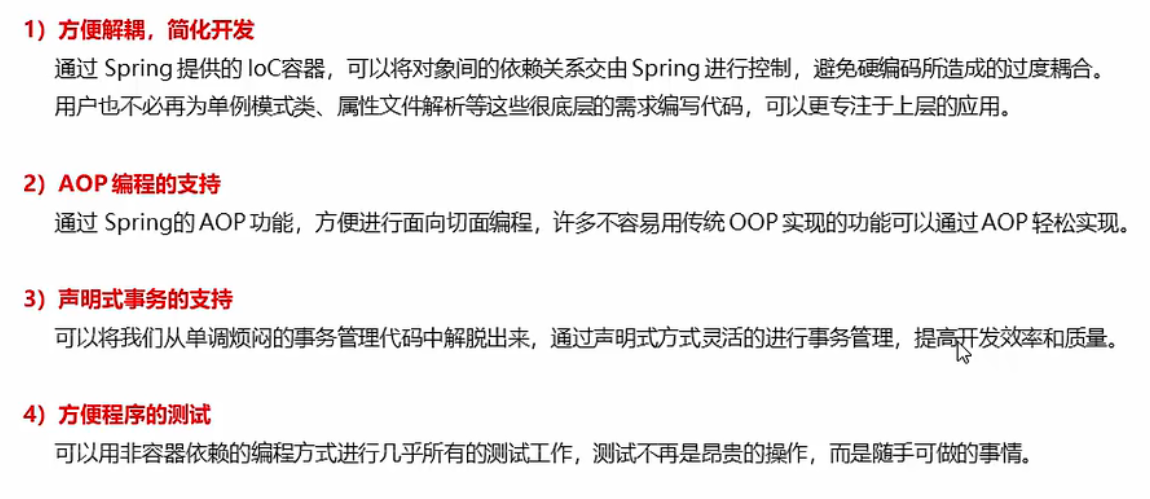
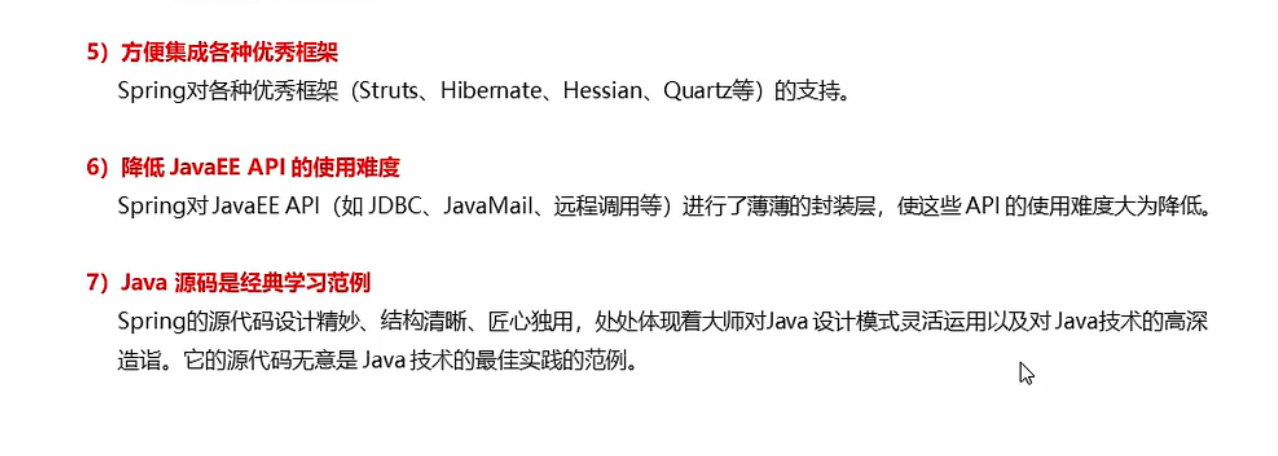
体系结构
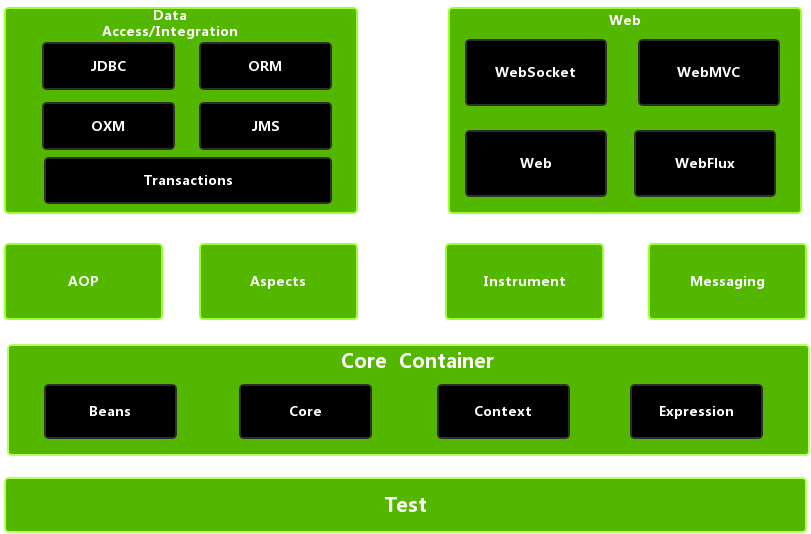
Spring框架至今已集成了20多个模块,这些模块分布在以下模块中:
- 核心容器(Core Container)
- 数据访问/集成(Data Access/Integration)层
- Web层
- AOP(Aspect Oriented Programming)模块
- 植入(Instrumentation)模块
- 消息传输(Messaging)
- 测试(Test)模块
Spring体系结构如下图:
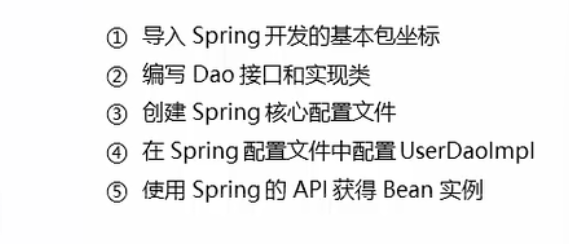
开发步骤
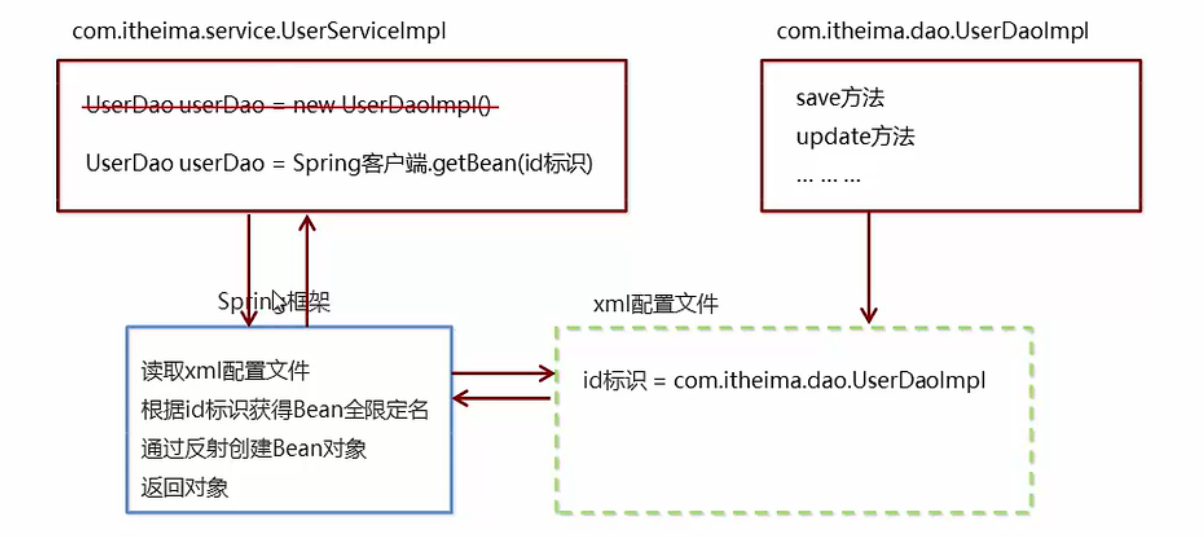
图片
文字
提高maven项目创建速度的方法
本方法转载文4种方案,帮你解决Maven创建项目过慢问题 - 知乎 (zhihu.com)
在实际开发中,我们通常会用到maven的archetype插件(原型框架)来生成项目框架。但是无奈,创建时,总会卡在
[INFO] Generating project in Batch mode等很久才构建完,有时还会报错,导致构建失败!
不多废话了,直接上解决办法吧:
解决办法1
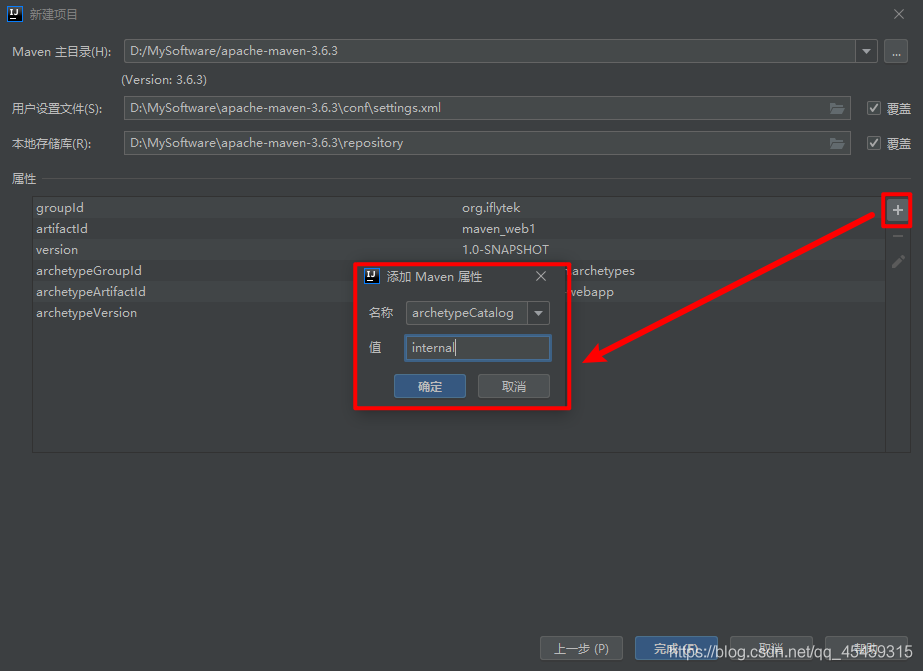
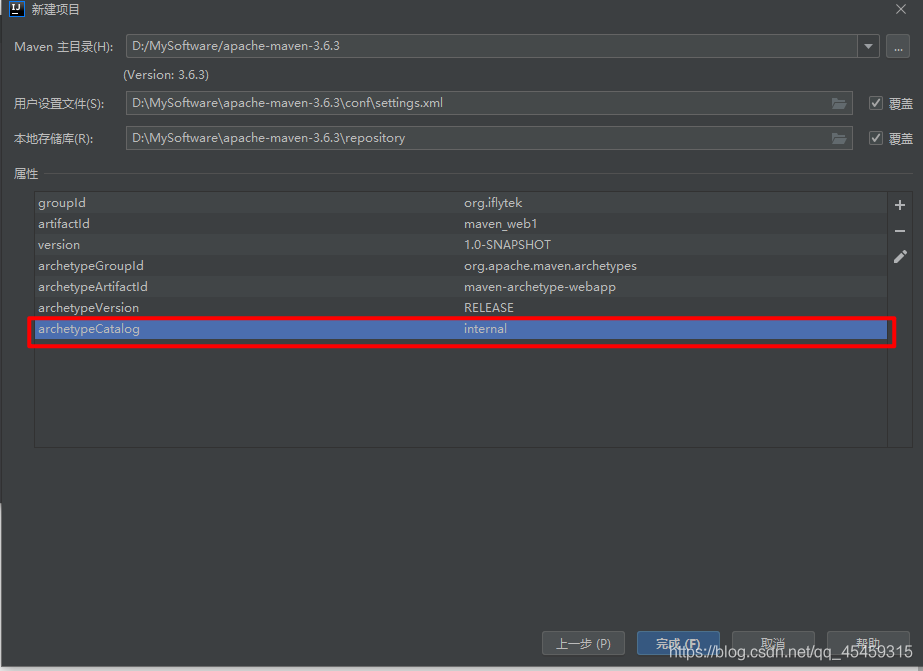
在创建Maven项目时加上
archetypeCatalog=internal参数,点击“+”添加参数archetypeCatalog=internal。 如下:
解决办法2
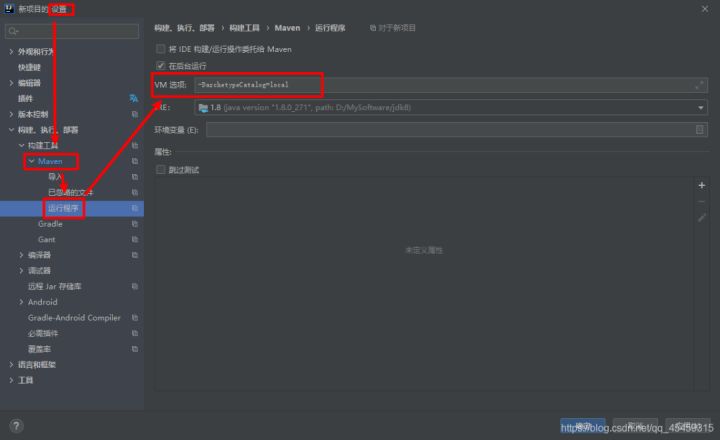
在Maven的VM Options加上
-DarchetypeCatalog=internal或-DarchetypeCatalog=local参数, 如下:Settings -> Build, Execution, Deployment -> Build Tools -> Maven -> Runner -> VM Options
解决办法3
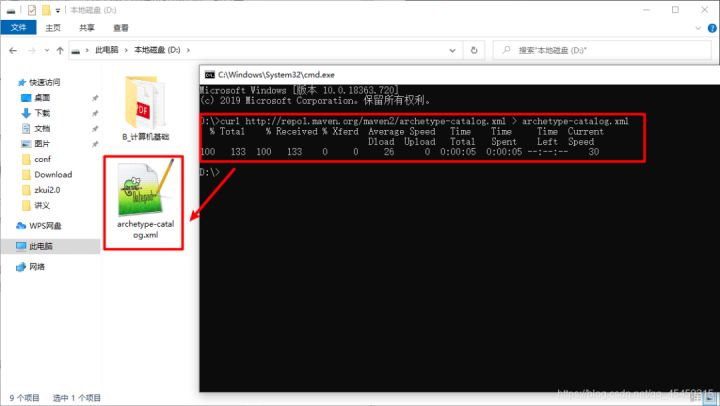
(1)准备archetype-catalog.xml文件
方式1:通过浏览器查看http://repo1.maven.org/maven2/archetype-catalog.xml页源码,复制到本地,命名为archetype-catalog.xml。
方式2:通过命令行
curl http://repo1.maven.org/maven2/archetype-catalog.xml > archetype-catalog.xml
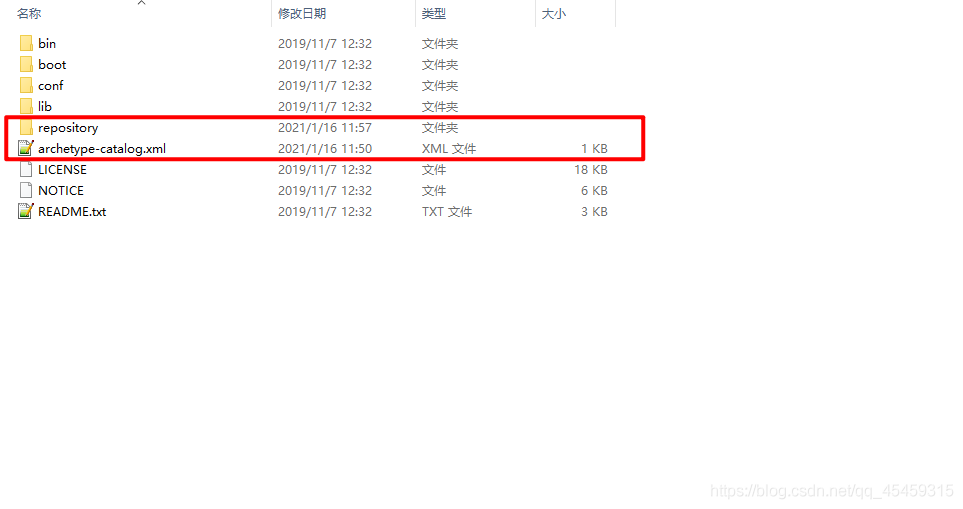
(2)将上述文件archetype-catalog.xml放置到maven的默认路径下
注意,这不是指的安装路径,而是mvn运行时默认的存放repository的路径,一般在用户根目录下的一个隐藏目录,
~/.m2。如果做过更改,可以在maven的设置文件中查看具体在哪个位置,设置文件在maven安装目录/config/settings.xml中。
(3)在构建时,在
archetype:generate后加上-DarchetypeCatalog=local参数。IDE如eclipse和idea,都是可以在创建maven工程时设置构建参数的。解决方法4
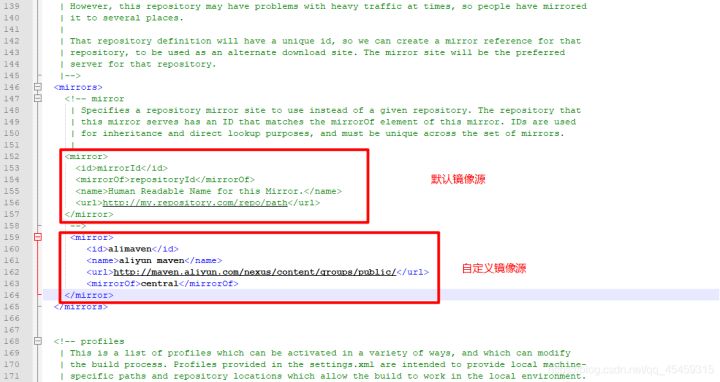
修改下载下来的maven目录下面
conf/settings.xml文件,修改镜像源,使用国内阿里巴巴的镜像源;<mirror> <id>alimaven</id> <name>aliyun maven</name> <url>http://maven.aliyun.com/nexus/content/groups/public/</url> <mirrorOf>central</mirrorOf> </mirror>
测试一下:
再测试一次:我的天啊,1.146 s完成。


代码
pom.xml
  <dependencies>
    <dependency>
      <groupId>org.springframework</groupId>
      <artifactId>spring-context</artifactId>
      <version>5.0.5.RELEASE</version>
    </dependency>
  </dependencies>
applicationContext.xml
<?xml version="1.0" encoding="UTF-8"?>
<beans xmlns="http://www.springframework.org/schema/beans"
       xmlns:xsi="http://www.w3.org/2001/XMLSchema-instance"
       xsi:schemaLocation="http://www.springframework.org/schema/beans http://www.springframework.org/schema/beans/spring-beans.xsd">

    <bean id="userDao" class="dao.impl.UserDaoImpl"></bean>
</beans>
demo
package demo;

import dao.UserDao;
import org.springframework.context.ApplicationContext;
import org.springframework.context.support.ClassPathXmlApplicationContext;

/**
 * @author admin
 */
public class UserDaoDemo {
    public static void main(String[] args) {
        ApplicationContext app=new ClassPathXmlApplicationContext("applicationContext.xml");
        UserDao userDao = (UserDao) app.getBean("userDao");
        userDao.save();
    }
}
UserDaoImpl
package dao.impl;

import dao.UserDao;

/**
 * @author admin
 */
public class UserDaoImpl implements UserDao {
    @Override
    public void save() {
        System.out.println("save running");
    }
}
配置文件
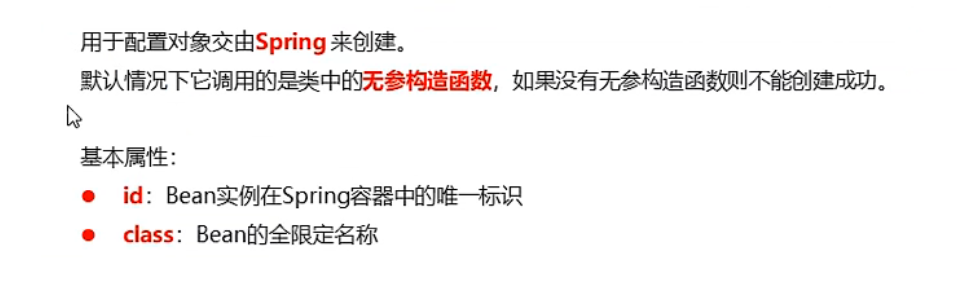
Bean标签
基本配置
范围配置
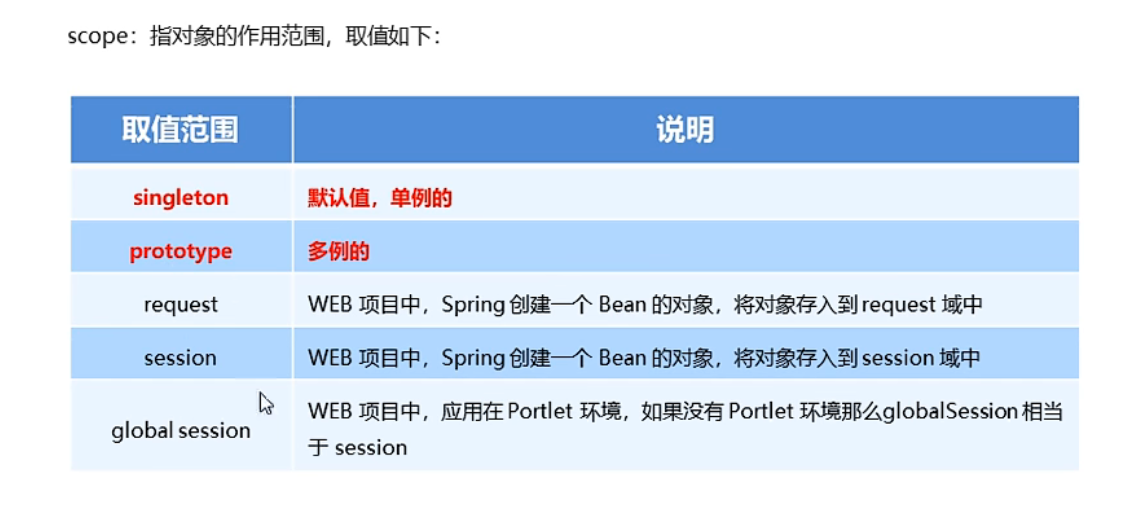
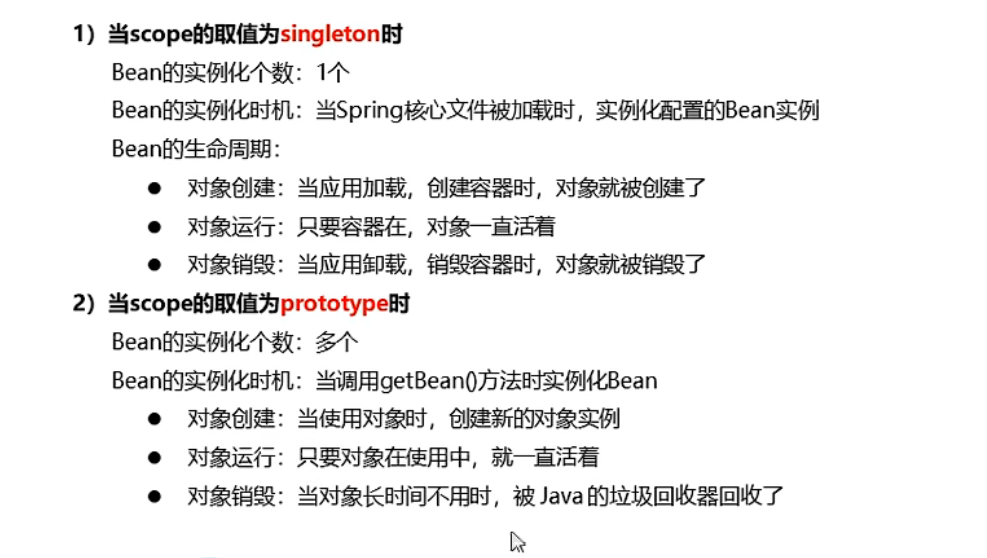
scope
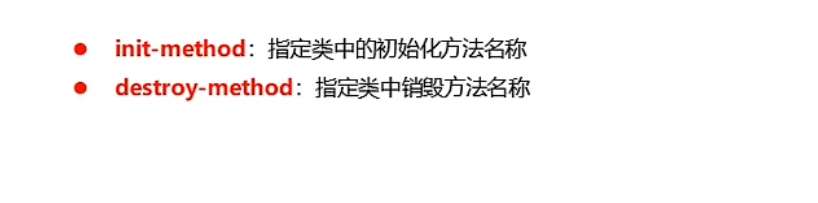
生命周期配置
applicationContext.xml
<?xml version="1.0" encoding="UTF-8"?>
<beans xmlns="http://www.springframework.org/schema/beans"
       xmlns:xsi="http://www.w3.org/2001/XMLSchema-instance"
       xsi:schemaLocation="http://www.springframework.org/schema/beans http://www.springframework.org/schema/beans/spring-beans.xsd">

    <bean id="userDao" class="dao.impl.UserDaoImpl" init-method="init" destroy-method="destroy" scope="singleton"></bean>
</beans>
SpringTest
package test;

import dao.UserDao;
import org.junit.Test;
import org.springframework.context.ApplicationContext;
import org.springframework.context.support.ClassPathXmlApplicationContext;

public class SpringTest {

    /**
     * 测试scope属性
     */
    @Test
    public void test1(){
        ApplicationContext app=new ClassPathXmlApplicationContext("applicationContext.xml");
        UserDao userDao1 = (UserDao) app.getBean("userDao");
        System.out.println(userDao1);
        ((ClassPathXmlApplicationContext)app).close();
    }
}
Bean实例化三种方式
-
无参构造方法实例化(最常用)
-
applicationContext.xml
<?xml version="1.0" encoding="UTF-8"?>
<beans xmlns="http://www.springframework.org/schema/beans"
       xmlns:xsi="http://www.w3.org/2001/XMLSchema-instance"
       xsi:schemaLocation="http://www.springframework.org/schema/beans http://www.springframework.org/schema/beans/spring-beans.xsd">

<bean id="userDao" class="dao.impl.UserDaoImpl" ></bean>
</beans>
-
-
工厂静态方法实例化
-
工厂静态方法
package factory; import dao.UserDao; import dao.impl.UserDaoImpl; /** * @author admin */ public class StaticFactory { public static UserDao getUserDao() { return new UserDaoImpl(); } } -
applicationContext.xml
<?xml version="1.0" encoding="UTF-8"?>
<beans xmlns="http://www.springframework.org/schema/beans"
       xmlns:xsi="http://www.w3.org/2001/XMLSchema-instance"
       xsi:schemaLocation="http://www.springframework.org/schema/beans http://www.springframework.org/schema/beans/spring-beans.xsd">

<!--    <bean id="userDao" class="dao.impl.UserDaoImpl" init-method="init" destroy-method="destroy" scope="singleton"></bean>-->
    <bean id="userDao" class="factory.StaticFactory" factory-method="getUserDao"></bean>
</beans>
-
-
工厂实例方法实例化
-
工厂实例方法
package factory; import dao.UserDao; import dao.impl.UserDaoImpl; /** * @author admin */ public class DynamicFactory { public UserDao getUserDao() { return new UserDaoImpl(); } } -
applicationContext.xml
<?xml version="1.0" encoding="UTF-8"?>
<beans xmlns="http://www.springframework.org/schema/beans"
       xmlns:xsi="http://www.w3.org/2001/XMLSchema-instance"
       xsi:schemaLocation="http://www.springframework.org/schema/beans http://www.springframework.org/schema/beans/spring-beans.xsd">

<!--    <bean id="userDao" class="dao.impl.UserDaoImpl" init-method="init" destroy-method="destroy" scope="singleton"></bean>-->
<!--    <bean id="userDao" class="factory.StaticFactory" factory-method="getUserDao"></bean>-->
    <bean id="factory" class="factory.DynamicFactory" ></bean>
    <bean id="userDao" factory-bean="factory" factory-method="getUserDao"></bean>
</beans>
-
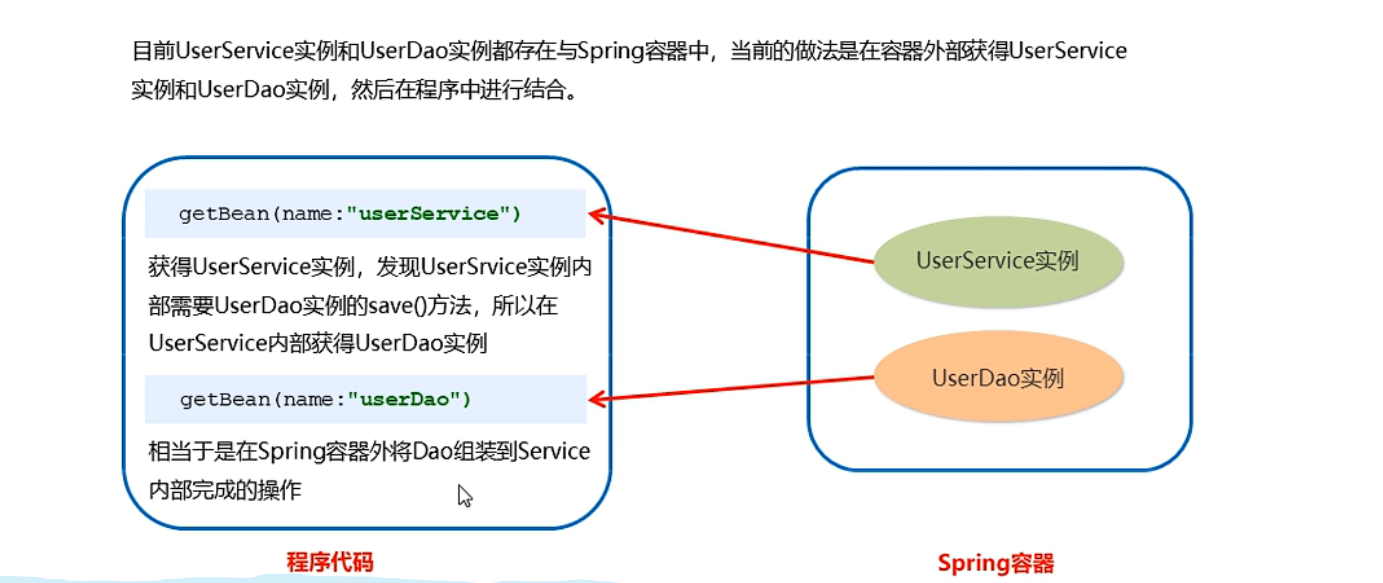
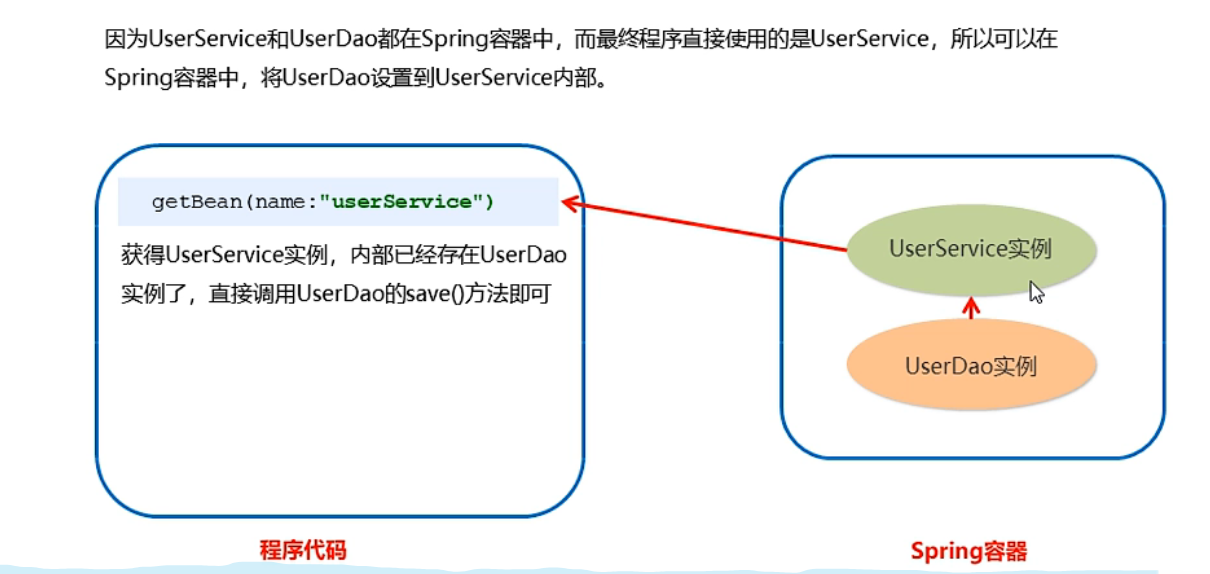
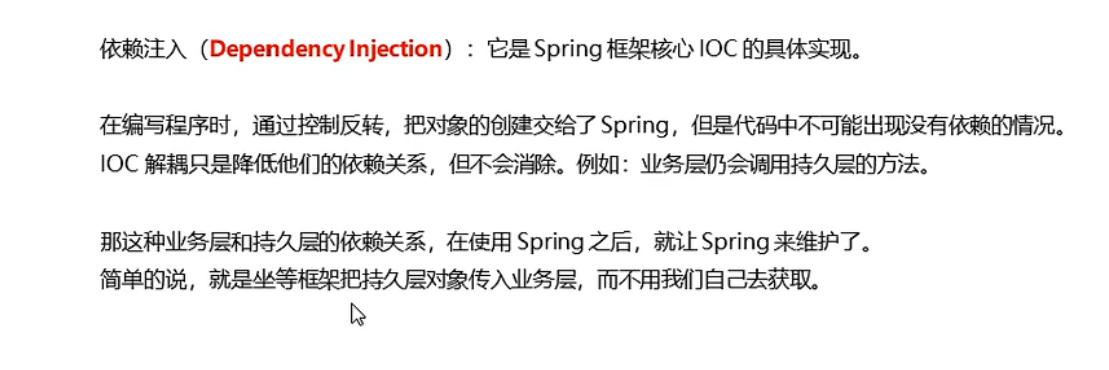
依赖注入
分析
概念
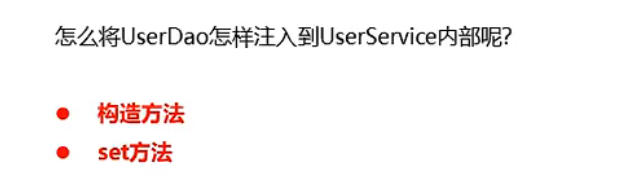
注入方式
-
构造方法
applicationContext.xml<?xml version="1.0" encoding="UTF-8"?> <beans xmlns="http://www.springframework.org/schema/beans" xmlns:xsi="http://www.w3.org/2001/XMLSchema-instance" xmlns:p="http://www.springframework.org/schema/p" xsi:schemaLocation="http://www.springframework.org/schema/beans http://www.springframework.org/schema/beans/spring-beans.xsd"> <bean id="userDao" class="dao.impl.UserDaoImpl"></bean> <bean id="userService" class="service.impl.UserServiceImpl"> <!--注意ref与id相同--> <constructor-arg name="userDao" ref="userDao"></constructor-arg> </bean> </beans>UserServiceImplpackage service.impl; import dao.UserDao; import service.UserService; /** * @author admin */ public class UserServiceImpl implements UserService { private UserDao userDao; public UserServiceImpl(UserDao userDao) { this.userDao = userDao; } public UserServiceImpl() { } public void setUserDao(UserDao userDao) { this.userDao = userDao; } @Override public void save() { userDao.save(); } } -
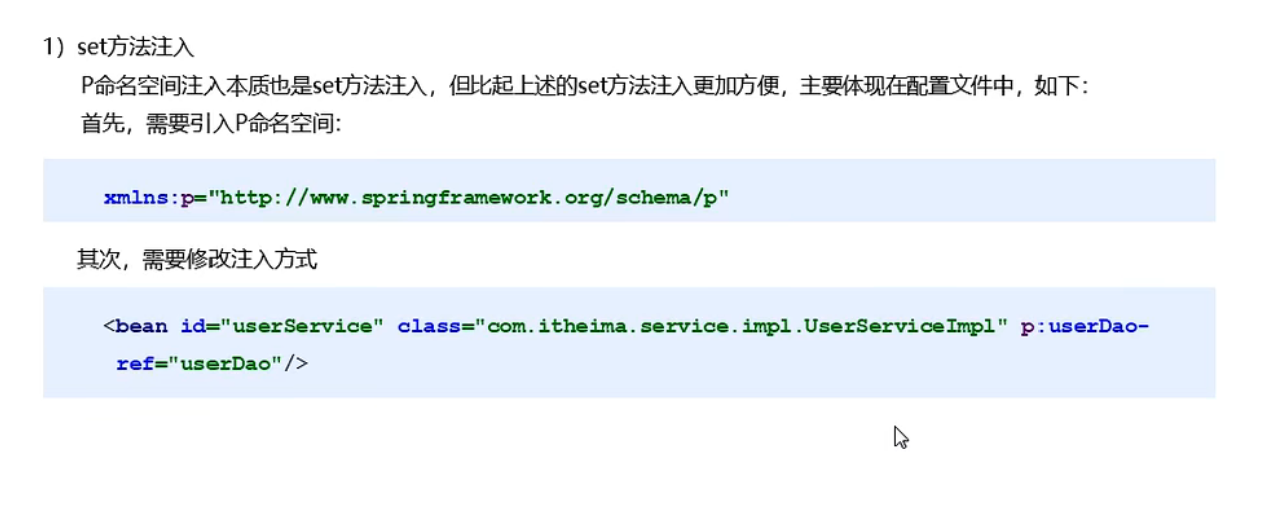
set方法
applicationContext.xml<?xml version="1.0" encoding="UTF-8"?> <beans xmlns="http://www.springframework.org/schema/beans" xmlns:xsi="http://www.w3.org/2001/XMLSchema-instance" <!--p命名空间--> xmlns:p="http://www.springframework.org/schema/p" xsi:schemaLocation="http://www.springframework.org/schema/beans http://www.springframework.org/schema/beans/spring-beans.xsd"> <bean id="userDao" class="dao.impl.UserDaoImpl"></bean> <!--set方法注入--> <!-- <bean id="userService" class="service.impl.UserServiceImpl">--> <!-- <property name="userDao" ref="userDao"></property>--> <!-- </bean>--> <!--p命名空间注入--> <bean id="userService" class="service.impl.UserServiceImpl" p:userDao-ref="userDao"></bean> </beans>UserServiceImplpackage service.impl; import dao.UserDao; import service.UserService; /** * @author admin */ public class UserServiceImpl implements UserService { private UserDao userDao; public void setUserDao(UserDao userDao) { this.userDao = userDao; } @Override public void save() { userDao.save(); } }UserControllerpackage demo; import org.springframework.context.ApplicationContext; import org.springframework.context.support.ClassPathXmlApplicationContext; import service.UserService; import service.impl.UserServiceImpl; /** * @author admin */ public class UserController { public static void main(String[] args) { ApplicationContext app = new ClassPathXmlApplicationContext("applicationContext.xml"); UserService userService = app.getBean("userService", UserServiceImpl.class); userService.save(); } }
依赖注入的数据类型
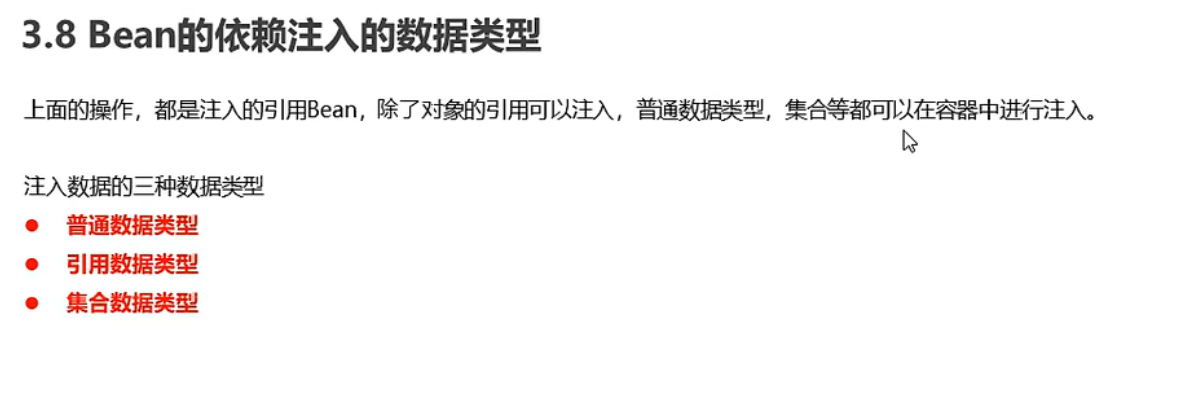
普通数据类型
applicationContext.xml
<?xml version="1.0" encoding="UTF-8"?>
<beans xmlns="http://www.springframework.org/schema/beans"
       xmlns:xsi="http://www.w3.org/2001/XMLSchema-instance"
       xmlns:p="http://www.springframework.org/schema/p"
       xsi:schemaLocation="http://www.springframework.org/schema/beans http://www.springframework.org/schema/beans/spring-beans.xsd">

    <bean id="userDao" class="dao.impl.UserDaoImpl" >
        <property name="username" value="zhangsan"></property>
        <property name="age" value="20"></property>
    </bean>
    <bean id="userService" class="service.impl.UserServiceImpl">
        <constructor-arg name="userDao" ref="userDao"></constructor-arg>
    </bean>

</beans>
UserServiceImpl
package dao.impl;

import dao.UserDao;

import java.util.Set;

/**
 * @author admin
 */
public class UserDaoImpl implements UserDao {
    private String username;
    private int age;

    public void setAge(int age) {
        this.age = age;
    }

    public UserDaoImpl() {
        System.out.println("UserDaoImpl 创建");
    }

    @Override
    public void save() {
        System.out.println(username + " " + age);
        System.out.println("save running");
    }

    public void setUsername(String username) {
        this.username = username;
    }
}
引用数据类型
略
集合数据类型
applicationContext.xml
<?xml version="1.0" encoding="UTF-8"?>
<beans xmlns="http://www.springframework.org/schema/beans"
       xmlns:xsi="http://www.w3.org/2001/XMLSchema-instance"
       xmlns:p="http://www.springframework.org/schema/p"
       xsi:schemaLocation="http://www.springframework.org/schema/beans http://www.springframework.org/schema/beans/spring-beans.xsd">

    <bean id="userDao" class="dao.impl.UserDaoImpl" >
        <property name="username" value="zhangsan"></property>
        <property name="age" value="20"></property>
        <property name="strList" >
            <list>
                <value>aaa</value>
                <value>bbb</value>
                <value>ccc</value>
            </list>
        </property>

        <property name="userMap">
            <map>
                <entry key="user1" value-ref="user1"></entry>
                <entry key="u2" value-ref="user2"></entry>
            </map>
        </property>
        <property name="properties">
            <props>
                <prop key="p1">ppp1</prop>
                <prop key="p2">ppp2</prop>
            </props>
        </property>
    </bean>
    <bean id="userService" class="service.impl.UserServiceImpl">
        <constructor-arg name="userDao" ref="userDao"></constructor-arg>
    </bean>

    <bean id="user1" class="domain.User">
        <property name="password" value="122345"></property>
        <property name="username" value="灰风"></property>
    </bean>

    <bean id="user2" class="domain.User">
        <property name="password" value="12645"></property>
        <property name="username" value="tom"></property>
    </bean>
</beans>
UserDaoImpl
package dao.impl;

import dao.UserDao;
import domain.User;

import java.util.List;
import java.util.Map;
import java.util.Properties;
import java.util.Set;

/**
 * @author admin
 */
public class UserDaoImpl implements UserDao {
    private String username;
    private int age;
    private List<String>strList;
    private Map<String, User>userMap;
    private Properties properties;

    public void setStrList(List<String> strList) {
        this.strList = strList;
    }

    public void setUserMap(Map<String, User> userMap) {
        this.userMap = userMap;
    }

    public void setProperties(Properties properties) {
        this.properties = properties;
    }

    public void setAge(int age) {
        this.age = age;
    }

    public UserDaoImpl() {
        System.out.println("UserDaoImpl 创建");
    }

    @Override
    public void save() {
        System.out.println(strList);
        System.out.println(userMap);
        System.out.println(properties);
        System.out.println(username + " " + age);
        System.out.println("save running");
    }

    public void setUsername(String username) {
        this.username = username;
    }
}
User
package domain;

public class User {
    private String username;
    private String password;

    public String getPassword() {
        return password;
    }

    public String getUsername() {
        return username;
    }

    @Override
    public String toString() {
        return "User{" +
                "username='" + username + '\'' +
                ", password='" + password + '\'' +
                '}';
    }

    public void setUsername(String username) {
        this.username = username;
    }

    public void setPassword(String password) {
        this.password = password;
    }
}
引入其他配置文件(分模块开发)

<?xml version="1.0" encoding="UTF-8"?>
<beans xmlns="http://www.springframework.org/schema/beans"
       xmlns:xsi="http://www.w3.org/2001/XMLSchema-instance"
       xmlns:p="http://www.springframework.org/schema/p"
       xsi:schemaLocation="http://www.springframework.org/schema/beans http://www.springframework.org/schema/beans/spring-beans.xsd">

    <import resource="applicationContext-user.xml"></import>
    <import resource="applicationContext-product.xml"></import>
</beans>
小结
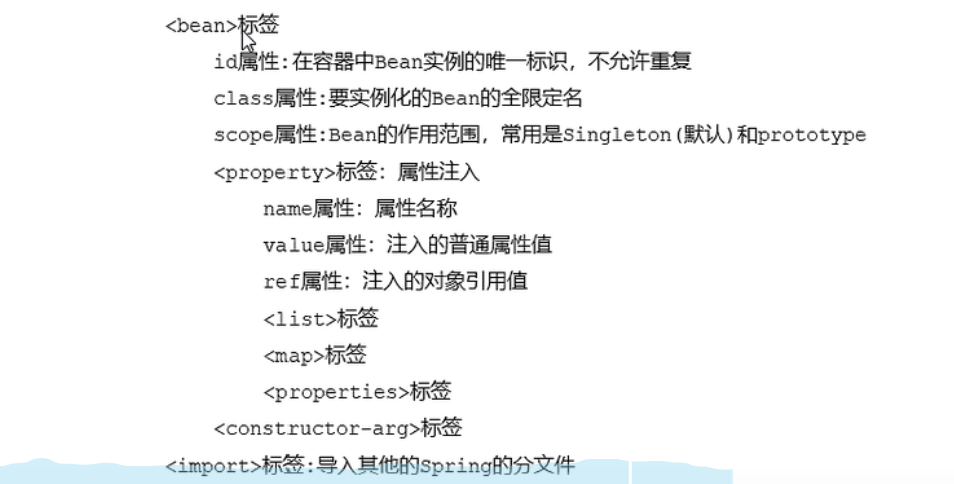
Spring重点配置
Spring相关API
ApplicationContext的继承体系
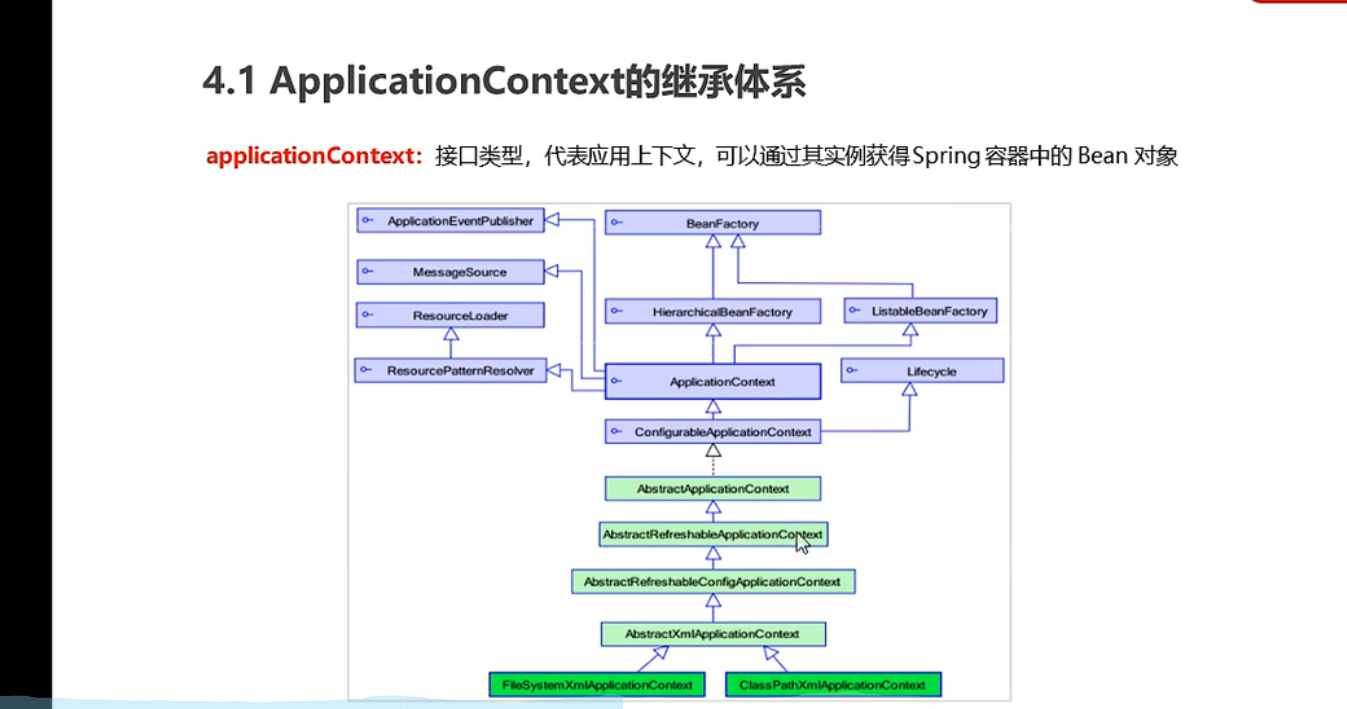
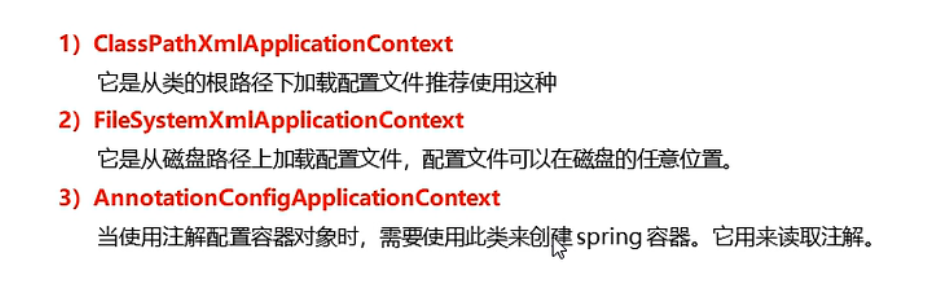
ApplicationContext的实现类
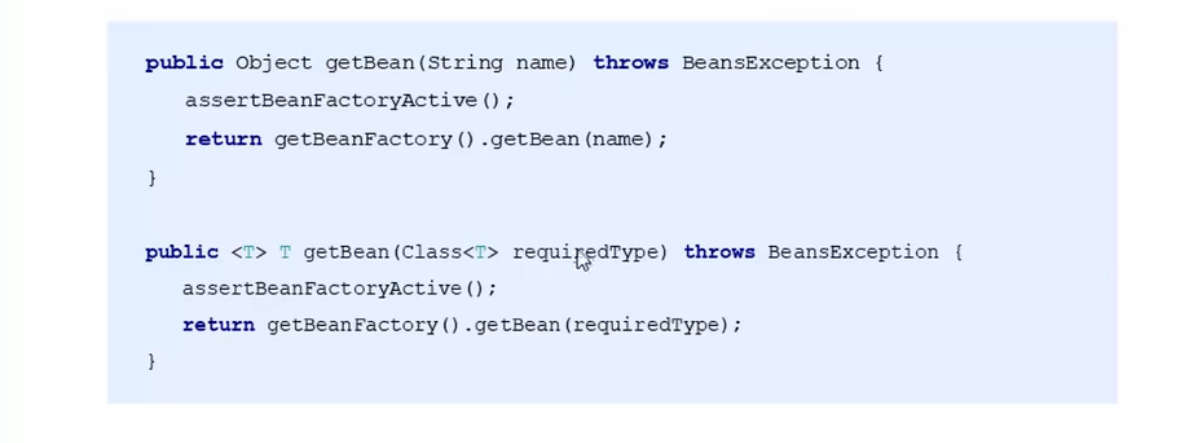
getBean()方法使用
小结

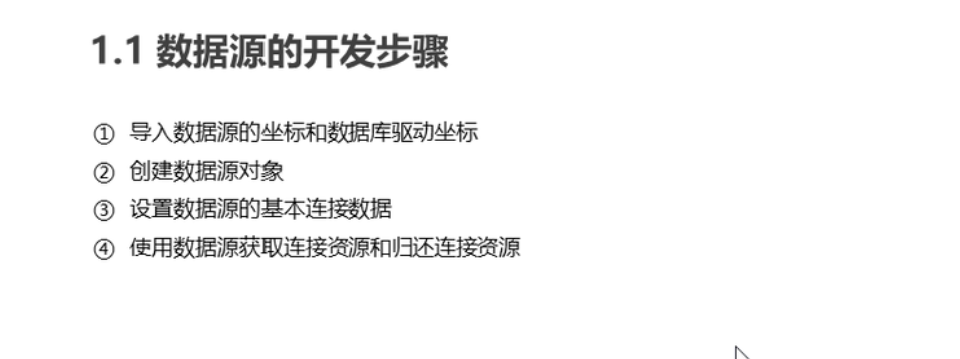
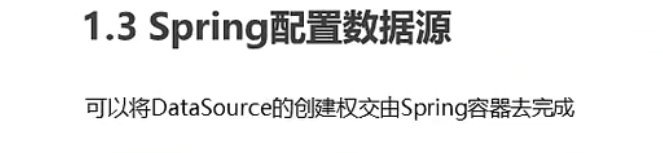
Spring配置数据源
作用
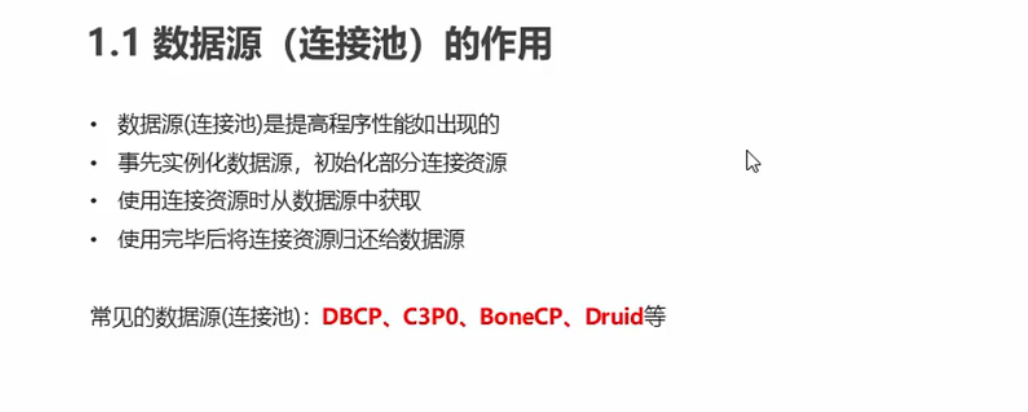
开发步骤
Spring配置数据源
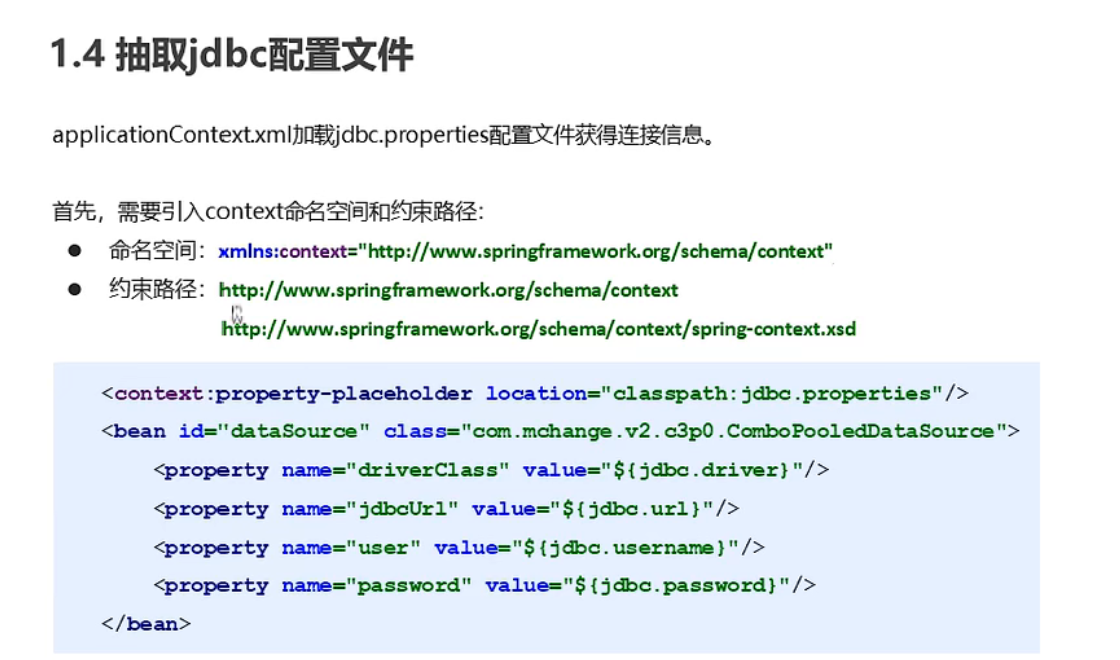
抽取jdbc配置文件
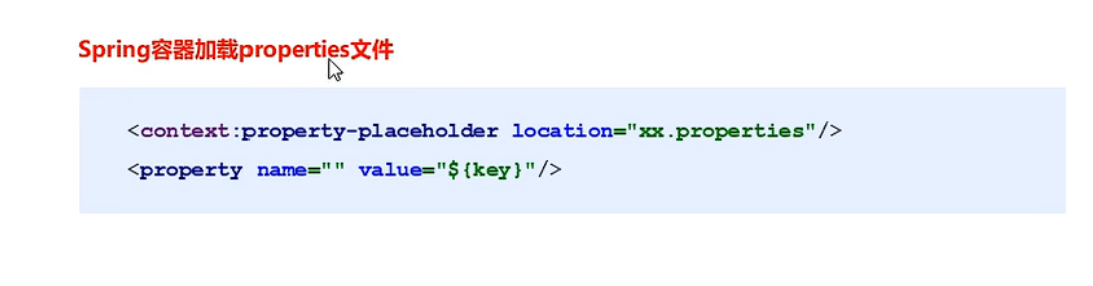
知识要点
代码
applicationContext.xml
<?xml version="1.0" encoding="UTF-8"?>
<beans xmlns="http://www.springframework.org/schema/beans"
       xmlns:xsi="http://www.w3.org/2001/XMLSchema-instance"
       xmlns:context="http://www.springframework.org/schema/context"
       xsi:schemaLocation=
               "http://www.springframework.org/schema/beans http://www.springframework.org/schema/beans/spring-beans.xsd
               http://www.springframework.org/schema/context http://www.springframework.org/schema/context/spring-context.xsd">

<!--    加载外部的properties文件-->
    <context:property-placeholder location="classpath:jdbc.properties"/>


<!--    <bean id="dataSource" class="com.mchange.v2.c3p0.ComboPooledDataSource">-->
<!--        <property name="driverClass" value="${jdbc.driver}"></property>-->
<!--        <property name="jdbcUrl" value="${jdbc.url}"></property>-->
<!--        <property name="user" value="${jdbc.username}"></property>-->
<!--        <property name="password" value="${jdbc.password}"></property>-->
<!--    </bean>-->

    <bean id="dataSource" class="com.alibaba.druid.pool.DruidDataSource">
        <property name="driverClassName" value="${jdbc.driver}"></property>
        <property name="url" value="${jdbc.url}"></property>
        <property name="username" value="${jdbc.username}"></property>
        <property name="password" value="${jdbc.password}"></property>
    </bean>
</beans>
jdbc.properties
jdbc.driver=com.mysql.cj.jdbc.Driver
jdbc.url=jdbc:mysql:///test?serverTimezone=GMT%2B8
jdbc.username=root
jdbc.password=root
DataSourceTest
package test;

import org.junit.Test;
import org.springframework.context.ApplicationContext;
import org.springframework.context.support.ClassPathXmlApplicationContext;
import javax.sql.DataSource;
import java.sql.Connection;
import java.sql.SQLException;

public class DataSourceTest {

    /**
     * 测试数据源
     */
    @Test
    public void test1() throws  SQLException {
        ApplicationContext app=new ClassPathXmlApplicationContext("applicationContext.xml");
        DataSource dataSource = app.getBean(DataSource.class);
        Connection connection = dataSource.getConnection();
        System.out.println(connection);
        connection.close();
    }
}
-
注:报错
Exception in thread “main” java.lang.RuntimeException: java.sql.SQLException: The server time zone value ‘�й���ʱ��’ is unrecognized or represents more than one time zone. You must configure either the server or JDBC driver (via the ‘serverTimezone’ configuration property) to use a more specifc time zone value if you want to utilize time zone support. -
在代码URL后面加入: ?serverTimezone=GMT%2B8
Spring注解开发
Spring原始注解

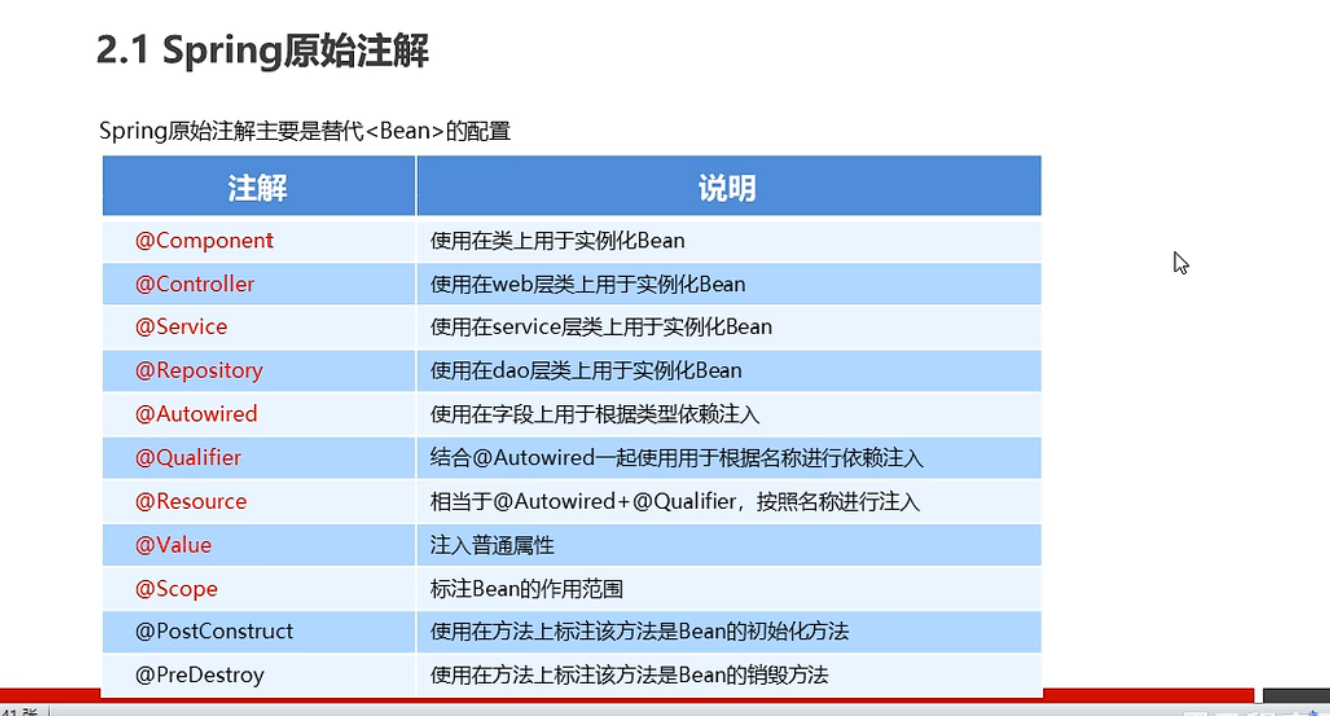
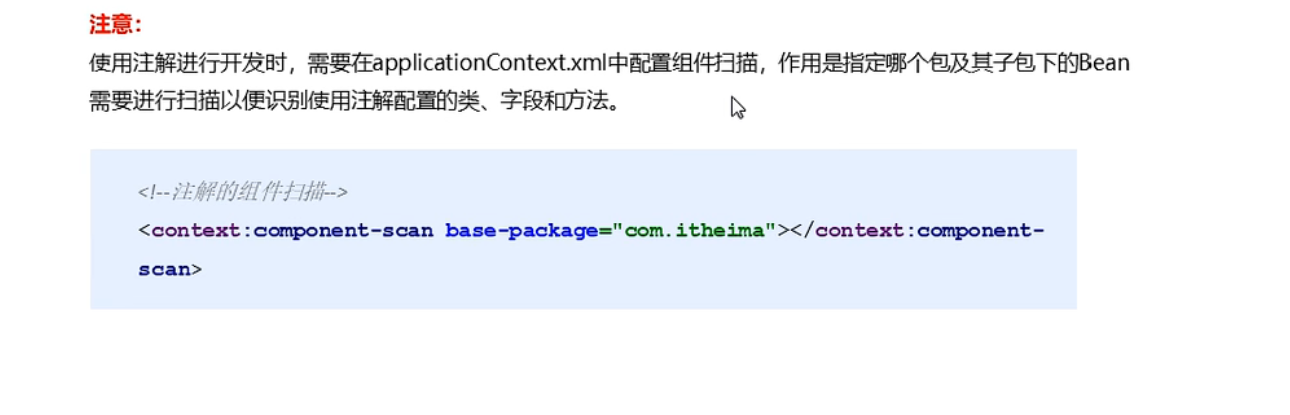
代码
UserDaoImpl
package com.spring.dao.impl;

import com.spring.dao.UserDao;
import com.spring.domain.User;
import org.springframework.beans.factory.annotation.Value;
import org.springframework.context.annotation.Scope;
import org.springframework.stereotype.Component;
import org.springframework.stereotype.Repository;

import javax.annotation.PostConstruct;
import javax.annotation.PreDestroy;
import java.util.List;
import java.util.Map;
import java.util.Properties;


/**
 *
 * @author admin
 */
//<bean id="userDao" class="com.spring.dao.impl.UserDaoImpl" >
//@Component("userDao")
@Repository("userDao")
@Scope("prototype")
public class UserDaoImpl implements UserDao {
    @Value("${userDao.username}")
    private String username;

    private int age;
    private List<String>strList;
    private Map<String, User>userMap;
    private Properties properties;

    public void setStrList(List<String> strList) {
        this.strList = strList;
    }

    public void setUserMap(Map<String, User> userMap) {
        this.userMap = userMap;
    }

    public void setProperties(Properties properties) {
        this.properties = properties;
    }


    public void setAge(int age) {
        this.age = age;
    }

    public UserDaoImpl() {
        System.out.println("UserDaoImpl 创建");
    }

    @PostConstruct
    public void init() {
        System.out.println("UserDaoImpl init");
    }

    @PreDestroy
    public void destroy() {
        System.out.println("UserDaoImpl destroy");
    }
    @Override
    public void save() {
        System.out.println(strList);
        System.out.println(userMap);
        System.out.println(properties);
        System.out.println(username + " " + age);
        System.out.println("save running");
    }

    public void setUsername(String username) {
        this.username = username;
    }
}
UserServiceImpl
package com.spring.service.impl;

import com.spring.dao.UserDao;
import org.springframework.beans.factory.annotation.Autowired;
import org.springframework.beans.factory.annotation.Qualifier;
import org.springframework.stereotype.Component;
import com.spring.service.UserService;
import org.springframework.stereotype.Repository;
import org.springframework.stereotype.Service;

import javax.annotation.Resource;

/**
 * @author admin
 */
//<bean id="userService" class="com.spring.service.impl.UserServiceImpl">
//@Component("userService")
@Service("userService")
public class UserServiceImpl implements UserService {
    //<property name="userDao" ref="userDao"></property>
//    @Autowired//按照数据类型从spring中进行匹配的
//    @Qualifier("userDao")//按照id值从容器中进行匹配的 但是主要此处@Qualifier结合@Autowired一起使用
    @Resource(name = "userDao")//相当于@Autowired+@Qualifier
    private UserDao userDao;


    public UserServiceImpl(UserDao userDao) {
        this.userDao = userDao;
    }

    public UserServiceImpl() {
    }

//    @Autowired
    public void setUserDao(UserDao userDa) {
        this.userDao = userDao;
    }

    @Override
    public void save() {
        userDao.save();
    }
}
applicationContext.xml
<?xml version="1.0" encoding="UTF-8"?>
<beans xmlns="http://www.springframework.org/schema/beans"
       xmlns:xsi="http://www.w3.org/2001/XMLSchema-instance"
       xmlns:p="http://www.springframework.org/schema/p" xmlns:context="http://www.springframework.org/schema/context"
       xsi:schemaLocation="http://www.springframework.org/schema/beans http://www.springframework.org/schema/beans/spring-beans.xsd http://www.springframework.org/schema/context http://www.springframework.org/schema/context/spring-context.xsd">

<!--    配置组件扫描-->
    <context:component-scan base-package="com.spring"/>
    <context:property-placeholder location="userDao.properties"/>
</beans>
userDao.properties
userDao.username=zhangsan
userDao.age=16
Spring新注解
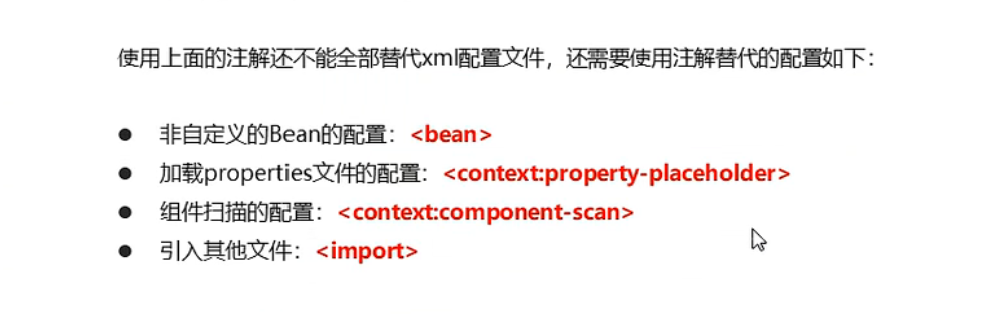
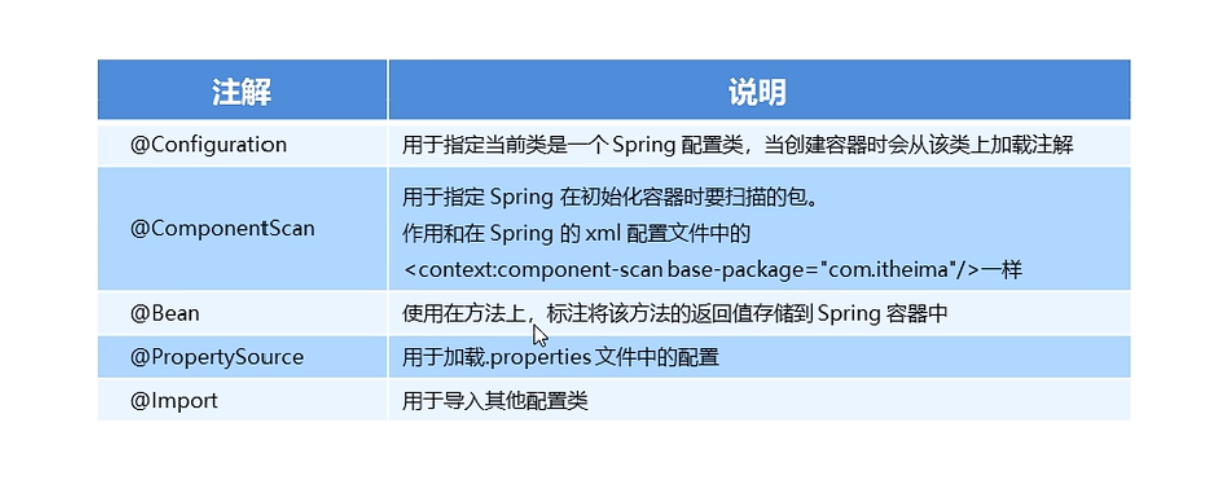
代码
UserConfiguration
package com.spring.config;

import com.spring.dao.impl.UserDaoImpl;
import com.spring.domain.User;
import org.springframework.beans.factory.annotation.Value;
import org.springframework.context.annotation.Bean;
import org.springframework.context.annotation.PropertySource;

import java.util.List;
import java.util.Map;
import java.util.Properties;

/**
 * @author admin
 */
@PropertySource(value = "classpath:userDao.properties",encoding = "utf-8")
public class UserConfiguration {
    @Value("${userDao.username}")
    private String username;
    @Value("${userDao.age}")
    private String age;

    @Value("#{'${userDao.list}'.split(',')}")
    private List<String> strList;
    private Map<String, User> userMap;
    private Properties properties;

    @Bean("userDao")
    public UserDaoImpl getUserDaoImpl() {
        UserDaoImpl userDao = new UserDaoImpl();
        userDao.setAge(Integer.parseInt(age));
        userDao.setUsername(username);
        userDao.setStrList(strList);
        return userDao;
    }
}
SpringConfiguration
package com.spring.config;

import org.springframework.context.annotation.ComponentScan;
import org.springframework.context.annotation.Configuration;
import org.springframework.context.annotation.Import;


/**
 *
 * @author admin
 */
//标志该类是Spring的核心配置类
@Configuration
//<context:component-scan base-package="com.spring"/>
@ComponentScan("com.spring")
//<import resource=""/>
@Import({DataSourceConfiguration.class,UserConfiguration.class}/*数组*/)
public class SpringConfiguration {
}
DataSourceConfiguration
package com.spring.config;

import com.mchange.v2.c3p0.ComboPooledDataSource;
import org.springframework.beans.factory.annotation.Value;
import org.springframework.context.annotation.Bean;
import org.springframework.context.annotation.PropertySource;

import javax.sql.DataSource;
import java.beans.PropertyVetoException;

/**
 * @author admin
 */
//<context:property-placeholder location="classpath:jdbc.properties"/>
@PropertySource("classpath:jdbc.properties")
public class DataSourceConfiguration {
    @Value("${jdbc.url}")
    private String url;
    @Value("${jdbc.username}")
    private String username;
    @Value("${jdbc.password}")
    private String password;
    @Value("${jdbc.driver}")
    private String driverClassName;

    /**
     * 创建数据源
     * @return
     */
    @Bean("dataSource") //Spring会将当前方法的返回值以指定名称存储到Spring容器中
    public DataSource getDataSource() throws PropertyVetoException {
        ComboPooledDataSource dataSource = new ComboPooledDataSource();
        dataSource.setJdbcUrl(url);
        dataSource.setUser(username);
        dataSource.setPassword(password);
        dataSource.setDriverClass(driverClassName);
        return dataSource;
    }
}
UserController
package com.spring.demo;

import com.spring.config.SpringConfiguration;
import org.springframework.context.ApplicationContext;
import org.springframework.context.annotation.AnnotationConfigApplicationContext;
import org.springframework.context.support.ClassPathXmlApplicationContext;
import com.spring.service.UserService;
import com.spring.service.impl.UserServiceImpl;

/**
 * @author admin
 */
public class UserController {
    public static void main(String[] args) {
        ApplicationContext app = new AnnotationConfigApplicationContext(SpringConfiguration.class);
        UserService userService = app.getBean("userService", UserServiceImpl.class);
        userService.save();
    }
}
userDao.properties
userDao.username=张三
userDao.age=16

#List
userDao.list=spring,c++,java
Spring集成JUnit
原始Junit测试spring问题
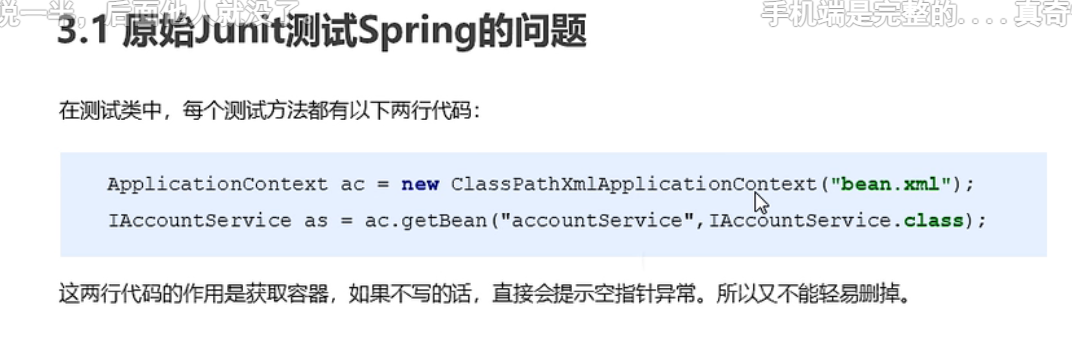
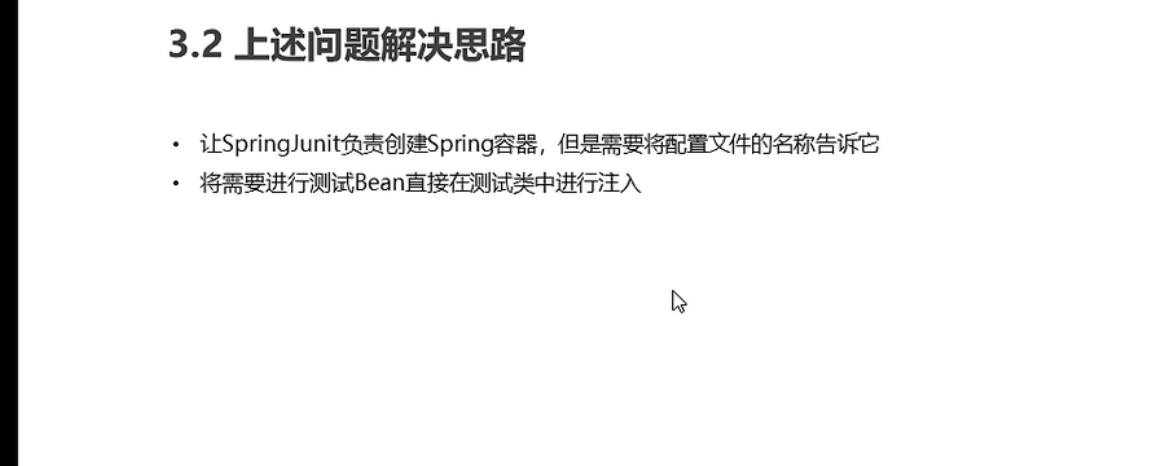
解决方案
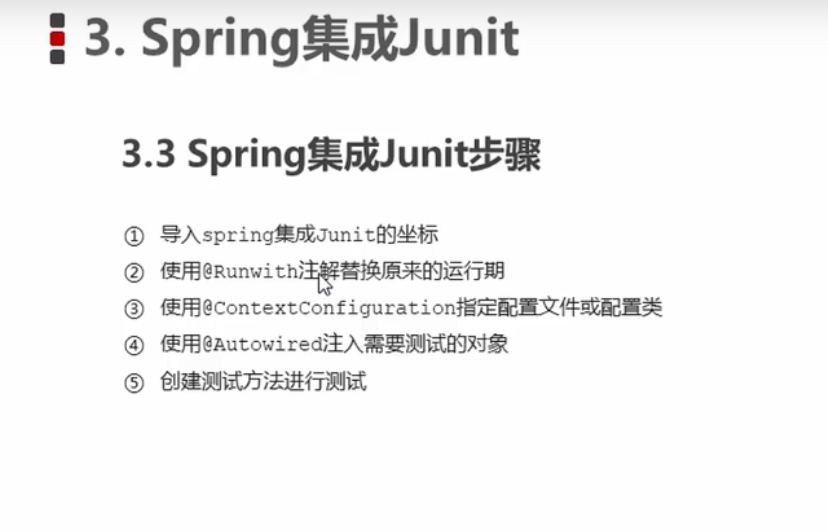
步骤
代码
全注解
package com.spring.demo;

import com.spring.config.DataSourceConfiguration;
import com.spring.config.SpringConfiguration;
import com.spring.service.UserService;
import org.junit.Test;
import org.junit.runner.RunWith;
import org.springframework.beans.factory.annotation.Autowired;
import org.springframework.test.context.ContextConfiguration;
import org.springframework.test.context.junit4.SpringJUnit4ClassRunner;

import javax.sql.DataSource;
import java.sql.SQLException;

/**
 * @author admin
 */
@RunWith(SpringJUnit4ClassRunner.class)
@ContextConfiguration(classes={SpringConfiguration.class})
public class SpringJUnitTest {
    @Autowired
    private UserService userService;
    @Autowired
    private DataSource dataSource;


    @Test
    public void test() throws SQLException {
        userService.save();
        System.out.println(dataSource.getConnection());
    }
}
XML
SpringJUnitTest
package test;

import com.spring.domain.User;
import com.spring.service.UserService;
import org.junit.Test;
import org.junit.runner.RunWith;
import org.springframework.beans.factory.annotation.Autowired;
import org.springframework.beans.factory.annotation.Qualifier;
import org.springframework.test.context.ContextConfiguration;
import org.springframework.test.context.junit4.SpringJUnit4ClassRunner;

import javax.sql.DataSource;
import java.sql.SQLException;

@RunWith(SpringJUnit4ClassRunner.class)
@ContextConfiguration("classpath:applicationContext.xml")
public class SpringJUnitTest {
    @Qualifier("dataSource01")
    @Autowired
    private DataSource dataSource;

    @Test
    public void test() throws SQLException {
        System.out.println(dataSource.getConnection());
    }
}
applicationContext.xml
<?xml version="1.0" encoding="UTF-8"?>
<beans xmlns="http://www.springframework.org/schema/beans"
       xmlns:xsi="http://www.w3.org/2001/XMLSchema-instance"
       xmlns:context="http://www.springframework.org/schema/context"
       xsi:schemaLocation=
               "http://www.springframework.org/schema/beans http://www.springframework.org/schema/beans/spring-beans.xsd
               http://www.springframework.org/schema/context http://www.springframework.org/schema/context/spring-context.xsd">

<!--    加载外部的properties文件-->
    <context:property-placeholder location="classpath:jdbc.properties"/>


    <bean id="dataSource01" class="com.mchange.v2.c3p0.ComboPooledDataSource">
        <property name="driverClass" value="${jdbc.driver}"></property>
        <property name="jdbcUrl" value="${jdbc.url}"></property>
        <property name="user" value="${jdbc.username}"></property>
        <property name="password" value="${jdbc.password}"></property>
    </bean>

    <bean id="dataSource" class="com.alibaba.druid.pool.DruidDataSource">
        <property name="driverClassName" value="${jdbc.driver}"></property>
        <property name="url" value="${jdbc.url}"></property>
        <property name="username" value="${jdbc.username}"></property>
        <property name="password" value="${jdbc.password}"></property>
    </bean>
    <bean id="userService" class="com.spring.service.impl.UserServiceImpl"></bean>
    <bean id="userDao" class="com.spring.dao.impl.UserDaoImpl"></bean>
</beans>
Web环境集成
ApplicationContext应用上下文获取方式
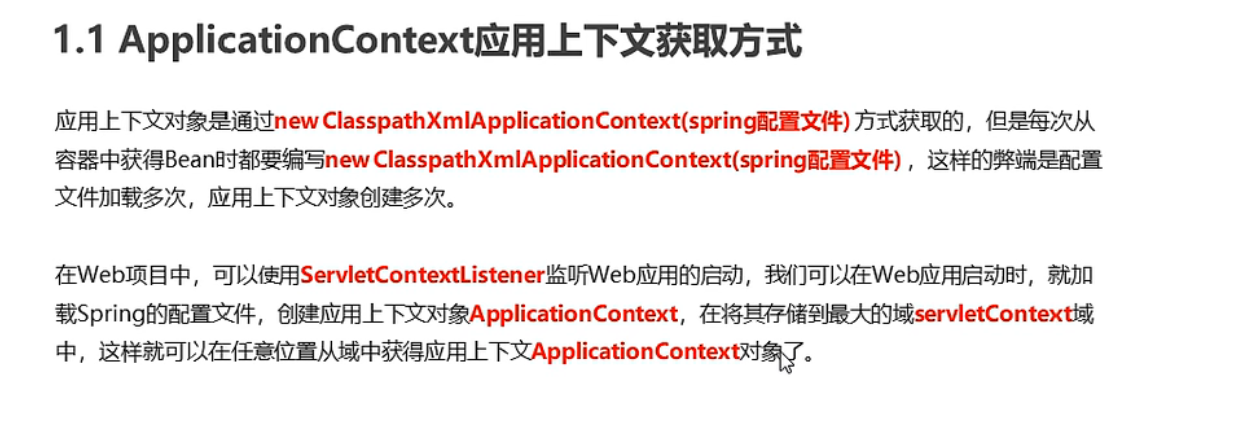
代码
UserServlet
package com.spring.web;

import com.spring.service.UserService;
import com.spring.utils.WebApplicationContextUtils;
import jakarta.servlet.*;
import jakarta.servlet.http.*;
import jakarta.servlet.annotation.*;
import org.springframework.context.ApplicationContext;
import org.springframework.context.support.ClassPathXmlApplicationContext;

import java.io.IOException;

@WebServlet(name = "UserServlet", value = "/UserServlet")
public class UserServlet extends HttpServlet {
    @Override
    protected void doGet(HttpServletRequest request, HttpServletResponse response) throws ServletException, IOException {
        this.doPost(request, response);
    }

    @Override
    protected void doPost(HttpServletRequest request, HttpServletResponse response) throws ServletException, IOException {
        ServletContext servletContext = this.getServletContext();
//        ApplicationContext app = (ApplicationContext) servletContext.getAttribute("app");
        ApplicationContext app= WebApplicationContextUtils.getWebApplicationContext(servletContext);
        UserService userService=app.getBean(UserService.class);
        userService.save();
    }
}
ContextLoaderListener
package com.spring.listener;

import jakarta.servlet.*;
import jakarta.servlet.http.*;
import jakarta.servlet.annotation.*;
import org.springframework.context.ApplicationContext;
import org.springframework.context.support.ClassPathXmlApplicationContext;

@WebListener
public class ContextLoaderListener implements ServletContextListener, HttpSessionListener, HttpSessionAttributeListener {

    public ContextLoaderListener() {
    }

    @Override
    public void contextInitialized(ServletContextEvent sce) {
        /* This method is called when the servlet context is initialized(when the Web application is deployed). */

        ServletContext servletContext=sce.getServletContext();


        //读取web.xml的全局参数
        String contextConfigLocation = servletContext.getInitParameter("contextConfigLocation");
        ApplicationContext app=new ClassPathXmlApplicationContext( contextConfigLocation);
        //将Spring的应用上下文对象存储到ServletContext域中
        servletContext.setAttribute("app",app);
        System.out.println("Spring容器创建完毕");
    }

    @Override
    public void contextDestroyed(ServletContextEvent sce) {
        /* This method is called when the servlet Context is undeployed or Application Server shuts down. */
    }

    @Override
    public void sessionCreated(HttpSessionEvent se) {
        /* Session is created. */
    }

    @Override
    public void sessionDestroyed(HttpSessionEvent se) {
        /* Session is destroyed. */
    }

    @Override
    public void attributeAdded(HttpSessionBindingEvent sbe) {
        /* This method is called when an attribute is added to a session. */
    }

    @Override
    public void attributeRemoved(HttpSessionBindingEvent sbe) {
        /* This method is called when an attribute is removed from a session. */
    }

    @Override
    public void attributeReplaced(HttpSessionBindingEvent sbe) {
        /* This method is called when an attribute is replaced in a session. */
    }
}
web.xml
<!DOCTYPE web-app PUBLIC
 "-//Sun Microsystems, Inc.//DTD Web Application 2.3//EN"
 "http://java.sun.com/dtd/web-app_2_3.dtd" >

<web-app>
  <display-name>Archetype Created Web Application</display-name>
<!--  全局初始化参数-->
  <context-param>
    <param-name>contextConfigLocation</param-name>
    <param-value>applicationContext.xml</param-value>
  </context-param>

<!--  配置监听器-->
  <listener>
    <listener-class>com.spring.listener.ContextLoaderListener</listener-class>
  </listener>

  <servlet>
    <servlet-name>UserServlet</servlet-name>
    <servlet-class>com.spring.web.UserServlet</servlet-class>
  </servlet>
  <servlet-mapping>
    <servlet-name>UserServlet</servlet-name>
    <url-pattern>/userServlet</url-pattern>
  </servlet-mapping>
</web-app>
<!DOCTYPE web-app PUBLIC
 "-//Sun Microsystems, Inc.//DTD Web Application 2.3//EN"
 "http://java.sun.com/dtd/web-app_2_3.dtd" >

<web-app>
  <display-name>Archetype Created Web Application</display-name>
<!--  全局初始化参数-->
  <context-param>
    <param-name>contextConfigLocation</param-name>
    <param-value>applicationContext.xml</param-value>
  </context-param>

<!--  配置监听器-->
  <listener>
    <listener-class>com.spring.listener.ContextLoaderListener</listener-class>
  </listener>

  <servlet>
    <servlet-name>UserServlet</servlet-name>
    <servlet-class>com.spring.web.UserServlet</servlet-class>
  </servlet>
  <servlet-mapping>
    <servlet-name>UserServlet</servlet-name>
    <url-pattern>/userServlet</url-pattern>
  </servlet-mapping>
</web-app>
Spring提供获取应用上下文的工具
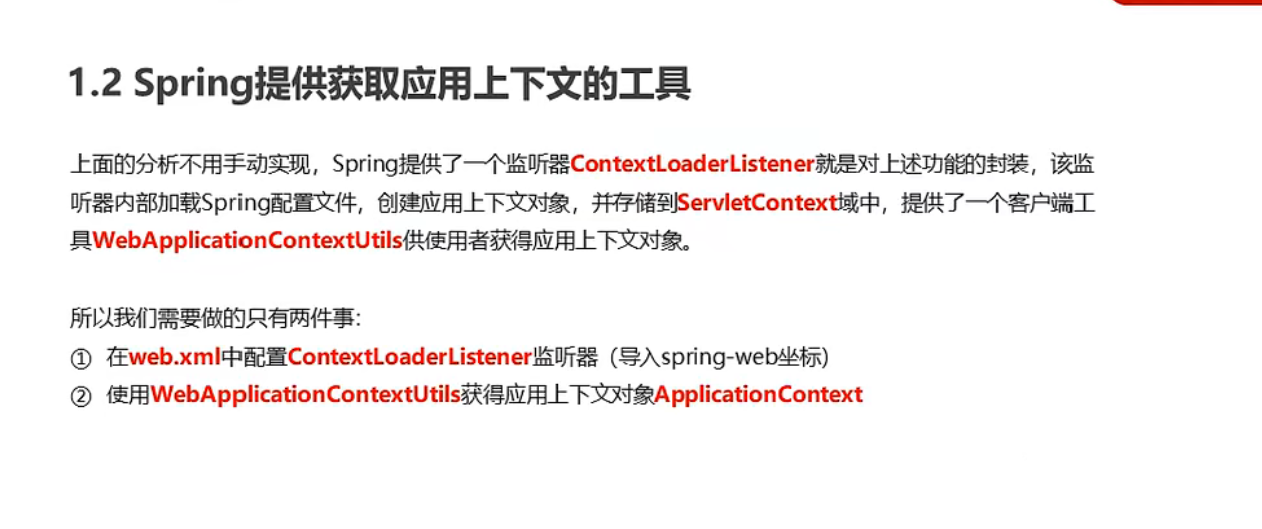
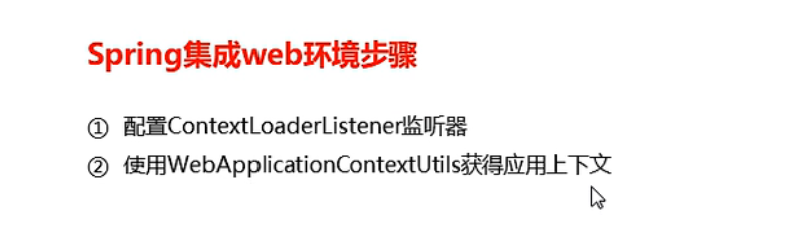
步骤
代码
UserServlet
package com.spring.web;

import com.spring.service.UserService;

import org.springframework.web.context.WebApplicationContext;
import org.springframework.web.context.support.WebApplicationContextUtils;

import javax.servlet.ServletContext;
import javax.servlet.ServletException;
import javax.servlet.annotation.WebServlet;
import javax.servlet.http.HttpServlet;
import javax.servlet.http.HttpServletRequest;
import javax.servlet.http.HttpServletResponse;
import java.io.IOException;

@WebServlet(name = "UserServlet", value = "/UserServlet")
public class UserServlet extends HttpServlet {
    @Override
    protected void doGet(HttpServletRequest request, HttpServletResponse response) throws ServletException, IOException {
        this.doPost(request, response);
    }

    @Override
    protected void doPost(HttpServletRequest request, HttpServletResponse response) throws ServletException, IOException {
        ServletContext servletContext = this.getServletContext();

        WebApplicationContext app = WebApplicationContextUtils.getWebApplicationContext(servletContext);
        UserService userService=app.getBean(UserService.class);
        userService.save();
    }
}
pom.xml
    <!-- https://mvnrepository.com/artifact/org.springframework/spring-web -->
    <dependency>
      <groupId>org.springframework</groupId>
      <artifactId>spring-web</artifactId>
      <version>5.3.18</version>
    </dependency>

    <dependency>
      <groupId>javax.annotation</groupId>
      <artifactId>javax.annotation-api</artifactId>
      <version>1.3.2</version>
    </dependency>
    <!-- https://mvnrepository.com/artifact/jakarta.servlet/jakarta.servlet-api -->
    <dependency>
      <groupId>javax.servlet</groupId>
      <artifactId>javax.servlet-api</artifactId>
      <version>3.1.0</version>
      <scope>provided</scope>
    </dependency>
web.xml
<!DOCTYPE web-app PUBLIC
 "-//Sun Microsystems, Inc.//DTD Web Application 2.3//EN"
 "http://java.sun.com/dtd/web-app_2_3.dtd" >

<web-app>
  <display-name>Archetype Created Web Application</display-name>
<!--  全局初始化参数-->
  <context-param>
    <param-name>contextConfigLocation</param-name>
    <param-value>classpath:applicationContext.xml</param-value>
  </context-param>

<!--  配置监听器-->
  <listener>
    <listener-class>org.springframework.web.context.ContextLoaderListener</listener-class>
  </listener>

  <servlet>
    <servlet-name>UserServlet</servlet-name>
    <servlet-class>com.spring.web.UserServlet</servlet-class>
  </servlet>
  <servlet-mapping>
    <servlet-name>UserServlet</servlet-name>
    <url-pattern>/userServlet</url-pattern>
  </servlet-mapping>
</web-app>
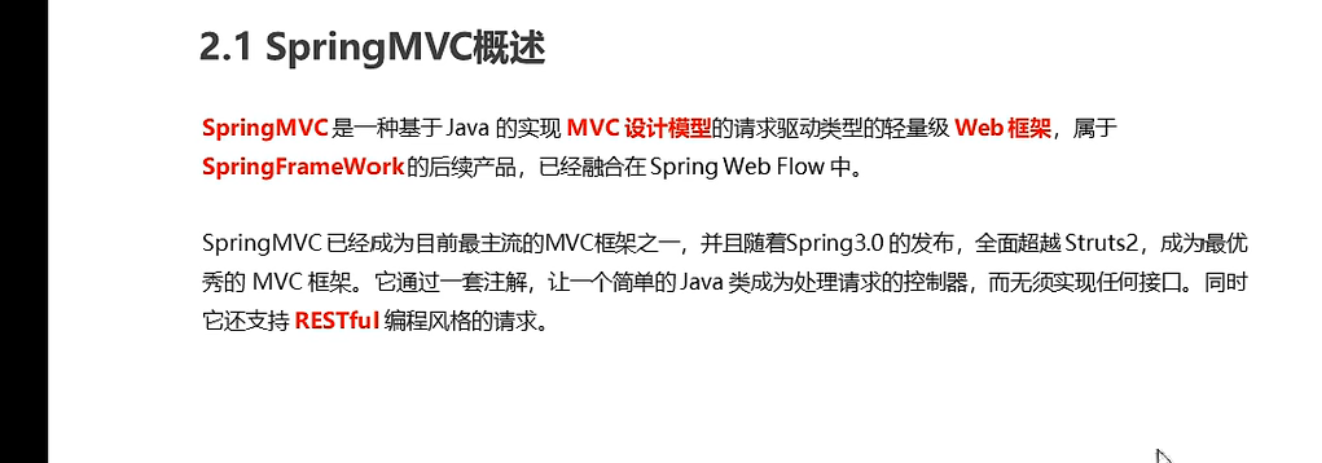
SpringMVC
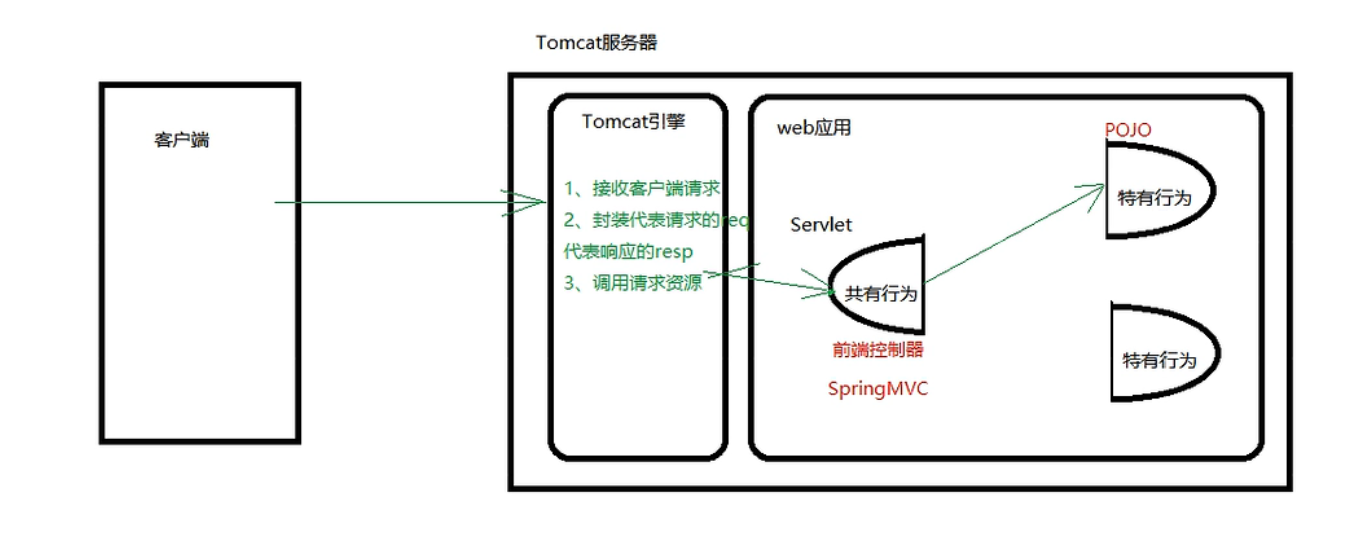
概述
开发步骤
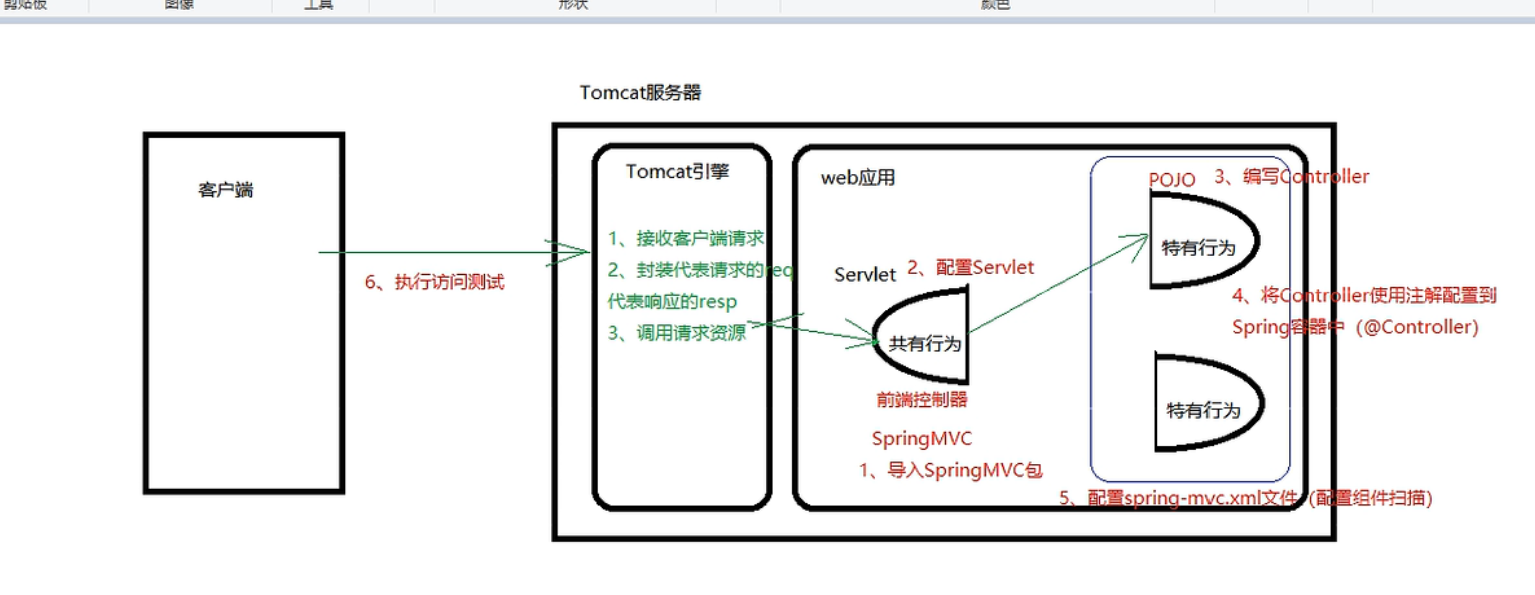
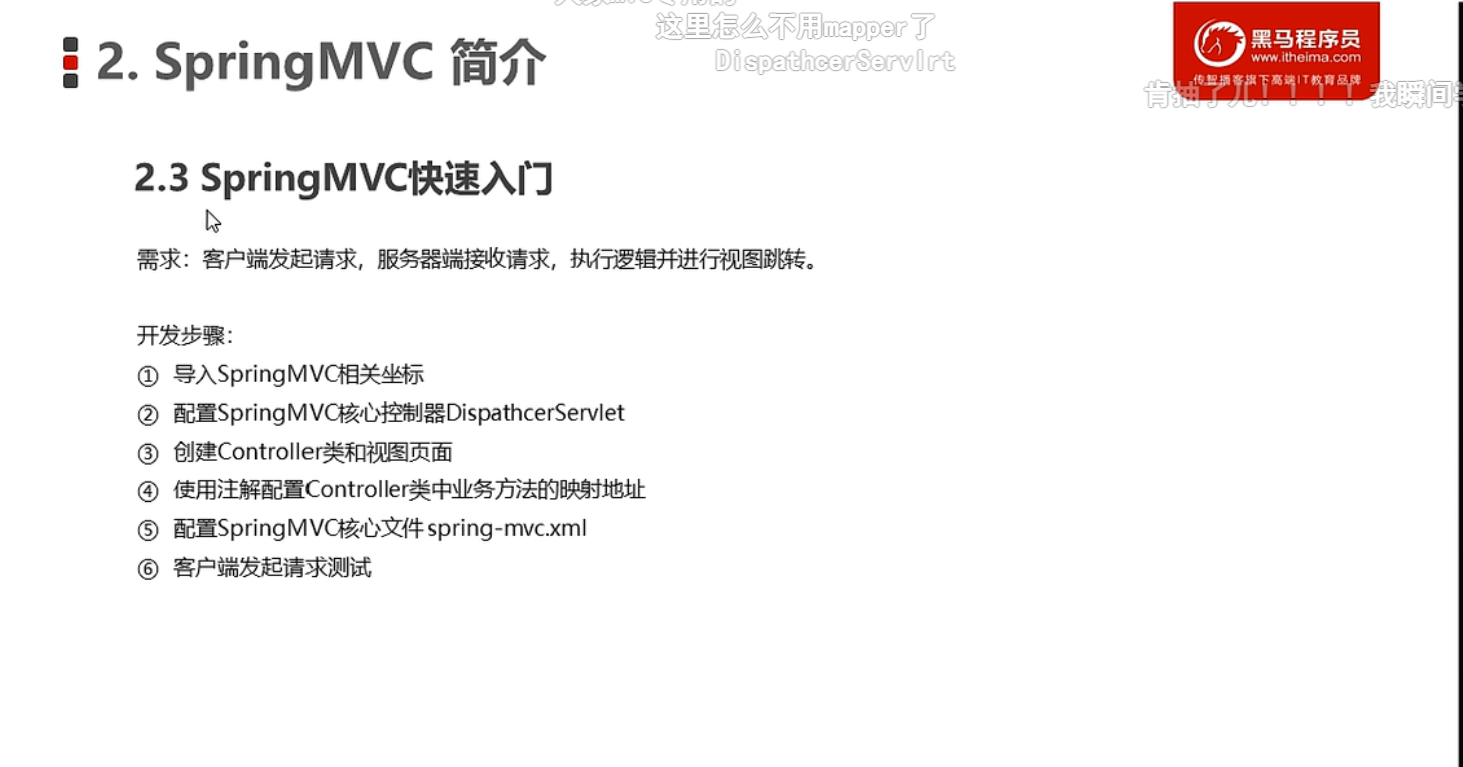
代码
UserController
package com.spring.controller;

import org.springframework.stereotype.Controller;
import org.springframework.web.bind.annotation.RequestMapping;

@Controller
public class UserController {
    @RequestMapping("/quick")
    public String save(){
        System.out.println("Controller save running...");
        return "success.jsp";
    }
}
spring-mvc.xml
<?xml version="1.0" encoding="UTF-8"?>
<beans xmlns="http://www.springframework.org/schema/beans"
       xmlns:xsi="http://www.w3.org/2001/XMLSchema-instance"
       xmlns:context="http://www.springframework.org/schema/context"
       xsi:schemaLocation="http://www.springframework.org/schema/beans http://www.springframework.org/schema/beans/spring-beans.xsd
            http://www.springframework.org/schema/context  http://www.springframework.org/schema/context/spring-context.xsd
            ">
<!--Controller的组件扫描-->
    <context:component-scan base-package="com.spring.controller"/>
</beans>
web.xml
<!DOCTYPE web-app PUBLIC
 "-//Sun Microsystems, Inc.//DTD Web Application 2.3//EN"
 "http://java.sun.com/dtd/web-app_2_3.dtd" >


<web-app>
  <display-name>Archetype Created Web Application</display-name>


<!--  全局初始化参数-->
  <context-param>
    <param-name>contextConfigLocation</param-name>
    <param-value>classpath:applicationContext.xml</param-value>
  </context-param>

<!--  配置监听器-->
  <listener>
    <listener-class>org.springframework.web.context.ContextLoaderListener</listener-class>
  </listener>
  <!--  配置springMVC的前端控制器-->
  <servlet>
    <servlet-name>DispatchServlet</servlet-name>
    <servlet-class>org.springframework.web.servlet.DispatcherServlet</servlet-class>
    <init-param>
      <param-name>contextConfigLocation</param-name>
      <param-value>classpath:spring-mvc.xml</param-value>
    </init-param>
    <load-on-startup>1</load-on-startup>
  </servlet>
  <servlet-mapping>
    <servlet-name>DispatchServlet</servlet-name>
    <url-pattern>/</url-pattern>
  </servlet-mapping>


</web-app>
pom.xml
    <!-- https://mvnrepository.com/artifact/org.springframework/spring-webmvc -->
    <dependency>
      <groupId>org.springframework</groupId>
      <artifactId>spring-webmvc</artifactId>
      <version>5.3.18</version>
    </dependency>
代码解析
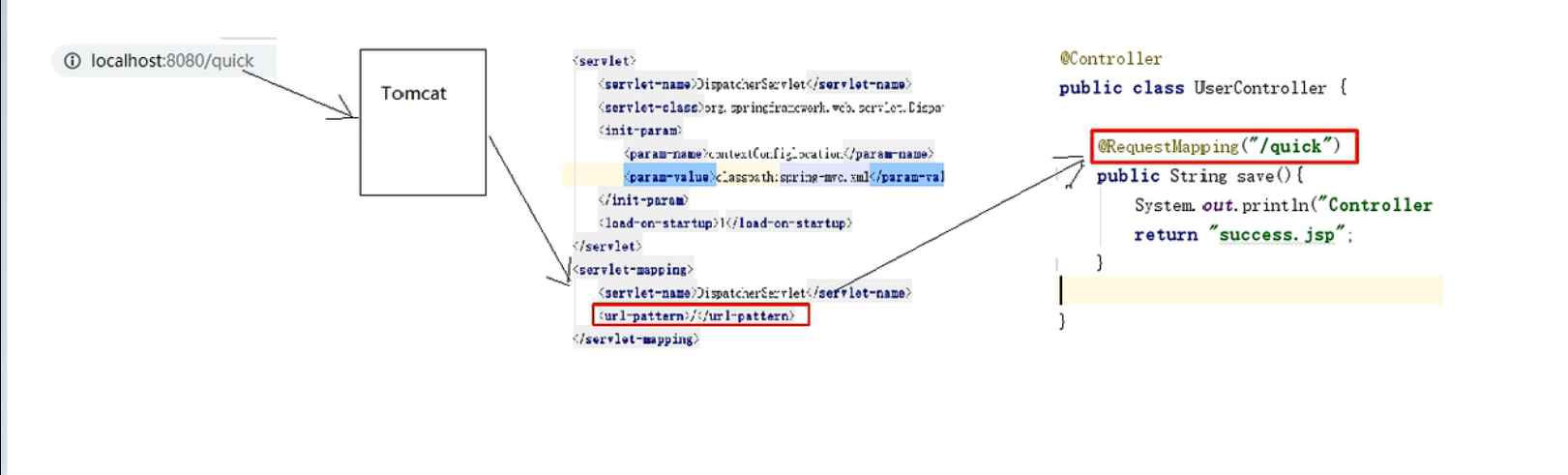
流程图示
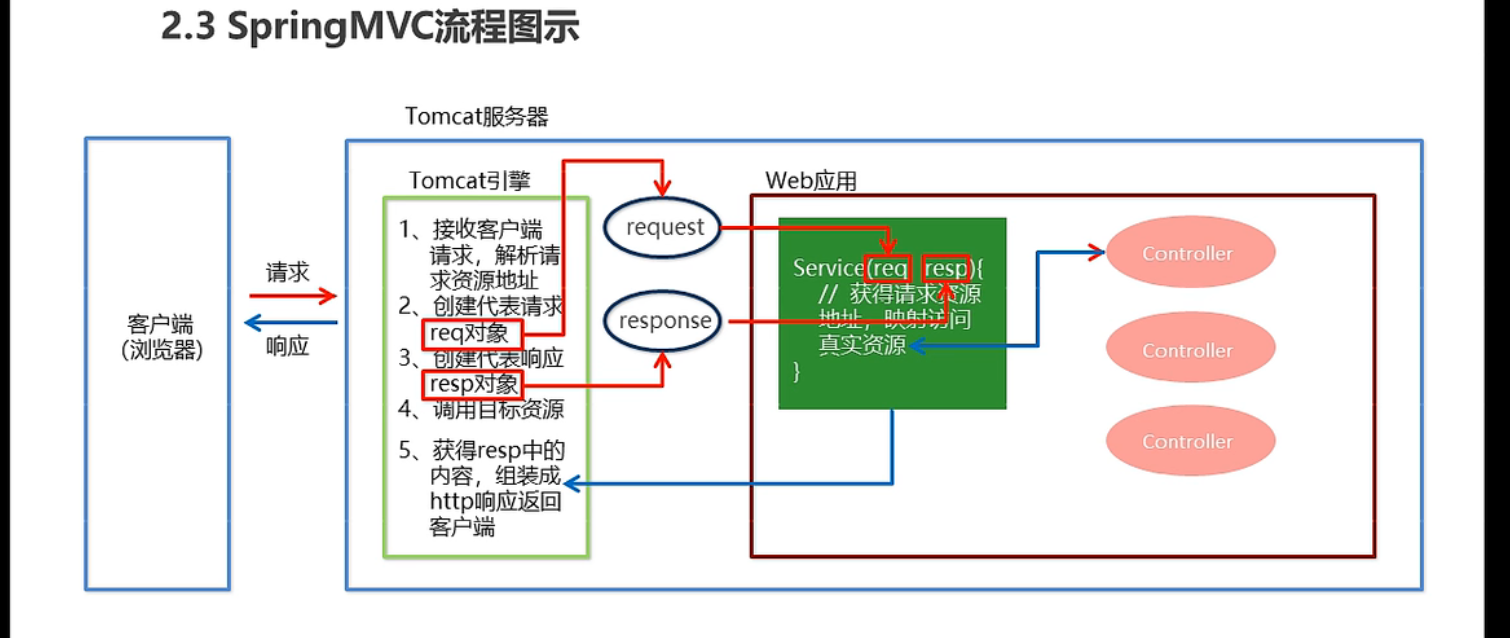
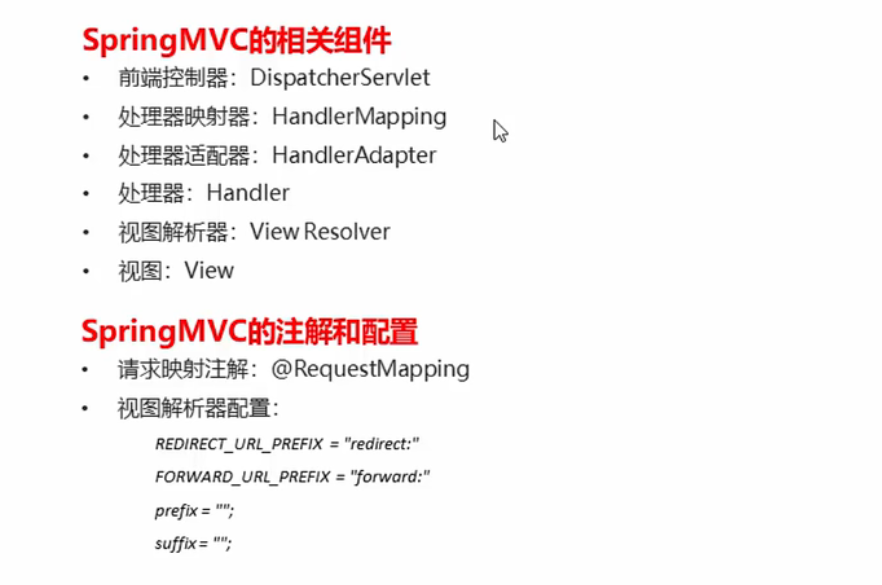
组件解析
SpringMVC执行流程
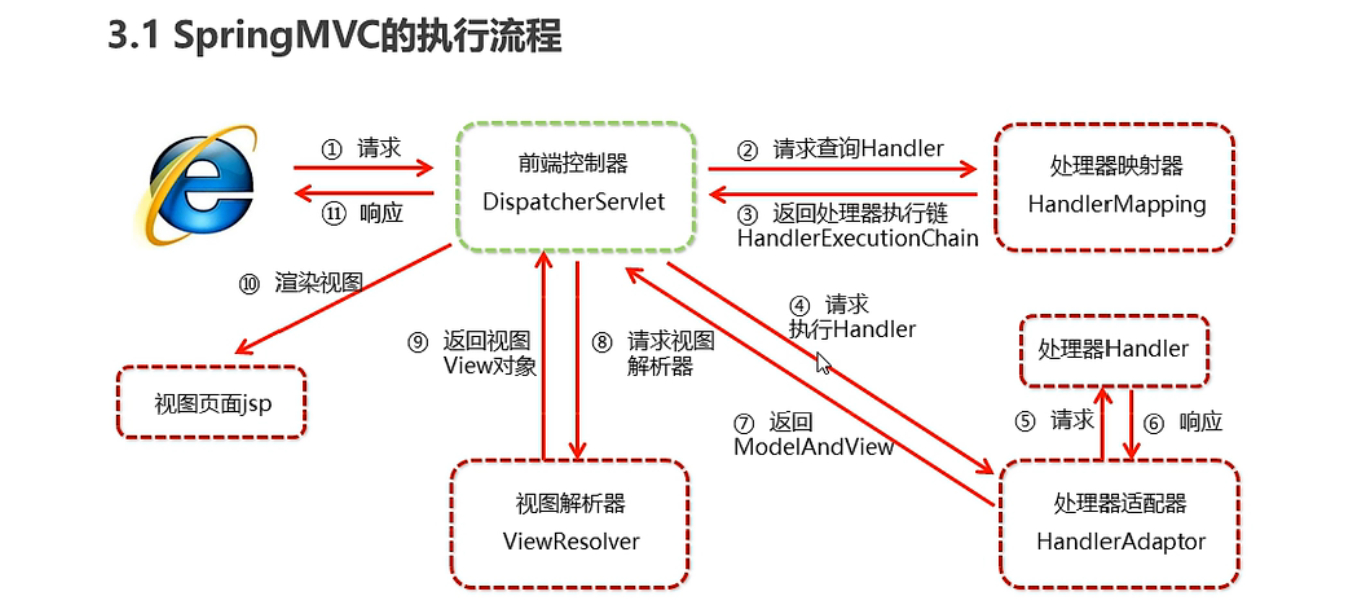
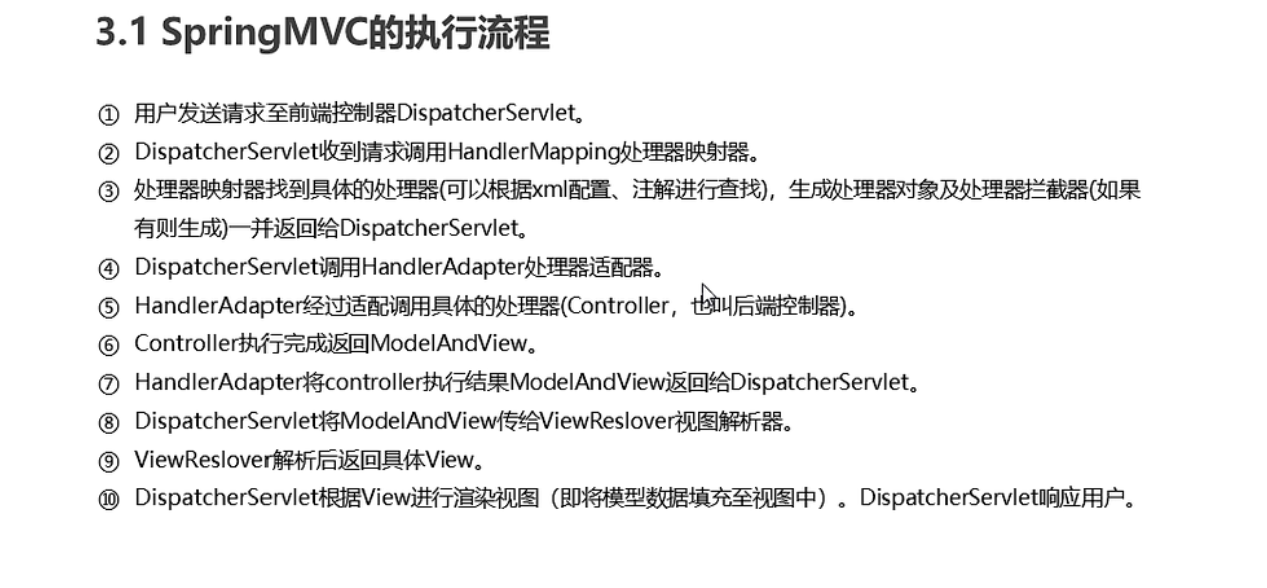
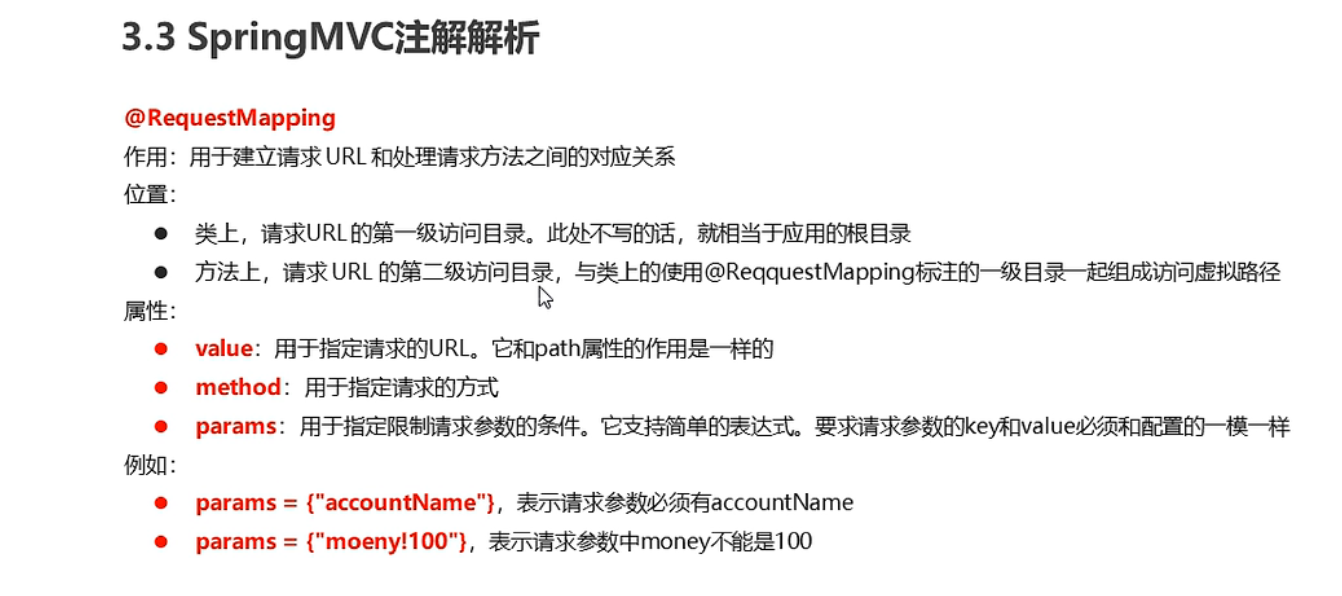
注解解析
@RequestMappping
组件扫描
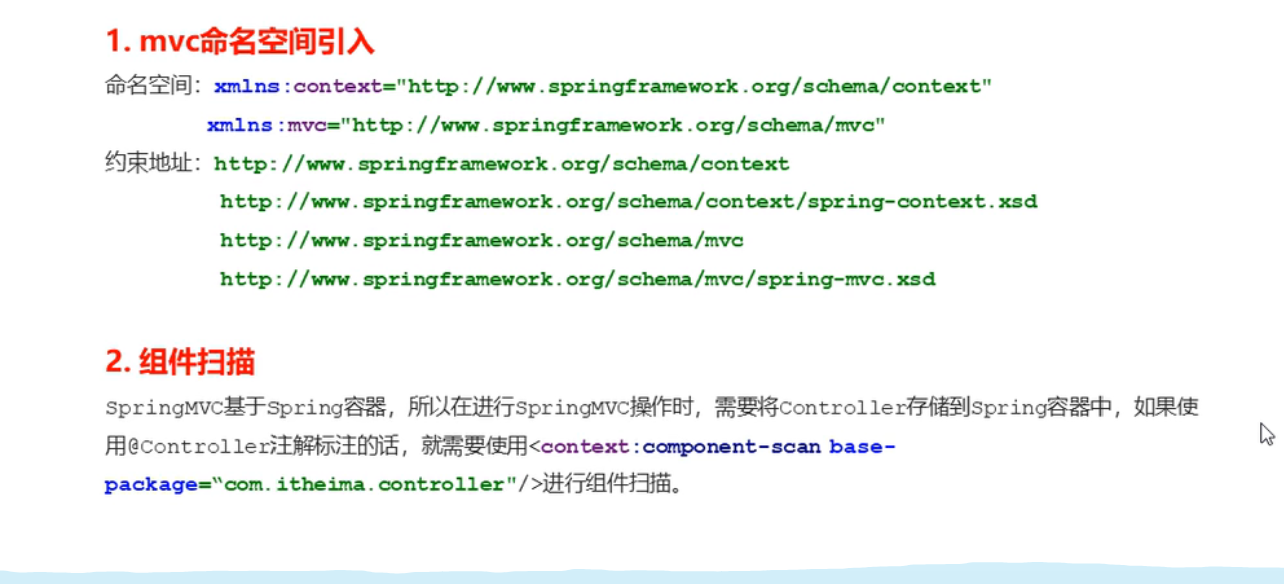
配置解析
视图解析器
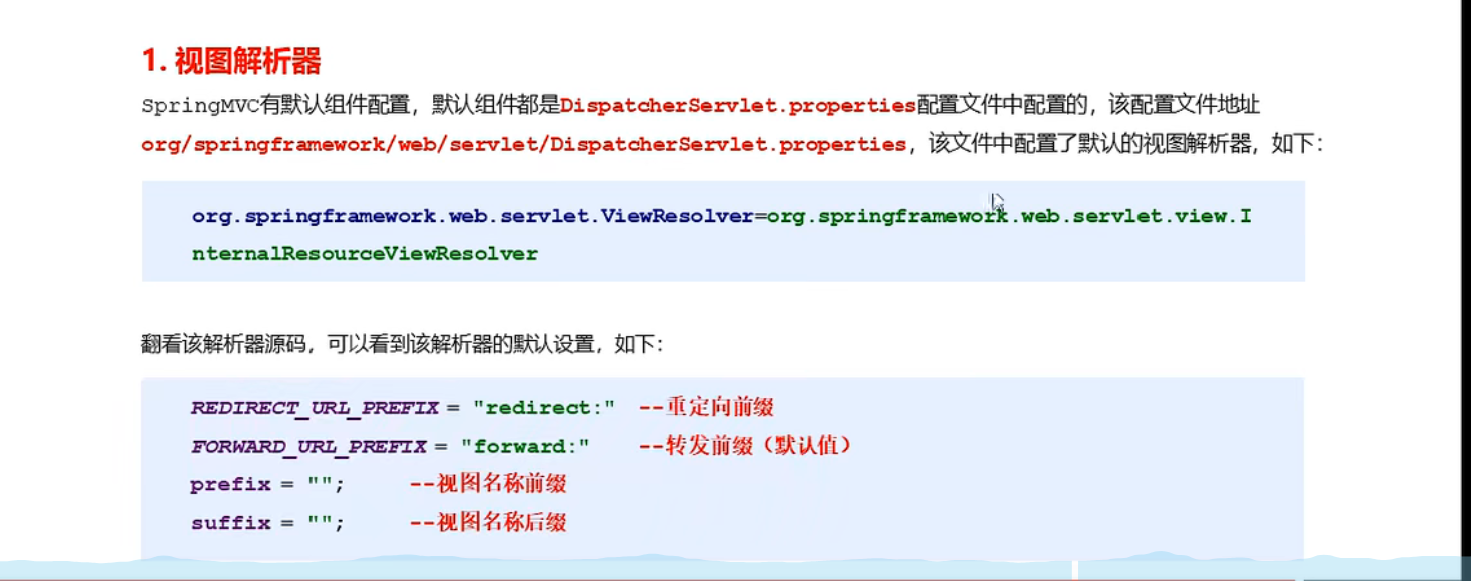
知识要点
代码
UserController
package com.spring.controller;

import org.springframework.stereotype.Controller;
import org.springframework.web.bind.annotation.RequestMapping;
import org.springframework.web.bind.annotation.RequestMethod;

/**
 * @author admin
 */
@Controller
@RequestMapping("/user")
public class UserController {
    @RequestMapping(value = "/quick",method = {RequestMethod.GET,RequestMethod.POST},params = {"username","password"})
    public String save(){
        System.out.println("Controller save running...");
        return "success";
    }

    @RequestMapping(value = "/update")
    public String update(){
        System.out.println("Controller update running...");
        return "redirect:/jsp/success.jsp";
    }
}
spring-mvc.xml
<?xml version="1.0" encoding="UTF-8"?>
<beans xmlns="http://www.springframework.org/schema/beans"
       xmlns:xsi="http://www.w3.org/2001/XMLSchema-instance"
       xmlns:context="http://www.springframework.org/schema/context"
       xsi:schemaLocation="http://www.springframework.org/schema/beans http://www.springframework.org/schema/beans/spring-beans.xsd
            http://www.springframework.org/schema/context  http://www.springframework.org/schema/context/spring-context.xsd
            ">
<!--Controller的组件扫描-->
<!--    <context:component-scan base-package="com.spring.controller"/>-->
    <context:component-scan base-package="com.spring">
        <context:include-filter type="annotation" expression="org.springframework.stereotype.Controller"/>
    </context:component-scan>
<!--    配置内部资源视图解析器-->
    <bean id="viewResolver" class="org.springframework.web.servlet.view.InternalResourceViewResolver">
<!--        /jsp/success.jsp-->
        <property name="prefix" value="/jsp/"></property>
        <property name="suffix" value=".jsp"></property>
    </bean>
</beans>
web.xml
<!DOCTYPE web-app PUBLIC
 "-//Sun Microsystems, Inc.//DTD Web Application 2.3//EN"
 "http://java.sun.com/dtd/web-app_2_3.dtd" >


<web-app>
  <display-name>Archetype Created Web Application</display-name>


<!--  全局初始化参数-->
  <context-param>
    <param-name>contextConfigLocation</param-name>
    <param-value>classpath:applicationContext.xml</param-value>
  </context-param>

<!--  配置监听器-->
  <listener>
    <listener-class>org.springframework.web.context.ContextLoaderListener</listener-class>
  </listener>
  <!--  配置springMVC的前端控制器-->
  <servlet>
    <servlet-name>DispatchServlet</servlet-name>
    <servlet-class>org.springframework.web.servlet.DispatcherServlet</servlet-class>
    <init-param>
      <param-name>contextConfigLocation</param-name>
      <param-value>classpath:spring-mvc.xml</param-value>
    </init-param>
    <load-on-startup>1</load-on-startup>
  </servlet>
  <servlet-mapping>
    <servlet-name>DispatchServlet</servlet-name>
    <url-pattern>/</url-pattern>
  </servlet-mapping>

</web-app>
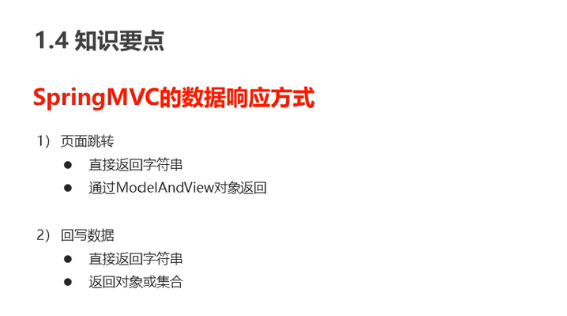
数据响应
数据响应方式
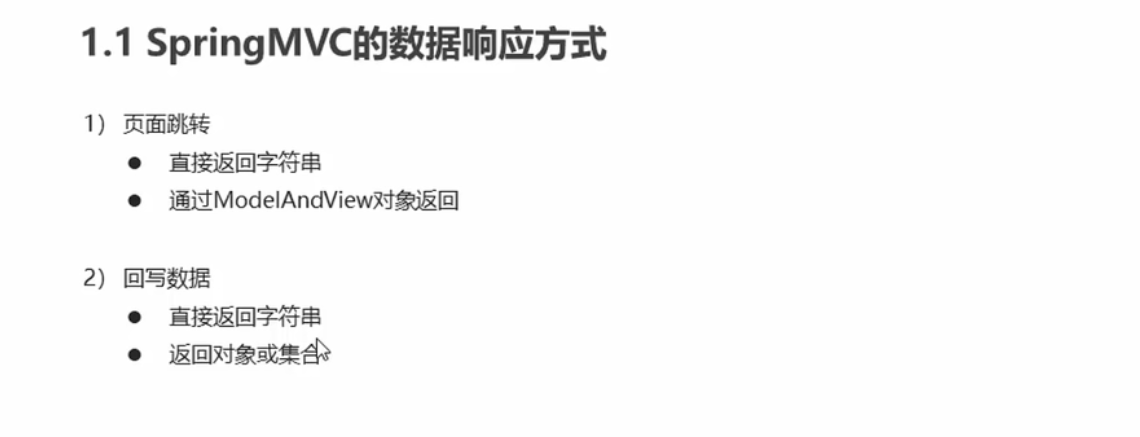
页面跳转
-
返回字符串
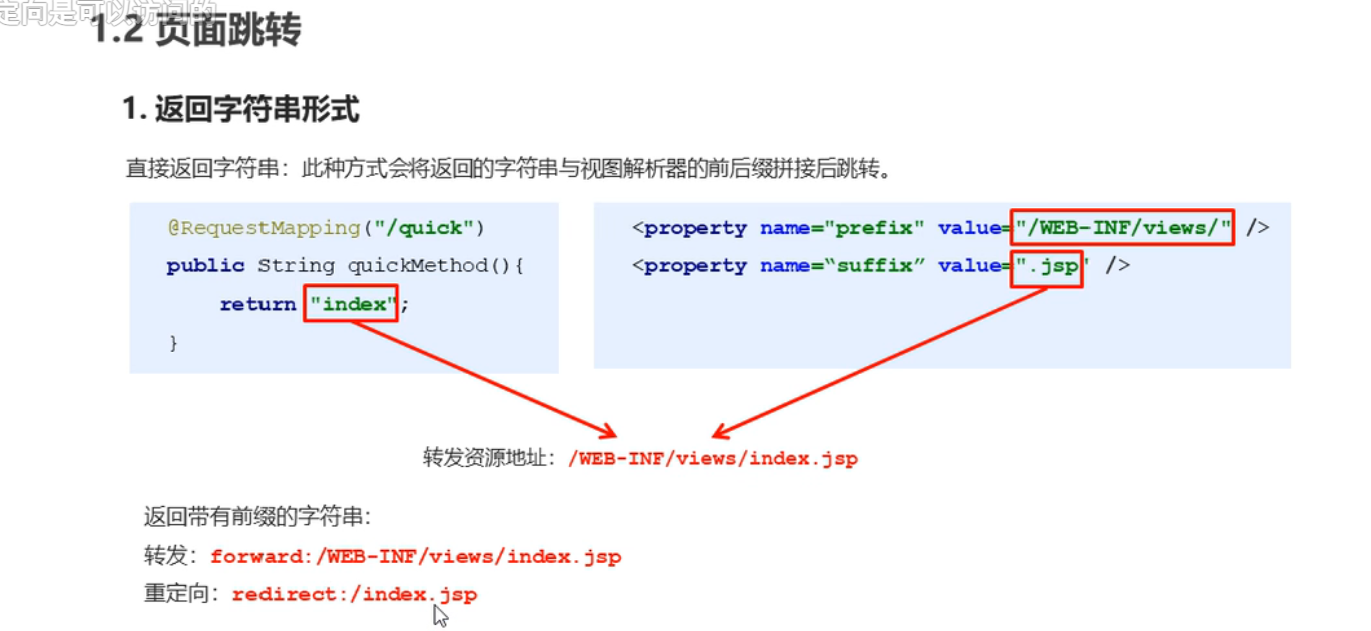
-
返回ModelAndView对象
代码
UserController
package com.spring.controller;

import org.springframework.stereotype.Controller;
import org.springframework.ui.Model;
import org.springframework.web.bind.annotation.RequestMapping;
import org.springframework.web.bind.annotation.RequestMethod;
import org.springframework.web.servlet.ModelAndView;

import javax.servlet.http.HttpServletRequest;

/**
 * @author admin
 */
@Controller
@RequestMapping("/user")
public class UserController {
    @RequestMapping(value = "/quick",method = {RequestMethod.GET,RequestMethod.POST},params = {"username","password"})
    public String save(){
        System.out.println("Controller save running...");
        return "success";
    }

    @RequestMapping(value = "/quick2")
    public ModelAndView save2(){
        /**
         * Model:模型 作用:封装数据
         * View:视图 作用:显示数据
         */
        ModelAndView mv = new ModelAndView();
        //设置模型数据
        mv.addObject("username","张三");
        //设置视图名称
        mv.setViewName("success");
        return mv;
    }

    @RequestMapping(value = "/quick3")
    public ModelAndView save3(ModelAndView mv){
        mv.addObject("username","张三");
        mv.setViewName("success");
        return mv;
    }

    @RequestMapping(value = "/quick4")
    public String save4(Model model){
        model.addAttribute("username","张三");
        return "success";
    }

    @RequestMapping(value = "/quick5")
    public String save5(HttpServletRequest request){
        request.setAttribute("username","张三");
        return "success";
    }

    @RequestMapping(value = "/update")
    public String update(){
        System.out.println("Controller update running...");
        return "redirect:/jsp/success.jsp";
    }
}
success.jsp
<%--
  Created by IntelliJ IDEA.
  User: admin
  Date: 2022-04-14
  Time: 1:13
  To change this template use File | Settings | File Templates.
--%>
<%@ page contentType="text/html;charset=UTF-8" language="java" %>
<%--防止EL表达式被当做字符串输出--%>
<%@page isELIgnored="false" %>
<html>
<head>
    <title>Title</title>
</head>
<body>
<h1>Success!${username}</h1>
</body>
</html>
回写数据
直接返回字符串
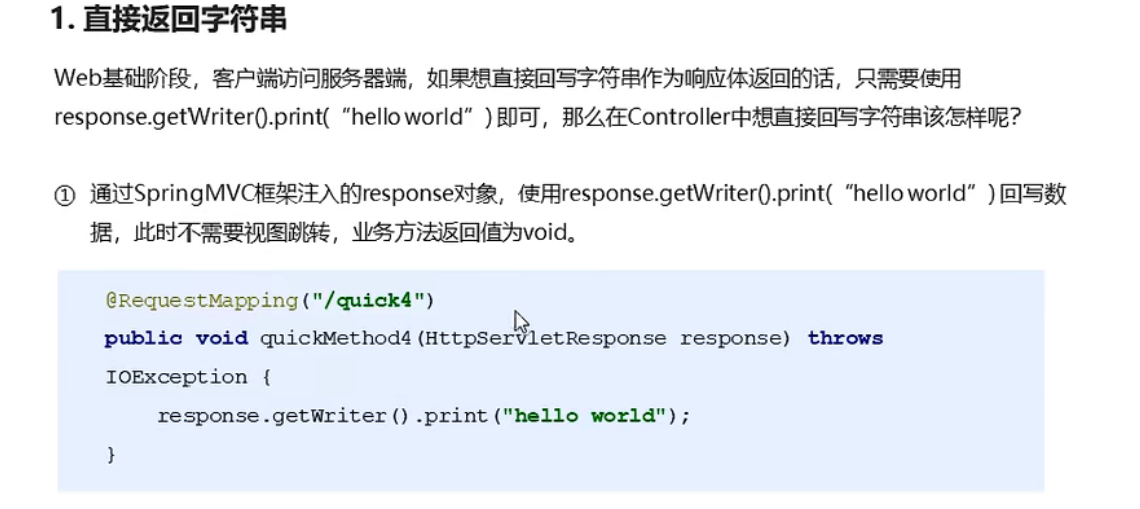
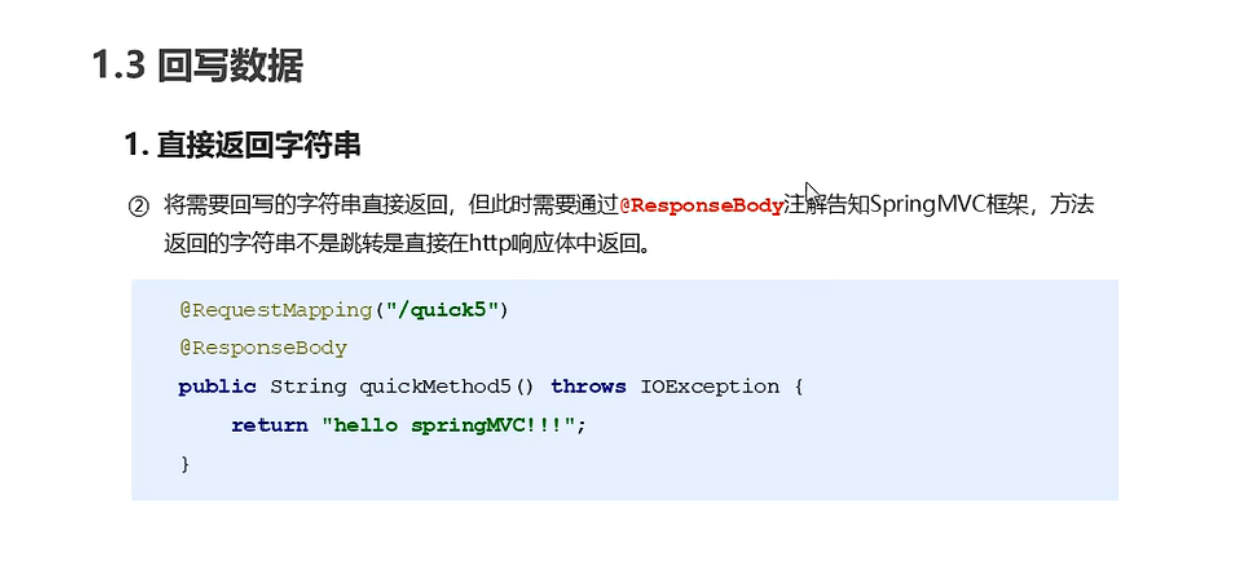
返回对象或集合
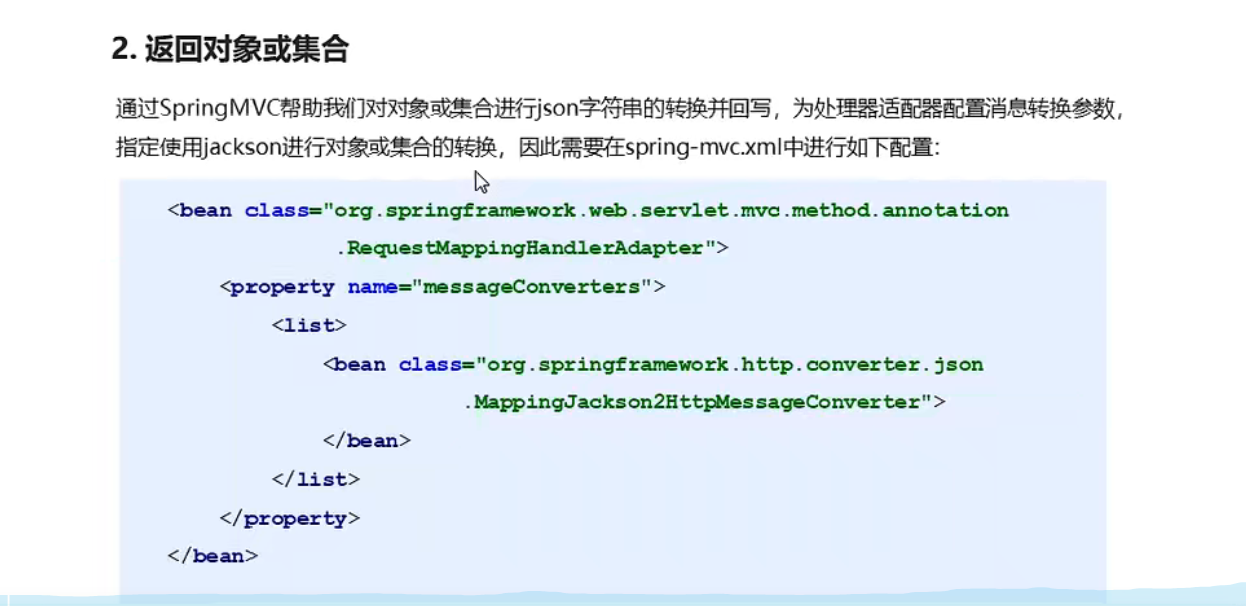
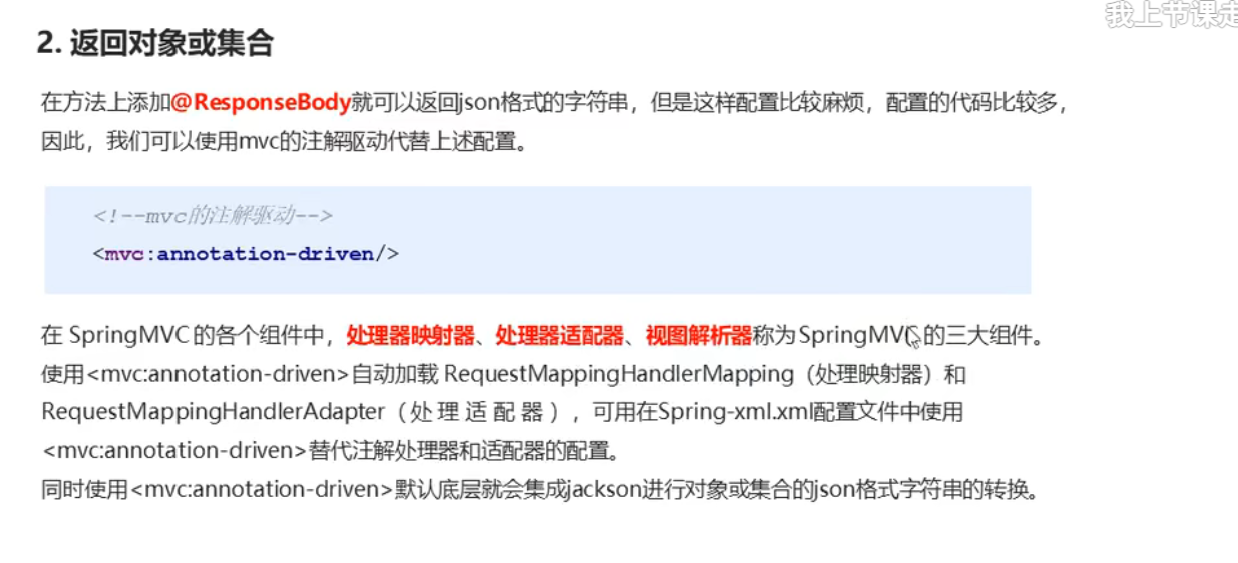
知识要点
代码
UserController
package com.spring.controller;

import javax.servlet.http.HttpServletResponse;

import com.fasterxml.jackson.databind.ObjectMapper;
import com.spring.domain.User;
import org.springframework.stereotype.Controller;
import org.springframework.ui.Model;
import org.springframework.web.bind.annotation.RequestMapping;
import org.springframework.web.bind.annotation.RequestMethod;
import org.springframework.web.bind.annotation.ResponseBody;
import org.springframework.web.servlet.ModelAndView;

import javax.servlet.http.HttpServletRequest;
import java.io.IOException;

/**
 * @author admin
 */
@Controller
@RequestMapping("/user")
public class UserController {
    @RequestMapping(value = "/quick6")
    public void save6(HttpServletResponse response) throws IOException {
        response.getWriter().print("Controller save6 running...");
    }

    @RequestMapping(value = "/quick7")
    @ResponseBody//告诉springmvc框架 不进行视图跳转 直接进行数据响应
    public String save7(HttpServletResponse response) throws IOException {
        return "hello world";
    }

    @RequestMapping(value = "/quick8",produces = "text/html;charset=UTF-8")//防止乱码
    @ResponseBody
    public String save8() throws IOException {
        User user = new User();
        user.setName("张三");
        user.setAge(16);

        //使用json的转换工具将对象转换为json字符串在返回
        ObjectMapper mapper = new ObjectMapper();
        String json = mapper.writeValueAsString(user);
        return json;
    }

    /**
     * springMVC自动将User对象转换为json字符串
     * @return
     * @throws IOException
     */
    @RequestMapping(value = "/quick9",produces = "application/json;charset=UTF-8")//防止乱码
    @ResponseBody
    public User save9() throws IOException {
        User user = new User();
        user.setName("张三");
        user.setAge(16);
        return user;
    }
}
pom.xml
    <!-- https://mvnrepository.com/artifact/com.fasterxml.jackson.core/jackson-core -->
    <dependency>
      <groupId>com.fasterxml.jackson.core</groupId>
      <artifactId>jackson-core</artifactId>
      <version>2.13.2</version>
    </dependency>

    <!-- https://mvnrepository.com/artifact/com.fasterxml.jackson.core/jackson-databind -->
    <dependency>
      <groupId>com.fasterxml.jackson.core</groupId>
      <artifactId>jackson-databind</artifactId>
      <version>2.13.2.2</version>
    </dependency>

    <!-- https://mvnrepository.com/artifact/com.fasterxml.jackson.dataformat/jackson-dataformat-xml -->
    <dependency>
      <groupId>com.fasterxml.jackson.dataformat</groupId>
      <artifactId>jackson-dataformat-xml</artifactId>
      <version>2.13.2</version>
    </dependency>


    <!-- https://mvnrepository.com/artifact/com.fasterxml.jackson.core/jackson-annotations -->
    <dependency>
      <groupId>com.fasterxml.jackson.core</groupId>
      <artifactId>jackson-annotations</artifactId>
      <version>2.13.2</version>
    </dependency>
spring-mvc
<?xml version="1.0" encoding="UTF-8"?>
<beans xmlns="http://www.springframework.org/schema/beans"
xmlns:xsi="http://www.w3.org/2001/XMLSchema-instance"
xmlns:context="http://www.springframework.org/schema/context"
xmlns:mvc="http://www.springframework.org/schema/mvc"
xsi:schemaLocation="http://www.springframework.org/schema/beans http://www.springframework.org/schema/beans/spring-beans.xsd
http://www.springframework.org/schema/context http://www.springframework.org/schema/context/spring-context.xsd
http://www.springframework.org/schema/mvc http://www.springframework.org/schema/mvc/spring-mvc.xsd
">
<!--Controller的组件扫描-->
<!-- <context:component-scan base-package="com.spring.controller"/>-->
<context:component-scan base-package="com.spring">
<context:include-filter type="annotation" expression="org.springframework.stereotype.Controller"/>
</context:component-scan>
<!-- 配置内部资源视图解析器-->
<bean id="viewResolver" class="org.springframework.web.servlet.view.InternalResourceViewResolver">
<!-- /jsp/success.jsp-->
<property name="prefix" value="/jsp/"></property>
<property name="suffix" value=".jsp"></property>
</bean>
<!--<!– 配置处理器映射器–>-->
<!-- <bean id="toJson" class="org.springframework.web.servlet.mvc.method.annotation.RequestMappingHandlerAdapter">-->
<!-- <property name="messageConverters">-->
<!-- <list>-->
<!-- <bean class="org.springframework.http.converter.json.MappingJackson2HttpMessageConverter"></bean>-->
<!-- </list>-->
<!-- </property>-->
<!-- </bean>-->
<!-- mvc的注解驱动-->
<mvc:annotation-driven/>
</beans>
请求数据
获取请求参数
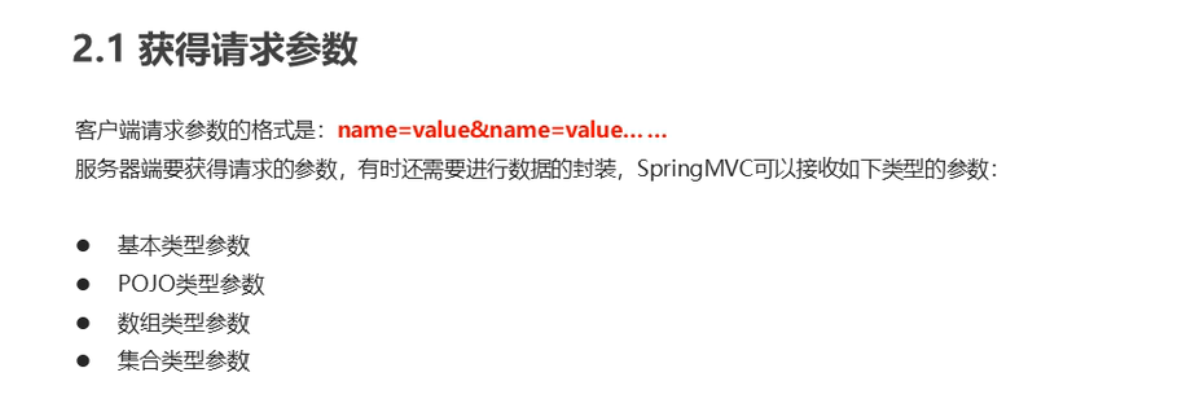
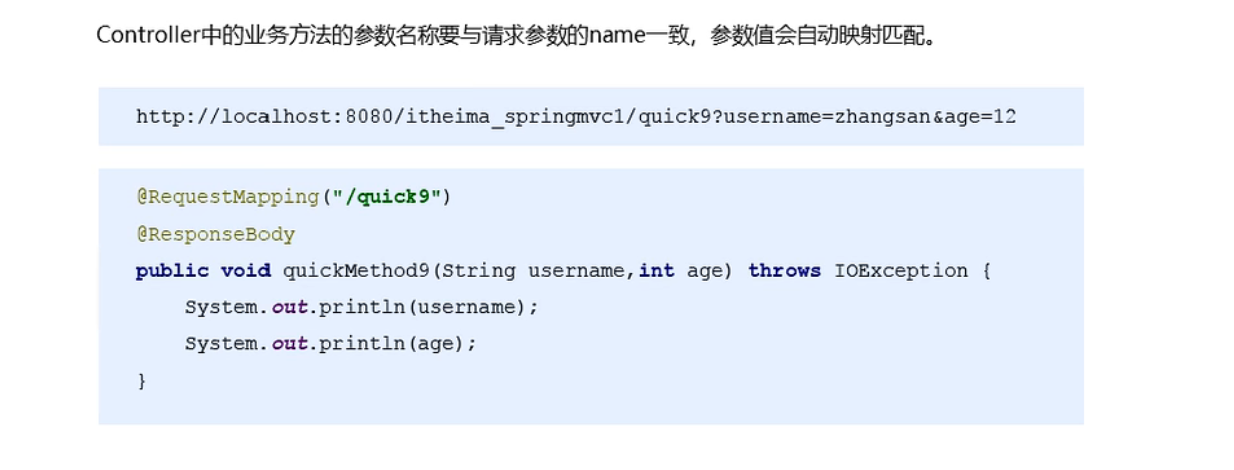
获取基本类型参数
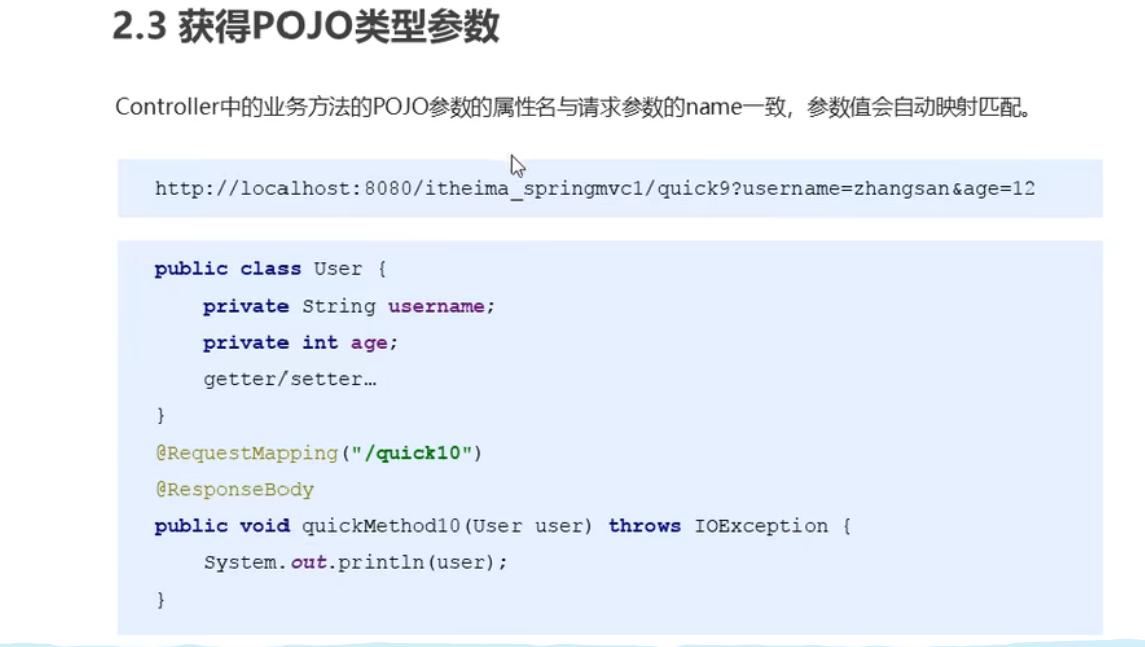
获取POJO类型参数
获取数组类型参数
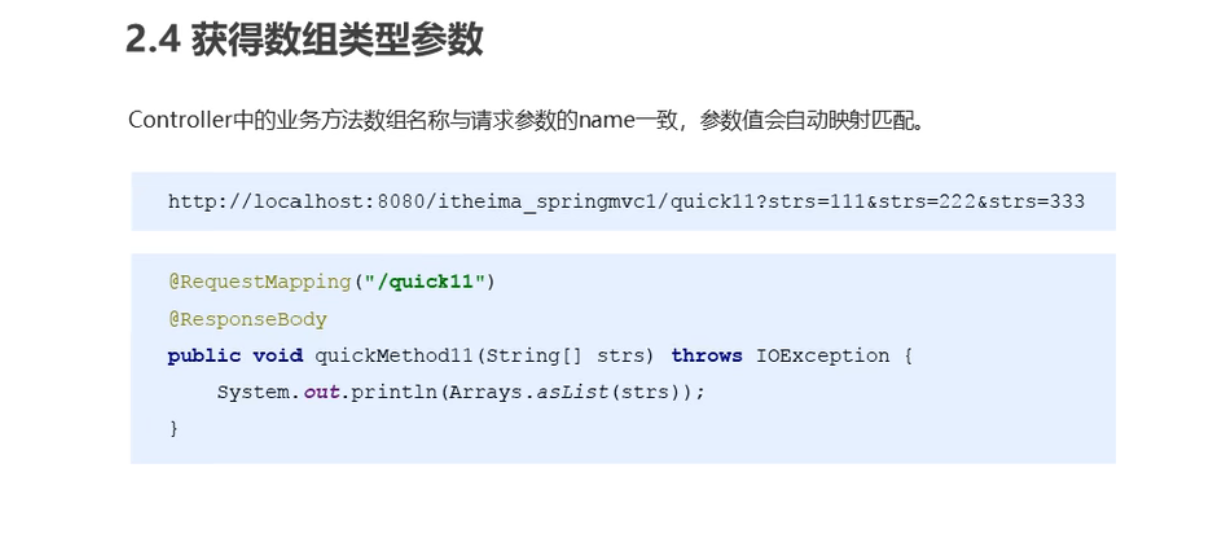
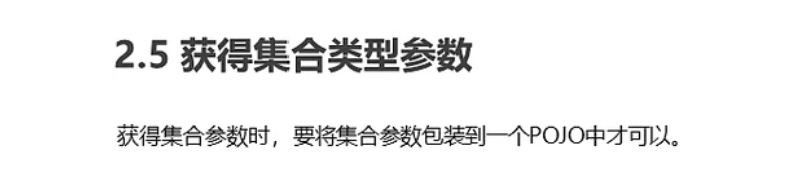
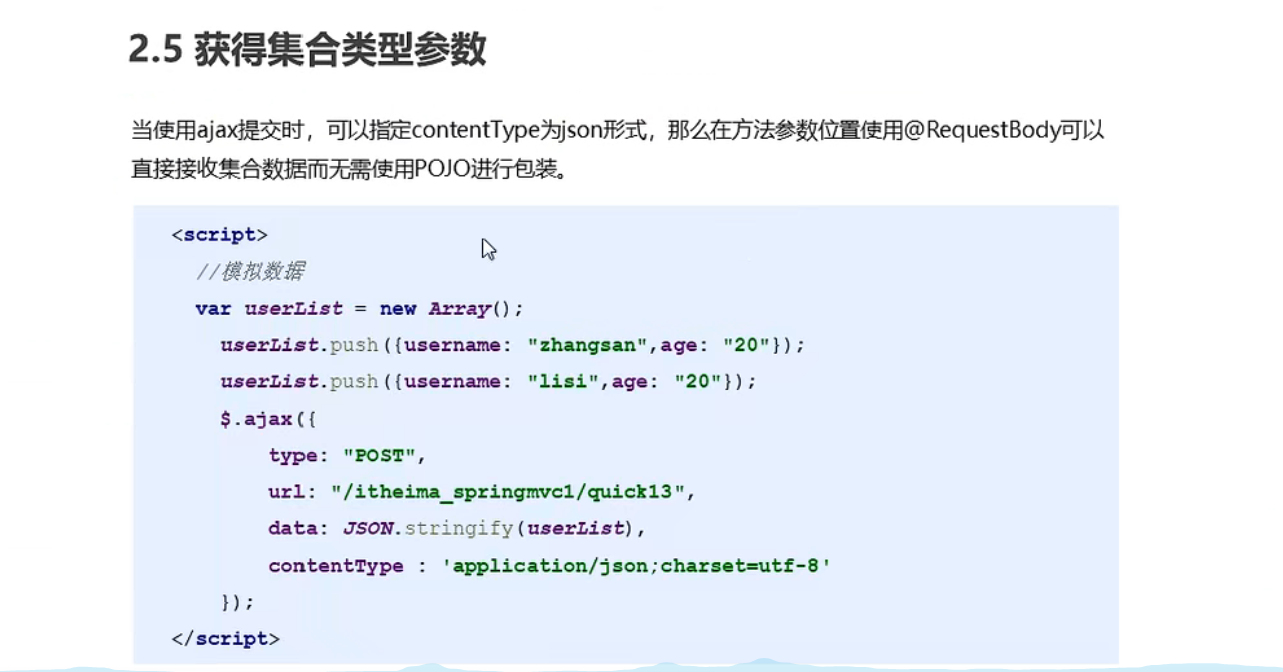
获取集合类型参数
代码
UserController
package com.spring.controller;

import javax.servlet.http.HttpServletResponse;

import com.fasterxml.jackson.databind.ObjectMapper;
import com.spring.domain.User;
import com.spring.domain.VO;
import org.springframework.stereotype.Controller;
import org.springframework.ui.Model;
import org.springframework.web.bind.annotation.RequestBody;
import org.springframework.web.bind.annotation.RequestMapping;
import org.springframework.web.bind.annotation.RequestMethod;
import org.springframework.web.bind.annotation.ResponseBody;
import org.springframework.web.servlet.ModelAndView;

import javax.servlet.http.HttpServletRequest;
import java.io.IOException;
import java.util.Arrays;
import java.util.List;

/**
 * @author admin
 */
@Controller
@RequestMapping("/user")
public class UserController {
    @RequestMapping(value = "/quick11")
    @ResponseBody
    public void save11(String username,String password){
        System.out.println(username);
        System.out.println(password);
    }

    @RequestMapping(value = "/quick10")
    @ResponseBody
    public void save10(User user){
        System.out.println(user);
    }

    @RequestMapping(value = "/quick12")
    @ResponseBody
    public void save12(String[] str){
        System.out.println(Arrays.asList(str));
    }

    @RequestMapping(value = "/quick13")
    @ResponseBody
    public void save13(VO vo){
        System.out.println(vo);
    }

    @RequestMapping(value = "/quick14")
    @ResponseBody
    public void save14(@RequestBody List<User> userList){
        System.out.println(userList);
    }

}
test.html
<!DOCTYPE html>
<html lang="en">
<head>

    <title>Title</title>
</head>
<script src="https://code.jquery.com/jquery-3.6.0.min.js"></script>
<script>
    let userList=new Array();
    userList.push({name:"admin",age:18});
    userList.push({name:"李四",age:15});

    $.ajax({
        type:"POST",
        url:"/Spring/user/quick14",
        data:JSON.stringify(userList),
        contentType:"application/json;charset=utf-8",
    });

</script>
<body>

</body>
</html>
spring-mvc.xml (静态资源访问)
<!--    mvc的注解驱动-->
    <mvc:annotation-driven/>

<!--    开放js资源的访问-->
<!--    <mvc:resources mapping="/html/**" location="/html/"/>-->
    <mvc:default-servlet-handler/>
form.jsp
<%--
  Created by IntelliJ IDEA.
  User: admin
  Date: 2022-04-15
  Time: 22:29
  To change this template use File | Settings | File Templates.
--%>
<%@ page contentType="text/html;charset=UTF-8" language="java" %>
<%@page isELIgnored="false" %>
<html>
<head>
    <title>Title</title>
</head>
<body>
<form action="${pageContext.request.contextPath}/user/quick13" method="post">
<%--    表明是第一个--%>
    <input type="text" name="userList[0].name" >
    <input type="text" name="userList[0].age" >
    <input type="submit" value="提交">
</form>
</body>
</html>
解决编码问题
  <filter>
    <filter-name>CharacterEncodingFilter</filter-name>
    <filter-class>org.springframework.web.filter.CharacterEncodingFilter</filter-class>
    <init-param>
      <param-name>encoding</param-name>
      <param-value>UTF-8</param-value>
    </init-param>
  </filter>
  <filter-mapping>
    <filter-name>CharacterEncodingFilter</filter-name>
    <url-pattern>/*</url-pattern>
  </filter-mapping>
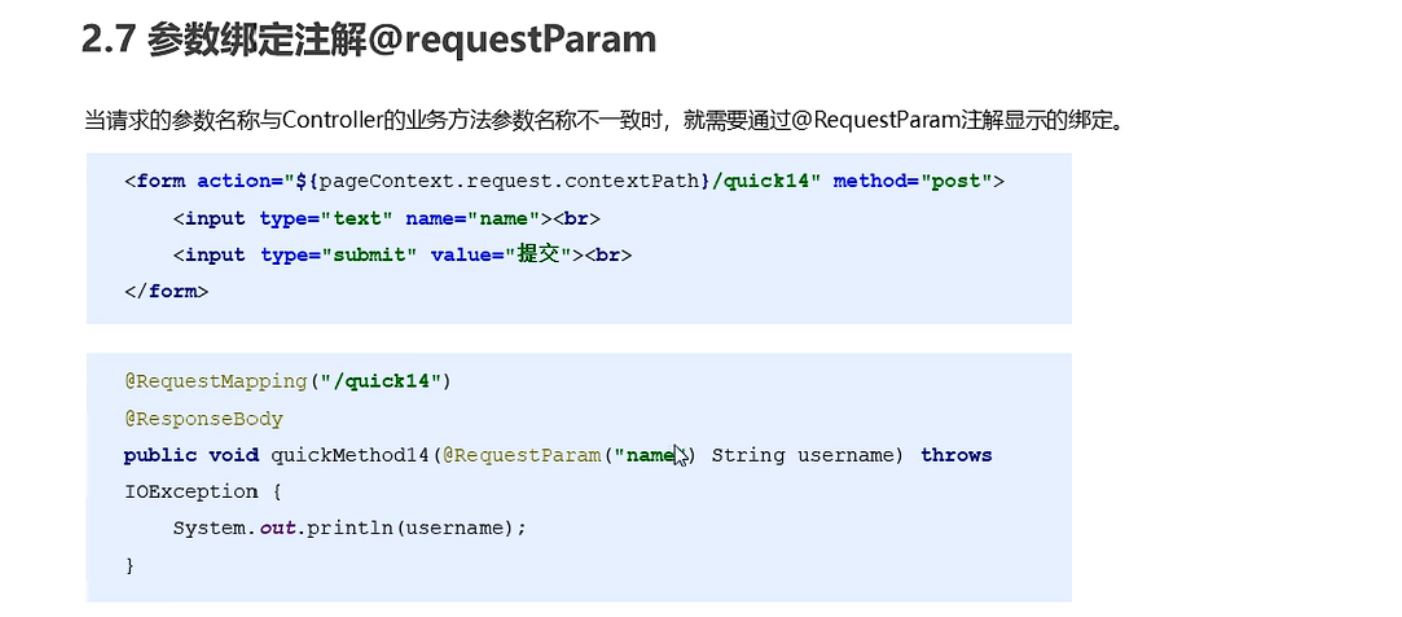
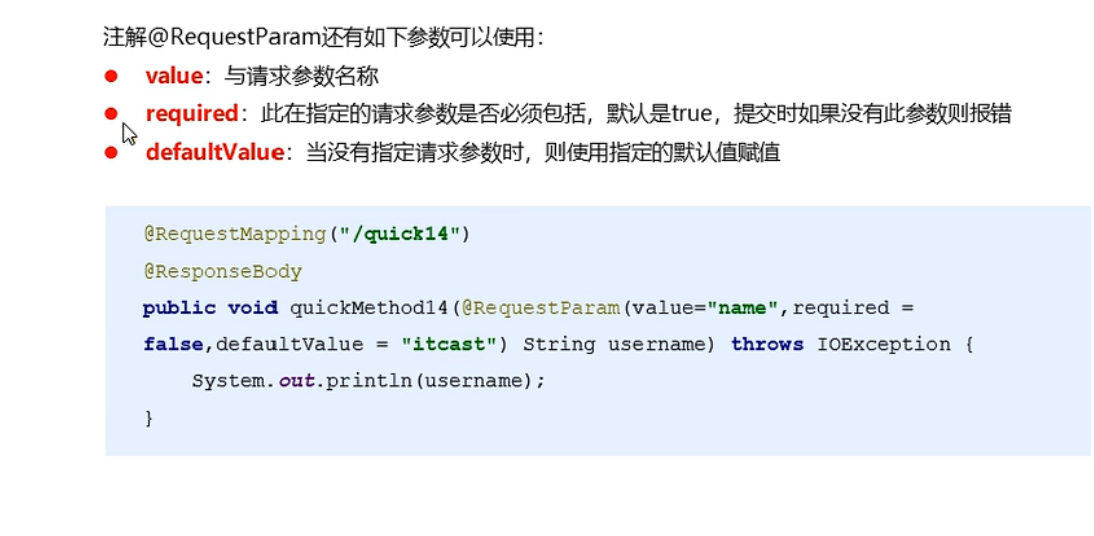
参数绑定注解@requestParam
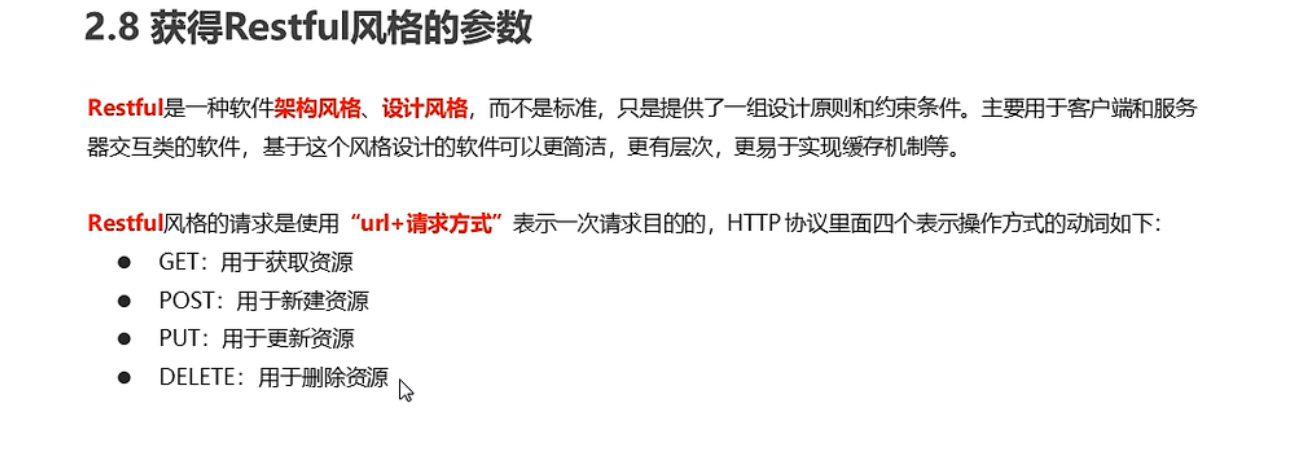
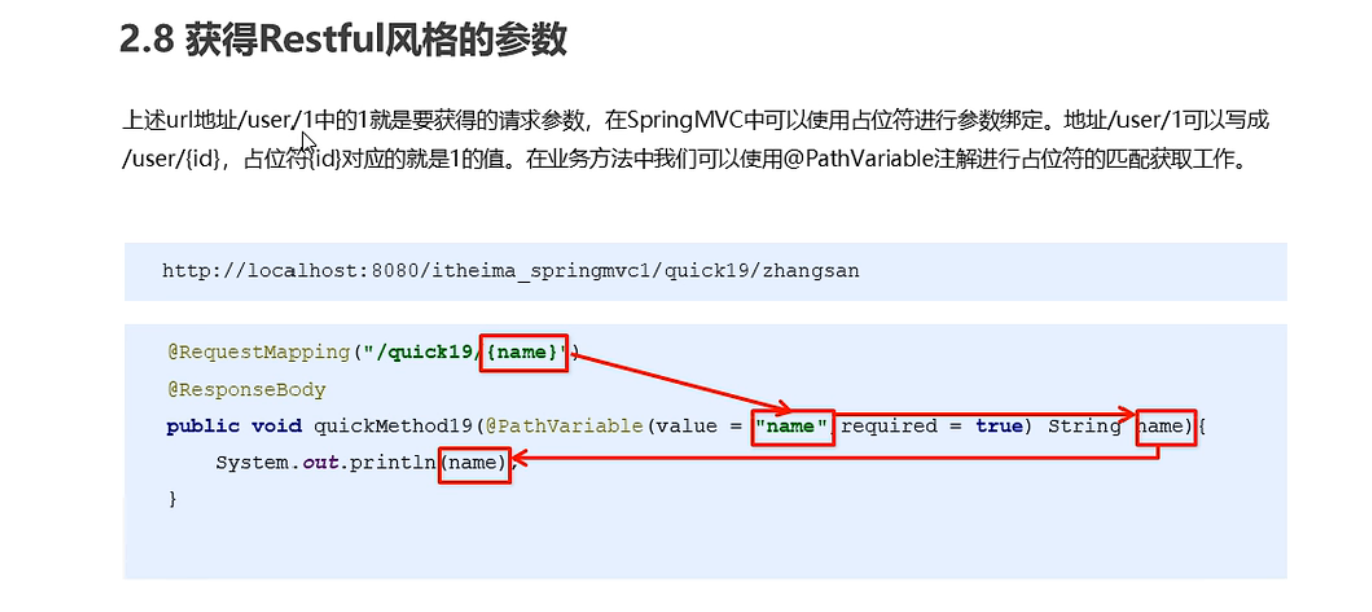
获取Restful风格的参数
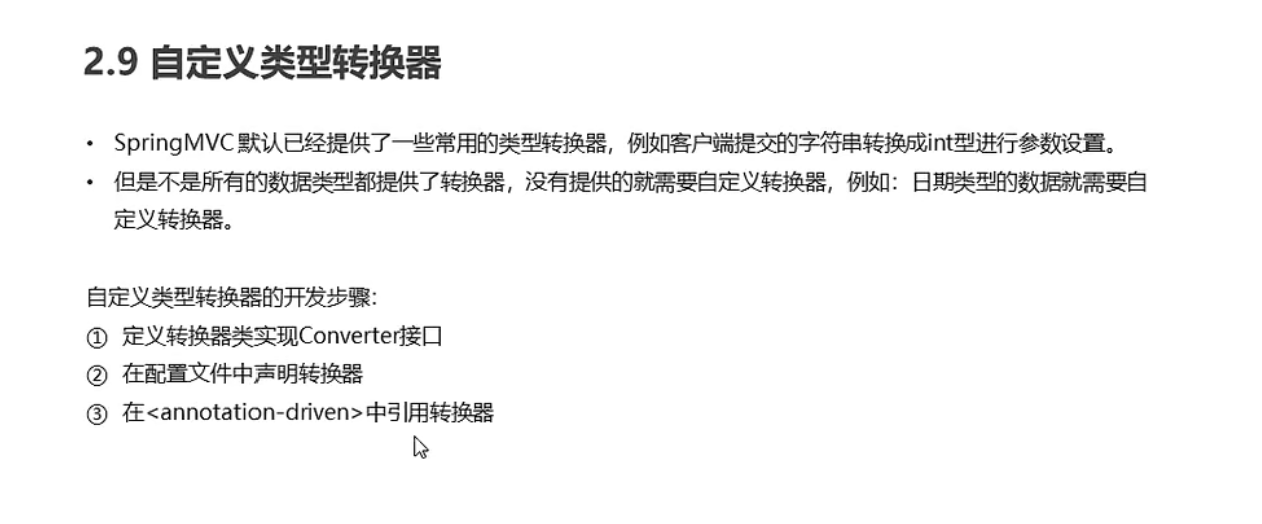
自定义类型转换器
代码
UserController
package com.spring.controller;

import org.springframework.stereotype.Controller;
import org.springframework.web.bind.annotation.*;
import java.util.Date;

/**
 * @author admin
 */
@Controller
@RequestMapping("/user")
public class UserController {

    @RequestMapping(value = "/quick/{name}")
    @ResponseBody
    public void save(@PathVariable(value = "name") String username){
        System.out.println(username);
    }

    @RequestMapping(value = "/quick1")
    @ResponseBody
    public void save1(Date date){
        System.out.println(date);
    }
}
DateConverter
package com.spring.converter;

import org.springframework.core.convert.converter.Converter;

import java.text.ParseException;
import java.text.SimpleDateFormat;
import java.util.Date;

public class DateConverter implements Converter<String, Date>  {
    @Override
    public Date convert(String source) {
        //将日期字符串转换成日期对象
        SimpleDateFormat format=new SimpleDateFormat("yyyy-MM-dd");
        try {
            Date date=format.parse(source);
            return date;
        } catch (ParseException e) {
            e.printStackTrace();
        }
        return null;
    }
}
spring-mvc.xml
<!--    mvc的注解驱动-->
    <mvc:annotation-driven conversion-service="conversionService01"/>


<!--    声明转换器-->
    <bean id="conversionService01" class="org.springframework.context.support.ConversionServiceFactoryBean">
        <property name="converters">
            <list>
                <bean class="com.spring.converter.DateConverter"></bean>
            </list>
        </property>
    </bean>
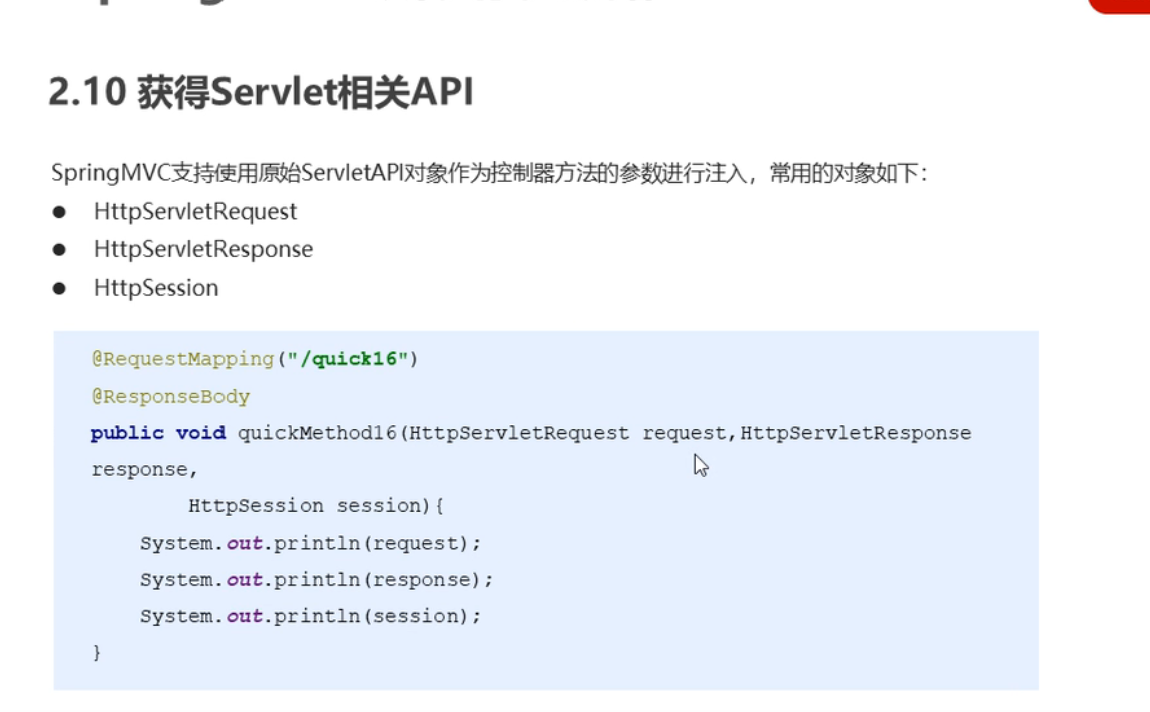
获取Servlet相关的API
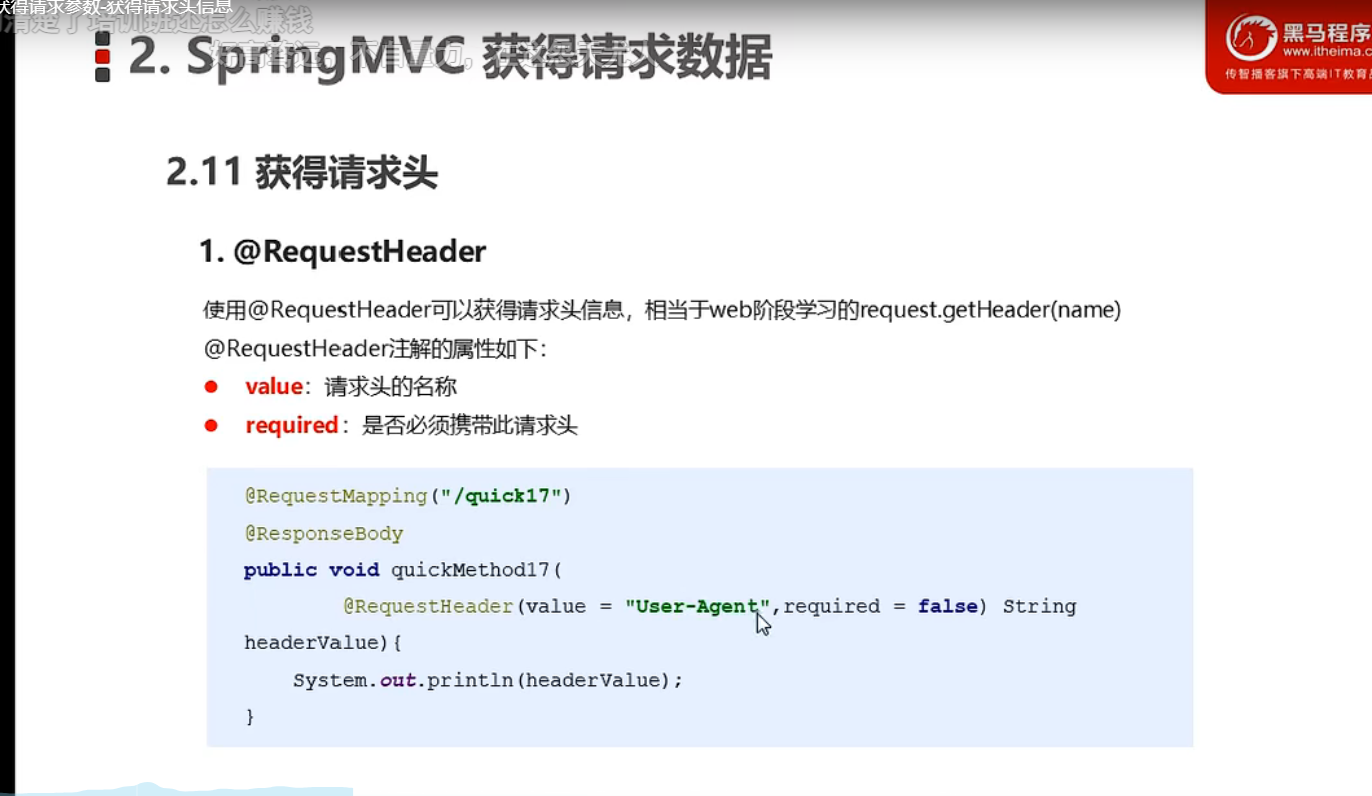
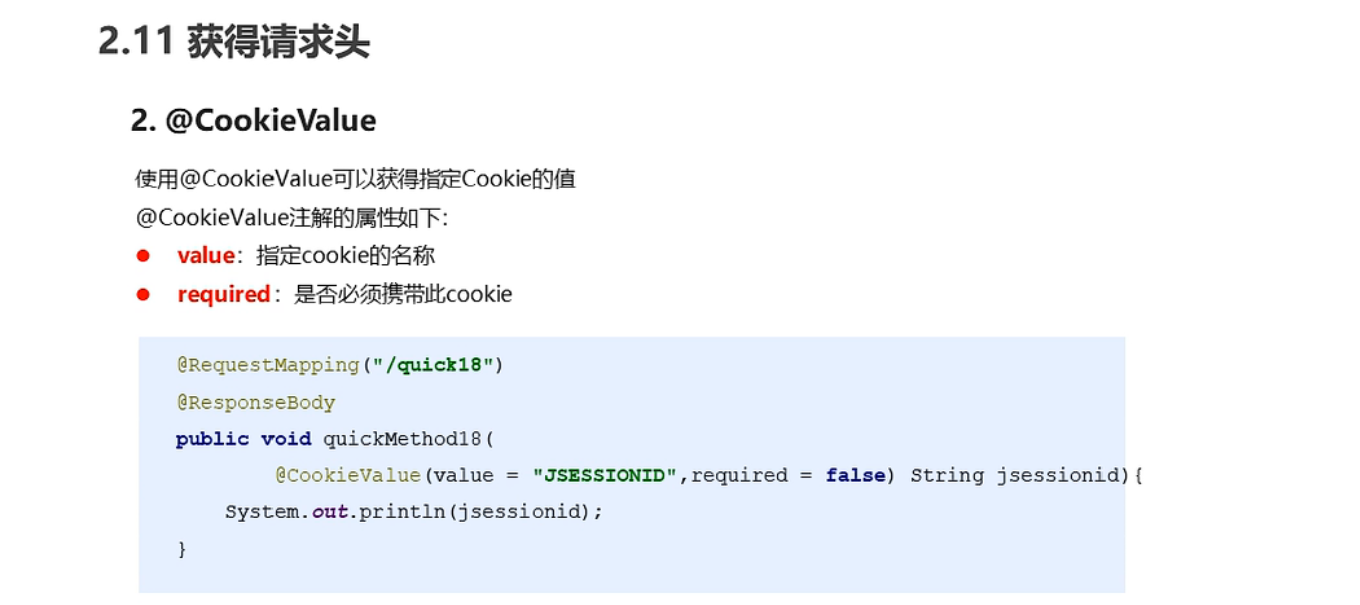
获取请求头
文件上传
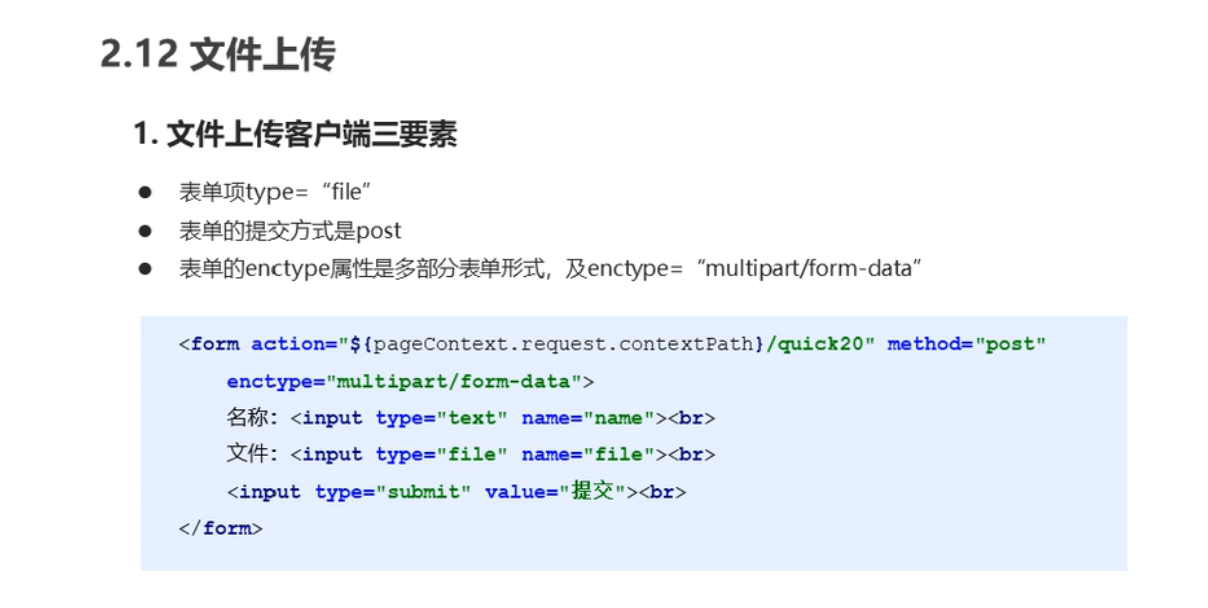
文件上传三要素
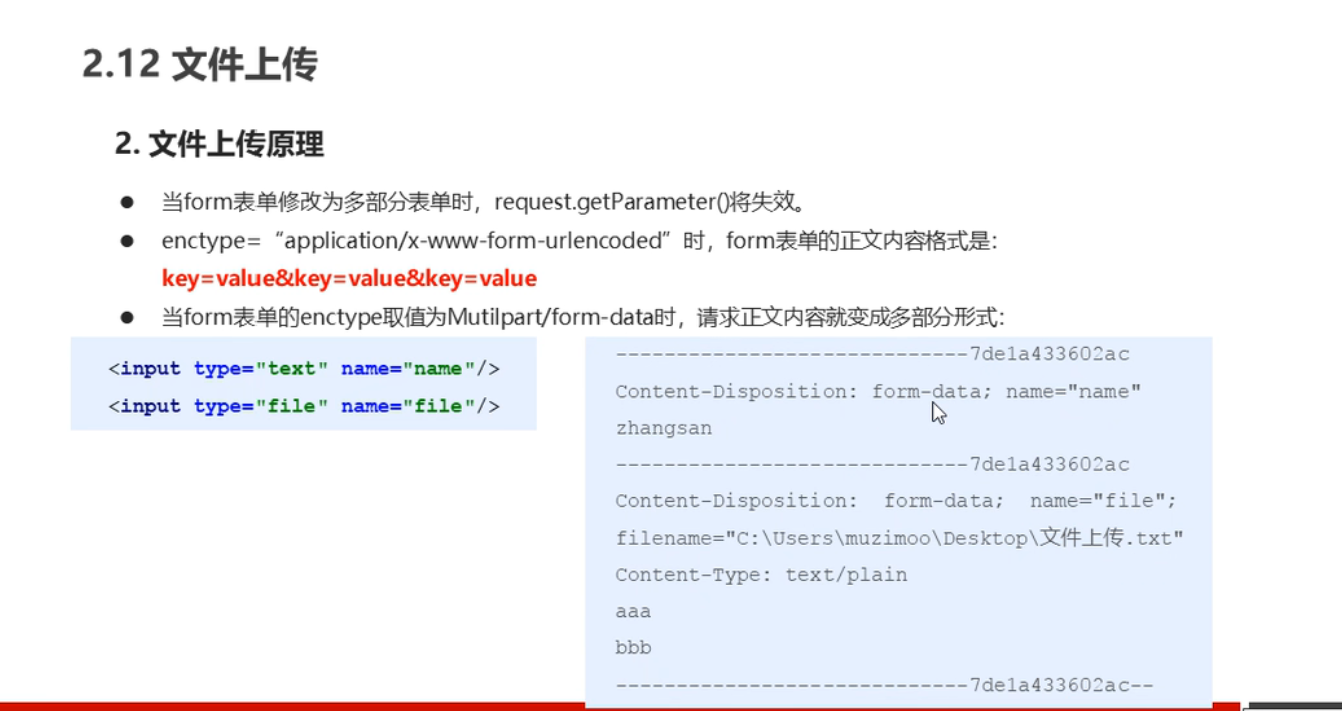
文件上传原理
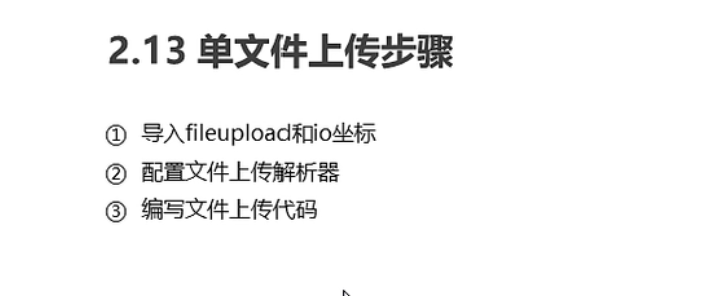
文件上传步骤
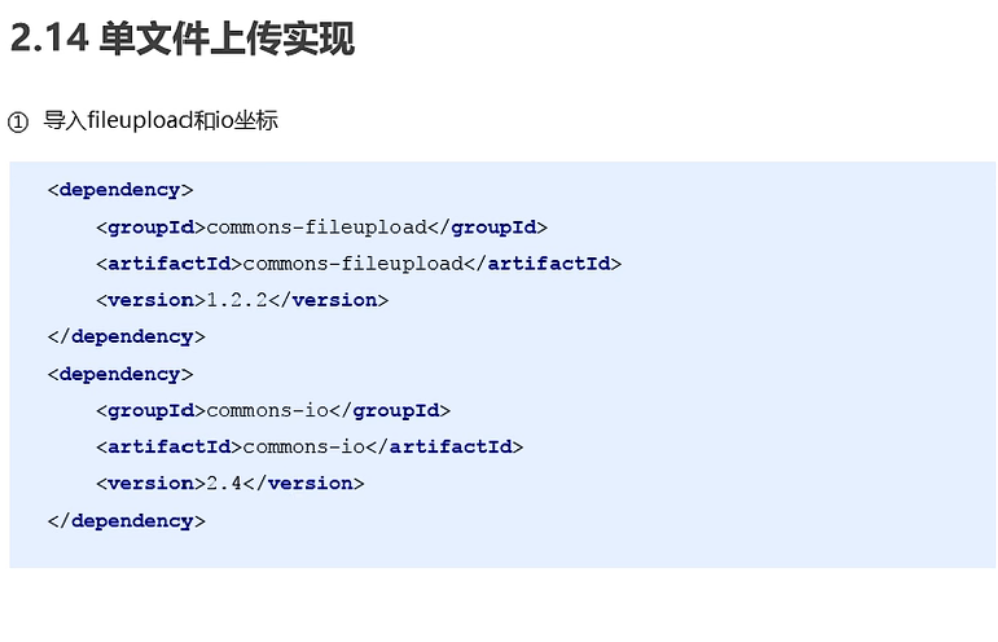
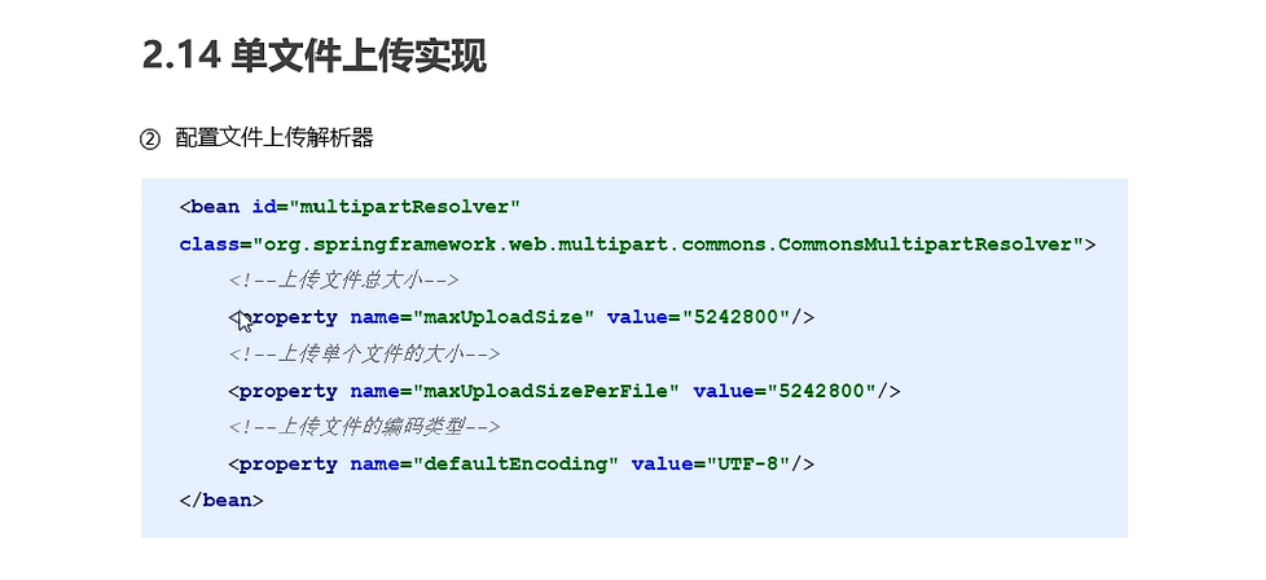
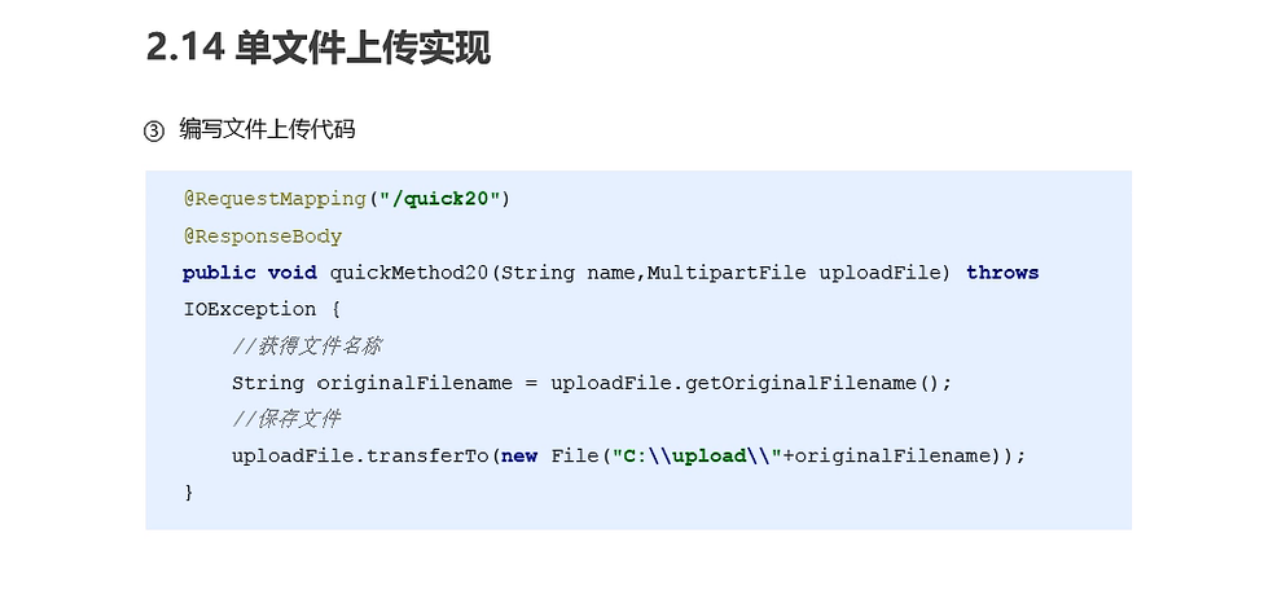
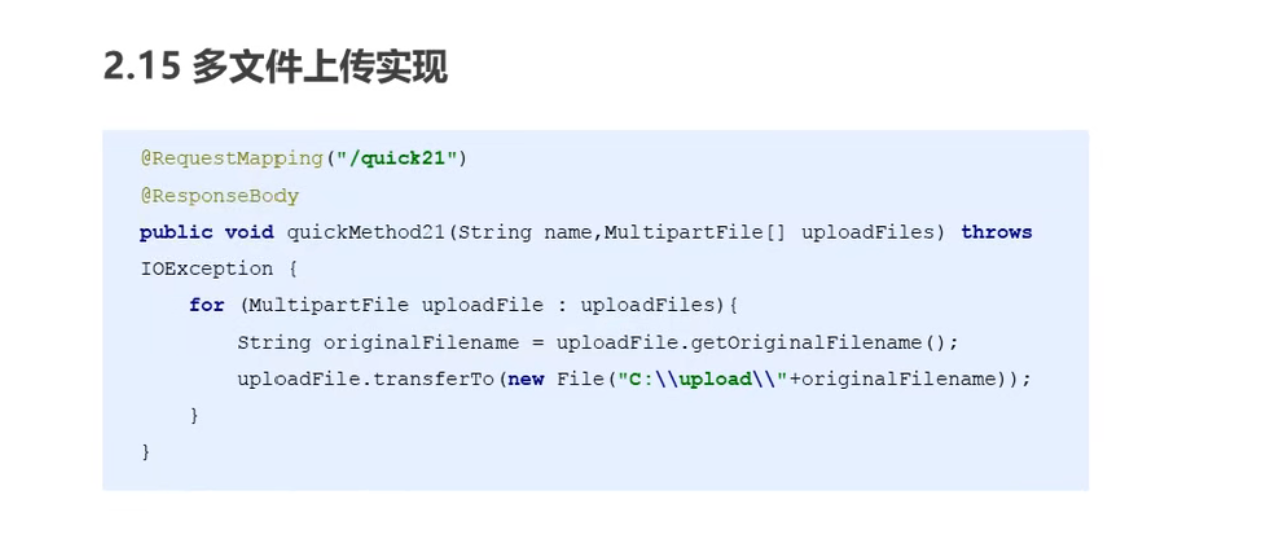
代码
upload.jsp
<%--
  Created by IntelliJ IDEA.
  User: admin
  Date: 2022-04-16
  Time: 0:56
  To change this template use File | Settings | File Templates.
--%>
<%@ page contentType="text/html;charset=UTF-8" language="java" %>
<%@page isELIgnored="false" %>
<html>
<head>
    <title>Title</title>
</head>
<body>
<form action="${pageContext.request.contextPath}/user/quick3" method="post" enctype="multipart/form-data">
    <input type="text" name="name" ><br>
    <input type="file" name="uploadFiles" /><br>
    <input type="file" name="uploadFiles" /><br>
    <input type="submit" value="上传" /><br>
</form>
</body>
</html>
spring-mvc.xml
<!--    配置文件上传解析器-->
    <bean id="multipartResolver" class="org.springframework.web.multipart.commons.CommonsMultipartResolver">
        <property name="defaultEncoding" value="UTF-8"/>
        <property name="maxUploadSize" value="500000"/>
    </bean>
UserController
package com.spring.controller;

import org.springframework.stereotype.Controller;
import org.springframework.web.bind.annotation.*;
import org.springframework.web.multipart.MultipartFile;
import org.springframework.web.multipart.support.MultipartFilter;

import java.io.File;
import java.io.IOException;
import java.lang.invoke.MutableCallSite;
import java.util.Date;

/**
 * @author admin
 */
@Controller
@RequestMapping("/user")
public class UserController {

    @RequestMapping(value = "/quick/{name}")
    @ResponseBody
    public void save(@PathVariable(value = "name") String username){
        System.out.println(username);
    }

    @RequestMapping(value = "/quick1")
    @ResponseBody
    public void save1(Date date){
        System.out.println(date);
    }

    /**
     * 单文件上传
     * @param name
     * @param uploadFile
     * @throws IOException
     */
    @RequestMapping(value = "/quick2")
    @ResponseBody
        public void save2(String name, MultipartFile uploadFile) throws IOException {
        System.out.println(name);
        System.out.println(uploadFile);
        //获取上传文件名称
        String originalFilename=uploadFile.getOriginalFilename();
        uploadFile.transferTo(new File("D:\\"+originalFilename));
    }

    /**
     * 多文件上传
     * @param name
     * @param uploadFiles
     * @throws IOException
     */
    @RequestMapping(value = "/quick3")
    @ResponseBody
    public void save3(String name, MultipartFile[] uploadFiles) throws IOException {
        System.out.println(name);

        for (MultipartFile uploadFile : uploadFiles) {
            //获取上传文件名称
            String originalFilename=uploadFile.getOriginalFilename();
            uploadFile.transferTo(new File("D:\\"+originalFilename));
        }
    }
}
知识要点
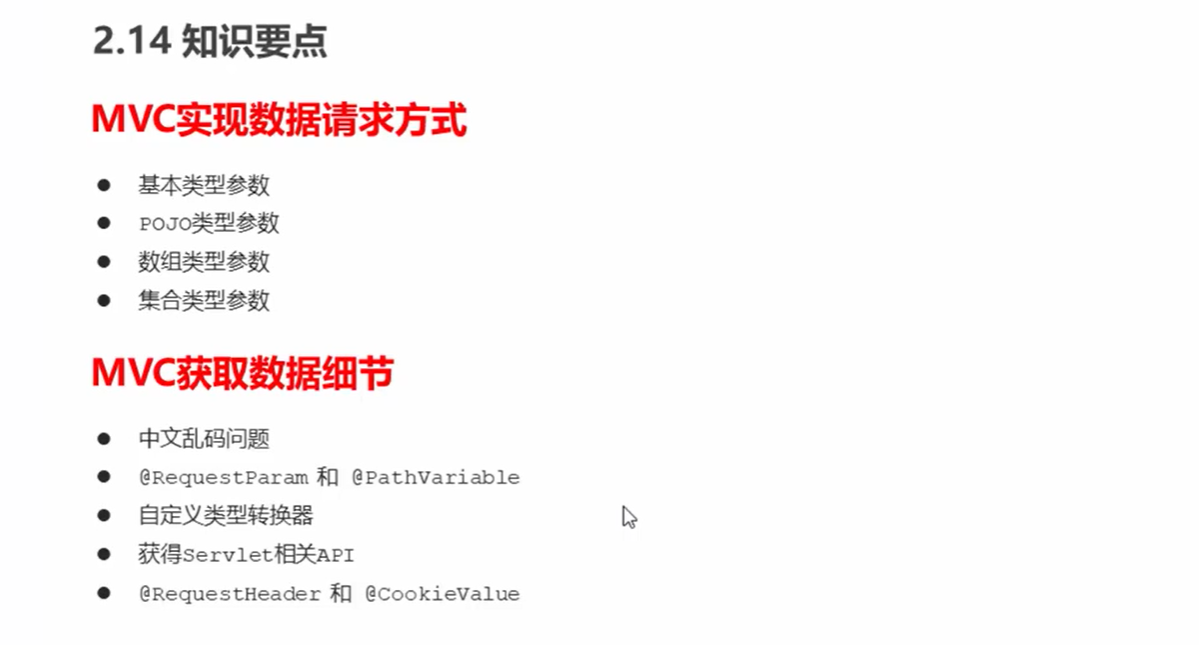
JdbcTemplate
概述
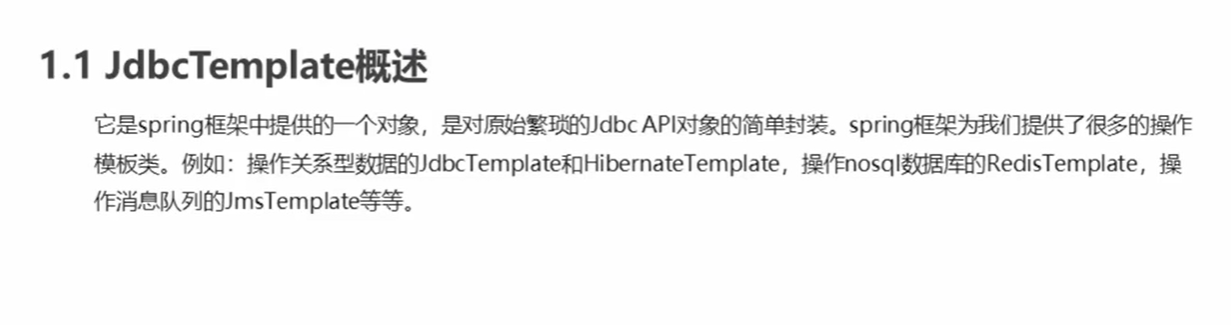
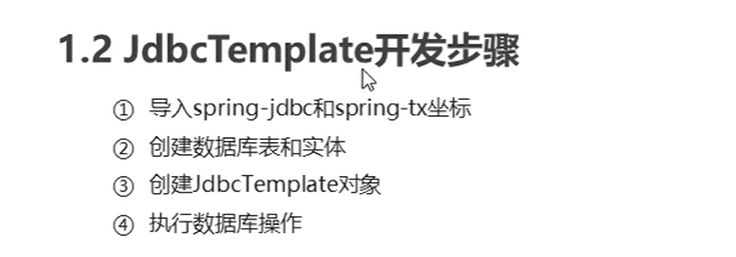
开发步骤
Spring产生JdbcTemplate对象
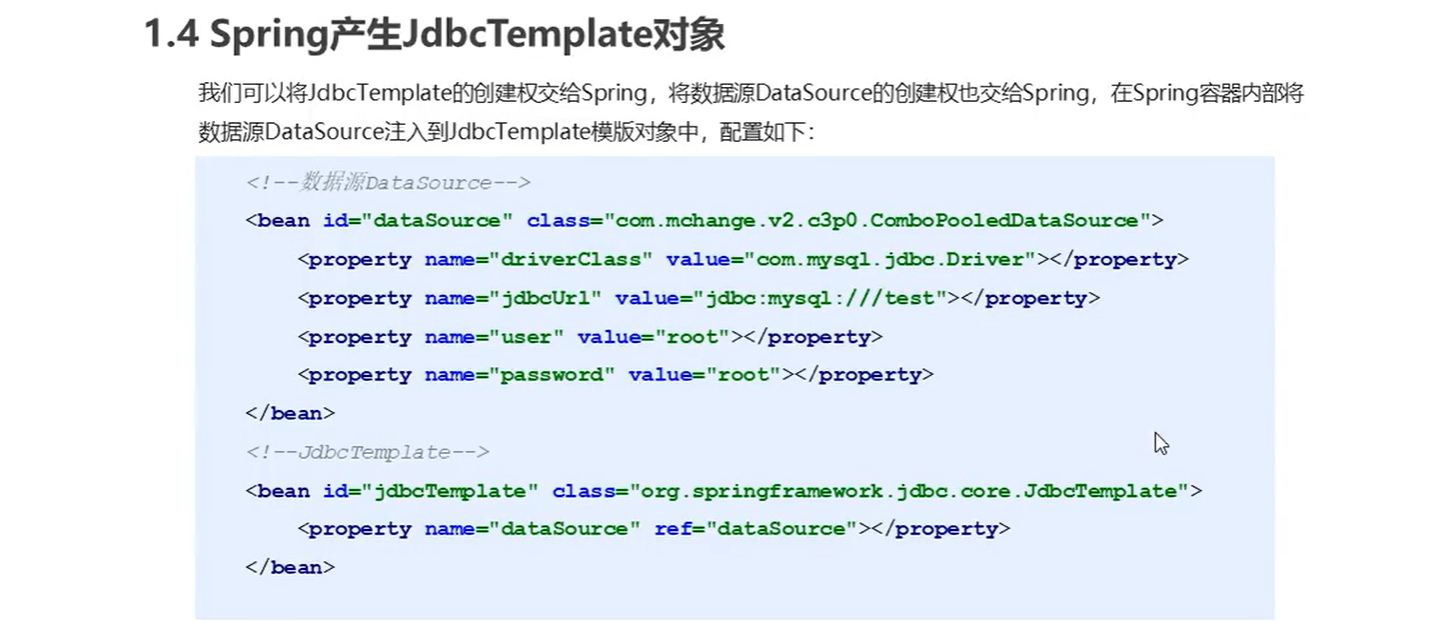
代码
spring-mvc.xml
<!--加载jdbc.properties-->
    <context:property-placeholder location="classpath:jdbc.properties"/>


<!--    数据源对象-->
    <bean id="dataSource" class="com.mchange.v2.c3p0.ComboPooledDataSource">
        <property name="driverClass" value="${jdbc.driver}"></property>
        <property name="jdbcUrl" value="${jdbc.url}"></property>
        <property name="user" value="${jdbc.username}"></property>
        <property name="password" value="${jdbc.password}"></property>
    </bean>

<!--    模板对象-->
    <bean id="JdbcTemplate" class="org.springframework.jdbc.core.JdbcTemplate">
        <property name="dataSource" ref="dataSource"></property>
    </bean>
JdbcTemplateTest
package com.spring.test;

import org.junit.Test;
import org.springframework.context.ApplicationContext;
import org.springframework.context.support.ClassPathXmlApplicationContext;
import org.springframework.jdbc.core.JdbcTemplate;

public class JdbcTemplateTest {
    @Test
    public void test() {
        ApplicationContext context = new ClassPathXmlApplicationContext("spring-mvc.xml");
        JdbcTemplate jdbcTemplate = (JdbcTemplate) context.getBean("JdbcTemplate");
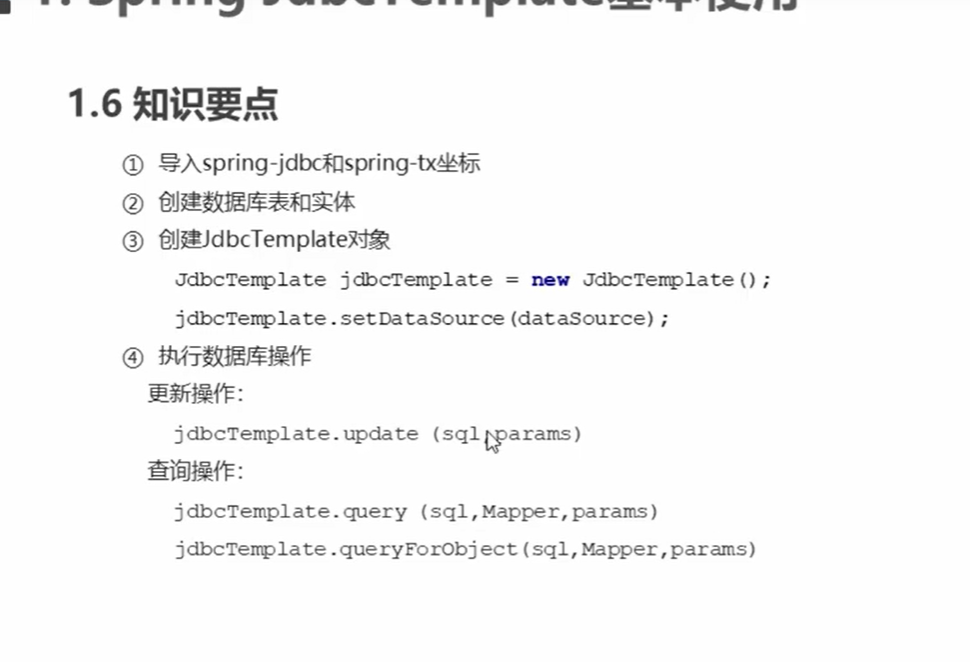
        int rows= jdbcTemplate.update("insert into login(username,password) values(?,?)", "zhangsan", "123456");
        System.out.println(rows);
    }
}
pom.xml
    <!-- https://mvnrepository.com/artifact/org.springframework/spring-jdbc -->
    <dependency>
      <groupId>org.springframework</groupId>
      <artifactId>spring-jdbc</artifactId>
      <version>5.3.19</version>
    </dependency>

    <!-- https://mvnrepository.com/artifact/org.springframework/spring-tx -->
    <dependency>
      <groupId>org.springframework</groupId>
      <artifactId>spring-tx</artifactId>
      <version>5.3.19</version>
    </dependency>
知识要点
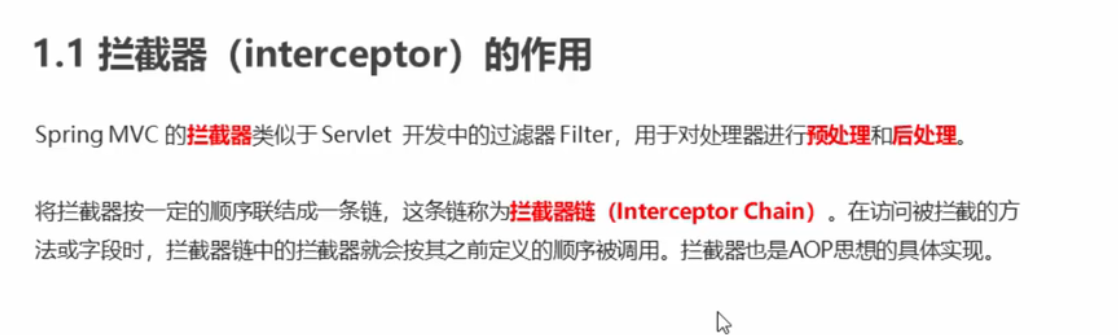
SpringMVC拦截器
作用
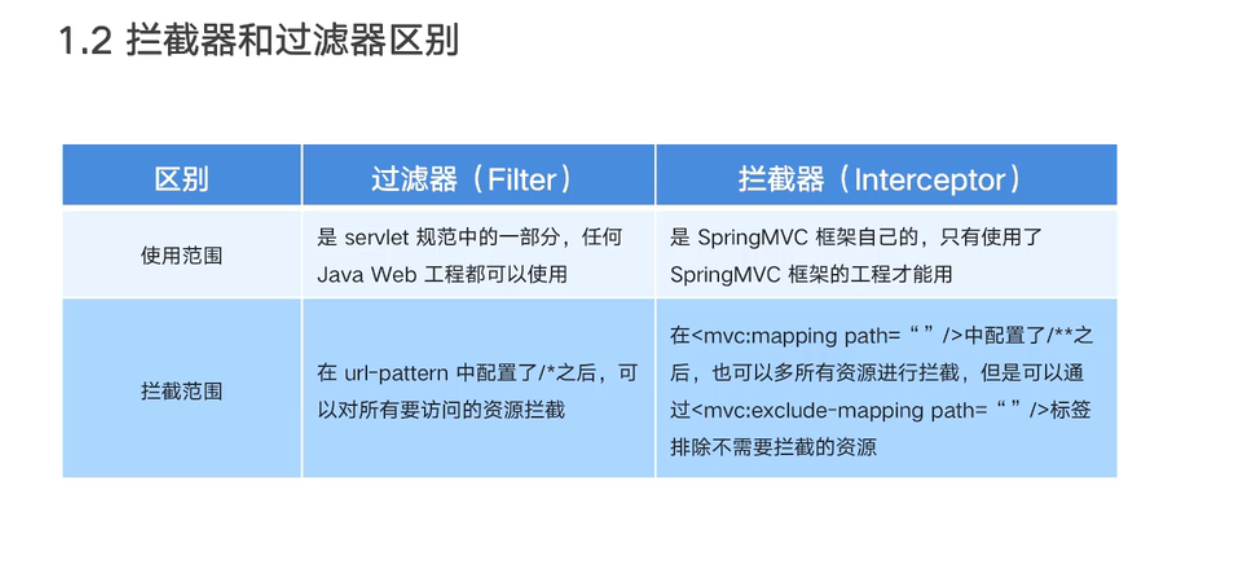
与过滤器的区别
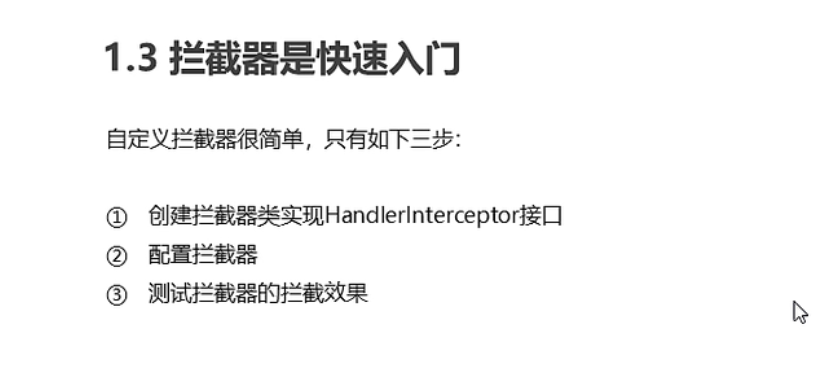
步骤
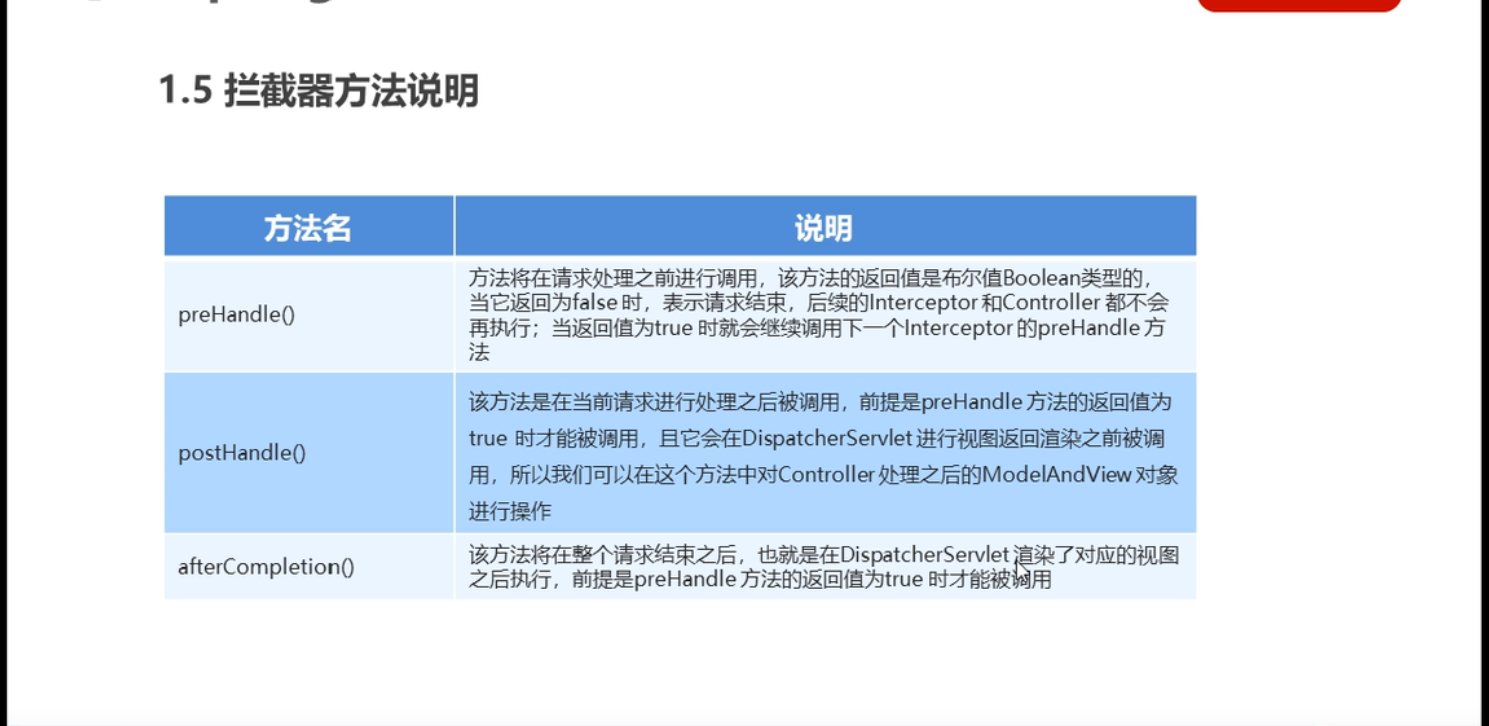
方法说明
代码
TargetController
package com.spring.controller;

import org.springframework.stereotype.Controller;
import org.springframework.web.bind.annotation.RequestMapping;
import org.springframework.web.bind.annotation.ResponseBody;
import org.springframework.web.servlet.ModelAndView;

@Controller
public class TargetController {

    @RequestMapping("/target")
    public ModelAndView show(){
        System.out.println("目标资源执行......");
        ModelAndView modelAndView = new ModelAndView();
        modelAndView.addObject("name","itcast");
        modelAndView.setViewName("index");
        return modelAndView;
    }

}
MyInterceptorl
package com.spring.interceptor;

import org.springframework.web.servlet.HandlerInterceptor;
import org.springframework.web.servlet.ModelAndView;

import javax.servlet.http.HttpServletRequest;
import javax.servlet.http.HttpServletResponse;

public class MyInterceptorl implements HandlerInterceptor {
    /**
     * 在目标方法执行之前执行
     * @param request
     * @param response
     * @param handler
     * @return
     * @throws Exception
     */
    @Override
    public boolean preHandle(HttpServletRequest request, HttpServletResponse response, Object handler) throws Exception {
        System.out.println("preHandle");
        String name = request.getParameter("name");
        if ("zhangsan".equals(name)) {
            return true;
        }else {
            request.getRequestDispatcher("error.jsp").forward(request, response);
            return false;
        }

//        //返回true表示放行, 返回false表示拦截
//        return true;
    }

    /**
     * 在目标方法执行之后, 视图返回之前执行
     * @param request
     * @param response
     * @param handler
     * @param modelAndView
     * @throws Exception
     */
    @Override
    public void postHandle(HttpServletRequest request, HttpServletResponse response, Object handler, ModelAndView modelAndView) throws Exception {
        modelAndView.addObject("name", "zhangsan");
        System.out.println("postHandle");
    }

    /**
     * 整个流程执行完毕后执行
     * @param request
     * @param response
     * @param handler
     * @param ex
     * @throws Exception
     */
    @Override
    public void afterCompletion(HttpServletRequest request, HttpServletResponse response, Object handler, Exception ex) throws Exception {
        System.out.println("afterCompletion");
    }
}
web.xml
<!--    配置拦截器-->
    <mvc:interceptors>
        <mvc:interceptor>
<!--            对哪些资源执行拦截操作-->
            <mvc:mapping path="/**"/>
            <bean class="com.spring.interceptor.MyInterceptorl"/>
        </mvc:interceptor>
    </mvc:interceptors>
异常处理
异常处理思路
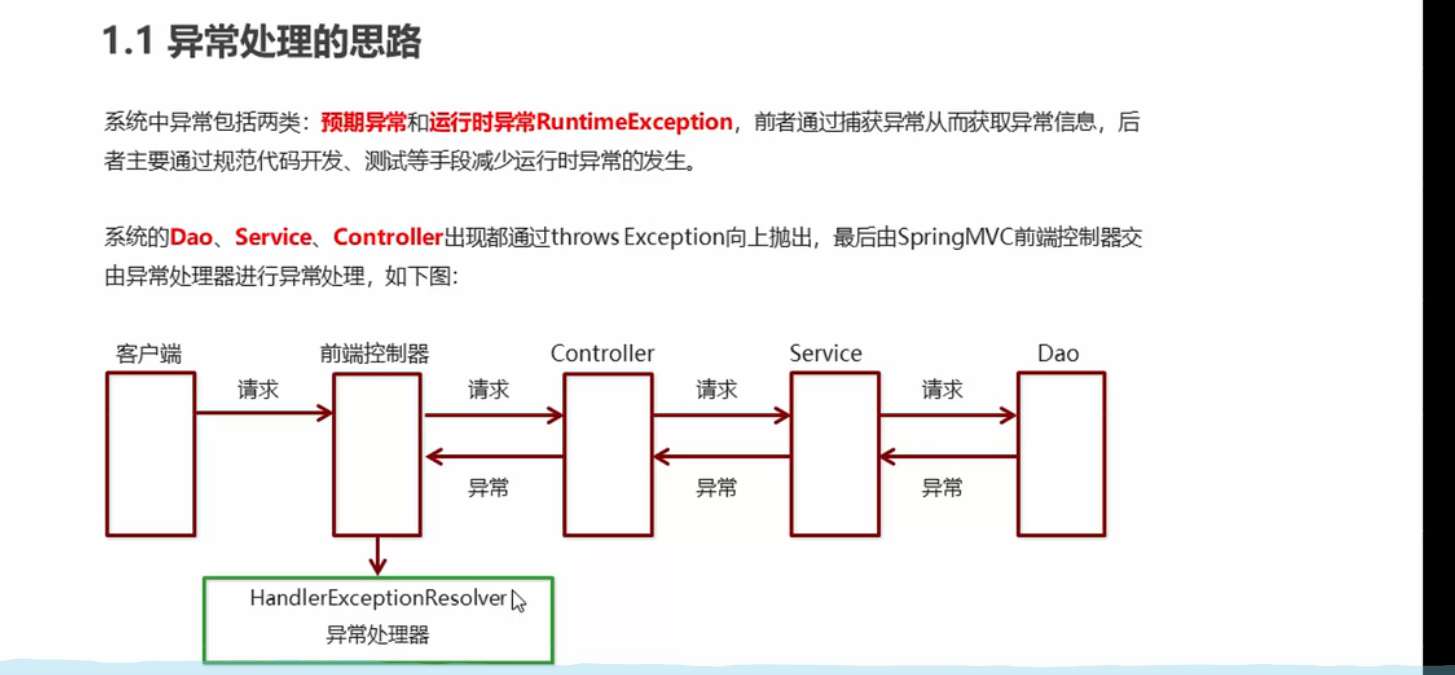
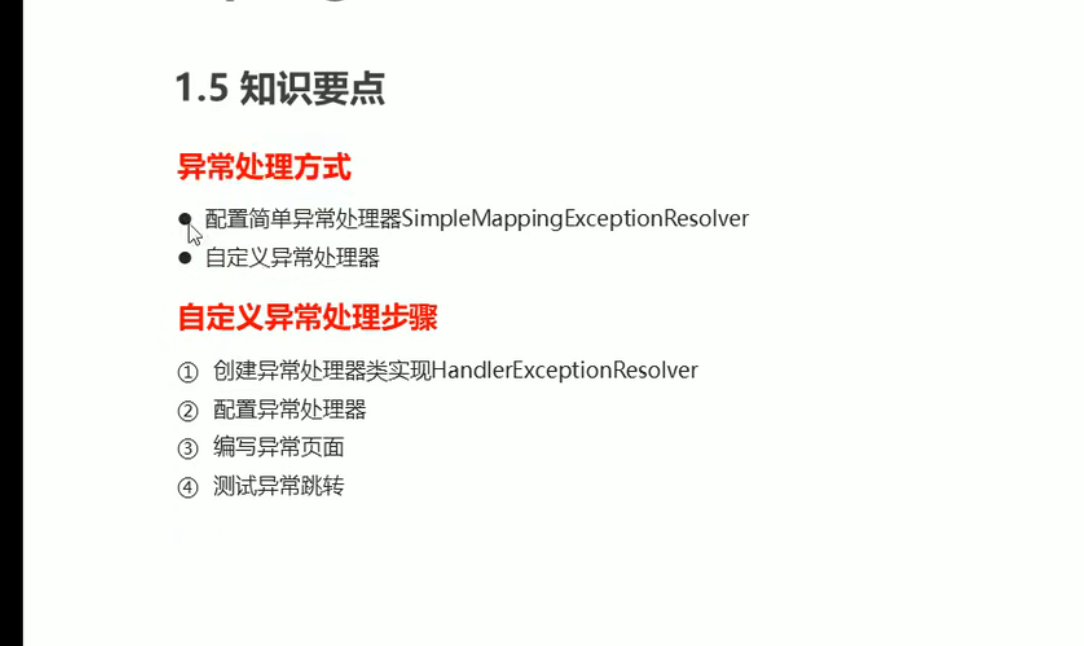
异常处理的两种方式

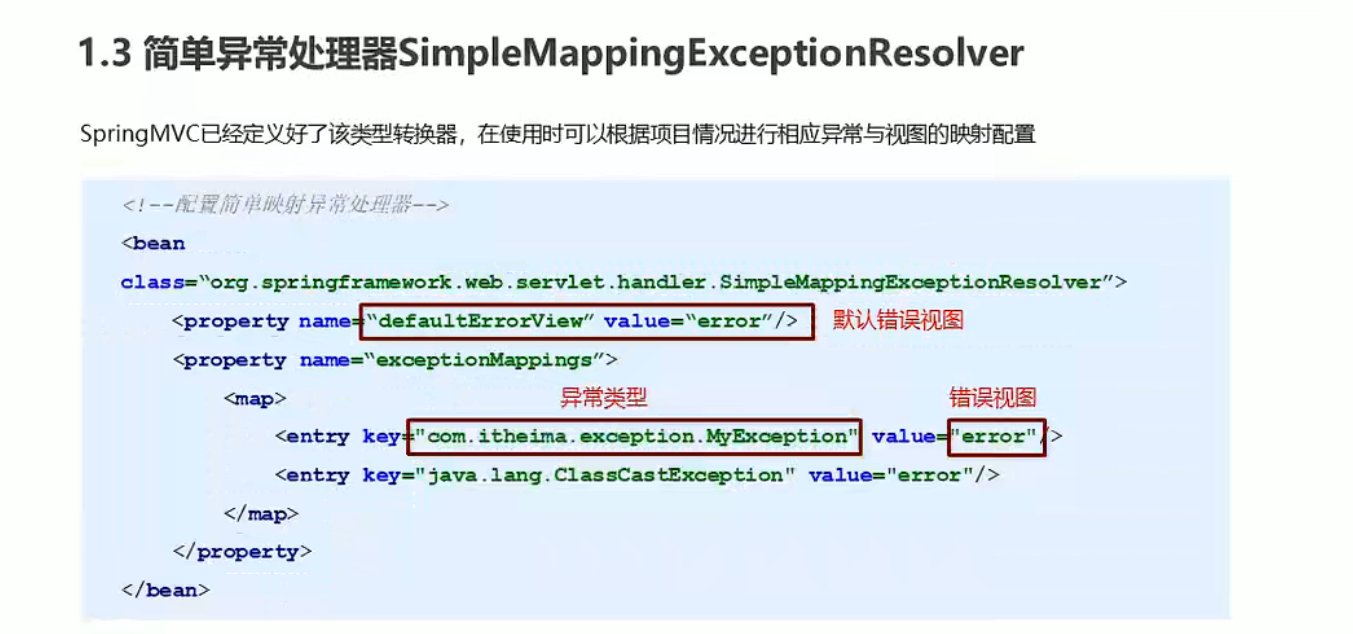
简单异常处理器
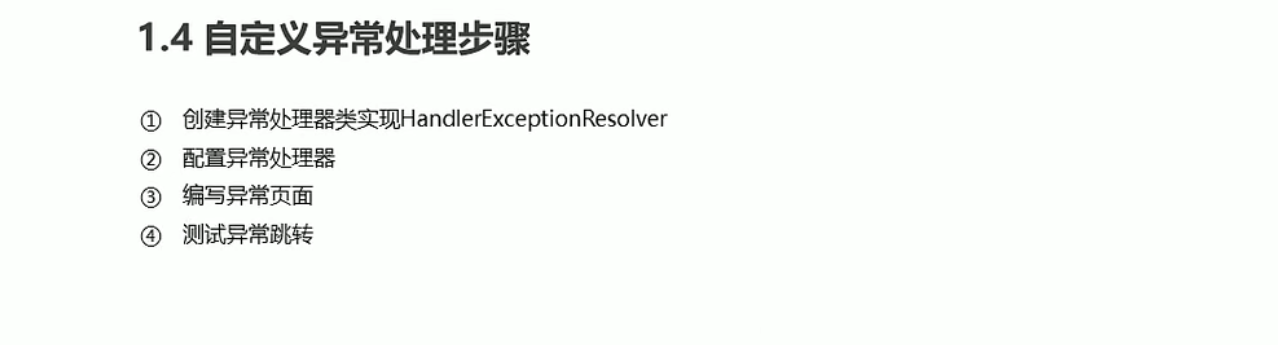
自定义异常处理器
知识要点
代码
spring.xml
<!--<!– 配置异常处理器–>-->
<!-- <bean class="org.springframework.web.servlet.handler.SimpleMappingExceptionResolver">-->
<!-- <property name="defaultErrorView" value="error"></property>-->
<!-- <property name="exceptionMappings">-->
<!-- <map>-->
<!-- <entry key="ClassNotFoundException" value="error1">-->
<!-- </entry>-->
<!-- </map>-->
<!-- </property>-->
<!-- </bean>-->
<!-- 自定义异常处理器-->
<bean class="com.spring.resolver.MyExceptionResolver"></bean>
MyExceptionResolver
package com.spring.resolver;

import org.springframework.web.servlet.HandlerExceptionResolver;
import org.springframework.web.servlet.HandlerInterceptor;
import org.springframework.web.servlet.ModelAndView;

import javax.servlet.http.HttpServletRequest;
import javax.servlet.http.HttpServletResponse;


public class MyExceptionResolver implements HandlerExceptionResolver {

    /**
     *
     * @param request
     * @param response
     * @param handler
     * @param ex 异常对象
     * @return 跳转到错误视图信息
     */
    @Override
    public ModelAndView resolveException(HttpServletRequest request, HttpServletResponse response, Object handler, Exception ex) {
        ModelAndView mv = new ModelAndView();
        System.out.println("5555");
        if (ex instanceof ArithmeticException) {
            mv.addObject("msg", "算术异常");
        }else if (ex instanceof NullPointerException) {
            mv.addObject("msg", "空指针异常");
        }else if (ex instanceof ClassCastException) {
            mv.addObject("msg", "类型强制转换异常");
        }else if (ex instanceof ArrayIndexOutOfBoundsException) {
            mv.addObject("msg", "数组下标越界异常");
        }else if (ex instanceof NumberFormatException) {
            mv.addObject("msg", "数字格式异常");
        }else if (ex instanceof Exception) {
            mv.addObject("msg", "未知异常");
        }
        mv.setViewName("error");
        return mv;
    }
}
TargetController
package com.spring.controller;

import org.junit.Test;
import org.springframework.stereotype.Controller;
import org.springframework.web.bind.annotation.RequestMapping;
import org.springframework.web.servlet.ModelAndView;

@Controller
public class TargetController {

    @RequestMapping("/target")
    public ModelAndView show(){
        System.out.println("目标资源执行......");
        ModelAndView modelAndView = new ModelAndView();
        modelAndView.addObject("name","itcast");
        modelAndView.setViewName("page/error1");
        int i=1/0;
        return modelAndView;
    }
}
AOP
概念
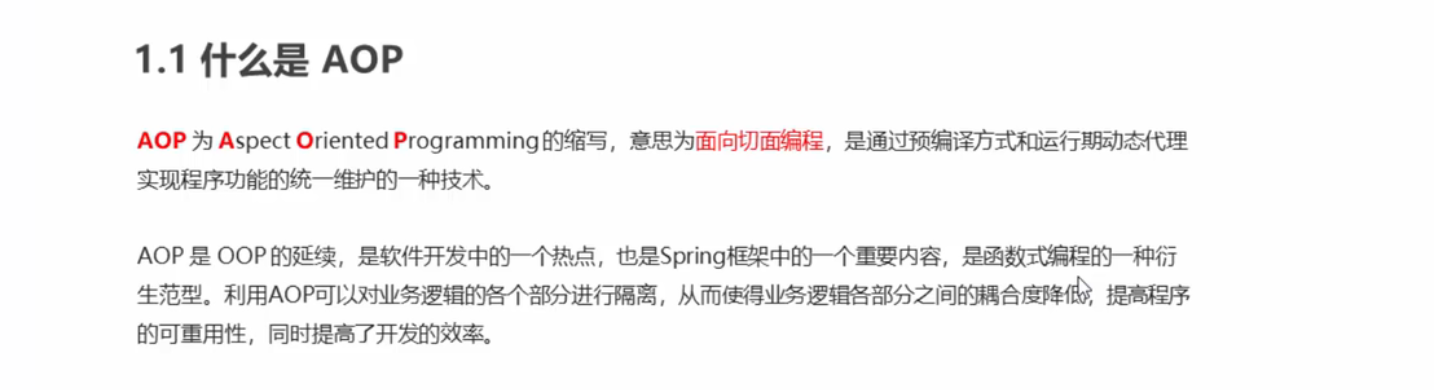
作用以及优势
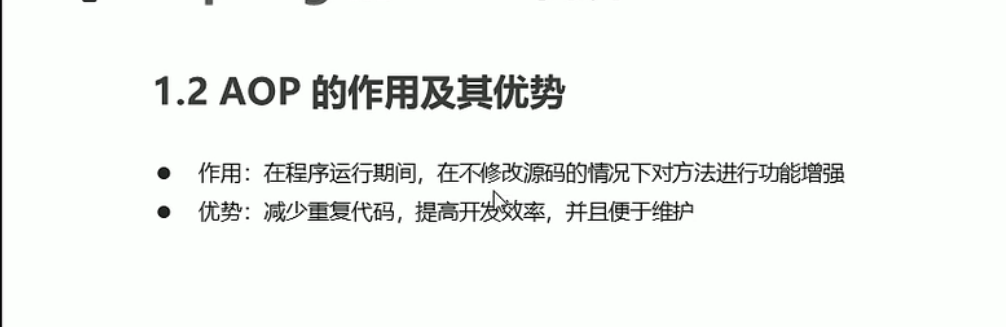
底层实现
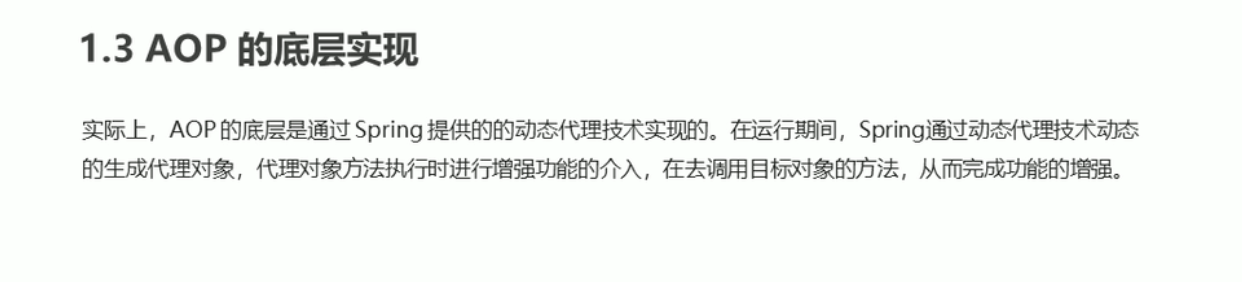
动态代理技术
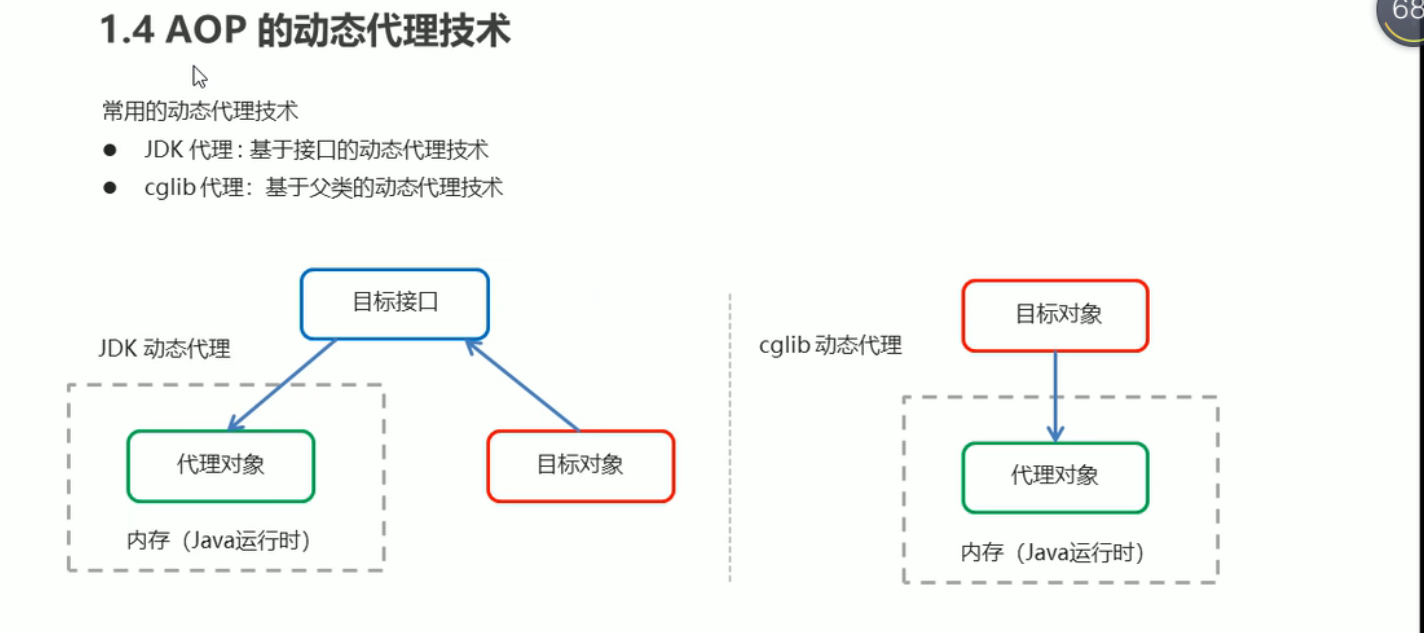
JDK的动态代理
代码
TargetInterface
package com.spring.proxy.jdk;

public interface TargetInterface {
    void save();
}
Target
package com.spring.proxy.jdk;

public class Target implements TargetInterface {
    @Override
    public void save() {
        System.out.println("save running......");
    }
}
Advice
package com.spring.proxy.jdk;

public class Advice {
    public void before() {
        System.out.println("前置增强....");
    }

    public void afterReturning() {
        System.out.println("后置增强....");
    }
}
ProxyTest
package com.spring.proxy.jdk;

import java.lang.reflect.InvocationHandler;
import java.lang.reflect.Method;
import java.lang.reflect.Proxy;

public class ProxyTest {
    public static void main(String[] args) {
        //目标对象
        final Target target = new Target();

        //增强对象
        final Advice advice = new Advice() ;

        //返回值就是动态生成的代理对象
        TargetInterface proxy = (TargetInterface) Proxy.newProxyInstance(
                //目标对象类加载器
                target.getClass().getClassLoader(),
                //目标对象相同的接口字节码数组
                target.getClass().getInterfaces(),
                new InvocationHandler() {
                    //调用代理对象的任何方法 实质执行的都是invoke方法
                    @Override
                    public Object invoke(Object proxy, Method method, Object[] args) throws Throwable {
                        //前置增强
                        advice.before();
                        //执行目标对象的方法
                        Object invoke = method.invoke(target, args);
                        //后置增强
                        advice.afterReturning();
                        return invoke;
                    }
                }
        );

        //调用代理对象的方法
        proxy.save();
    }
}
cglib的动态代理
代码
Target
package com.spring.proxy.cglib;

public class Target  {
    public void save() {
        System.out.println("save running......");
    }
}
ProxyTest
package com.spring.proxy.jdk;

import java.lang.reflect.InvocationHandler;
import java.lang.reflect.Method;
import java.lang.reflect.Proxy;

public class ProxyTest {
    public static void main(String[] args) {
        //目标对象
        final Target target = new Target();

        //增强对象
        final Advice advice = new Advice() ;

        //返回值就是动态生成的代理对象
        TargetInterface proxy = (TargetInterface) Proxy.newProxyInstance(
                //目标对象类加载器
                target.getClass().getClassLoader(),
                //目标对象相同的接口字节码数组
                target.getClass().getInterfaces(),
                new InvocationHandler() {
                    //调用代理对象的任何方法 实质执行的都是invoke方法
                    @Override
                    public Object invoke(Object proxy, Method method, Object[] args) throws Throwable {
                        //前置增强
                        advice.before();
                        //执行目标对象的方法
                        Object invoke = method.invoke(target, args);
                        //后置增强
                        advice.afterReturning();
                        return invoke;
                    }
                }
        );

        //调用代理对象的方法
        proxy.save();
    }
}
Advice
package com.spring.proxy.cglib;

public class Advice {
    public void before() {
        System.out.println("前置增强....");
    }

    public void afterReturning() {
        System.out.println("后置增强....");
    }
}
AOP相关概念
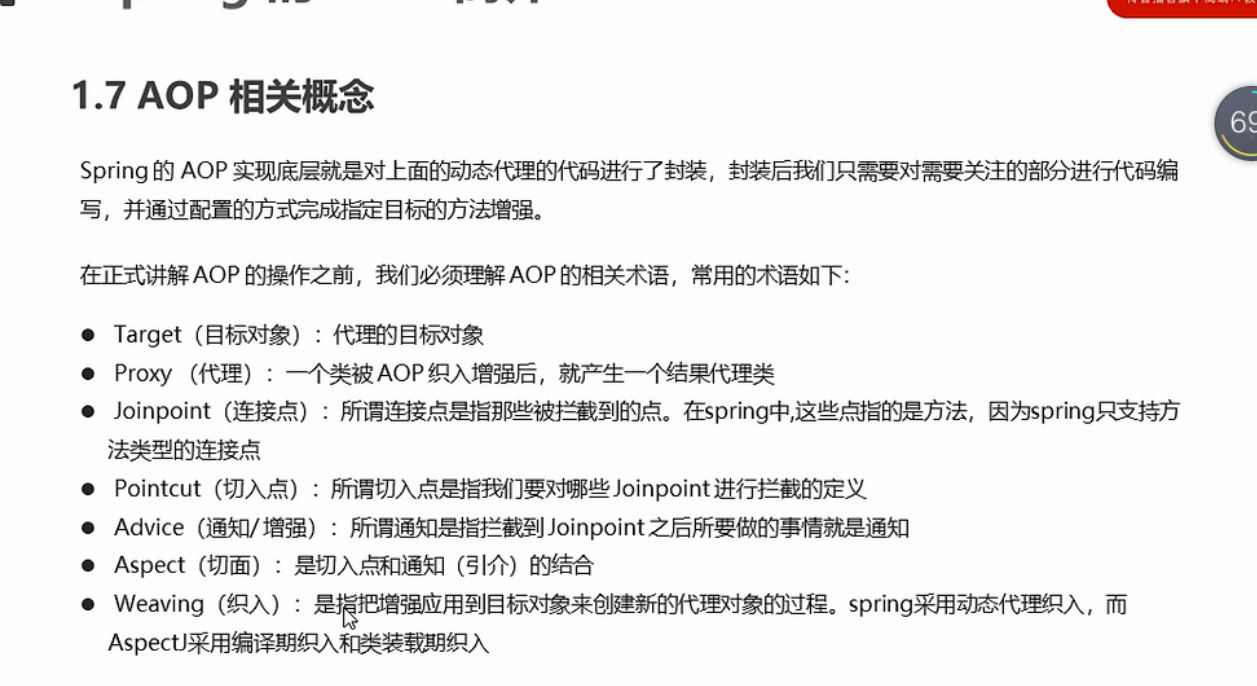
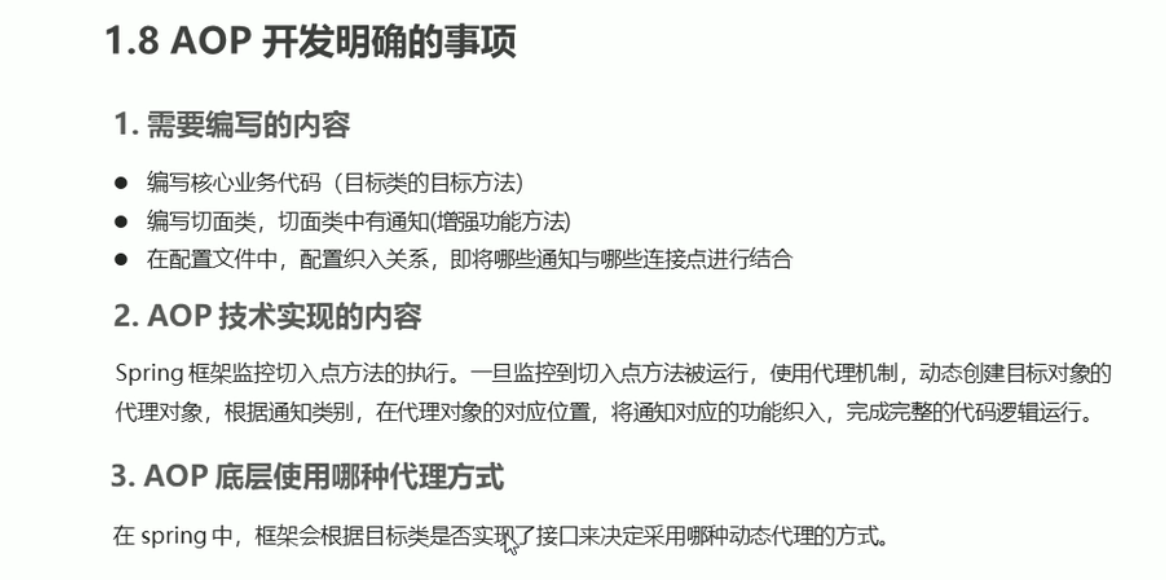
AOP开发明确的事项
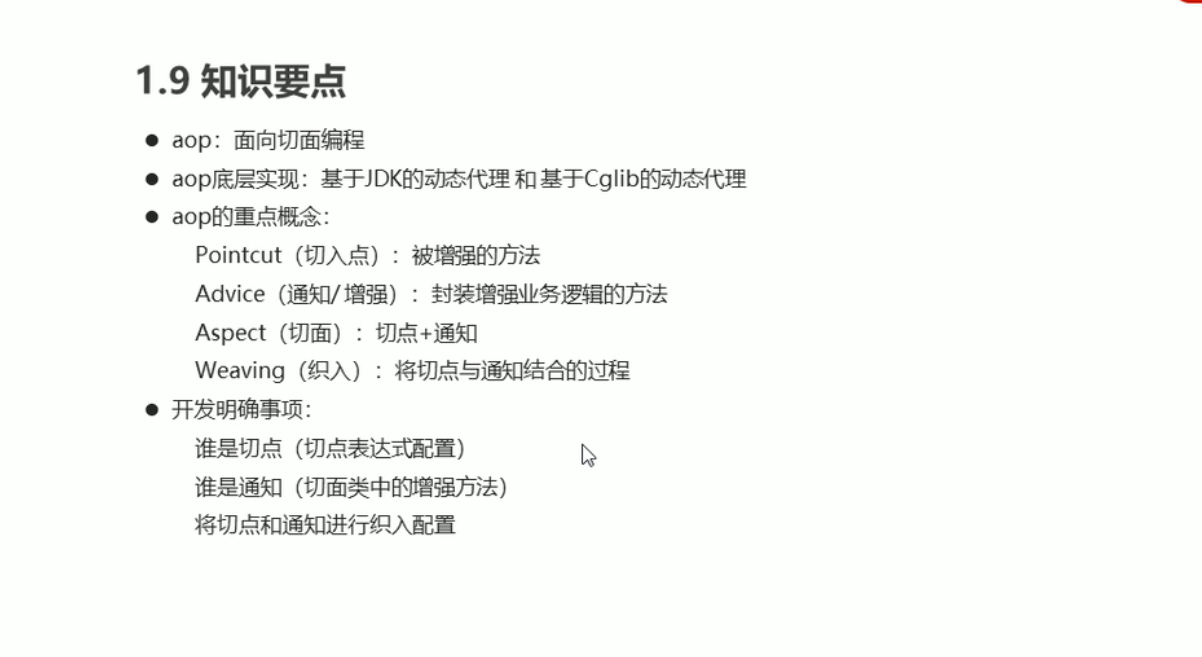
知识要点
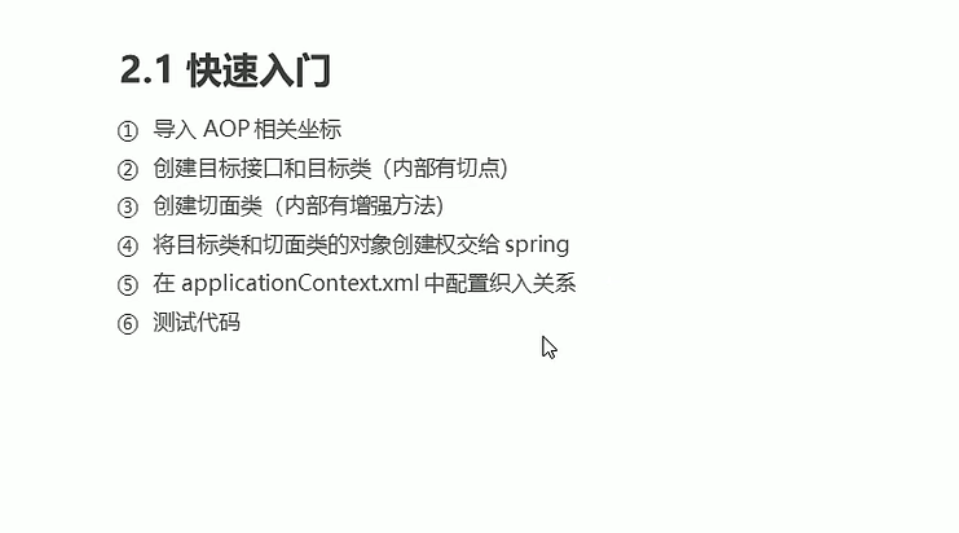
基于XML的AOP开发
步骤
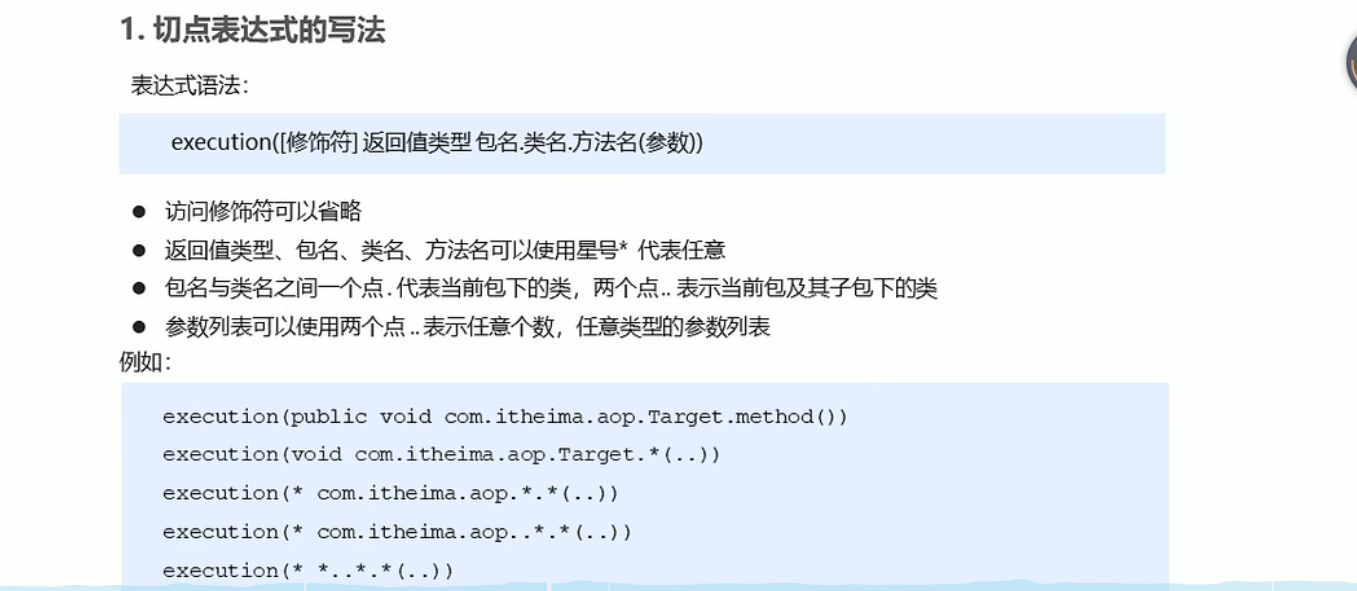
切点表达式的写法
通知
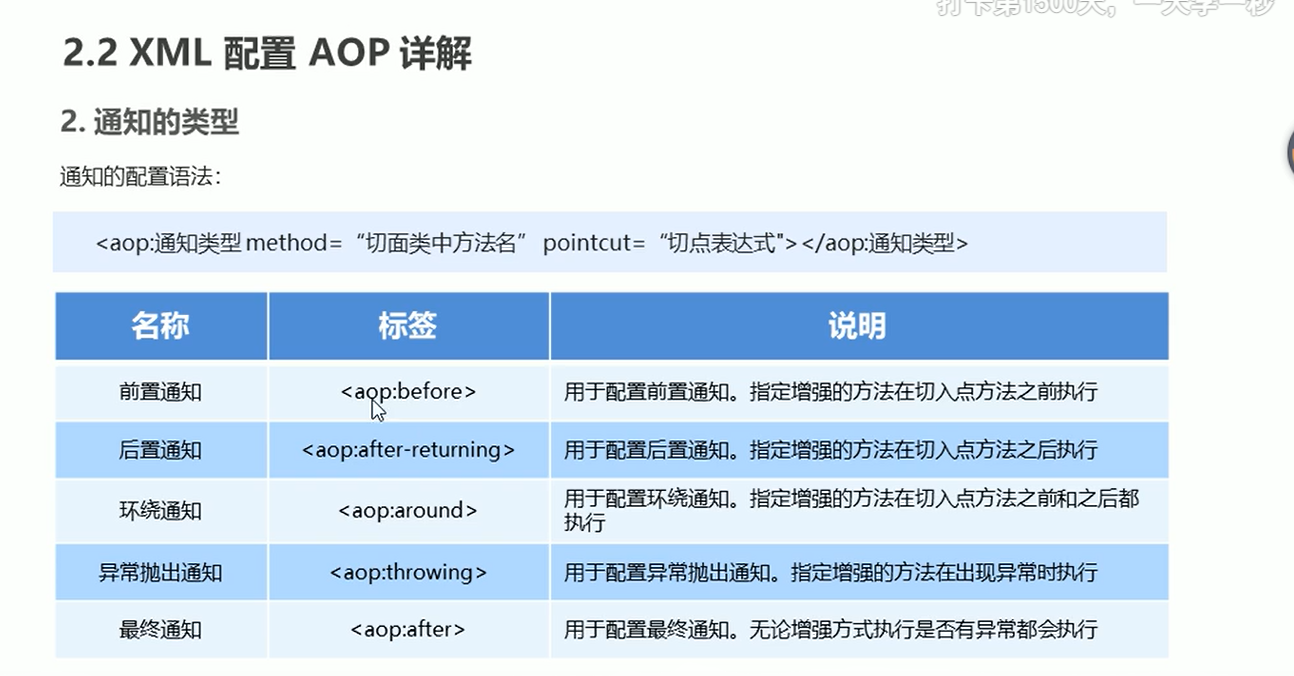
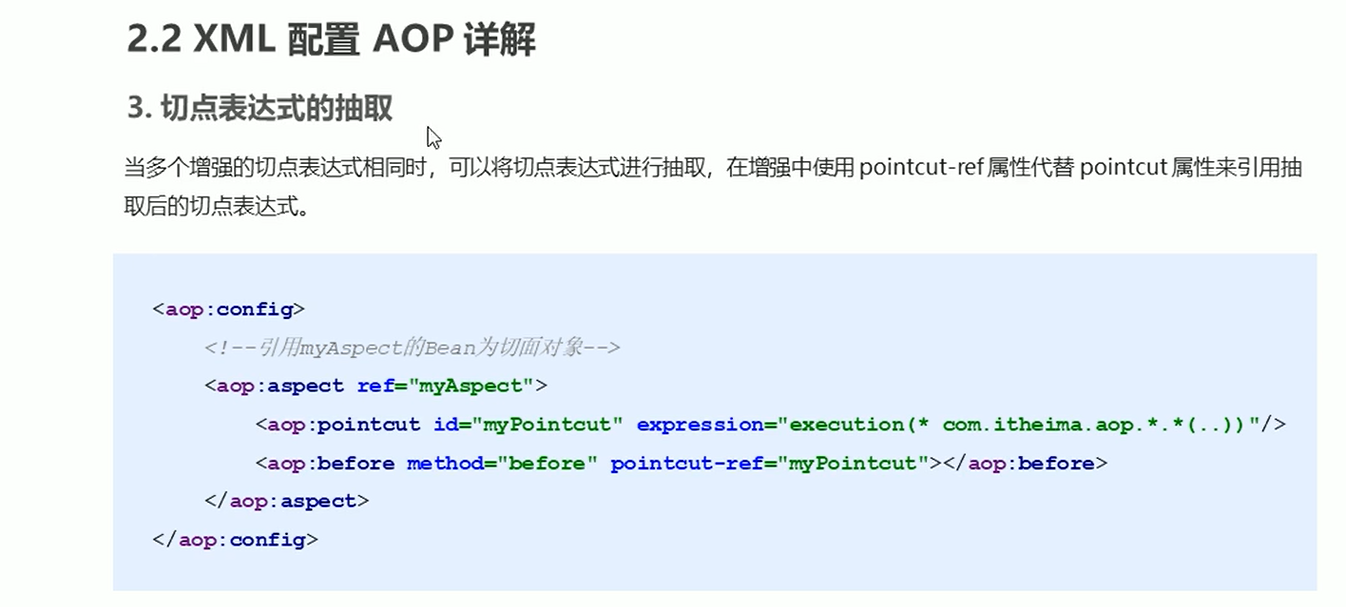
切点表达式的抽取
代码
applicationContext.xml
<?xml version="1.0" encoding="UTF-8"?>
<beans xmlns="http://www.springframework.org/schema/beans"
       xmlns:xsi="http://www.w3.org/2001/XMLSchema-instance" xmlns:aop="http://www.springframework.org/schema/aop"
       xsi:schemaLocation="http://www.springframework.org/schema/beans http://www.springframework.org/schema/beans/spring-beans.xsd http://www.springframework.org/schema/aop https://www.springframework.org/schema/aop/spring-aop.xsd">

<!--    目标对象-->
    <bean id="target" class="com.spring.aop.Target"></bean>

<!--    切面对象-->
    <bean id="myAspect" class="com.spring.aop.MyAspect"></bean>

<!--    配置织入: 告诉spring框架 哪些方法(切点)需要进行哪些增强(前置, 后置...)-->
    <aop:config>
<!--        声明切面-->
        <aop:aspect ref="myAspect">
<!--            切面:切点+通知-->
<!--            <aop:before method="before" pointcut="execution(public void com.spring.aop.Target.save())"></aop:before>-->
<!--            <aop:after-returning method="afterReturning" pointcut="execution(public void com.spring.aop.Target.*(..))"></aop:after-returning>-->
<!--            <aop:around method="around" pointcut="execution(* com.spring.aop.*.*(..))"></aop:around>-->
<!--            <aop:after-throwing method="afterThrowing" pointcut="execution(* com.spring.aop.*.*(..))"></aop:after-throwing>-->
<!--            <aop:after method="after" pointcut="execution(* com.spring.aop.*.*(..))"></aop:after>-->


<!--            抽取切点表达式-->
            <aop:pointcut id="myPointcut" expression="execution(* com.spring.aop.*.*(..))"></aop:pointcut>
            <aop:around method="around" pointcut-ref="myPointcut"/>
            <aop:after method="after" pointcut-ref="myPointcut"/>
        </aop:aspect>
    </aop:config>

</beans>
MyAspect
package com.spring.aop;
import org.aspectj.lang.ProceedingJoinPoint;

public class MyAspect {
    public void before() {
        System.out.println("前置增强...");
    }

    public void afterReturning() {
        System.out.println("后置增强...");
    }

    //Proceeding JoinPoint: 正则执行的连接点==切点
    public void around(ProceedingJoinPoint pjb) throws Throwable {
        System.out.println("环绕前增强...");
        //切点方法
        pjb.proceed();
        System.out.println("环绕后增强...");
    }

    public void afterThrowing(){
        System.out.println("异常抛出增强...");
    }

    public void after(){
        System.out.println("最终增强");
    }
}
TargetInterface
package com.spring.aop;

/**
 * @author admin
 */
public interface TargetInterface {
    void save();
}
Target
package com.spring.aop;

public class Target implements TargetInterface {
    @Override
    public void save() {
        //int i=1/0;
        System.out.println("save running......");
    }
}
基于注解的AOP开发
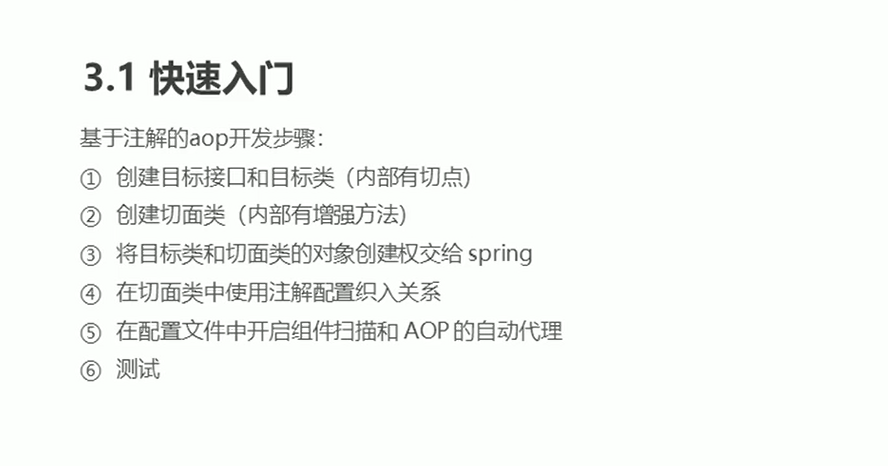
步骤
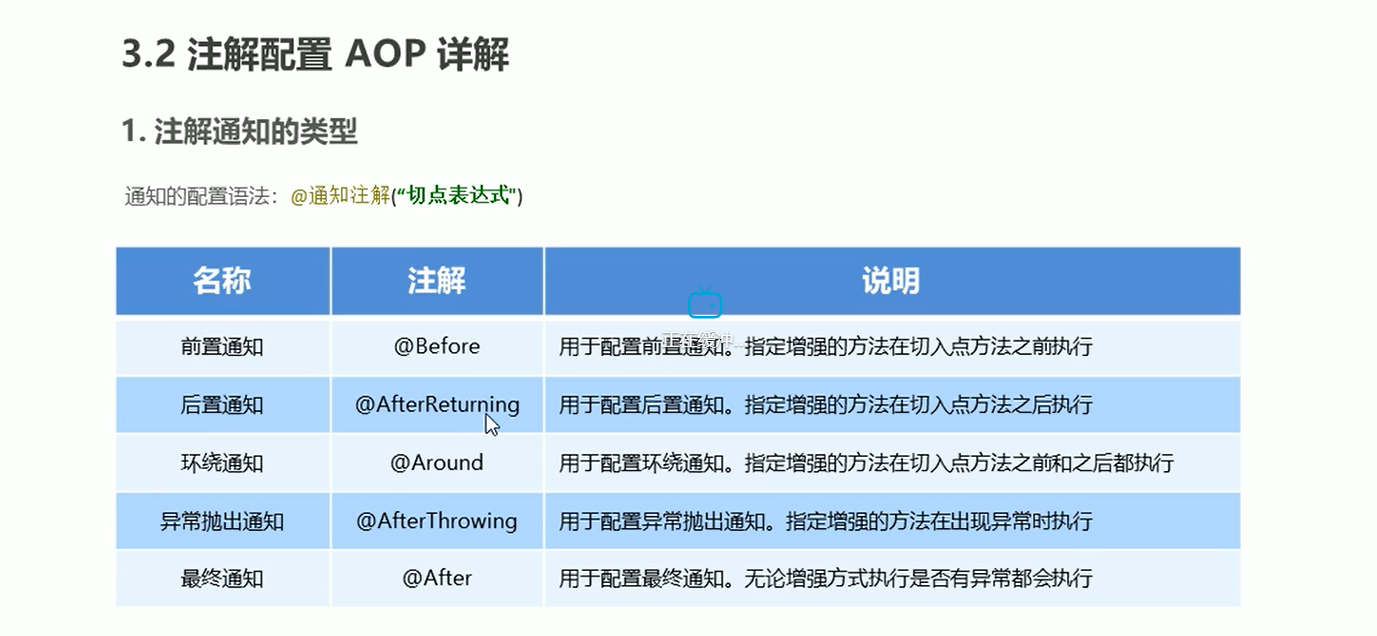
注解配置通知
类型
切点表达式抽取
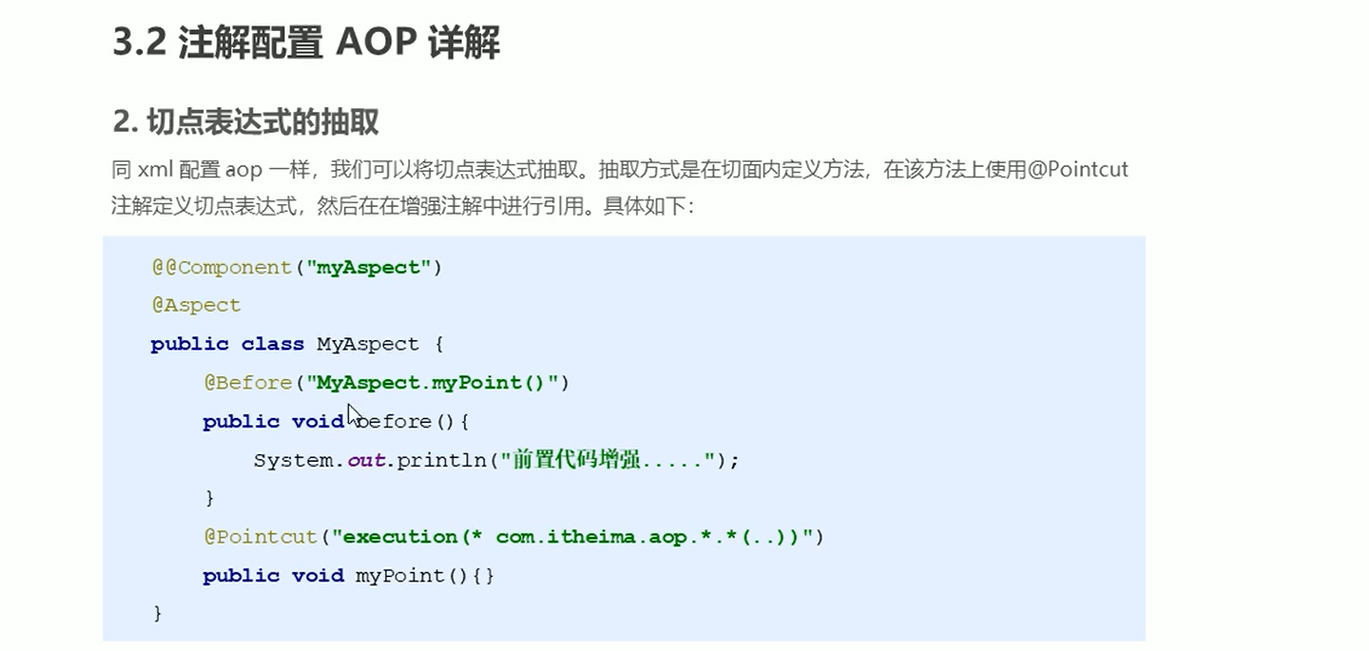
代码
MyAspect
package com.spring.anno;
import org.aspectj.lang.ProceedingJoinPoint;
import org.aspectj.lang.annotation.*;
import org.springframework.stereotype.Component;

@Component("myAspect")
@Aspect //标准当前MyAspect是一个切面类
public class MyAspect {
    //配置前置通知
    @Before(value = "execution(* com.spring.anno.*.*(..))")
    public void before() {
        System.out.println("前置增强...");
    }

    public void afterReturning() {
        System.out.println("后置增强...");
    }

    //Proceeding JoinPoint: 正则执行的连接点==切点
    @Around(value = "execution(* com.spring.anno.*.*(..))")
    public void around(ProceedingJoinPoint pjb) throws Throwable {
        System.out.println("环绕前增强...");
        //切点方法
        pjb.proceed();
        System.out.println("环绕后增强...");
    }

    public void afterThrowing(){
        System.out.println("异常抛出增强...");
    }

//    @After(value = "execution(* com.spring.anno.*.*(..))")
    @After("MyAspect.pointcut()")
    public void after(){
        System.out.println("最终增强");
    }

    //定义切点表达式
    @Pointcut("execution(* com.spring.anno.*.*(..))")
    public void pointcut(){}
}
AnnoTest
package test;


import com.spring.anno.TargetInterface;
import org.junit.Test;
import org.junit.runner.RunWith;
import org.springframework.beans.factory.annotation.Autowired;
import org.springframework.test.context.ContextConfiguration;
import org.springframework.test.context.junit4.SpringJUnit4ClassRunner;

@RunWith(SpringJUnit4ClassRunner.class)
@ContextConfiguration("classpath:applicationContext-anno.xml")
public class AnnoTest {

    @Autowired
    private TargetInterface target;

    @Test
    public void test() {
        target.save();
    }

}
applicationContext-anno.xml
<?xml version="1.0" encoding="UTF-8"?>
<beans xmlns="http://www.springframework.org/schema/beans"
       xmlns:xsi="http://www.w3.org/2001/XMLSchema-instance" xmlns:aop="http://www.springframework.org/schema/aop"
       xmlns:context="http://www.springframework.org/schema/context"
       xsi:schemaLocation="http://www.springframework.org/schema/beans http://www.springframework.org/schema/beans/spring-beans.xsd
       http://www.springframework.org/schema/aop https://www.springframework.org/schema/aop/spring-aop.xsd
       http://www.springframework.org/schema/context http://www.springframework.org/schema/context/spring-context.xsd
">

<!--组件扫描-->
    <context:component-scan base-package="com.spring.anno"/>
<!--    AOP自动代理-->
    <aop:aspectj-autoproxy/>

</beans>
Target
package com.spring.anno;

import org.springframework.stereotype.Component;

@Component("target")
public class Target implements TargetInterface {
    @Override
    public void save() {
        //int i=1/0;
        System.out.println("save running......");
    }
}
事务控制
编程式事务控制
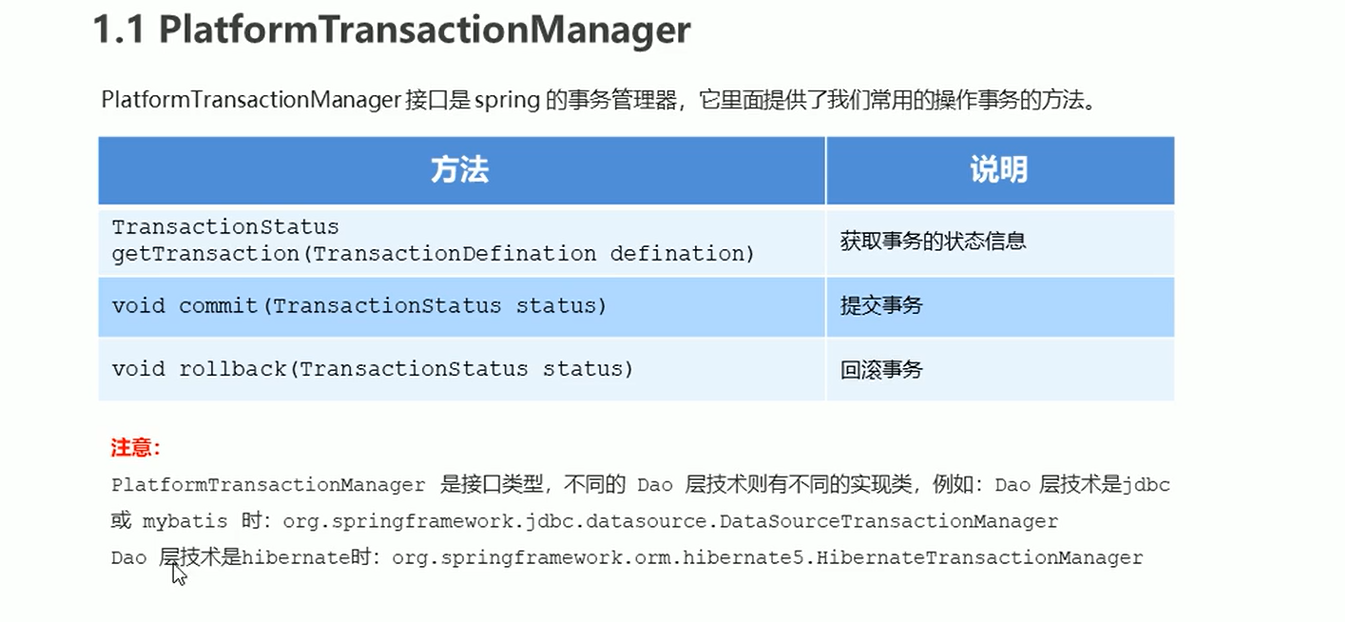
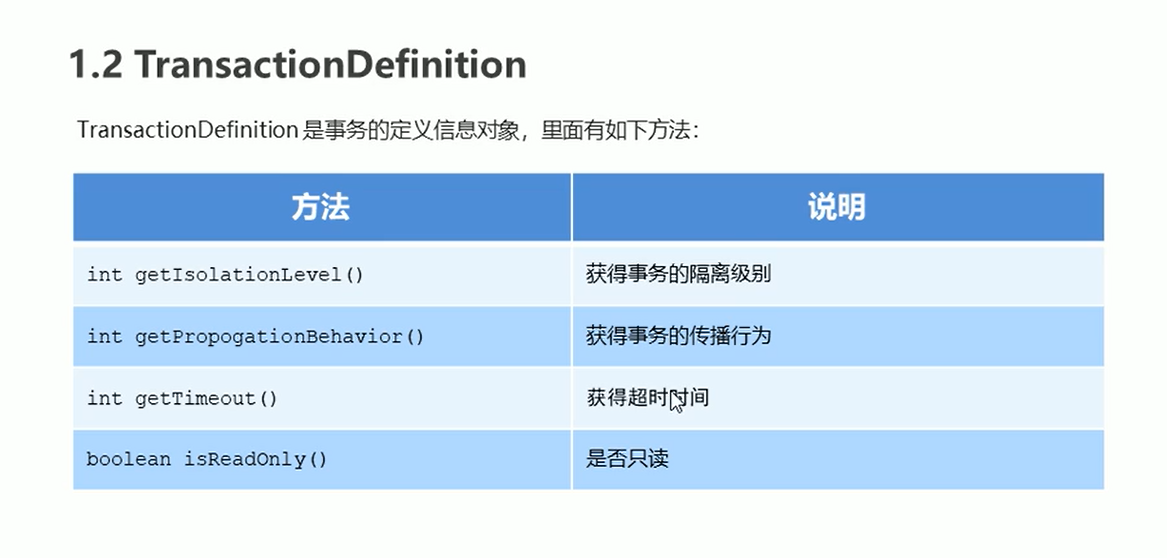
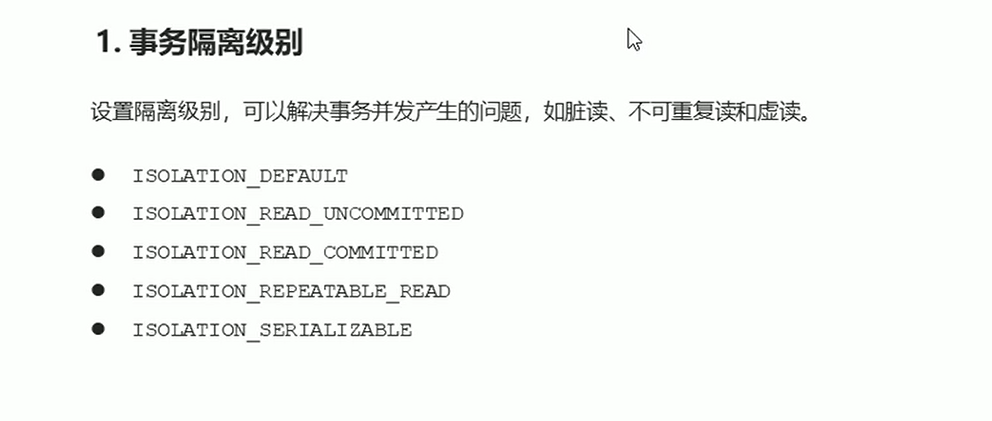
相关对象
PlatformTransactionManager
TransactionDefinition
事务隔离级别
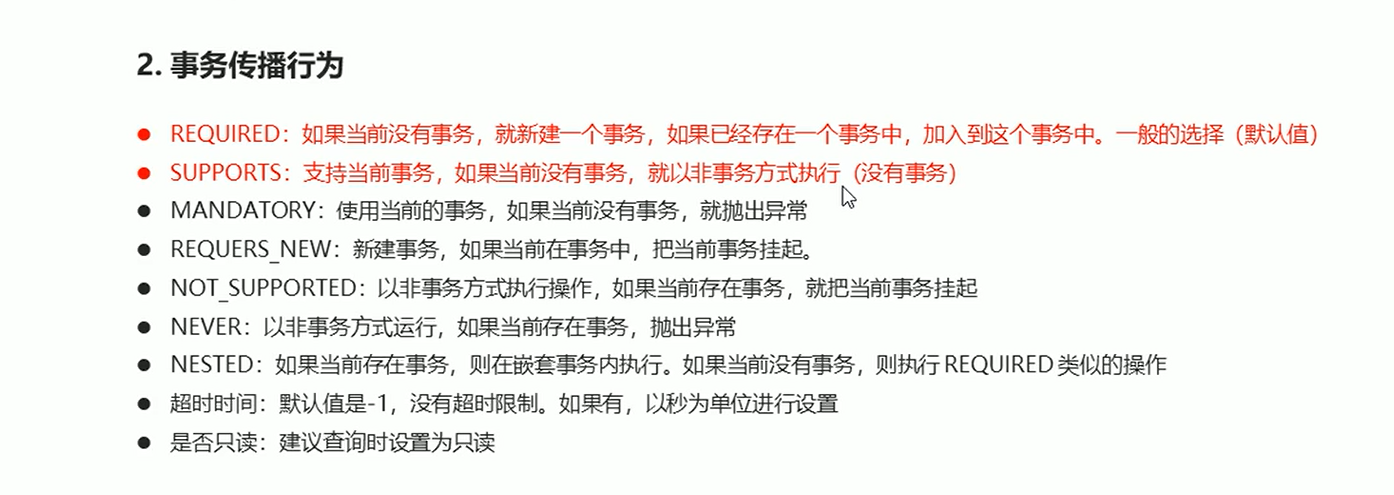
事务传播行为
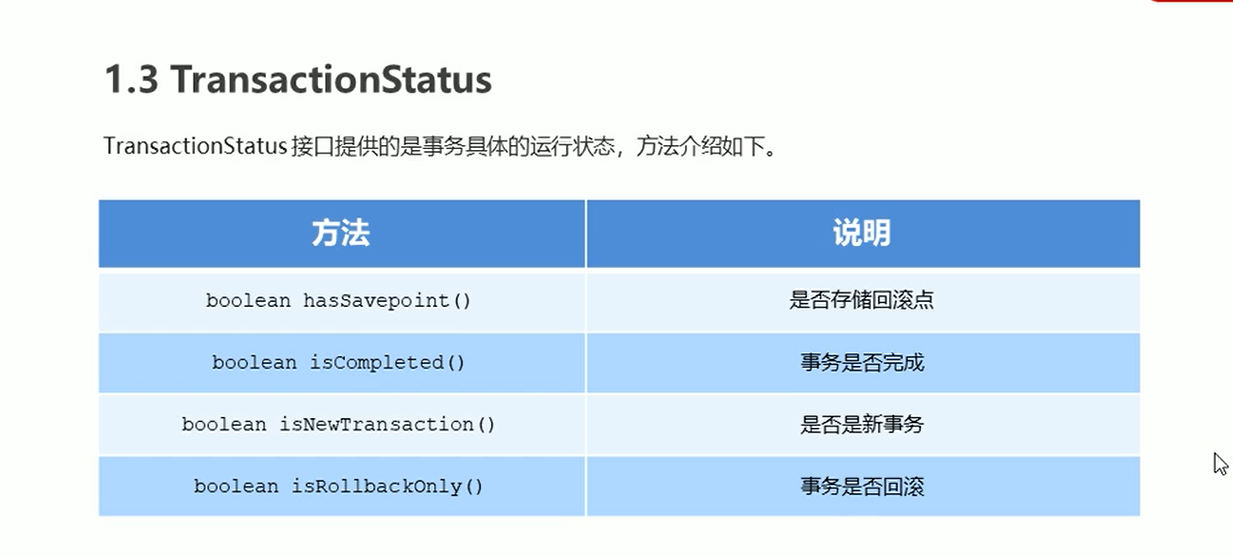
TransactionStatus
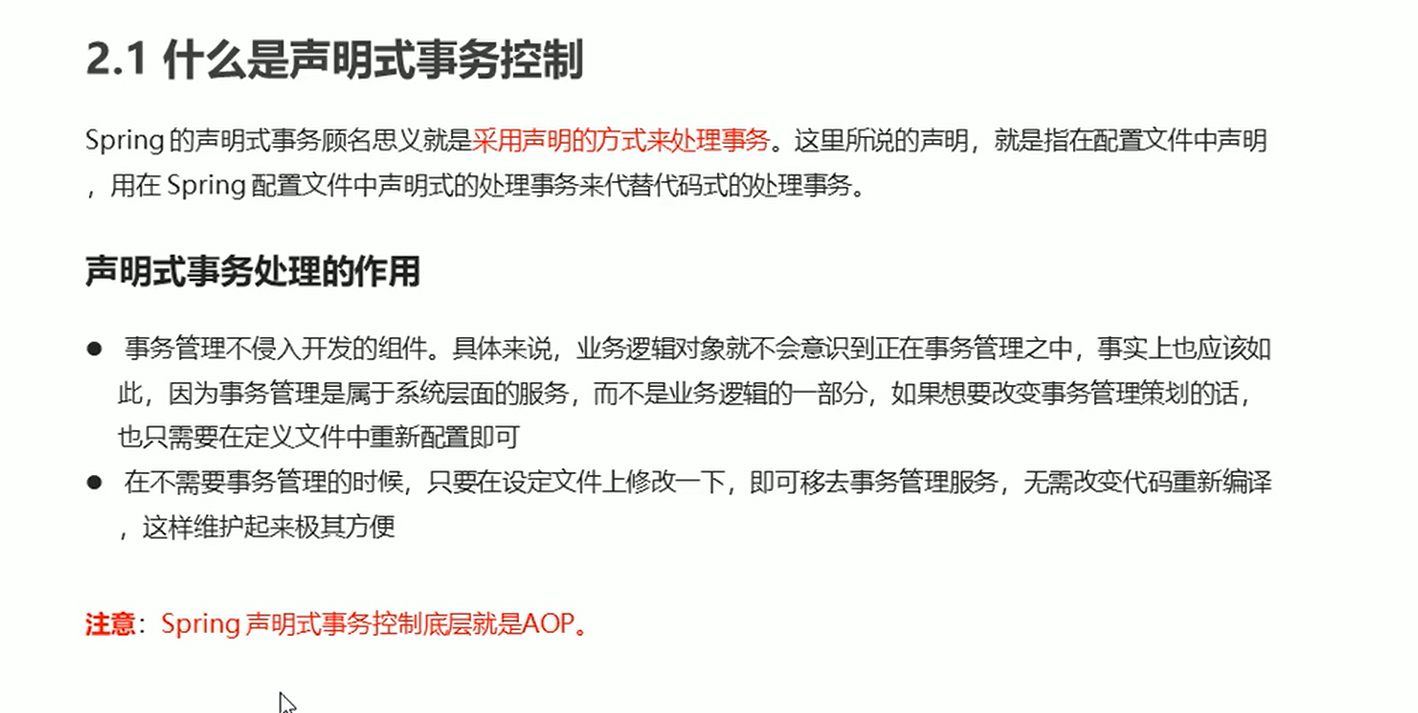
声明式事务控制
概念
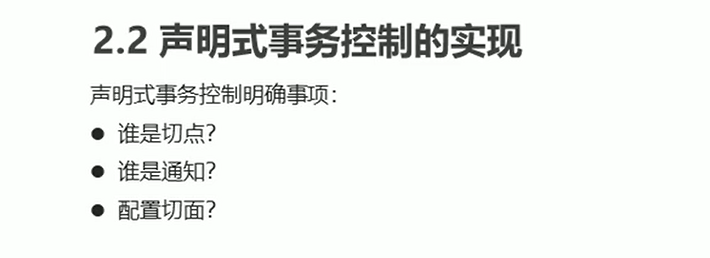
XML的声明式事务控制实现
参数配置
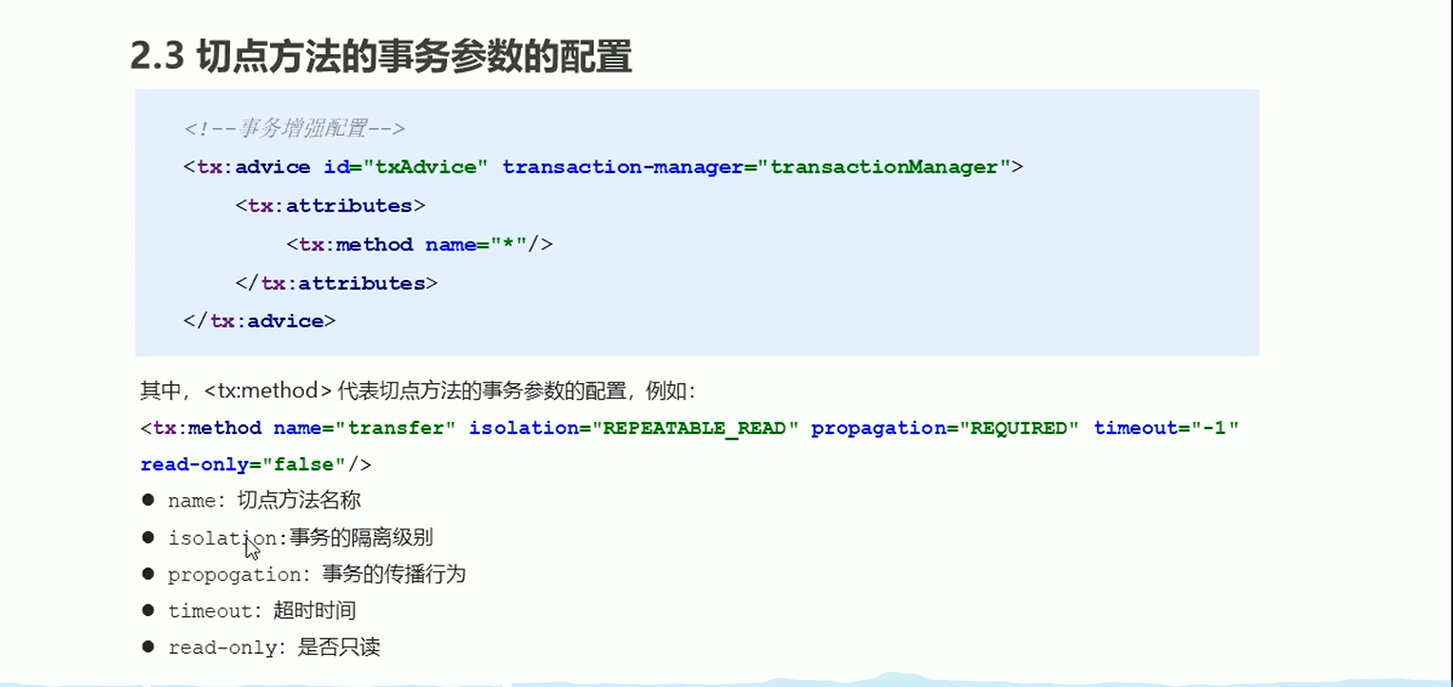
要点
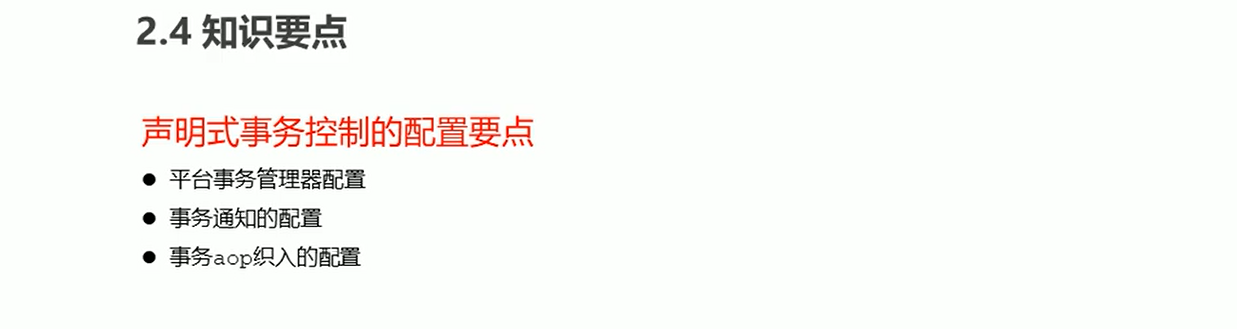
代码
applicationContext.xml
<!--    目标对象 内部的方法就是切点-->
    <bean id="accountService" class="com.spring.service.impl.AccountServiceImpl">
        <property name="accountDao" ref="accountDao"/>
    </bean>
<!--配置平台事务管理器-->
    <bean id="transactionManager" class="org.springframework.jdbc.datasource.DataSourceTransactionManager">
        <property name="dataSource" ref="dataSource"></property>
    </bean>

<!--    通知 事务的增强-->
    <tx:advice id="txAdvice" transaction-manager="transactionManager">
<!--        设置事务的属性信息-->
        <tx:attributes>
            <tx:method name="transfer" isolation="REPEATABLE_READ" propagation="REQUIRED" read-only="false"/>
            <tx:method name="save" isolation="REPEATABLE_READ" propagation="REQUIRED" read-only="false"/>
            <tx:method name="findAll" isolation="REPEATABLE_READ" propagation="REQUIRED" read-only="true"/>
            <tx:method name="*" />
        </tx:attributes>
    </tx:advice>

<!--    配置事务的aop织入-->
    <aop:config>
        <aop:advisor advice-ref="txAdvice" pointcut="execution(* com.spring.service.impl.*.*(..))"></aop:advisor>
    </aop:config>
AccountServiceImpl
package com.spring.service.impl;

import com.spring.dao.AccountDao;
import com.spring.service.AccountService;

/**
 * @author admin
 */
public class AccountServiceImpl implements AccountService {

    private AccountDao accountDao;
    public void setAccountDao(AccountDao accountDao) {
        this.accountDao = accountDao;
    }

    @Override
    public void transfer(String outMan, String inMan, double money) {
        accountDao.out(outMan,money);
        int i=1/0;
        accountDao.in(inMan,money);
    }
}
注解的声明式事务控制
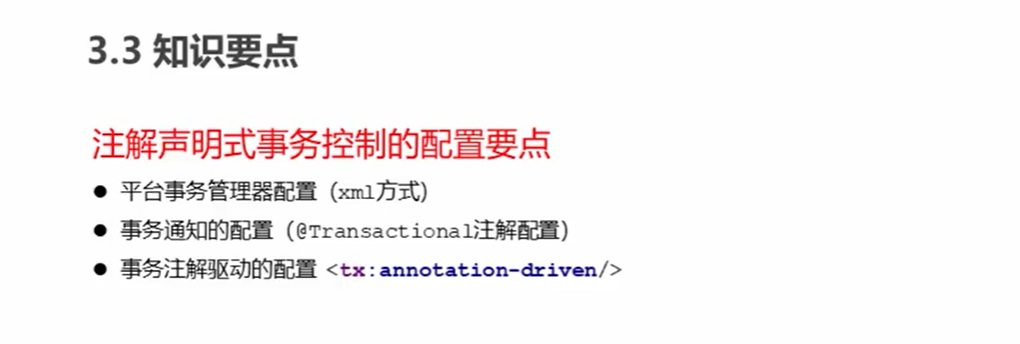
代码
applicationContext.xml
<!--    组件扫描-->
    <context:component-scan base-package="com.spring"/>

    <bean id="dataSource" class="com.mchange.v2.c3p0.ComboPooledDataSource">
        <property name="driverClass" value="com.mysql.cj.jdbc.Driver"/>
        <property name="jdbcUrl" value="jdbc:mysql:///test?serverTimezone=GMT%2B8"/>
        <property name="user" value="root"/>
        <property name="password" value="Ctb123456+-"/>
    </bean>

    <bean id="jdbcTemplate" class="org.springframework.jdbc.core.JdbcTemplate">
        <property name="dataSource" ref="dataSource"/>
    </bean>

<!--配置平台事务管理器-->
    <bean id="transactionManager" class="org.springframework.jdbc.datasource.DataSourceTransactionManager">
        <property name="dataSource" ref="dataSource"></property>
    </bean>
<!--事务的注解驱动-->
    <tx:annotation-driven transaction-manager="transactionManager"/>
AccountServiceImpl
package com.spring.service.impl;

import com.spring.dao.AccountDao;
import com.spring.service.AccountService;
import org.springframework.stereotype.Service;
import org.springframework.transaction.annotation.Isolation;
import org.springframework.transaction.annotation.Propagation;
import org.springframework.transaction.annotation.Transactional;

/**
 * @author admin
 */

@Transactional(isolation = Isolation.REPEATABLE_READ)
@Service("accountService")
public class AccountServiceImpl implements AccountService {

    private AccountDao accountDao;
    public void setAccountDao(AccountDao accountDao) {
        this.accountDao = accountDao;
    }

    @Override
    //@Transactional(isolation = Isolation.READ_COMMITTED,propagation = Propagation.REQUIRED)
    public void transfer(String outMan, String inMan, double money) {
        accountDao.out(outMan,money);
        int i=1/0;
        accountDao.in(inMan,money);
    }
}
MyBatis
原始JDBC操作
查询数据
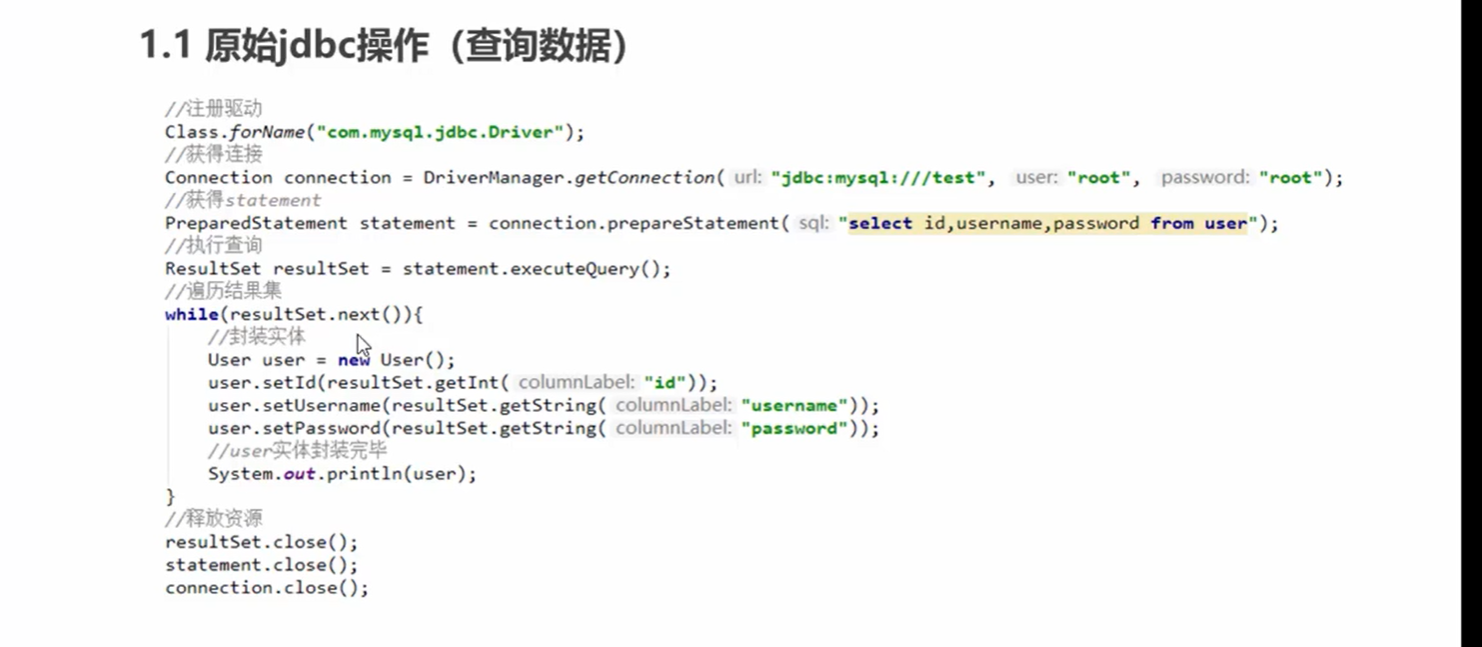
插入数据
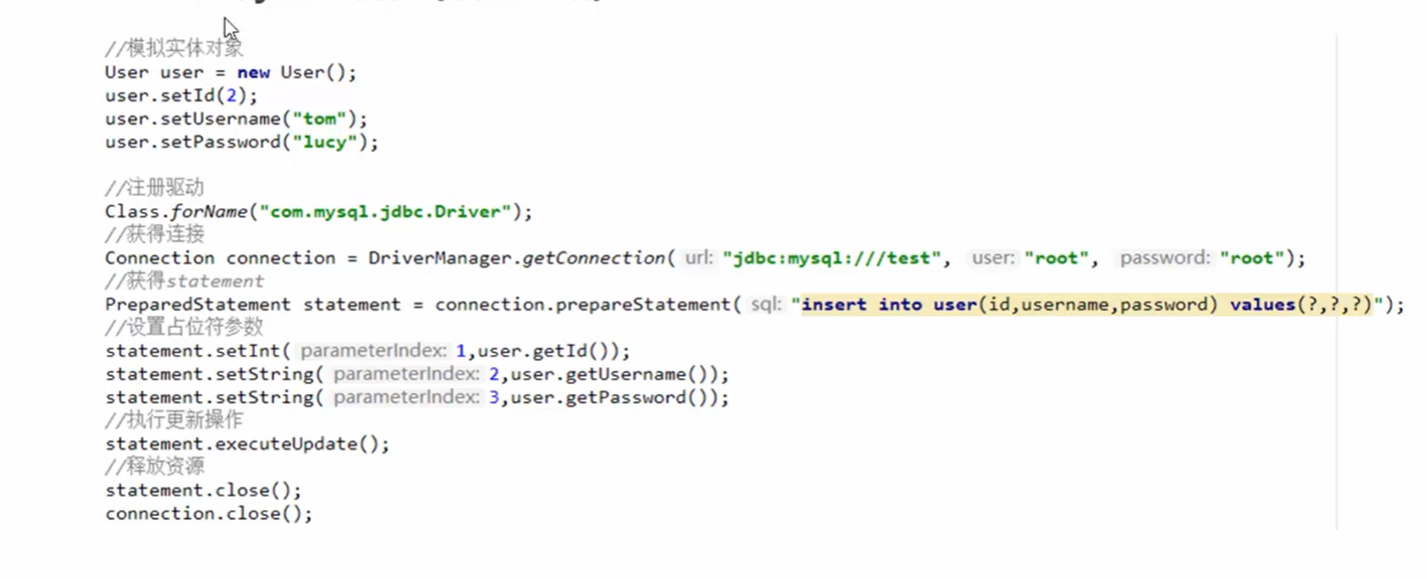
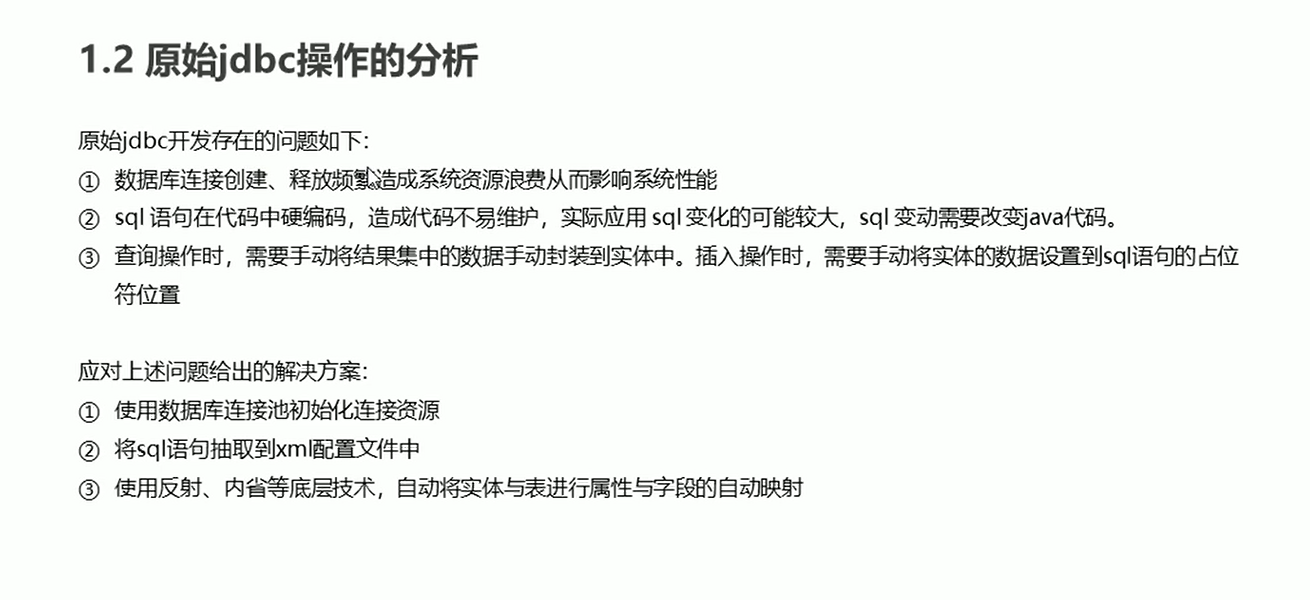
分析
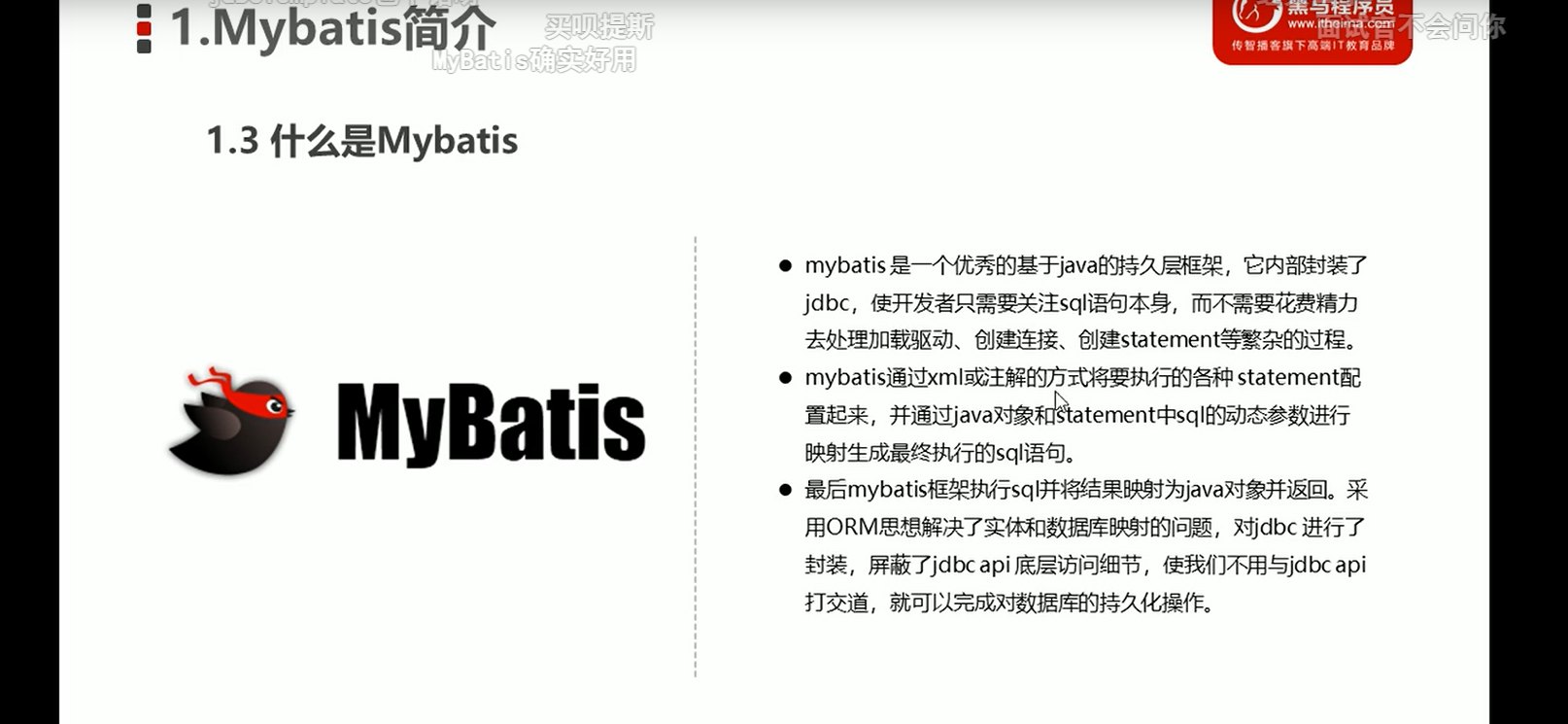
概念
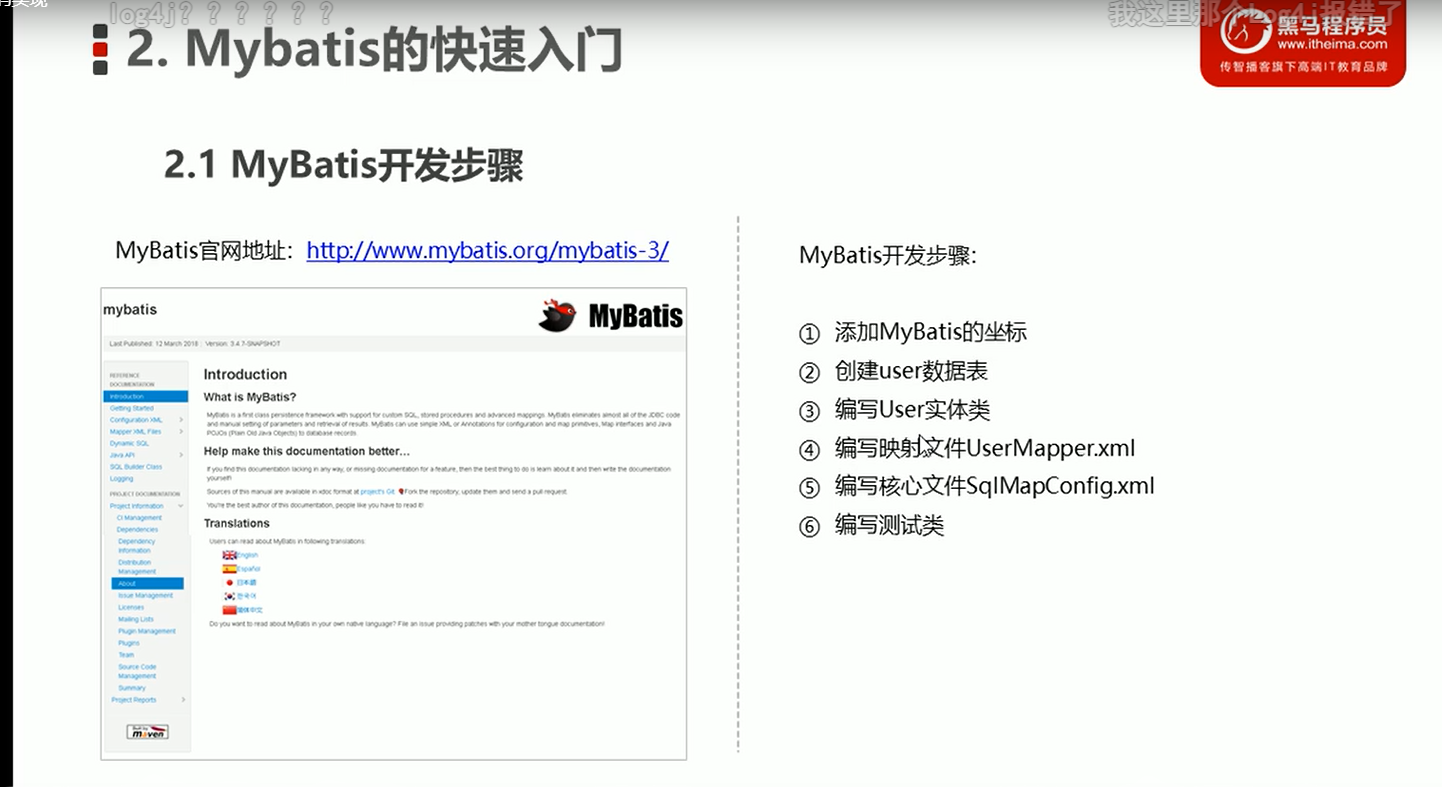
开发步骤
代码
pom.xml
    <!-- https://mvnrepository.com/artifact/org.mybatis/mybatis -->
    <dependency>
      <groupId>org.mybatis</groupId>
      <artifactId>mybatis</artifactId>
      <version>3.5.9</version>
    </dependency>

    <dependency>
      <groupId>mysql</groupId>
      <artifactId>mysql-connector-java</artifactId>
      <version>8.0.19</version>
    </dependency>
MyBatisTest
package test;

import com.spring.domain.Role;
import org.apache.ibatis.io.Resources;
import org.apache.ibatis.session.SqlSession;
import org.apache.ibatis.session.SqlSessionFactory;
import org.apache.ibatis.session.SqlSessionFactoryBuilder;
import org.junit.Test;

import java.io.IOException;
import java.io.InputStream;
import java.util.List;

public class MyBatisTest {
    @Test
    public void test() throws IOException {
        //获取核心配置文件
        InputStream resourceAsStream = Resources.getResourceAsStream("sqlMapConfig.xml");
        //获得session工厂对象
        SqlSessionFactory sqlSessionFactory = new SqlSessionFactoryBuilder().build(resourceAsStream);
        //获得session会话对象
        SqlSession sqlSession = sqlSessionFactory.openSession();
        //执行操作 参数:namespace+id
        List<Role> RoleList = sqlSession.selectList("userMapper.findAll");
        //打印数据
        System.out.println(RoleList);
        //释放资源
        sqlSession.close();
    }
}
UserMapper.xml
<?xml version="1.0" encoding="UTF-8" ?>
<!DOCTYPE mapper PUBLIC "-//mybatis.org//DTD Mapper 3.0//EN" "http://mybatis.org/dtd/mybatis-3-mapper.dtd">
<mapper namespace="userMapper">
    <select id="findAll" resultType="com.spring.domain.Role">
        select *from sys_role
    </select>
</mapper>
sqlMapConfig.xml
<?xml version="1.0" encoding="UTF-8" ?>
<!DOCTYPE configuration PUBLIC "-//mybatis.org//DTD Config 3.0//EN" "http://mybatis.org/dtd/mybatis-3-config.dtd">
<configuration>
<!--    数据源环境-->
    <environments default="development">
        <environment id="development">
            <transactionManager type="JDBC"></transactionManager>
            <dataSource type="POOLED">
                <property name="driver" value="com.mysql.cj.jdbc.Driver"></property>
                <property name="url" value="jdbc:mysql:///test?serverTimezone=GMT%2B8"></property>
                <property name="username" value="root"></property>
                <property name="password" value="root"></property>
            </dataSource>
        </environment>
    </environments>

<!--    加载映射文件-->
    <mappers>
        <mapper resource="com/spring/mapper/UserMapper.xml"></mapper>
    </mappers>
</configuration>
映射文件概述
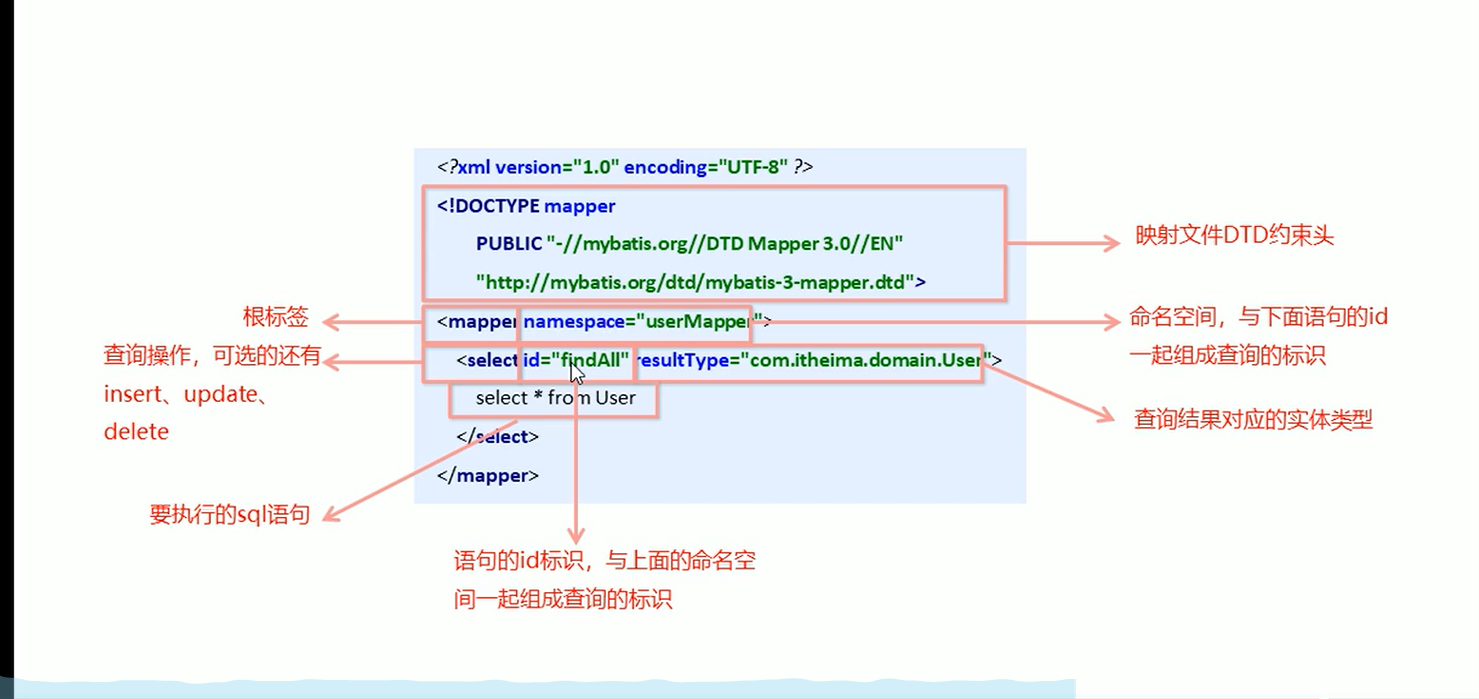
增删改查操作
插入操作
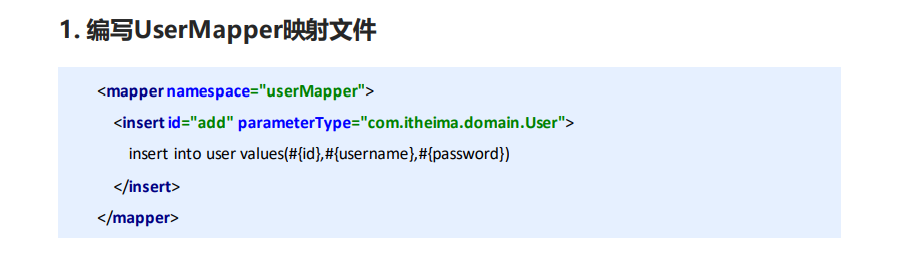
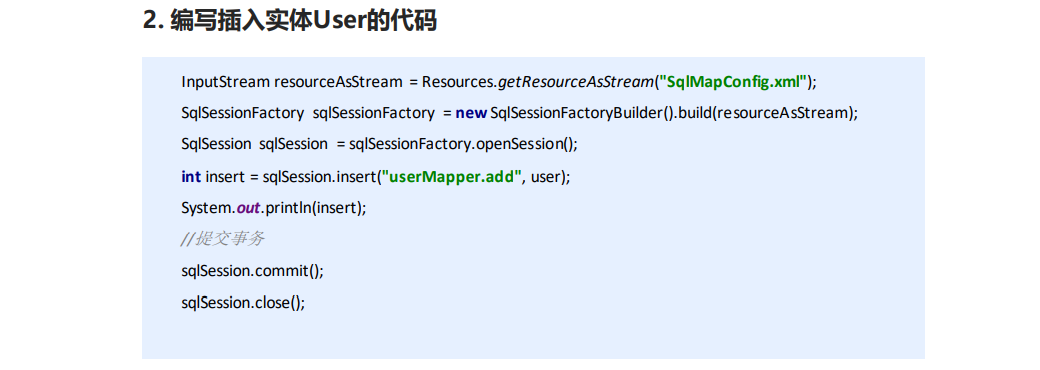
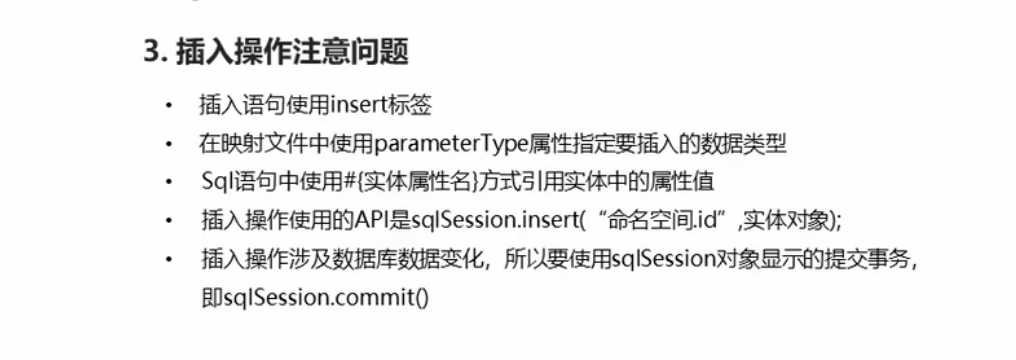
修改操作
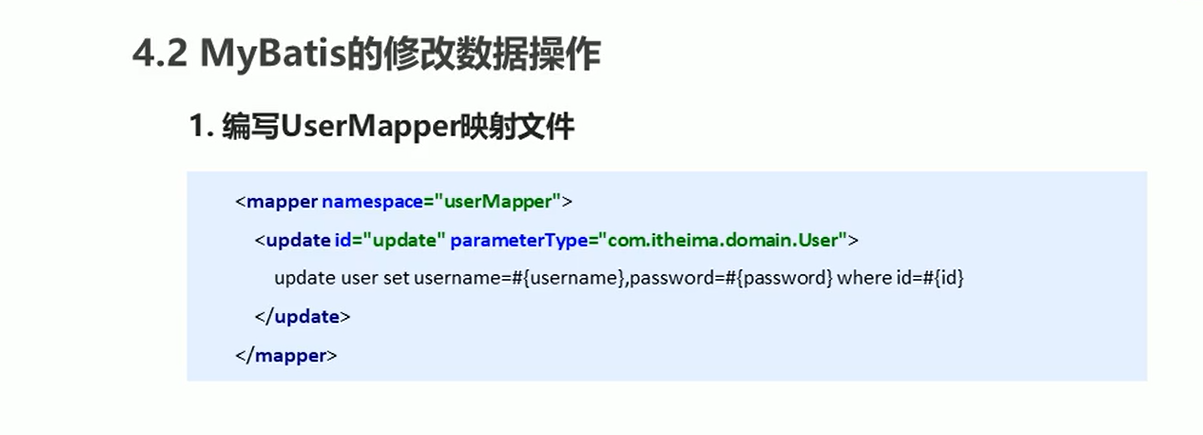
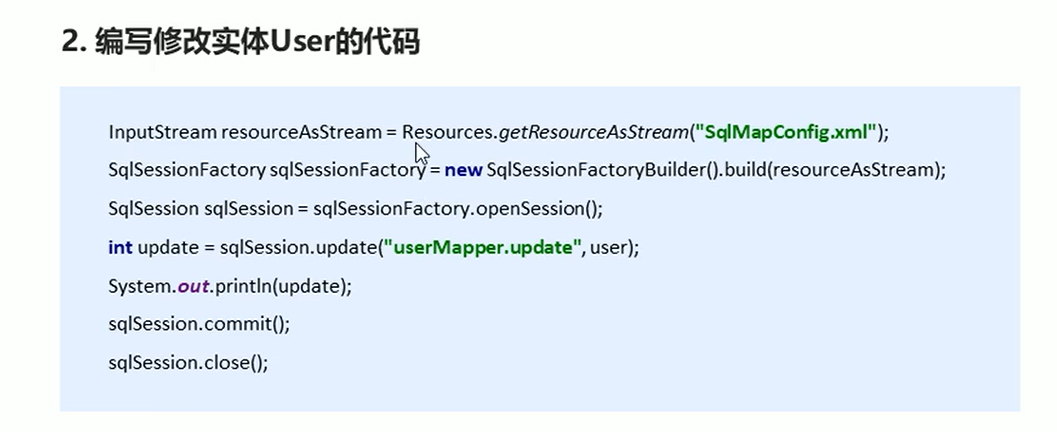
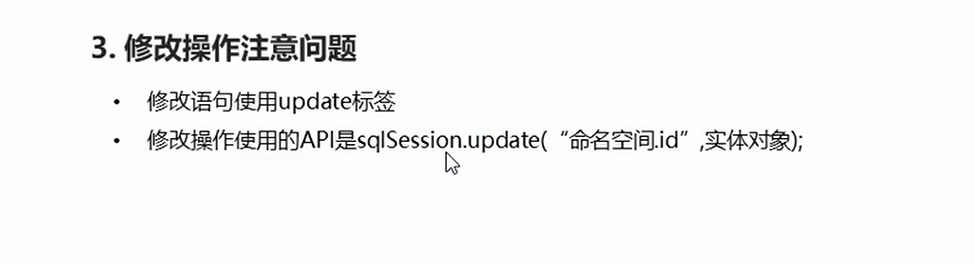
删除操作
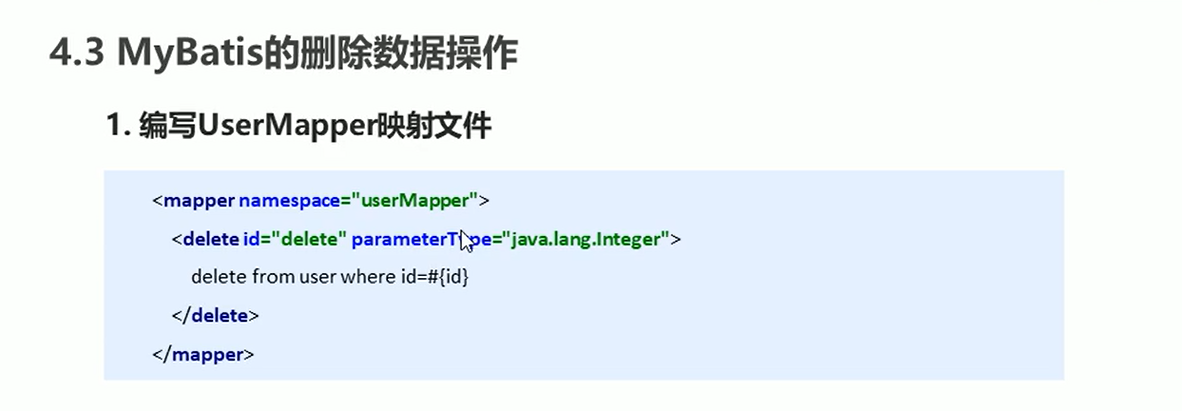
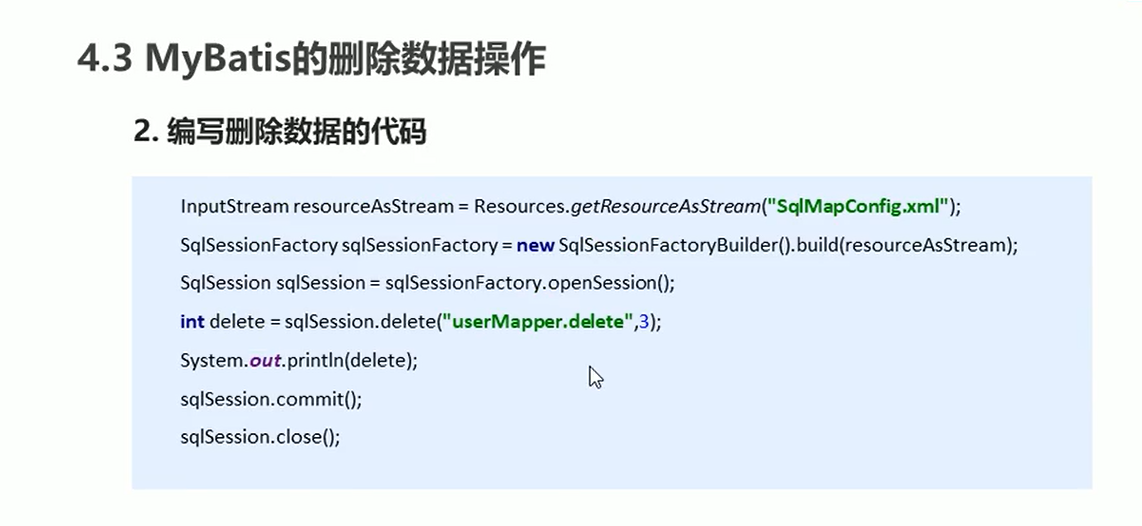
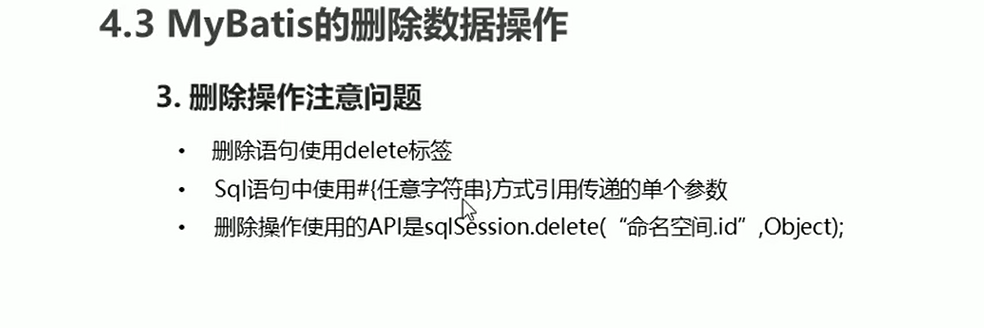
知识小结
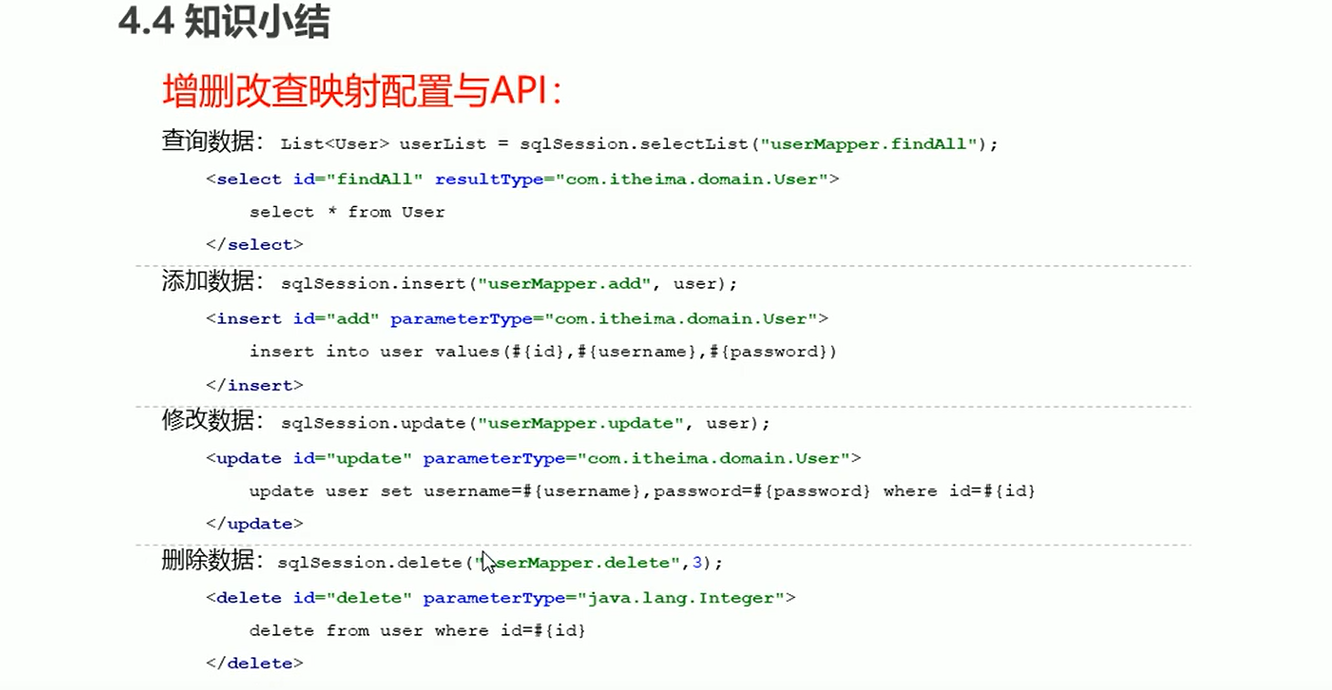
代码
MyBatisTest
package test;

import com.spring.domain.Role;
import org.apache.ibatis.io.Resources;
import org.apache.ibatis.session.SqlSession;
import org.apache.ibatis.session.SqlSessionFactory;
import org.apache.ibatis.session.SqlSessionFactoryBuilder;
import org.junit.Test;

import java.io.IOException;
import java.io.InputStream;
import java.util.List;

public class MyBatisTest {
    /**
     * 查询操作
     * @throws IOException
     */
    @Test
    public void test() throws IOException {
        //获取核心配置文件
        InputStream resourceAsStream = Resources.getResourceAsStream("sqlMapConfig.xml");
        //获得session工厂对象
        SqlSessionFactory sqlSessionFactory = new SqlSessionFactoryBuilder().build(resourceAsStream);
        //获得session会话对象
        SqlSession sqlSession = sqlSessionFactory.openSession();
        //执行操作 参数:namespace+id
        List<Role> RoleList = sqlSession.selectList("userMapper.findAll");
        //打印数据
        System.out.println(RoleList);
        //释放资源
        sqlSession.close();
    }

    /**
     * 插入操作
     * @throws IOException
     */
    @Test
    public void test1() throws IOException {
        //模拟role对象
        Role role = new Role();
        role.setRoleName("tom");
        role.setRoleDesc("abc");

        //获取核心配置文件
        InputStream resourceAsStream = Resources.getResourceAsStream("sqlMapConfig.xml");
        //获得session工厂对象
        SqlSessionFactory sqlSessionFactory = new SqlSessionFactoryBuilder().build(resourceAsStream);
        //获得session会话对象
        SqlSession sqlSession = sqlSessionFactory.openSession();
        //执行操作 参数:namespace+id
        sqlSession.insert("userMapper.save",role);

        //mybatis执行更新操作 提交事务
        sqlSession.commit();

        //释放资源
        sqlSession.close();
    }

    /**
     * 修改操作
     * @throws IOException
     */
    @Test
    public void test2() throws IOException {
        //模拟role对象
        Role role = new Role();
        role.setId(9L);
        role.setRoleName("tom000");
        role.setRoleDesc("abc000");

        //获取核心配置文件
        InputStream resourceAsStream = Resources.getResourceAsStream("sqlMapConfig.xml");
        //获得session工厂对象
        SqlSessionFactory sqlSessionFactory = new SqlSessionFactoryBuilder().build(resourceAsStream);
        //获得session会话对象
        SqlSession sqlSession = sqlSessionFactory.openSession();
        //执行操作 参数:namespace+id
        sqlSession.update("userMapper.update",role);

        //mybatis执行更新操作 提交事务
        sqlSession.commit();

        //释放资源
        sqlSession.close();
    }

    /**
     * 删除操作
     * @throws IOException
     */
    @Test
    public void test3() throws IOException {

        //获取核心配置文件
        InputStream resourceAsStream = Resources.getResourceAsStream("sqlMapConfig.xml");
        //获得session工厂对象
        SqlSessionFactory sqlSessionFactory = new SqlSessionFactoryBuilder().build(resourceAsStream);
        //获得session会话对象
        SqlSession sqlSession = sqlSessionFactory.openSession();
        //执行操作 参数:namespace+id
        sqlSession.delete("userMapper.delete",9);

        //mybatis执行更新操作 提交事务
        sqlSession.commit();

        //释放资源
        sqlSession.close();
    }
}
UserMapper.xml
<?xml version="1.0" encoding="UTF-8" ?>
<!DOCTYPE mapper PUBLIC "-//mybatis.org//DTD Mapper 3.0//EN" "http://mybatis.org/dtd/mybatis-3-mapper.dtd">
<mapper namespace="userMapper">
<!--    插入操作-->
    <insert id="save" parameterType="com.spring.domain.Role">
        insert into sys_role values(#{id},#{roleName},#{roleDesc})
    </insert>

<!--    修改操作-->
    <update id="update" parameterType="com.spring.domain.Role">
        update sys_role set roleName=#{roleName},roleDesc=#{roleDesc} where id=#{id}
    </update>

<!--    查询操作-->
    <select id="findAll" resultType="com.spring.domain.Role">
        select *from sys_role
    </select>

<!--    删除操作-->
    <delete id="delete" parameterType="java.lang.Integer">
        delete from sys_role where id=#{id}
    </delete>
</mapper>
核心配置文件
核心配置文件层级关系
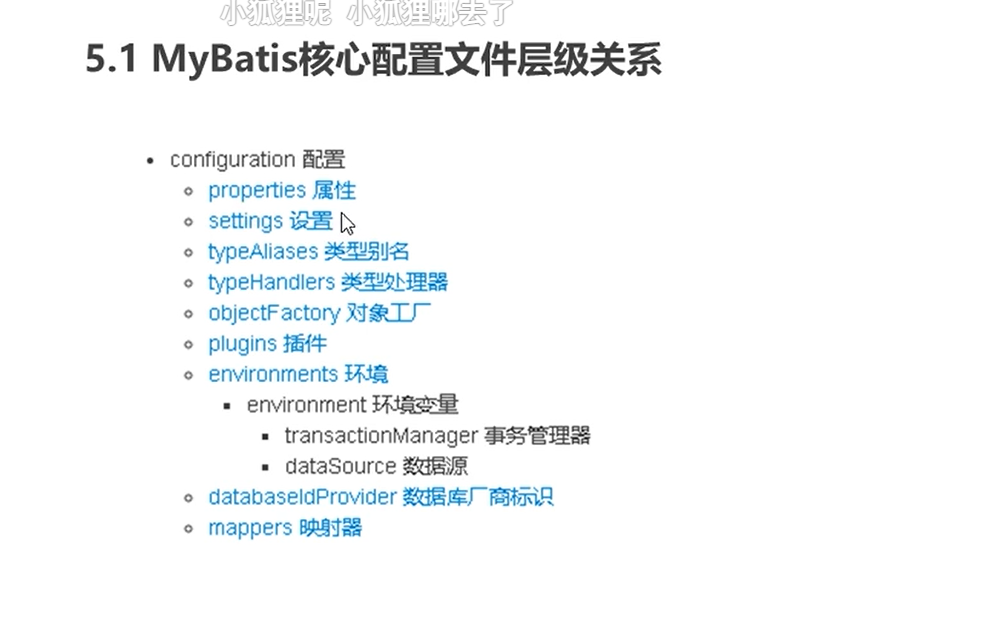
常用配置解析
environments标签
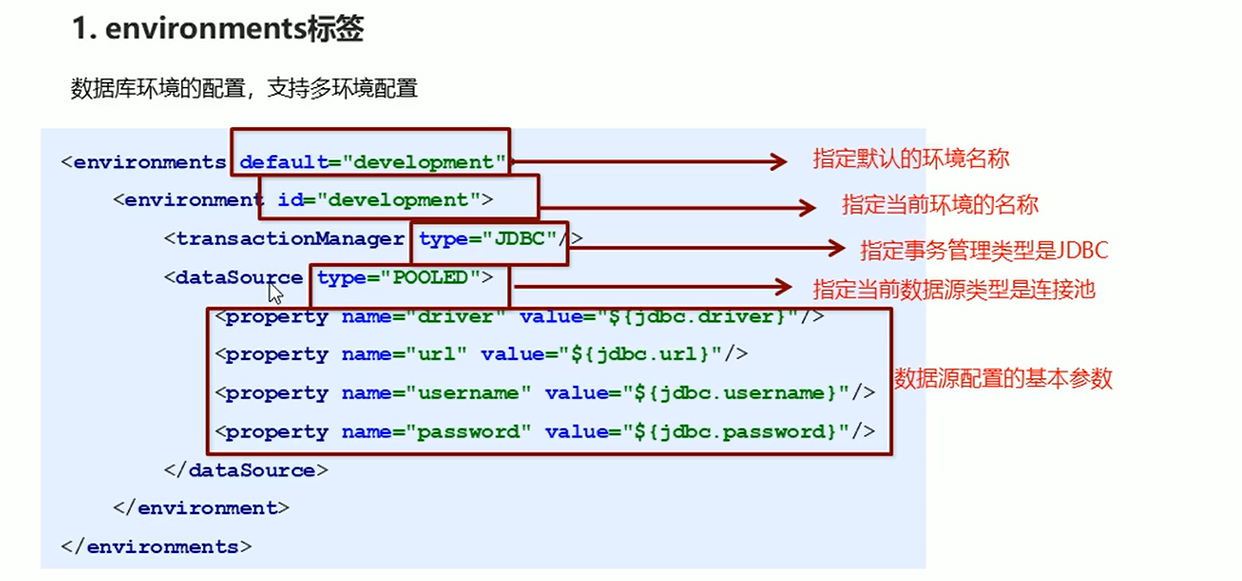
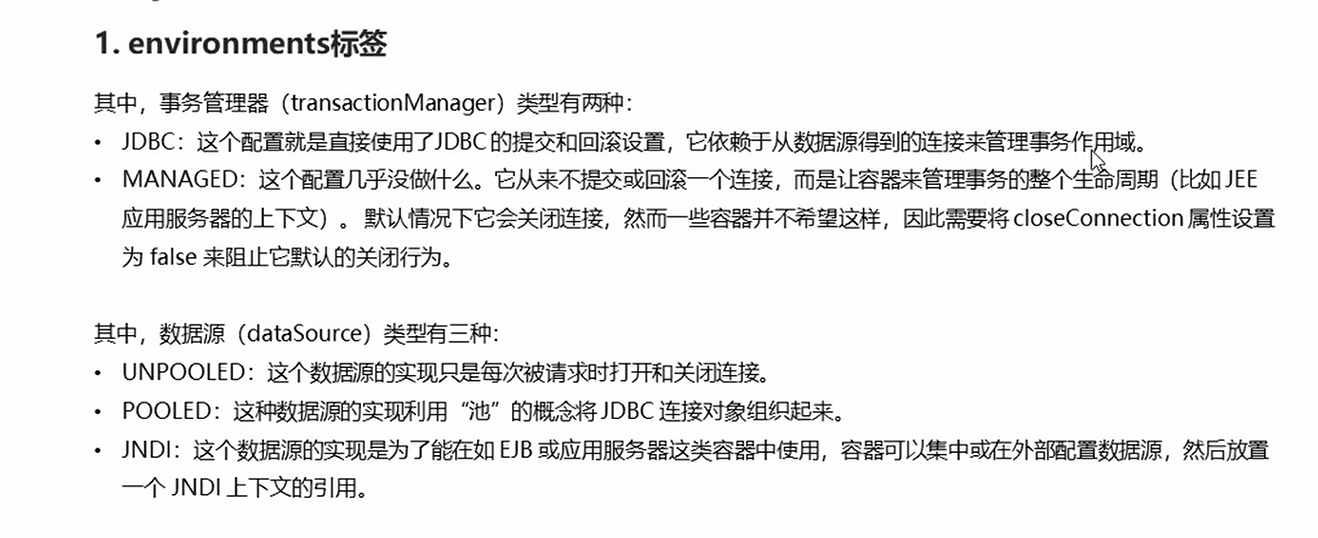
mappers标签
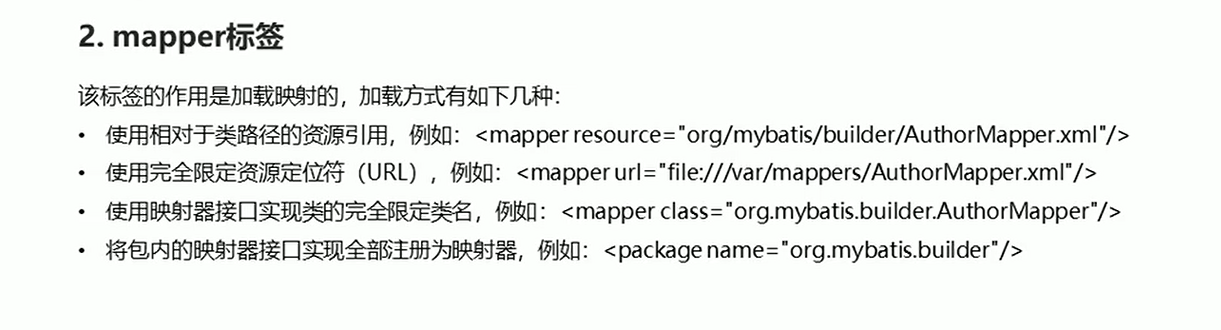
Properties标签
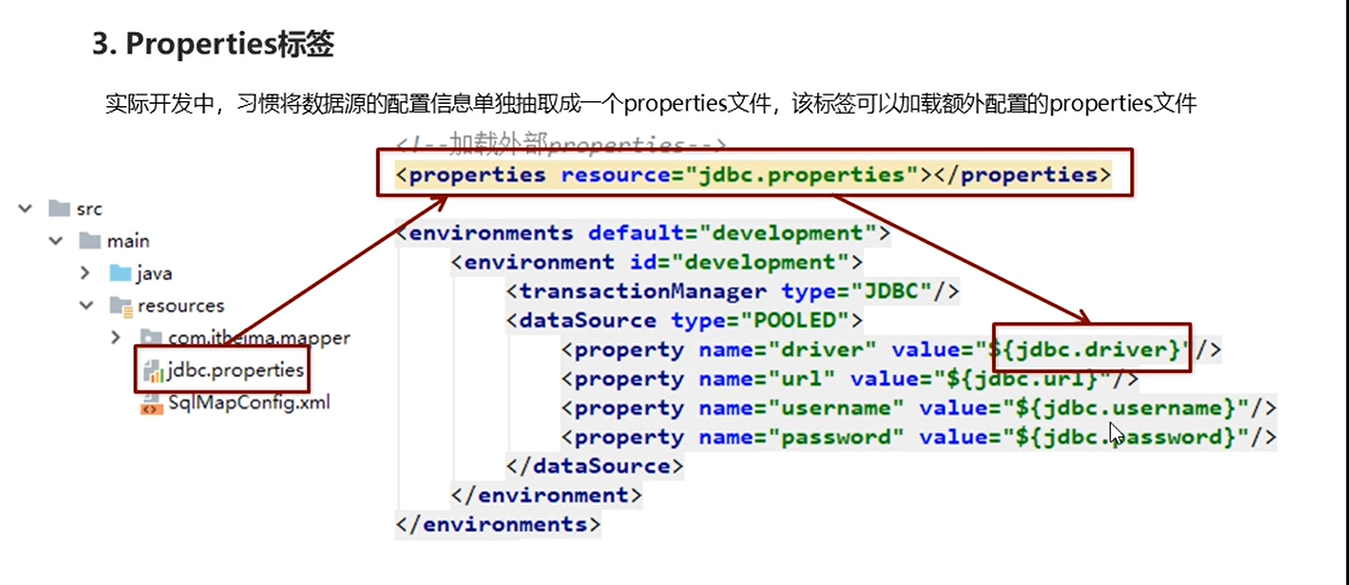
typeAliases标签
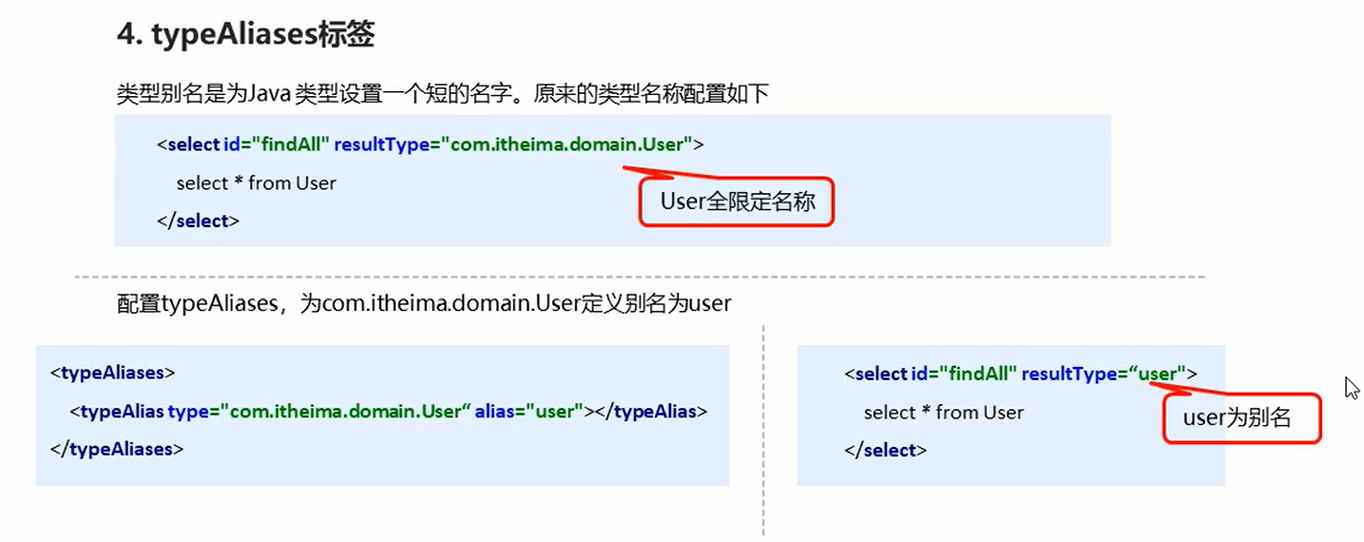
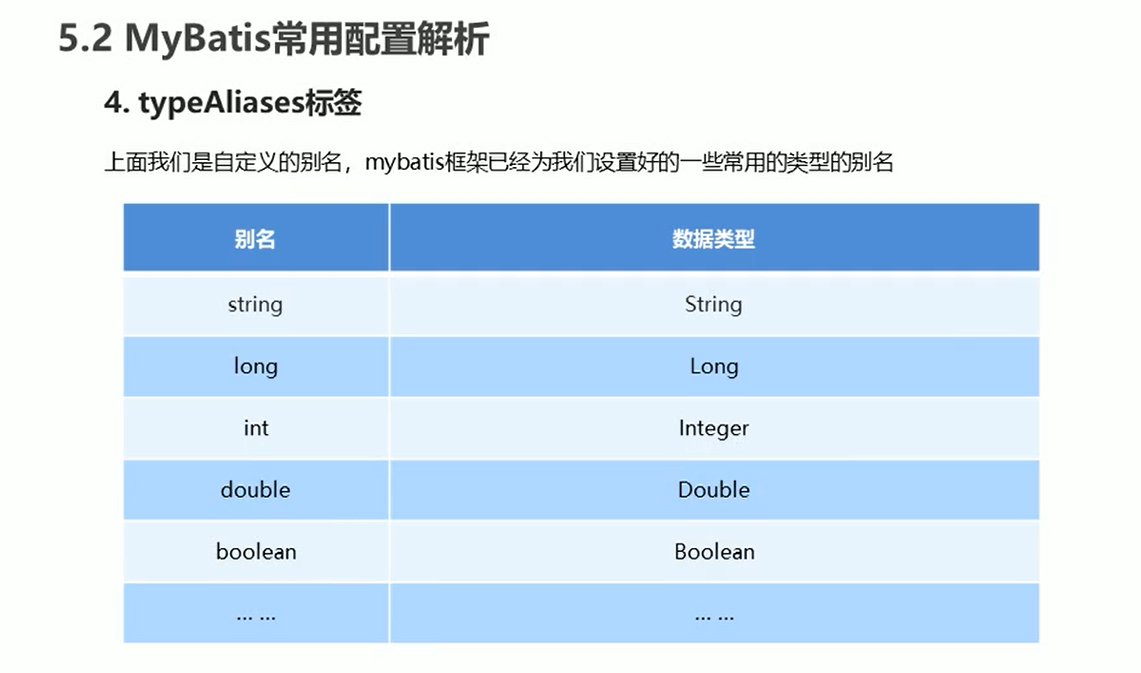
知识小结
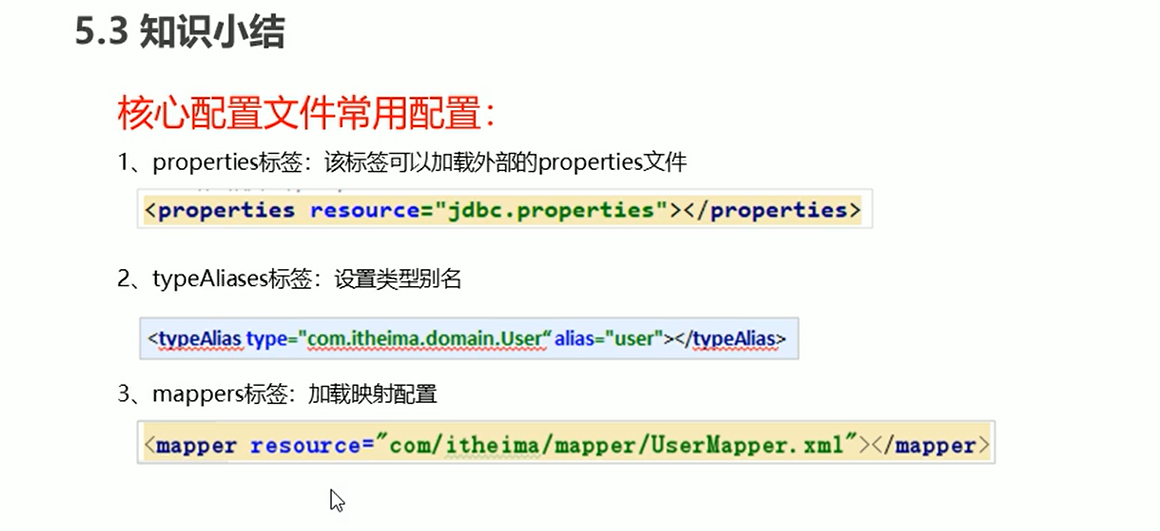
代码
sqlMapConfig.xml
<?xml version="1.0" encoding="UTF-8" ?>
<!DOCTYPE configuration PUBLIC "-//mybatis.org//DTD Config 3.0//EN" "http://mybatis.org/dtd/mybatis-3-config.dtd">
<configuration>

<!--通过properties标签加载外部properties文件-->
    <properties resource="jdbc.properties"></properties>

    <!--    自定义别名-->
    <typeAliases>
        <typeAlias type="com.spring.domain.Role" alias="role"></typeAlias>
    </typeAliases>

<!--    数据源环境-->
    <environments default="development">
        <environment id="development">
            <transactionManager type="JDBC"></transactionManager>
            <dataSource type="POOLED">
                <property name="driver" value="${jdbc.driver}"></property>
                <property name="url" value="${jdbc.url}"></property>
                <property name="username" value="${jdbc.username}"></property>
                <property name="password" value="${jdbc.password}"></property>
            </dataSource>
        </environment>
    </environments>

<!--    加载映射文件-->
    <mappers>
        <mapper resource="com/spring/mapper/UserMapper.xml"></mapper>
    </mappers>
</configuration>
相应API
SqlSessionFactoryBuilder
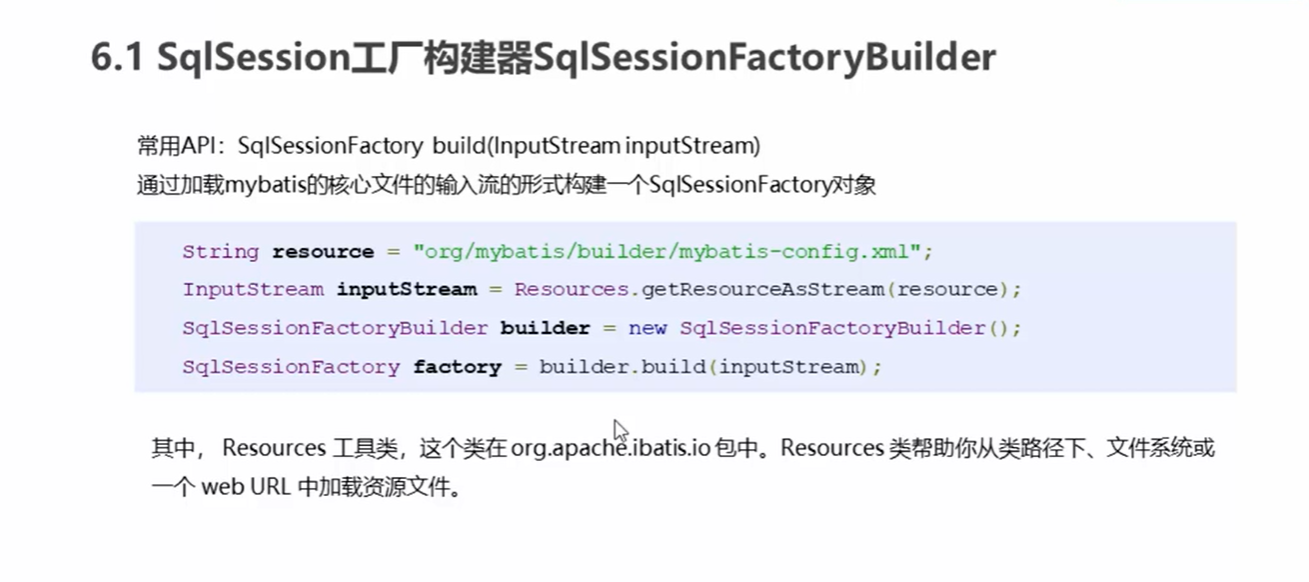
SqlSessionFactory
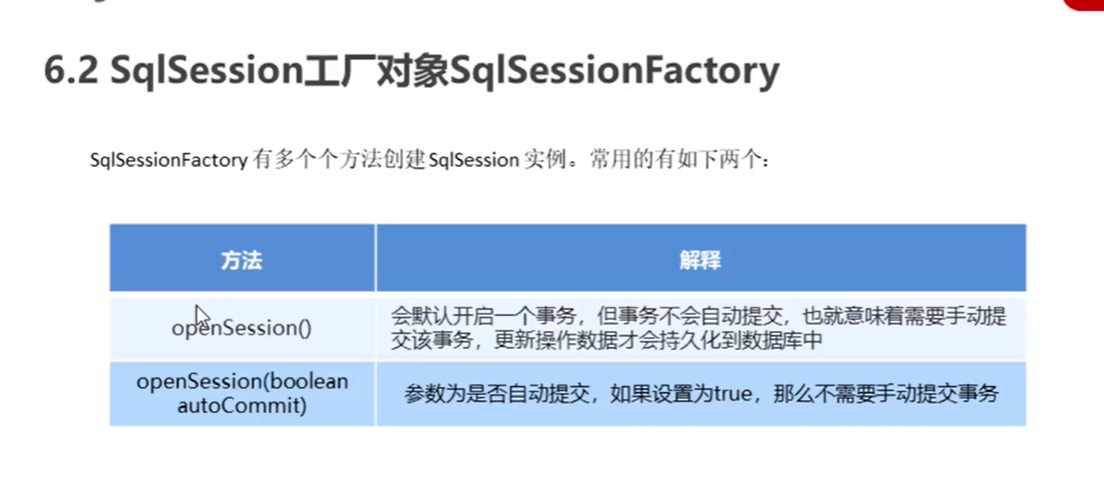
SqlSession会话对象
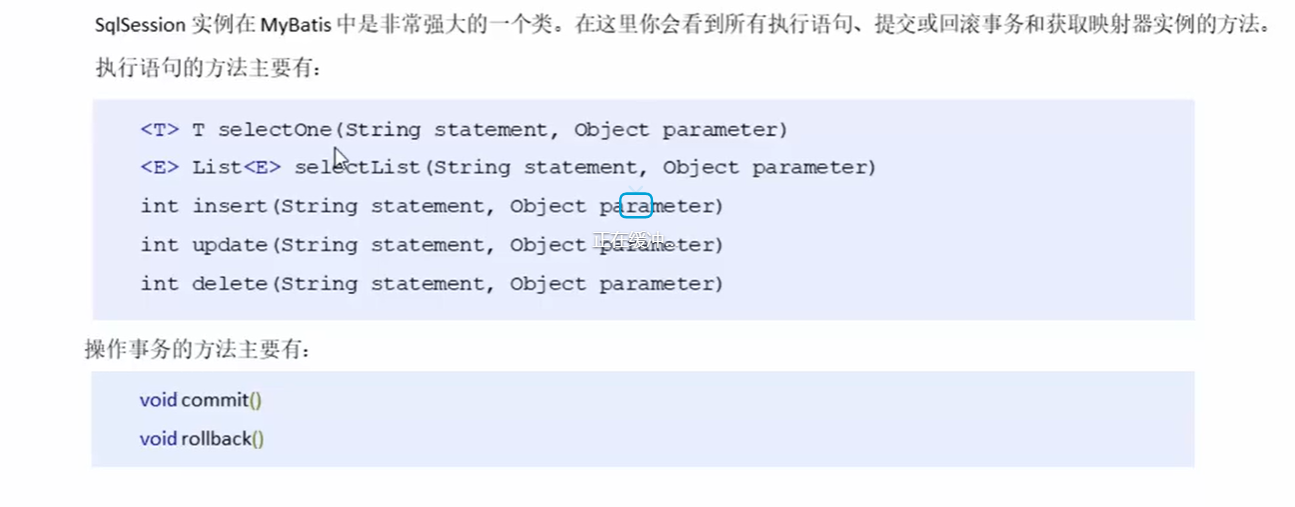
dao层实现
传统开发方式
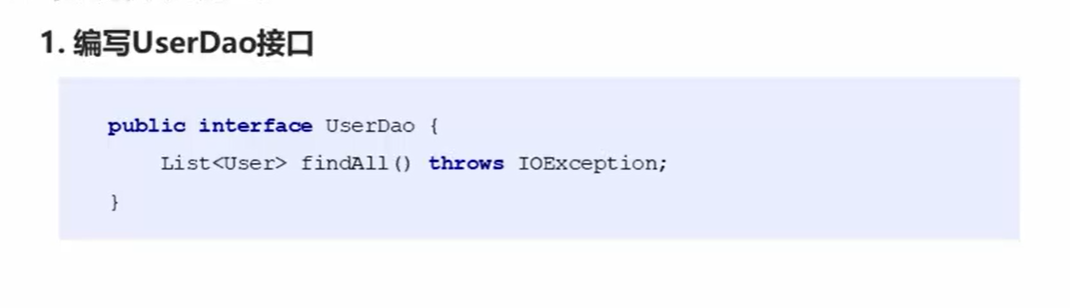
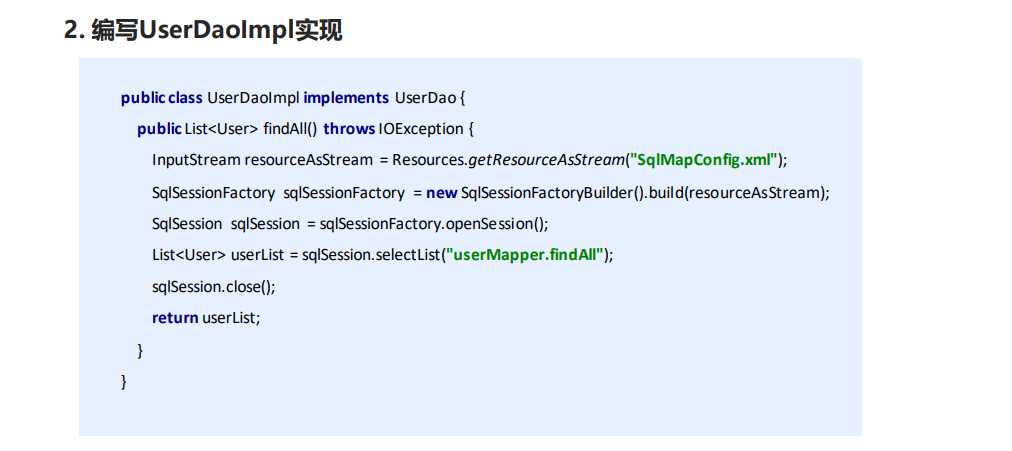
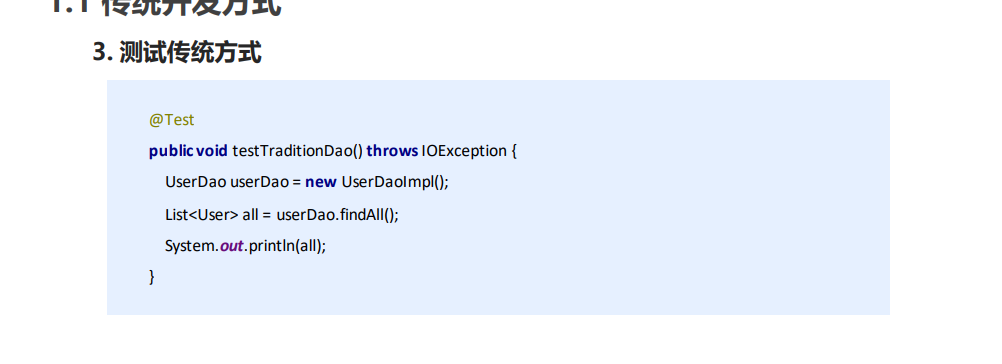
代理开发方式
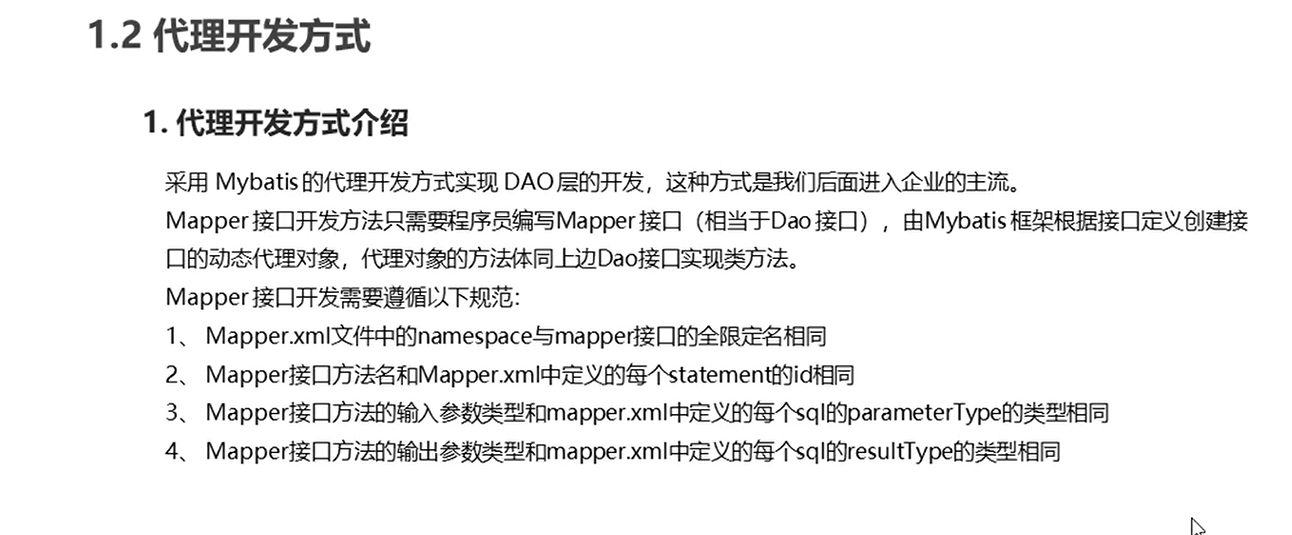
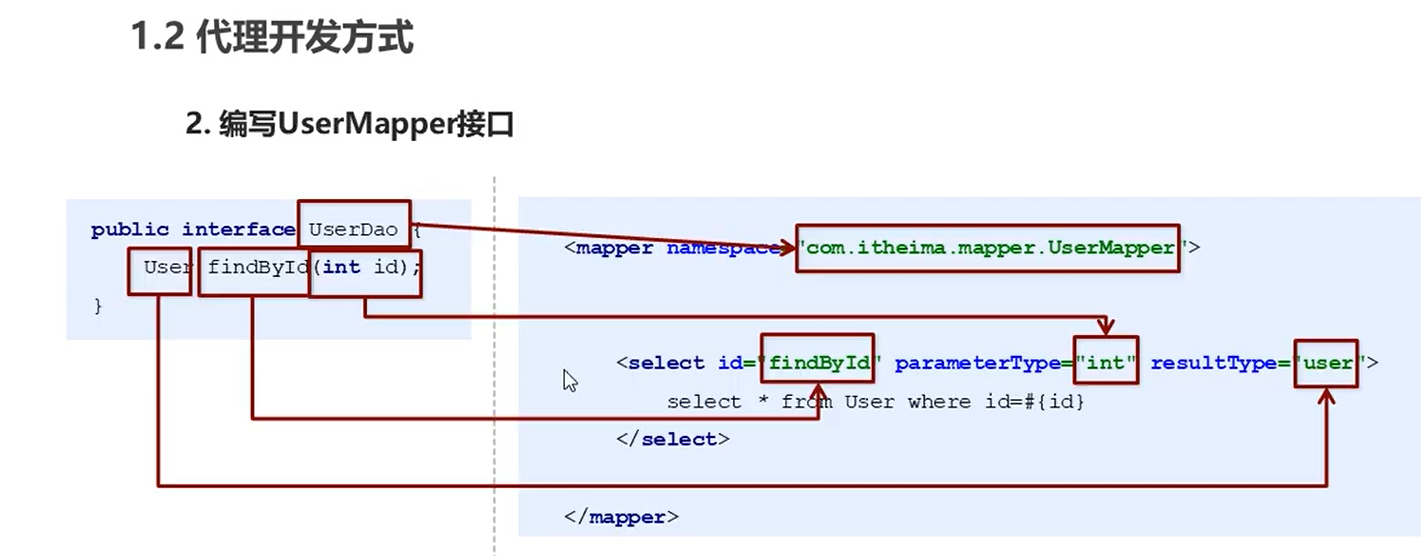
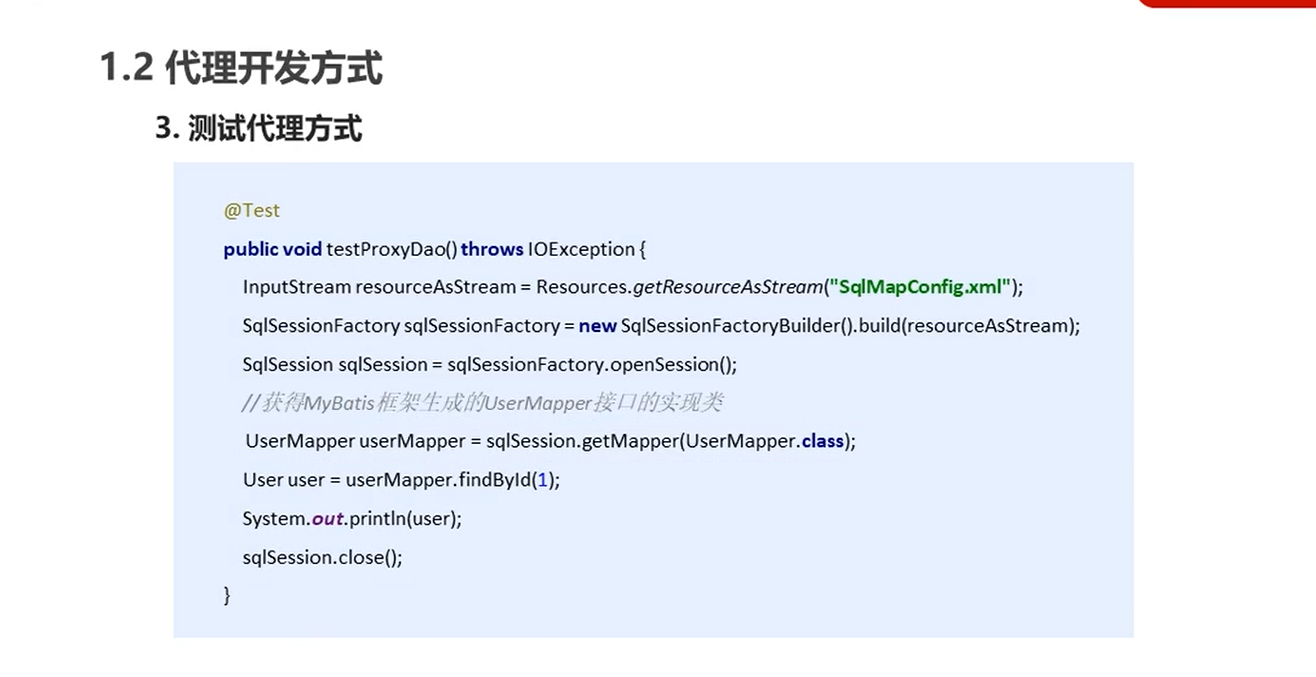
代码
UserMapper.xml
<?xml version="1.0" encoding="UTF-8" ?>
<!DOCTYPE mapper PUBLIC "-//mybatis.org//DTD Mapper 3.0//EN" "http://mybatis.org/dtd/mybatis-3-mapper.dtd">
<mapper namespace="com.spring.dao.RoleMapper">
<!--    插入操作-->
    <insert id="save" parameterType="role">
        insert into sys_role values(#{id},#{roleName},#{roleDesc})
    </insert>

<!--    修改操作-->
    <update id="update" parameterType="role">
        update sys_role set roleName=#{roleName},roleDesc=#{roleDesc} where id=#{id}
    </update>

<!--    查询操作-->
    <select id="findAll" resultType="role">
        select *from sys_role
    </select>

<!--    删除操作-->
    <delete id="delete" parameterType="int">
        delete from sys_role where id=#{id}
    </delete>

<!--   根据id查询-->
    <select id="findById" parameterType="int" resultType="role">
        select *from sys_role where id=#{id}
    </select>

</mapper>
RoleMapper
package com.spring.dao;

import com.spring.domain.Role;

import java.io.IOException;
import java.util.List;

public interface RoleMapper {
    List<Role> findAll() throws IOException;

    Role findById(int id) throws IOException;
}
ServiceDemo
package com.spring.service;

import com.spring.dao.RoleMapper;
import com.spring.domain.Role;
import org.apache.ibatis.io.Resources;
import org.apache.ibatis.session.SqlSession;
import org.apache.ibatis.session.SqlSessionFactory;
import org.apache.ibatis.session.SqlSessionFactoryBuilder;

import java.io.IOException;
import java.io.InputStream;
import java.util.List;

public class ServiceDemo {
    public static void main(String[] args) throws IOException {
        InputStream resourceAsStream = Resources.getResourceAsStream("sqlMapConfig.xml");
        SqlSessionFactory sqlSessionFactory = new SqlSessionFactoryBuilder().build(resourceAsStream);
        SqlSession sqlSession = sqlSessionFactory.openSession();

        RoleMapper roleMapper = sqlSession.getMapper(RoleMapper.class);
        List<Role> roles = roleMapper.findAll();
        System.out.println(roles);

        Role byId = roleMapper.findById(1);
        System.out.println(byId);

    }
}
小结
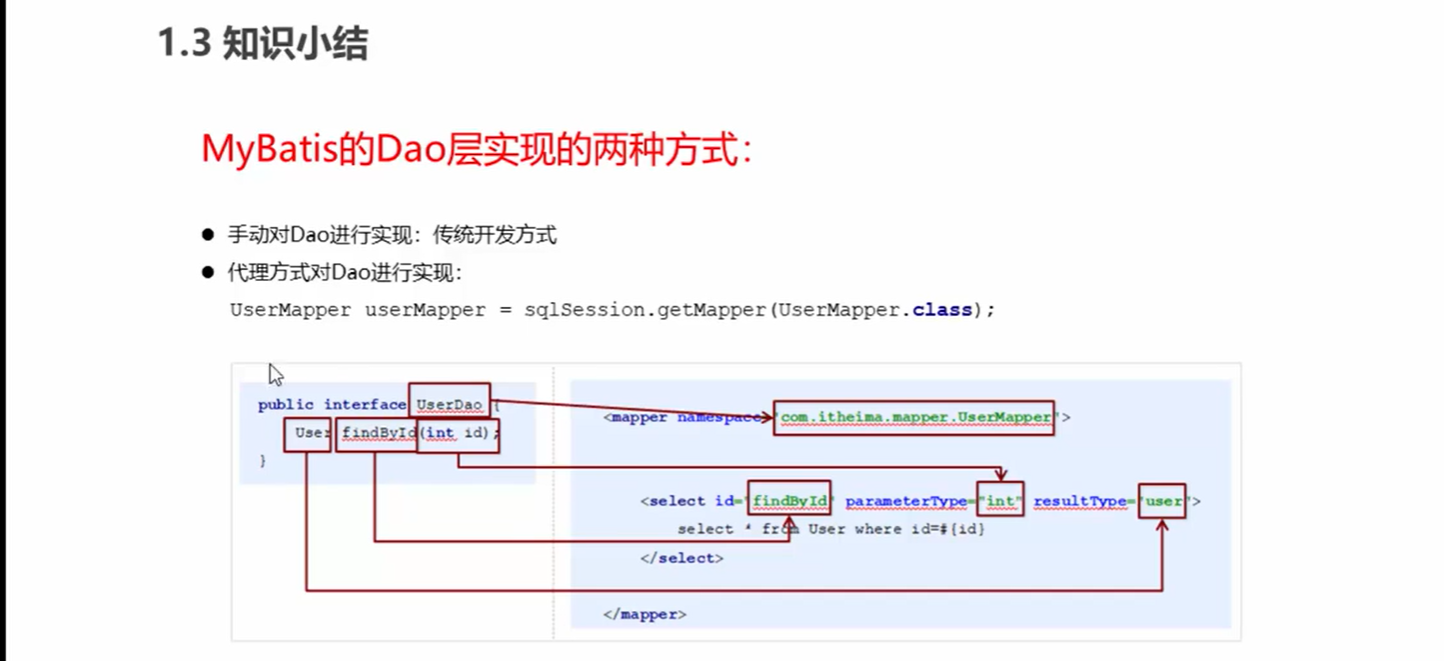
映射文件深入
动态SQL语句
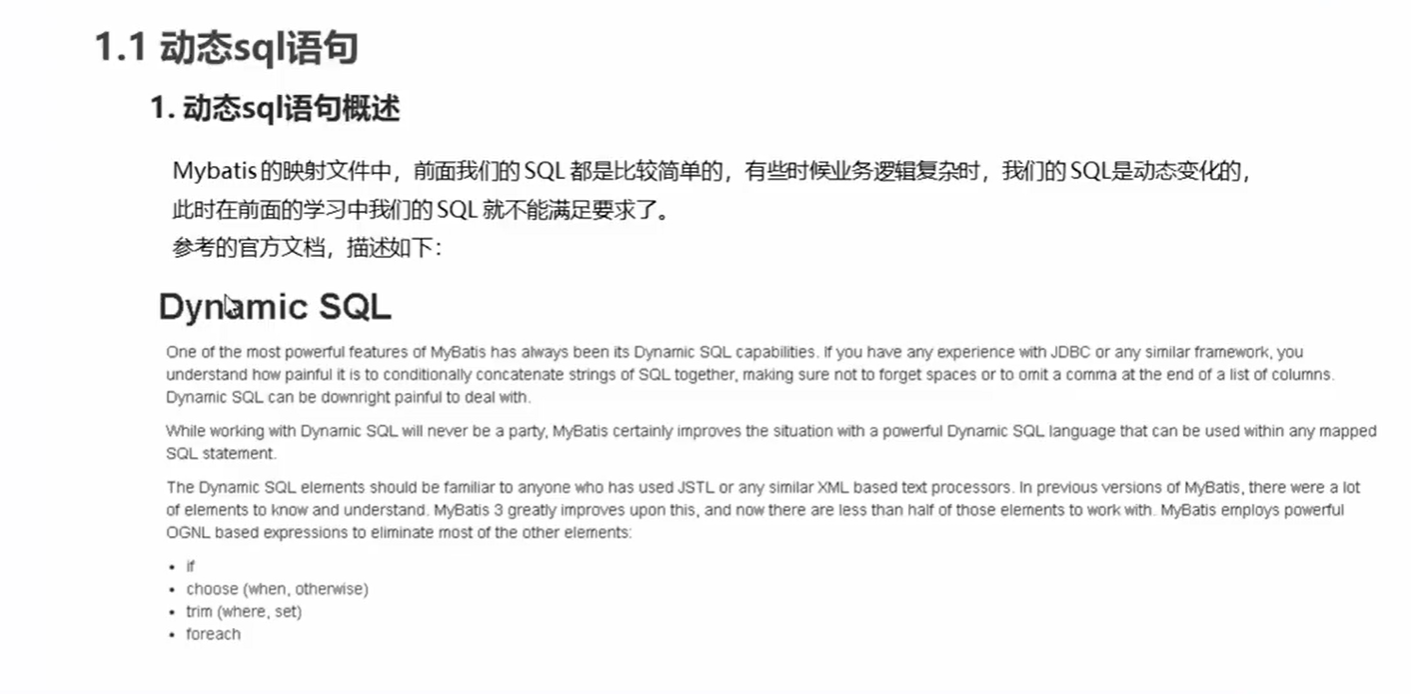
if
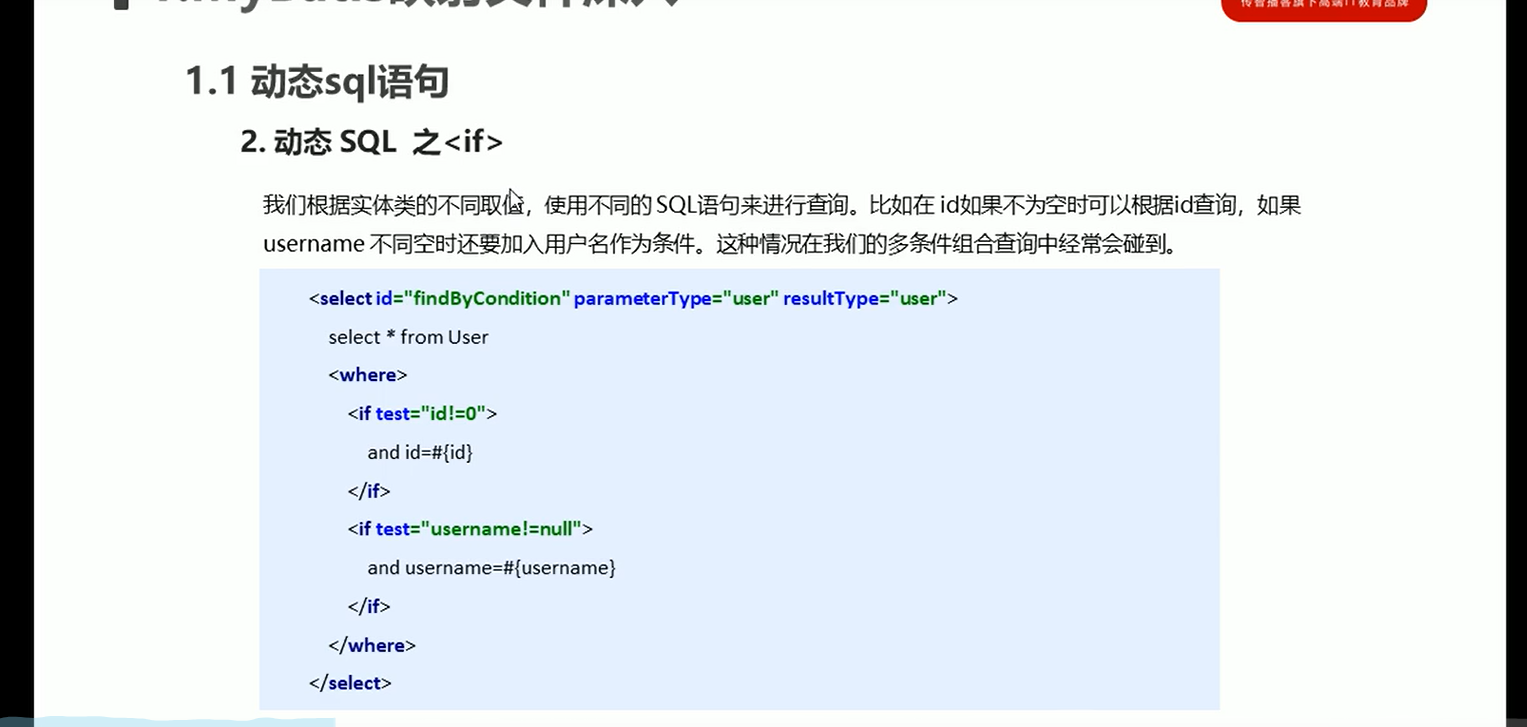
foreach
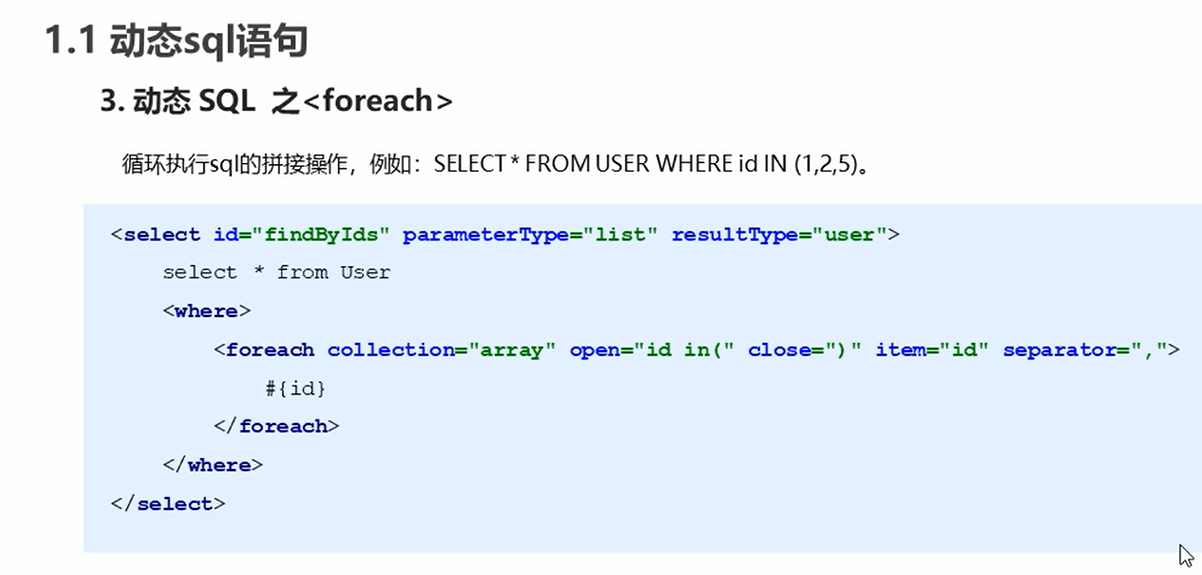
SQL片段抽取
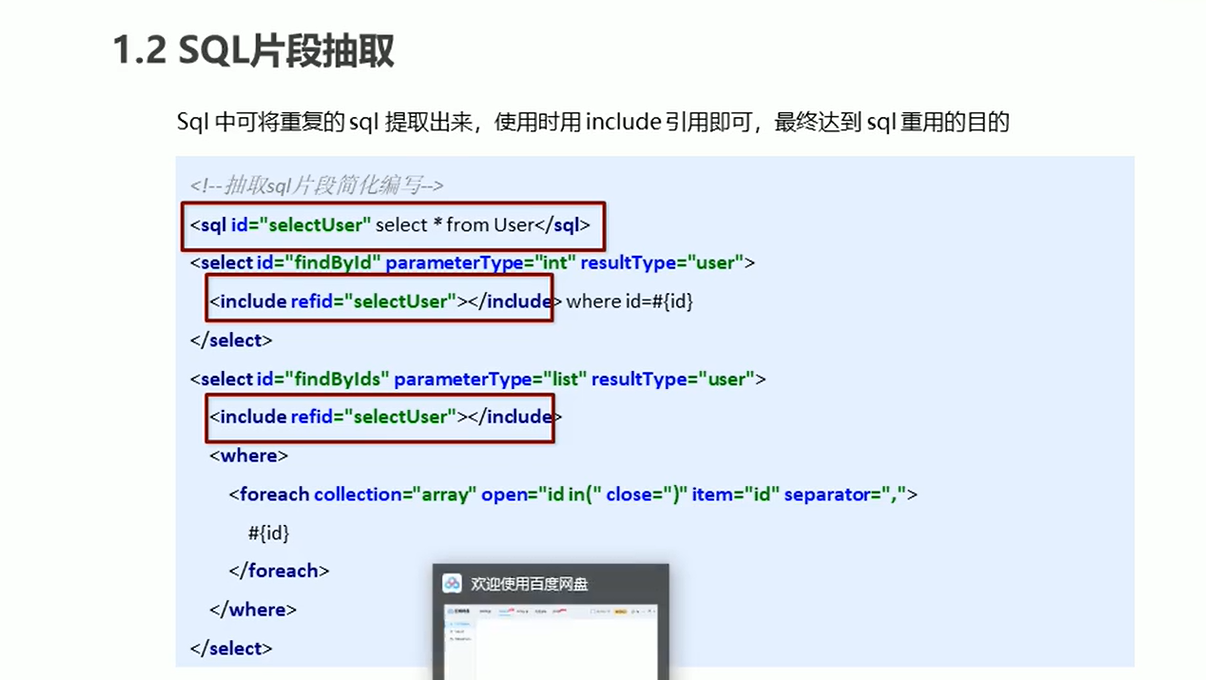
小结
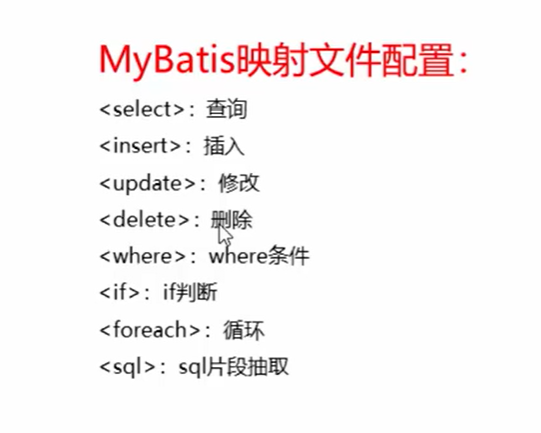
代码
MapperTest
package test;

import com.spring.dao.RoleMapper;
import com.spring.domain.Role;
import org.apache.ibatis.io.Resources;
import org.apache.ibatis.session.SqlSession;
import org.apache.ibatis.session.SqlSessionFactory;
import org.apache.ibatis.session.SqlSessionFactoryBuilder;
import org.junit.Test;

import java.io.IOException;
import java.io.InputStream;
import java.util.ArrayList;
import java.util.List;
import java.util.logging.Logger;

public class MapperTest {


    @Test
    public void test() throws IOException {
        InputStream resourceAsStream = Resources.getResourceAsStream("sqlMapConfig.xml");
        SqlSessionFactory sqlSessionFactory = new SqlSessionFactoryBuilder().build(resourceAsStream);
        SqlSession sqlSession = sqlSessionFactory.openSession();

        RoleMapper roleMapper = sqlSession.getMapper(RoleMapper.class);

        //模拟条件role
        Role condition = new Role();
        condition.setRoleName("tom");
        condition.setRoleDesc("abc");

        List<Role> roleList = roleMapper.findByCondition(condition);
        System.out.println(roleList);

        //模拟ids的数据
        List<Integer> ids =new ArrayList<Integer>();
        ids.add(1);
        ids.add(2);

        List<Role> roleList2 = roleMapper.findByIds(ids);
        System.out.println(roleList2);
    }
}
UserMapper.xml
<?xml version="1.0" encoding="UTF-8" ?>
<!DOCTYPE mapper PUBLIC "-//mybatis.org//DTD Mapper 3.0//EN" "http://mybatis.org/dtd/mybatis-3-mapper.dtd">
<mapper namespace="com.spring.dao.RoleMapper">

<!--    sql语句抽取-->
    <sql id="selectRole">select *from sys_role</sql>

    <select id="findByCondition" parameterType="role" resultType="role">
        <include refid="selectRole"></include>
        <where>
            <if test="id!=null">
                and id=#{id}
            </if>
            <if test="roleName!=null">
                and roleName=#{roleName}
            </if>
            <if test="roleDesc!=null">
                and roleDesc=#{roleDesc}
            </if>
        </where>
    </select>


    <select id="findByIds" parameterType="list" resultType="role">
        select *from sys_role
        <where>
            <foreach collection="list" open="id in(" close=")" item="id" separator=",">
                #{id}
            </foreach>
        </where>
    </select>
</mapper>
RoleMapper
package com.spring.dao;

import com.spring.domain.Role;

import java.io.IOException;
import java.util.List;

public interface RoleMapper {
    List<Role> findAll() throws IOException;

    Role findById(int id) throws IOException;

    List<Role> findByCondition(Role role);

    List<Role> findByIds(List<Integer> ids);
}
核心配置文件深入
typeHandlers标签
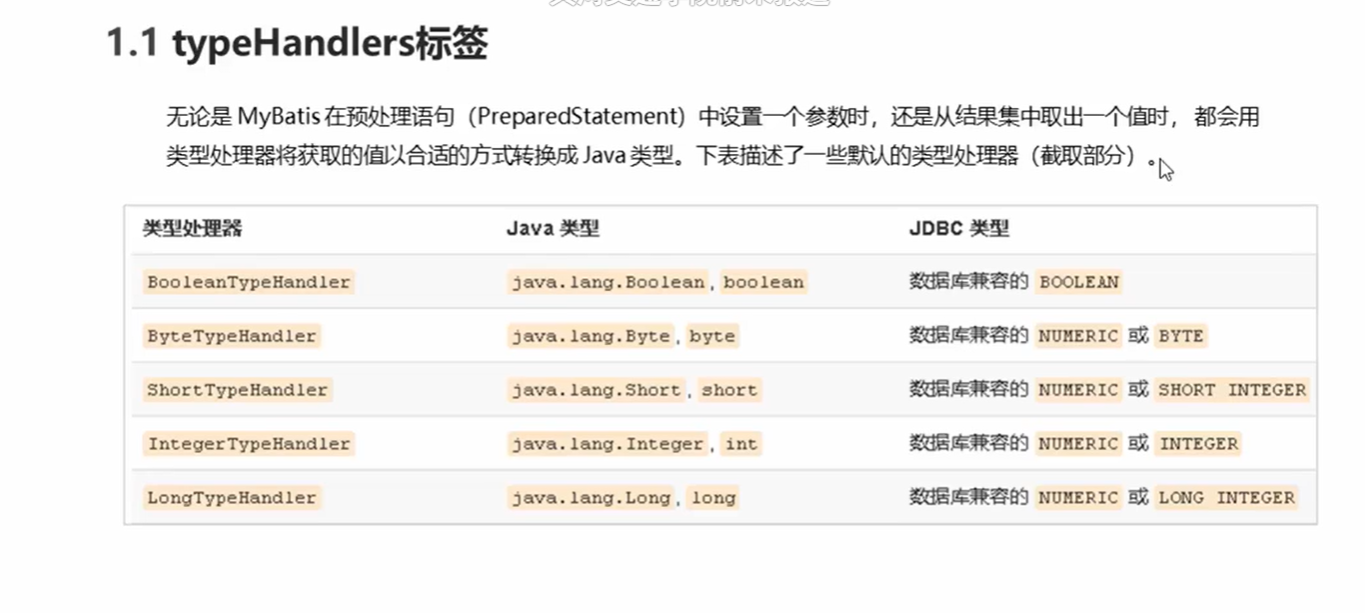
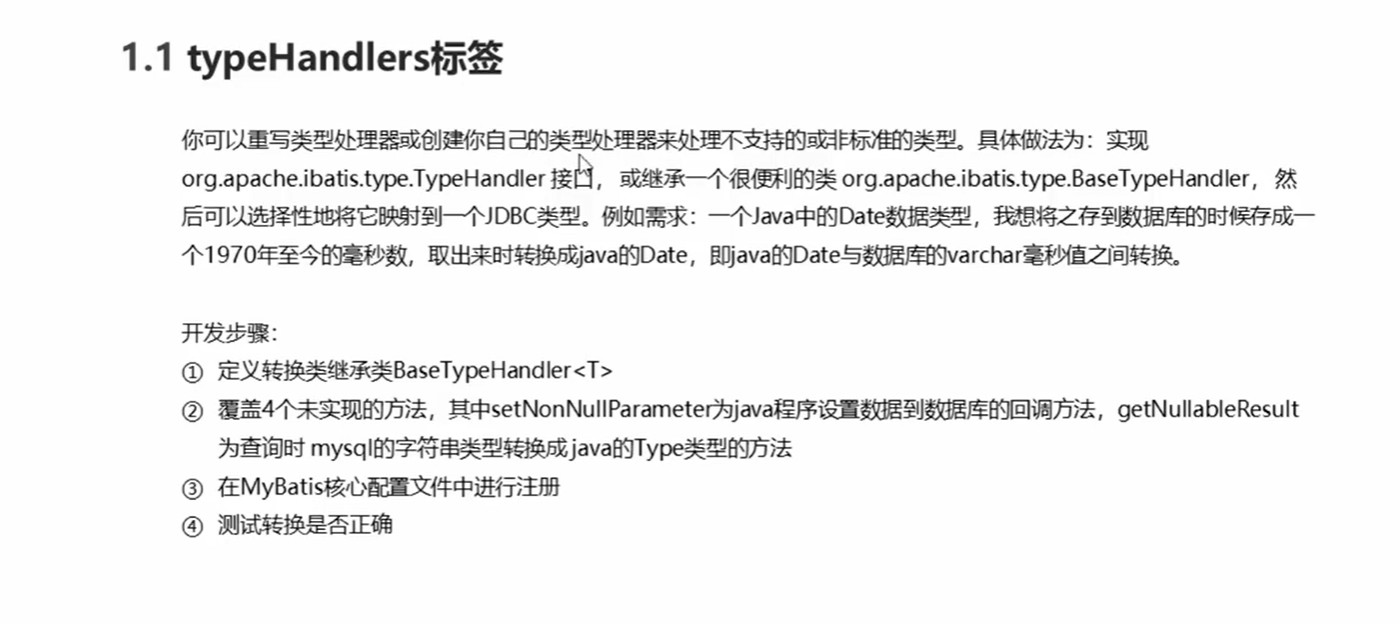
代码
DateTypeHandler
package com.spring.handler;

import org.apache.ibatis.type.BaseTypeHandler;
import org.apache.ibatis.type.JdbcType;

import java.sql.CallableStatement;
import java.sql.PreparedStatement;
import java.sql.ResultSet;
import java.sql.SQLException;
import java.util.Date;

/**
 * @author admin
 */
public class DateTypeHandler extends BaseTypeHandler<Date> {
    /**
     * 将java类型转换成数据库需要的类型
     * @param preparedStatement
     * @param i
     * @param date
     * @param jdbcType
     * @throws SQLException
     */
    @Override
    public void setNonNullParameter(PreparedStatement preparedStatement, int i, Date date, JdbcType jdbcType) throws SQLException {
        long time = date.getTime();
        preparedStatement.setLong(i,time);
    }

    /**
     * 将数据库类型转换成java类型
     * @param resultSet 查询出的结果集
     * @param s 要转换的字段名称
     * @return
     * @throws SQLException
     */
    @Override
    public Date getNullableResult(ResultSet resultSet, String s) throws SQLException {
        //获得结果集中需要的数据(long)转换成Date类型 返回
        long aLong=resultSet.getLong(s);
        Date date = new Date(aLong);
        return date;
    }

    /**
     * 将数据库类型转换成java类型
     * @param resultSet
     * @param i
     * @return
     * @throws SQLException
     */
    @Override
    public Date getNullableResult(ResultSet resultSet, int i) throws SQLException {
        long aLong=resultSet.getLong(i);
        Date date = new Date(aLong);
        return date;
    }

    /**
     * 将数据库类型转换成java类型
     * @param callableStatement
     * @param i
     * @return
     * @throws SQLException
     */
    @Override
    public Date getNullableResult(CallableStatement callableStatement, int i) throws SQLException {
        long aLong = callableStatement.getLong(i);
        Date date = new Date(aLong);
        return date;
    }
}
MapperTest
package test;

import com.spring.dao.RoleMapper;
import com.spring.domain.Role;
import org.apache.ibatis.io.Resources;
import org.apache.ibatis.session.SqlSession;
import org.apache.ibatis.session.SqlSessionFactory;
import org.apache.ibatis.session.SqlSessionFactoryBuilder;
import org.junit.Test;

import java.io.IOException;
import java.io.InputStream;
import java.util.Date;
import java.util.List;

public class MapperTest {


    @Test
    public void test() throws IOException {
        InputStream resourceAsStream = Resources.getResourceAsStream("sqlMapConfig.xml");
        SqlSessionFactory sqlSessionFactory = new SqlSessionFactoryBuilder().build(resourceAsStream);
        SqlSession sqlSession = sqlSessionFactory.openSession();

        RoleMapper roleMapper = sqlSession.getMapper(RoleMapper.class);

        //创建role
        Role role = new Role();
        role.setRoleName("admin");
        role.setRoleDesc("管理员");
        role.setBirthday(new Date());

        //执行保存
        roleMapper.save(role);

        sqlSession.commit();
        sqlSession.close();

    }

    @Test
    public void test1() throws IOException {
        InputStream resourceAsStream = Resources.getResourceAsStream("sqlMapConfig.xml");
        SqlSessionFactory sqlSessionFactory = new SqlSessionFactoryBuilder().build(resourceAsStream);
        SqlSession sqlSession = sqlSessionFactory.openSession();

        RoleMapper roleMapper = sqlSession.getMapper(RoleMapper.class);

        List<Role> all = roleMapper.findAll();
        System.out.println(all);

        sqlSession.commit();
        sqlSession.close();

    }
}
sqlMapConfig.xml
    <settings>
        <!--标准日志工厂实现-->
        <!--<setting name="logImpl" value="STDOUT_LOGGING"/>-->
        <!---Log4j工厂实现-->
        <setting name="logImpl" value="LOG4J"/>
    </settings>


    <!--    自定义别名-->
    <typeAliases>
        <typeAlias type="com.spring.domain.Role" alias="role"></typeAlias>
    </typeAliases>

<!--注册类型处理器-->
    <typeHandlers>
        <typeHandler handler="com.spring.handler.DateTypeHandler"></typeHandler>
    </typeHandlers>
UserMapper.xml
<?xml version="1.0" encoding="UTF-8" ?>
<!DOCTYPE mapper PUBLIC "-//mybatis.org//DTD Mapper 3.0//EN" "http://mybatis.org/dtd/mybatis-3-mapper.dtd">
<mapper namespace="com.spring.dao.RoleMapper">
    <insert id="save" parameterType="role">
        insert into sys_role values (#{id},#{roleName},#{roleDesc},#{birthday})
    </insert>

    <select id="findAll" resultType="role">
        select *from sys_role
    </select>
</mapper>
plugins标签
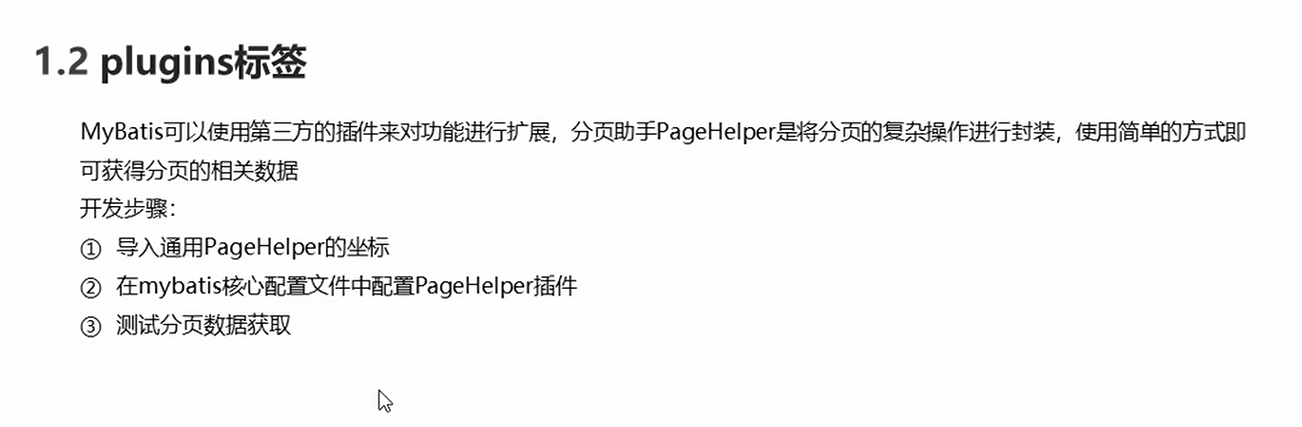
步骤
-
导入通用PageHelper坐标
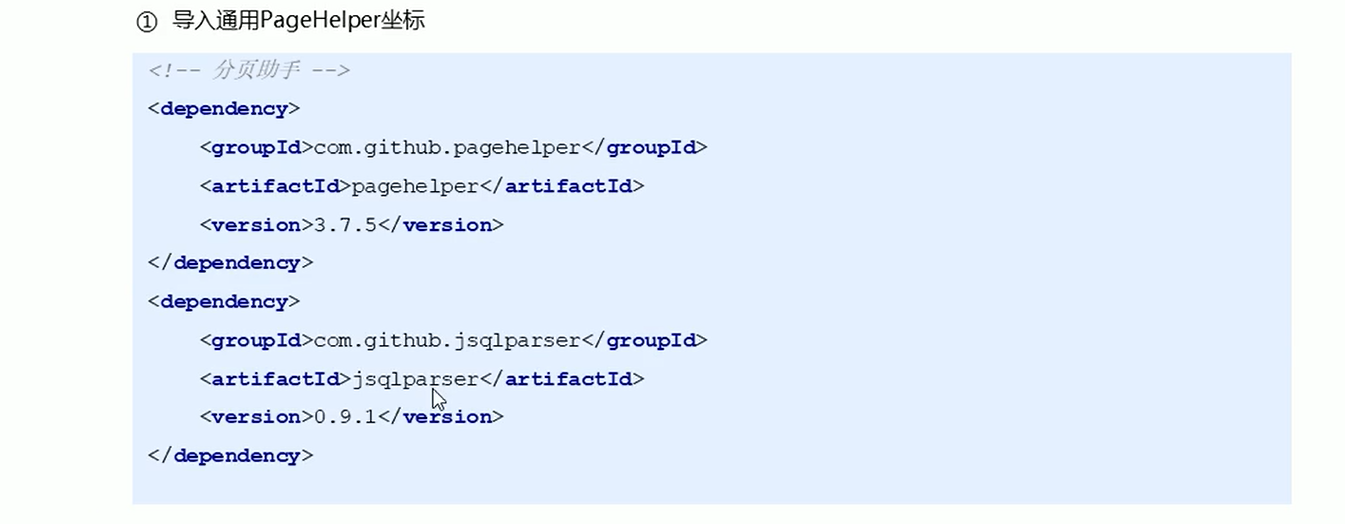
pom.xml<!-- https://mvnrepository.com/artifact/com.github.pagehelper/pagehelper --> <dependency> <groupId>com.github.pagehelper</groupId> <artifactId>pagehelper</artifactId> <version>5.2.0</version> </dependency> <!-- https://mvnrepository.com/artifact/com.github.jsqlparser/jsqlparser --> <dependency> <groupId>com.github.jsqlparser</groupId> <artifactId>jsqlparser</artifactId> <version>4.3</version> </dependency> -
指定方言
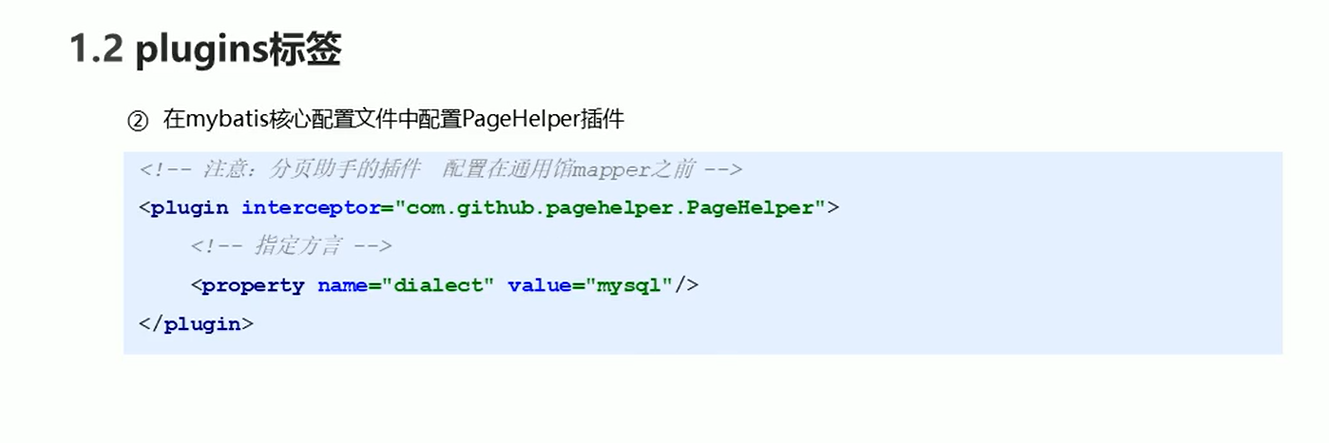
sqlMapConfig.xml<!-- 配置分页助手插件 特别注意,新版拦截器是 com.github.pagehelper.PageInterceptor。 com.github.pagehelper.PageHelper 现在是一个特殊的 dialect 实现类,是分页插件的默认实现类,提供了和以前相同的用法。 --> <plugins> <plugin interceptor="com.github.pagehelper.PageInterceptor"> <property name="helperDialect" value="mysql"></property> </plugin> </plugins>
分页助手中文版文档
Mybatis-PageHelper/HowToUse.md at master · pagehelper/Mybatis-PageHelper (github.com)
代码
MapperTest
package test;
import com.github.pagehelper.PageHelper;
import com.github.pagehelper.PageInfo;
import com.spring.dao.RoleMapper;
import com.spring.domain.Role;
import org.apache.ibatis.io.Resources;
import org.apache.ibatis.session.SqlSession;
import org.apache.ibatis.session.SqlSessionFactory;
import org.apache.ibatis.session.SqlSessionFactoryBuilder;
import org.junit.Test;
import java.io.IOException;
import java.io.InputStream;
import java.util.Date;
import java.util.List;
public class MapperTest {
@Test
public void test() throws IOException {
InputStream resourceAsStream = Resources.getResourceAsStream("sqlMapConfig.xml");
SqlSessionFactory sqlSessionFactory = new SqlSessionFactoryBuilder().build(resourceAsStream);
SqlSession sqlSession = sqlSessionFactory.openSession();
RoleMapper roleMapper = sqlSession.getMapper(RoleMapper.class);
//创建role
Role role = new Role();
role.setRoleName("admin");
role.setRoleDesc("管理员");
role.setBirthday(new Date());
//执行保存
roleMapper.save(role);
sqlSession.commit();
sqlSession.close();
}
@Test
public void test1() throws IOException {
InputStream resourceAsStream = Resources.getResourceAsStream("sqlMapConfig.xml");
SqlSessionFactory sqlSessionFactory = new SqlSessionFactoryBuilder().build(resourceAsStream);
SqlSession sqlSession = sqlSessionFactory.openSession();
RoleMapper roleMapper = sqlSession.getMapper(RoleMapper.class);
//设置分页相关参数 当前页+每页显示条数
PageHelper.startPage(2,3);
List<Role> all = roleMapper.findAll();
for (Role role : all) {
System.out.println(role);
}
//获得与分页相关的参数
PageInfo<Role> pageInfo = new PageInfo<Role>(all);
System.out.println("当前页码:"+pageInfo.getPageNum());
System.out.println("总页码:"+pageInfo.getPages());
System.out.println("总记录数:"+pageInfo.getTotal());
System.out.println("每页显示条数:"+pageInfo.getPageSize());
System.out.println("是否有上一页:"+pageInfo.isHasPreviousPage());
System.out.println("是否有下一页:"+pageInfo.isHasNextPage());
System.out.println("上一页:"+pageInfo.getPrePage());
System.out.println("下一页:"+pageInfo.getNextPage());
System.out.println("是否是第一页:"+pageInfo.isIsFirstPage());
System.out.println("是否是最后一页:"+pageInfo.isIsLastPage());
sqlSession.commit();
sqlSession.close();
}
}
小结
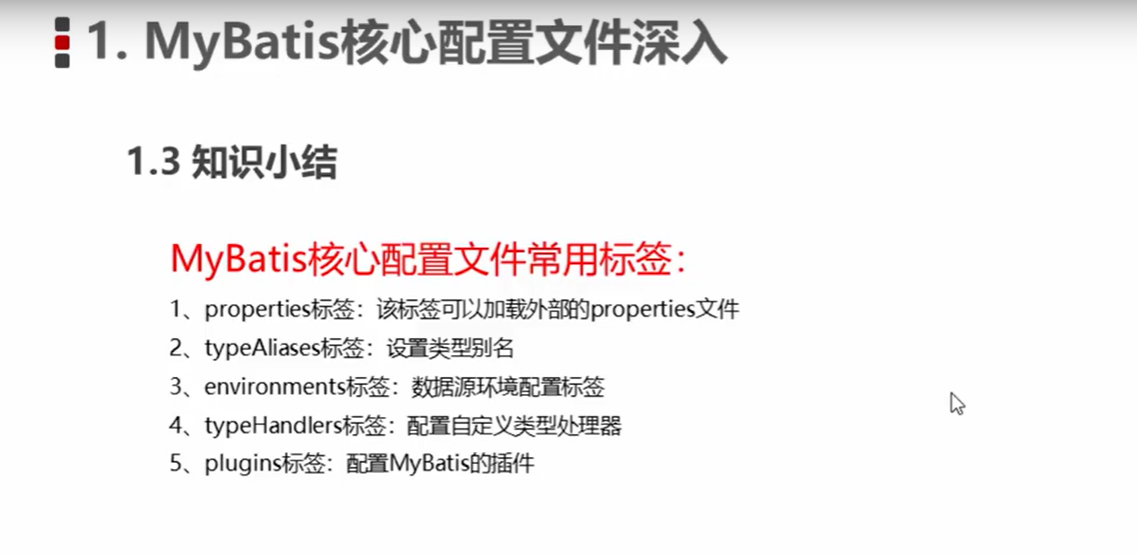
多表操作
一对一查询
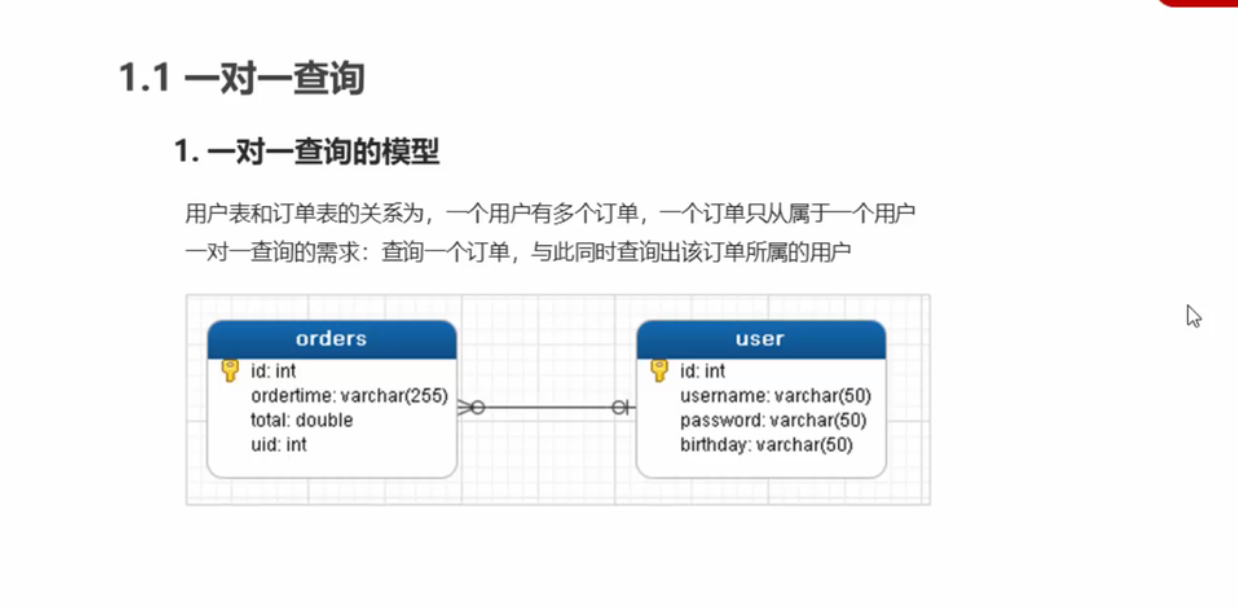
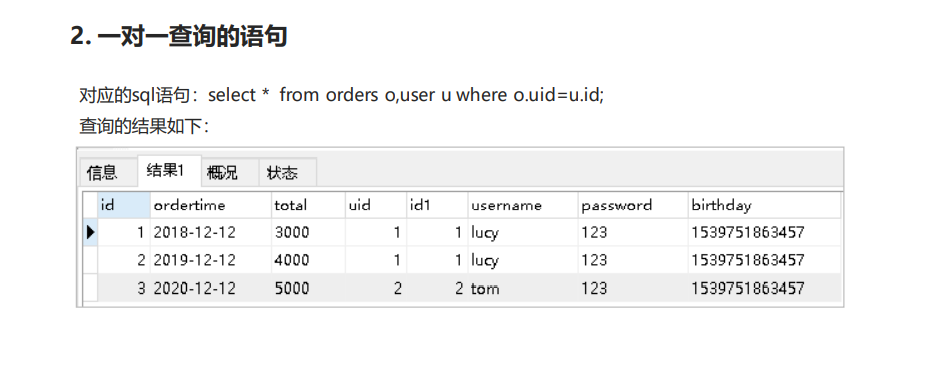
步骤
-
创建Order和User实体
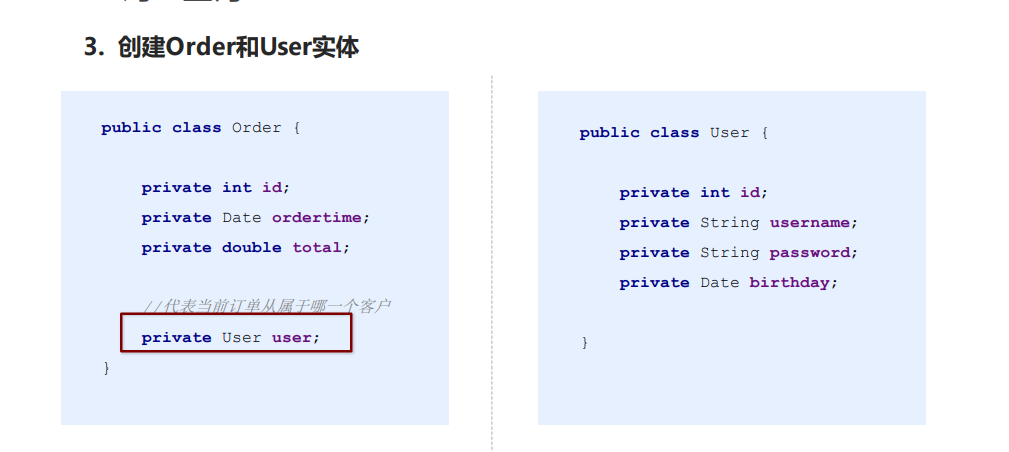
-
创建OrderMapper接口
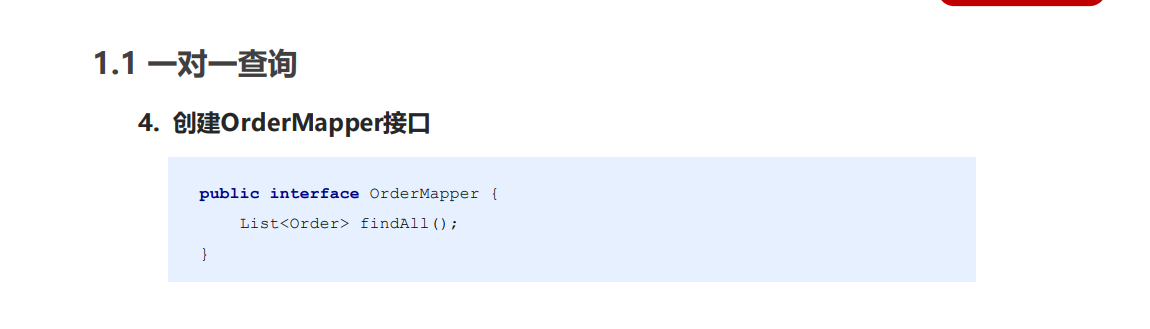
-
配置OrderMapper.xml
其中
colunm是数据表的字段名称,property是实体的属性名称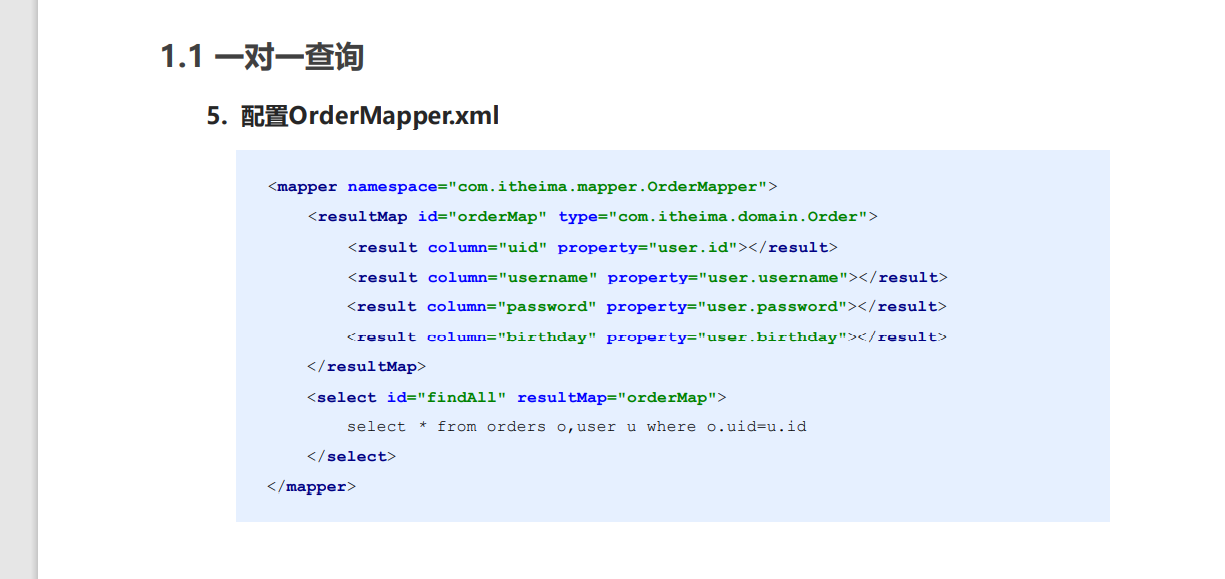
其中
property是当前实体(order)中的属性名称(private User user),javaType是当前实体(order)中的属性的类型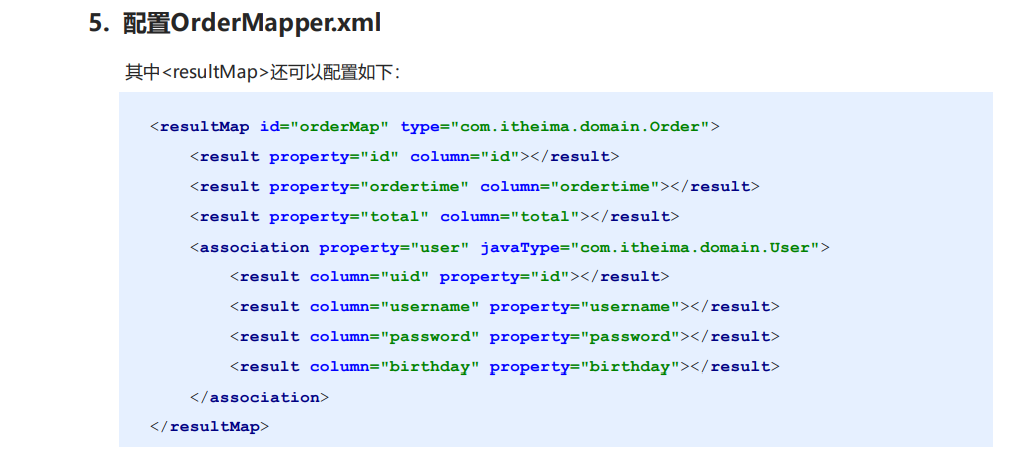
-
测试结果
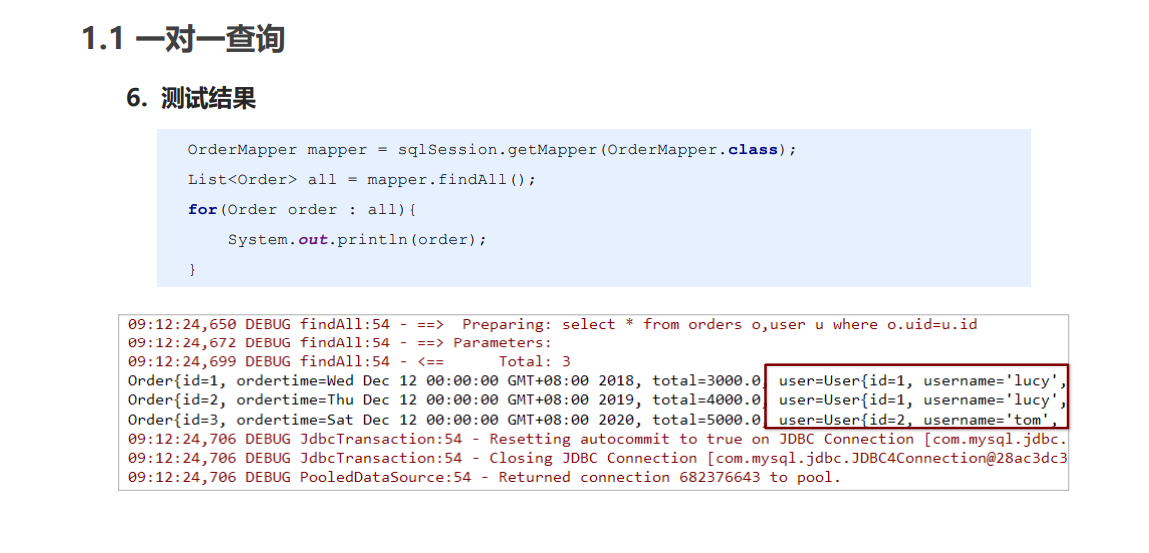
一对多查询
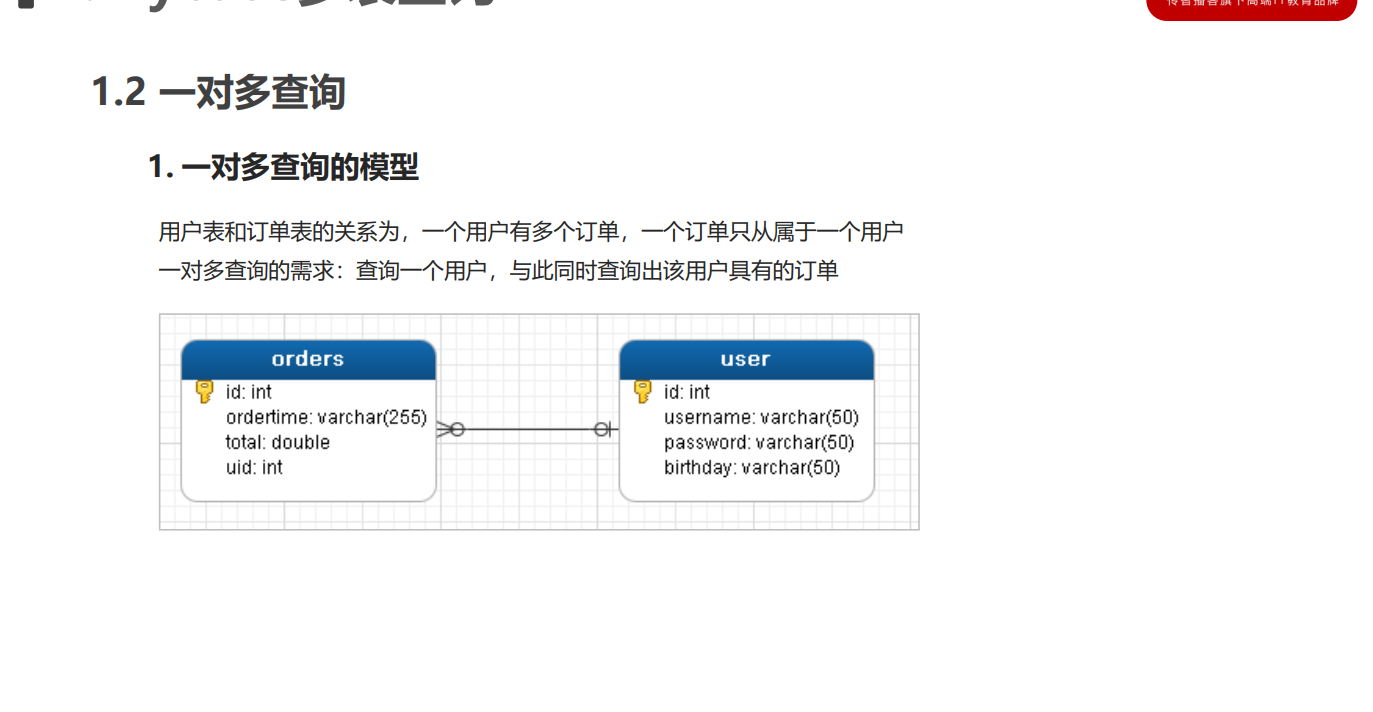
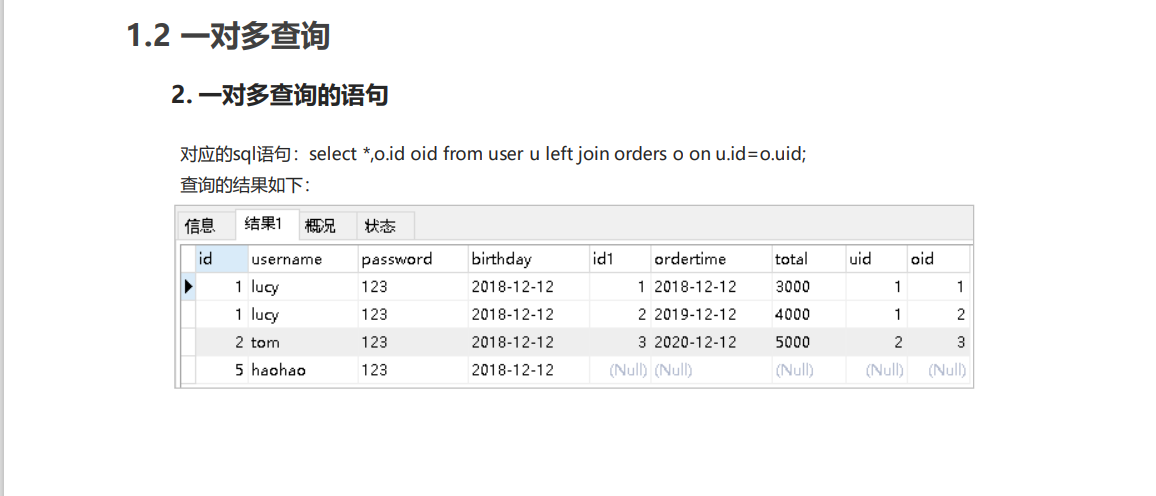
步骤
-
修改User实体
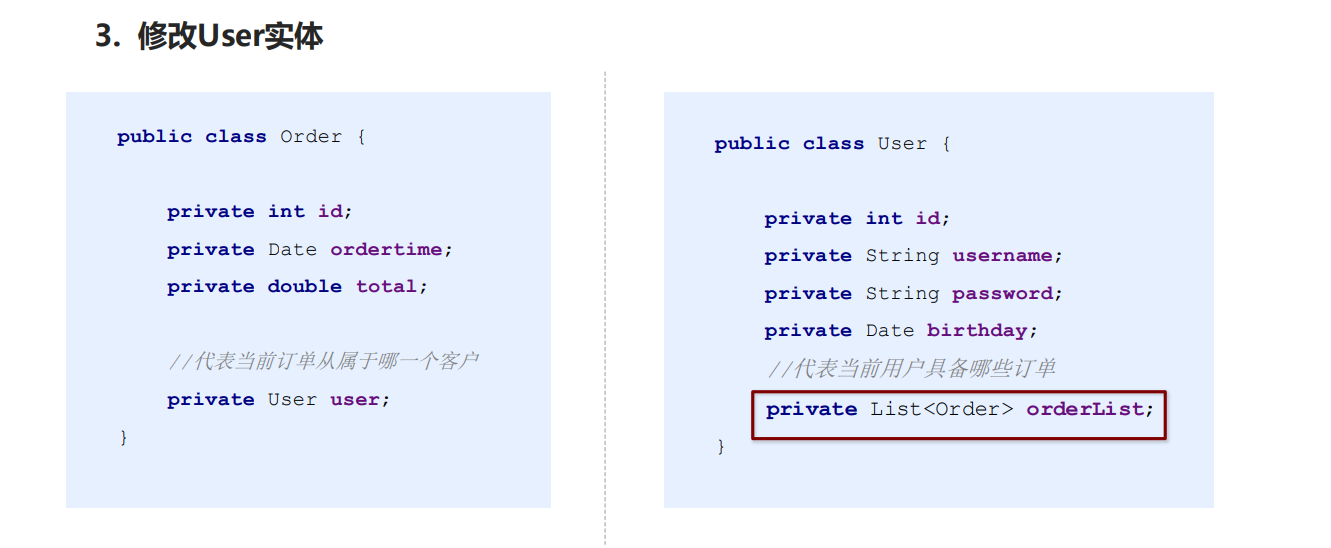
-
创建UserMapper接口
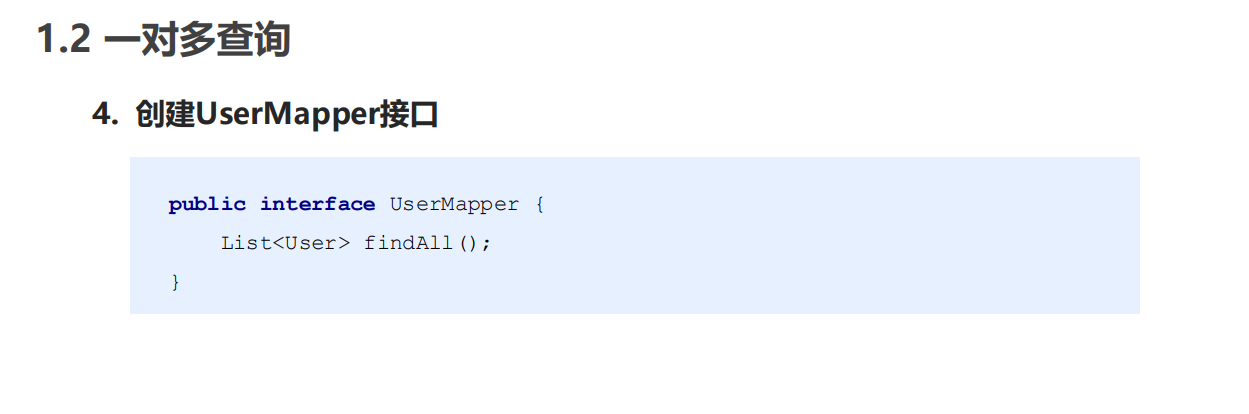
-
配置UserMapper.xml
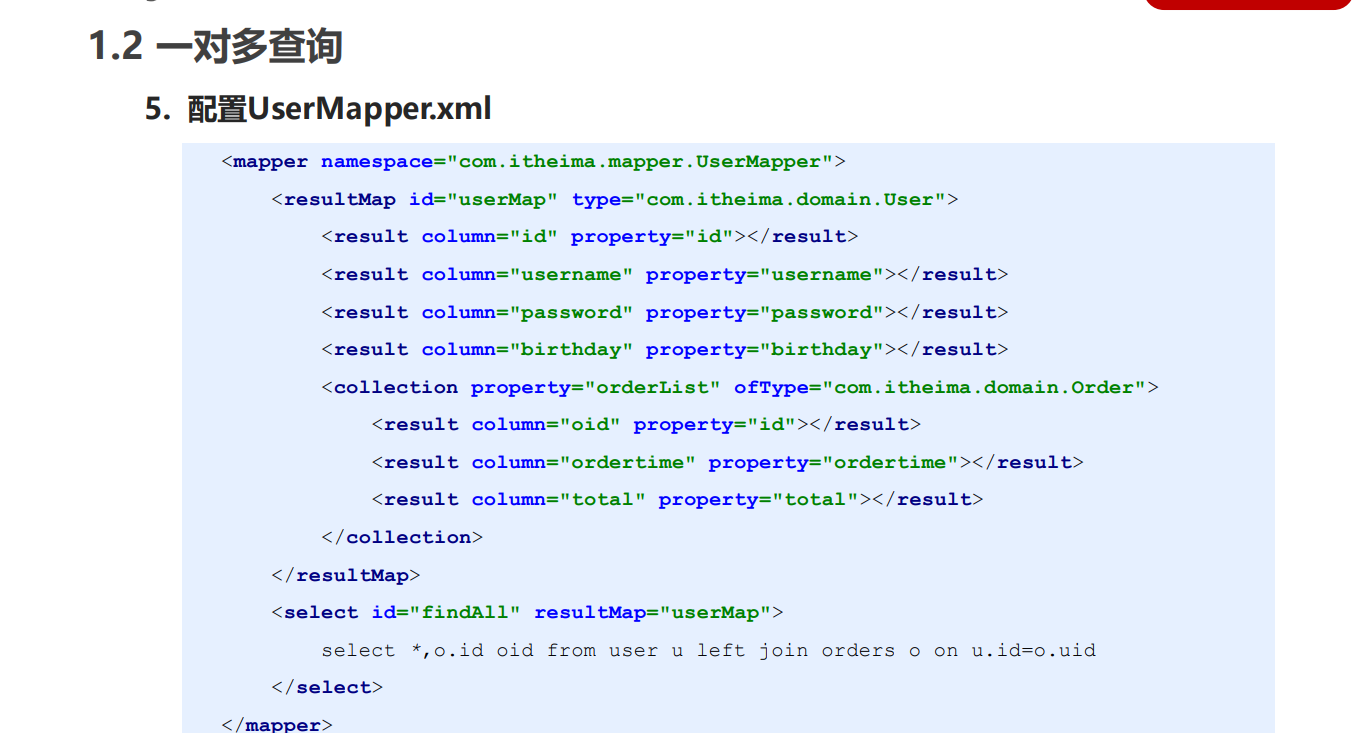
-
测试结果
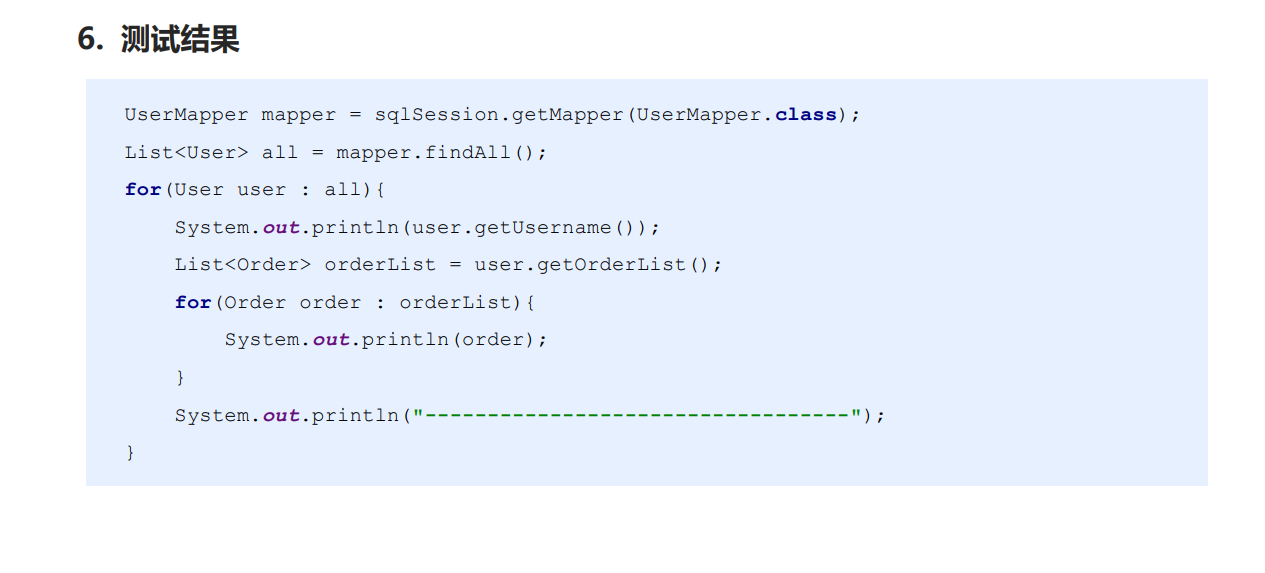
多对多查询
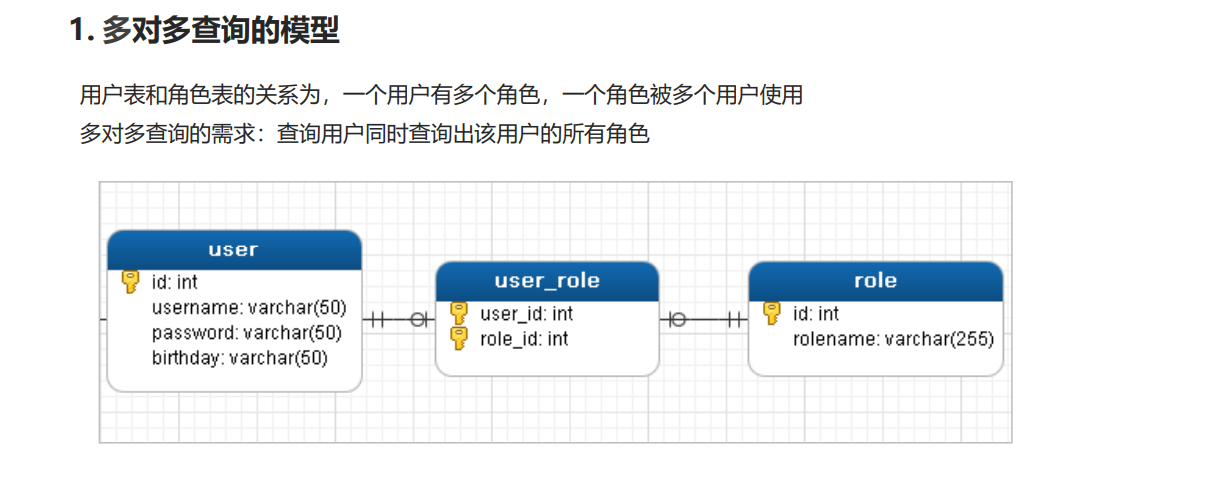
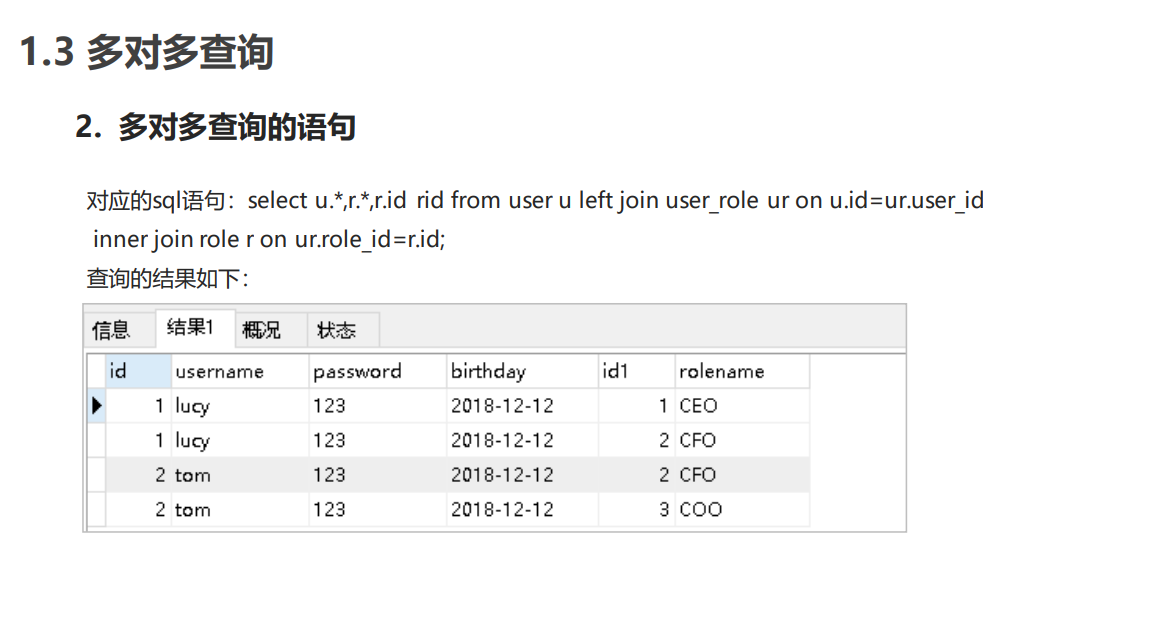
步骤
-
创建Role实体,修改User实体
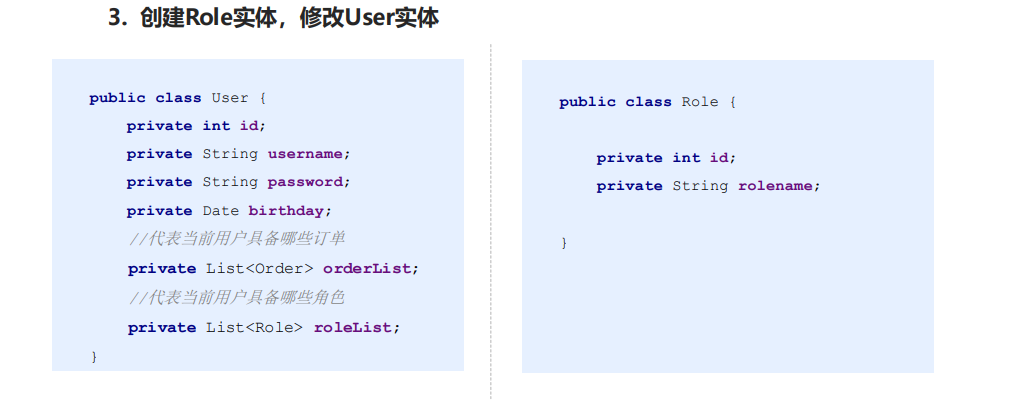
-
添加UserMapper接口方法
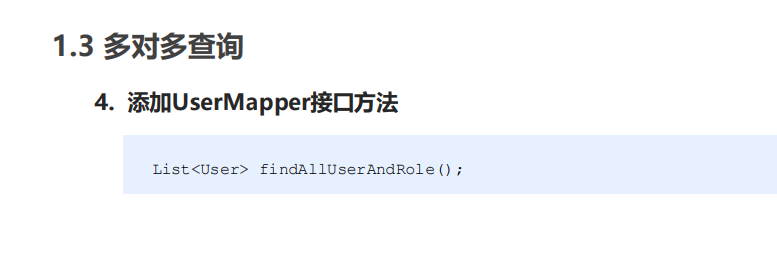
-
配置UserMapper.xml
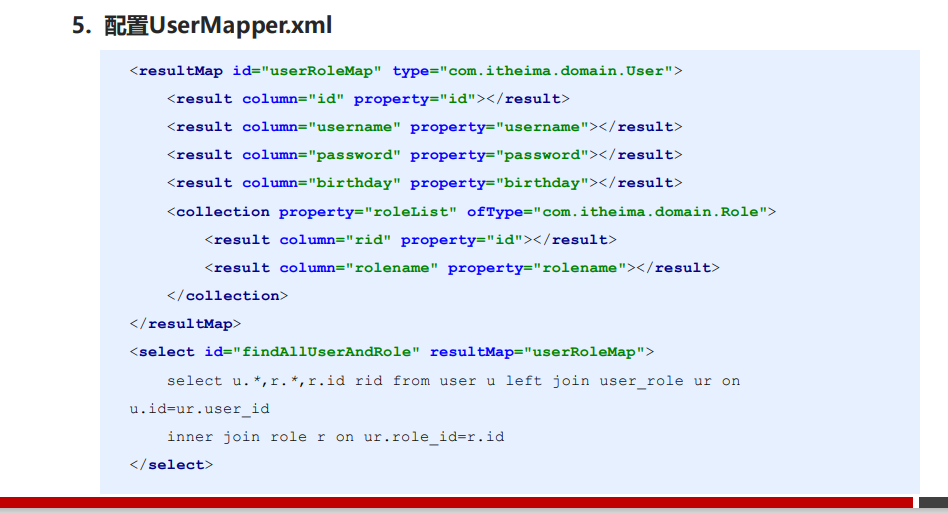
- 测试结果
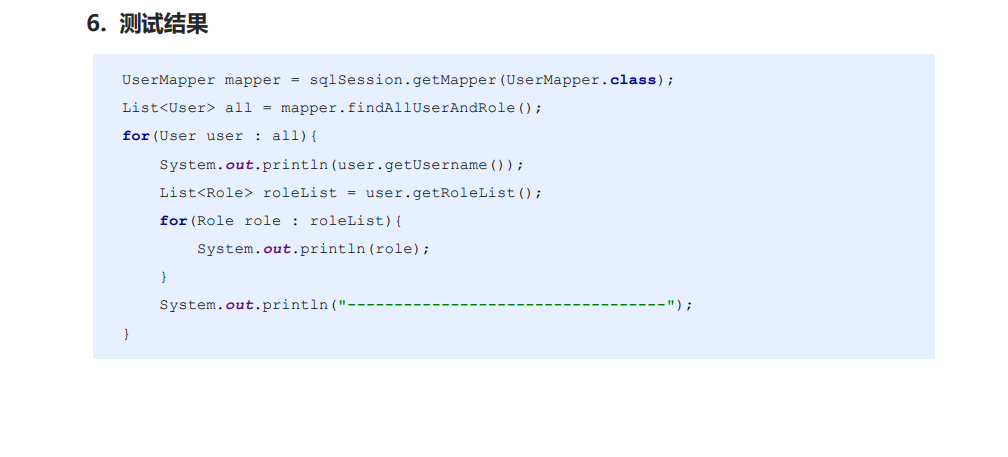
小结
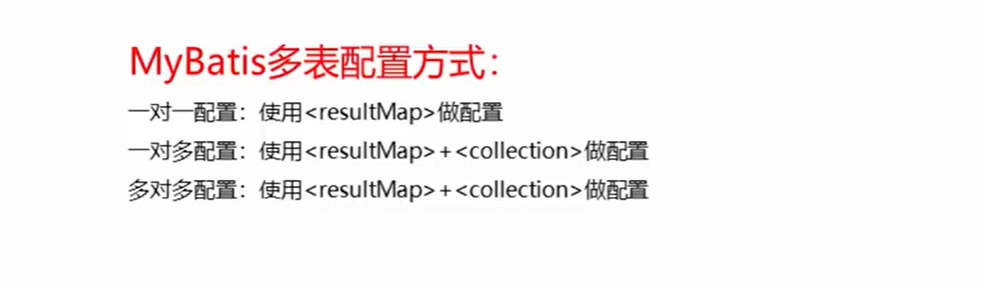
MyBatis注解开发
常用注解
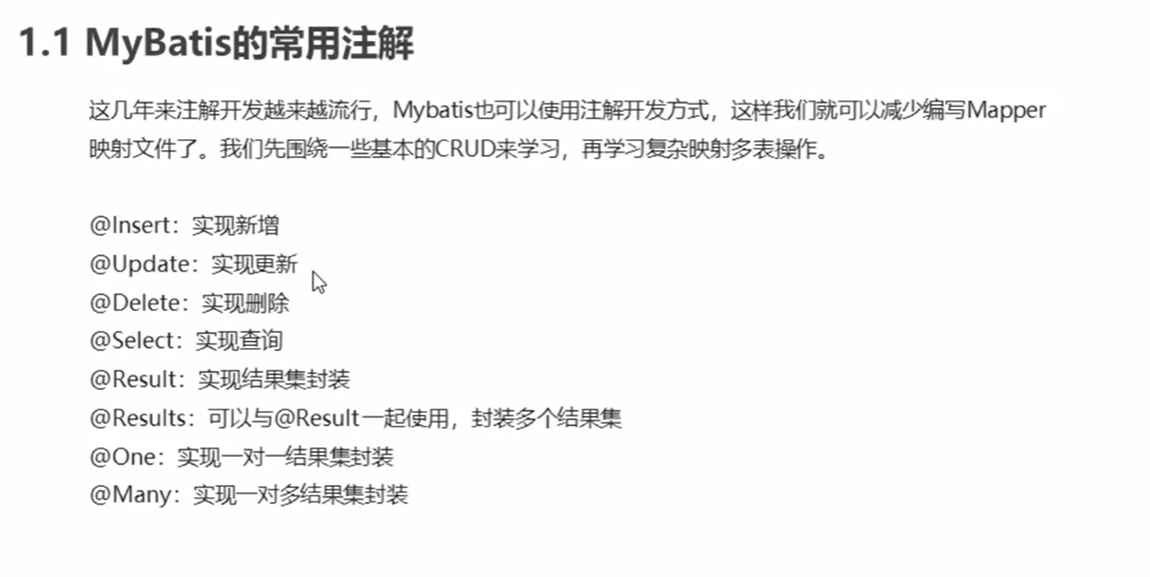
简单增删改查
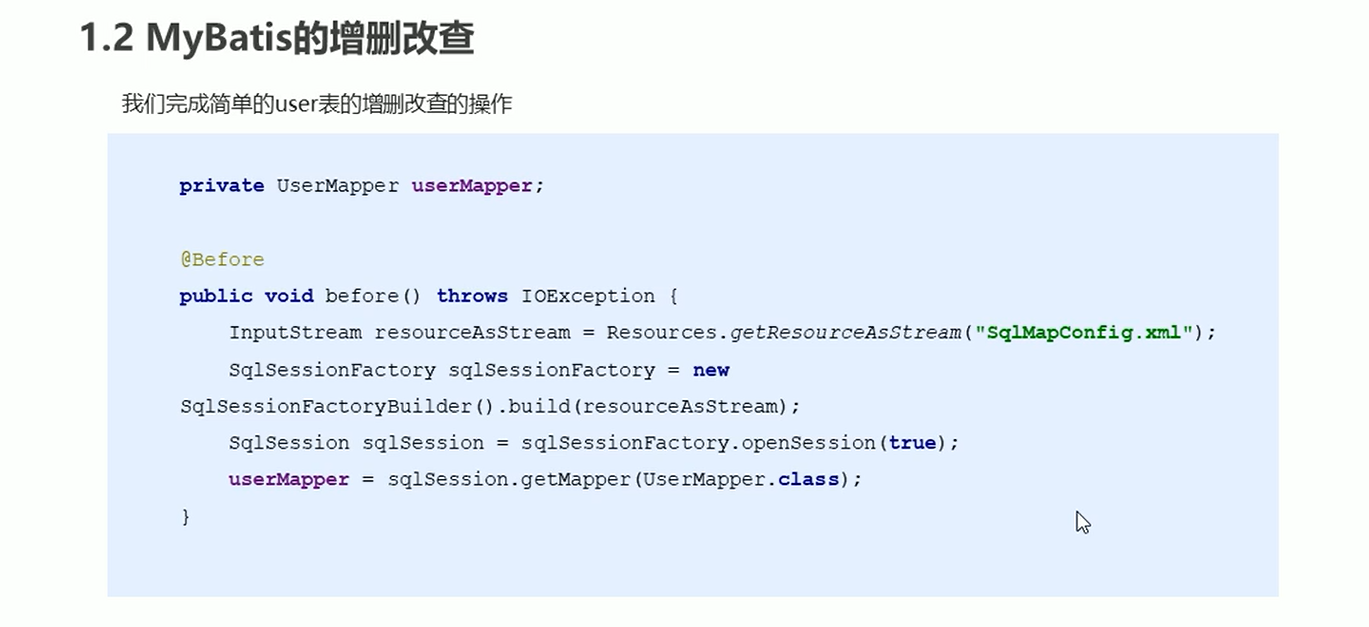
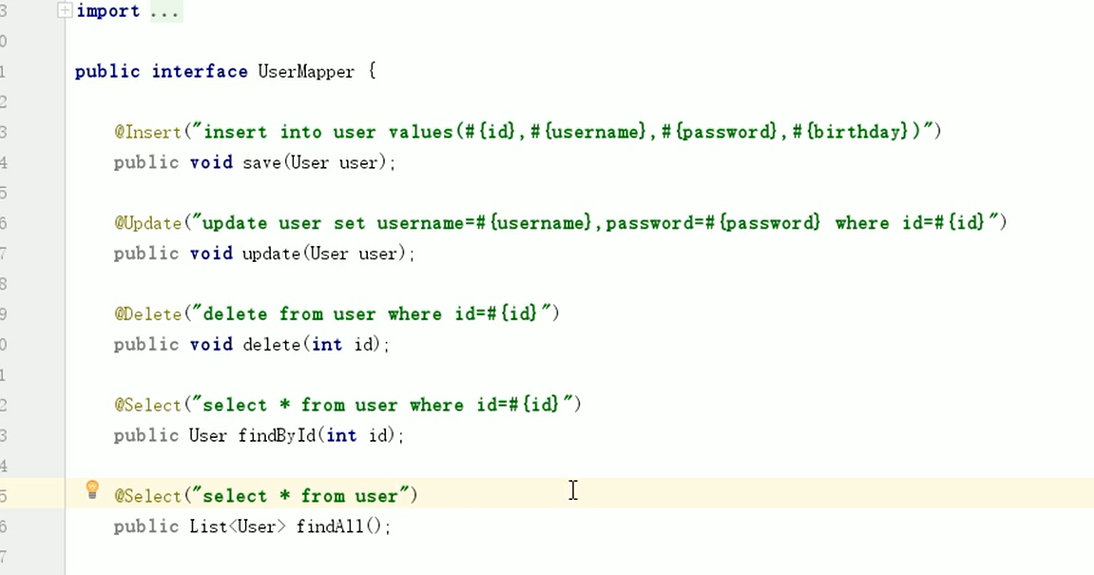
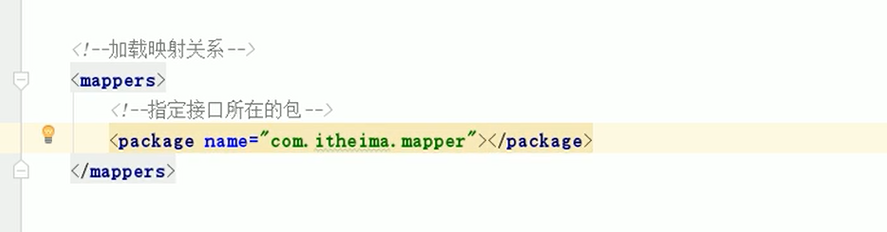
复杂映射开发
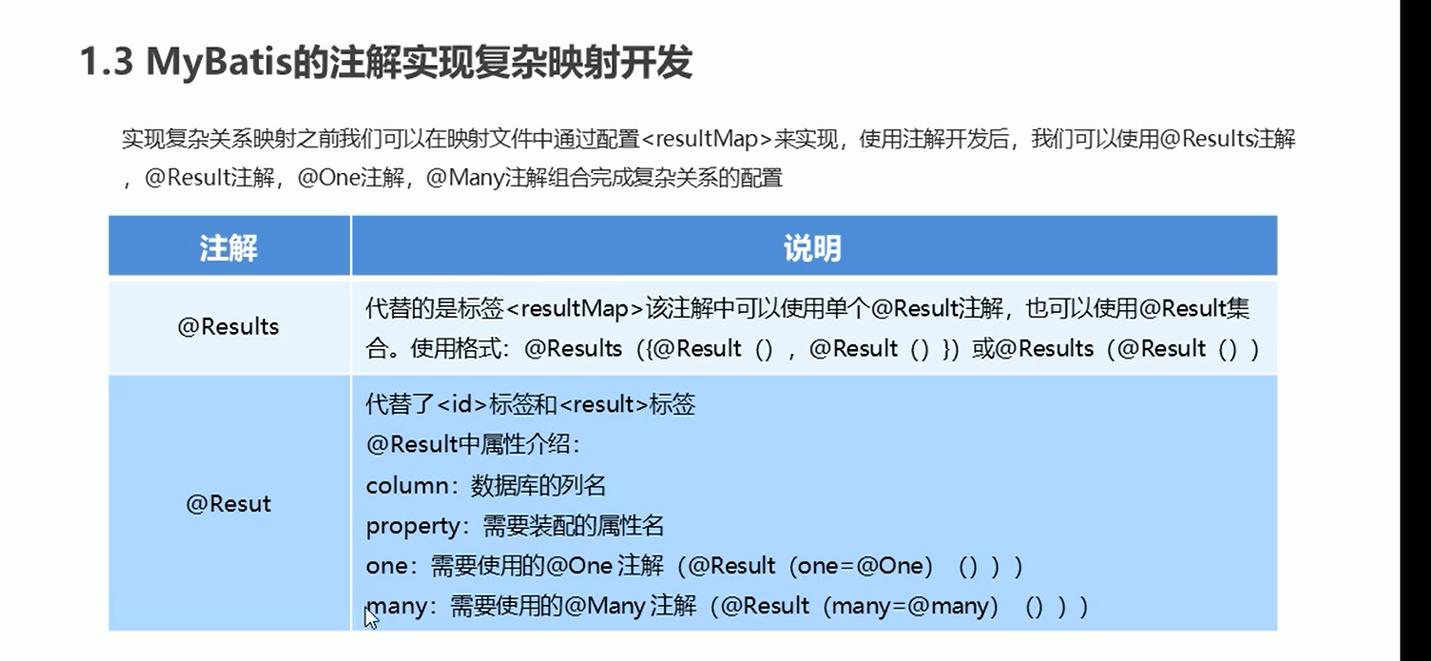
一对一查询
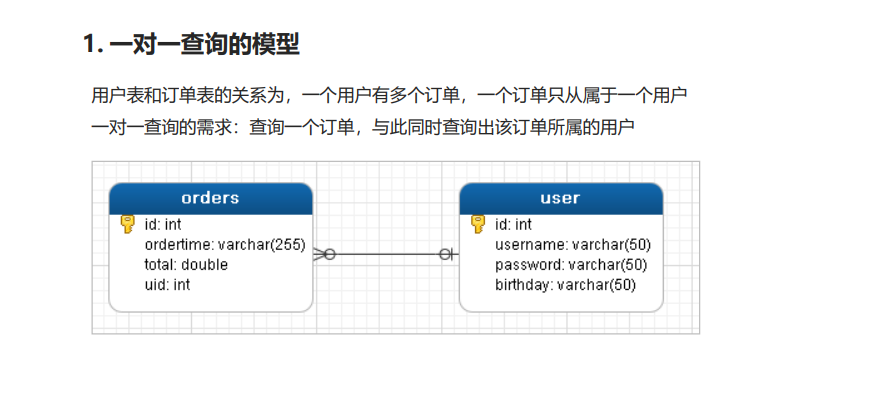
方式一:
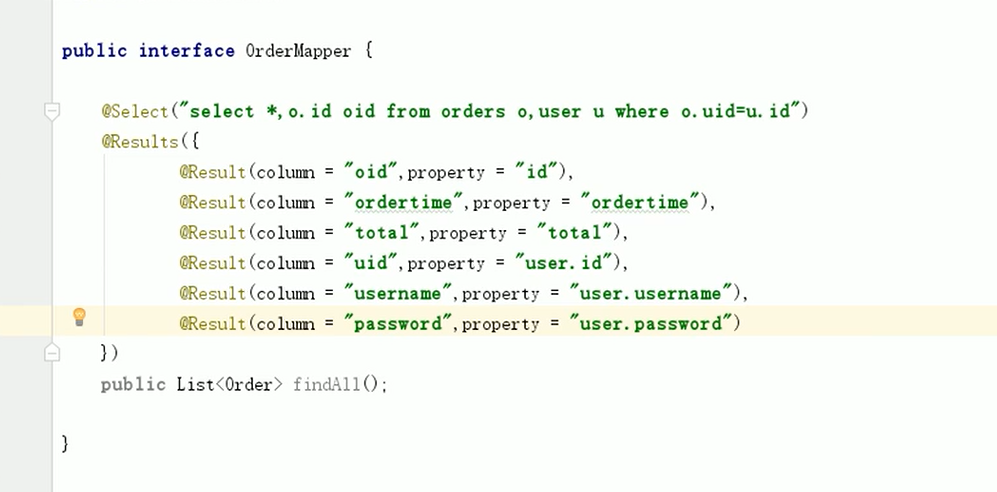
方式二:
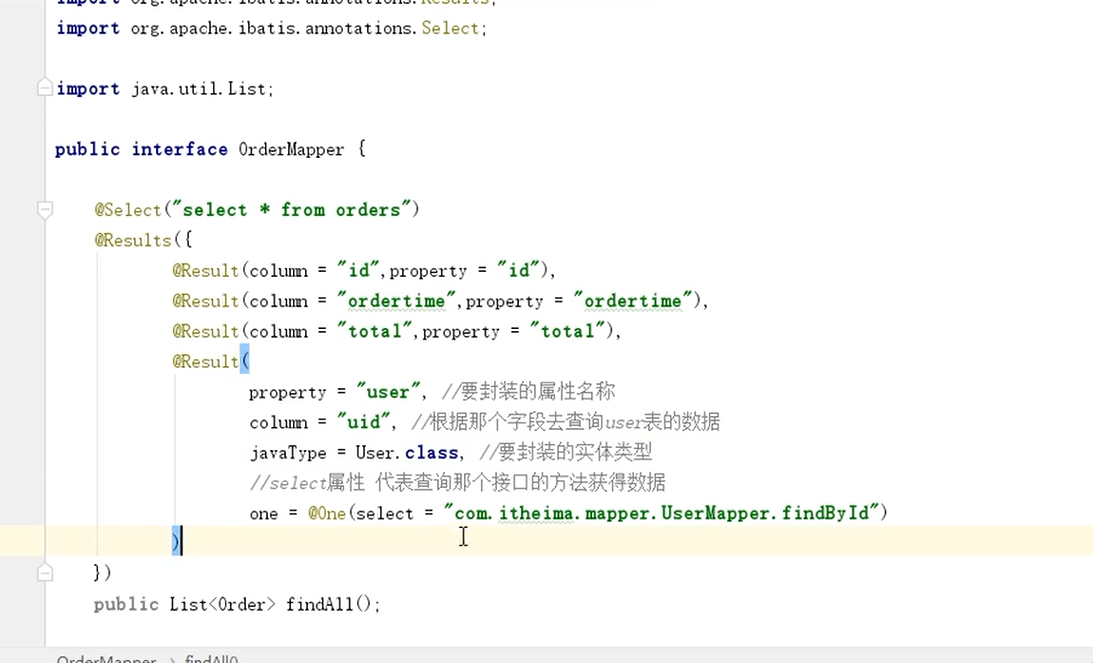
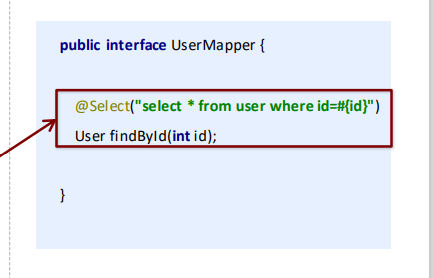
一对多查询
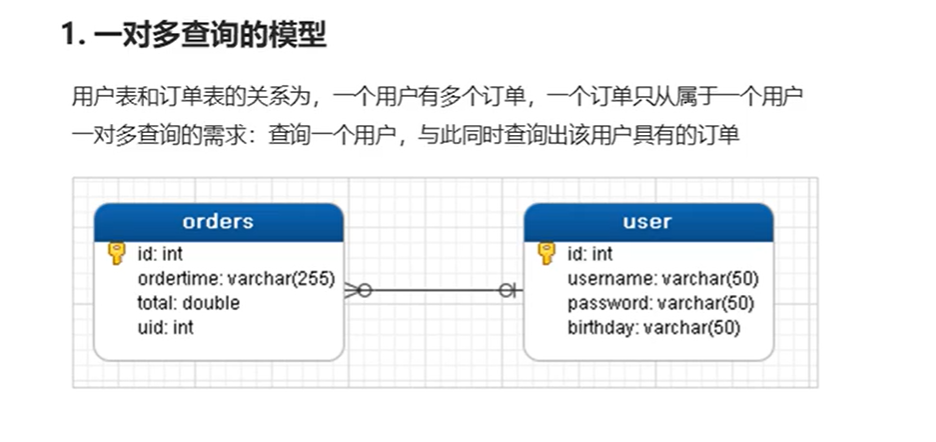
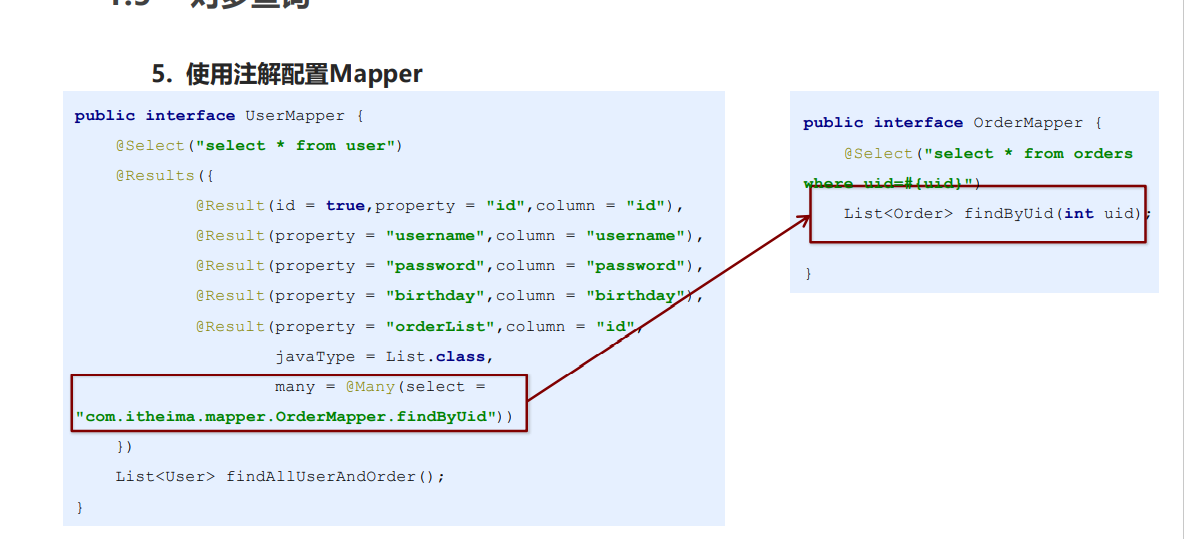
多对多查询
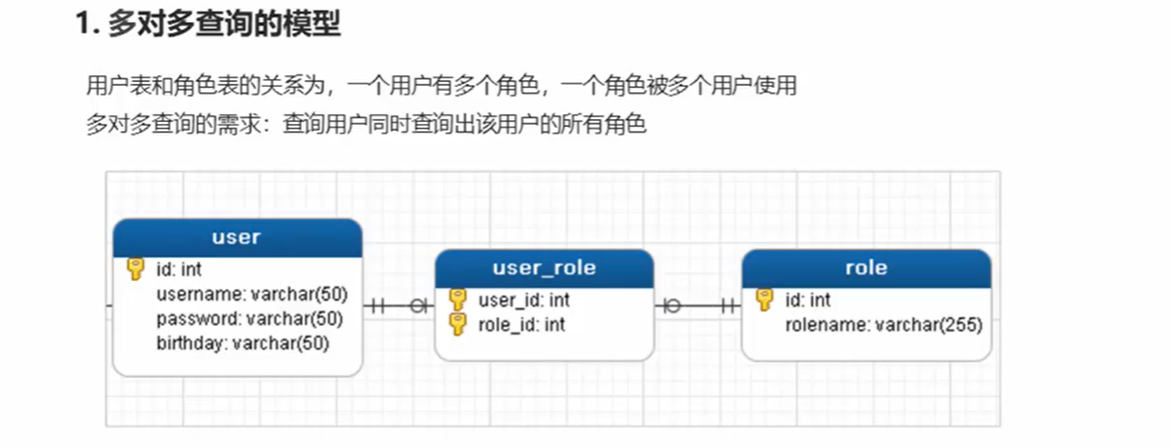
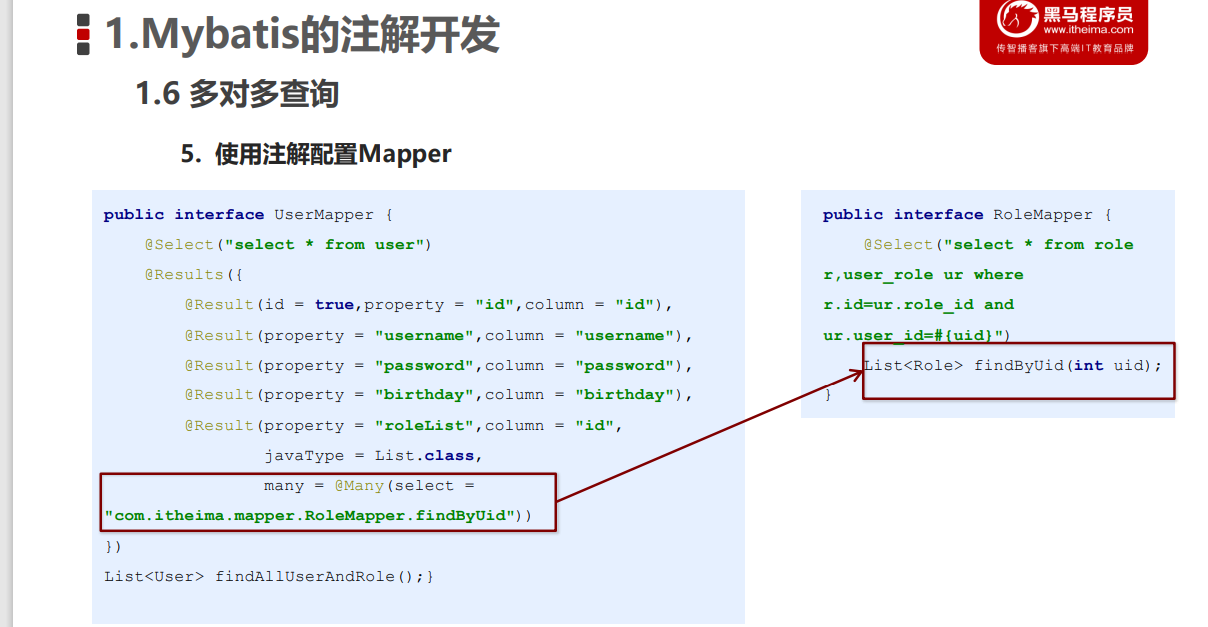
SSM整合
原始整合
各写各的,缺点:重复代码多
spring整合mybatis
整合思路
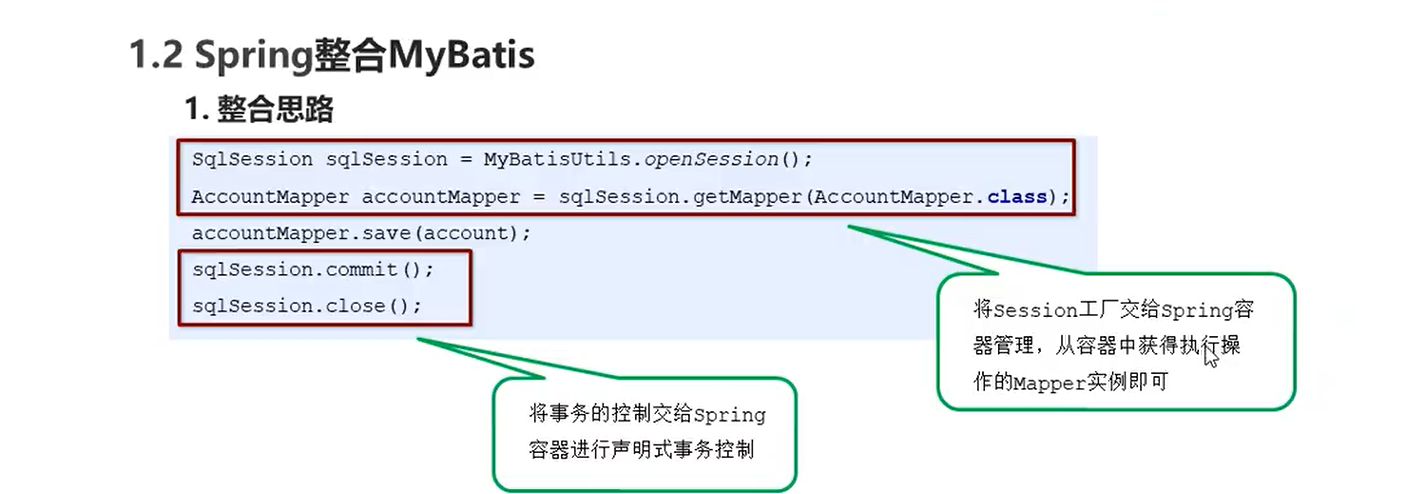
步骤
-
将SqlSessionFactory配置到Spring容器中
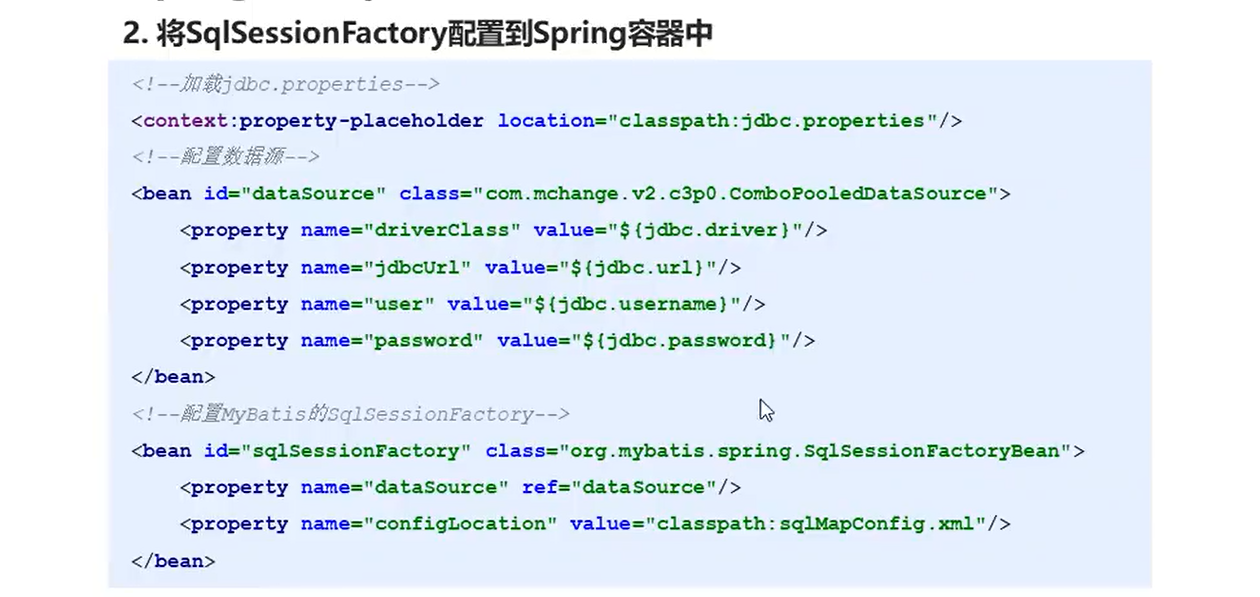
-
扫描Mapper,让Spring容器产生Mapper实现类
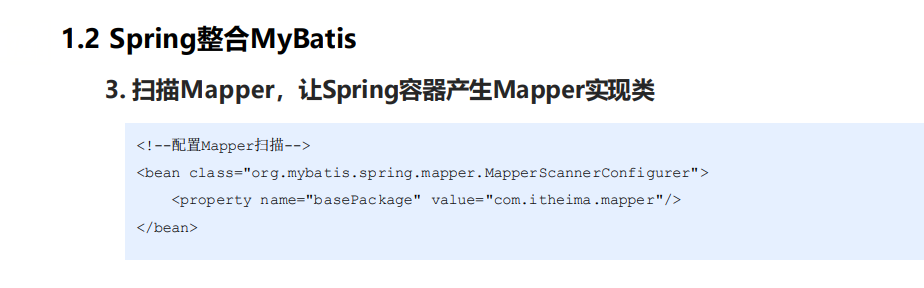
-
配置声明式事务控制
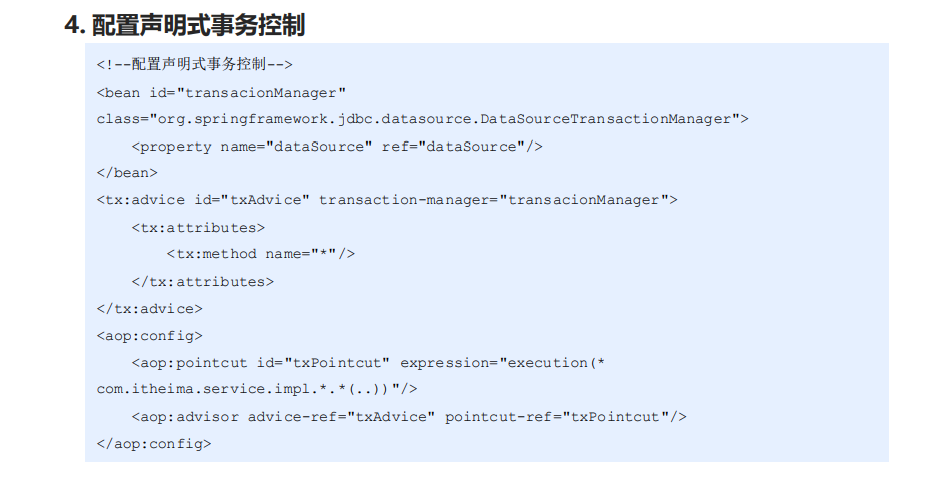
-
修改Service实现类代码
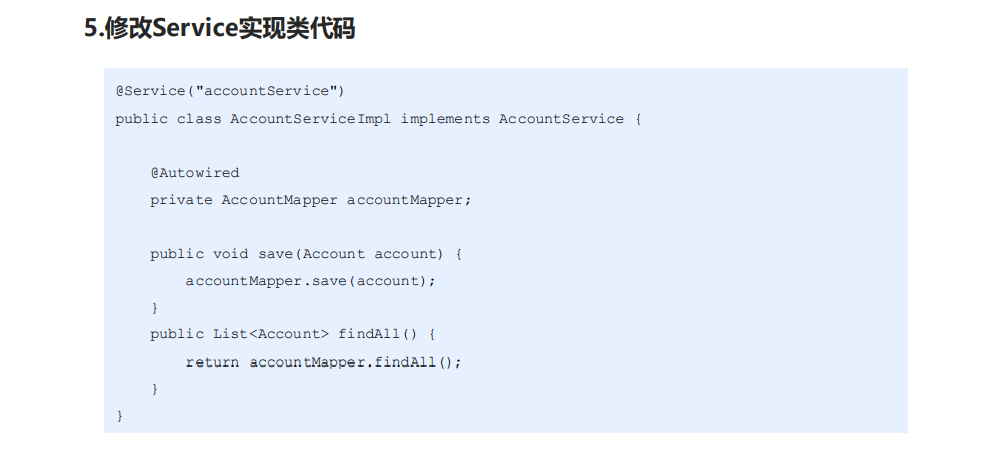
代码(方便以后copy~)
sqlMapConfig-spring.xml
<?xml version="1.0" encoding="UTF-8" ?>
<!DOCTYPE configuration
PUBLIC "-//mybatis.org//DTD Config 3.0//EN"
"http://mybatis.org/dtd/mybatis-3-config.dtd">
<configuration>
<!-- 定义别名-->
<typeAliases>
<!-- <typeAlias type="com.spring.domain.Account" alias="account"></typeAlias>-->
<package name="com.spring.domain"></package>
</typeAliases>
</configuration>
AccountMapper.xml
<?xml version="1.0" encoding="UTF-8" ?>
<!DOCTYPE mapper
PUBLIC "-//mybatis.org//DTD Mapper 3.0//EN"
"http://mybatis.org/dtd/mybatis-3-mapper.dtd">
<mapper namespace="com.spring.mapper.AccountMapper">
<insert id="save" parameterType="account">
INSERT INTO account VALUES (#{id},#{name},#{money})
</insert>
<select id="findAll" resultType="account">
SELECT *FROM account
</select>
</mapper>
applicationContext.xml
<?xml version="1.0" encoding="UTF-8" ?>
<beans xmlns="http://www.springframework.org/schema/beans"
xmlns:xsi="http://www.w3.org/2001/XMLSchema-instance"
xmlns:aop="http://www.springframework.org/schema/aop"
xmlns:tx="http://www.springframework.org/schema/tx"
xmlns:context="http://www.springframework.org/schema/context"
xsi:schemaLocation="http://www.springframework.org/schema/beans
http://www.springframework.org/schema/beans/spring-beans.xsd
http://www.springframework.org/schema/tx
http://www.springframework.org/schema/tx/spring-tx.xsd
http://www.springframework.org/schema/aop
http://www.springframework.org/schema/aop/spring-aop.xsd
http://www.springframework.org/schema/context
http://www.springframework.org/schema/context/spring-context.xsd">
<!-- 组件扫描 扫描service和mapper-->
<context:component-scan base-package="com.spring">
<!-- 排除controller的扫描-->
<context:exclude-filter type="annotation" expression="org.springframework.stereotype.Controller"/>
</context:component-scan>
<!-- 加载properties文件-->
<context:property-placeholder location="classpath:jdbc.properties"></context:property-placeholder>
<!-- 配置数据源信息-->
<bean id="dataSource" class="com.mchange.v2.c3p0.ComboPooledDataSource">
<property name="driverClass" value="${jdbc.driver}"></property>
<property name="jdbcUrl" value="${jdbc.url}"></property>
<property name="user" value="${jdbc.username}"></property>
<property name="password" value="${jdbc.password}"></property>
</bean>
<!-- 配置sessionFactory-->
<bean id="sqlSessionFactory" class="org.mybatis.spring.SqlSessionFactoryBean">
<property name="dataSource" ref="dataSource"></property>
<!-- 加载mybatis核心文件-->
<property name="configLocation" value="classpath:sqlMapConfig-spring.xml"></property>
</bean>
<!-- 扫描mapper所在的包 为mapper设置实现类-->
<bean class="org.mybatis.spring.mapper.MapperScannerConfigurer">
<property name="basePackage" value="com.spring.mapper"></property>
</bean>
<!-- 声明式事务控制-->
<!-- 平台事务管理器-->
<bean id="transactionManager" class="org.springframework.jdbc.datasource.DataSourceTransactionManager">
<property name="dataSource" ref="dataSource"></property>
</bean>
<!-- 配置事务增强-->
<tx:advice id="txAdvice">
<tx:attributes>
<tx:method name="*"/>
</tx:attributes>
</tx:advice>
<!-- 事务的aop织入-->
<aop:config>
<aop:advisor advice-ref="txAdvice" pointcut="execution(* com.spring.service.impl.*.*(..))"></aop:advisor>
</aop:config>
</beans>
spring-mvc.xml
<?xml version="1.0" encoding="UTF-8" ?>
<beans xmlns="http://www.springframework.org/schema/beans"
xmlns:mvc="http://www.springframework.org/schema/mvc"
xmlns:context="http://www.springframework.org/schema/context"
xmlns:xsi="http://www.w3.org/2001/XMLSchema-instance"
xsi:schemaLocation="http://www.springframework.org/schema/beans
http://www.springframework.org/schema/beans/spring-beans.xsd
http://www.springframework.org/schema/mvc
http://www.springframework.org/schema/mvc/spring-mvc.xsd
http://www.springframework.org/schema/context
http://www.springframework.org/schema/context/spring-context.xsd">
<!-- 组件扫描 主要扫描controller-->
<context:component-scan base-package="com.spring.controller"></context:component-scan>
<!--配置mvc注解驱动-->
<mvc:annotation-driven></mvc:annotation-driven>
<!-- 内部资源解析器-->
<bean id="InternalResourceViewResolver" class="org.springframework.web.servlet.view.InternalResourceViewResolver">
<property name="prefix" value="/WEB-INF/pages/"></property>
<property name="suffix" value=".jsp"></property>
</bean>
<!-- 开放静态资源访问权限-->
<mvc:default-servlet-handler></mvc:default-servlet-handler>
</beans>
pom.xml
<?xml version="1.0" encoding="UTF-8"?>
<project xmlns="http://maven.apache.org/POM/4.0.0" xmlns:xsi="http://www.w3.org/2001/XMLSchema-instance"
xsi:schemaLocation="http://maven.apache.org/POM/4.0.0 http://maven.apache.org/xsd/maven-4.0.0.xsd">
<modelVersion>4.0.0</modelVersion>
<groupId>org.example</groupId>
<artifactId>SSM</artifactId>
<version>1.0-SNAPSHOT</version>
<packaging>war</packaging>
<name>SSM Maven Webapp</name>
<!-- FIXME change it to the project's website -->
<url>http://www.example.com</url>
<properties>
<project.build.sourceEncoding>UTF-8</project.build.sourceEncoding>
<maven.compiler.source>17</maven.compiler.source>
<maven.compiler.target>17</maven.compiler.target>
</properties>
<dependencies>
<dependency>
<groupId>junit</groupId>
<artifactId>junit</artifactId>
<version>4.13.1</version>
<scope>test</scope>
</dependency>
<dependency>
<groupId>org.springframework</groupId>
<artifactId>spring-context</artifactId>
<version>5.3.18</version>
</dependency>
<!-- https://mvnrepository.com/artifact/org.springframework/spring-web -->
<dependency>
<groupId>org.springframework</groupId>
<artifactId>spring-web</artifactId>
<version>5.3.18</version>
</dependency>
<!-- https://mvnrepository.com/artifact/org.springframework/spring-webmvc -->
<dependency>
<groupId>org.springframework</groupId>
<artifactId>spring-webmvc</artifactId>
<version>5.3.18</version>
</dependency>
<dependency>
<groupId>javax.annotation</groupId>
<artifactId>javax.annotation-api</artifactId>
<version>1.3.2</version>
</dependency>
<!-- https://mvnrepository.com/artifact/jakarta.servlet/jakarta.servlet-api -->
<dependency>
<groupId>javax.servlet</groupId>
<artifactId>javax.servlet-api</artifactId>
<version>3.1.0</version>
<scope>provided</scope>
</dependency>
<!-- https://mvnrepository.com/artifact/com.fasterxml.jackson.core/jackson-core -->
<dependency>
<groupId>com.fasterxml.jackson.core</groupId>
<artifactId>jackson-core</artifactId>
<version>2.13.2</version>
</dependency>
<!-- https://mvnrepository.com/artifact/com.fasterxml.jackson.core/jackson-databind -->
<dependency>
<groupId>com.fasterxml.jackson.core</groupId>
<artifactId>jackson-databind</artifactId>
<version>2.13.2.2</version>
</dependency>
<!-- https://mvnrepository.com/artifact/com.fasterxml.jackson.dataformat/jackson-dataformat-xml -->
<dependency>
<groupId>com.fasterxml.jackson.dataformat</groupId>
<artifactId>jackson-dataformat-xml</artifactId>
<version>2.13.2</version>
</dependency>
<!-- https://mvnrepository.com/artifact/commons-fileupload/commons-fileupload -->
<dependency>
<groupId>commons-fileupload</groupId>
<artifactId>commons-fileupload</artifactId>
<version>1.4</version>
</dependency>
<!-- https://mvnrepository.com/artifact/commons-io/commons-io -->
<dependency>
<groupId>commons-io</groupId>
<artifactId>commons-io</artifactId>
<version>2.11.0</version>
</dependency>
<!-- https://mvnrepository.com/artifact/com.fasterxml.jackson.core/jackson-annotations -->
<dependency>
<groupId>com.fasterxml.jackson.core</groupId>
<artifactId>jackson-annotations</artifactId>
<version>2.13.2</version>
</dependency>
<!-- https://mvnrepository.com/artifact/org.springframework/spring-jdbc -->
<dependency>
<groupId>org.springframework</groupId>
<artifactId>spring-jdbc</artifactId>
<version>5.3.19</version>
</dependency>
<!-- https://mvnrepository.com/artifact/org.springframework/spring-tx -->
<dependency>
<groupId>org.springframework</groupId>
<artifactId>spring-tx</artifactId>
<version>5.3.19</version>
</dependency>
<dependency>
<groupId>jstl</groupId>
<artifactId>jstl</artifactId>
<version>1.2</version>
</dependency>
<dependency>
<groupId>taglibs</groupId>
<artifactId>standard</artifactId>
<version>1.1.2</version>
</dependency>
<!-- https://mvnrepository.com/artifact/log4j/log4j -->
<dependency>
<groupId>log4j</groupId>
<artifactId>log4j</artifactId>
<version>1.2.17</version>
</dependency>
<!-- <!– https://mvnrepository.com/artifact/org.apache.logging.log4j/log4j-core –>-->
<!-- <dependency>-->
<!-- <groupId>org.apache.logging.log4j</groupId>-->
<!-- <artifactId>log4j-core</artifactId>-->
<!-- <version>2.17.2</version>-->
<!-- </dependency>-->
<!-- https://mvnrepository.com/artifact/org.aspectj/aspectjweaver -->
<dependency>
<groupId>org.aspectj</groupId>
<artifactId>aspectjweaver</artifactId>
<version>1.9.9.1</version>
</dependency>
<!-- https://mvnrepository.com/artifact/org.mybatis/mybatis -->
<dependency>
<groupId>org.mybatis</groupId>
<artifactId>mybatis</artifactId>
<version>3.5.9</version>
</dependency>
<!-- https://mvnrepository.com/artifact/org.mybatis/mybatis-spring -->
<dependency>
<groupId>org.mybatis</groupId>
<artifactId>mybatis-spring</artifactId>
<version>2.0.6</version>
</dependency>
<!-- https://mvnrepository.com/artifact/org.apache.logging.log4j/log4j-core -->
<dependency>
<groupId>org.apache.logging.log4j</groupId>
<artifactId>log4j-core</artifactId>
<version>2.17.2</version>
</dependency>
    <!-- https://mvnrepository.com/artifact/com.github.pagehelper/pagehelper -->
    <dependency>
      <groupId>com.github.pagehelper</groupId>
      <artifactId>pagehelper</artifactId>
      <version>5.2.0</version>
    </dependency>

    <!-- https://mvnrepository.com/artifact/com.github.jsqlparser/jsqlparser -->
    <dependency>
      <groupId>com.github.jsqlparser</groupId>
      <artifactId>jsqlparser</artifactId>
      <version>4.3</version>
    </dependency>
<dependency>
<groupId>mysql</groupId>
<artifactId>mysql-connector-java</artifactId>
<version>8.0.19</version>
</dependency>
<dependency>
<groupId>com.mchange</groupId>
<artifactId>c3p0</artifactId>
<version>0.9.5.2</version>
</dependency>
<dependency>
<groupId>com.alibaba</groupId>
<artifactId>druid</artifactId>
<version>1.0.9</version>
</dependency>
<dependency>
<groupId>org.springframework</groupId>
<artifactId>spring-test</artifactId>
<version>5.3.18</version>
</dependency>
<dependency>
<groupId>junit</groupId>
<artifactId>junit</artifactId>
<version>4.13.1</version>
<scope>compile</scope>
</dependency>
</dependencies>
<build>
<finalName>SSM</finalName>
<pluginManagement><!-- lock down plugins versions to avoid using Maven defaults (may be moved to parent pom) -->
<plugins>
<plugin>
<artifactId>maven-clean-plugin</artifactId>
<version>3.1.0</version>
</plugin>
<!-- see http://maven.apache.org/ref/current/maven-core/default-bindings.html#Plugin_bindings_for_war_packaging -->
<plugin>
<artifactId>maven-resources-plugin</artifactId>
<version>3.0.2</version>
</plugin>
<plugin>
<artifactId>maven-compiler-plugin</artifactId>
<version>3.8.0</version>
<configuration>
<source>17</source>
<target>17</target>
</configuration>
</plugin>
<plugin>
<artifactId>maven-surefire-plugin</artifactId>
<version>2.22.1</version>
</plugin>
<plugin>
<artifactId>maven-war-plugin</artifactId>
<version>3.2.2</version>
</plugin>
<plugin>
<artifactId>maven-install-plugin</artifactId>
<version>2.5.2</version>
</plugin>
<plugin>
<artifactId>maven-deploy-plugin</artifactId>
<version>2.8.2</version>
</plugin>
</plugins>
</pluginManagement>
</build>
</project>
web.xml
<?xml version="1.0" encoding="UTF-8"?>
<web-app xmlns="http://xmlns.jcp.org/xml/ns/javaee"
         xmlns:xsi="http://www.w3.org/2001/XMLSchema-instance"
         xsi:schemaLocation="http://xmlns.jcp.org/xml/ns/javaee http://xmlns.jcp.org/xml/ns/javaee/web-app_4_0.xsd"
         version="4.0">
  <display-name>Archetype Created Web Application</display-name>
<!--  spring监听器-->
  <context-param>
    <param-name>contextConfigLocation</param-name>
    <param-value>classpath:applicationContext.xml</param-value>
  </context-param>
<listener>
  <listener-class>org.springframework.web.context.ContextLoaderListener</listener-class>
</listener>
<!--  springMVC的前端控制器-->
<servlet>
  <servlet-name>DispatchServlet</servlet-name>
  <servlet-class>org.springframework.web.servlet.DispatcherServlet</servlet-class>
  <init-param>
    <param-name>contextConfigLocation</param-name>
    <param-value>classpath:spring-mvc.xml</param-value>
  </init-param>
  <load-on-startup>1</load-on-startup>
</servlet>
  <servlet-mapping>
    <servlet-name>DispatchServlet</servlet-name>
    <url-pattern>/</url-pattern>
  </servlet-mapping>
<!--  乱码过滤器-->
  <filter>
    <filter-name>CharacterEncodingFilter</filter-name>
    <filter-class>org.springframework.web.filter.CharacterEncodingFilter</filter-class>
    <init-param>
      <param-name>encoding</param-name>
      <param-value>UTF-8</param-value>
    </init-param>
  </filter>
  <filter-mapping>
    <filter-name>CharacterEncodingFilter</filter-name>
    <url-pattern>/*</url-pattern>
  </filter-mapping>

</web-app>
log4j.properties
### direct log messages to stdout ###
log4j.appender.stdout=org.apache.log4j.ConsoleAppender
log4j.appender.stdout.Target=System.out
log4j.appender.stdout.layout=org.apache.log4j.PatternLayout
log4j.appender.stdout.layout.ConversionPattern=%d{ABSOLUTE} %5p %c{1}:%L - %m%n

### direct messages to file mylog.log ###
log4j.appender.file=org.apache.log4j.FileAppender
log4j.appender.file.File=c:/mylog.log
log4j.appender.file.layout=org.apache.log4j.PatternLayout
log4j.appender.file.layout.ConversionPattern=%d{ABSOLUTE} %5p %c{1}:%L - %m%n

### set log levels - for more verbose logging change 'info' to 'debug' ###

log4j.rootLogger=debug, stdout
jdbc.properties
jdbc.driver=com.mysql.cj.jdbc.Driver
jdbc.url=jdbc:mysql:///ssm?serverTimezone=GMT%2B8
jdbc.username=root
jdbc.password=root
Account
package com.spring.domain;

public class Account {
    private int id;
    private String name;
    private double money;

    public int getId() {
        return id;
    }

    public void setId(int id) {
        this.id = id;
    }

    public String getName() {
        return name;
    }

    public void setName(String name) {
        this.name = name;
    }

    public double getMoney() {
        return money;
    }

    public void setMoney(double money) {
        this.money = money;
    }
}
AccountMapper
package com.spring.mapper;

import com.spring.domain.Account;

import java.util.List;

public interface AccountMapper {
    void save(Account account);
    List<Account> findAll();
}
AccountServiceImpl
package com.spring.service.impl;

import com.spring.domain.Account;
import com.spring.mapper.AccountMapper;
import com.spring.service.AccountService;
import org.apache.ibatis.io.Resources;
import org.apache.ibatis.session.SqlSession;
import org.apache.ibatis.session.SqlSessionFactory;
import org.apache.ibatis.session.SqlSessionFactoryBuilder;
import org.springframework.beans.factory.annotation.Autowired;
import org.springframework.stereotype.Service;

import java.io.IOException;
import java.io.InputStream;
import java.util.List;

@Service("accountService")
public class AccountServiceImpl implements AccountService {
    private AccountMapper accountMapper;

    @Autowired
    public void setAccountMapper(AccountMapper accountMapper) {
        this.accountMapper = accountMapper;
    }

    @Override
    public void save(Account account) {
        accountMapper.save(account);
    }

    @Override
    public List<Account> findAll() {
        return accountMapper.findAll();
    }
}
AccountController
package com.spring.controller;

import com.spring.domain.Account;
import com.spring.service.AccountService;
import org.springframework.beans.factory.annotation.Autowired;
import org.springframework.stereotype.Controller;
import org.springframework.web.bind.annotation.RequestMapping;
import org.springframework.web.bind.annotation.ResponseBody;
import org.springframework.web.servlet.ModelAndView;

import java.util.List;

@Controller
@RequestMapping("/account")
public class AccountController {
    private AccountService accountService;

    @Autowired
    public void setAccountService(AccountService accountService) {
        this.accountService = accountService;
    }

    //保存
    @RequestMapping(value = "/save",produces = "text/html;charset=utf-8")
    @ResponseBody
    public String save(Account account){
        accountService.save(account);
        return "保存成功";
    }

    //查询
    @RequestMapping("/findAll")
    public ModelAndView findAll(){
        List<Account>accountList=accountService.findAll();
        ModelAndView modelAndView=new ModelAndView();
        modelAndView.addObject("accountList",accountList);
        modelAndView.setViewName("accountList");
        return modelAndView;
    }
}
accountList.jsp
<%--
  Created by IntelliJ IDEA.
  User: admin
  Date: 2022-04-20
  Time: 2:54
  To change this template use File | Settings | File Templates.
--%>
<%@ page contentType="text/html;charset=UTF-8" language="java" %>
<%@page isELIgnored="false" %>
<%@ taglib prefix="c" uri="http://java.sun.com/jsp/jstl/core" %>
<html>
<head>
    <title>Title</title>
</head>
<body>
<h1>展示账户数据列表</h1>
<table border="1">
    <tr>
        <th>账户id</th>
        <th>账户名称</th>
        <th>账户金额</th>
    </tr>
    <c:forEach items="${accountList}" var="account">
        <tr>
            <td>${account.id}</td>
            <td>${account.name}</td>
            <td>${account.money}</td>
        </tr>
    </c:forEach>


</table>
</body>
</html>
save.jsp
<%--
  Created by IntelliJ IDEA.
  User: admin
  Date: 2022-04-20
  Time: 2:50
  To change this template use File | Settings | File Templates.
--%>
<%@ page contentType="text/html;charset=UTF-8" language="java" %>
<%@page isELIgnored="false" %>
<html>
<head>
    <title>Title</title>
</head>
<body>
 <h1>添加账户信息表单</h1>
 <form name="accountForm" action="${pageContext.request.contextPath}/account/save" method="post">
     账户名称: <input type="text" name="name"><br>
     账户金额: <input type="text" name="money"><br>
     <input type="submit" value="保存"><br>
 </form>
</body>
</html>

 浙公网安备 33010602011771号