
BlurringButtons.axaml代码
<Window xmlns="https://github.com/avaloniaui"
        xmlns:x="http://schemas.microsoft.com/winfx/2006/xaml"
        xmlns:d="http://schemas.microsoft.com/expression/blend/2008"
        xmlns:mc="http://schemas.openxmlformats.org/markup-compatibility/2006"
        Height="300" Width="300"
        x:Class="AvaloniaUI.BlurringButtons"
        Title="BlurringButtons">
    <Window.Styles>
        <!-- 按钮基础样式 -->
        <Style Selector="Button">
            <Setter Property="HorizontalAlignment" Value="Center"/>
            <Setter Property="RenderTransformOrigin" Value="0.5,0.5"/>
            <Setter Property="Padding" Value="20,15"/>
            <Setter Property="Margin" Value="2"/>
            <Setter Property="Effect">
                <Setter.Value>
                    <BlurEffect Radius="10"/>
                </Setter.Value>
            </Setter>

            <!-- 鼠标悬停时动画 -->
            <Style Selector="^:pointerover">
                <Style.Animations>
                    <Animation Duration="0:0:0.4" FillMode="Forward" Easing="SineEaseIn">
                        <KeyFrame Cue="0%">
                            <Setter Property="Effect">
                                <Setter.Value>
                                    <BlurEffect Radius="10"/>
                                </Setter.Value>
                            </Setter>
                        </KeyFrame>
                        <KeyFrame Cue="100%">
                            <Setter Property="Effect">
                                <Setter.Value>
                                    <BlurEffect Radius="0"/>
                                </Setter.Value>
                            </Setter>
                        </KeyFrame>
                    </Animation>
                </Style.Animations>
            </Style>

            <Style Selector="^:not(:pointerover)">
                <Style.Animations>
                    <Animation Duration="0:0:0.2" FillMode="Forward" Easing="SineEaseOut">
                        <KeyFrame Cue="0%">
                            <Setter Property="Effect">
                                <Setter.Value>
                                    <BlurEffect Radius="0"/>
                                </Setter.Value>
                            </Setter>
                        </KeyFrame>
                        <KeyFrame Cue="100%">
                            <Setter Property="Effect">
                                <Setter.Value>
                                    <BlurEffect Radius="10"/>
                                </Setter.Value>
                            </Setter>
                        </KeyFrame>
                    </Animation>
                </Style.Animations>
            </Style>
        </Style>
    </Window.Styles>

    <StackPanel Margin="5" HorizontalAlignment="Center" Spacing="10">
        <Button>One</Button>
        <Button>Two</Button>
        <Button>Three</Button>
        <Button>Four</Button>
        <TextBlock x:Name="lbl" Margin="5"/>
    </StackPanel>
</Window>
BlurringButtons.axaml.cs代码
using Avalonia;
using Avalonia.Controls;
using Avalonia.Markup.Xaml;

namespace AvaloniaUI;

public partial class BlurringButtons : Window
{
    public BlurringButtons()
    {
        InitializeComponent();
    }
}
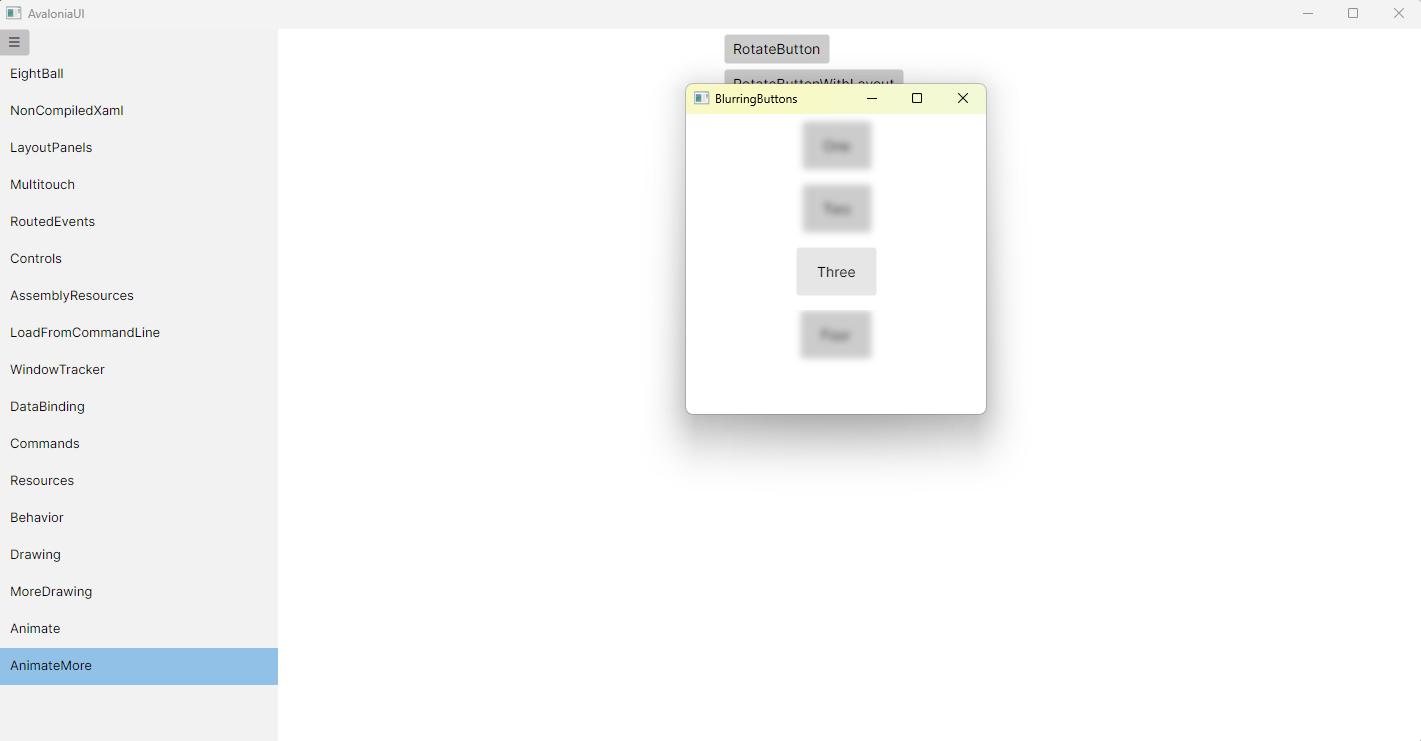
运行效果

 浙公网安备 33010602011771号