
使用开源例子,小小修改了下,使用了动态加载Behavior的方法。
https://github.com/wieslawsoltes/Xaml.Behaviors
DragInCanvasTest.axaml代码
<Window xmlns="https://github.com/avaloniaui"
        xmlns:x="http://schemas.microsoft.com/winfx/2006/xaml"
        xmlns:d="http://schemas.microsoft.com/expression/blend/2008"
        xmlns:mc="http://schemas.openxmlformats.org/markup-compatibility/2006"
        Height="600" Width="450"
        x:Class="AvaloniaUI.DragInCanvasTest"
        Title="DragInCanvasTest">
  <!--https://github.com/wieslawsoltes/Xaml.Behaviors-->
    <StackPanel Margin="5" Spacing="12">
        <TextBlock Text="MouseDragElementBehavior" HorizontalAlignment="Center"/>
        <Canvas Width="300" Height="120" Background="LightGray">
            <Rectangle Fill="Red" Width="40" Height="40" Canvas.Left="20" Canvas.Top="20">
                <Interaction.Behaviors>
                    <MouseDragElementBehavior ConstrainToParentBounds="True" />
                </Interaction.Behaviors>
            </Rectangle>
            <Rectangle Fill="Green" Width="40" Height="40" Canvas.Left="120" Canvas.Top="20">
                <Interaction.Behaviors>
                    <MouseDragElementBehavior ConstrainToParentBounds="True" />
                </Interaction.Behaviors>
            </Rectangle>
        </Canvas>

        <TextBlock Text="MultiMouseDragElementBehavior" HorizontalAlignment="Center"/>
        <Canvas Width="300" Height="120" Background="LightGray">
            <Rectangle x:Name="MultiRect1" Fill="Blue" Width="40" Height="40" Canvas.Left="30" Canvas.Top="30"/>
            <Rectangle x:Name="MultiRect2" Fill="Orange" Width="40" Height="40" Canvas.Left="90" Canvas.Top="40"/>
            <Rectangle x:Name="MultiRect3" Fill="Purple" Width="40" Height="40" Canvas.Left="150" Canvas.Top="50"/>
        </Canvas>
    </StackPanel>
</Window>
DragInCanvasTest.axaml.cs代码
using Avalonia;
using Avalonia.Controls;
using Avalonia.Markup.Xaml;
using Avalonia.Xaml.Interactions.Draggable;
using Avalonia.Xaml.Interactivity;
using System.Linq;

namespace AvaloniaUI;

public partial class DragInCanvasTest : Window
{
    public DragInCanvasTest()
    {
        InitializeComponent();
        var rect1 = this.FindControl<Control>("MultiRect1");
        var rect2 = this.FindControl<Control>("MultiRect2");
        var rect3 = this.FindControl<Control>("MultiRect3");

        //动态添加Behaviors
        Interaction.GetBehaviors(rect1!).Add(new MultiMouseDragElementBehavior() { ConstrainToParentBounds = true });

        //MultiRect1(rect1)是唯一点击控件
        if (rect1 is not null && rect2 is not null && rect3 is not null)
        {
            var behavior = Interaction.GetBehaviors(rect1).OfType<MultiMouseDragElementBehavior>().FirstOrDefault();
            if (behavior is not null)
            {
                behavior.TargetControls.Add(rect2);
                behavior.TargetControls.Add(rect3);
            }
        }
    }
}
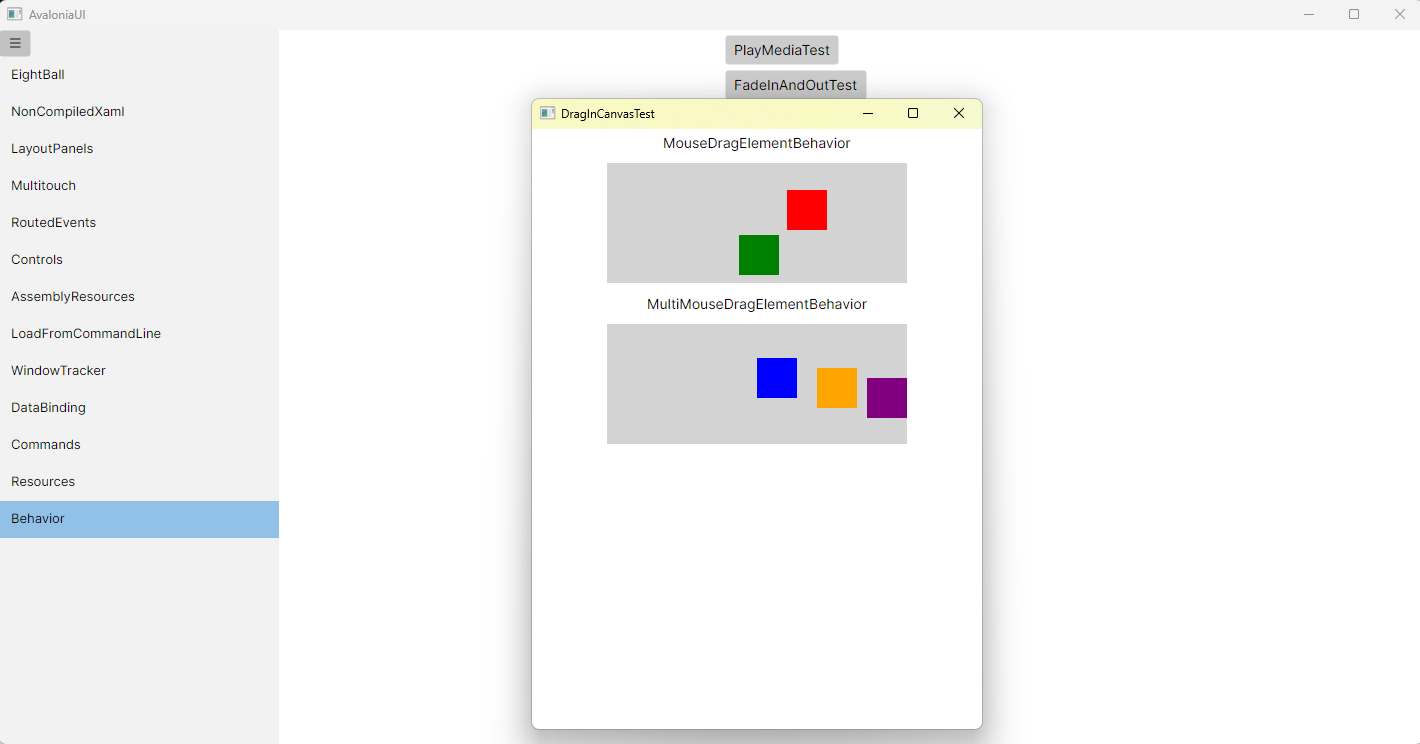
运行效果

 浙公网安备 33010602011771号