
自定义扩展已经更新
CustomControlWithCommand.axaml代码
<Window xmlns="https://github.com/avaloniaui"
        xmlns:x="http://schemas.microsoft.com/winfx/2006/xaml"
        xmlns:d="http://schemas.microsoft.com/expression/blend/2008"
        xmlns:mc="http://schemas.openxmlformats.org/markup-compatibility/2006"
        Height="500" Width="400"
         xmlns:local ="clr-namespace:AvaloniaUI;assembly=AvaloniaUI"
         x:DataType="local:CustomControlWithCommand"
        x:Class="AvaloniaUI.CustomControlWithCommand"
        Title="CustomControlWithCommand">
  <StackPanel>
      <Border BorderBrush="Black"
          BorderThickness="2"
          Margin="10"
          Width="400"
          Height="400">
          <StackPanel>
              <StackPanel Margin="10">
                  <Label HorizontalAlignment="Center">
                      Custom Slider that Invokes a Command
                  </Label>
                  <Border Width="350" Background="LightBlue" CornerRadius="15">
                      <Slider x:Name="FontSlider"
                              Background="AliceBlue"
                              Minimum="0"
                              Maximum="60"
                              Value="12"
                              TickFrequency="5"
                              Height="50"
                              Width="275"
                              TickPlacement="BottomRight"
                              LargeChange="5"
                              SmallChange="5"
                              Focusable="False"
                              IsEnabled="{Binding !#checkBoxReadonly.IsChecked}"
                              />
                  </Border>
              </StackPanel>
              <Border BorderBrush="Black"
                BorderThickness="1"
                Height="160"
                Width="300"
                Margin="15">
                  <StackPanel Margin="5">
                      <CheckBox IsChecked="False" Name="checkBoxReadonly"
                                Content="Read Only"
                                Margin="5"
                                FontSize="12" />
                      <TextBox Name="txtBoxTarget" Height="100" Width="275" Margin="5">
                          Hello
                      </TextBox>
                  </StackPanel>
              </Border>
              <StackPanel>
                  <Label HorizontalAlignment="Center">
                      More Command Sources for the Font Update Command
                  </Label>
                  <StackPanel Margin="5,0,0,0" HorizontalAlignment="Left" Background="LightBlue">
                      <Button Height="50" Width="200" Margin="1"
                              Command="{Binding SliderUpdateCommand}" CommandParameter="{Binding #txtValue.Text}">
                          Update Font Via Command
                      </Button>
                      <TextBox Name="txtValue"
                               IsEnabled="{Binding !#checkBoxReadonly.IsChecked}"
                               MaxLength="2"
                               Width="25"
                               Background="AliceBlue"
                               Margin="0,0,0,3">12</TextBox>
                  </StackPanel>
              </StackPanel>
          </StackPanel>
      </Border>
  </StackPanel>
</Window>
CustomControlWithCommand.axaml.cs代码
using Avalonia;
using Avalonia.Controls;
using Avalonia.Interactivity;
using Avalonia.Markup.Xaml;
using CommunityToolkit.Mvvm.ComponentModel;
using CommunityToolkit.Mvvm.Input;
using Shares.Avalonia;

namespace AvaloniaUI;

public partial class CustomControlWithCommand : Window
{
    public CustomControlWithCommand()
    {
        InitializeComponent();
        this.DataContext = this;
        FontSlider.SetICommand(SliderUpdateCommand, null, Slider.ValueProperty);
        FontSlider[!Slider.ValueProperty] = txtBoxTarget[!FontSizeProperty];
        //txtValue.SetICommand(SliderUpdateCommand, null, TextBox.TextProperty);
    }
    [RelayCommand(CanExecute = nameof(CanSliderUpdate))]
    private void SliderUpdate(object? value)
    {
        if (value is double d)
            txtBoxTarget.FontSize = d;
        else if (value is string s)
        {
            if (double.TryParse(s, out double sd))
                txtBoxTarget.FontSize = sd;
        }
    }
    private bool CanSliderUpdate(object? value)
    {
        return (bool)!checkBoxReadonly.IsChecked!;
    }
}
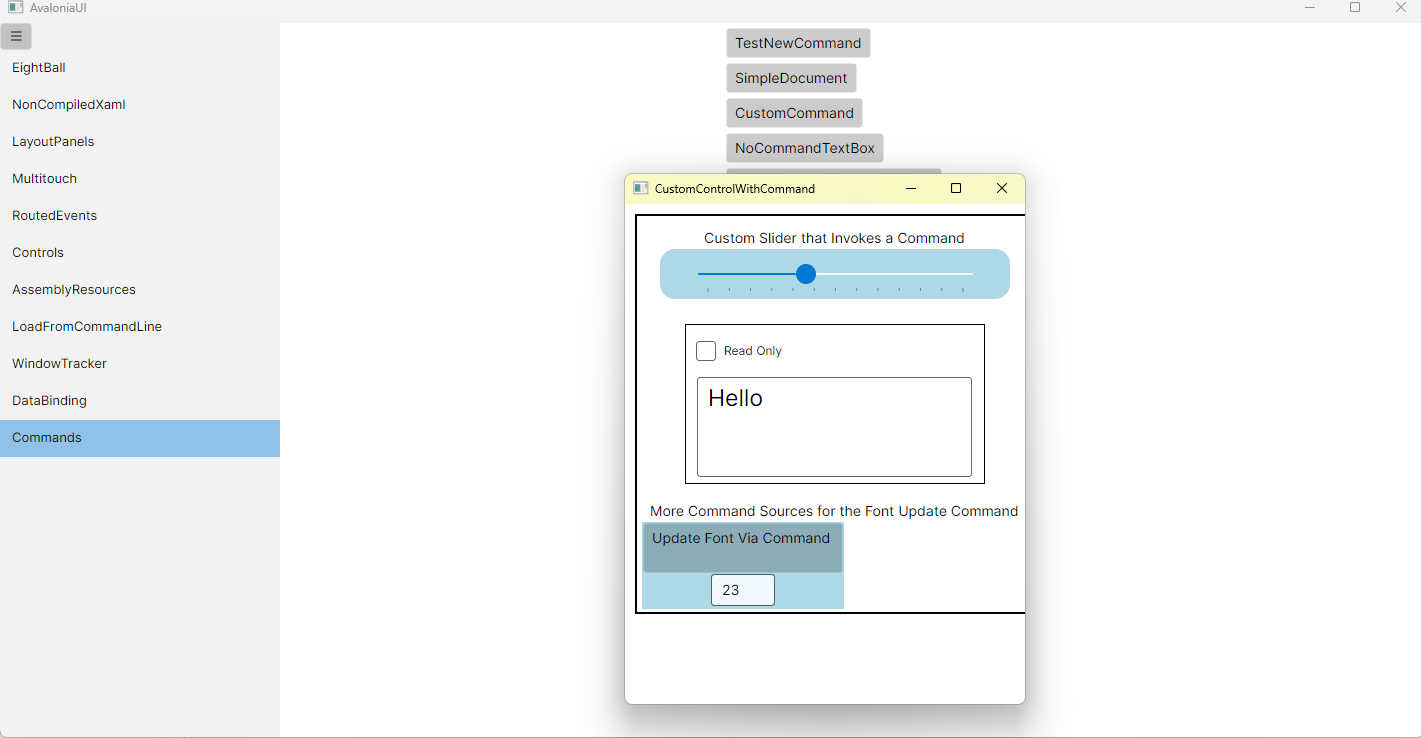
运行效果

 浙公网安备 33010602011771号