
GdiTextRendering.axaml代码
<Window xmlns="https://github.com/avaloniaui"
        xmlns:x="http://schemas.microsoft.com/winfx/2006/xaml"
        xmlns:d="http://schemas.microsoft.com/expression/blend/2008"
        xmlns:mc="http://schemas.openxmlformats.org/markup-compatibility/2006"
        Height="180" Width="800"
        x:Class="AvaloniaUI.GdiTextRendering"
        Title="GdiTextRendering">
    <!--https://docs.avaloniaui.net/docs/reference/controls/textblock-->
    <StackPanel Margin="10">
        <TextBlock FontSize="12" Margin="5">
            This is a Test. Ideal text is blurry at small sizes.
        </TextBlock>

        <TextBlock ClipToBounds="False" FontSize="32" TextWrapping="Wrap">
            🚀 This <Span BaselineAlignment="TextTop">example</Span> shows the <Bold>power</Bold> of
            <InlineUIContainer BaselineAlignment="Baseline">
                <Image Width="32" Height="32" VerticalAlignment="Top" Source="avares://AvaloniaUI/Resources/Images/happyface.jpg" />
            </InlineUIContainer>
            in creating rich text displays with
            <InlineUIContainer>
                <Button Padding="0,8,0,0">
                    <TextBlock ClipToBounds="False" FontSize="24" Text="👍👍🏼👍🏽👍🏾👍🏿" />
                </Button>
            </InlineUIContainer>
            inline controls 📈
        </TextBlock>

        <TextBlock>
            This text is
            <Span Foreground="Green">
                green with <Bold>bold sections,</Bold>
                <Italic>
                    italic <Span Foreground="Red">red</Span> sections,
                </Italic>
                some
                <Run FontSize="24"> enlarged font runs,</Run>
                and
            </Span>
            back to the original formatting
        </TextBlock>
    </StackPanel>
</Window>
GdiTextRendering.axaml.cs代码
using Avalonia;
using Avalonia.Controls;
using Avalonia.Markup.Xaml;

namespace AvaloniaUI;

public partial class GdiTextRendering : Window
{
    public GdiTextRendering()
    {
        InitializeComponent();
    }
}
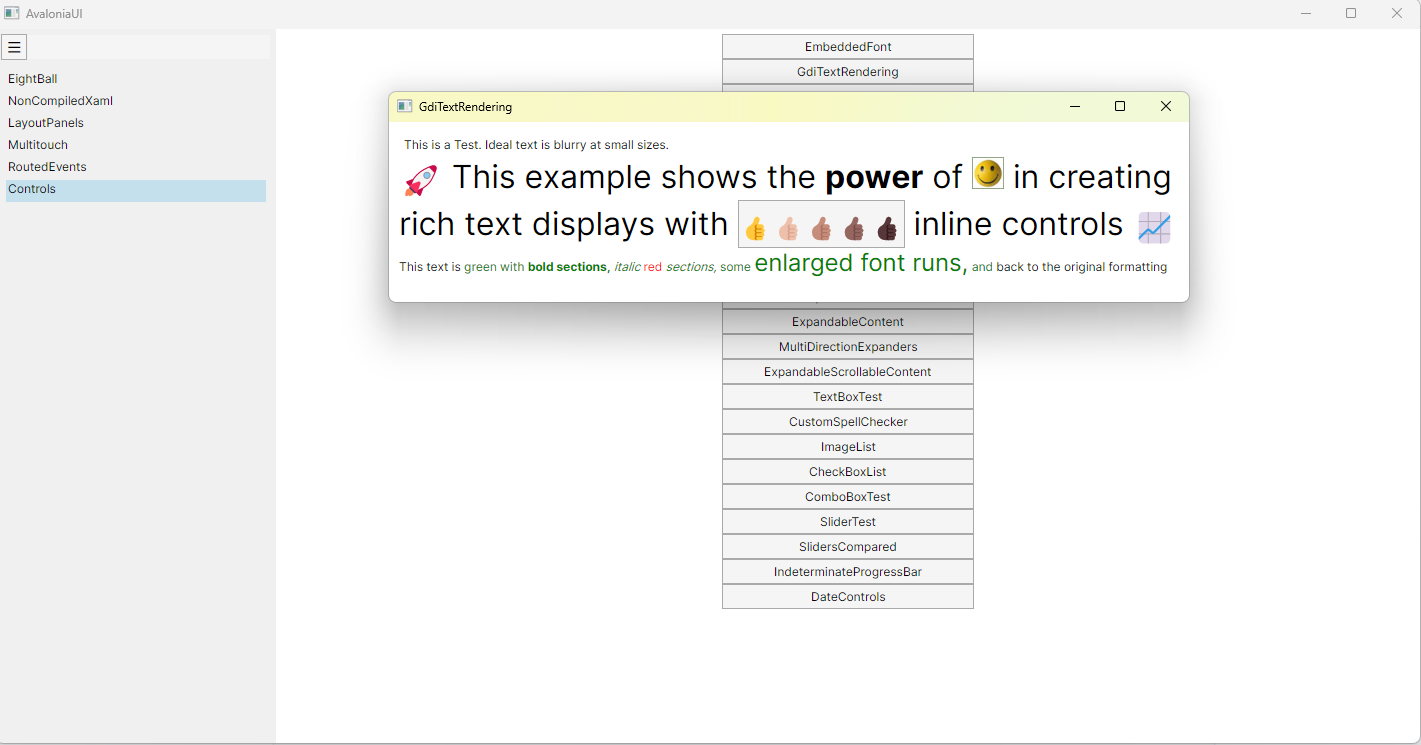
运行效果

 浙公网安备 33010602011771号