
App.axaml配置
<Application xmlns="https://github.com/avaloniaui"
             xmlns:x="http://schemas.microsoft.com/winfx/2006/xaml"
             x:Class="AvaloniaUI.App"
             RequestedThemeVariant="Default">
             <!-- "Default" ThemeVariant follows system theme variant. "Dark" or "Light" are other available options. -->

    <Application.Styles>
        <SimpleTheme />
    </Application.Styles>
    <Application.Resources>
        <ResourceDictionary>
            <FontFamily x:Key="IconFont">avares://AvaloniaUI/Resources/Fonts/IconFont.ttf#IconFont</FontFamily>
            <FontFamily x:Key="Bayern">avares://AvaloniaUI/Resources/Fonts/Bayern.ttf#Bayern</FontFamily>
            <ResourceDictionary.MergedDictionaries>
                <!--这里添加其他资源-->

            </ResourceDictionary.MergedDictionaries>
        </ResourceDictionary>
    </Application.Resources>
</Application>
EmbeddedFont.axaml代码
<Window xmlns="https://github.com/avaloniaui"
        xmlns:x="http://schemas.microsoft.com/winfx/2006/xaml"
        xmlns:d="http://schemas.microsoft.com/expression/blend/2008"
        xmlns:mc="http://schemas.openxmlformats.org/markup-compatibility/2006"
         Height="300" Width="300"
        x:Class="AvaloniaUI.EmbeddedFont"
        Title="EmbeddedFont">
    <Grid>
        <Label Name="tst" FontSize="20" FontFamily="{StaticResource Bayern}">
            This is an embedded font
        </Label>
    </Grid>
</Window>
EmbeddedFont.axaml.cs代码
using Avalonia;
using Avalonia.Controls;
using Avalonia.Markup.Xaml;
using System;

namespace AvaloniaUI;

public partial class EmbeddedFont : Window
{
    public EmbeddedFont()
    {
        InitializeComponent();
        Console.WriteLine($"{tst.FontFamily.Name}");
    }
}
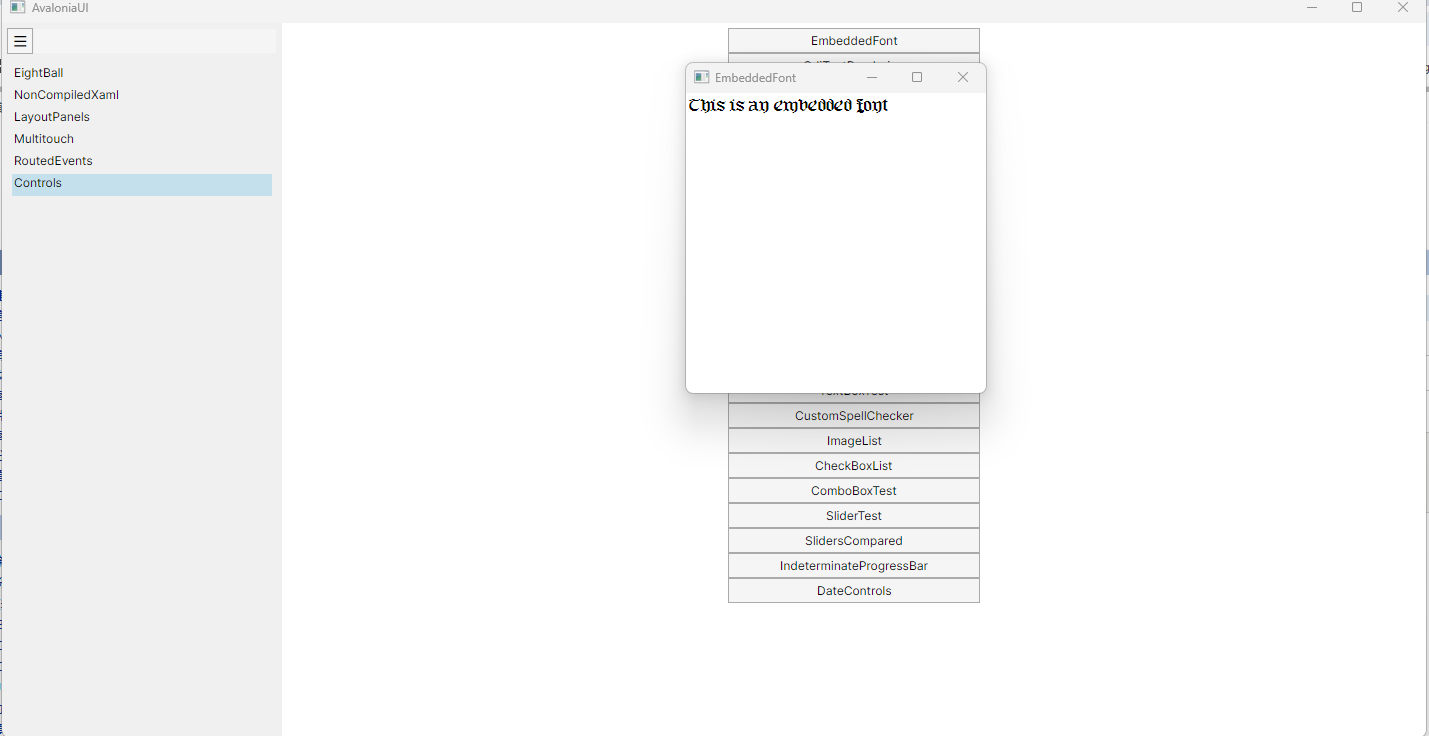
运行效果

 浙公网安备 33010602011771号