
隧道事件。目前Avalonia在跨平台上,支持差点,但是Windows下拦截消息还是可以。默认是冒泡事件。
TunneledKeyPress.axaml代码
<Window xmlns="https://github.com/avaloniaui"
        xmlns:x="http://schemas.microsoft.com/winfx/2006/xaml"
        xmlns:d="http://schemas.microsoft.com/expression/blend/2008"
        xmlns:mc="http://schemas.openxmlformats.org/markup-compatibility/2006"
        Height="411" Width="403"
        x:Class="AvaloniaUI.TunneledKeyPress"
        Title="TunneledKeyPress">
    <Grid Margin="3" RowDefinitions="auto,*,auto,auto">
        <Label Margin="5" Background="AliceBlue" BorderBrush="Black" BorderThickness="1" HorizontalContentAlignment="Stretch"
           KeyDown="SomeKeyPressed">
            <StackPanel
              KeyDown="SomeKeyPressed">
                <TextBlock Margin="3" HorizontalAlignment="Center"
                           KeyDown="SomeKeyPressed">
                    Image and text label
                </TextBlock>
                <Image Source="avares://AvaloniaUI/Resources/Images/happyface.jpg" Stretch="None"
                        KeyDown="SomeKeyPressed"/>
                <DockPanel Margin="0,5,0,0" KeyDown="SomeKeyPressed">
                    <TextBlock Margin="3"
                               KeyDown="SomeKeyPressed">
                        Type here:
                    </TextBlock>
                    <TextBox KeyDown="SomeKeyPressed"></TextBox>
                </DockPanel>
            </StackPanel>
        </Label>

        <ListBox Margin="5" Name="lstMessages" Grid.Row="1"></ListBox>
        <CheckBox Margin="5" Grid.Row="2" Name="chkHandle">Handle first event</CheckBox>
        <Button Click="cmdClear_Click" Grid.Row="3" HorizontalAlignment="Right" Margin="5" Padding="3">Clear List</Button>
    </Grid>
</Window>
TunneledKeyPress.axaml.cs代码
using Avalonia;
using Avalonia.Controls;
using Avalonia.Input;
using Avalonia.Interactivity;
using Avalonia.Markup.Xaml;
using Shares.Avalonia;

namespace AvaloniaUI;

public partial class TunneledKeyPress : Window
{
    public TunneledKeyPress()
    {
        InitializeComponent();
        this.AddHandler(KeyDownEvent, SomeKeyPressed, RoutingStrategies.Tunnel);
    }

    protected int eventCounter = 0;
    private void SomeKeyPressed(object? sender, KeyEventArgs e)
    {
        eventCounter++;
        string message = $"#{eventCounter}:\nSender:{sender?.ToString()}\nSource:{e.Source}\nOriginalSource:{e.OriginalSource()}\nEvents:{e.RoutedEvent}";
        lstMessages.Items.Add(message);
        e.Handled = chkHandle.IsChecked ?? false;
    }

    private void cmdClear_Click(object? sender, RoutedEventArgs e)
    {
        eventCounter = 0;
        lstMessages.Items.Clear();
    }
}
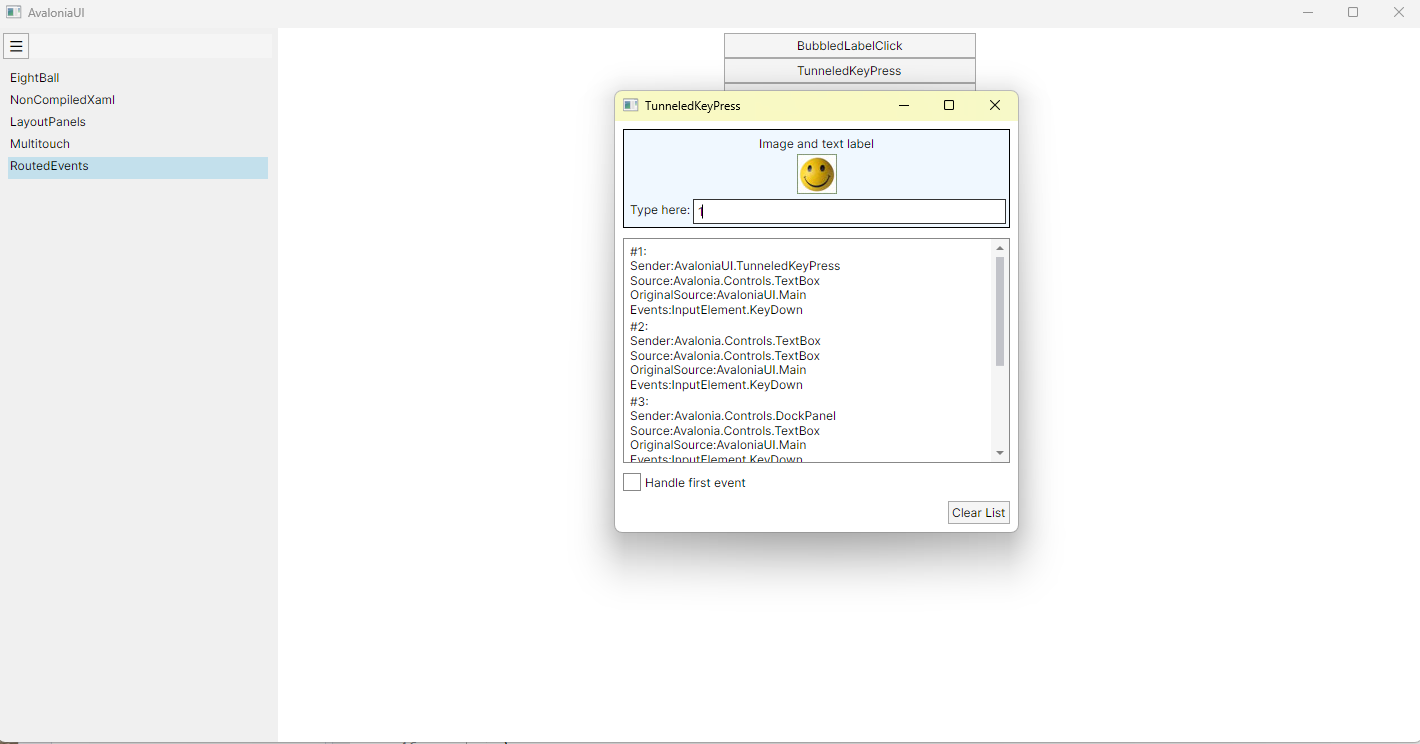
运行效果

 浙公网安备 33010602011771号