
LocalizableText.axaml代码
<Window xmlns="https://github.com/avaloniaui"
        xmlns:x="http://schemas.microsoft.com/winfx/2006/xaml"
        xmlns:d="http://schemas.microsoft.com/expression/blend/2008"
        xmlns:mc="http://schemas.openxmlformats.org/markup-compatibility/2006"
        Height="365" Width="380" MinWidth="350" MinHeight="150"
        x:Class="AvaloniaUI.LocalizableText"
        Title="LocalizableText">
    <Grid RowDefinitions="*, auto" ColumnDefinitions="auto,*">

        <StackPanel Grid.Row="0" Grid.Column="0">
            <Button Name="cmdPrev" Margin="10,10,10,3">Prev</Button>
            <Button Name="cmdNext" Margin="10,3,10,3">Next</Button>
            <CheckBox Name="chkLongText" Margin="10,10,10,10" Checked="chkLongText_Checked" Unchecked="chkLongText_Unchecked">Show Long Text</CheckBox>
        </StackPanel>
        <TextBox Grid.Row="0" Grid.Column="1" Margin="0,10,10,10" TextWrapping="WrapWithOverflow" Grid.RowSpan="2">
            This is a test that demonstrates
            how buttons adapt themselves to fit the content they contain when they aren't
            explicitly sized. This behavior makes localization much easier.
        </TextBox>
        <Button Grid.Row="1" Grid.Column="0" Name="cmdClose" Margin="10,3,10,10">Close</Button>
    </Grid>
</Window>
LocalizableText.axaml.cs代码
using Avalonia;
using Avalonia.Controls;
using Avalonia.Interactivity;
using Avalonia.Markup.Xaml;

namespace AvaloniaUI;

public partial class LocalizableText : Window
{
    public LocalizableText()
    {
        InitializeComponent();
    }
    private void chkLongText_Checked(object? sender, RoutedEventArgs e)
    {
        cmdPrev.Content = " <- Go to the Previous Window ";
        cmdNext.Content = " Go to the Next Window -> ";
    }

    private void chkLongText_Unchecked(object? sender, RoutedEventArgs e)
    {
        cmdPrev.Content = "Prev";
        cmdNext.Content = "Next";
    }
}
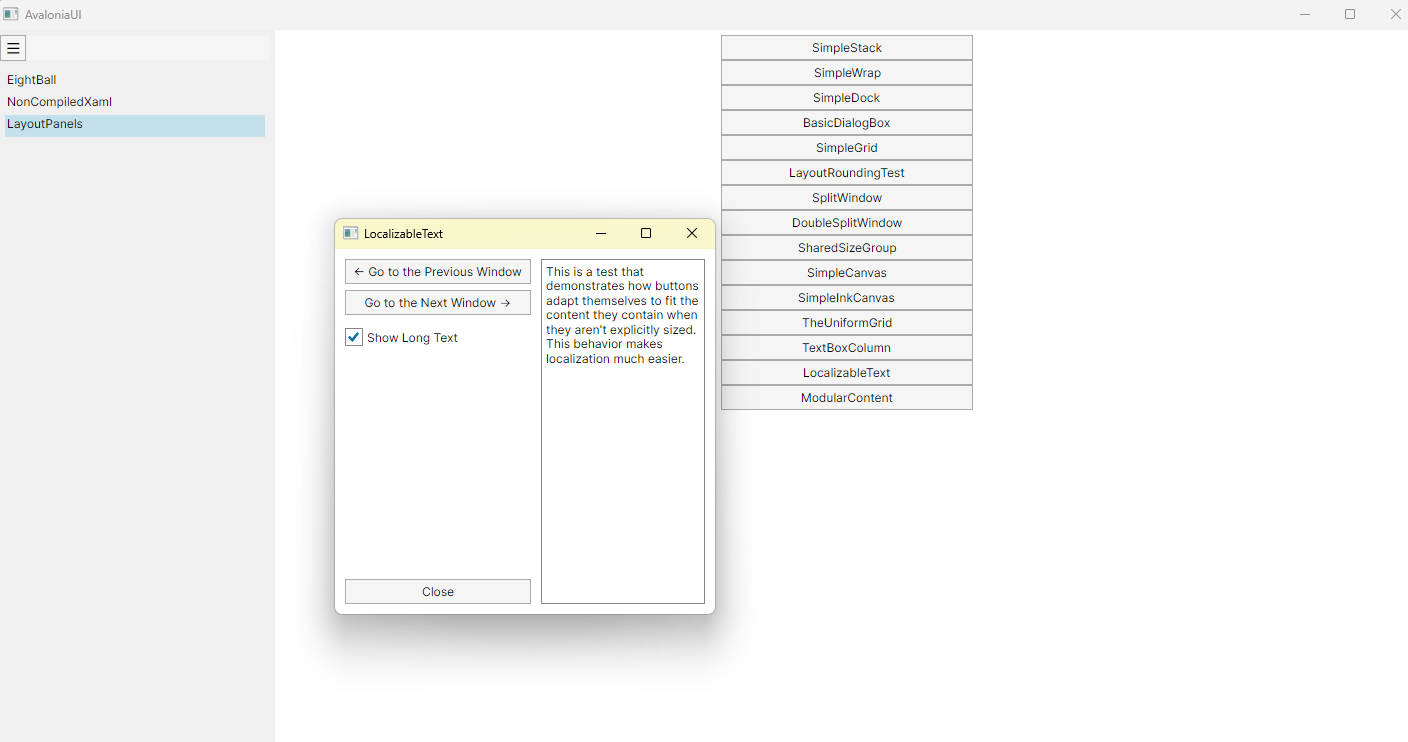
运行效果

 浙公网安备 33010602011771号