
请务必写好Shell扩展类的公共代码,之后不再强调,随时可能会更新Shell扩展类。https://www.cnblogs.com/dalgleish/p/18920441
Maui因为采用MVVM模式,所以不再有Window这个类了,当然也不需要了。现在我们创建一个ContentPage的EightBall。目录结构如下,之后此书的代码都放在MauiDemos.Book这个命名空间内。
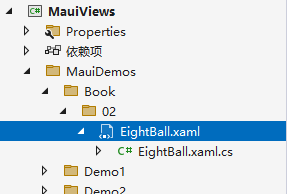
此时如果你使用了我写的公共代码,那么你应该可以简单的在AppShell.xaml.cs中添加下面代码。
using Shares;
using System.Diagnostics;

namespace MauiViews
{
    public partial class AppShell : Shell
    {
        public AppShell()
        {
            InitializeComponent();
            //添加导航栏,此方法可让自定义控件在默认命名空间生效
            this.Navigate("MauiViews.MauiDemos.Book._02.EightBall");
        }
    }
}
EightBall.xaml代码如下
<?xml version="1.0" encoding="utf-8" ?>
<ContentPage xmlns="http://schemas.microsoft.com/dotnet/2021/maui"
             xmlns:x="http://schemas.microsoft.com/winfx/2009/xaml"
             x:Class="MauiViews.MauiDemos.Book._02.EightBall"
              Height="328" Width="412" >
    <Grid RowDefinitions="*,auto,*">
        <Grid.Background>
            <LinearGradientBrush>
                <LinearGradientBrush.GradientStops>
                    <GradientStop Offset="0.00"  Color="Red" />
                    <GradientStop Offset="0.50" Color="Indigo" />
                    <GradientStop Offset="1.00" Color="Violet" />
                </LinearGradientBrush.GradientStops>
            </LinearGradientBrush>
        </Grid.Background>
        <Editor VerticalOptions="Fill" HorizontalOptions="Fill" Margin="10,10,13,10" Placeholder="[Place question here.]"
             x:Name="txtQuestion" FontFamily="Verdana" FontSize="24" Grid.Row="0"/>
        <Button VerticalOptions="Start" HorizontalOptions="Start" Margin="10,0,0,20" WidthRequest="157" HeightRequest="23"
                x:Name="cmdAnswer" Text="Ask the Eight Ball"
                Clicked="cmdAnswer_Clicked"
                Grid.Row="1"/>
        <Editor VerticalOptions="Fill" HorizontalOptions="Fill" Margin="10,10,13,10" x:Name="txtAnswer"
             IsReadOnly="True" FontFamily="Verdana" FontSize="24" BackgroundColor="Green"
             Placeholder="[Answer will appear here.]"
             Grid.Row="2"/>
    </Grid>
</ContentPage>
EightBall.xaml.cs代码如下,前期暂时不使用MVVM模式。
namespace MauiViews.MauiDemos.Book._02;

public partial class EightBall : ContentPage
{
	public EightBall()
	{
		InitializeComponent();
    }
    private readonly List<string> _answers = new List<string>
    {
        "是",
        "否",
        "可能",
        "毫无疑问",
        "再试一次",
        "无法预测",
        "确定",
        "不太可能",
        "当然",
        "最好别告诉你",
        "我的回答是不",
        "看起来不错",
        "迹象表明是",
        "非常可疑",
        "相信你的直觉",
        "时机未到",
        "专注再问一次",
        "不要指望它",
        "前景光明",
        "谁知道呢?"
    };

    private readonly Random _random = new Random();

    public string GetRandomAnswer(string question)
    {
        // 模拟一些处理时间(实际应用中可能是复杂计算)
        // 注意:真实应用中不要使用Thread.Sleep,这里仅用于演示
        Thread.Sleep(500);

        // 如果问题为空,返回提示
        if (string.IsNullOrWhiteSpace(question))
            return "请先输入一个问题";

        // 返回随机答案
        return _answers[_random.Next(_answers.Count)];
    }


    private void cmdAnswer_Clicked(object sender, EventArgs e)
    {
        // 异步等待(保持UI响应)
        Task.Delay(TimeSpan.FromSeconds(1));

        txtAnswer.Text = GetRandomAnswer(txtQuestion.Text);
    }
}
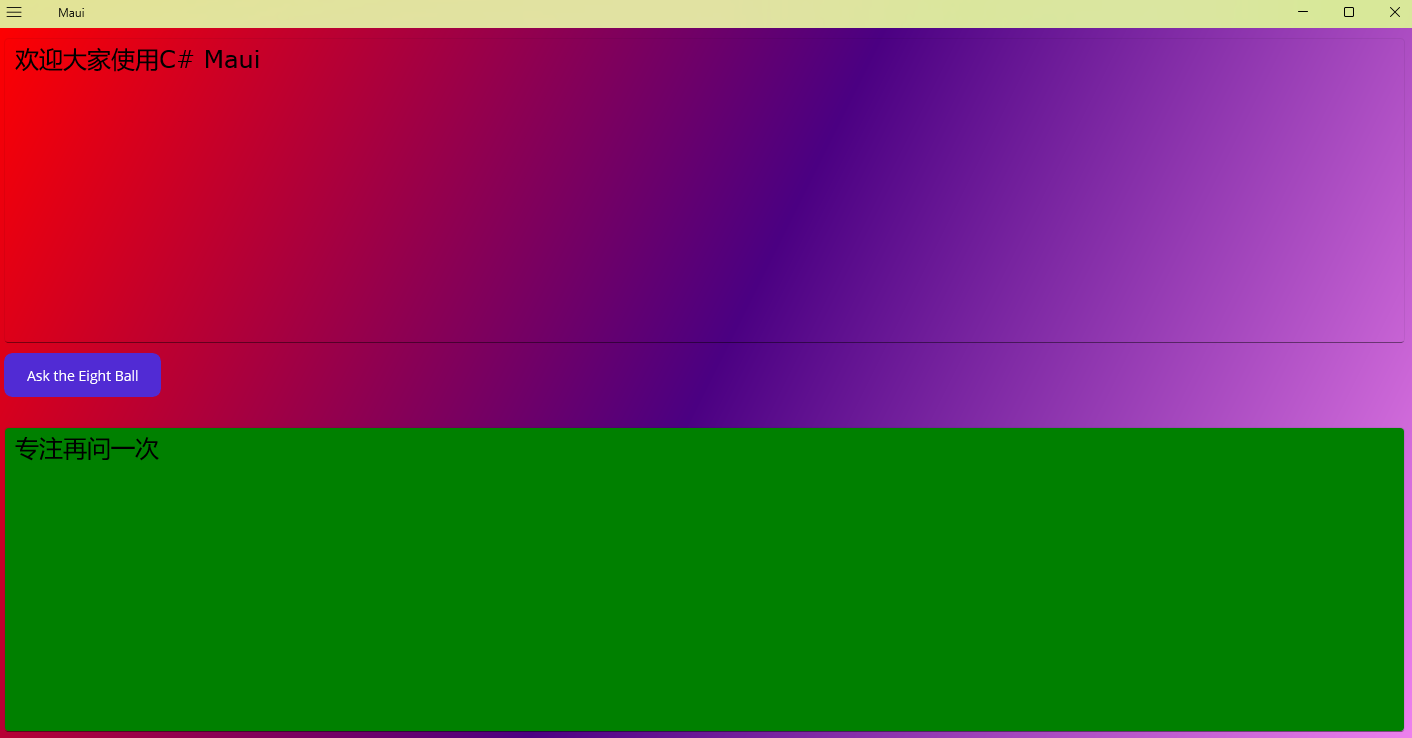
运行效果如下

 浙公网安备 33010602011771号