
git的常用命令
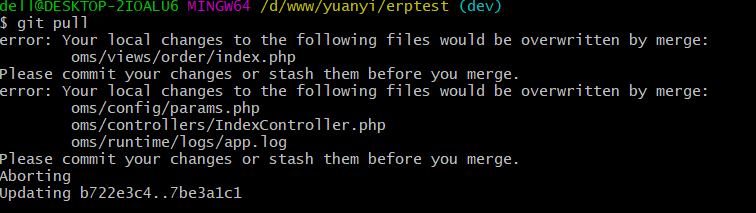

The following untracked working tree files would be overwritten by merge:
git pull 提示 “your local changes to the following files would....”
开发时,对于本地的项目中修改不做保存操作(或代码改崩),可以用到Git pull的强制覆盖,具体代码如下:
git fetch --all
git reset --hard origin/master
git pull //可以省略
git fetch 指令是下载远程仓库最新内容,不做合并
git reset 指令把HEAD指向master最新版本
发时,对于本地的项目中修改不做保存操作(或代码改崩),可以用到Git pull的强制覆盖
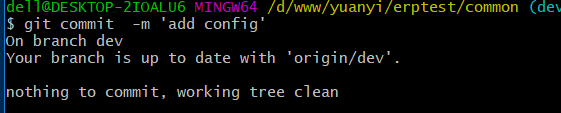
问题一:git commit 提交 提示:"nothing to commit. working tree clean"
查看所有目录下的:.gitignore 是否有忽略掉的
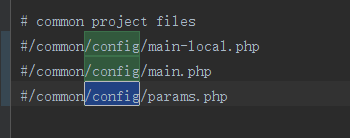
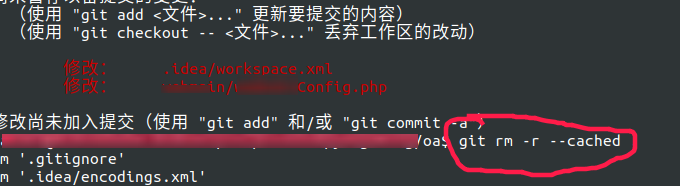
问题二: 忽略文件不启作用
git rm -r --cached 清楚日志(切勿操作)
git reset --hard origin/dev
问题三:忽略文件不启作用如下图
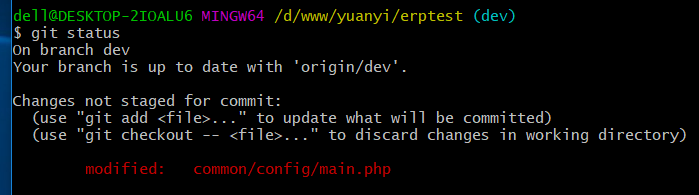
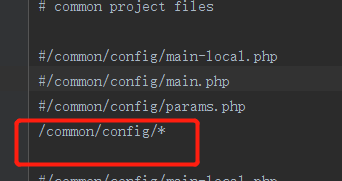
解决方法:
在git库中已存在了这个文件,之前push提交过该文件。
.gitignore文件只对还没有加入版本管理的文件起作用,如果之前已经用git把这些文件纳入了版本库,就不起作用了。
解决问题方式:
将需要忽略的文件先复制出来,然后删除项目目录下的这些需要忽略的文件。(如果是编译后的文件,直接删除就可以)。
在.gitignore文件中添加对应的需要忽略的文件或者目录。
提交所做的修改到本地版本库,然后推送到远程的版本库。
问题三:git pull 报错: “fatal: Exiting because of an unresolved conflict.”
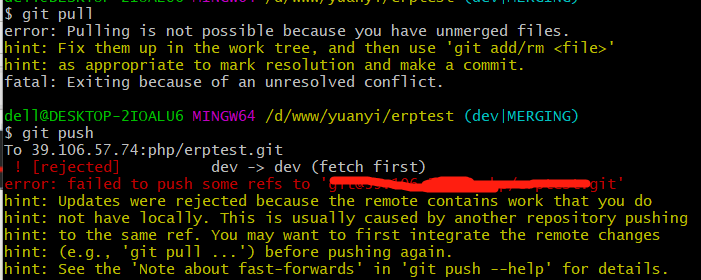
git reset 冲突文件
git status 查看更改的文件
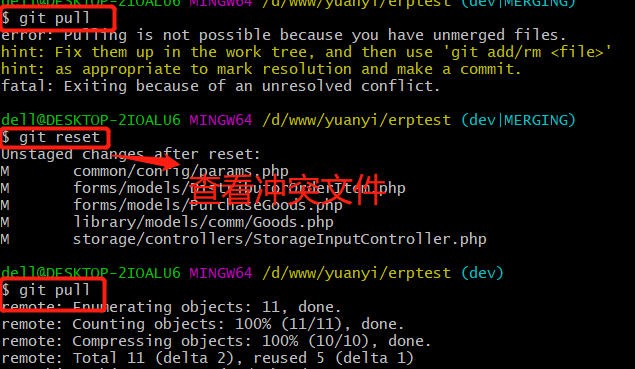
问题三:“error: Your local changes to the following files would be overwritten by merge: xxx/...”
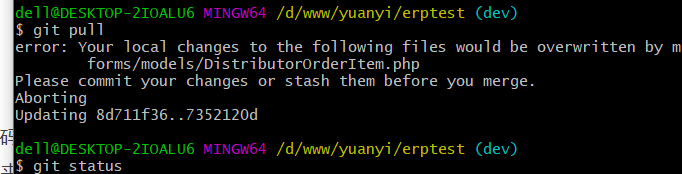
问题四:
'fatal: The current branch middle-dev has no upstream branch. To push the current branch and set the remote as upstream, use git push --set-upstream origin middle-dev
'
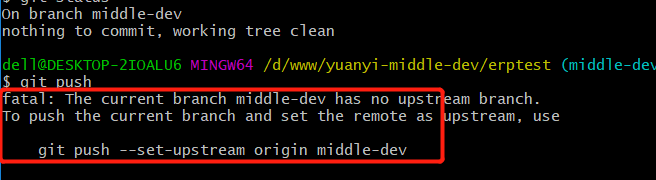
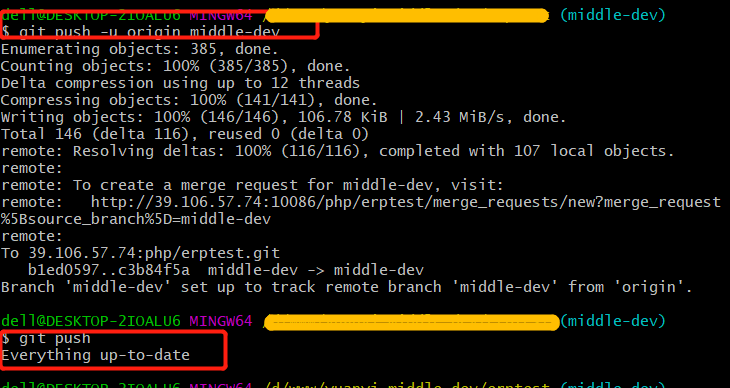
使用 git push -u origin dev
说明远程并没有感知到本地新建的这个分支,经过多种尝试后,发现一旦执行 git branch --set-upstream 命令后本地与远程的关联要是仍旧没有建立成功,则再次执行 git push -u origin dev 即可成功建立本地与远程的关联。
问题五:
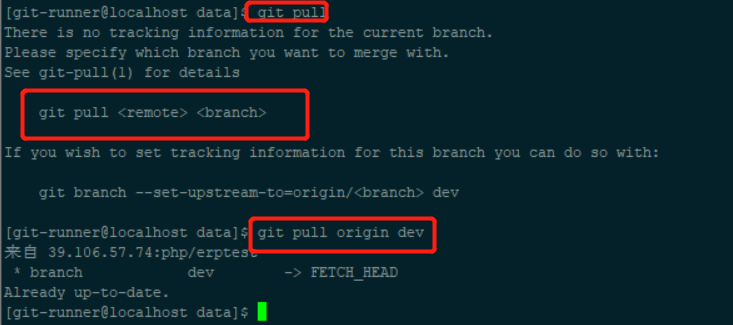
There is no tracking information for the current branch.
Please specify which branch you want to merge with.
See git-pull(1) for details
git pull
解决方法:
先指定一下当前本地分支与远程仓库分支的链接关系
git branch --set-upstream-to=origin/dev
git pull
错误五: .gitignore 设置忽略不启作用
git rm -r --cached .
git add .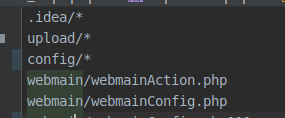
错误六:
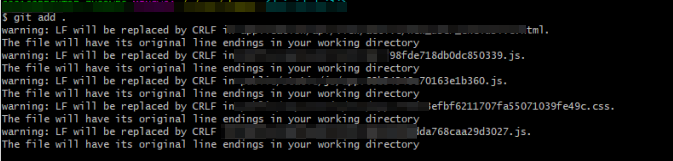
警告:在应用程序中,LF将被CRLF替换。
该文件将在您的工作目录中具有其原始行结尾
warning: LF will be replaced by CRLF in application*******************.
The file will have its original line endings in your working directory
不用理踩
git stash 使用 https://www.cnblogs.com/nebie/p/10830838.html

 浙公网安备 33010602011771号