Linuxgit安装及使用

############# linux  git  ###################
 
步骤一:
1、安装git依赖包

  yum install curl-devel expat-devel gettext-devel openssl-devel zlib-devel gcc perl-ExtUtils-MakeMaker

2、删除已有的git

  yum remove git


3、下载git源码

  切换到你的包文件存放目录下

    cd /usr/src

  下载git安装包

    wget https://www.kernel.org/pub/software/scm/git/git-2.8.3.tar.gz

          下载git: https://github.com/git/git/releases  

  解压git安装包

    tar -zxvf git-2.8.3.tar.gz

    cd git-2.8.3

  配置git安装路径

    ./configure prefix=/usr/local/git/

  编译并且安装

    make && make install

  查看git版本号

  git --version

  git已经安装完毕


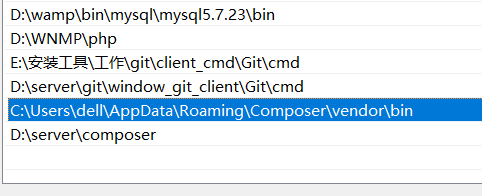
4、添加git到环境变量

    echo "export PATH=$PATH:/usr/local/git/bin" >> /etc/bashrc

    source /etc/bashrc 

    或者

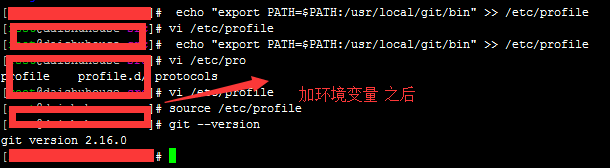
    echo "export PATH=$PATH:/usr/local/git/bin" >> /etc/profile

    source /etc/profile


步骤二:

1、添加用户名密码:
git config user.name "username"
git config user.email "username@XXX.com"


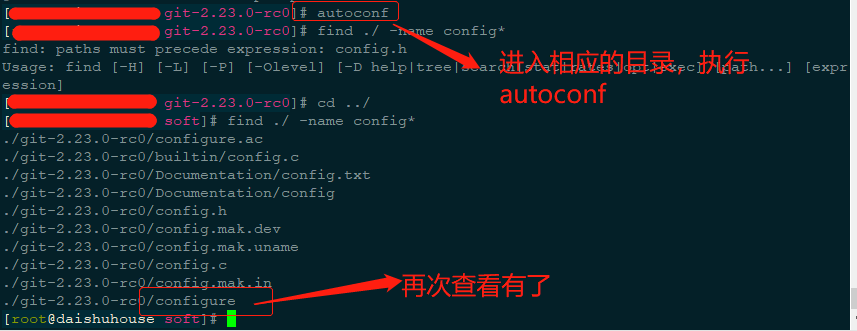
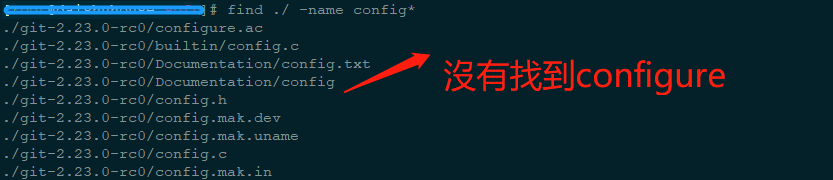
错误一: 解压git后 提示没有找到configure


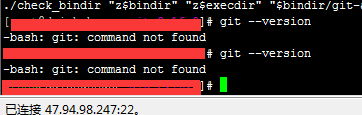
错误二:git --version 不启作用


############# windows  git[git bash]  ###################
安装 git bash 
https://blog.csdn.net/weixin_41714277/article/details/79399270
 
1、拉取项目
git clone https://github.com/xxxx/daishuhxxx.git 
2、生成rsa rsa.pub
ssh-keygen -t rsa -b 4096 -C "874883241@qq.com" | 
ssh-keygen -t rsa -C "874883241@qq.com"  
这条命令的目的是为了让本地机器ssh登录远程机器上的GitHub账户无需输入密码
 
3、找到密钥  ls -al ~/.ssh  
 
4、配置用户名、密码
  git config user.name "username"
  git config user.email "username@XXX.com"
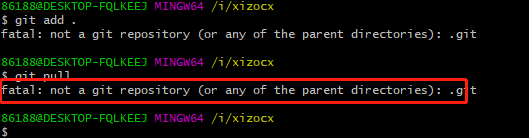
 
错误一:


fatal: not a git repository (or any of the parent directories): .git
需要执行git init.然后再提交
 
错误二:


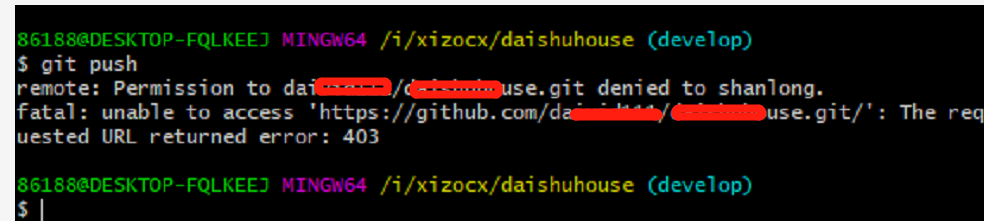
remote: Permission to daivxxxx/xxxxxx.git denied to shanlong
出现上面问题,
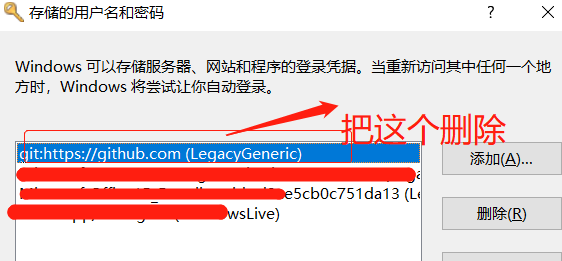
cmd 执行  rundll32.exe keymgr.dll,KRShowKeyMgr
把git:https://github,.com(xxxx)删除重新 ,git push输入帐号密码即可
帐号:邮箱帐号,密码:随意
然后再次输出 自己的git帐号、密码即可


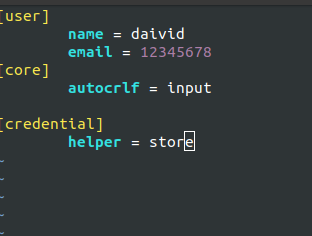
错误三:linux每次操作都需要输入username password 的解决方法
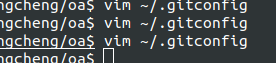
 vim ~/.gitconfig 
在配置加入如下
[credential]
helper = store
注:经过测试只加这一段就好


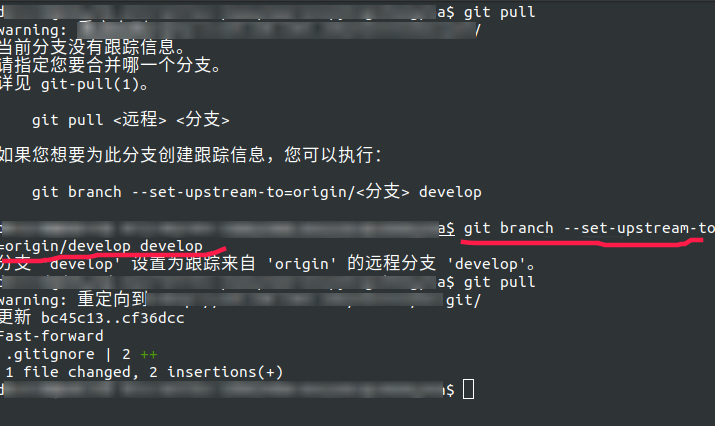
错误四:--set-upstream-to=origin  做强关联,以后不用输入orgin等
git branch --set-upstream-to=origin/remote_branch  your_branch
git branch --set-upstream-to=origin/develop develop
 git push --set-upstream origin daivid_test  好用:为推送当前分支并建立与远程上游的跟踪
 

参考网址:

https://www.cnblogs.com/lhbryant/p/6928894.html  好用 第一步  记得要先下载依赖包

http://blog.51cto.com/506554897/1899862  好用 第二步

https://www.jianshu.com/p/8d26730386f3  和master通信


参考

http://blog.csdn.net/kongqz/article/details/6338690

https://www.cnblogs.com/karila/p/8465495.html  获取rsa.pub

http://www.linuxidc.com/Linux/2014-05/101830.htm  git bash 使用

posted @ 2020-05-07 11:48  daivid  阅读(1447)  评论(0)    收藏  举报