
vue 常规错误及解决 一
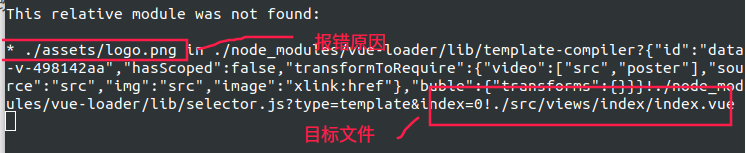
错误一: “This relative module wa not found”
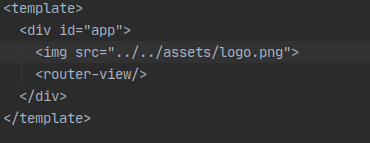
根据具体报错找原因,我的是目标文件图片找不到
错误二: vue 打包后, "npm run build" 生成dist文件 方法二级页面展示 404, 找不到页面
解方法:
进入"src/router/index.js " 修改如下, "history" 改为 hash
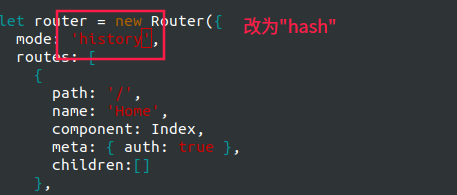
hash 访问地址有"#"
hisotry 没有"#"
-
mode: 'history', // 去掉#,需要路由模式改为history
-
base: '/dist/', // 这个配置也很重要,否则会出现页面空白情况
补充:
config/index.js 修改 assetsPublicPath 为 "./"
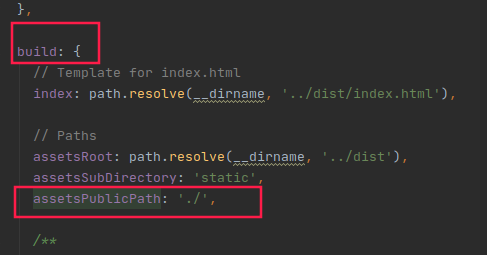
详细解释:

 浙公网安备 33010602011771号