
vscode 配置
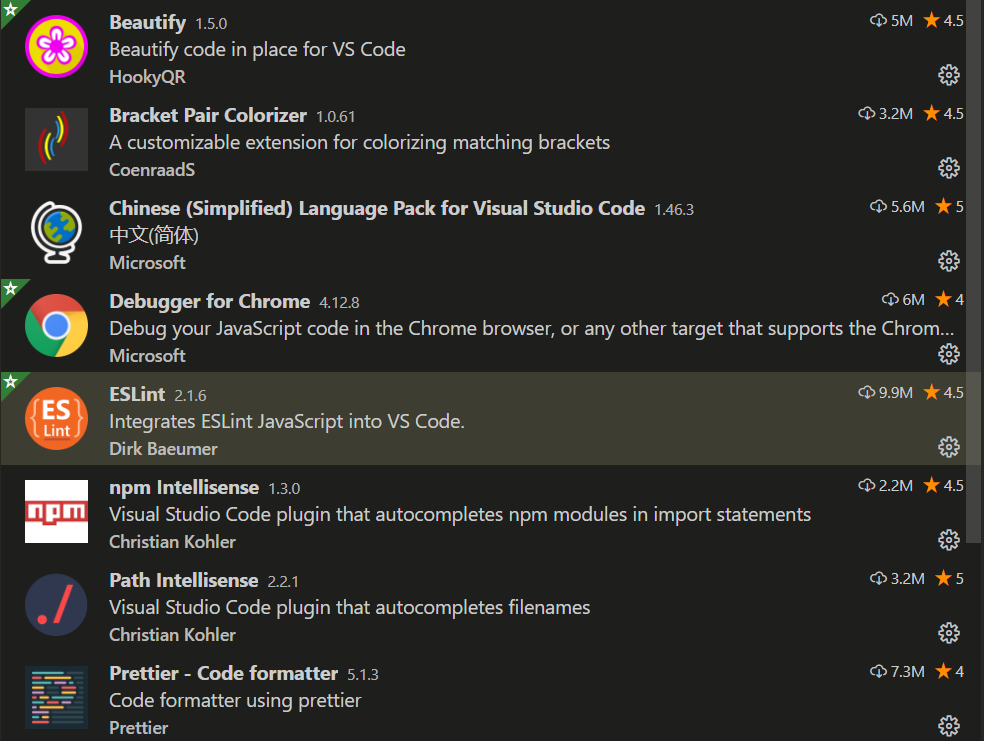
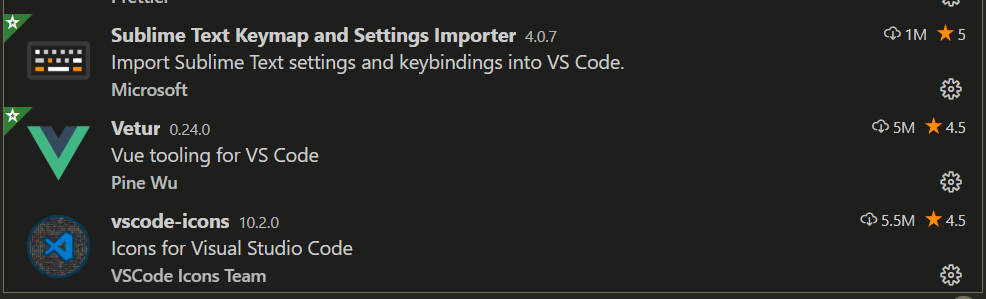
{
"git.path": "D:\\Git\\cmd\\git.exe",
"workbench.colorTheme": "Monokai",
"workbench.iconTheme": "vscode-icons",
"editor.tabSize": 2,
"window.zoomLevel": 0,
"workbench.sideBar.location": "left",
"git.autofetch": true,
"[javascript]": {
"editor.defaultFormatter": "HookyQR.beautify"
},
"[vue]": {
"editor.defaultFormatter": "octref.vetur"
},
"[css]": {
"editor.defaultFormatter": "HookyQR.beautify"
},
"[html]": {
"editor.defaultFormatter": "HookyQR.beautify"
},
"[json]": {
"editor.defaultFormatter": "HookyQR.beautify"
},
"[jsonc]": {
"editor.defaultFormatter": "esbenp.prettier-vscode"
},
// 在使用搜索功能时,将这些文件夹/文件排除在外
"search.exclude": {
"**/node_modules": true,
"**/bower_components": true,
"**/target": true,
"**/logs": true
},
// #让vue中的js按"prettier"格式进行格式化
"vetur.format.defaultFormatter.html": "js-beautify-html",
"vetur.format.defaultFormatter.js": "prettier",
"vetur.format.defaultFormatterOptions": {
"js-beautify-html": {
// #vue组件中html代码格式化样式
"wrap_attributes": "auto", //也可以设置为 "force-aligned",效果会不一样
"wrap_line_length": 200,
"end_with_newline": false,
"semi": false,
"singleQuote": true
},
"prettier": {
// 设置强制单引号
"singleQuote": true,
// 设置语句末尾不加分号
"semi": false,
// 去掉尾随逗号
"trailingComma": "none",
// 箭头函数只有一个参数不加小夸号
"arrowParens": "avoid"
}
}
}

 浙公网安备 33010602011771号