
OpenStack-T版neutron 服务
neutron 服务
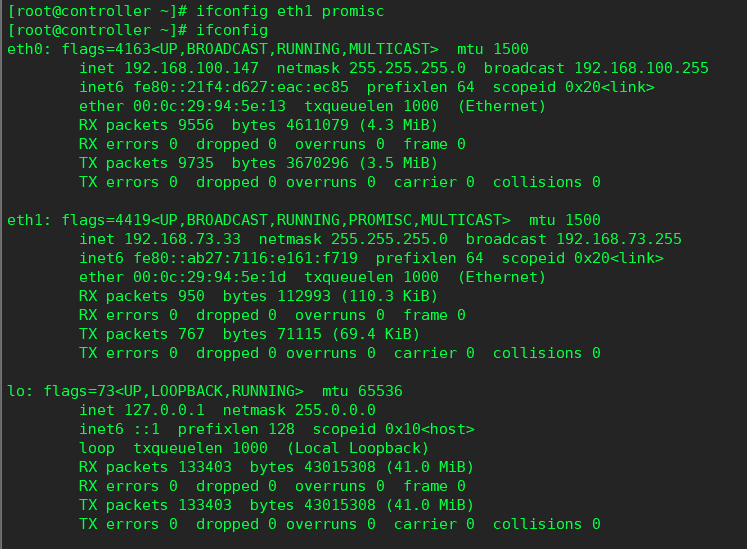
 #yum install net‐tools ‐y
 #ifconfig eth1 promisc
# ifconfig
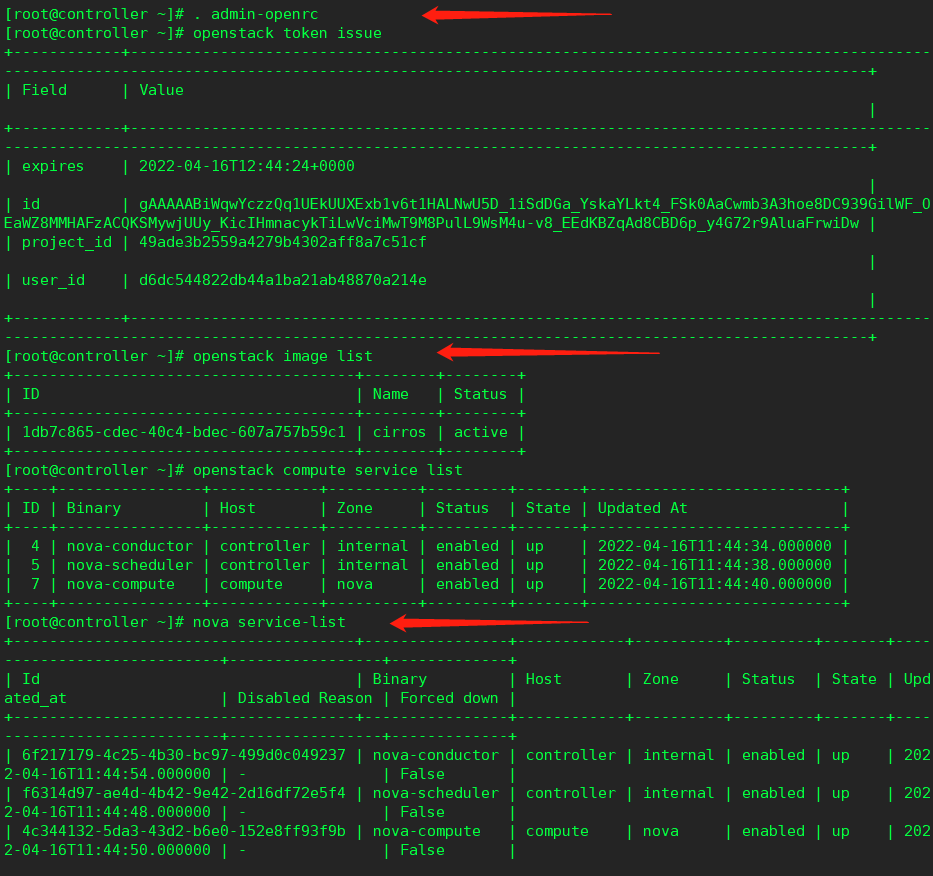
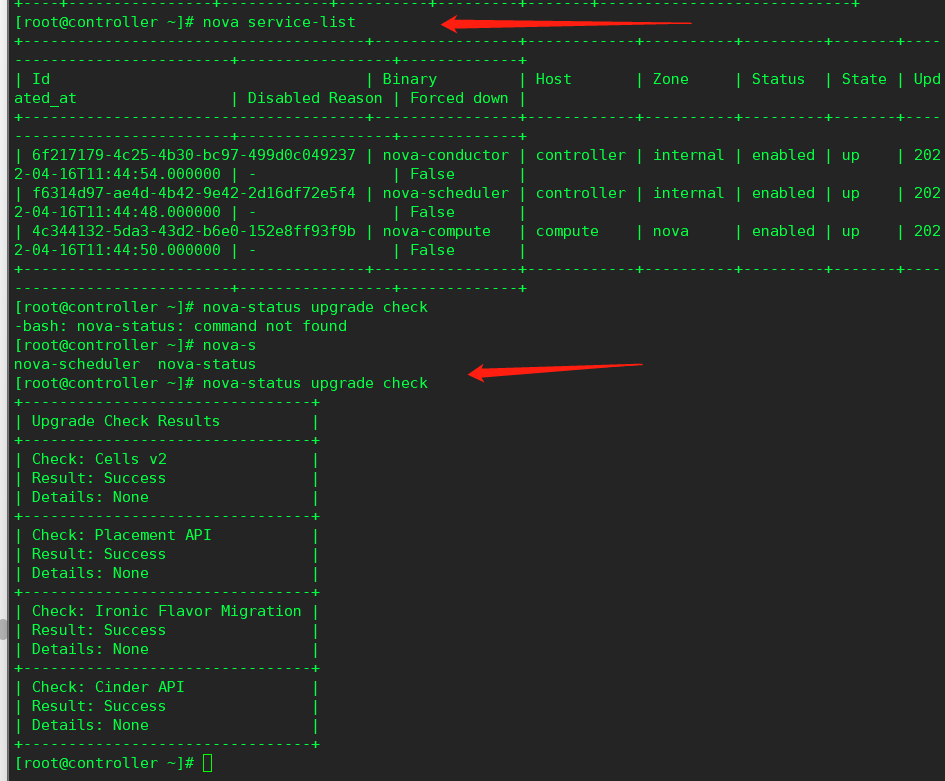
检查各个服务是否正常
#. admin‐openrc
#openstack token issue
#openstack image list
#openstack compute service list
#nova service‐list
#nova‐status upgrade check
控制节点
创建数据库
使用数据库访问客户端以用户身份连接到数据库服务器:root
#mysql -u root -p000000
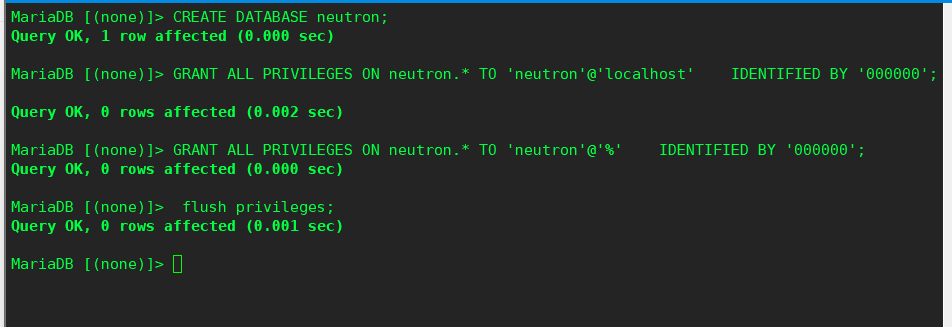
创建数据库:neutron
> CREATE DATABASE neutron;
授予对数据库的正确访问权限,并替换为合适的密码
> GRANT ALL PRIVILEGES ON neutron.* TO 'neutron'@'localhost'    IDENTIFIED BY '000000';
> GRANT ALL PRIVILEGES ON neutron.* TO 'neutron'@'%'    IDENTIFIED BY '000000';
> flush privileges;
退出数据库
获取凭据以获取对仅限管理员的 CLI 命令的访问权限:admin
#. admin-openrc
创建用户:neutron
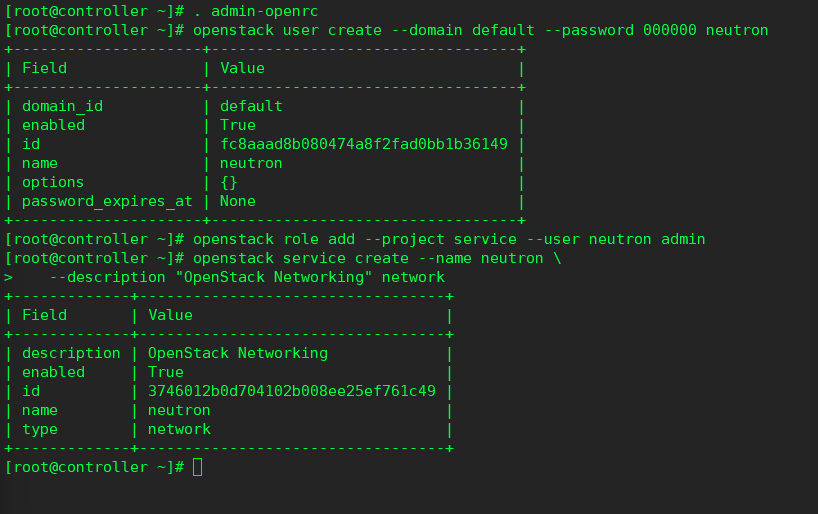
#openstack user create --domain default --password 000000 neutron
将角色添加到用户:adminneutron
#openstack role add --project service --user neutron admin
创建服务实体:neutron
#openstack service create --name neutron \
   --description "OpenStack Networking" network
创建网络服务 API 终结点:
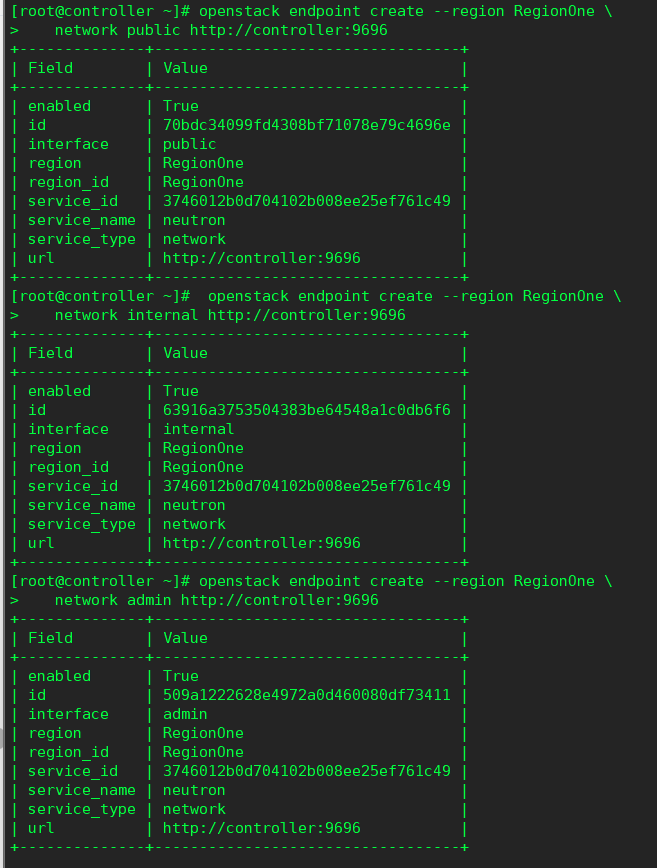
#openstack endpoint create --region RegionOne \
   network public http://controller:9696
#openstack endpoint create --region RegionOne \
   network internal http://controller:9696
#openstack endpoint create --region RegionOne \
   network admin http://controller:9696
提供商网络
安装组件
#yum install openstack-neutron openstack-neutron-ml2 \
   openstack-neutron-linuxbridge ebtables -y
编辑配置文件
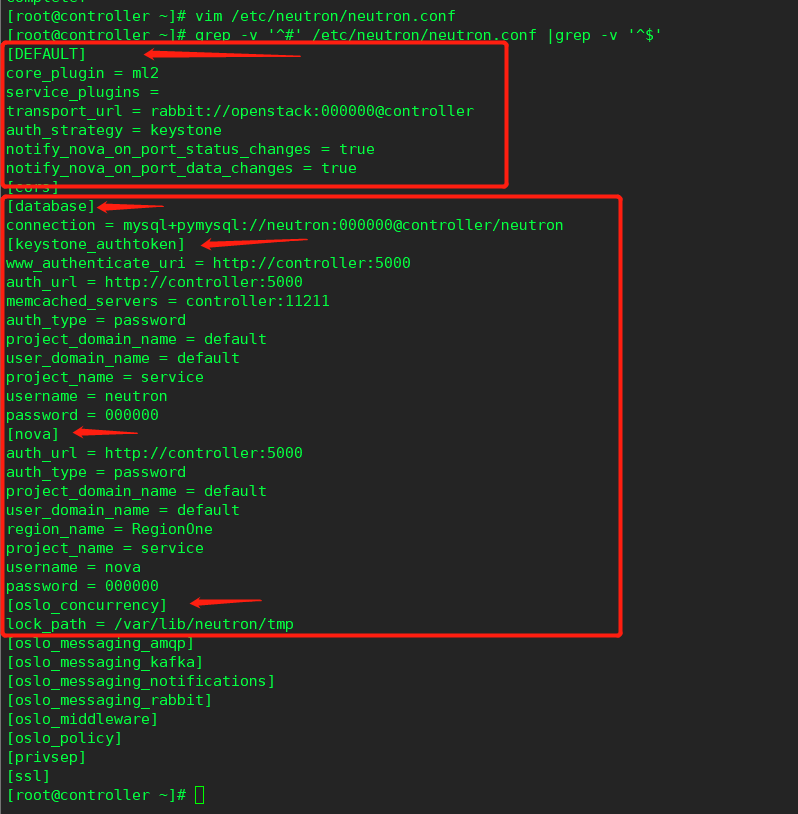
#vim /etc/neutron/neutron.conf
[database]
connection = mysql+pymysql://neutron:000000@controller/neutron
[DEFAULT]
core_plugin = ml2
service_plugins =
transport_url = rabbit://openstack:000000@controller
auth_strategy = keystone
notify_nova_on_port_status_changes = true
notify_nova_on_port_data_changes = true
[keystone_authtoken]
www_authenticate_uri = http://controller:5000
auth_url = http://controller:5000
memcached_servers = controller:11211
auth_type = password
project_domain_name = default
user_domain_name = default
project_name = service
username = neutron
password = 000000
[nova]
auth_url = http://controller:5000
auth_type = password
project_domain_name = default
user_domain_name = default
region_name = RegionOne
project_name = service
username = nova
password = 000000
[oslo_concurrency]
lock_path = /var/lib/neutron/tmp
配置模块化第 2 层 (ML2) 插件
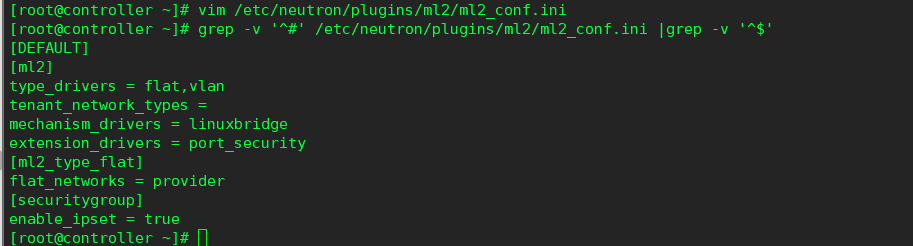
#vim /etc/neutron/plugins/ml2/ml2_conf.ini
[ml2]
type_drivers = flat,vlan
tenant_network_types =
mechanism_drivers = linuxbridge
extension_drivers = port_security
[ml2_type_flat]
flat_networks = provider
[securitygroup]
enable_ipset = true
配置 Linux 桥代理
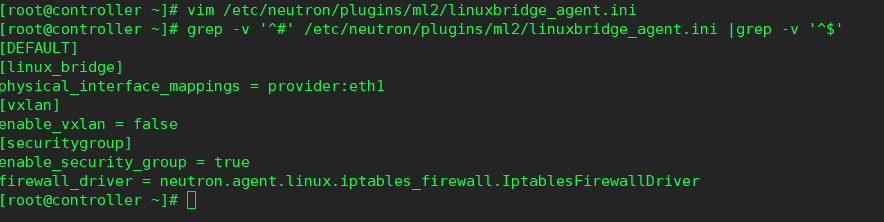
#vim /etc/neutron/plugins/ml2/linuxbridge_agent.ini
[linux_bridge]
physical_interface_mappings = provider:eth1
[vxlan]
enable_vxlan = false
[securitygroup]
enable_security_group = true
firewall_driver = neutron.agent.linux.iptables_firewall.IptablesFirewallDriver
配置转发路由
#echo 'net.bridge.bridge-nf-call-iptables=1' >>/etc/sysctl.conf
#echo 'net.bridge.bridge-nf-call-ip6tables=1'  >>/etc/sysctl.conf
#modprobe br_netfilter
#sysctl -p

配置 DHCP 代理
#vim /etc/neutron/dhcp_agent.ini
[DEFAULT]
interface_driver = linuxbridge
dhcp_driver = neutron.agent.linux.dhcp.Dnsmasq
enable_isolated_metadata = true

配置元数据代理
#vim /etc/neutron/metadata_agent.ini
[DEFAULT]
nova_metadata_host = controller
metadata_proxy_shared_secret = 000000

将计算服务配置为使用网络服务
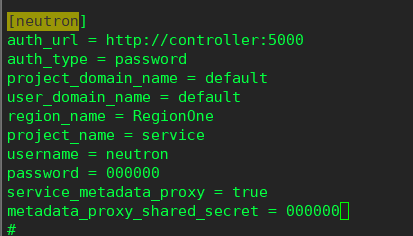
vim /etc/nova/nova.conf
[neutron]
auth_url = http://controller:5000
auth_type = password
project_domain_name = default
user_domain_name = default
region_name = RegionOne
project_name = service
username = neutron
password = 000000
service_metadata_proxy = true
metadata_proxy_shared_secret = 000000
完成安装
网络服务初始化脚本需要一个指向 ML2 插件配置文件 的符号链接。
#ln -s /etc/neutron/plugins/ml2/ml2_conf.ini /etc/neutron/plugin.ini
填充数据库:
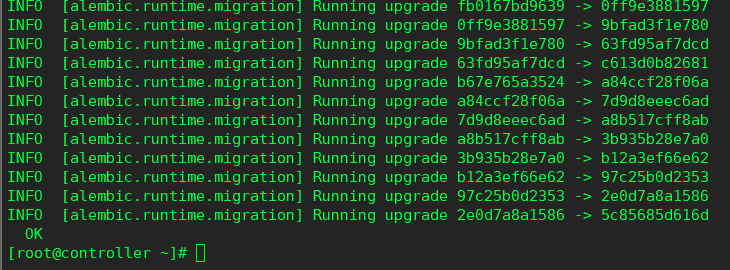
#su -s /bin/sh -c "neutron-db-manage --config-file /etc/neutron/neutron.conf \ --config-file /etc/neutron/plugins/ml2/ml2_conf.ini upgrade head" neutron
重新启动计算 API 服务:
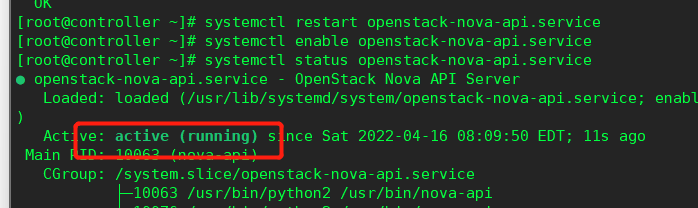
#systemctl restart openstack-nova-api.service
#systemctl enable openstack-nova-api.service
启动网络服务并将其配置为在系统启动时启动。
#systemctl enable neutron-server.service \
   neutron-linuxbridge-agent.service neutron-dhcp-agent.service \
   neutron-metadata-agent.service
#systemctl restart neutron-server.service \
   neutron-linuxbridge-agent.service neutron-dhcp-agent.service \
   neutron-metadata-agent.service
对于网络选项 2,还要启用并启动第 3 层服务:
#systemctl enable neutron-l3-agent.service
#systemctl restart neutron-l3-agent.service

计算节点
#yum install net‐tools ‐y
#ifconfig eth1 promisc
#ifconfig
#echo 'ifconfig eth1 promisc' >> /etc/profile

安装组件
#yum install openstack-neutron-linuxbridge ebtables ipset -y
编辑配置文件
#vim /etc/neutron/neutron.conf
[DEFAULT]
transport_url = rabbit://openstack:000000@controller
auth_strategy = keystone
[keystone_authtoken]
www_authenticate_uri = http://controller:5000
auth_url = http://controller:5000
memcached_servers = controller:11211
auth_type = password
project_domain_name = default
user_domain_name = default
project_name = service
username = neutron
password = 000000
[oslo_concurrency]
lock_path = /var/lib/neutron/tmp

提供商网络
配置 Linux 桥代理
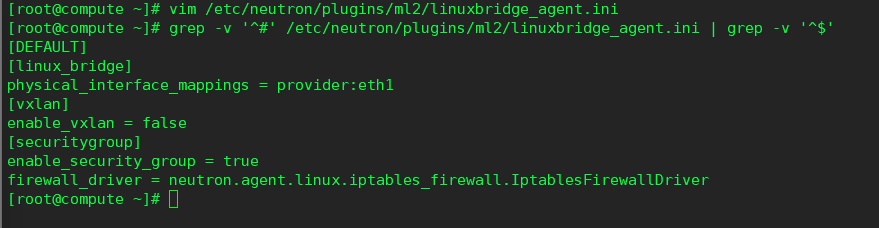
#vim /etc/neutron/plugins/ml2/linuxbridge_agent.ini
[linux_bridge]
physical_interface_mappings = provider:eth1
[vxlan]
enable_vxlan = false
[securitygroup]
enable_security_group = true
firewall_driver = neutron.agent.linux.iptables_firewall.IptablesFirewallDriver
配置转发路由
#echo 'net.bridge.bridge-nf-call-iptables=1' >>/etc/sysctl.conf
#echo 'net.bridge.bridge-nf-call-ip6tables=1'  >>/etc/sysctl.conf
#modprobe br_netfilter
#sysctl -p

将计算服务配置为使用网络服务
#vim /etc/nova/nova.conf
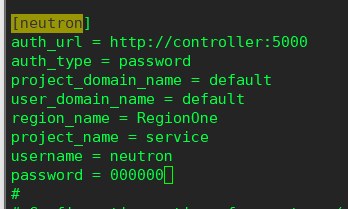
[neutron]
auth_url = http://controller:5000
auth_type = password
project_domain_name = default
user_domain_name = default
region_name = RegionOne
project_name = service
username = neutron
password = 000000
完成安装
重新启动计算服务:
#systemctl restart openstack-nova-compute.service
#systemctl enable openstack-nova-compute.service
启动 Linux 桥接代理并将其配置为在系统引导时启动:
#systemctl enable neutron-linuxbridge-agent.service
#systemctl restart neutron-linuxbridge-agent.service

验证
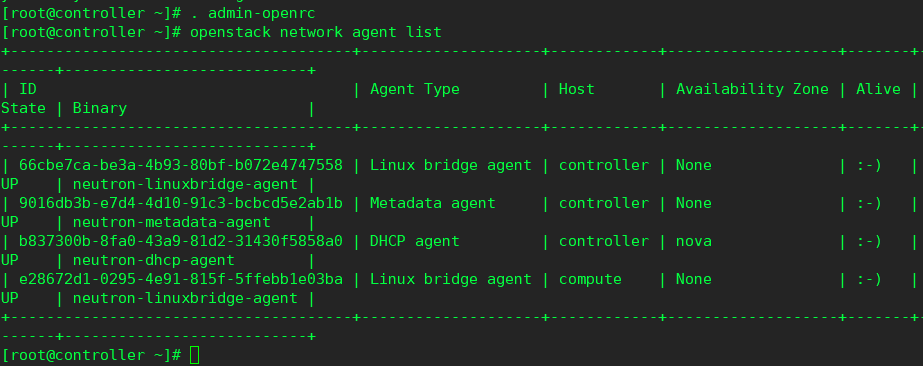
列出代理以验证中子代理是否成功启动(四个):
#openstack network agent list

 浙公网安备 33010602011771号