
ant-design-vue 之表格宽度,空白列
ant-design-vue 之表格宽度,空白列,
解决办法:
官方: 建议指定 scroll.x 为大于表格宽度的固定值或百分比。注意,且非固定列宽度之和不要超过 scroll.x。
最终结果: 给每个列设置宽度
最右边的剩下一个列不设置宽度,来自适应
给最右边的列设置fixed:right,来保证不同分辨率下不至于适应得太难看
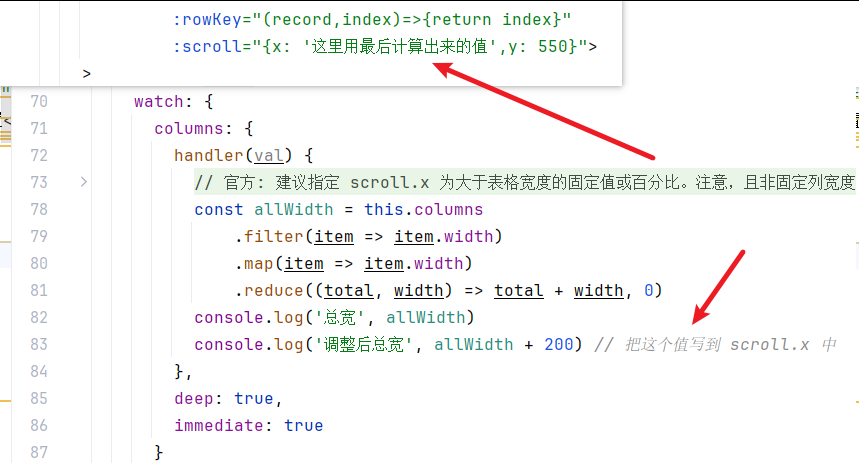
在a-table上面设置scroll.x的值,注意要大于非固定列宽度之和,我这里多加了200
<template>
  <div>
    <h3>表格宽度,空白列</h3>
    <a-table :columns="columns"
             :data-source="data"
             :pagination="false"
             :rowKey="(record,index)=>{return index}"
             :scroll="{x: '这里用最后计算出来的值',y: 550}">
    >
      <template slot="name" slot-scope="text"> {{ text }}</template>
    </a-table>
  </div>
</template>
<script>

  /* 这是ant-design-vue */
  import Vue from 'vue'
  import Antd, { message,Select } from 'ant-design-vue'  //这是ant-design-vue
  import 'ant-design-vue/dist/antd.css'
  Vue.use(Antd);
  /* 这是ant-design-vue */
  const columns = [
    {
      title: '姓名',
      dataIndex: 'name',
      width: 90,
      scopedSlots: { customRender: 'name' }, // scopedSlots 这个属性很关键
    },
    {
      title: '年龄',
      dataIndex: 'age',
      width: 90,
    },
    {
      title: '地址',
      dataIndex: 'address',
      width: 90,
    },
    {
      title: '其他这个不要设置width',
      dataIndex: 'address',
    },
    {
      title: '操作',
      key: 'action',
      scopedSlots: { customRender: 'action' },
      align: 'center',
      width: 100
    }
  ];

  const data = [
    {
      key: '1',
      name: 'daFei_01',
    },
    {
      key: '2',
      name: 'daFei_02',
    },
  ];

  export default {
    data() {
      return {
        data,
        columns
      }
    },
    watch: {
      columns: {
        handler(val) {
          // 官方: 建议指定 scroll.x 为大于表格宽度的固定值或百分比。注意,且非固定列宽度之和不要超过 scroll.x。
          // 最终结果: 给每个列设置宽度
          //         最右边的剩下一个列不设置宽度,来自适应
          //         给最右边的列设置fixed:right,来保证不同分辨率下不至于适应得太难看
          //         在a-table上面设置scroll.x的值,注意要大于非固定列宽度之和,我这里多加了200
          const allWidth = this.columns
              .filter(item => item.width)
              .map(item => item.width)
              .reduce((total, width) => total + width, 0)
          console.log('总宽', allWidth)
          console.log('调整后总宽', allWidth + 200) // 把这个值写到 scroll.x 中
        },
        deep: true,
        immediate: true
      }
    },
  };
</script>

<style scoped>

</style>

 浙公网安备 33010602011771号