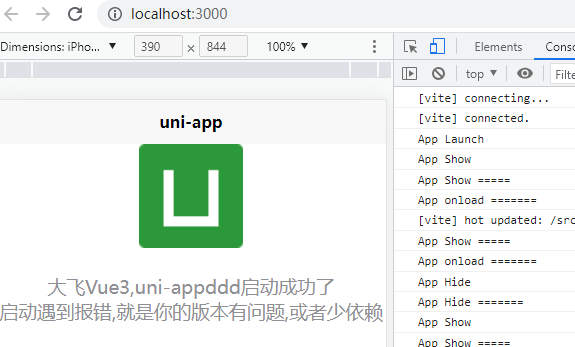
uniapp 使用Vue3 setup组合式API 引入 uniapp 的 页面生命周期
<template>
  <view class="content">
    <image class="logo" @click="handleFei" src="/static/logo.png"></image>
    <view class="text-area">
      <text class="title" :class="title">{{ title }}</text>
    </view>

    <view>
      <text class="title"> 启动遇到报错,就是你的版本有问题,或者少依赖 </text>
    </view>
  </view>
</template>

<script setup>
import {ref} from 'vue'
import {onLaunch, onShow, onHide, onLoad} from '@dcloudio/uni-app'

const title = ref('大飞Vue3,uni-appddd启动成功了');

const handleFei = () => {
  console.log('handleFei点击事件=====');
}

onLaunch(()=>{
  console.log('App Launch ========')
})

onShow(()=>{
  console.log('App Show =====');
})

onHide(()=>{
  console.log('App Hide =======')
})

onLoad(()=>{
  setTimeout(()=>{
    console.log('App onload =======')
  },500)
})
</script>


<style>
.content {
  display: flex;
  flex-direction: column;
  align-items: center;
  justify-content: center;
}

.logo {
  height: 200rpx;
  width: 200rpx;
  margin-top: 200rpx;
  margin-left: auto;
  margin-right: auto;
  margin-bottom: 50rpx;
}

.text-area {
  display: flex;
  justify-content: center;
}

.title {
  font-size: 36rpx;
  color: #8f8f94;
}
</style>
完整项目地址


 浙公网安备 33010602011771号