


css选择符归纳
CSS选择符归纳
很多人会问css的作用是什么?跟html有什么关系?
今天我就来告诉大家
css就是用来修饰html,让一个页面显得有趣生动,让浏览的人有兴趣
如果没有css,那么一个页面就会显得很单调,没有就像是一面墙,雪白一片。
明白了css的作用以后,带大家来一起了解选择器吧
选择器可以分为类型选择器、类选择器和id选择器。
一、类型选择器
类型选择器又叫(标签选择器)
比如:div h1 h2 span li ul等标签选择器
给大家举个例子
<body>
    <div>
    <p>hello,大家好</p>
    </div>
</body>
效果是这样的

再加入css样式
<style type="text/css">
        *{
            margin: 0;
            padding: 0;
        }
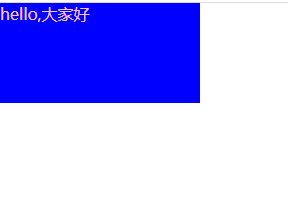
        p{
            width: 200px;
            height: 100px;
            background: blue;
            color: pink;
        }
    </style>
<body>
    <div>
    <p>hello,大家好</p>
    </div>
</body>
效果是这样的
二、类选择器
类选择器又叫(class选择器)
可以在一个页面中出现很多次
例如
 <div>
        <p class="txt1">
            中国加油
        </p>
    </div>
    <div>
        <p class="txt1">
            武汉加油
        </p>
    </div>
效果是这样的

加入样式
<style type="text/css">
    *{
        margin: 0;
        padding: 0;
    }
    div{
        width: 100px;
        height: 100px;
    }
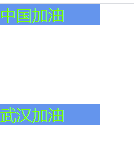
    .txt1{
        font-size: 16px;
        color: chartreuse;
        background: cornflowerblue;
    }
    </style>
<body>
    <div>
        <p class="txt1">
            中国加油
        </p>
    </div>
    <div>
        <p class="txt1">
            武汉加油
        </p>
    </div>
</body>
效果是这样的
三、id选择器
id选择器与类选择器不一样,在一个页面中只能有一个
例子:
<div id="head">
        中国加油
    </div>
    <div id="con">
        武汉加油
    </div>
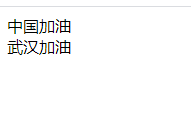
效果是这样的
往里面添加样式
<style type="text/css">
    *{
        margin: 0;
        padding: 0;
    }
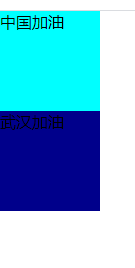
    #head{
        width: 100px;
        height: 100px;
        background: cyan;}
    #con{
        width: 100px;
        height: 100px;
        background: darkblue;
    }
    </style>
<body>
    <div id="head">
        中国加油
    </div>
    <div id="con">
        武汉加油
    </div>
</body>
效果是这样的
四、伪类选择器
:link{} 未访问之前的状态
:visited{} 反问过后的状态
:hover{} 鼠标悬停的状态
:active{} 鼠标按下的状态
注意: 有顺序要求 love hate
例子:
<style type="text/css">
    *{
        margin: 0;
        padding: 0;
    }
    .box{
        width: 100px;
        height: 100px;
    }
    p{
        font-size: 16px;
    }
    p a:link{
        color: red;
    }
    p a:visited{
        color: blue;
    }
    p a:hove{
        color: brown;
    }
    p a:active{
        color: black;
    }
    </style>
<body>
    <div class="box">
        <p><a href="#">中国加油</a></p>
        <p><a href="#">武汉加油</a></p>
    </div>
</body>
五、通配符
* 匹配页面所有的元素
例:
*{
    margin:0;
    padding:0;
}
六、群组选择器
选择器1,选择器2,选择器3{}
例
.logo,.con,.main,.foot{}
选择器与选择器之间用“,”隔开
七、包含选择器
包含选择器又叫后代选择器
选择器1 选择器2 选择器3{}
例
div p{

}
选择器与选择器之间用空格隔开
以上就是今天我要跟大家分享的内容

 浙公网安备 33010602011771号