软工作业:词频统计
一、案例程序分析
1、 编译环境
pycharm2018、python3.7
2、代码分析
(1)读文件到缓冲区(process_file(dst))
def process_file(dst):
    try:
        f = open(dst, "r") #打开文件
    except IOError as s:
        print(s)
        return None
    try:
        bvffer = f.read() #读文件到缓冲区
    except:
        print('Read File Error!')
        return None
    f.close()
    return bvffer
(2)统计缓冲区的里每个单词的频率,放入 process_buffer(bvffer)
def process_buffer(bvffer):
    if bvffer:
        word_freq = {}
        # 下面添加处理缓冲区 bvffer代码,统计每个单词的频率,存放在字典word_freq
        bvffer = bvffer.lower()
        # 去除文本中的中英文标点符号
        for ch in '“‘!;,.?”':
            bvffer = bvffer.replace(ch, " ")
        words = bvffer.strip().split()
        for word in words:
            word_freq[word] = word_freq.get(word, 0) + 1 #给单词计数
        return word_freq
(3) 输出词频前十的单词(output_result(word_freq))
def output_result(word_freq):
    if word_freq:
        sorted_word_freq = sorted(word_freq.items(), key=lambda v: v[1],reverse=True)
        for item in sorted_word_freq[:10]: # 输出 Top 10 的单词
            print(item)
(4) 主函数对之前的函数进行整合
def main():
    dst = "D:\Gone_with_the_wind.txt"
    bvffer = process_file(dst)
    word_freq = process_buffer(bvffer)
    output_result(word_freq)
二、python代码风格说明
python在代码结束末尾不需要加“ ; ”
例如:
def main():
    dst = "D:\Gone_with_the_wind.txt"
    bvffer = process_file(dst)
三、程序运行命令、运行结果截图
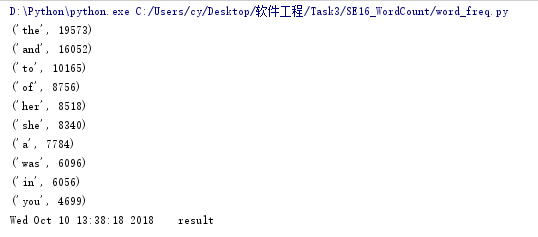
四、性能分析结果及改进
(1)执行时间最多的代码
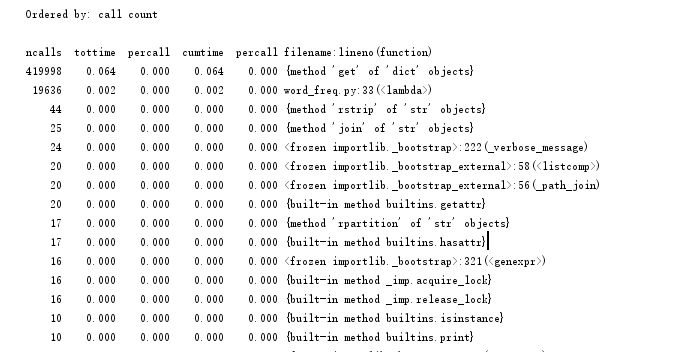
(2)执行次数最多的代码
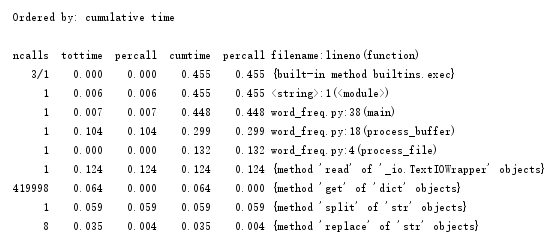
(3)尝试改进程序代码
减少运行时间:减少耗时最长的代码的运行时间
将:
for ch in '“‘!;,.?”':
          bvffer = bvffer.replace(ch, " ")
改为:
bvffer = bvffer.lower()
         for ch in '“‘!;,.?”':
            bvffer = bvffer.replace(ch, " ")
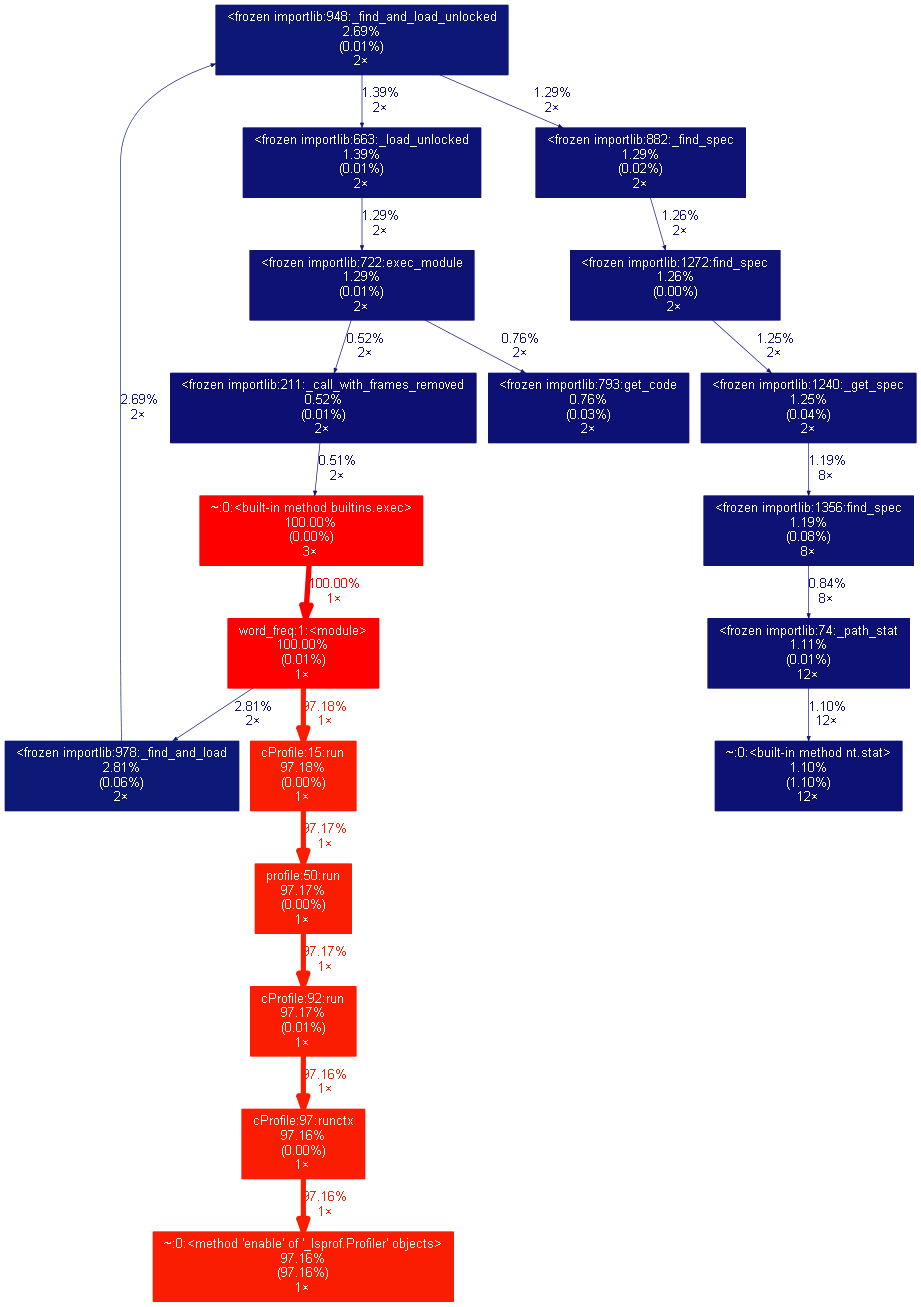
五、可视化操作
(1)根据运行次数排序方式分析命令:
python -m cProfile -o resultc.out -s call word_freq.py
python gprof2dot.py -f pstats resultc.out | dot -Tpng -o result.png
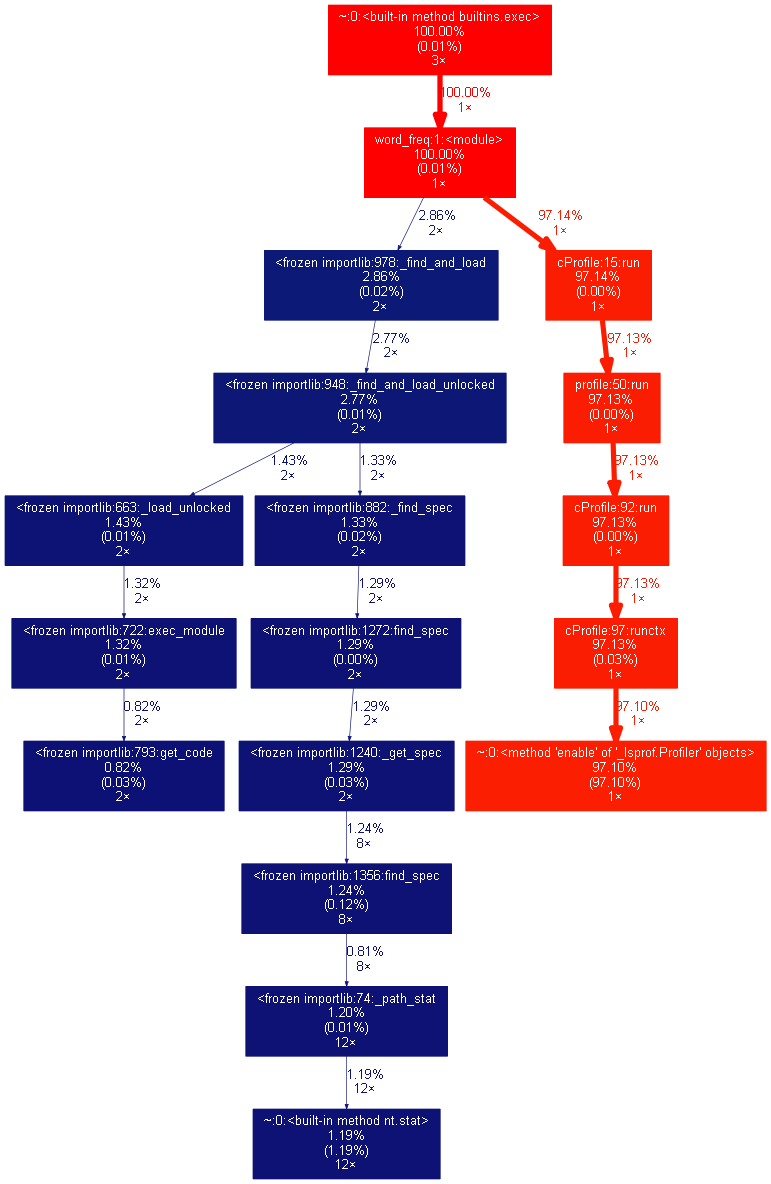
(2)根据占用时间排序方式分析命令:
python -m cProfile -o result.out -s cumulative word_freq.py
python gprof2dot.py -f pstats result.out | dot -Tpng -o result.png


 浙公网安备 33010602011771号