
ASP.NET-WebForm项目搭建
零、开发环境
参考的视频教程:https://www.bilibili.com/video/BV1Qe411L7u9?p=1
文档:https://zyk.mingrisoft.com/Develop/view/id/766/type/6/cid/4.html
- vs 2022
- chrome
- IIS服务器
一、创建工程
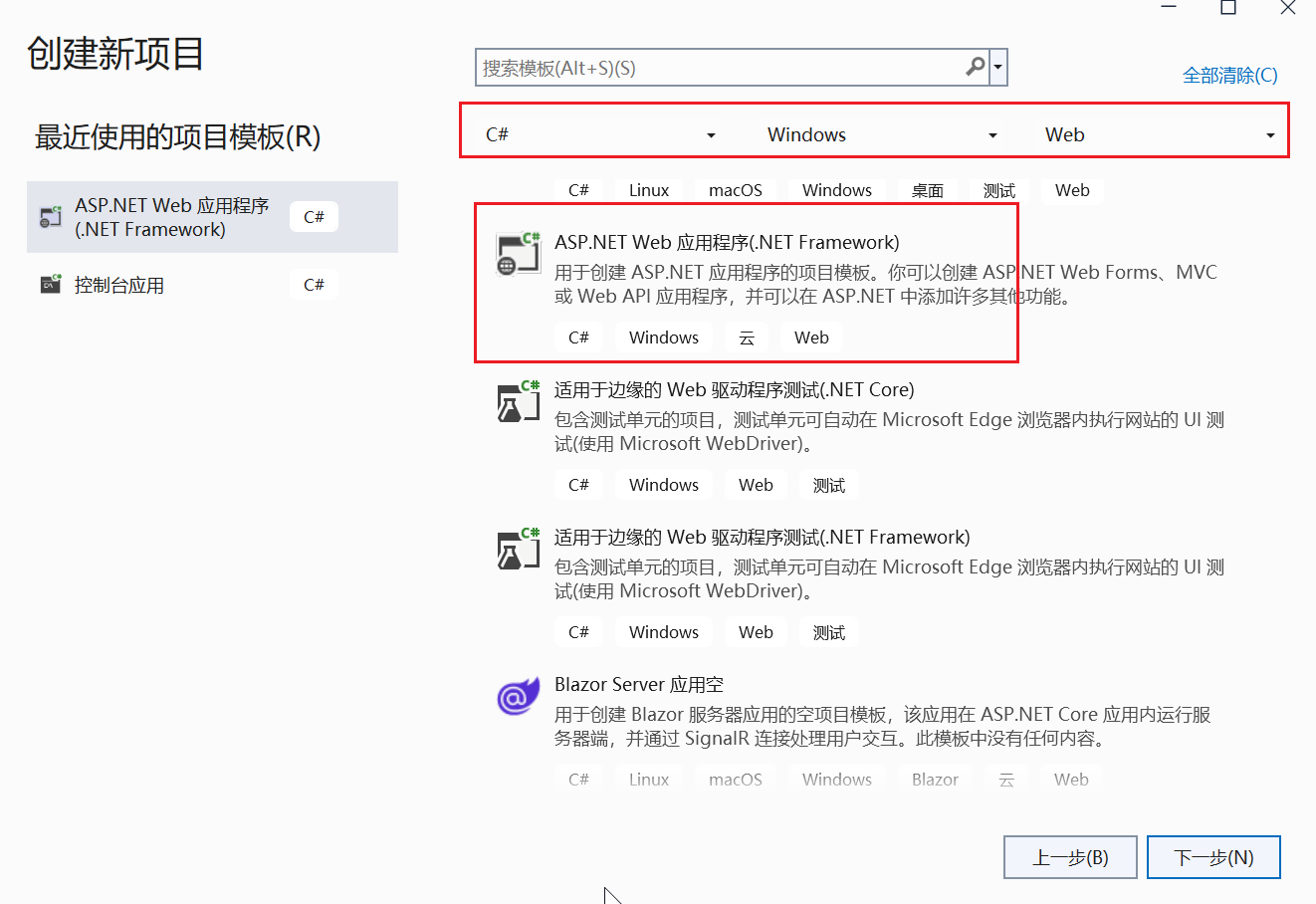
1、新建项目:

2、选择 web应用程序
3、设置项目存放的路径
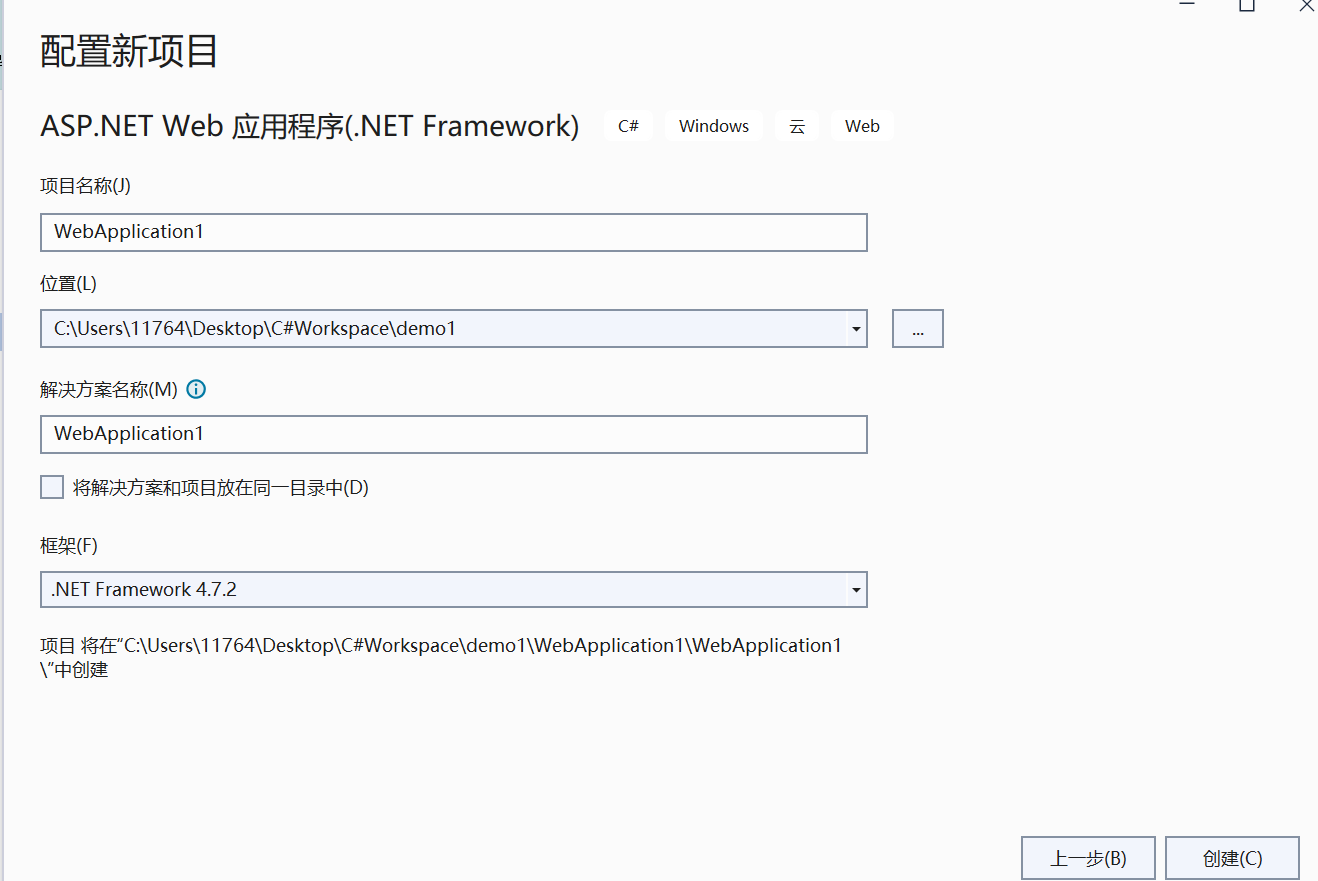
4、选择 webForm 的模板

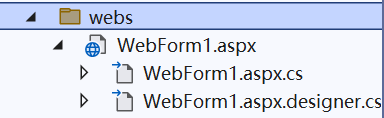
5、创建一个名为 webs 的文件夹,用于存放 aspx 页面:

6、创建一个名为 WebForms1 的 aspx 页面:

观察 如下的aspx页面,可以知道:aspx是前端页面,aspx.cs是页面对应的后端文件。
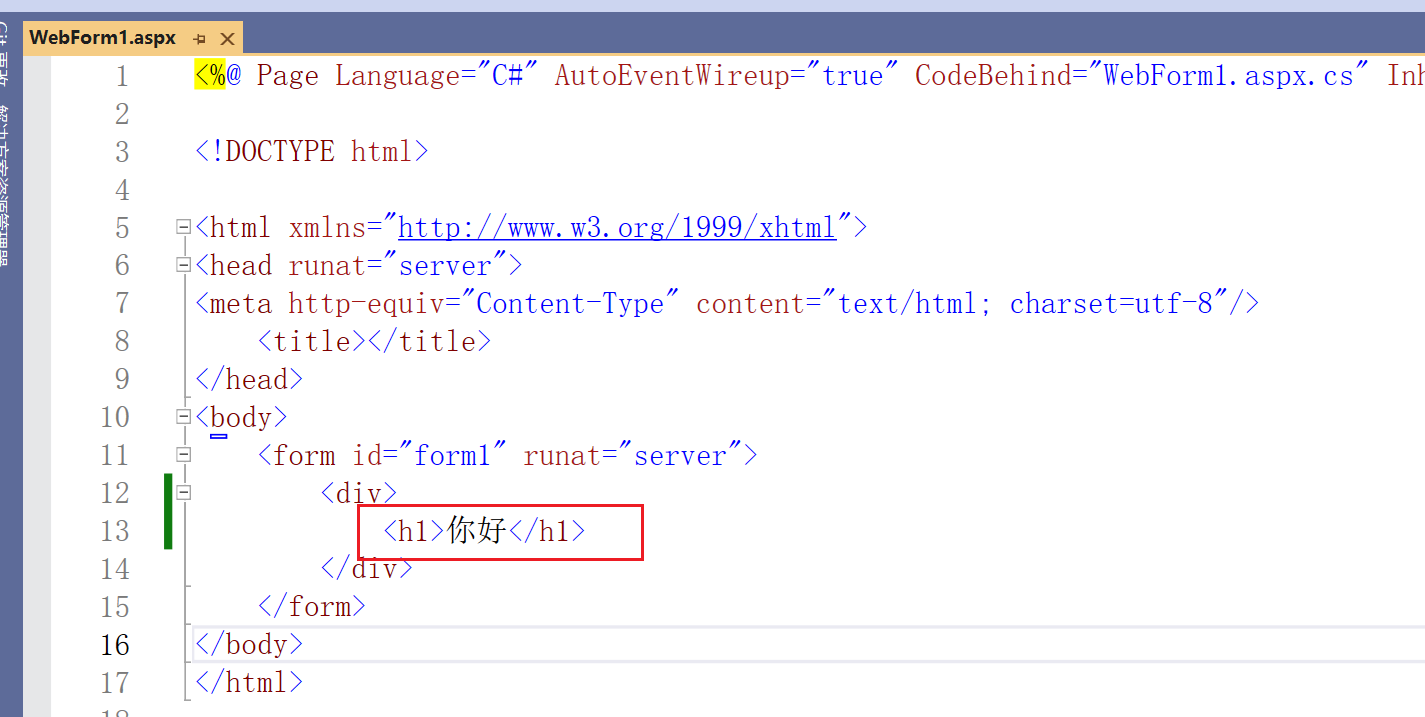
7、编辑 aspx 页面:
8、运行

9、运行结果

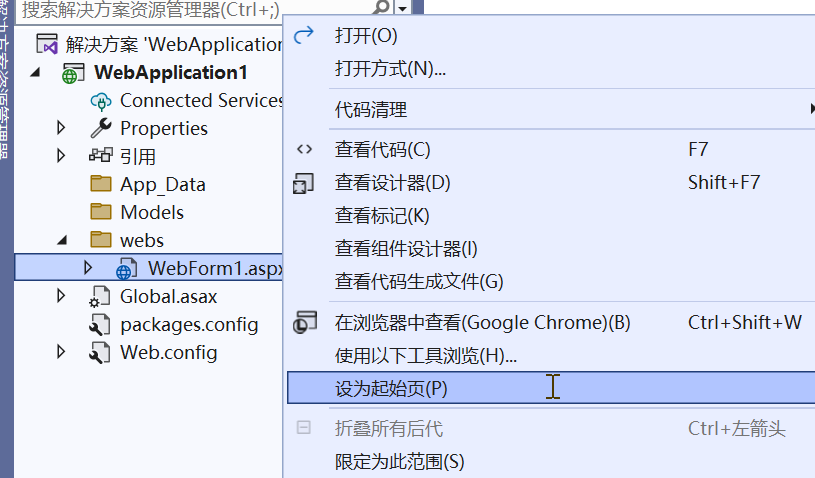
10、将 aspx 设为首页:
二、发布项目
1、新建一个名为E:\C#-demo-dist的目录(不要放C盘,不然会报无权限的错误,需要设置目录权限)
2、右键项目名称,选择“发布”按钮

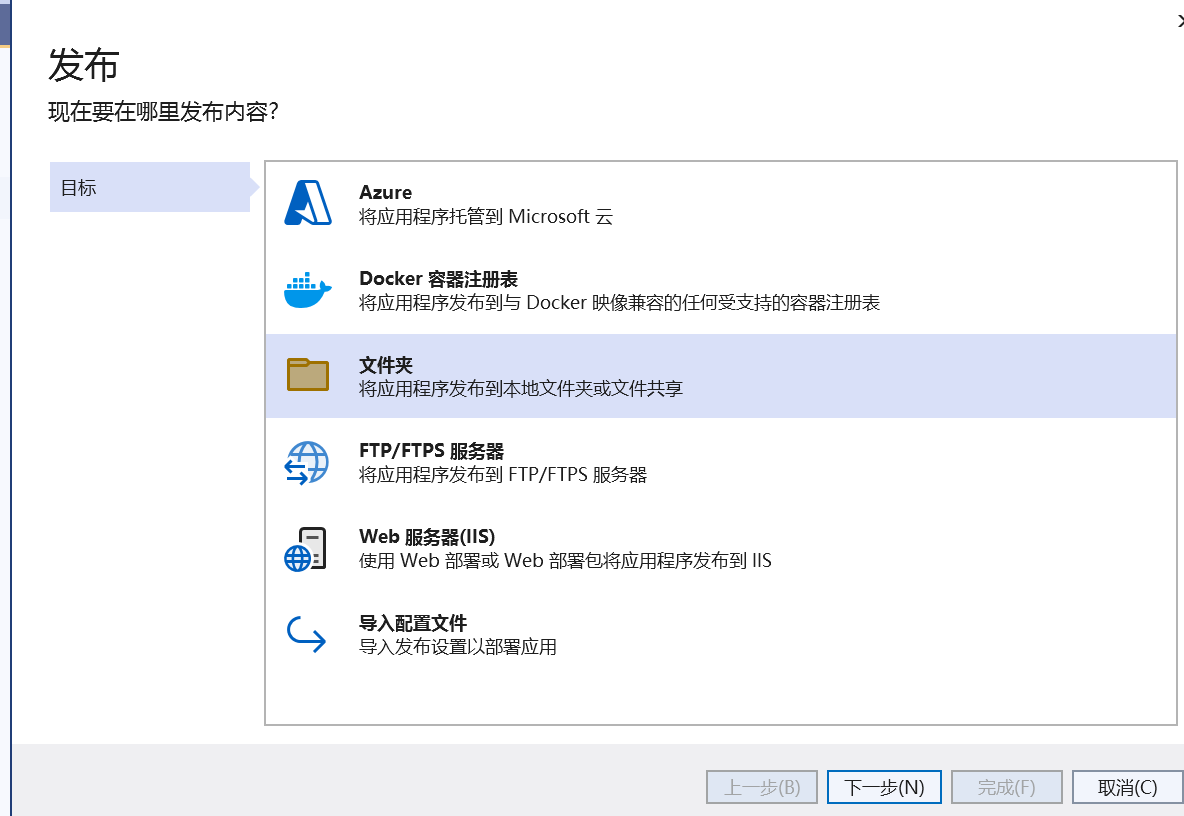
3、选择发布到文件夹
4、设置发布到的文件夹的路径:

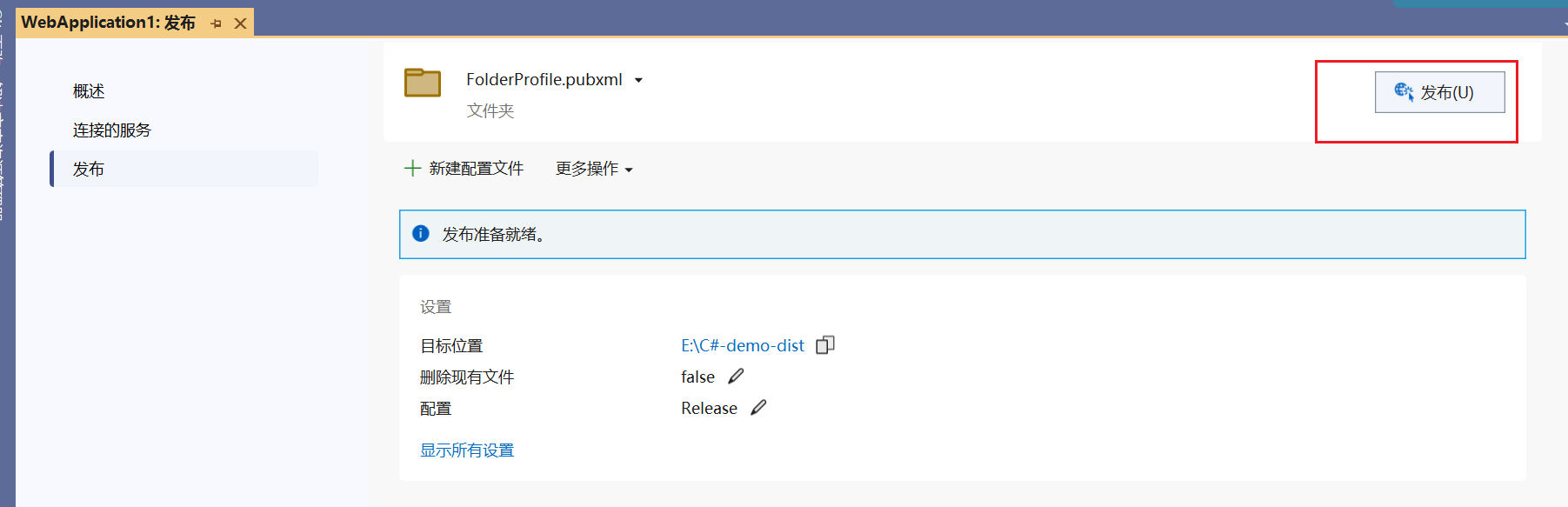
5、开始发布:
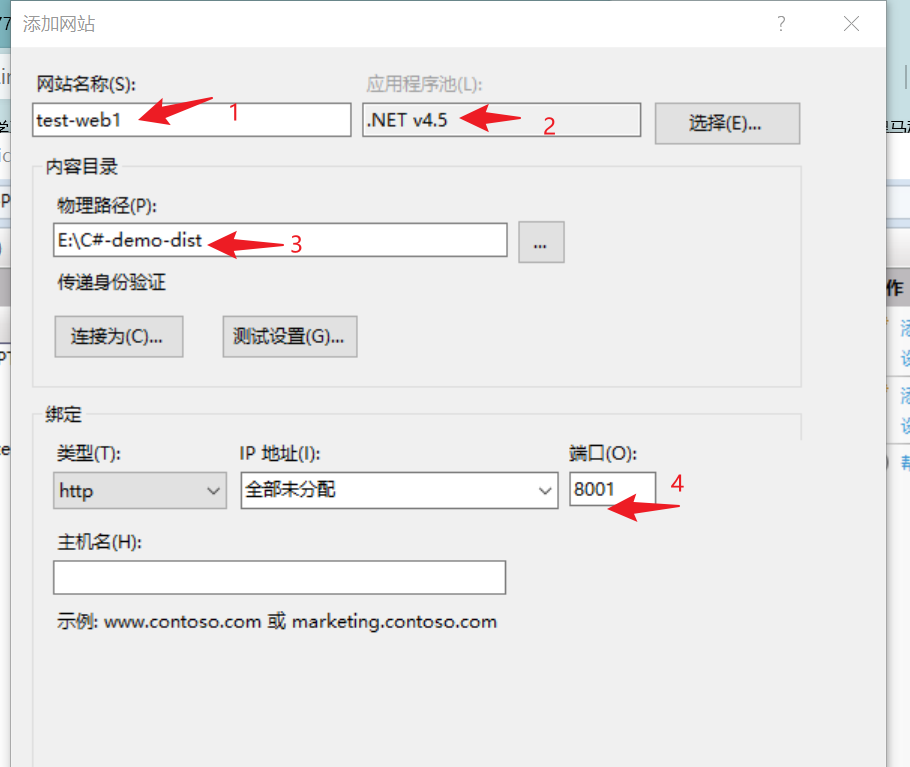
6、打开 IIS 服务器,右键 “网站”,点击 “添加站点”

7、设置:网站名、使用的应用程序池、要网站内容的存放路径、ip和端口。
要网站内容的存放路径:是指上面vs发布的位置。
8、设置位置的默认文档:


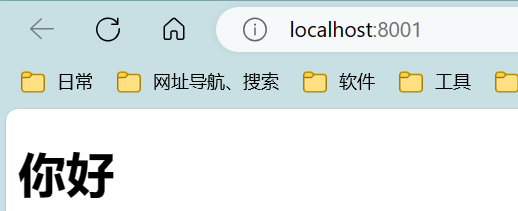
9、效果:
三、拖拽式-调整页面——案例1
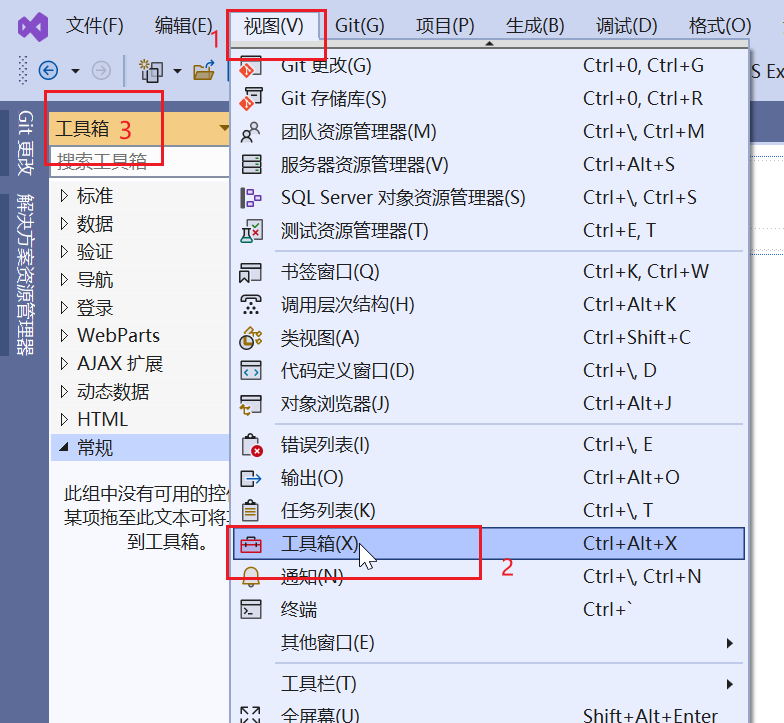
1、调出控件的工具箱:
视图-》工具箱
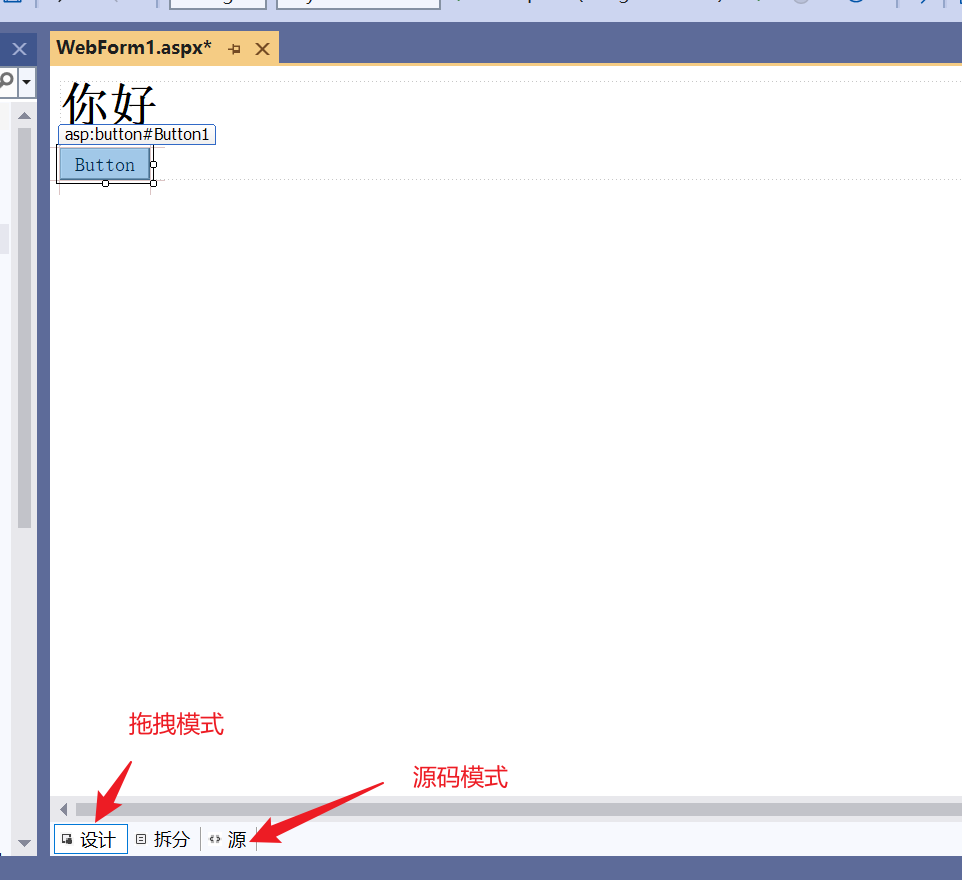
2、拖拽控件——以 “按钮” 为例
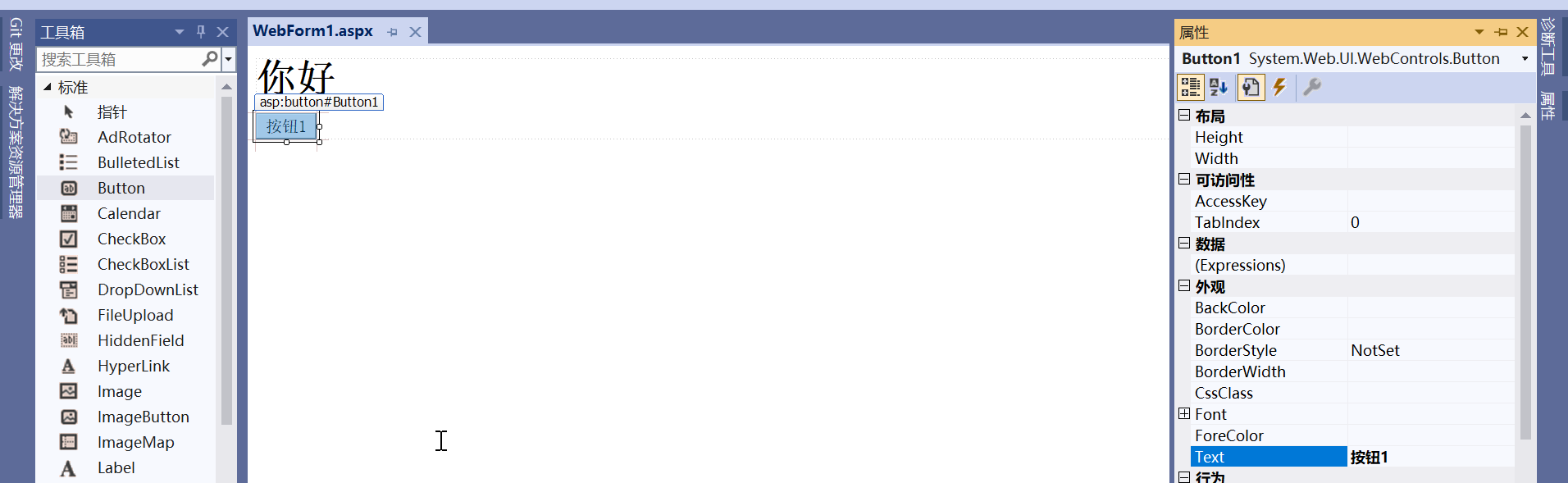
3、设置 “按钮” 控件的属性:
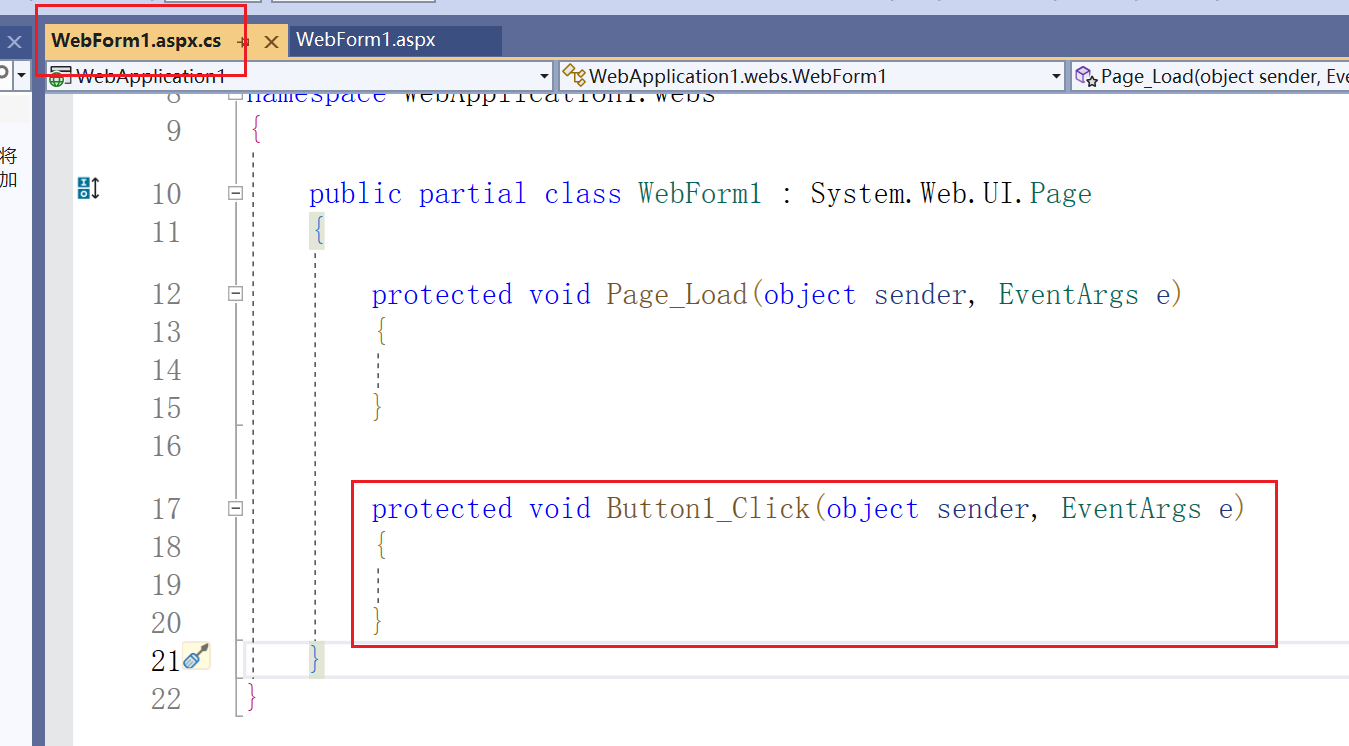
4、在aspx文件中双击按钮,在aspx.cs文件中生成按钮的点击事件(此处按钮的id=Button1,所以事件名=Button1_Click):
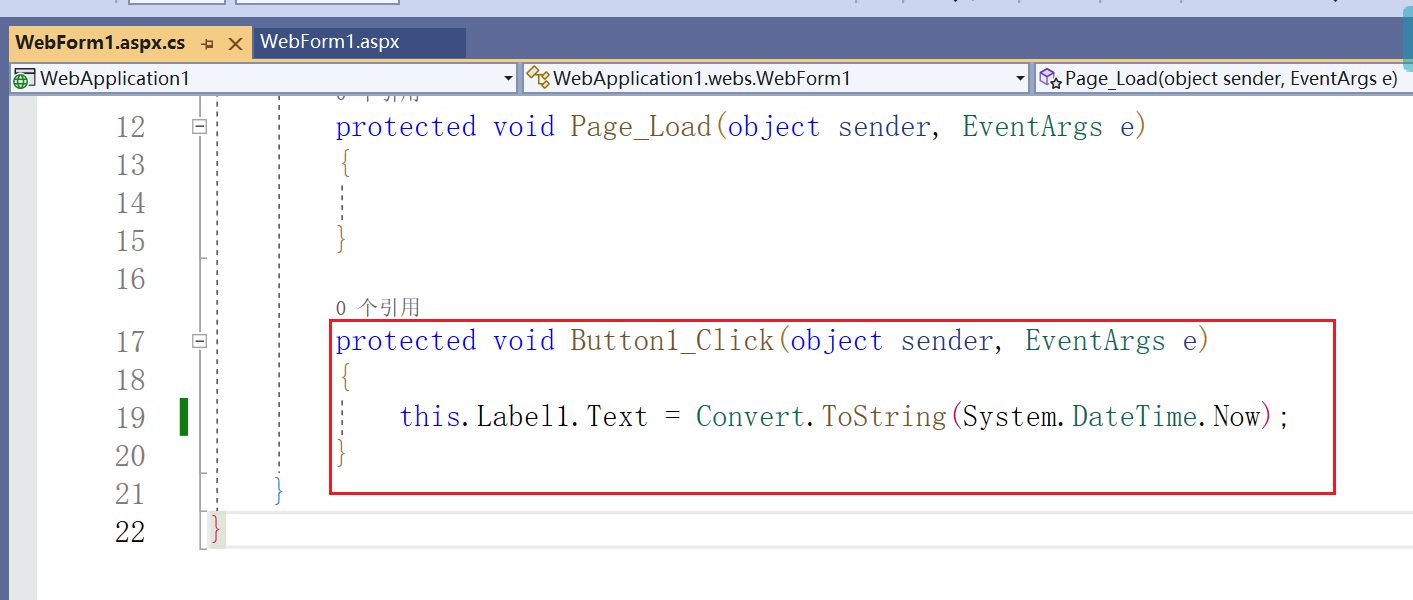
5、拖拽一个Label控件,ID=Label1,在编写按钮的点击事件为获取系统事件并显示在Label1上:
注意:在aspx.cs文件中,可以使用this.控件ID访问到控件
四、常用服务端控件
所有的服务端控件都必须放在form标签中,且form标签必须有runat="server"的属性。
所有的服务端控件都有一个名为ViewState的特性,该特性可以使得服务端控件的的数据提交到后端之后,控件显示的数据不清空。
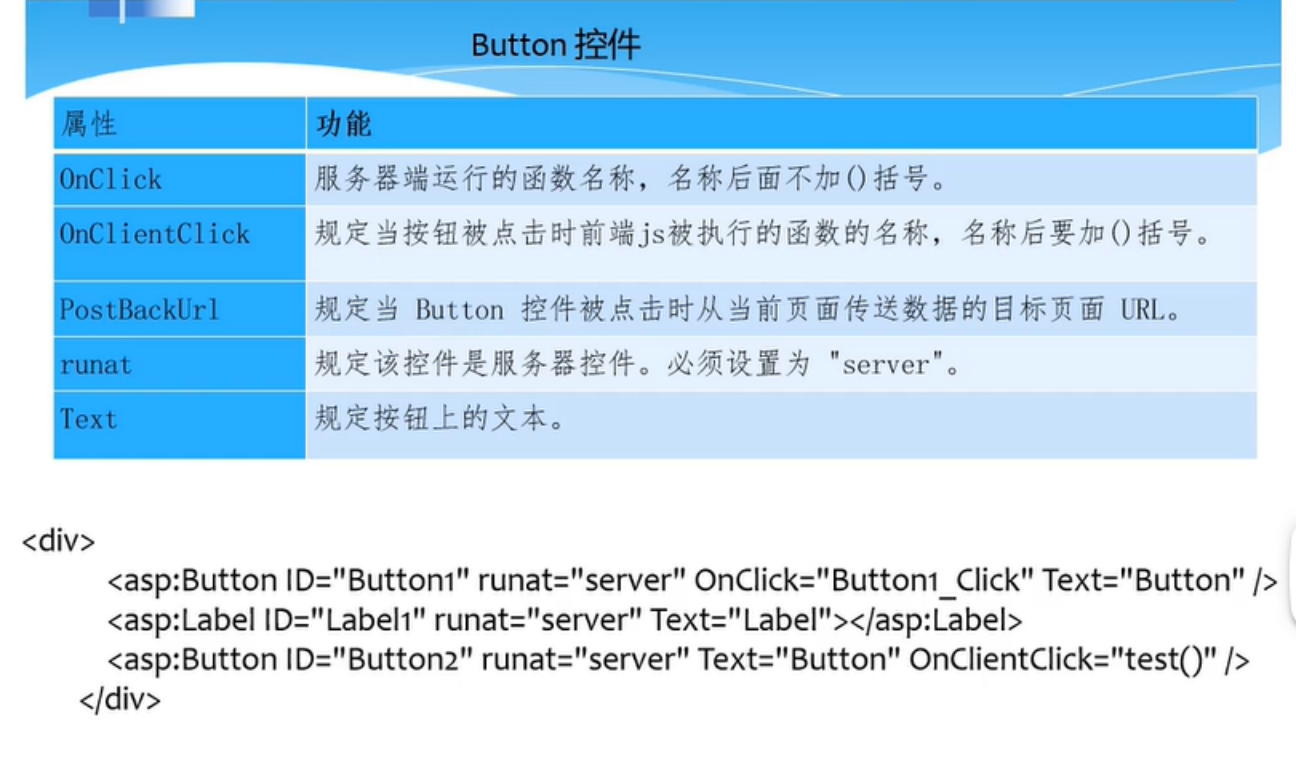
4.1、Button控件
4.2、RadioButtonList控件
4.3、CheckBoxList控件
4.4、DropDownList控件
五、母版页
母版页可以使页面具有统一的外观。
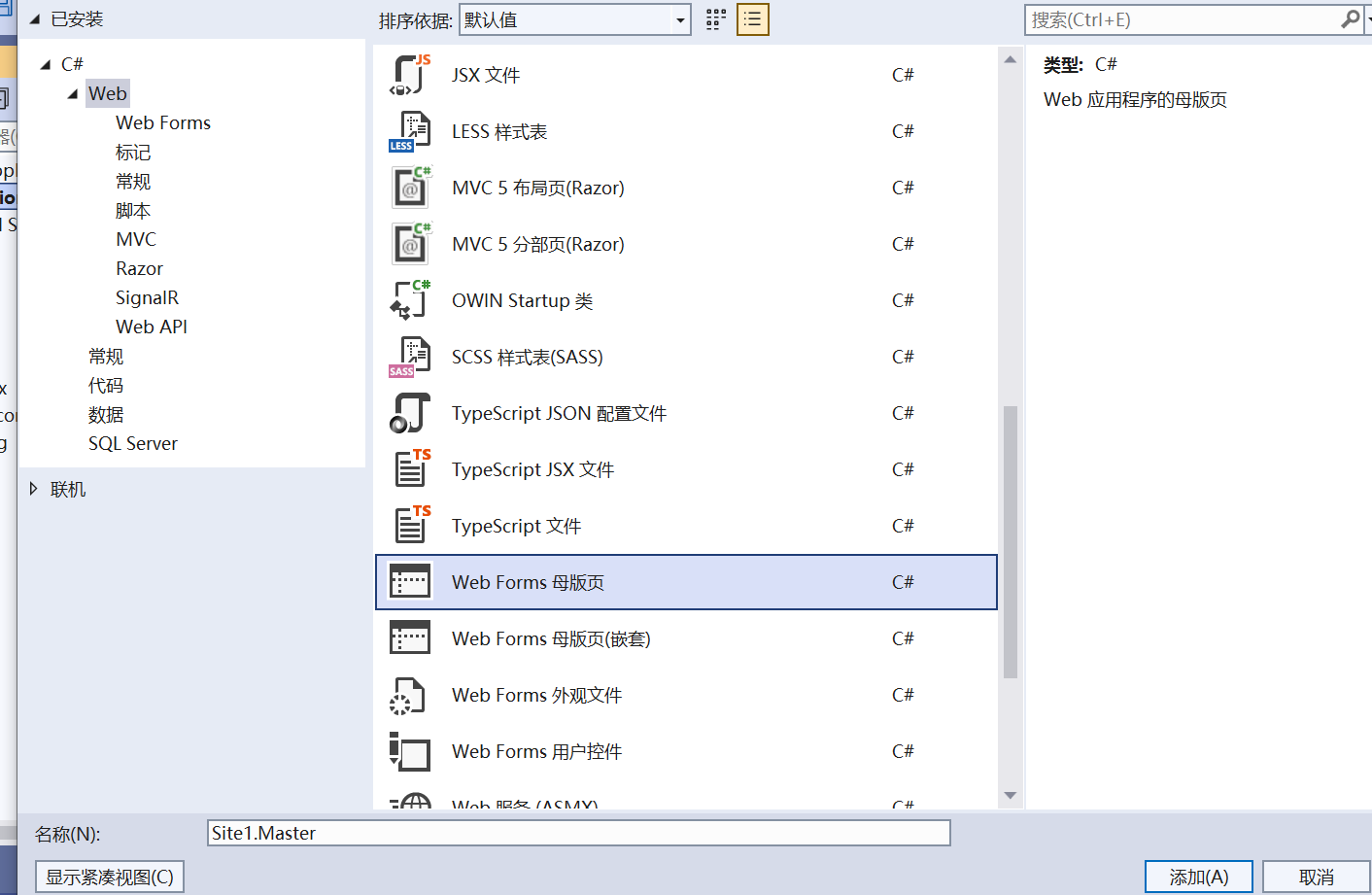
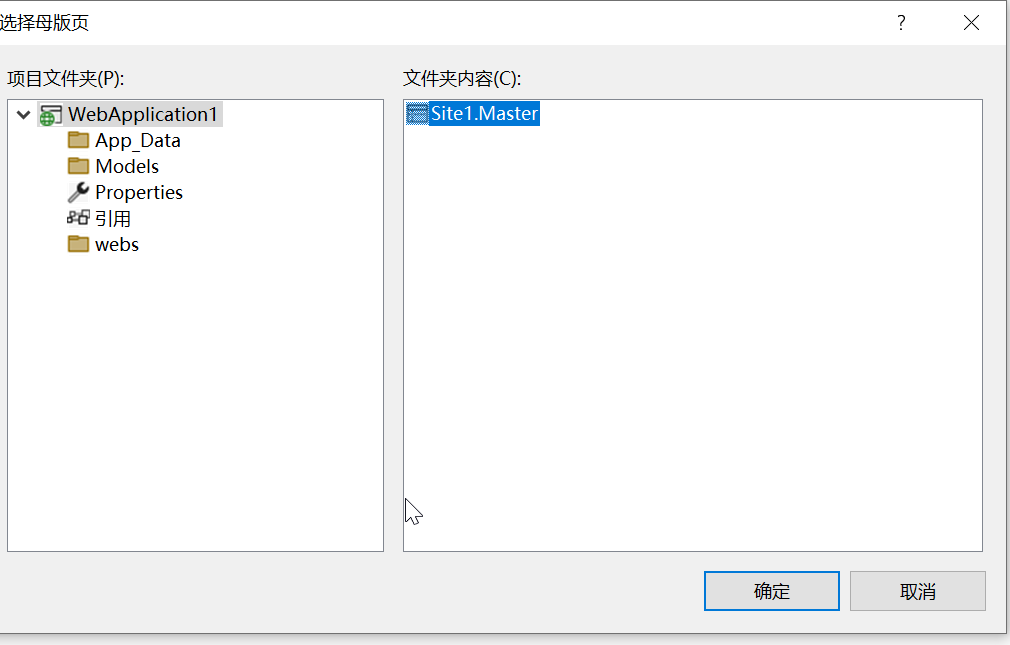
1、新建母版页:
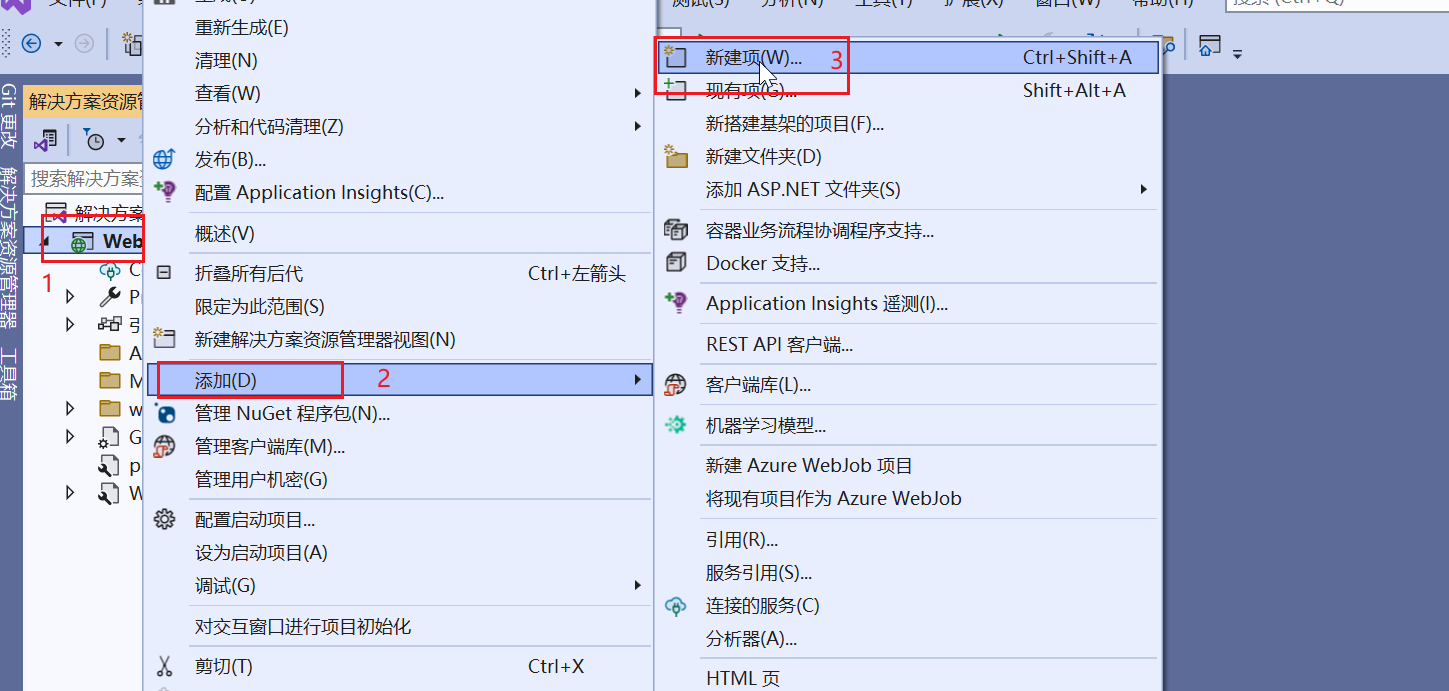
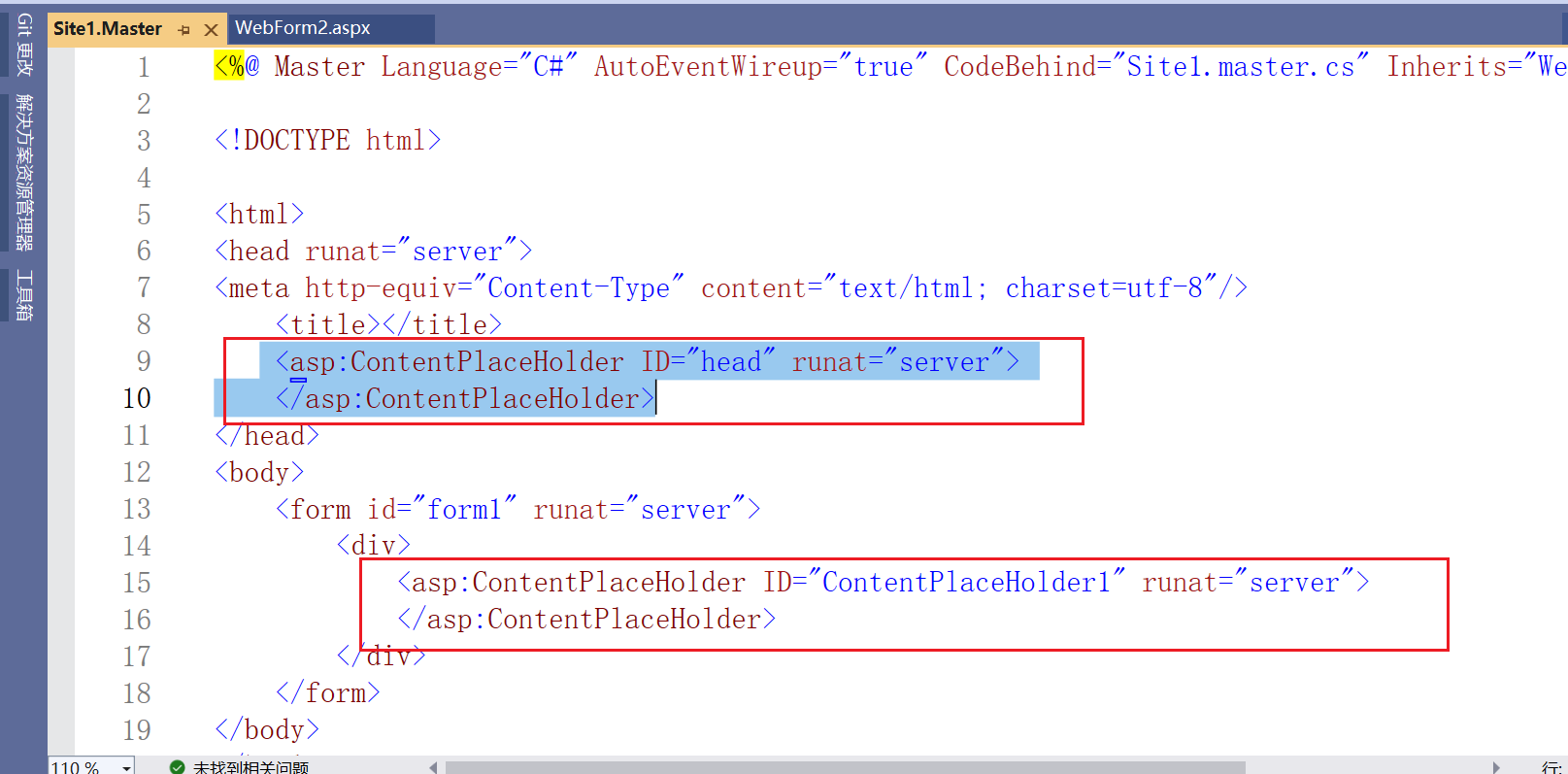
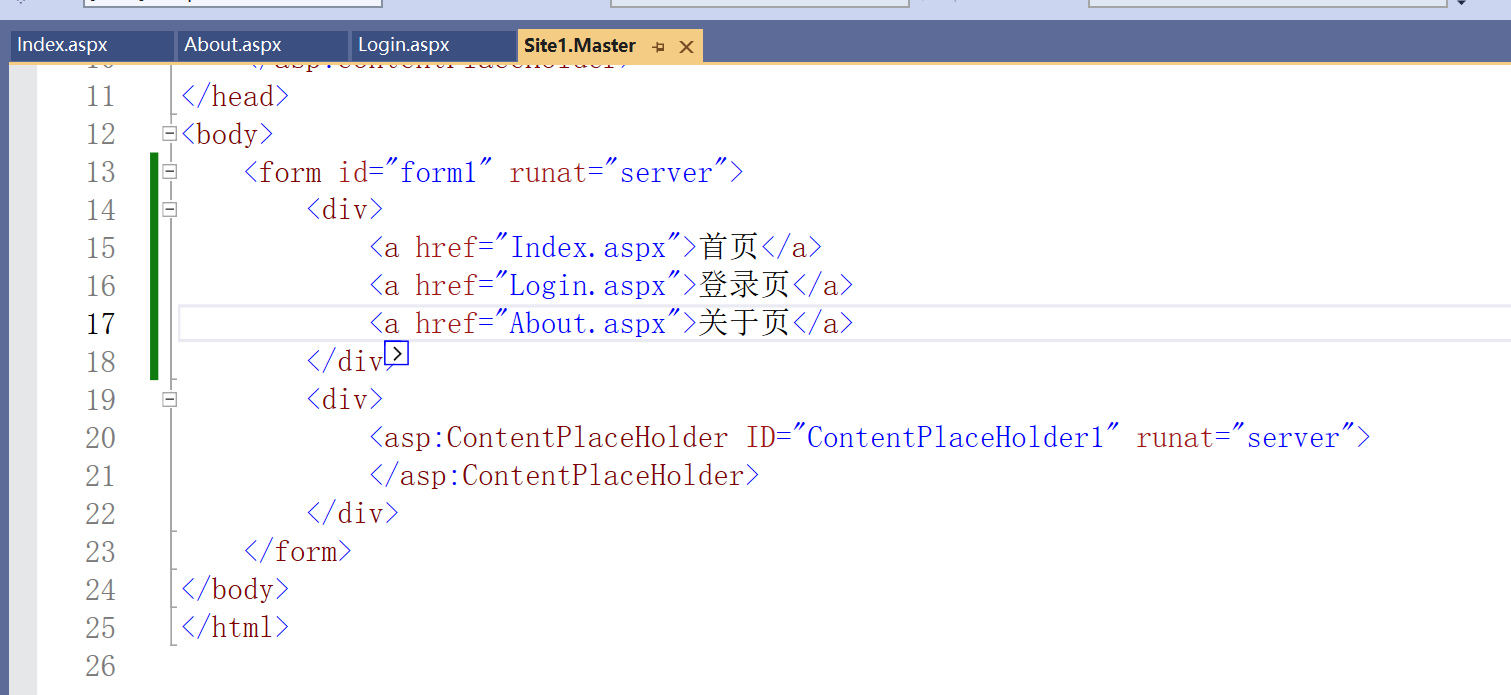
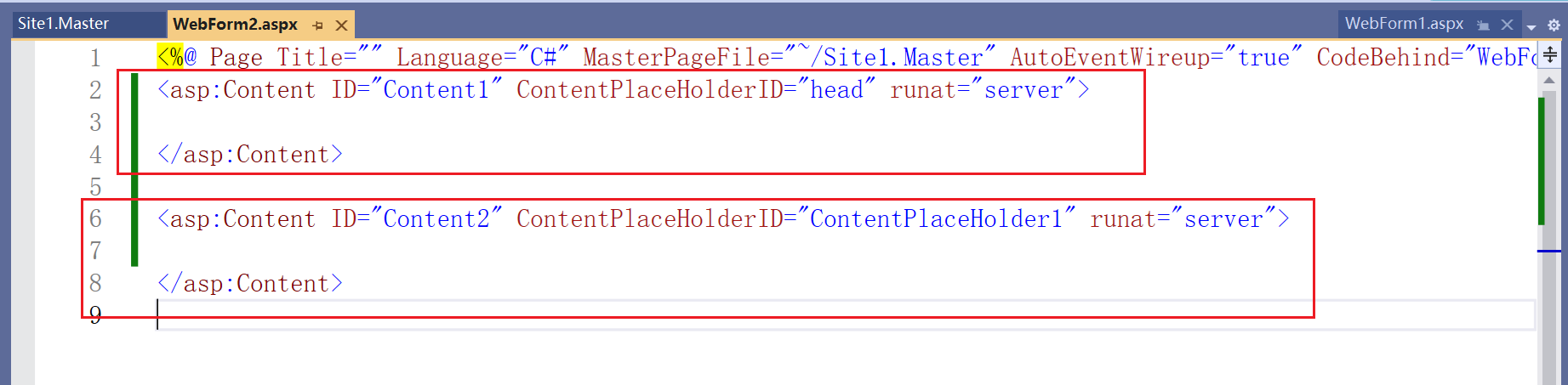
母版页的占位符外面写多个页面公共的内容,在子页面的占位符内部写不同的内容。
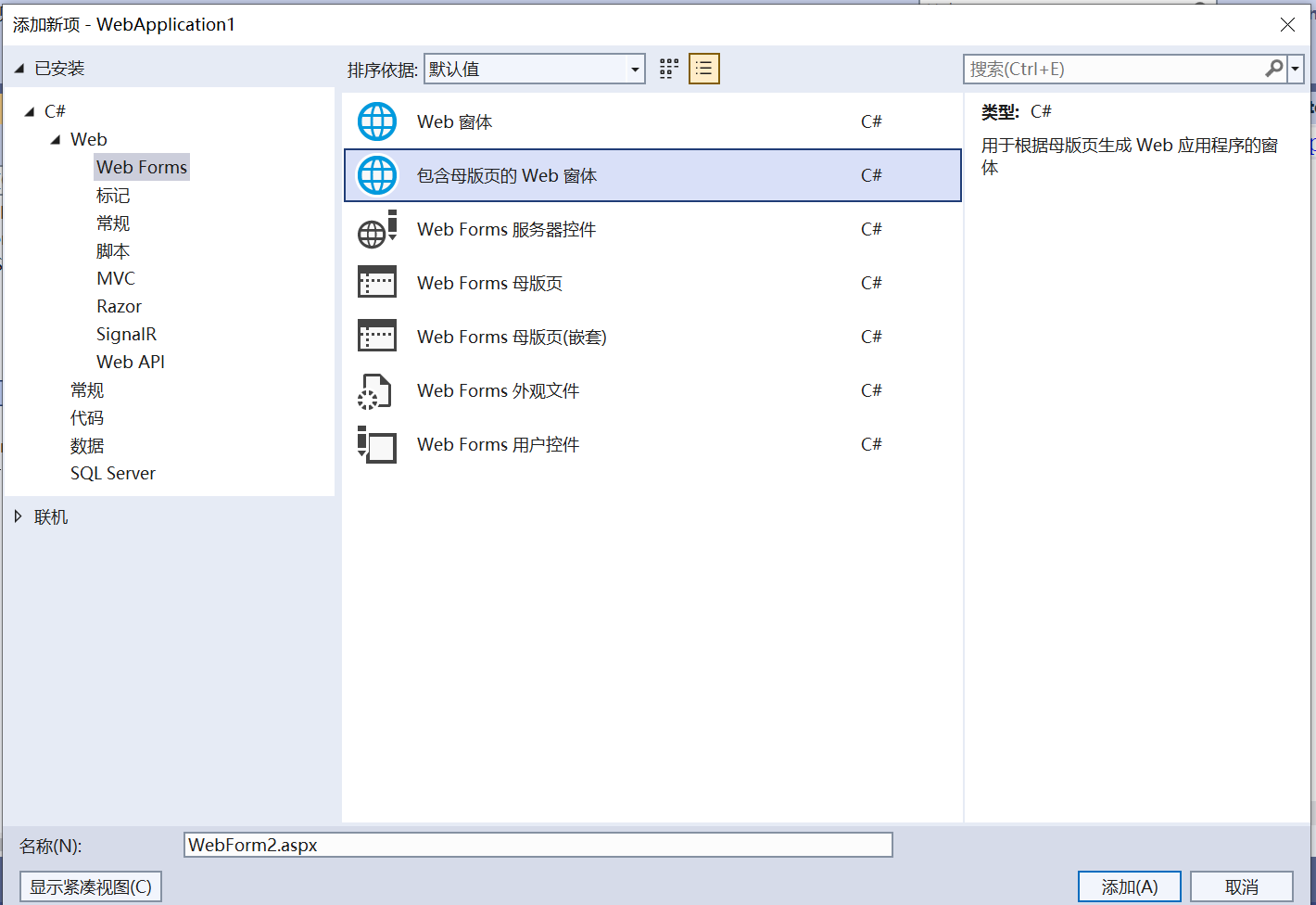
2、创建子页面,引用母版页:




六、文件上传
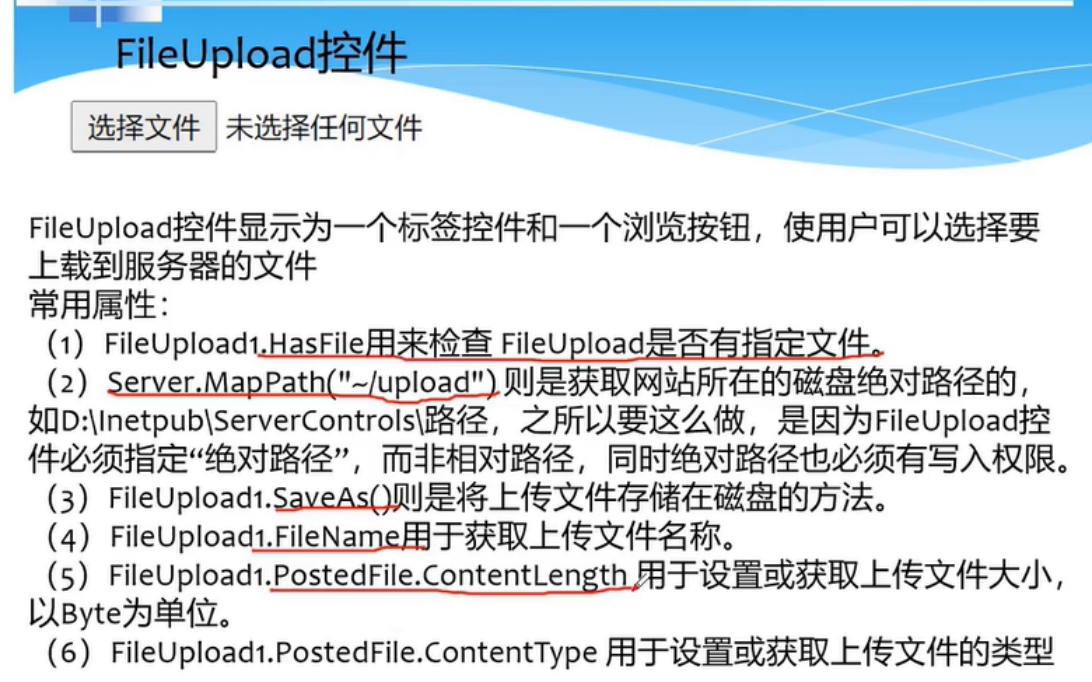
1、创建一个aspx页面:
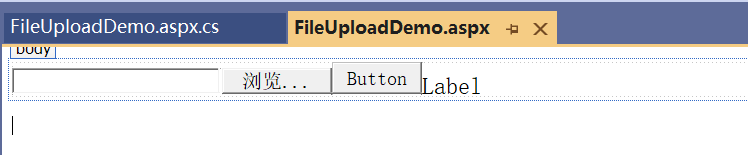
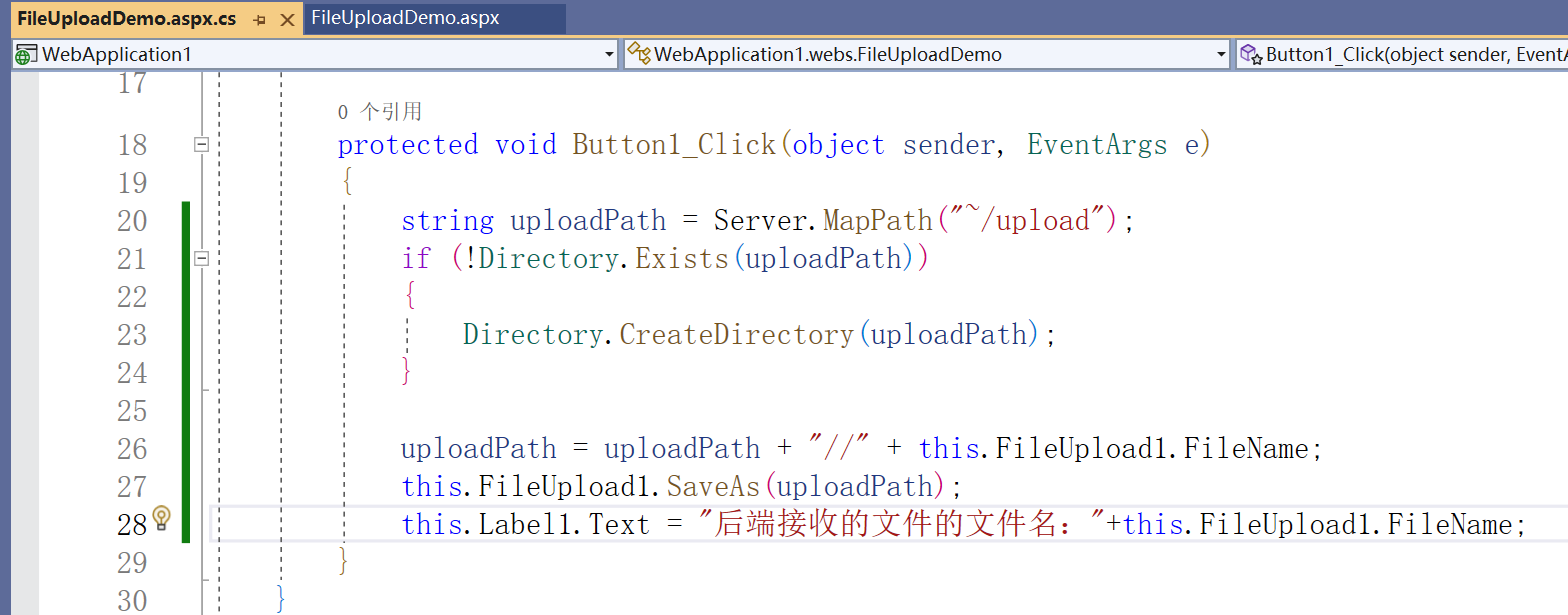
2、编写文件上传的逻辑:
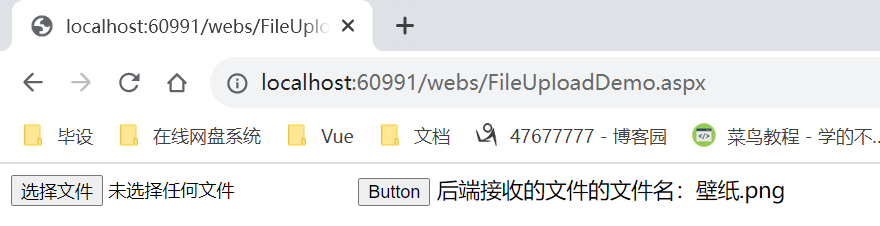
3、页面显示效果:
4、文件下载:
aspx页面引用资源的地址
七、常见的对象
7.1、Page 对象
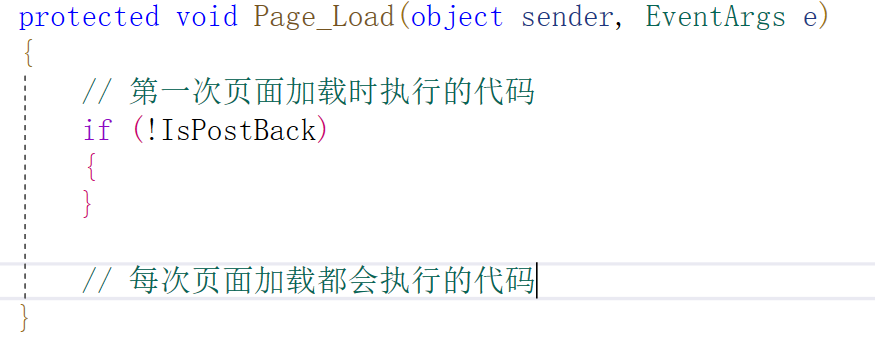
Page对象是System.Web.UI.Page类的子类,一个aspx页面就是一个Page对象,页面每次加载都会执行aspx.cs文件中的 Page_Load方法的内容,在Page_Load方法中,可以使用IsPostBack属性来判断页面是否为首次加载。
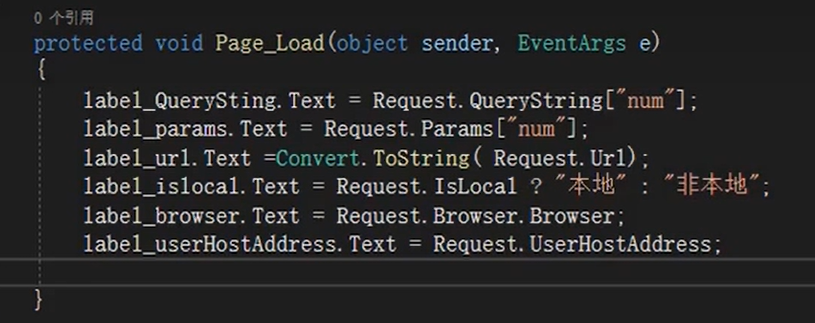
7.2、 Request 对象
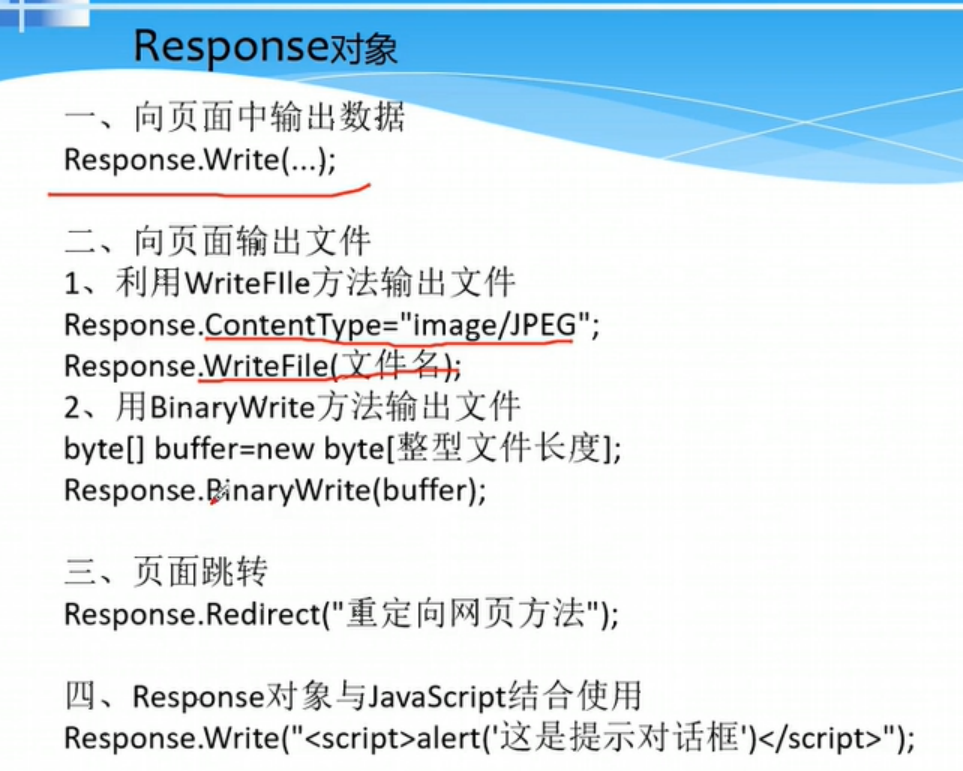
7.3、Response 对象
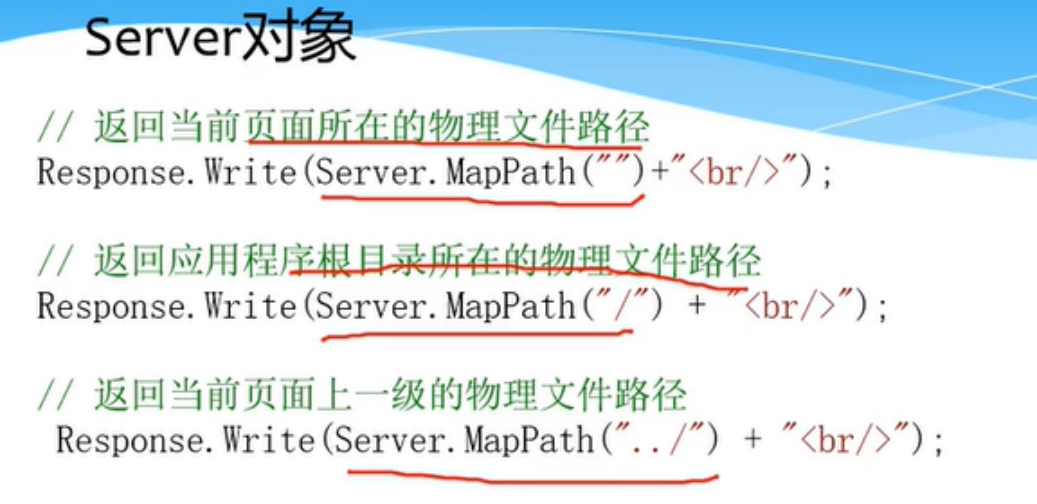
7.4、Server 对象
7.5、Session对象
八、数据库访问-ADO 技术
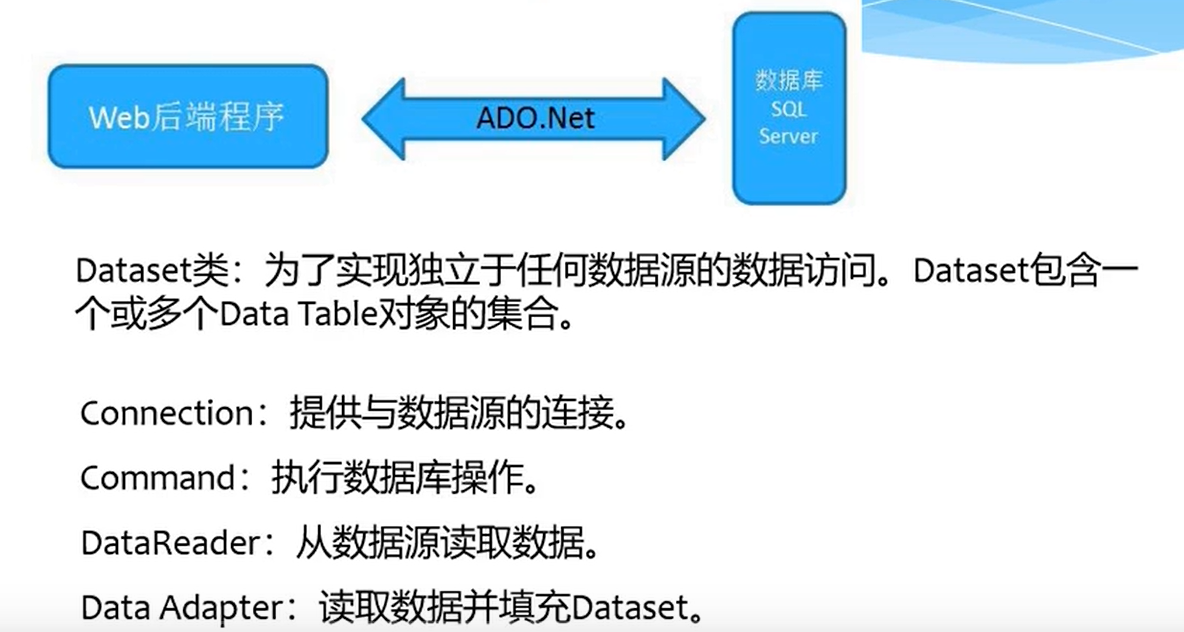
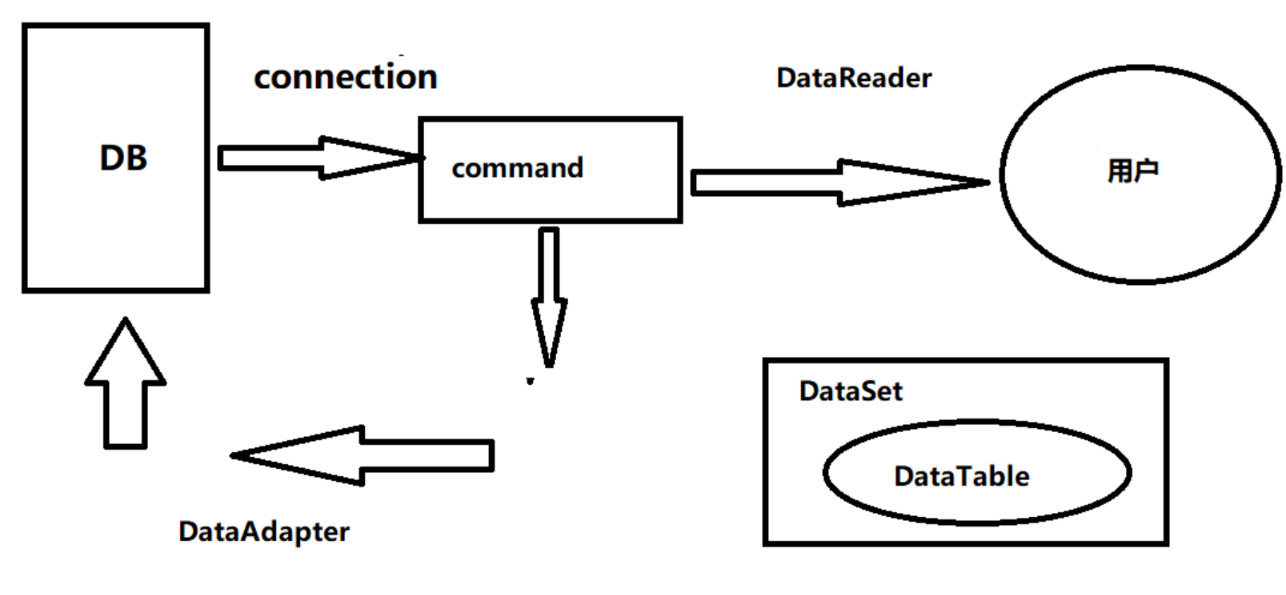
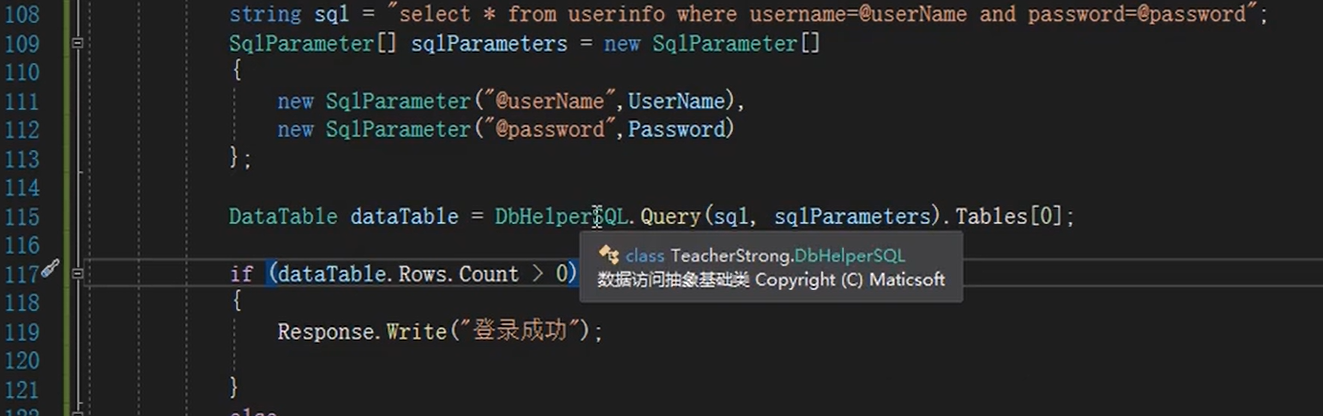
为防止SQL注入,需要对sql语句进行预编译,占位符以@符号开头。
DBUtils.cs:
using System;
using System.Collections.Generic;
using System.Configuration;
using System.Data.SqlClient;
using System.Data;
using System.Linq;
using System.Web;

namespace WebApplication1
{
    public class DBUtil
    {
        public static string connStr1 = ConfigurationManager.ConnectionStrings["connStr1"].ConnectionString;

        private static SqlConnection connection;

        public static SqlConnection Connection
        {
            get
            {
                if (connection == null || connection.State == ConnectionState.Closed)
                {
                    connection = new SqlConnection(connStr1);
                    connection.Open();
                }
                return connection;
            }
        }

        public static DataTable GetDataSet(string sql)
        {
            SqlCommand cmd = new SqlCommand(sql, Connection);
            DataSet ds = new DataSet();
            SqlDataAdapter da = new SqlDataAdapter(cmd);
            da.Fill(ds);
            return ds.Tables[0];

        }

        public static DataTable GetDataSet(string sql, SqlParameter[] sqlParameters)
        {
            SqlCommand cmd = new SqlCommand(sql, Connection);
            foreach (SqlParameter arg in sqlParameters)
            {
                cmd.Parameters.Add(arg);
            }
            DataSet ds = new DataSet();
            SqlDataAdapter da = new SqlDataAdapter(cmd);
            da.Fill(ds);
            return ds.Tables[0];
        }

        public static int ExecuteSql(string sql)
        {
            SqlCommand command = new SqlCommand(sql, Connection);
            return command.ExecuteNonQuery();
        }

        public static int ExecuteSql(String sql, SqlParameter[] sqlParameters)
        {
            SqlCommand command = new SqlCommand(sql, Connection);
            foreach (SqlParameter arg in sqlParameters)
            {
                command.Parameters.Add(arg);
            }
            return command.ExecuteNonQuery();

        }

        public static bool CloseConn()
        {
            connection.Close();
            return true;
        }
    }
}
DBUtil.cs 使用案例:
   protected void LoginButton_Click1(object sender, EventArgs e)
   {
       string UserName = this.UserNameTextBox.Text;
       string Pwd = this.PwdTextBox.Text;

       string SqlStr = "select * from tb_user where user_name='"+UserName+"' and pwd='"+Pwd+"'";

       DataTable dt = DBUtil.GetDataSet(SqlStr);

       if (dt.Rows.Count > 0)
       {
           Response.Write("登录成功");
       }
       else
       {
           Response.Write("登录失败");
       }

   }

 浙公网安备 33010602011771号