
2023数据采集与融合技术实践作业3
作业①:
- 要求:
指定一个网站,爬取这个网站中的所有的所有图片,例如:中国气象网( http://www.weather.com.cn )。使用scrapy框架分别实现单线程和多线程的方式爬取。
–务必控制总页数(学号尾数2位)、总下载的图片数量(尾数后3位)等限制爬取的措施。 - Gitee链接:
https://gitee.com/cyosyo/crawl_project/tree/master/作业3/1
实验代码:
单线程:
exapmle:
class ExampleSpider(scrapy.Spider):
    name = 'myspider'

    start_urls = ['http://www.weather.com.cn/']  # 修改为你要爬取的网站

    def parse(self, response):
        image_urls = response.css('img::attr(src)').extract()
        for image_url in image_urls:
            if self.num > 132:
                break
            item=SrcprojectItem()
            item['src'] = image_url
            print(item['src'])
            self.num += 1
            yield item
pipelines:
import urllib.request
from random import random

from itemadapter import ItemAdapter
from scrapy.pipelines.images import ImagesPipeline
import scrapy
import os
from scrapy.exceptions import DropItem
num=0
class SrcprojectPipeline(ImagesPipeline):

    def process_item(self, item, spider):
        global num
        urls=item.get('src')
        print("urls是:"+str(urls))
        img_folder = 'D:/代码/srcproject/None/' + str(num) + '.jpg'
        print("第"+str(num)+"张图片")
        num+=1
        urllib.request.urlretrieve(urls, img_folder)
        return item
但这样下载速度很慢,所以采用多线程
多线程:
example中增加:
    def __init__(self, *args, **kwargs):
        self.num= 0
        super(ExampleSpider, self).__init__(*args, **kwargs)
        self.executor = ThreadPoolExecutor(max_workers=4)

    def process_request(self, request, spider):
        self.executor.submit(spider.crawler.engine.download, request, spider)
pipelines:
class SrcprojectPipeline(ImagesPipeline):
    def get_media_requests(self, item, info):
        # 下载图片,如果传过来的是集合需要循环下载
        # meta里面的数据是从spider获取,然后通过meta传递给下面方法:file_path
        yield scrapy.Request(url=item['src'])
输出信息:
单线程
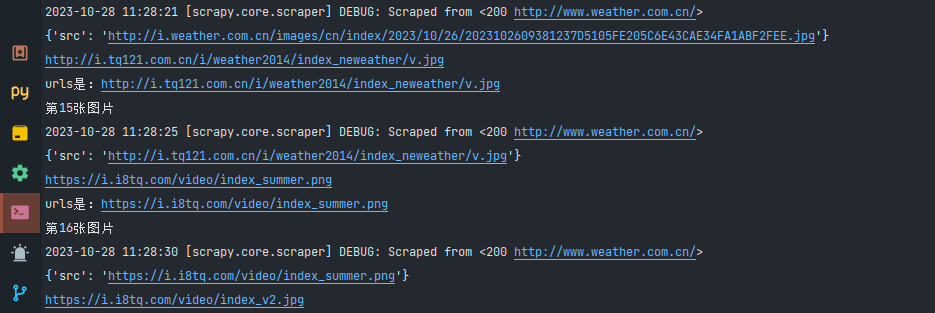
爬取速度实在是太慢了
改进后可以加入线程池来加速爬取,并且放弃使用urllib.request.urlretrieve。
多线程改进后,函数效果如下:
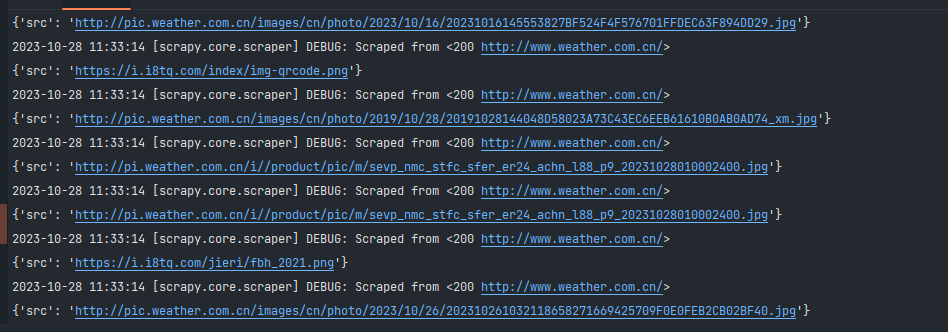
之前单线程要一分钟才下载完,多线程只需要几秒钟。
心得体会:
通过这次学习,学到了scarpy配合单多线程的使用,以及pipelines的下载过程。
作业②:
- 要求:
熟练掌握 scrapy 中 Item、Pipeline 数据的序列化输出方法;使用scrapy框架+Xpath+MySQL数据库存储技术路线爬取股票相关信息。 - 候选网站:
东方财富网:https://www.eastmoney.com/ - Gitee链接:
https://gitee.com/cyosyo/crawl_project/tree/master/作业3/2
实验代码:
stockSpider函数如下所示
class StockSpider(scrapy.Spider):
    name = 'stock_spider'
    count=1
    custom_settings = {
        'ROBOTSTXT_OBEY': False,  # Disregard robots.txt
        'DOWNLOAD_DELAY': 2,  # Add a delay to avoid being banned
    }

    def start_requests(self):
        for j in range(1, 11):
            url=f'https://30.push2.eastmoney.com/api/qt/clist/get?cb=jQuery112408741961798436015_1697702498292&pn={j}&pz=20&po=1&np=1&ut=bd1d9ddb04089700cf9c27f6f7426281&fltt=2&invt=2&wbp2u=|0|0|0|web&fid=f3&fs=m:0+t:6,m:0+t:80,m:1+t:2,m:1+t:23,m:0+t:81+s:2048&fields=f1,f2,f3,f4,f5,f6,f7,f8,f9,f10,f12,f13,f14,f15,f16,f17,f18,f20,f21,f23,f24,f25,f22,f11,f62,f128,f136,f115,f152&_=1697702498293'
            yield scrapy.Request(url, callback=self.parse)

    def parse(self, response):
        json_data = json.loads(response.text.split("(", 1)[1].rsplit(")", 1)[0])
        con = sqlite3.connect('stock.db')
        cur = con.cursor()
        cur.execute(
            'create table if not exists stock(id integer primary key , code varchar(10), name varchar(10), price varchar(10), change varchar(10), change_rate varchar(10), volume varchar(10), turnover varchar(10), amplitude varchar(10), high varchar(10), low varchar(10), open varchar(10), close varchar(10))')
        print("id 代码 名称 最新价格 涨跌额 涨跌幅 成交量 成交额 振幅 最高 最低 今开 昨收")
        for i in json_data['data']['diff']:
            try:
                cur.execute(
                    'insert into stock(id,code, name, price, change, change_rate, volume, turnover, amplitude, high, low, open, close) values(?,?,?,?,?,?,?,?,?,?,?,?,?)',
                    (self.count,i['f12'], i['f14'], i['f2'], i['f4'], i['f3'], i['f5'], i['f6'], i['f18'], i['f15'], i['f16'],
                     i['f17'], i['f17']))
                print(self.count,i['f12'], i['f14'], i['f2'], i['f4'], i['f3'], i['f5'], i['f6'], i['f18'], i['f15'], i['f16'],)
                self.count = self.count + 1
                con.commit()
            except Exception as err:
                self.logger.error(err)

        con.close()
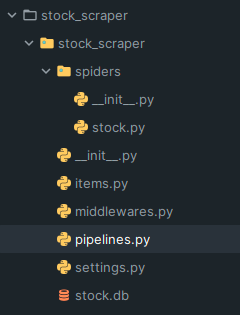
流程和上次差不多,先是从网页中手动获得js文件地址,然后填入url中,通过遍历对url进行翻页,之后则通过parse函数解析出我们需要的数据,并存入数据库中。
pipelines代码如下所示:
import sqlite3

class SQLitePipeline:
    def __init__(self):
        self.con = sqlite3.connect('stock.db')
        self.cur = self.con.cursor()

        self.cur.execute('create table if not exists stock(id integer primary key autoincrement, code varchar(10), name varchar(10), price varchar(10), change varchar(10), change_rate varchar(10), volume varchar(10), turnover varchar(10), amplitude varchar(10), high varchar(10), low varchar(10), open varchar(10), close varchar(10))')

    def process_item(self, item, spider):
        self.cur.execute('insert into stock(code, name, price, change, change_rate, volume, turnover, amplitude, high, low, open, close) values(?,?,?,?,?,?,?,?,?,?,?,?,?)',
                         (item['code'], item['name'], item['price'], item['change'], item['change_rate'], item['volume'], item['turnover'], item['amplitude'], item['high'], item['low'], item['open'], item['close']))
        self.con.commit()
        return item

    def close_spider(self, spider):
        self.con.close()
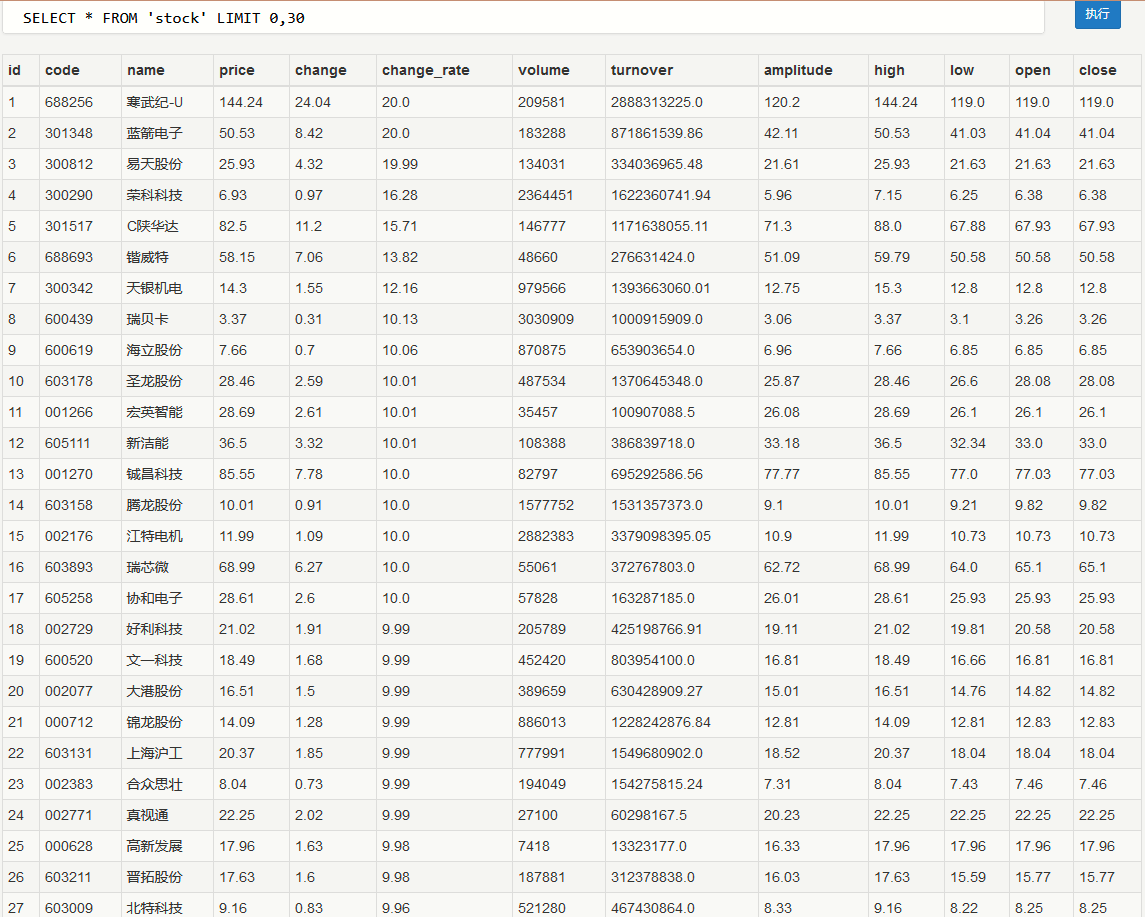
爬取后结果保存在db中
db文件内容如图所示:
心得体会
通过这次学习,学到sql与scarpy的交互过程,更加深刻的理解到了scarpy的爬取以及整个流程。
作业③:
- 要求:
熟练掌握 scrapy 中 Item、Pipeline 数据的序列化输出方法;使用scrapy框架+Xpath+MySQL数据库存储技术路线爬取外汇网站数据。 - 候选网站:中国银行网:https://www.boc.cn/sourcedb/whpj/
- Gitee链接:
https://gitee.com/cyosyo/crawl_project/tree/master/作业3/3
实验代码
bankSpider代码:
import scrapy
from ..items import CurrencyItem

class BankSpider(scrapy.Spider):
    name = "bank"
    count=1
    allowed_domains = ["bankspider"]
    start_urls = ['https://www.boc.cn/sourcedb/whpj/index.html']

    def parse(self, response):
        # 提取指定XPath路径的数据
        #print(response.xpath("//table[@align='left']"))
        rows = response.xpath("//table[@align='left']/tr")
        #print(data)
        for row in rows[1:]:
            item = CurrencyItem()
            item['currency_name'] = row.xpath("td[1]/text()").get()
            item['xianhui_buy_price'] = row.xpath("td[2]/text()").get()
            item['xianchao_buy_price'] = row.xpath("td[3]/text()").get()
            item['xianhui_sell_price'] = row.xpath("td[4]/text()").get()
            item['xianchao_sell_price'] = row.xpath("td[5]/text()").get()
            item['zhonghang_zhesuan_price'] = row.xpath("td[6]/text()").get()
            item['publish_date'] = row.xpath("td[7]/text()").get()
            item['publish_time'] = row.xpath("td[8]/text()").get()
            yield item


        next_page_url = f'https://www.boc.cn/sourcedb/whpj/index_{self.count}.html'
        self.count = self.count + 1
        if self.count<10:
            yield scrapy.Request(next_page_url, callback=self.parse)
pipelines和上一题类似,写入sql中:
import sqlite3

class SQLitePipeline:
    def __init__(self):
        self.con = sqlite3.connect('bank.db')
        self.cur = self.con.cursor()

        self.cur.execute('create table if not exists bank(id integer primary key autoincrement, name varchar(10), TBP varchar(10), CBP varchar(10), TSP varchar(10), CSP varchar(10), TIME varchar(10))')

    def process_item(self, item, spider):
        self.cur.execute('insert into bank(name,TBP,CBP,TSP,CSP,TIME) values(?,?,?,?,?,?)',
                         (item['currency_name'], item['xianhui_buy_price'], item['xianchao_buy_price'], item['xianhui_sell_price'], item['xianchao_sell_price'], item['publish_time']))
        self.con.commit()
        return item

    def close_spider(self, spider):
        self.con.close()
通过使用xpath提取出主要元素,以及通过不同count来不断回调parse函数,以此来保证可以爬取多个界面。
输出信息:
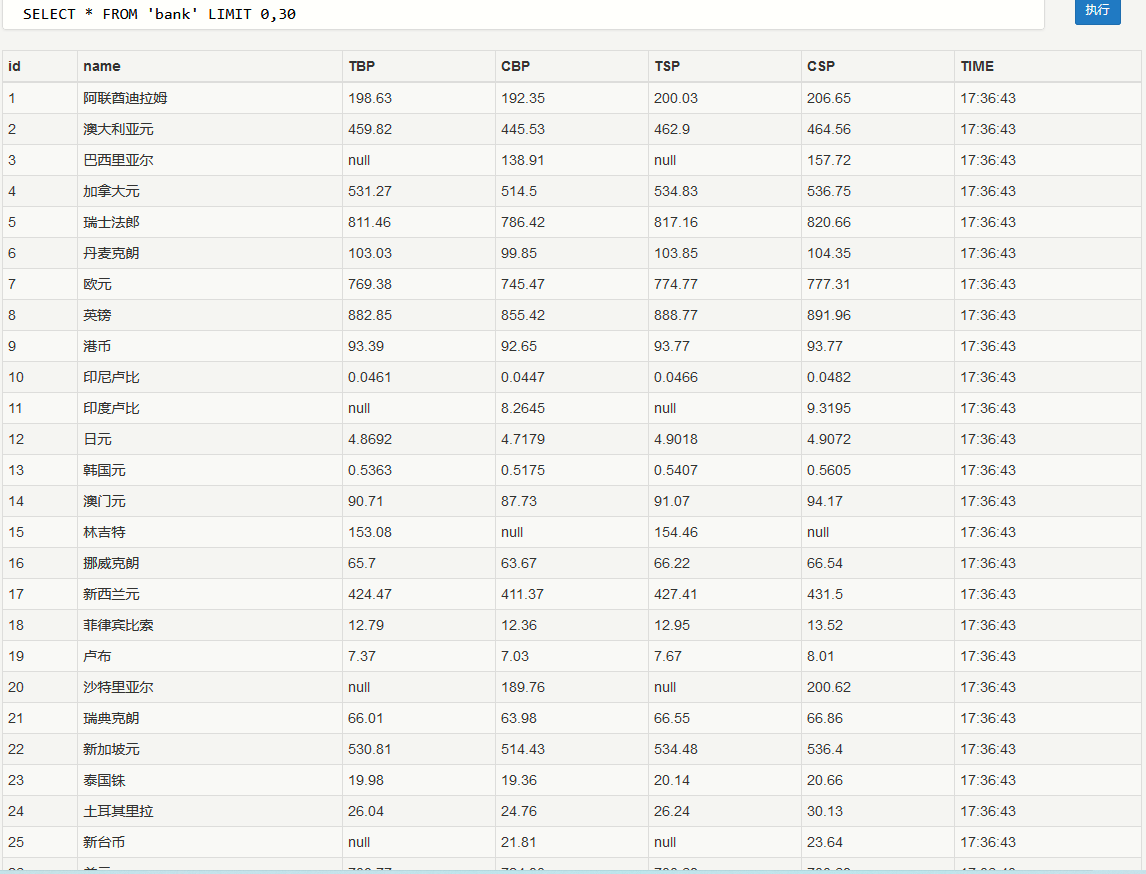
结果保存在bank.db中:
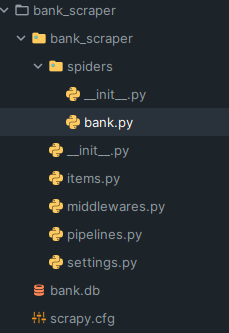
db内容如下所示:
心得体会
学会了爬取多个页面,并写入数据库的过程,深刻理解了scrapy的爬取流程以及工作机制。

 浙公网安备 33010602011771号