新Mac折腾记
0. 安装xcode
git/brew..等需要
1. 安装brew
/bin/bash -c "$(curl -fsSL https://raw.githubusercontent.com/Homebrew/install/master/install.sh)"
但是上述refused,使用如下:
/bin/zsh -c "$(curl -fsSL https://gitee.com/cunkai/HomebrewCN/raw/master/Homebrew.sh)"
2. brew换成国内源
# 替换brew.git:
cd "$(brew --repo)"
# 中国科大:
git remote set-url origin https://mirrors.ustc.edu.cn/brew.git
# 清华大学:
git remote set-url origin https://mirrors.tuna.tsinghua.edu.cn/git/homebrew/brew.git
# 替换homebrew-core.git:
cd "$(brew --repo)/Library/Taps/homebrew/homebrew-core"
# 中国科大:
git remote set-url origin https://mirrors.ustc.edu.cn/homebrew-core.git
# 清华大学:
git remote set-url origin https://mirrors.tuna.tsinghua.edu.cn/git/homebrew/homebrew-core.git
# 替换homebrew-bottles:
# 中国科大:
echo 'export HOMEBREW_BOTTLE_DOMAIN=https://mirrors.ustc.edu.cn/homebrew-bottles' >> ~/.bash_profile
source ~/.bash_profile
# 清华大学:
echo 'export HOMEBREW_BOTTLE_DOMAIN=https://mirrors.tuna.tsinghua.edu.cn/homebrew-bottles' >> ~/.bash_profile
source ~/.bash_profile
# 应用生效:
brew update
3. 安装oh-my-zsh
查看使用的shell:echo $SHELL #默认zsh
终端运行sh -c "$(curl -fsSL https://raw.github.com/ohmyzsh/ohmyzsh/master/tools/install.sh)"
出现timeout或者refused的解决办法:
(1)浏览器访问网址,将脚本放到vim一个新文件里
(2)sh newfile.sh运行安装
4. brew安装各种包
brew search 先搜搜包
brew info 看看包
安装前先brew update
brew cask install/brew install 安装包
brew cask install:
google-chrome
visual-studio-code
youdaodict
neteasemusic
sogouinput
spectacle
anaconda
echo "export PATH=/usr/local/anaconda3/bin:$PATH" >> ~/.zshrc
source ~/.zshrc
添加环境变量:$变量名会解析对应的内容
(1)export PATH=a/b/c:$PATH #单次执行,退出终端失效,长期要写入zshrc文件,加双引号是因为多空格或者转义原样输出
(2)echo "echo是写入一个字符串export PATH=a/b/c/:$PATH" >> ~/.zshrc
5. mac-terminal-theme
在git中找,按要求安装选择,git因为访问问题,先装油猴脚本
6. 更新conda
conda update conda
conda update anaconda
conda update python #本想升级到最新python,这么做没有work
7. 安装tensorflow
查看环境:conda env list
创建虚拟环境:conda create -n tf python=version number
激活环境:conda activate tf #可能会报错,要conda init zsh并且重新打开terminal下
pip install --upgrade tensorflow #因为pip源的问题,会很慢
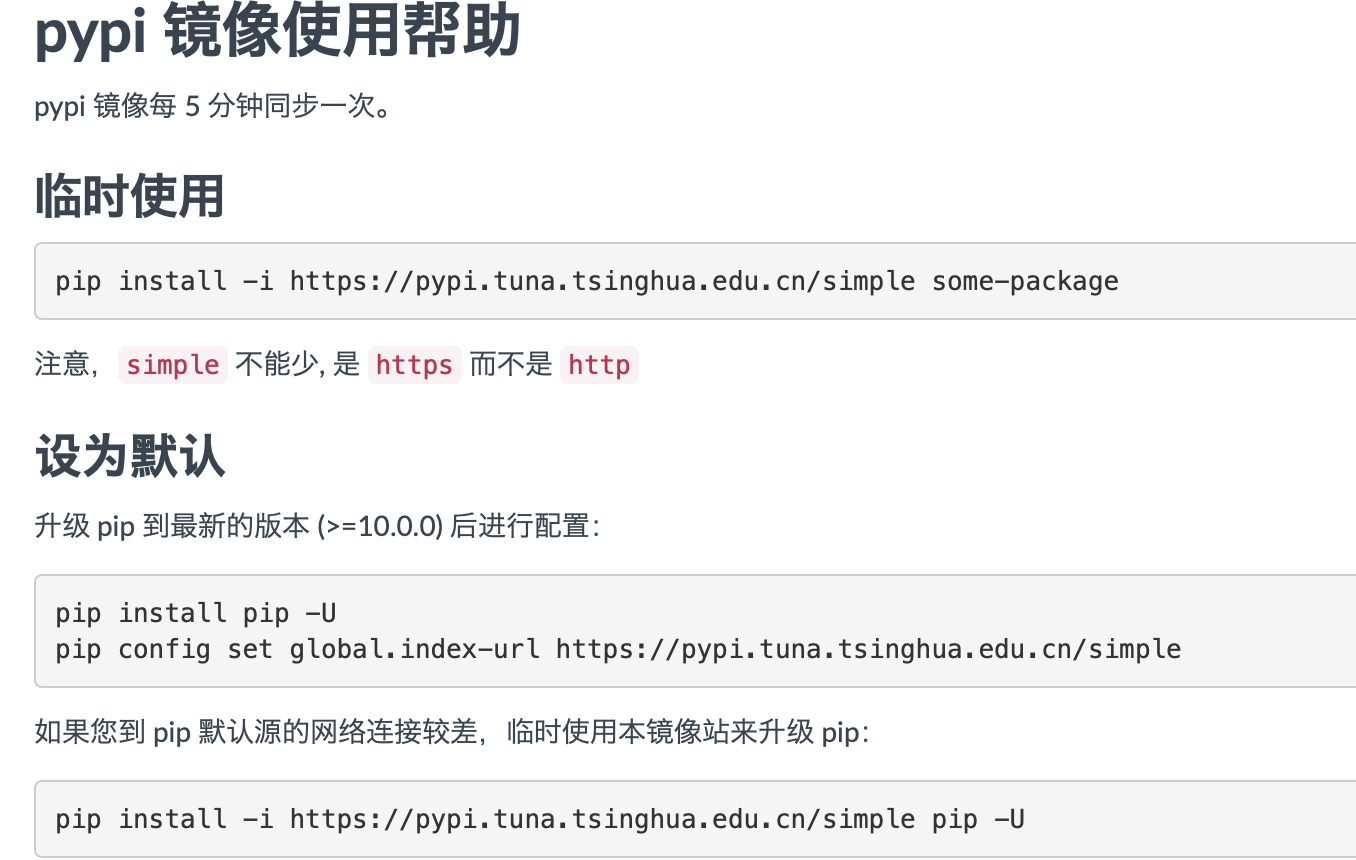
更换pip源(来自清华镜像说明)
退出环境:conda deactivate tf
jupyter notebook找不到conda环境tf(比如无法使用tf
conda activate tf #激活环境
conda install ipykernel #安装ipykernel
python -m ipykernel install --user --name vir_env_name --display-name "xxxx" #前提是安装ipykernel?自己试试
conda install nb_conda
删除kernel
jupyter kernelspec list
jupyter kernelspec remove tf

 浙公网安备 33010602011771号