
flink 计数器-笔记
flink 计数器
flink source 中设置计数器

https://blog.csdn.net/yy8623977/article/details/119767594
https://blog.csdn.net/weixin_44844089/article/details/103987818
Scala中最佳的JSON库 - play-json 生产实践经验分享
https://blog.csdn.net/chaizepeng/article/details/118407487
https://blog.csdn.net/weixin_30646505/article/details/94767884
https://blog.csdn.net/liuhui_306/article/details/51777471
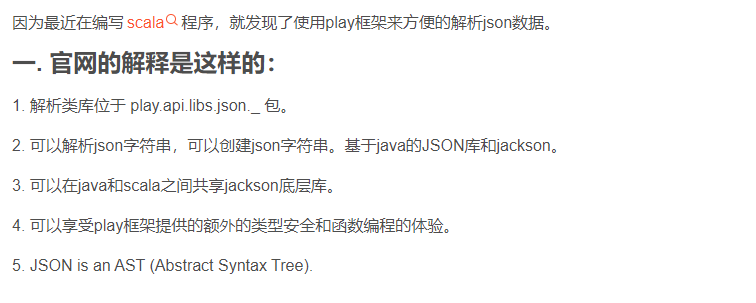
play-json
https://www.jianshu.com/p/20b9c701cb90
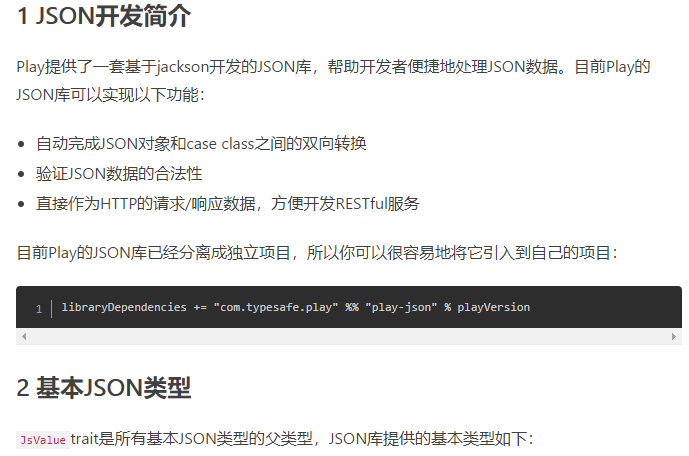
play-json pom
<!--        paly json : 解析json -->
        <!-- https://mvnrepository.com/artifact/com.typesafe.play/play-json -->
        <dependency>
            <groupId>com.typesafe.play</groupId>
            <artifactId>play-json_2.12</artifactId>
            <version>2.9.2</version>
        </dependency>
demo MqttPublisher
package com.hs.fast.test

/**
 * @Title:
 * @BelongProjecet hs_flink_elephant
 * @BelongPackage com.hs.fast.test
 * @Description:
 * @Copyright time company - Powered By 研发一部
 * @Author: cw
 * @Date: 2023-11-1 11:07
 * @Version V1.0
 */
import org.eclipse.paho.client.mqttv3._
import org.eclipse.paho.client.mqttv3.persist.MemoryPersistence
import play.api.libs.json._

object MqttPublisher {
  def main(args: Array[String]): Unit = {
    val brokerUrl = "tcp://192.168.33.22:1883"
    val clientId = "mqtt-publisher"
    val username="cw";
    val password="flink-123456";
//    val clientId = "mqtt-publisher"
    val topic = "topic/A"

    val persistence = new MemoryPersistence()
    val client = new MqttClient(brokerUrl, clientId, persistence)

    val options = new MqttConnectOptions()
    options.setCleanSession(true)
    options.setUserName(username)
    options.setPassword(password.toCharArray)

    println("Connecting to broker: " + brokerUrl)
    client.connect(options)
    println("Connected")

    // 循环发送JSON数据
    var counter = 0
    while (true) {
      val json = Json.obj(
        "counter" -> counter,
        "message" -> "Hello MQTT"
      )
      val payload = json.toString().getBytes("UTF-8")
      val message = new MqttMessage(payload)
      client.publish(topic, message)
      println(s"Published message: $json")

      counter += 1
      Thread.sleep(1000) // 每隔1秒发送一次
    }

    client.disconnect()
    println("Disconnected")
  }
}
scala中break与continue的实现
https://blog.csdn.net/do_yourself_go_on/article/details/74562517
//必须引入这个类下面的方法,用于实现break功能
import util.control.Breaks._

object BreakableTest extends App{

  val list1 = List(1,2,3,4,5)

  //breakable方法与break方法组合使用实现break功能
  //将整个循环放置于breakable方法中,然后需要跳出循环的时候则使用break方法,则跳出整个循环
  breakable{
    println("break功能展示:——————————————")

    for(i <- list1){
      if(i==4) break else println(i)
    }
  }
}
mqttv3 subscribe many topic
org.eclipse.paho.client.mqttv3.MqttClient#subscribe(java.lang.String[])

Scala中使用Flink连接到MQTT并实现重连和重订阅
要在Scala中使用Flink连接到MQTT并实现重连和重订阅,可以使用Flink的MqttSource和MqttSink,并结合使用Flink的可重试连接器来实现。
首先,确保你已经添加了Flink的Mqtt依赖。在build.sbt文件中添加以下依赖项:
libraryDependencies += "org.apache.flink" %% "flink-connector-mqtt" % "1.13.0"
然后,可以使用以下代码示例来实现:
import org.apache.flink.streaming.api.scala._
import org.apache.flink.streaming.connectors.mqtt._
import org.apache.flink.streaming.connectors.mqtt.internal.MqttConnectionConfig
import org.apache.flink.streaming.connectors.mqtt.MqttSource
import org.apache.flink.streaming.connectors.mqtt.MqttSource.ReconnectionStrategy

object MqttSourceExample {
  def main(args: Array[String]): Unit = {
    val env = StreamExecutionEnvironment.getExecutionEnvironment

    val connectionConfig = new MqttConnectionConfig.Builder()
      .setClientId("your-client-id")
      .setServerHost("your-mqtt-server-host")
      .setServerPort(1883)
      .setCleanSession(true)
      .build()

    val mqttSource = new MqttSource[String](
      connectionConfig,
      ReconnectionStrategy.CONNECT,
      new SimpleStringSchema
    )

    val stream = env.addSource(mqttSource)

    // 在回调函数中实现重连和重订阅
    stream.map { value =>
      // 处理接收到的消息
      value
    }

    env.execute("MqttSourceExample")
  }
}
在上面的示例中,你需要替换以下参数:
your-client-id:你的MQTT客户端ID。your-mqtt-server-host:你的MQTT服务器主机名或IP地址。
在回调函数中,你可以根据需要实现重连和重订阅的逻辑。例如,你可以在发生连接断开时重新连接,并在重新连接后重新订阅主题。
请注意,上述示例仅提供了一个基本的框架,你需要根据你的实际需求进行适当的修改和扩展。
Scala中实现MQTT回调函数返回主题和消息内容
https://blog.csdn.net/weixin_43222122/article/details/114586944
要在Scala中实现MQTT回调函数返回主题和消息内容,你可以使用Eclipse Paho MQTT客户端库。以下是一个示例代码:
import org.eclipse.paho.client.mqttv3._
import org.eclipse.paho.client.mqttv3.persist.MemoryPersistence

object MqttCallbackExample {
  def main(args: Array[String]): Unit = {
    val broker = "tcp://mqtt.eclipse.org:1883"
    val clientId = "your-client-id"
    val topic = "your-topic"

    val persistence = new MemoryPersistence
    val client = new MqttClient(broker, clientId, persistence)

    val callback = new MqttCallback {
      override def connectionLost(cause: Throwable): Unit = {
        println("Connection lost: " + cause.getMessage)
      }

      override def messageArrived(topic: String, message: MqttMessage): Unit = {
        val content = new String(message.getPayload)
        println("Received message from topic: " + topic)
        println("Message content: " + content)
      }

      override def deliveryComplete(token: IMqttDeliveryToken): Unit = {
        // Not used in this example
      }
    }

    client.setCallback(callback)

    val options = new MqttConnectOptions
    options.setCleanSession(true)

    client.connect(options)
    client.subscribe(topic)

    // 等待消息到达
    Thread.sleep(5000)

    client.disconnect()
    client.close()
  }
}
在上面的示例中,你需要替换以下参数:
broker:MQTT代理服务器的地址。clientId:你的MQTT客户端ID。topic:要订阅的主题。
在回调函数的messageArrived方法中,你可以获取到接收到的消息的主题和内容。你可以根据需要对消息进行处理。
请注意,上述示例仅提供了一个基本的框架,你需要根据你的实际需求进行适当的修改和扩展。

 浙公网安备 33010602011771号