
react中的插槽
包含关系-children prop
.FancyBorder {
  padding: 10px 10px;
  border: 10px solid;
}

.FancyBorder-blue {
  border-color: blue;
}

.Dialog-title {
  margin: 0;
  font-family: sans-serif;
}

.Dialog-message {
  font-size: larger;
}
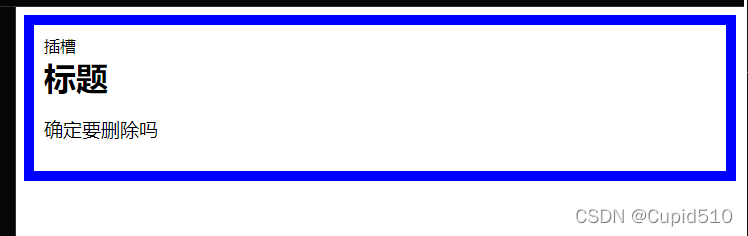
function FancyBorder(props) {
  return (
    <div className={'FancyBorder FancyBorder-' + props.color}>
    	//父组件的内容放在此处
      {props.children}
    </div>
  );
}

function WelcomeDialog() {
  return (
    <FancyBorder color="blue">
      <h1 className="Dialog-title">
        标题
      </h1>
      <p className="Dialog-message">
        确定要删除吗
      </p>
    </FancyBorder>
  );
}

ReactDOM.render(
  <WelcomeDialog />,
  document.getElementById('root')
);
props
html, body, #root {
  width: 100%;
  height: 100%;
}

.SplitPane {
  width: 100%;
  height: 100%;
}

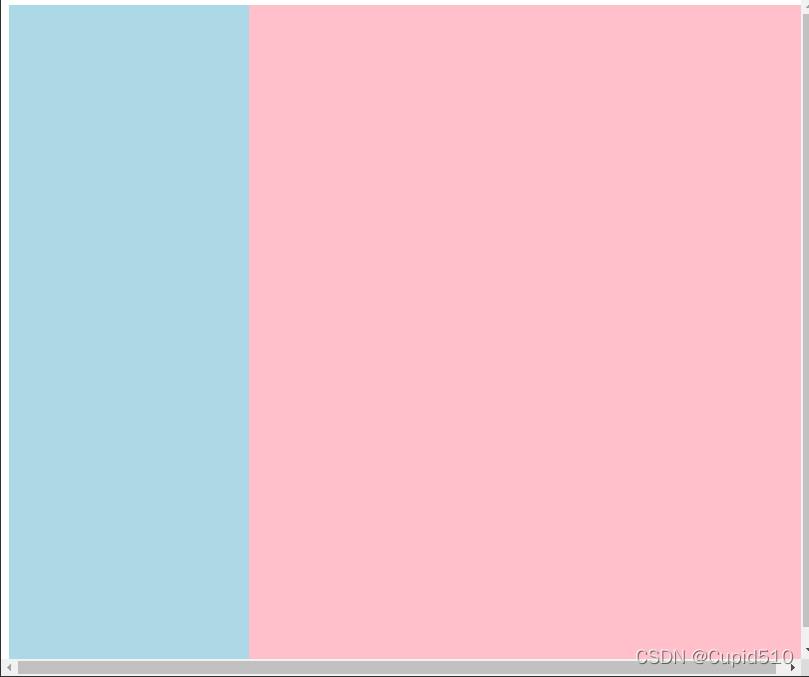
.SplitPane-left {
  float: left;
  width: 30%;
  height: 100%;
    background: lightblue;
}

.SplitPane-right {
  float: left;
  width: 70%;
  height: 100%;
}

.Contacts {
  width: 100%;
  height: 100%;
  background: lightblue;
}

.Chat {
  width: 100%;
  height: 100%;
  background: pink;
}
function Contacts() {
  return <div className="Contacts" />;
}

function Chat() {
  return <div className="Chat" />;
}

function SplitPane(props) {
  return (
    <div className="SplitPane">
      <div className="SplitPane-left">
        {props.left}
      </div>
      <div className="SplitPane-right">
        {props.right}
      </div>
    </div>
  );
}

function App() {
  return (
    <SplitPane
      left={
        <Contacts />
      }
      right={
        <Chat />
      } />
  );
}

ReactDOM.render(
  <App />,
  document.getElementById('root')
);
请用今天的努力,让明天没有遗憾。

 浙公网安备 33010602011771号