
自动生成的布局xml文件,很多都带有tools字样;但是大部分都被我们删除了;
其实它的作用是让我们这些开发者预览用的,十分的方便;
事例一个TextView:
<TextView
    android:layout_width="wrap_content"
    android:layout_height="wrap_content"
    android:textSize="13sp"
    android:textColor="#ffffff"
    android:gravity="center_horizontal"
    tools:text="11月2日"
    />
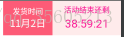
工作台显示:
真机显示:
使用tools:text这个样子写在工作台预览时显示“11月2日”字样;当运行在真机上面就不显示了;
这个样子的TextView:
<TextView
    android:layout_width="wrap_content"
    android:layout_height="wrap_content"
    android:textSize="13sp"
    android:textColor="#ffffff"
    android:gravity="center_horizontal"
    android:text="11月2日"
    />
工作台显示:
真机显示:
使用android:text这个样子写在工作台预览时显示“11月2日”字样;当运行在真机上面和工作台预览时一样显示;
在我们没有获取到服务器的数据时,可以避免界面上显示调试或测试的的假数据的尴尬情况;

 浙公网安备 33010602011771号