CentOS7安装Nginx
1.去官网http://nginx.org/下载对应的nginx包,推荐使用稳定版本
2.上传nginx到linux系统,如/home/software目录下
3.安装依赖环境
(1)安装gcc环境
yum install gcc-c++
(2)安装PCRE库,用于解析正则表达式
yum install -y pcre pcre-devel
(3)zlib压缩和解压缩依赖
yum install -y zlib zlib-devel
(4)SSL 安全的加密的套接字协议层,用于HTTP安全传输,也就是https
yum install -y openssl openssl-devel
4.解压,需要注意,解压后得到的是源码,源码需要编译后才能安装
tar -zxvf nginx-1.16.1.tar.gz
5.编译之前,先创建nginx临时目录,如果不创建,在启动nginx的过程中会报错
mkdir /var/temp/nginx -p
6.在nginx目录,输入如下命令进行配置,目的是为了创建makefile文件
./configure \
--prefix=/usr/local/nginx \
--pid-path=/var/run/nginx/nginx.pid \
--lock-path=/var/lock/nginx.lock \
--error-log-path=/var/log/nginx/error.log \
--http-log-path=/var/log/nginx/access.log \
--with-http_gzip_static_module \
--http-client-body-temp-path=/var/temp/nginx/client \
--http-proxy-temp-path=/var/temp/nginx/proxy \
--http-fastcgi-temp-path=/var/temp/nginx/fastcgi \
--http-uwsgi-temp-path=/var/temp/nginx/uwsgi \
--http-scgi-temp-path=/var/temp/nginx/scgi \
--with-http_ssl_module
注: 代表在命令行中换行,用于提高可读性
| 命令 | 解释 |
|---|---|
| –prefix | 指定nginx安装目录 |
| –pid-path | 指向nginx的pid |
| –lock-path | 锁定安装文件,防止被恶意篡改或误操作 |
| –error-log | 错误日志 |
| –http-log-path | http日志 |
| –with-http_gzip_static_module | 启用gzip模块,在线实时压缩输出数据流 |
| –http-client-body-temp-path | 设定客户端请求的临时目录 |
| –http-proxy-temp-path | 设定http代理临时目录 |
| –http-fastcgi-temp-path | 设定fastcgi临时目录 |
| –http-uwsgi-temp-path | 设定uwsgi临时目录 |
| –http-scgi-temp-path | 设定scgi临时目录 |
| --with-http_ssl_module | 启用ssl模块 |
6.make编译及安装
make && make install
7.进入sbin目录启动nginx
启动:
./nginx
停止:
./nginx -s stop
重新加载:
./nginx -s reload
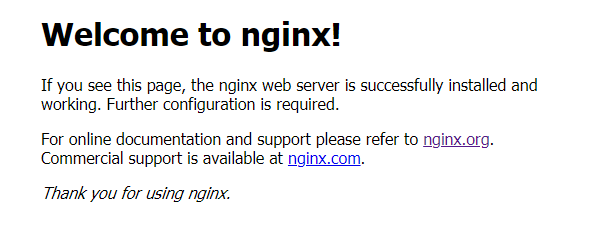
8.打开浏览器,访问虚拟机所处内网ip即可打开nginx默认页面,显示如下便表示安装成功:
注意事项:
1.如果在云服务器安装,需要开启默认的nginx端口:80
2.如果在虚拟机安装,需要关闭防火墙
3.本地win或mac需要关闭防火墙
- 关闭防火墙
systemctl stop firewalld.service - 永久禁用防火墙
systemctl disable firewalld.service

 浙公网安备 33010602011771号