后置处理器之正则表达式提取器
一、添加
Test Plan -> Thread Group -> Config Processors -> Regular Expression Extractor
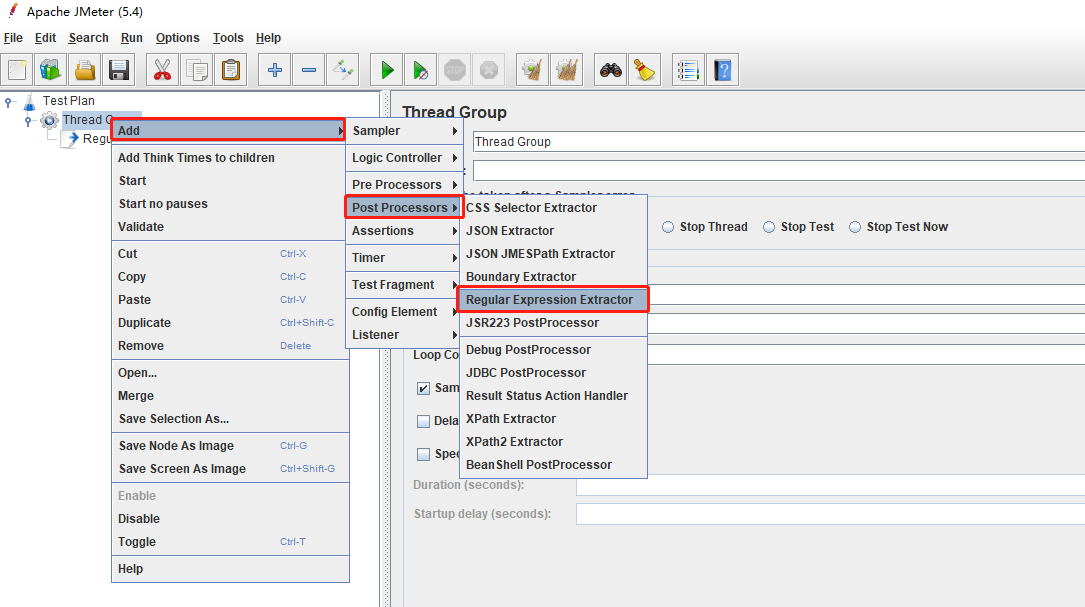
二、正则表达式提取器面板
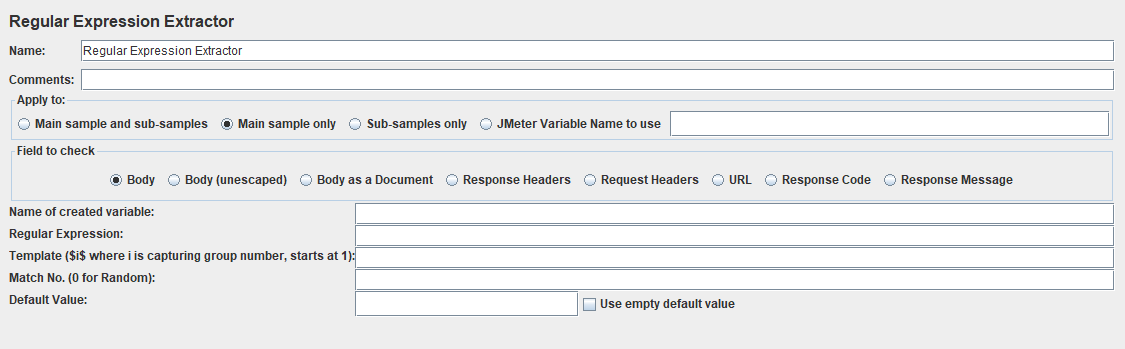
Name:名称
Comments:备注
Apply to:应用范围,即提取器提取内容时从什么采样器提取。
Field to check:检查范围,即提取器提取内容的具体地址,如body,Response Headers 等等
Name of created variable:变量名称
Regular Expression:正则表达式
Template($i$ where i is capturing group number, start at 1):获取第几个模板
Match No.(0 for Random):匹配第几个
Default value:默认值
三、举例:
有一个接口返回的数据如图:
正则表达式提取器面板设置:
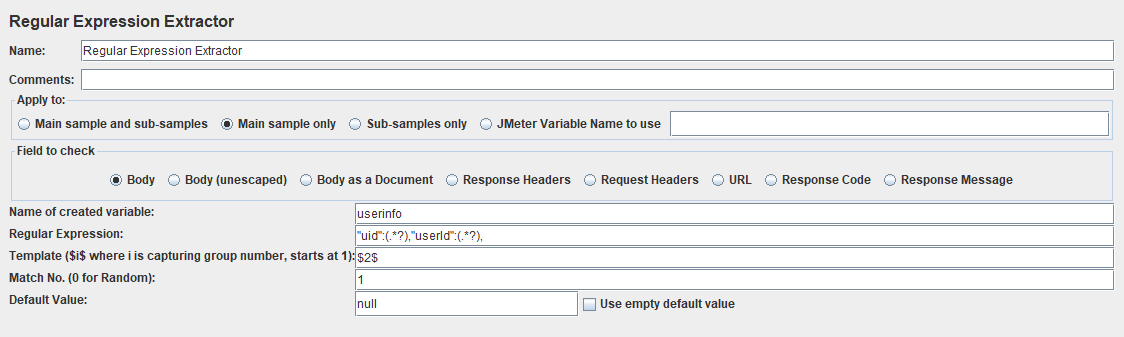
其中,Regular Expression:"uid":(.*?),"userId":(.*?),
意思是提取uid和userid
Template($i$ where i is capturing group number, start at 1):若填写的是$1$,则是提取“uid",$2$则是提取”userId"
Match No.:1,意思是提取第1个,若匹配
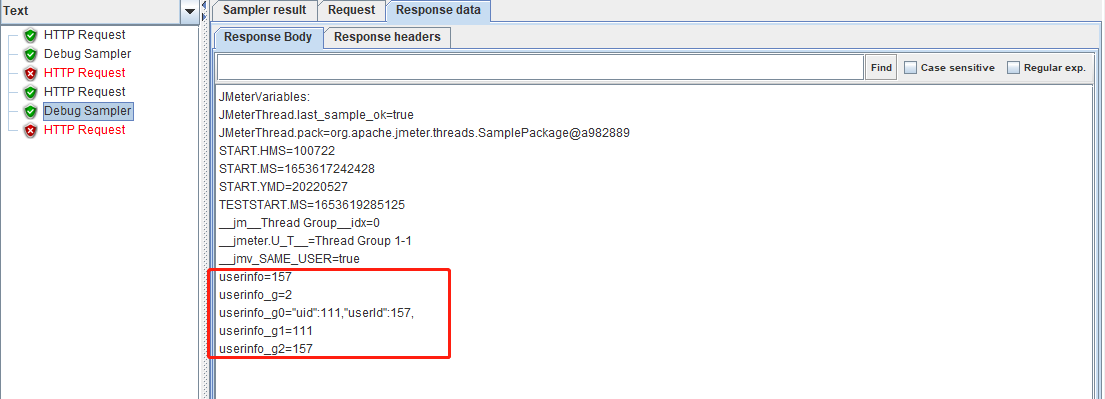
我们看一下上面的设置,Debug sampler里面的参数是怎样:
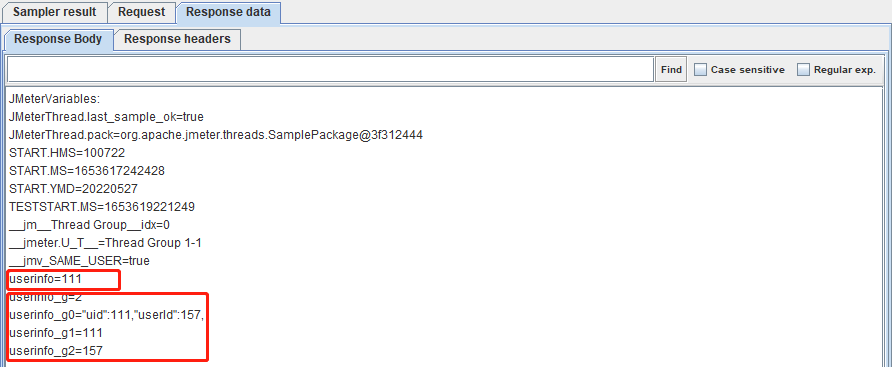
若将Template($i$ where i is capturing group number, start at 1)内容改为$2$

 浙公网安备 33010602011771号