
【Postman使用】设置代理获取请求
抓取device请求
1. 新增一个collection
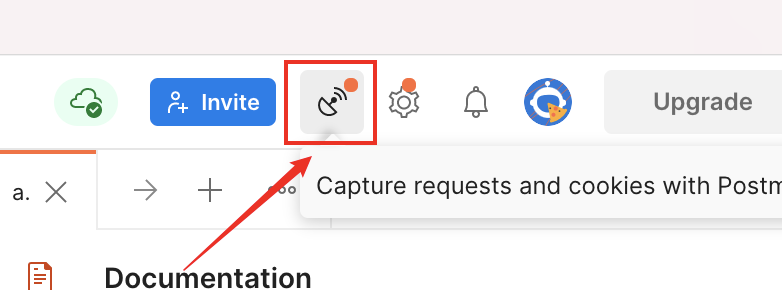
2. 在Postman中选择Capture requests and cookies的图标
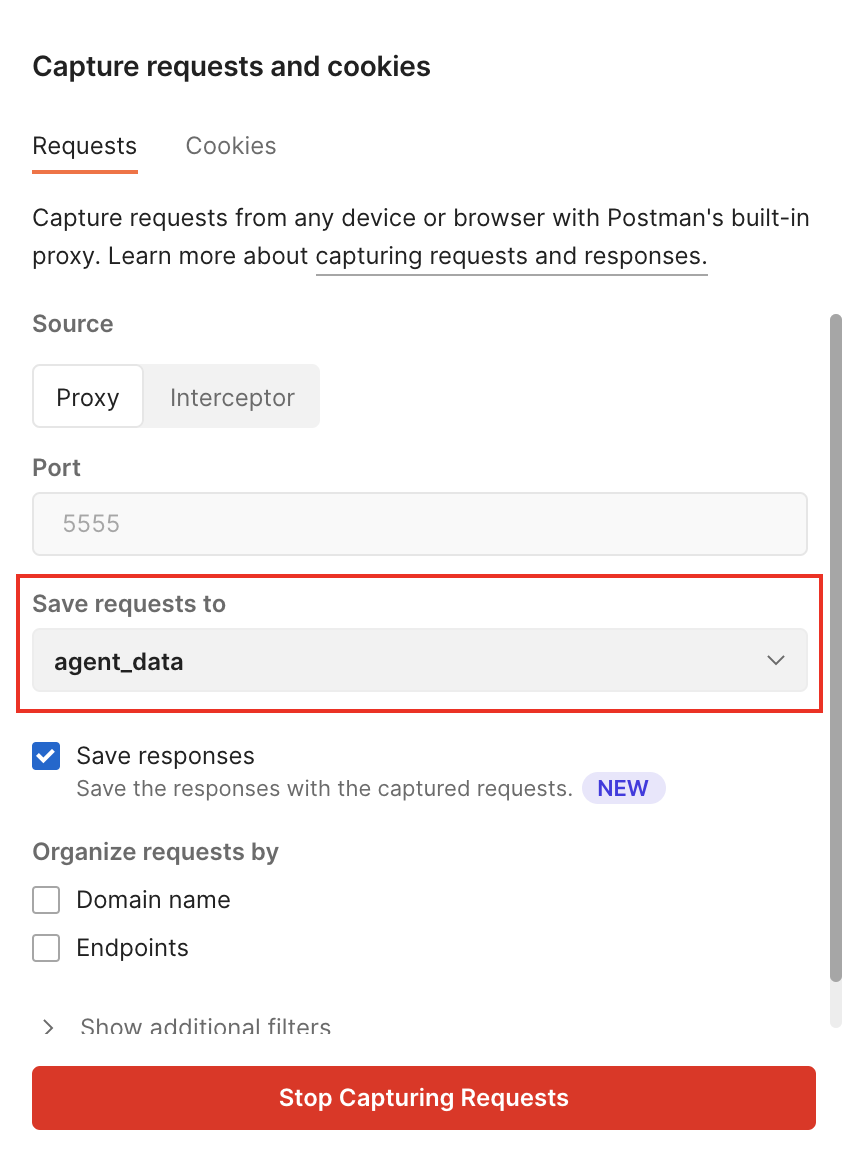
3. 设置请求保存的目标collection,保持端口不变,也可以设置过滤条件
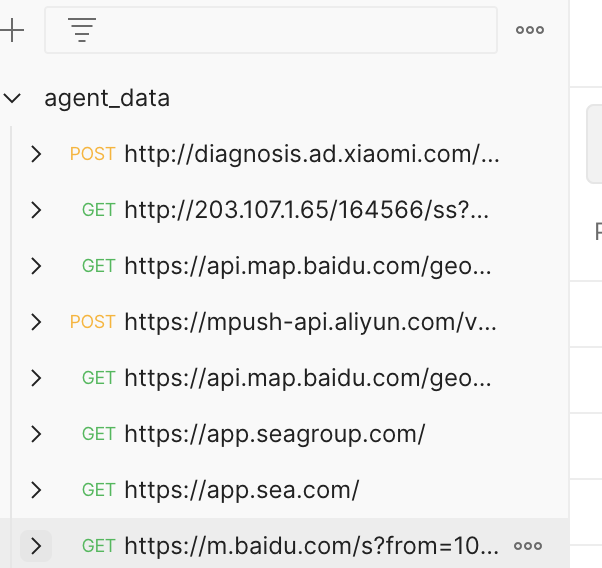
4. 查看电脑IP,在手机连接的Wi-Fi上打开代理模式,代理的主机名为电脑IP,端口为5555,设置完成后,手机端的请求都会保存在目标collection里
1. 新增一个collection
2. 在Postman中选择Capture requests and cookies的图标
3. 设置请求保存的目标collection,保持端口不变,也可以设置过滤条件
4. 查看电脑IP,在手机连接的Wi-Fi上打开代理模式,代理的主机名为电脑IP,端口为5555,设置完成后,手机端的请求都会保存在目标collection里

 浙公网安备 33010602011771号