有趣的linux命令
一、pv
1.pv命令
pv命令 Pipe Viewer 的简称,由Andrew Wood 开发。意思是通过管道显示数据处理进度的信息。这些信息包括已经耗费的时间,完成的百分比(通过进度条显示),当前的速度,全部传输的数据,以及估计剩余的时间
2.安装命令
debain系列操作系统,如ubuntu则用
sudo apt-get install pv
rehat系列操作系统,如centos则用
yum apt-get install pv
3.语法
pv [option] file....
4.参数
-p, --progress show progress bar
-t,--timer show elapsed time
-e, --eta show estimated time of arrival (completion)
-I, --fineta show absolute estimated time of arrival (completion)
-r, --rate show data transfer rate counter
-a, --average-rate show data transfer average rate counter
-b, --bytes show number of bytes transferred
-T, --buffer-percent show percentage of transfer buffer in use
-A, --last-written NUM show NUM bytes last written
-F, --format FORMAT set output format to FORMAT
-n, --numeric 输出百分比
-q, --quiet do not output any transfer information at all
-W, --wait display nothing until first byte transferred
-D, --delay-start SEC display nothing until SEC seconds have passed
-s, --size SIZE set estimated data size to SIZE bytes
-l, --line-mode count lines instead of bytes
-0, --null lines are null-terminated
-i, --interval SEC update every SEC seconds
-w, --width WIDTH assume terminalis WIDTH characters wide
-H, --height HEIGHT assume terminal is HEIGHT rows high
-N, --name NAME prefix visual information with NAME
-f, --force output even if standard error is not a terminal
-c, --cursor use cursor positioning escape sequences
-L, --rate-limit RATE limit transfer to RATE bytes per second
-B, --buffer-size BYTES use a buffer size of BYTES
-C, --no-splice never use splice(), always use read/write
-E, --skip-errors skip read errors in input
-S, --stop-at-size stop after --size bytes have been transferred
-R, --remote PID update settings of process PID
-P, --pidfile FILE save process ID in FILE
-d, --watchfd PID[:FD] watch file FD opened by process PID
-h, --help 显示帮助
-V, --version 显示版本信息
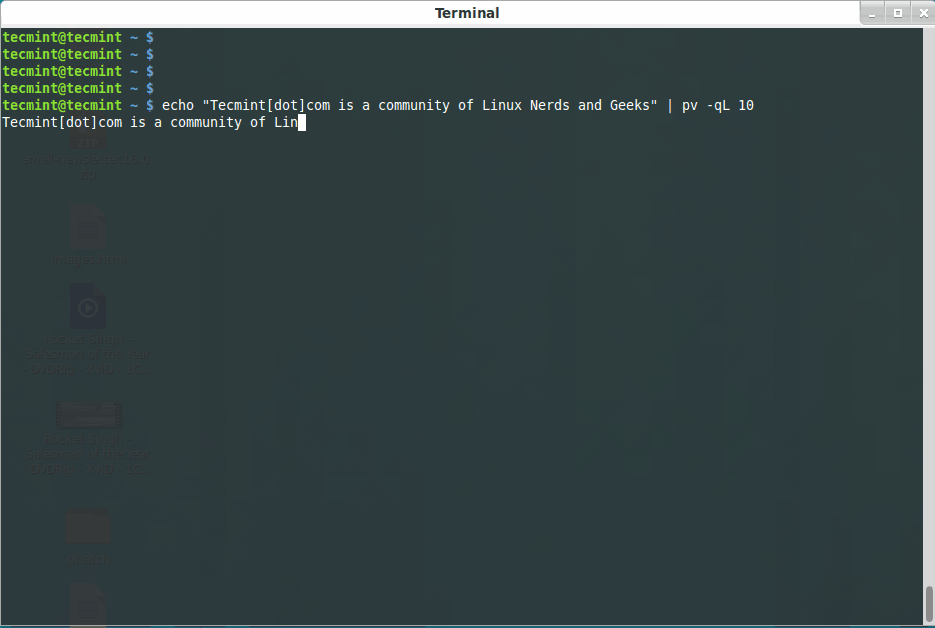
4.实例
二、banner
1.banner命令
输出图形化字符的命令:banner
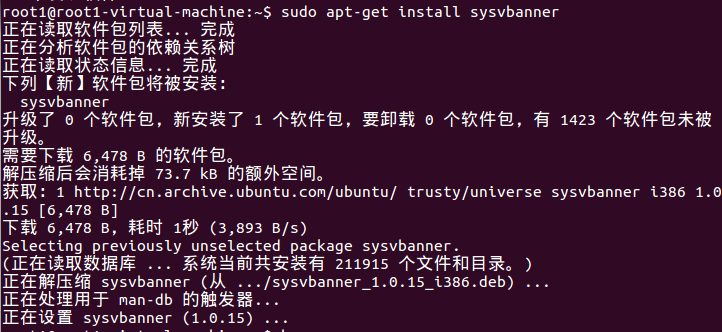
2.安装
$ sudo apt-get update
$ sudo apt-get install sysvbanner
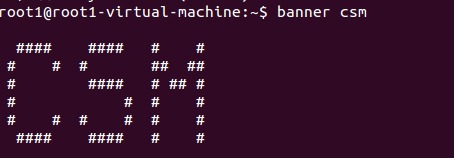
3.使用
banner csm

 浙公网安备 33010602011771号