
google colab上导入自定义包,导入py文件,使用py文件
情况说明
我的文件结构如下图,我先是把function_hello.py文件上传到相应的文件夹test_mypy,再新建一个import_hello.ipynb文件。
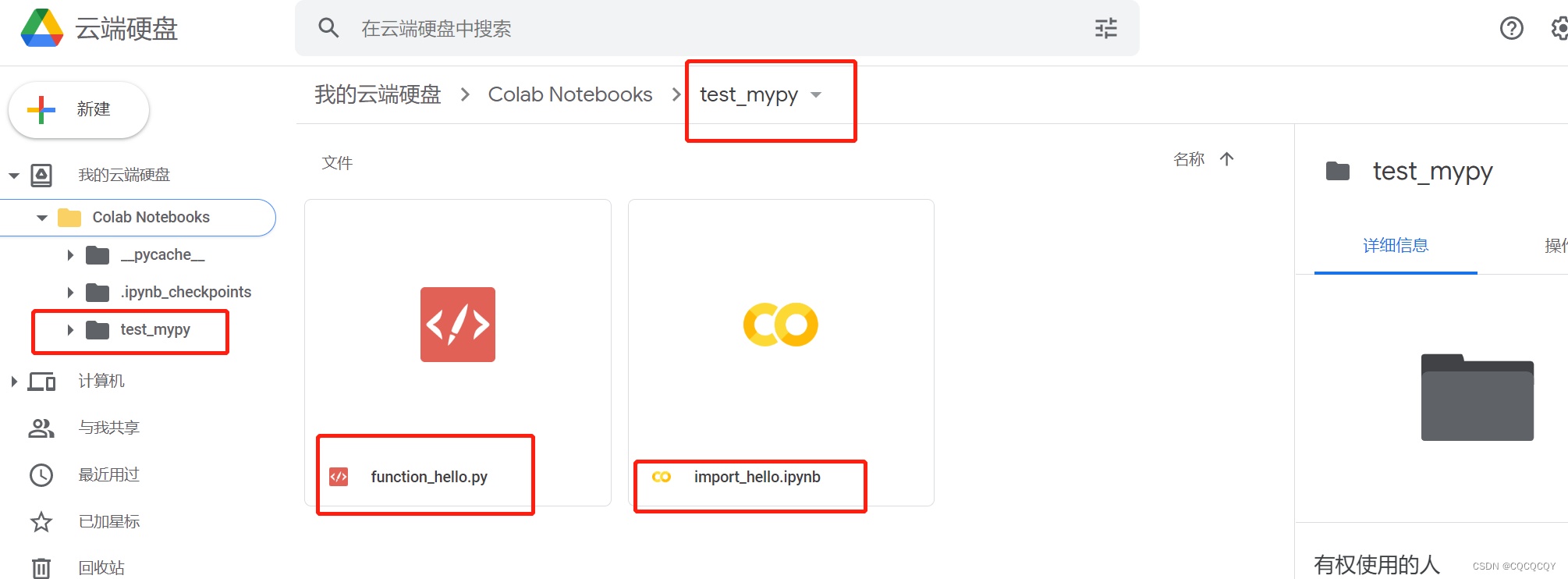
现在我想在import_hello.ipynb文件中调用(导入)function_hello里面的函数
其中function_hello.py里面的内容是:
def print_hello():
    print("hello world")
挂载云端硬盘
在colab上面,首先我们要把import_hello.ipynb文件挂载到谷歌云端硬盘
在import_hello.ipynb文件上执行下面代码
# 挂在云盘
from google.colab import drive
drive.mount('/content/drive')
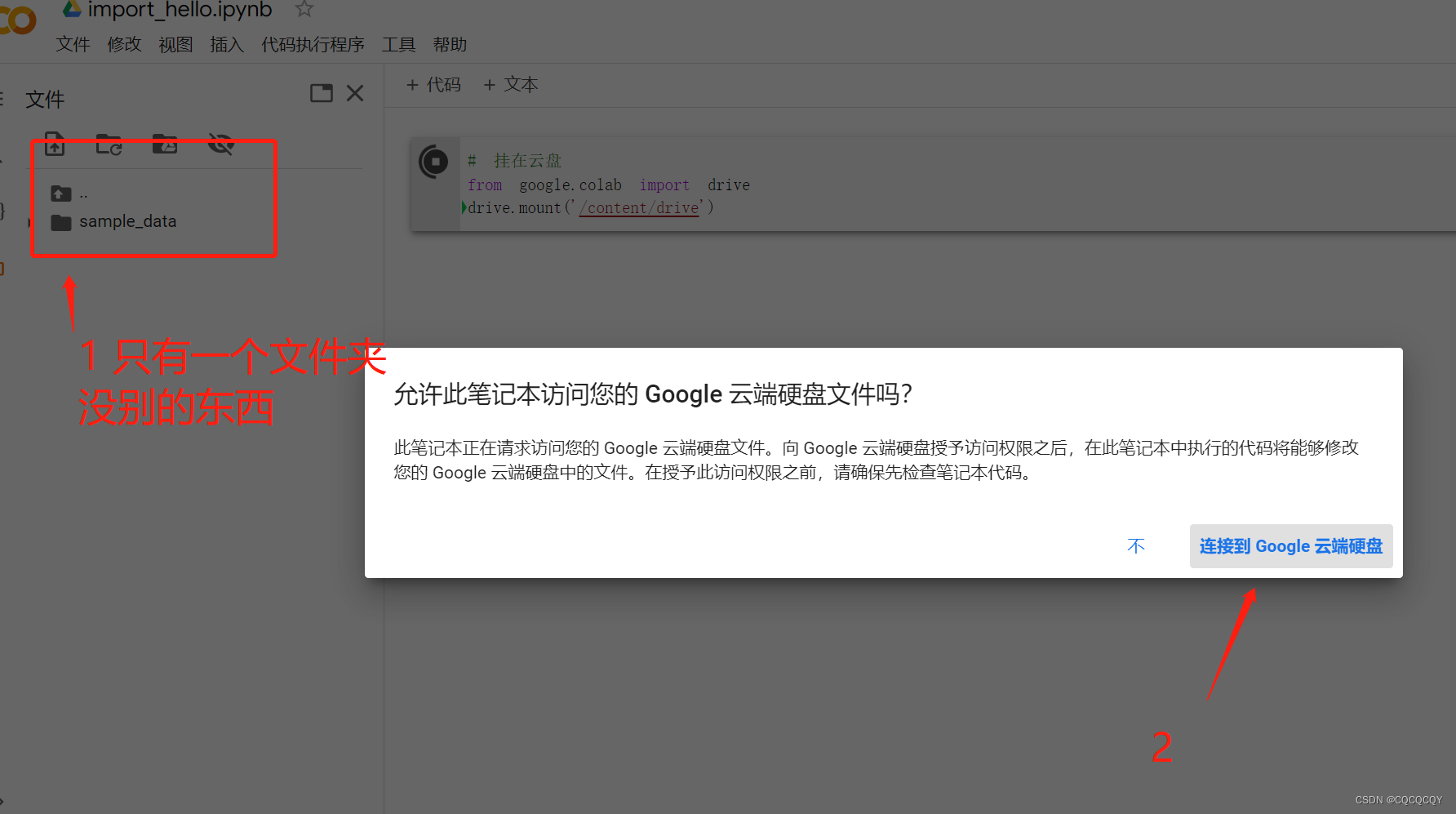
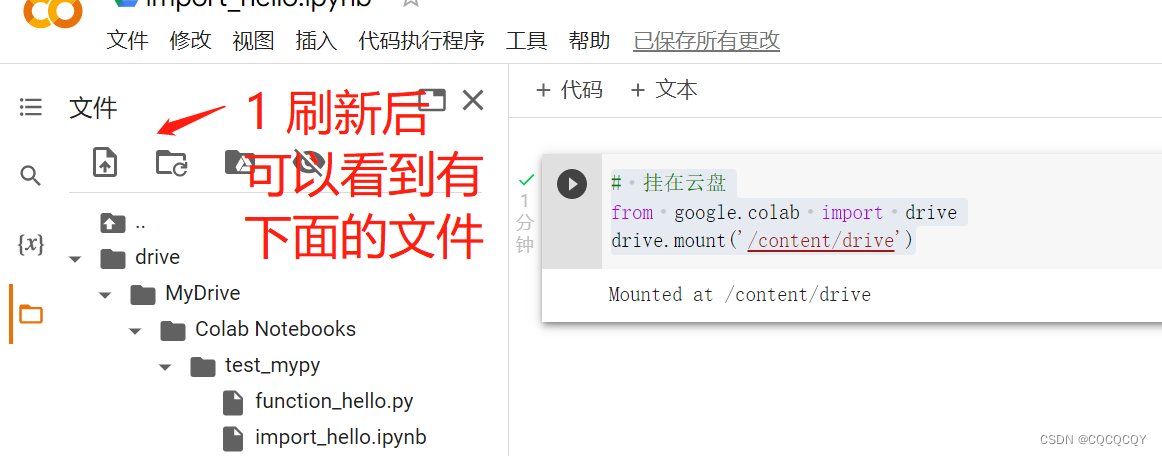
扫描到相应路径
挂载云盘后,要扫描到当前文件目录,就是test_mypy文件夹下面,sys.path.append(“path”),添加包所在路径。
# 扫描到相应的路径
import sys
sys.path.append('/content/drive/MyDrive/Colab Notebooks/test_mypy')
导包
到这边就可以导包了
from function_hello import *
使用
最后,直接在import_hello.ipynb文件中使用function_hello.py文件中的函数:
print_hello()
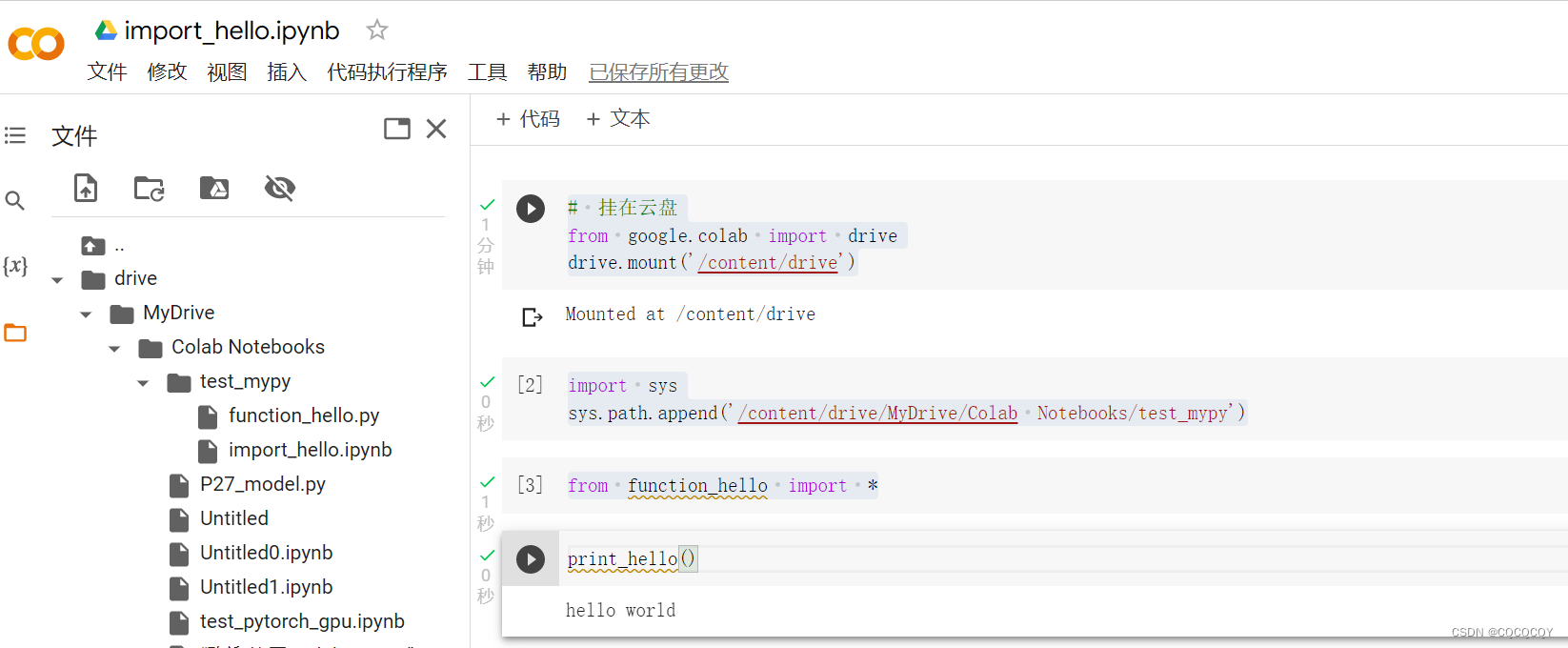
在colab上完整的流程如下:
参考文献
1、❤解决colab无法调用模块(无法使用其它文件内函数)的问题
2、▲如何在Colab中导入自定义的包
3、▲Google Colaboratory中有多个py文件时的使用技巧
4、在Google colab上导入自己的ipynb文件

 浙公网安备 33010602011771号