![]()
![]()
![]() <RelativeLayout xmlns:android="http://schemas.android.com/apk/res/android"
xmlns:tools="http://schemas.android.com/tools"
android:layout_width="match_parent"
android:layout_height="match_parent"
android:paddingBottom="@dimen/activity_vertical_margin"
android:paddingLeft="@dimen/activity_horizontal_margin"
android:paddingRight="@dimen/activity_horizontal_margin"
android:paddingTop="@dimen/activity_vertical_margin"
tools:context=".AnotherActivity" >
<Button
android:id="@+id/btn"
android:layout_width="250dp"
android:layout_height="wrap_content"
android:layout_below="@+id/textView1"
android:layout_centerHorizontal="true"
android:layout_marginTop="32dp"
android:background="#3A5FCD"
android:onClick="click"
android:text="QQ"
android:textSize="20sp"
android:textColor="#FFFFFF" />
<TextView
android:id="@+id/textView1"
android:layout_width="wrap_content"
android:layout_height="wrap_content"
android:layout_alignParentTop="true"
android:layout_centerHorizontal="true"
android:layout_marginTop="174dp"
android:textSize="40sp"
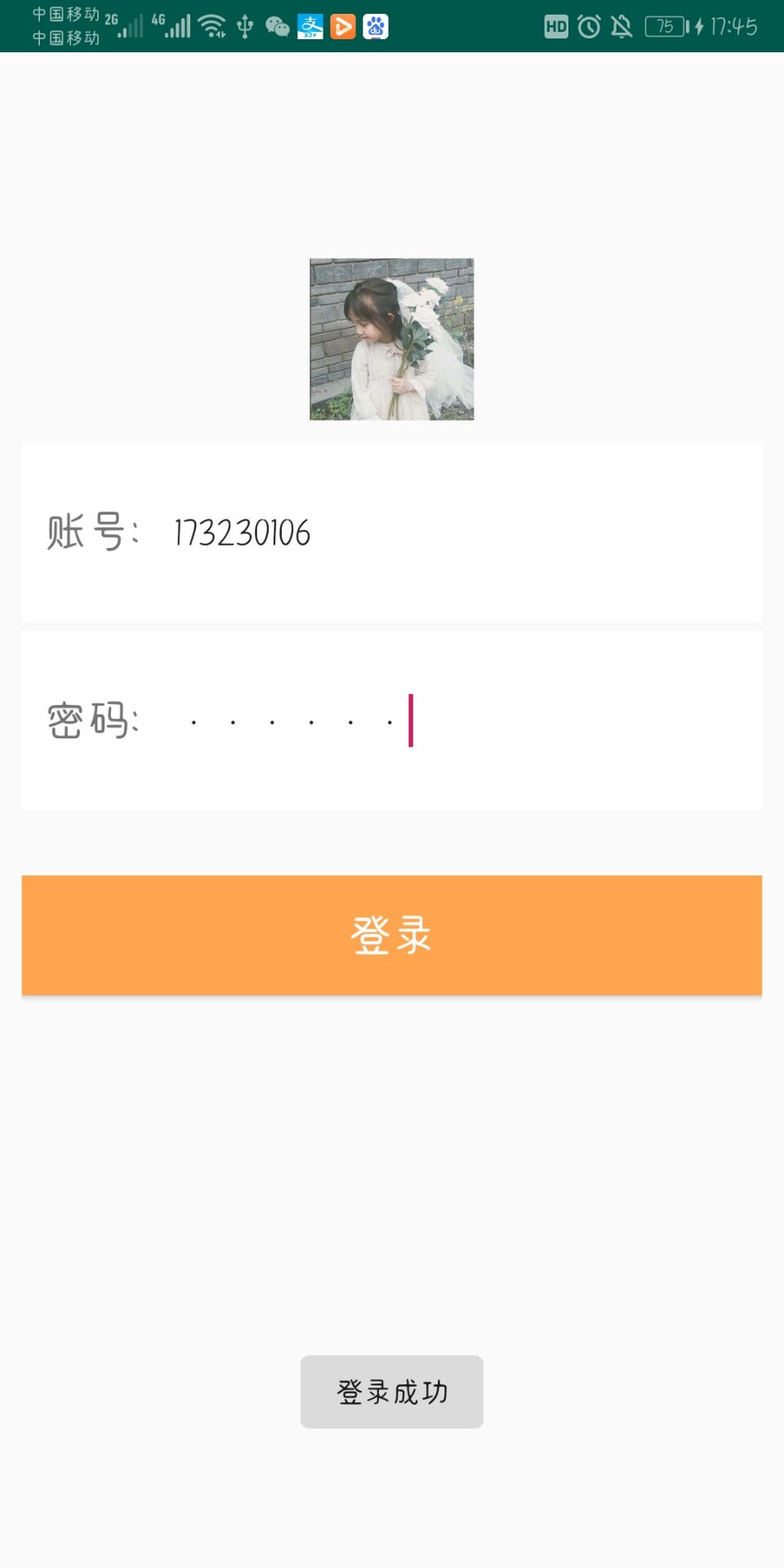
android:text="登录成功" />
</RelativeLayout>
<RelativeLayout xmlns:android="http://schemas.android.com/apk/res/android"
    xmlns:tools="http://schemas.android.com/tools"
    android:layout_width="match_parent"
    android:layout_height="match_parent"
    android:paddingBottom="@dimen/activity_vertical_margin"
    android:paddingLeft="@dimen/activity_horizontal_margin"
    android:paddingRight="@dimen/activity_horizontal_margin"
    android:paddingTop="@dimen/activity_vertical_margin"
    tools:context=".AnotherActivity" >

    <Button
        android:id="@+id/btn"
        android:layout_width="250dp"
        android:layout_height="wrap_content"
        android:layout_below="@+id/textView1"
        android:layout_centerHorizontal="true"
        android:layout_marginTop="32dp"
        android:background="#3A5FCD"
        android:onClick="click"
        android:text="QQ"
        android:textSize="20sp"
        android:textColor="#FFFFFF" />

    <TextView
        android:id="@+id/textView1"
        android:layout_width="wrap_content"
        android:layout_height="wrap_content"
        android:layout_alignParentTop="true"
        android:layout_centerHorizontal="true"
        android:layout_marginTop="174dp"
        android:textSize="40sp"
        android:text="登录成功" />

</RelativeLayout>
<?xml version="1.0" encoding="utf-8"?>
<LinearLayout xmlns:android="http://schemas.android.com/apk/res/android"
    android:orientation="vertical"
    android:layout_height="match_parent"
    android:layout_width="match_parent"
    android:padding="10dp"

    >
<!--    线性布局-->
    <LinearLayout
        android:layout_width="match_parent"
        android:layout_height="match_parent"
        android:orientation="vertical"
        >
        <LinearLayout
            android:layout_width="match_parent"
            android:layout_height="match_parent"
            android:orientation="vertical"
            android:layout_weight="1">
            <LinearLayout
                android:layout_width="match_parent"
                android:layout_height="match_parent"
                android:layout_weight="1"
                android:orientation="vertical" >
                <LinearLayout
                    android:layout_width="match_parent"
                    android:layout_height="match_parent"
                    android:layout_weight="1"
                    android:orientation="vertical" >
                </LinearLayout>
<!--                头像-->
                <LinearLayout
                    android:layout_width="match_parent"
                    android:layout_height="match_parent"
                    android:layout_weight="1"
                    android:orientation="vertical" >
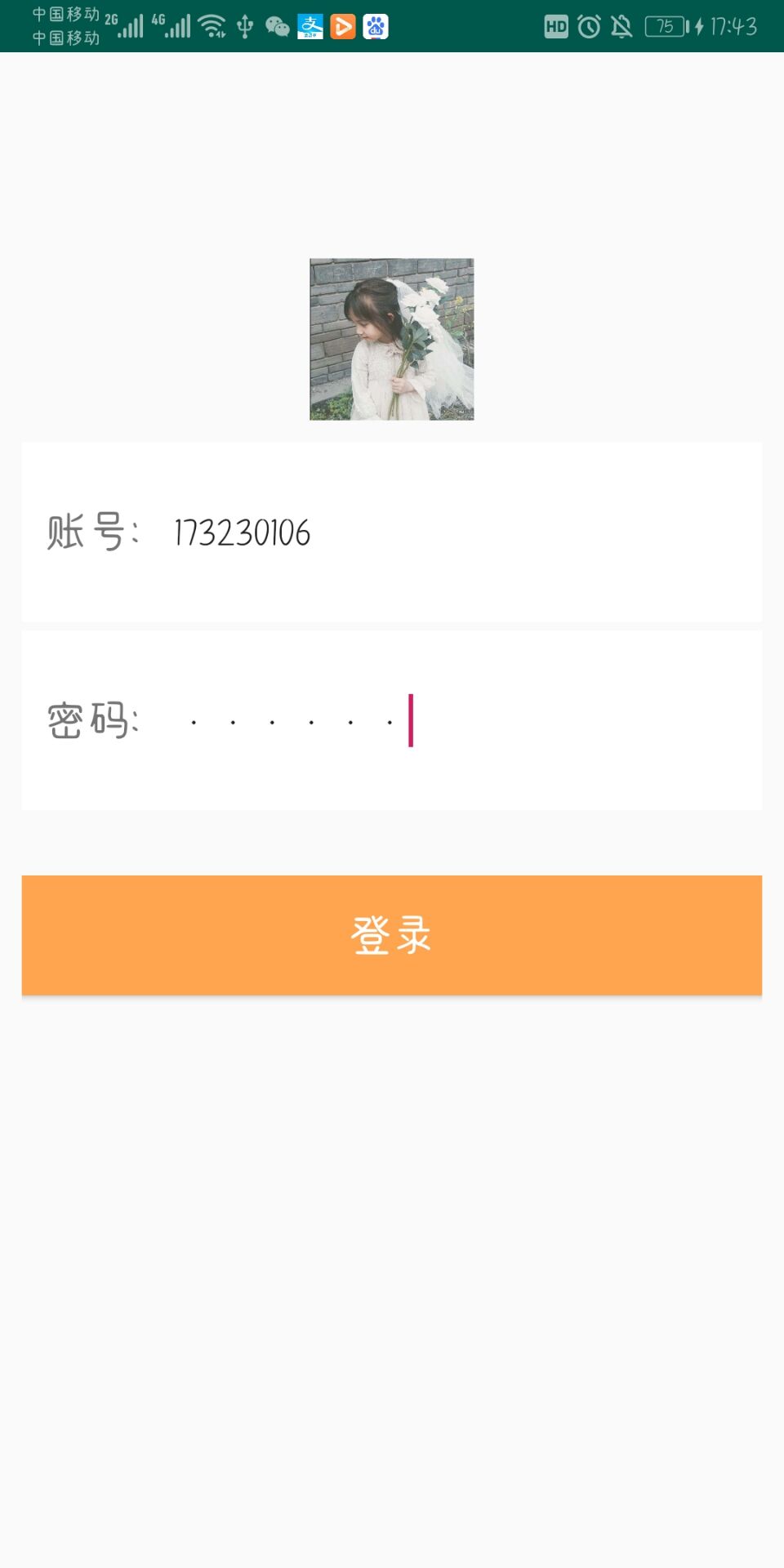
                    <ImageView
                        android:layout_width="match_parent"
                        android:layout_height="match_parent"
                        android:src="@drawable/cong"
                        android:layout_marginBottom="10dp"
                        />
                </LinearLayout>
            </LinearLayout>
<!--输入框布局-->
            <LinearLayout
                android:layout_width="match_parent"
                android:layout_height="match_parent"
                android:orientation="vertical"
                android:layout_weight="1">
                <LinearLayout
                    android:layout_width="match_parent"
                    android:layout_height="match_parent"
                    android:orientation="horizontal"
                    android:background="#ffffff"
                    android:layout_weight="1"
                    android:layout_marginBottom="2dp">
                    <TextView
                        android:layout_width="30dp"
                        android:layout_height="match_parent"
                        android:layout_marginLeft="10dp"
                        android:layout_weight="1"
                        android:background="#ffffff"
                        android:gravity="center_vertical"
                        android:textSize="20sp"
                        android:text="账号:" />
                    <EditText
                        android:id="@+id/admin"
                        android:layout_width="0dp"
                        android:layout_height="match_parent"
                        android:layout_weight="9"
                        android:hint="请输入账号"
                        android:background="#ffffff"
                        />
                    <TextView
                        android:id="@+id/yadmin"
                        android:layout_width="0dp"
                        android:layout_height="0dp"
                        android:text="123456"
                        />
                </LinearLayout>
                <LinearLayout
                    android:layout_width="match_parent"
                    android:layout_height="match_parent"
                    android:background="#ffffff"
                    android:layout_weight="1"
                    android:layout_marginTop="2dp">
                    <TextView
                        android:layout_width="30dp"
                        android:layout_height="match_parent"
                        android:layout_weight="1"
                        android:background="#ffffff"
                        android:text="密码:"
                        android:textSize="20sp"
                        android:gravity="center_vertical"
                        android:layout_marginLeft="10dp"
                        />
                    <EditText
                        android:id="@+id/password"
                        android:layout_width="0dp"
                        android:layout_height="match_parent"
                        android:layout_weight="9"
                        android:hint="请输入密码"
                        android:background="#ffffff"
                        android:inputType="textPassword"
                        />
                </LinearLayout>
            </LinearLayout>
        </LinearLayout>
package com.example.qwee;

import android.net.Uri;
import android.os.Bundle;
import android.app.Activity;
import android.content.Intent;
import android.view.Menu;
import android.view.View;
import android.widget.Button;
import android.widget.EditText;
import android.widget.TextView;
import android.widget.Toast;

public class AnotherActivity extends Activity {

    @Override
    protected void onCreate(Bundle savedInstanceState) {
        super.onCreate(savedInstanceState);
        setContentView(R.layout.activity_another);
        Button btn = (Button) findViewById(R.id.btn);
    }
    public void click(View view) {
        Intent intent=new Intent();
        intent.setAction("android.intent.action.VIEW");
        Uri u=Uri.parse("https://im.qq.com");
        intent.setData(u);
        startActivity(intent);
    }

    @Override
    public boolean onCreateOptionsMenu(Menu menu) {
        // Inflate the menu; this adds items to the action bar if it is present.
        getMenuInflater().inflate(R.menu.another, menu);
        return true;
    }

}
package com.example.xianzhi;

import android.annotation.SuppressLint;
import android.content.Intent;
import android.os.Bundle;
import android.view.View;
import android.widget.Button;
import android.widget.EditText;
import android.widget.TextView;
import android.widget.Toast;

import androidx.appcompat.app.AppCompatActivity;
//登录页
public class enter extends AppCompatActivity {
    @Override
    protected void onCreate(Bundle savedInstanceState) {
        super.onCreate(savedInstanceState);
        setContentView(R.layout.activity_enter);
        Button Login =(Button) findViewById(R.id.Login);
//监听
        Login.setOnClickListener(new View.OnClickListener() {
            TextView textView;
            @SuppressLint({"WrongConstant", "ShowToast"})
            @Override
            public void onClick(View view) {
                //能够连接不同的组件
                EditText admin= (EditText) findViewById(R.id.admin);
                EditText password= (EditText) findViewById(R.id.password);
                String s1=admin.getText().toString();
                String s2=password.getText().toString();
                // TODO Auto-generated method stub
                //登录 账号密码判断
                if(s1.equals("173230126")&&s2.equals("123456")){
                    Toast.makeText(enter.this,"登录成功",0).show();
                    Intent intent=new Intent(enter.this, ZhuActivity.class);
                    startActivity(intent);
                   overridePendingTransition(android.R.anim.fade_in,android.R.anim.fade_out);

                }else{
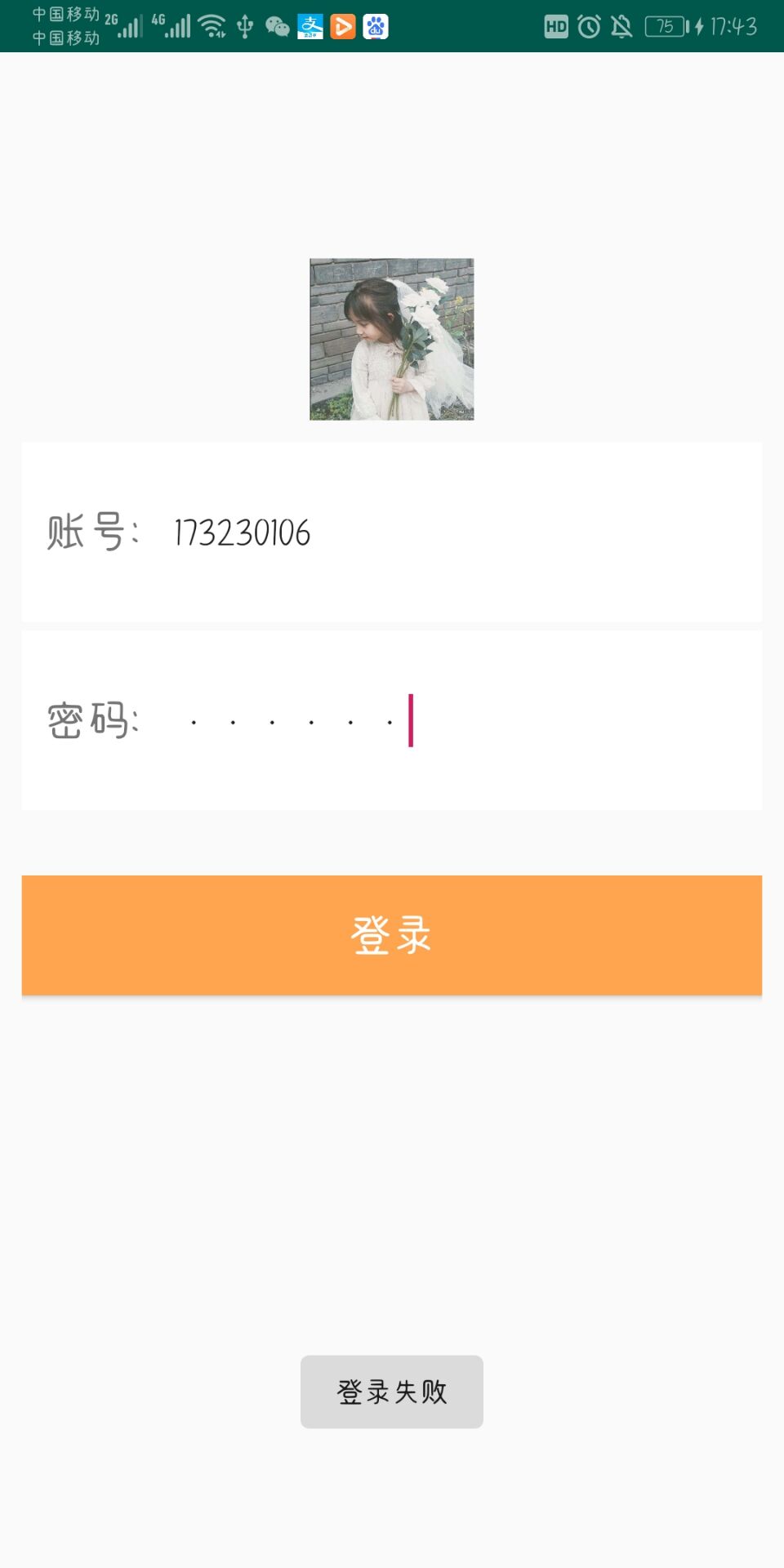
                    Toast.makeText(enter.this,"登录失败",0).show();
                }
            }
        });
    }
}
 <
<
 浙公网安备 33010602011771号