
Vuex的使用及详细总结(爆肝总结)
Vuex的使用及详细总结
1.项目中使用Vuex
-
npm i vuex
-
在src目录下创建一个store文件夹,用于进行状态管理
-
在store目录下新建一个index.js文件,vuex的入口文件
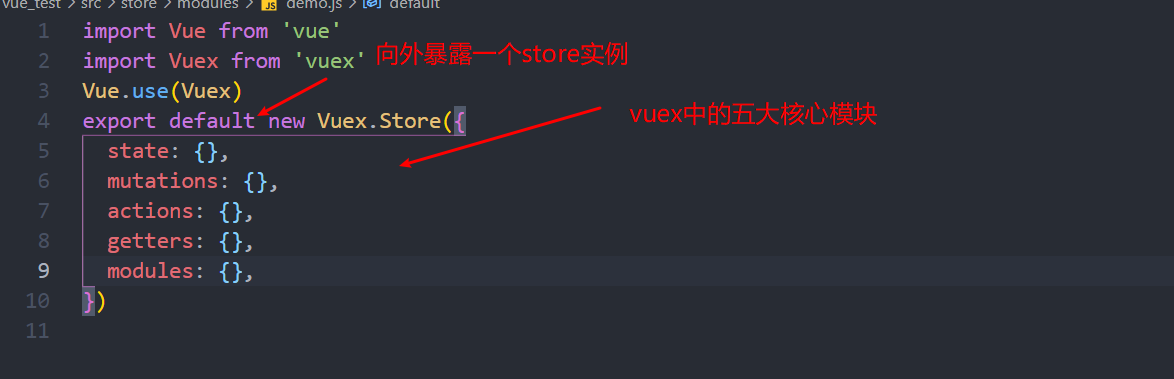
import Vue from 'vue'
import Vuex from 'vuex'
Vue.use(Vuex)
export default new Vuex.Store({
  state: {},
  mutations: {},
  actions: {},
  getters: {},
  modules: {},
})
-
在main.js中将store实例对象挂载在Vue 的实例对象上,并且可以全局的通过this.$store的方式,使用$store的属性跟跟方法。
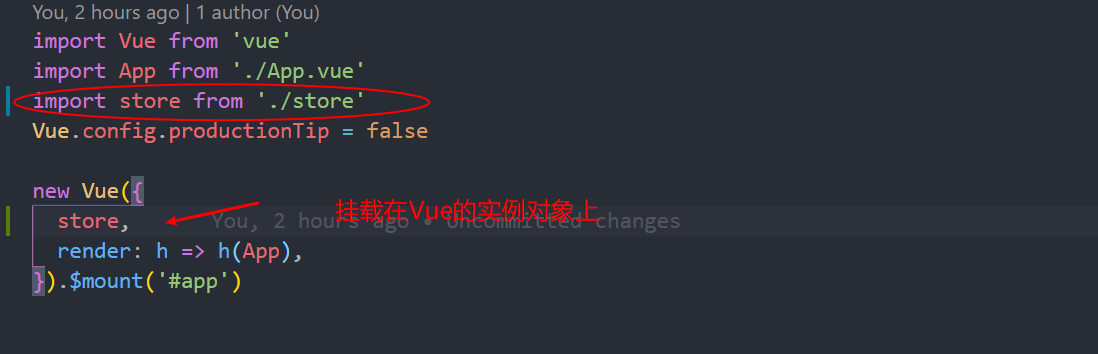
import Vue from 'vue'
import App from './App.vue'
import store from './store'
Vue.config.productionTip = false

new Vue({
  store,
  render: h => h(App),
}).$mount('#app')
2.如何使用store中state,getters中的值?
-
方式一
通过实例上面的$store的state,getters属性的方式进行获取(注意:官方建议只能进行简单的读取操作,不能够 用这种方法直接去修改state和getters中的值,因为devTools工具不能跟踪在state值的变化)
this.$store.state.属性名
this.$store.getters.属性名
-
方式二
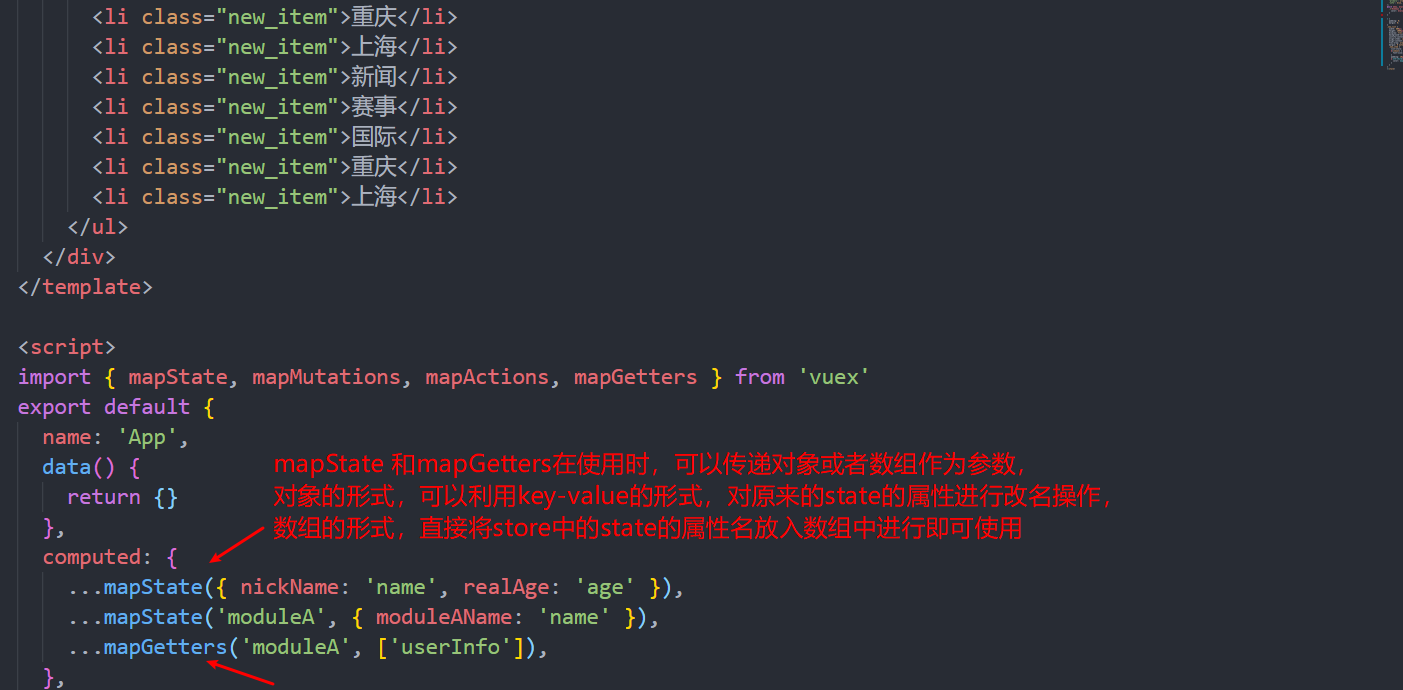
通过vuex中的mapState和mapGetters方法在组件的computed中进行映射操作,通过映射操作后的后可以像在组件内使用data中的数据一样,直接进行使用,更加的方便
3.如何使用store中的mutations和actions中的方法?
-
方式一
通过this.$store.commit('方法名'[,'额外参数(payload)']),调用mutations中的方法
通过this.$store.dispath('方法名'[,'额外参数(payload)'])调用actions中的方法
-
方式二
通过从vuex中解构出mapMutations 和mapActions函数,在组件的methods属性中进行映射操作。同上面一样函数中可以传递对象或者数组作为参数。

4. vuex中对于modules的使用说明
vuex中的modules的存在是为了在项目大的时候,为了分模块的形式进行状态管理。对每一个功能模块单独形成文件的形式进行单独的管理。
在项目中我们一般将modules中模块放在在一个单独的问价modules下,对应的模块形成单独的文件进行存放。

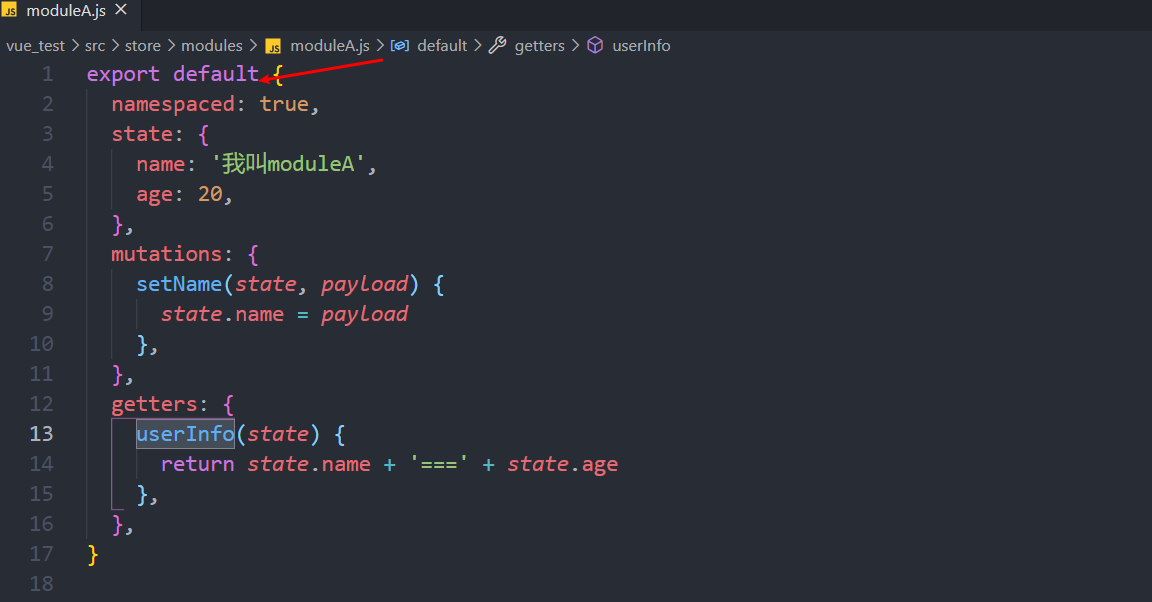
moduleA.js文件我们一般通过默认暴露的形式向暴露一个对象
在store文件夹下的index.js中引入moduleA模块
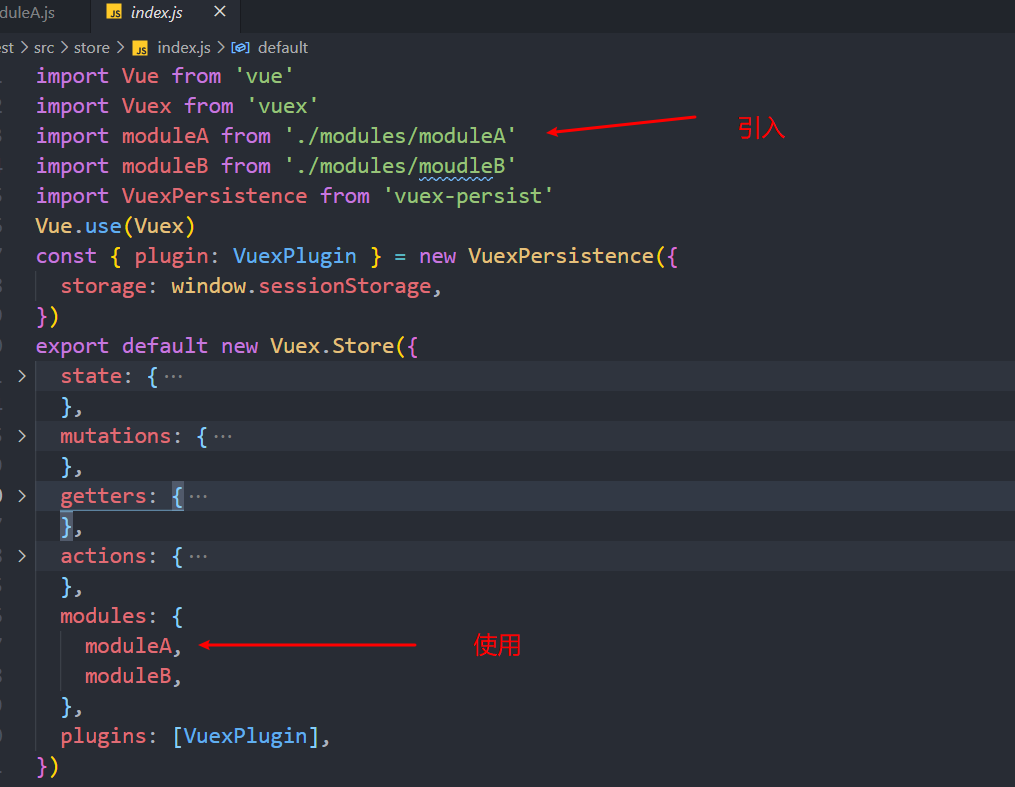
modules中的重点来啦!!!!!!
既然将状态划分成了不同的模块,那么划分完模块后怎样去像上面一样使用获取到不同module文件中的state,getters的值,actions,mutations中方法呢?
注意:在不同的module划分成单独的文件后,通过暴露的模块,此时需要开启namespaced:true(默认false).
这个配置是解决不同module的文件可能出现命名一样的情况。
-
访问module中的state(以上面建立的moduleA文件为例)
(1)this.$store.state.moduleA.name (vuex默认会将不同的module对应到state对象中保存) (2)...mapState('moduleA',['name']) 或者 ...(mapState('moduleA',{userName:'name'})) -
访问module中的getters
(1) this.$store.getters['moduleA/userInfo'](获取到moduleA中的getters中的userInfo) (2) ...mapGetters('moduleA',['userInfo']) 或者 ...mapGetters('moduleA',{userMessage:'userInfo'})---->变量名改成了userMessage -
使用module中的mutations
(1) this.$store.commit('moduleA/setName'[,payload])----->payload为改变状态传递过去的实参 (2) ...mapMutations('moduleA',['setName']) 或者 ...mapMutations('moduleA',{moduleASetName:'setName'})---->将名字改成moduleASetName -
使用module中的actions
(1) this.$store.dispatch('moduleA/asyncSetName'[,payload])
(2) ...mapActions('moduleA',['asyncSetName'])或者
	...mapActions('moduleA',{moduleAAsyncSetName:"asyncSetName"})
5.vuex中个版块中调用时默认参数的问题?
-
mutations中【接受两个参数】,每一个操作state的方法中默认第一参数为state对象,第二个参数为payload对象(可选,用于修改是state的值)
-
getters中的计算属性【接受四个参数】,第一个参数为state,第二个参数为getters(该模块下的),第三个参数为rootState(根state,注意rootState中可以访问到不同模块之家的state值),第四个参数为rootGetters(根getters,注意rootGetters中可以访问到不同模块之家的getters的值)
-
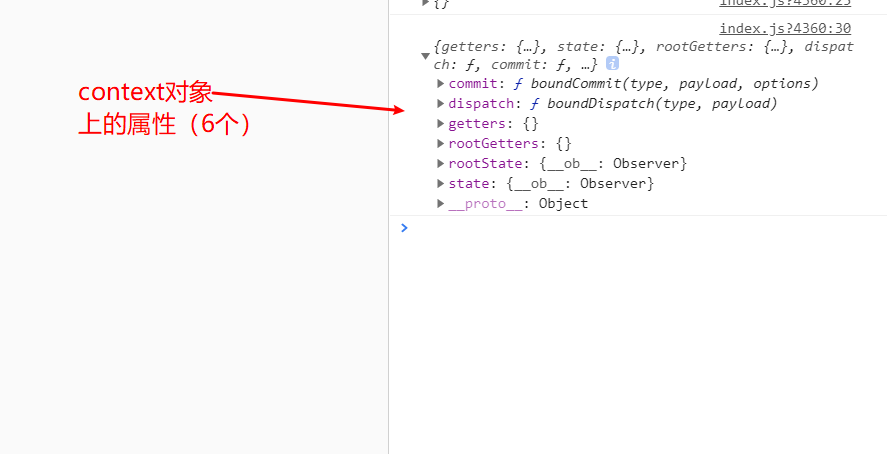
actions中【可接受二个参数】,第一参数为store 这个context对象,拥有store对象的属性跟方法(state,getters,rootGetters,rootState,commit,dispatch)共六个
6.解决vuex中页面刷新state值丢失的问题?
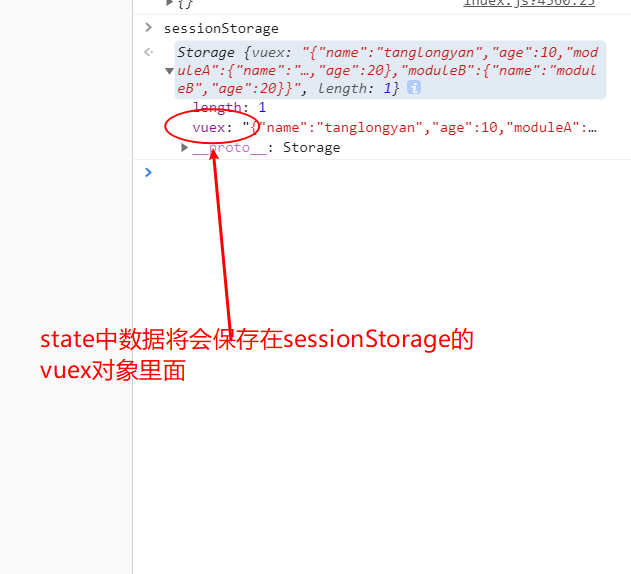
(主要解决思想是把state的值从window对象的localStorage和sessionStorage中获取,通过mutations操作state的值,设置state值的时候,将数先通过localStorage/sessionStorage的setItem方法保存起来。)
**使用vuex-persist进行state的状态保持 **
步骤:
-
npm i vuex-persist
-
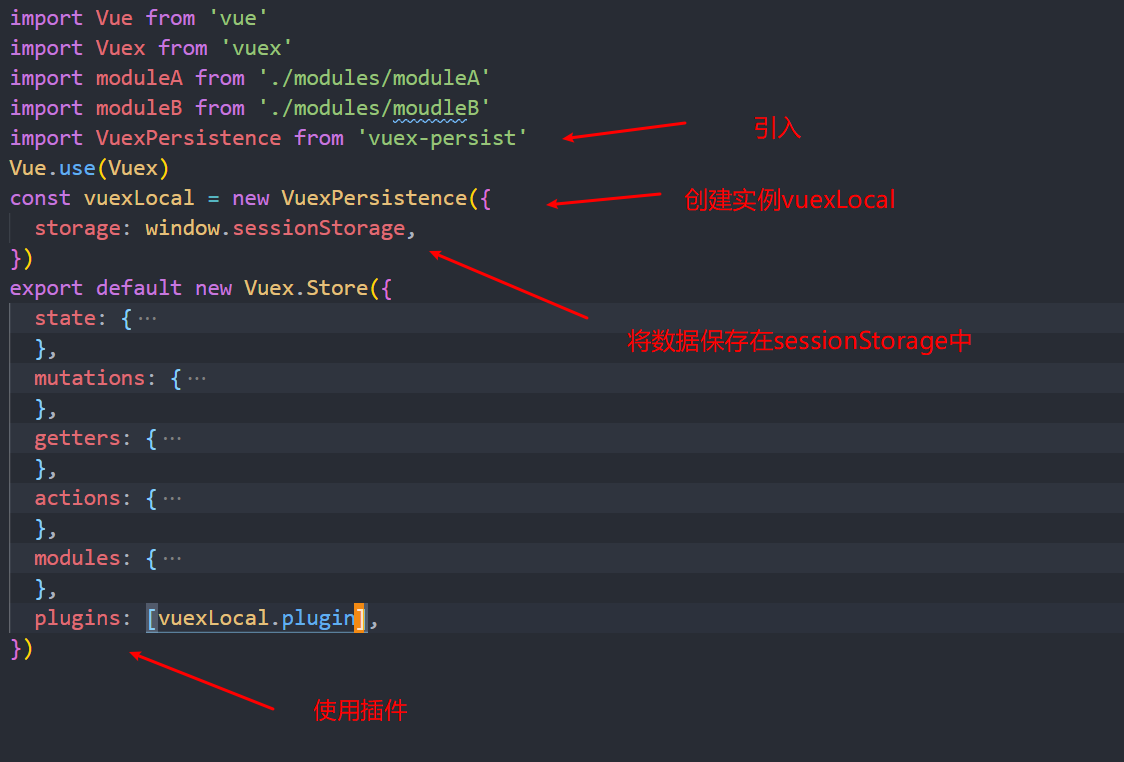
在store的主文件中使用
import VuexPersistence from 'vuex-persist' -
创建一个VuexPersistence 的实例
const vuexLocal=new VuexPersistence({ storage:window.sessionStorage }) -
在store的配置中增加plugins属性
export default new Vuex.Store({
    state:{},
    getters:{},
    actions:{},
    mutations:{},
    modules:{},
    +plugins:[vuexLocal.plugin]
})

 浙公网安备 33010602011771号