
自己写的小工具:
查看帮助
[oracle@redhat76 2]$ ./orash
      Usage:
      sh orash keyword [value1] [value2]
      -------------------------------------------------------------------------
      dumpash [090700]                          --dump ash raw data like MMDDHH24MISS
      ctl                                       --get ctl file
      ashtb                                     --create ash tab
      impash                                    --import ash rawdata
ASH数据导出:
[oracle@redhat76 2]$ ./orash  dumpash 0907
20210907
[oracle@redhat76 2]$ ll
total 116
-rw-r--r--. 1 oracle oinstall  3524 Sep  7 16:19 ASH161912.ctl
-rw-r--r--. 1 oracle oinstall 90803 Sep  7 16:19 ASH161912.dat
-rw-r--r--. 1 oracle oinstall  2886 Sep  7 16:19 ASH161912.sql
-rwx--x--x. 1 oracle oinstall 16328 Sep  7 16:18 orash
ASH数据导入:
[oracle@redhat76 2]$ ./orash  impash ASH161912

SQL*Plus: Release 19.0.0.0.0 - Production on Tue Sep 7 16:19:55 2021
Version 19.10.0.0.0

Copyright (c) 1982, 2020, Oracle.  All rights reserved.


Connected to:
Oracle Database 19c Enterprise Edition Release 19.0.0.0.0 - Production
Version 19.10.0.0.0

SQL>   2
Table created.

SQL> Disconnected from Oracle Database 19c Enterprise Edition Release 19.0.0.0.0 - Production
Version 19.10.0.0.0

SQL*Loader: Release 19.0.0.0.0 - Production on Tue Sep 7 16:19:55 2021
Version 19.10.0.0.0

Copyright (c) 1982, 2019, Oracle and/or its affiliates.  All rights reserved.

Path used:      Conventional
Commit point reached - logical record count 35
Commit point reached - logical record count 70
Commit point reached - logical record count 105
Commit point reached - logical record count 140
Commit point reached - logical record count 175
Commit point reached - logical record count 209

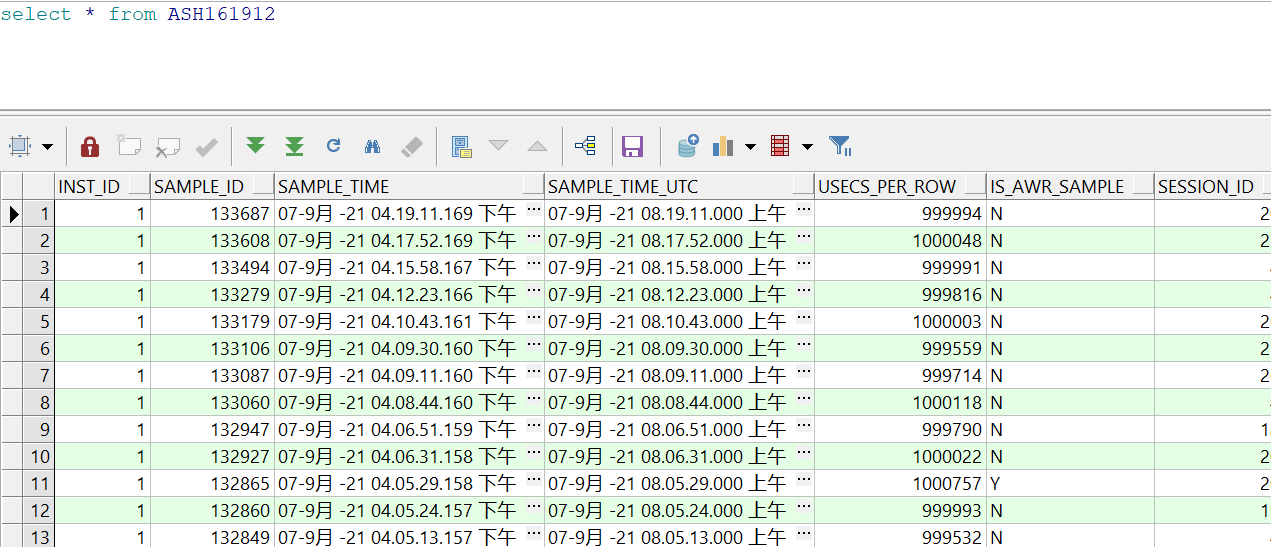
Table ASH161912:
  209 Rows successfully loaded.

Check the log file:
  ASH161912.log
for more information about the load.
数据查看:
工具更新中.....
工具下载:
https://files.cnblogs.com/files/blogs/698609/orash.zip

 浙公网安备 33010602011771号