TextField 输入框
const TextField({
  Key key,
  this.controller, // 可以自定义一个TextEditingController来监听文本框
  this.focusNode,
  this.decoration = const InputDecoration(), // 很多设置都在这里,用于设置输入框相关的样式
  TextInputType keyboardType, // 键盘,键盘的类型
  this.textInputAction,
  this.textCapitalization = TextCapitalization.none,
  this.style, // 设置样式
  this.strutStyle,
  this.textAlign = TextAlign.start, // 文本对齐方式
  this.textAlignVertical,
  this.textDirection,
  this.readOnly = false,
  ToolbarOptions toolbarOptions,
  this.showCursor,
  this.autofocus = false,
  this.obscureText = false,
  this.autocorrect = true,
  this.maxLines = 1,
  this.minLines,  // 只能显示最大的几行
  this.expands = false,
  this.maxLength, // 只能输入几个字节
  this.maxLengthEnforced = true,
  this.onChanged, // 监听文本框输入回调: 监听输入框内容的改变,传入一个回调函数
  this.onEditingComplete,
  this.onSubmitted, // 点击键盘提交的时候监听回调: 点击键盘中右下角的down时,会回调的一个函数
  this.inputFormatters,
  this.enabled,
  this.cursorWidth = 2.0,
  this.cursorRadius,
  this.cursorColor,
  this.keyboardAppearance,
  this.scrollPadding = const EdgeInsets.all(20.0),
  this.dragStartBehavior = DragStartBehavior.start,
  this.enableInteractiveSelection = true,
  this.onTap,
  this.buildCounter,
  this.scrollController,
  this.scrollPhysics,
})

// decoration:用于设置输入框相关的样式
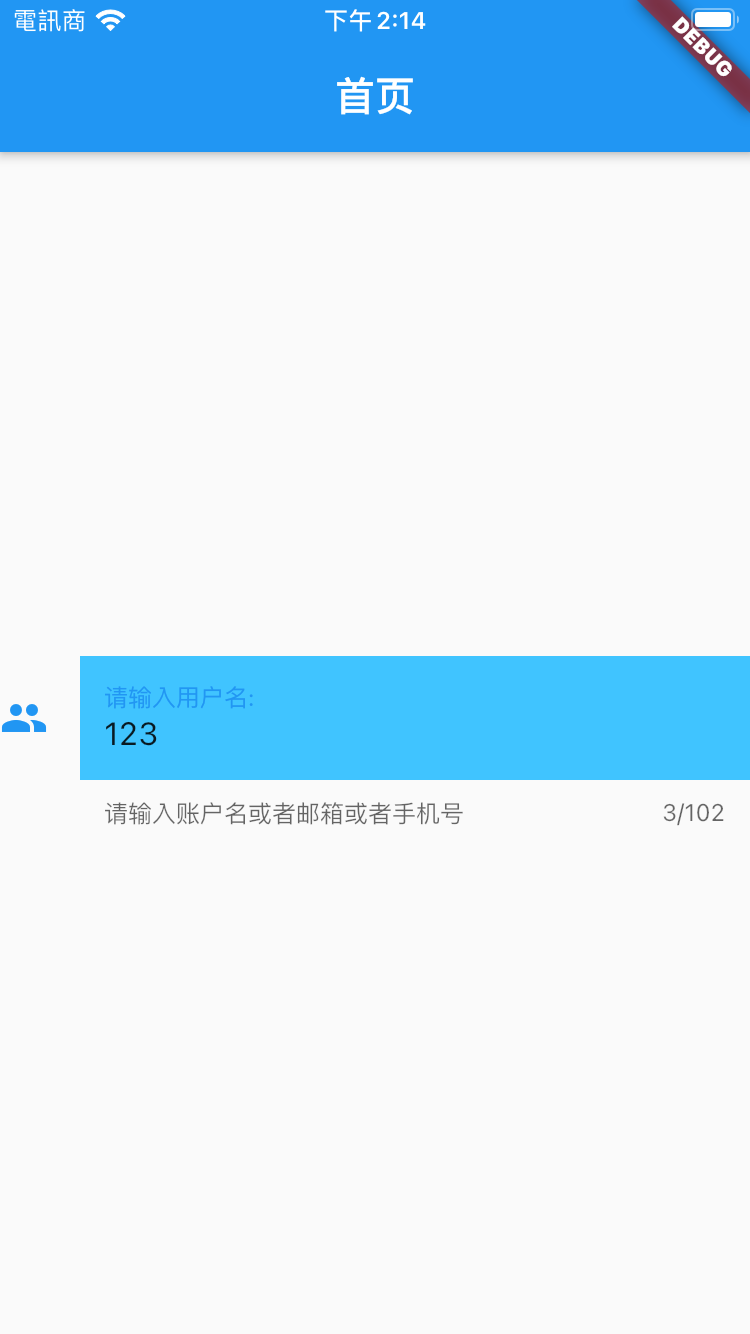
icon:设置左边显示的图标
labelText:在输入框上面显示一个提示的文本
hintText:显示提示的占位文字
border:输入框的边框,默认底部有一个边框,可以通过InputBorder.none删除掉
filled:是否填充输入框,默认为false
fillColor:输入框填充的颜色

// TextField的controller
我们可以给TextField添加一个控制器(Controller),可以使用它设置文本的初始值,也可以使用它来监听文本的改变
事实上,如果我们没有为TextField提供一个Controller,那么会Flutter会默认创建一个TextEditingController的
class TextFieldWidget extends StatefulWidget {
  @override
  _TextFieldState createState() => _TextFieldState();
}

class _TextFieldState extends State<TextFieldWidget> {
  final _textEditingController = TextEditingController();

  @override
  void initState() {
    super.initState();

    // 设置文本框text默认值
    _textEditingController.text = '';

    // 监听文本框
    _textEditingController.addListener(() {
      print(
          '_textEditingController.addListener: ${_textEditingController.text}');
    });
  }

  @override
  Widget build(BuildContext context) {
    return TextField(
      decoration: InputDecoration(
        icon: Icon(Icons.people),
        labelText: '请输入用户名:', // 上面的文本
        // labelStyle: TextStyle(
        //   // 上面文本的style
        //   fontSize: 10,
        //   color: Colors.black45,
        //   fontWeight: FontWeight.w200,
        // ),
        helperText: '请输入账户名或者邮箱或者手机号', // 下面的文本
        hintText: '请输入用户名:', // 提示文本,相当于placeholder
        // errorText: 'errorText',
        border: InputBorder.none, // 没有横线
        filled: true,
        fillColor: Colors.lightBlueAccent,
      ),
      onChanged: (value) {
        // 输入文本的监听
        print('onChange-value: $value');
      },
      onSubmitted: (value) {
        print('onSubmitted-value: $value');
      },
      keyboardType: TextInputType.text, // 纯数字
      controller: _textEditingController,
      textAlign: TextAlign.start, // 文本对齐方式
      maxLength: 102, // 只能输入2个字节
      maxLines: 12, // 显示最大的几行
    );
  }
}
![]()


 浙公网安备 33010602011771号