
Qt-窗口显示-信号和槽连接QSpinbox&QSlider
第一个窗口:hello Qt!
#include "mainwindow.h"
#include <QLabel>
#include <QApplication>

int main(int argc, char *argv[])
{
    QApplication a(argc, argv);
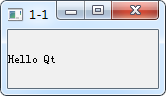
//    QLabel *label= new QLabel("Hello Qt");
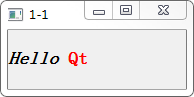
    QLabel *label= new QLabel("<h2><i>Hello</i>" "<font color=red> Qt</font></h2>");
    label->show();
    return a.exec();
}
#include "mainwindow.h"

#include <QApplication>
#include <QPushButton>
int main(int argc, char *argv[])
{
    QApplication a(argc, argv);
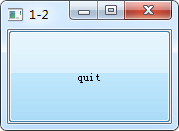
    QPushButton *button=new QPushButton("quit");
    QObject::connect(button,SIGNAL(clicked()),&a,SLOT(quit()));
    button->show();
//    MainWindow w;
//    w.show();
    return a.exec();
}
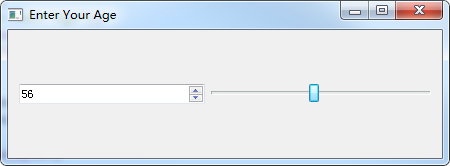
信号和槽连接QSpinbox&QSlider,使两者的值相互变化。
#include "mainwindow.h"

#include <QApplication>
#include <QHBoxLayout>
#include <QSlider>
#include <QSpinBox>
int main(int argc, char *argv[])
{
    QApplication a(argc, argv);
//    MainWindow w;
//    w.show();
    QWidget *window= new QWidget;
    window->setWindowTitle("Enter Your Age");
    QSpinBox *spinbox=new QSpinBox;
    QSlider *slider=new QSlider(Qt::Horizontal);
    spinbox->setRange(0,120);
    slider->setRange(0,120);
    QObject::connect(spinbox,SIGNAL(valueChanged(int)),slider,SLOT(setValue(int)));
    QObject::connect(slider,SIGNAL(valueChanged(int)),spinbox,SLOT(setValue(int)));
    spinbox->setValue(25);
    QHBoxLayout*layout= new QHBoxLayout;
    layout->addWidget(spinbox);
    layout->addWidget(slider);
    window->setLayout(layout);
    window->show();
    return a.exec();
}
QVBoxLayout*layout= new QVBoxLayout;


 浙公网安备 33010602011771号