
linux输入ifconfig找不到IP的解决办法
关于输入ifconfig命令没有IP地址的问题
我在输入ifconfig的时候没有出现我的IP地址
最后我输入sudo dhclient
然后输入ifconfig就可以了
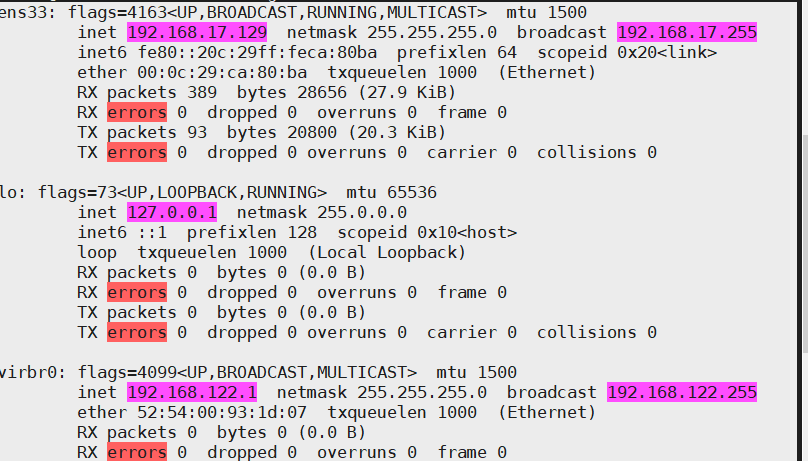
ens33: flags=4163<UP,BROADCAST,RUNNING,MULTICAST> mtu 1500
inet 192.168.17.129 netmask 255.255.255.0 broadcast 192.168.17.255
inet6 fe80::20c:29ff:feca:80ba prefixlen 64 scopeid 0x20
ether 00:0c:29:ca:80:ba txqueuelen 1000 (Ethernet)
RX packets 389 bytes 28656 (27.9 KiB)
RX errors 0 dropped 0 overruns 0 frame 0
TX packets 93 bytes 20800 (20.3 KiB)
TX errors 0 dropped 0 overruns 0 carrier 0 collisions 0
lo: flags=73<UP,LOOPBACK,RUNNING> mtu 65536
inet 127.0.0.1 netmask 255.0.0.0
inet6 ::1 prefixlen 128 scopeid 0x10
loop txqueuelen 1000 (Local Loopback)
RX packets 0 bytes 0 (0.0 B)
RX errors 0 dropped 0 overruns 0 frame 0
TX packets 0 bytes 0 (0.0 B)
TX errors 0 dropped 0 overruns 0 carrier 0 collisions 0
virbr0: flags=4099<UP,BROADCAST,MULTICAST> mtu 1500
inet 192.168.122.1 netmask 255.255.255.0 broadcast 192.168.122.255
ether 52:54:00:93:1d:07 txqueuelen 1000 (Ethernet)
RX packets 0 bytes 0 (0.0 B)
RX errors 0 dropped 0 overruns 0 frame 0
TX packets 0 bytes 0 (0.0 B)
TX errors 0 dropped 0 overruns 0 carrier 0 collisions 0
virbr0-nic: flags=4099<UP,BROADCAST,MULTICAST> mtu 1500
ether 52:54:00:93:1d:07 txqueuelen 1000 (Ethernet)
RX packets 0 bytes 0 (0.0 B)
RX errors 0 dropped 0 overruns 0 frame 0
TX packets 0 bytes 0 (0.0 B)
TX errors 0 dropped 0 overruns 0 carrier 0 collisions 0

 浙公网安备 33010602011771号