
解决idea debug模式下修改代码却不能生效
IDEA环境下使用devtools实现热加载与热部署实现修改代码不需重启
1.引入devtools的maven依赖
2.在 plugin 中配置另外一个属性 fork,并且配置为 true。
3.设置IDEA
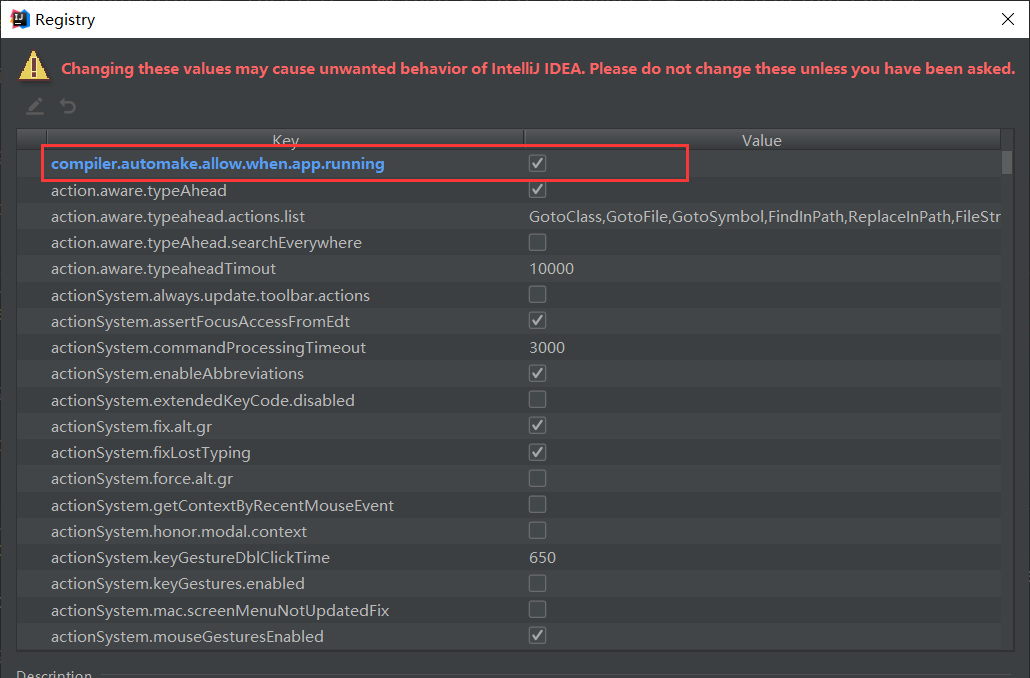
运行时编译配置:组合键:“Shift+Ctrl+Alt+/” ,选择 “Registry” ,选中打勾 “compiler.automake.allow.when.app.running” 。
4.自动化编译配置:
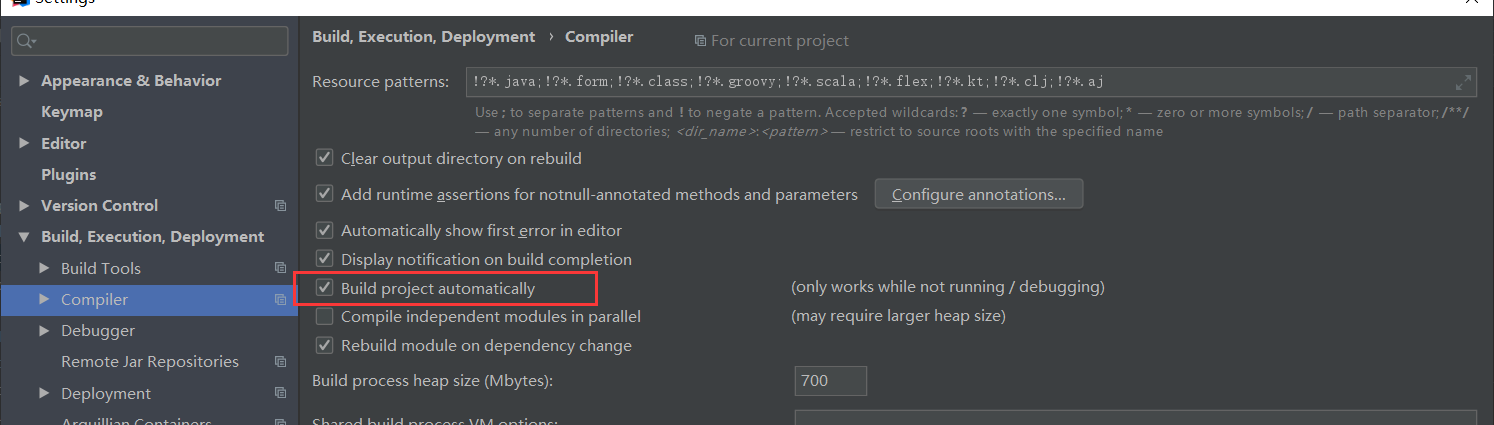
“File” -> “Settings” -> “Build,Execution,Deplyment” -> “Compiler”,选中打勾 “Build project automatically” 。
5. 进行一下application.properties配置
在有些版本我们需要配置热加载生效的开关,使其值等于true。下文是properties格式配置,喜欢yml格式的同学可以自行调整一下
热加载生效
spring.devtools.restart.enabled=true
#额外新增的热加载目录
spring.devtools.restart.additional-paths= src/main/java
#热加载排除目录
#spring.devtools.restart.exclude=

 浙公网安备 33010602011771号