
algorithmicx(use algpseudocode as layout)学习记录
这几天写算法作业,提供的tex文件中使用algorithmicx书写伪代码,虽然也会用algorithm2e,但技多不压身,现在就来学一学。
目录
概述
相比algorithm2e的复杂命令(If,eIf,uIf,...),algorithmicx真是十分的简单。要使用algorithmicx,可以使用algpseudocode作为layout,它会导入algorithmicx。[1]
关于algorithm, algorithmic, algorithmicx, algorithm2e, algpseudocode之间的关系,可以看看stackexchange上的回答。
\usepackage{algorithm}
\usepackage[noend]{algpseudocode} %end or noend
Example
view code
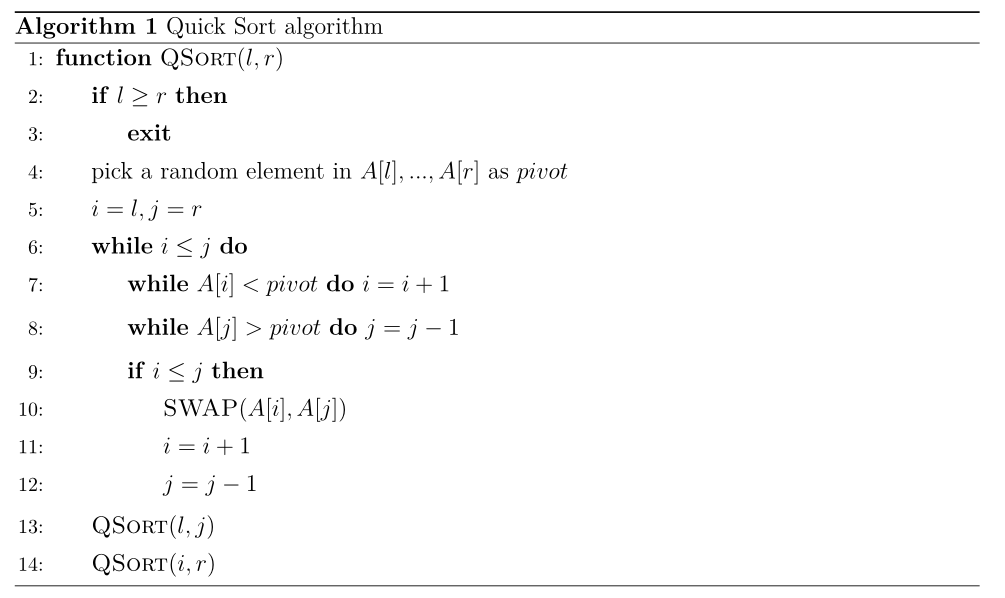
\begin{algorithm}[H]
			\caption{Quick Sort algorithm}\label{alg:sampling1}
			\begin{algorithmic}[1]
				\Function {QSort} {$l,r$}
				\If{$l \geq r$}
				\State \textbf{exit}
				\EndIf

				\State pick a random element in $A[l], ..., A[r]$ as $pivot$
				\State $i=l, j=r$

				\While{$i\leq j$}
				\While{$A[i] < pivot$} $i=i+1$
				\EndWhile
				\While{$A[j] > pivot$} $j=j-1$
				\EndWhile

				\If{$i \leq j$}
				\State \textsc{SWAP}($A[i], A[j]$)
				\State $i=i+1$
				\State $j=j-1$
				\EndIf
				\EndWhile

				\State \textsc{QSort}($l, j$)
				\State \textsc{QSort}($i, r$)
				\EndFunction
			\end{algorithmic}
		\end{algorithm}
Details
行号
每个算法以\begin{algorithmic}[lines]命令开头。lines为0则不标行号;若为1则每行标记一次;若为n则每n行标记一次。
行
用\State开启一个新行。
注释
用\Comment命令来添加注释,该命令和algorithmic不兼容。
引用
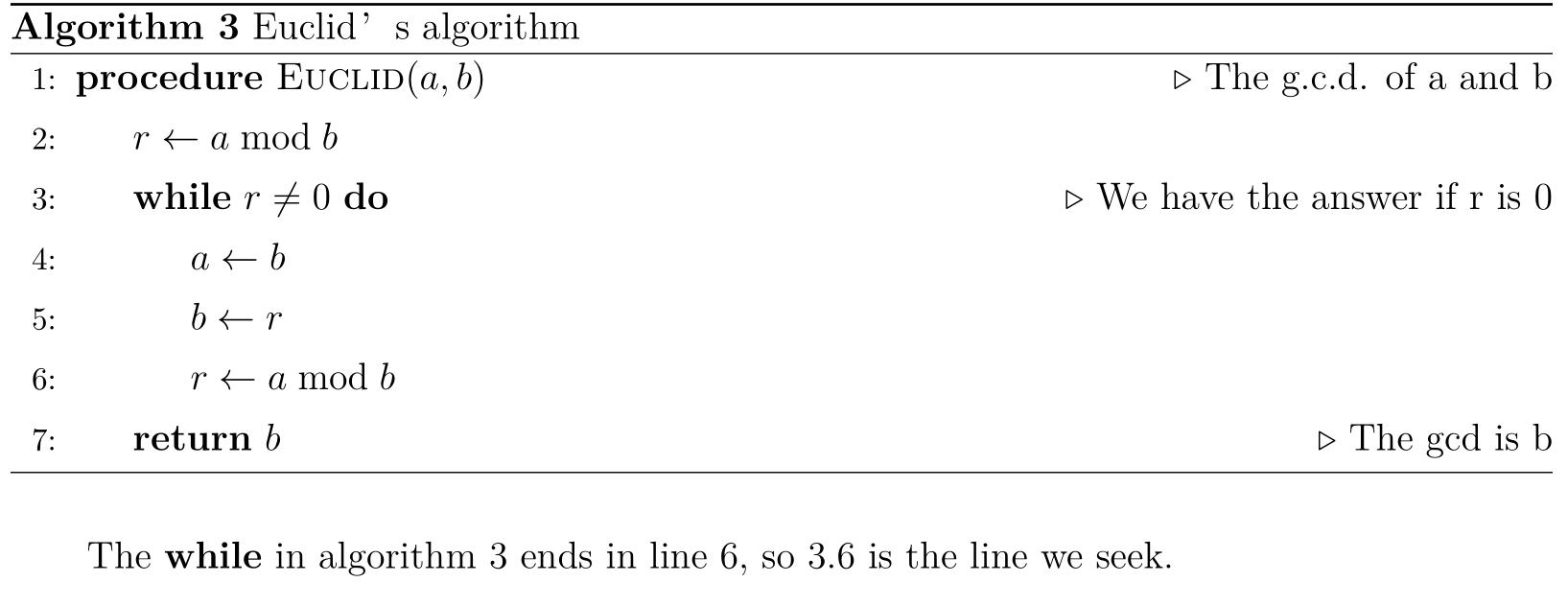
我们可以用\label来给算法或者算法的某一行来设置标签,并在随后用\ref来引用它。在用\ref引用某一行时,只会显示行号,有时我们想精确地表示它是具体哪个算法的哪一行,可以使用\algref,方法如下。
view code
\begin{algorithm}
	\caption{Euclid’s algorithm}\label{euclid}
	\begin{algorithmic}[1]
		\Procedure{Euclid}{$a,b$}\Comment{The g.c.d. of a and b}
		\State $r\gets a\bmod b$
		\While{$r\not=0$}\Comment{We have the answer if r is 0}
			\State $a\gets b$
			\State $b\gets r$
			\State $r\gets a\bmod b$
			\EndWhile\label{euclidendwhile}
		\State \textbf{return} $b$\Comment{The gcd is b}
	\EndProcedure
	\end{algorithmic}
\end{algorithm}
The \textbf{while} in algorithm \ref{euclid} ends in line \ref{euclidendwhile}, so \algref{euclid}{euclidendwhile} is the line we seek.
Commands
if block
\If, \Else, \ElseIf, \EndIf
for block
\For, \ForAll, \EndFor
while block
\While, \EndWhile
repeat block
\Repeat, \Until
procedure block
\Procedure, \EndProcedure
function block
\Function, \EndFunction

 浙公网安备 33010602011771号