
Liunx添加LVM逻辑卷(已有卷组中添加逻辑卷)
一、对新添加的磁盘进行分区
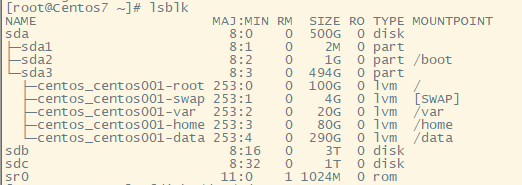
1、# lsblk //查看物理磁盘
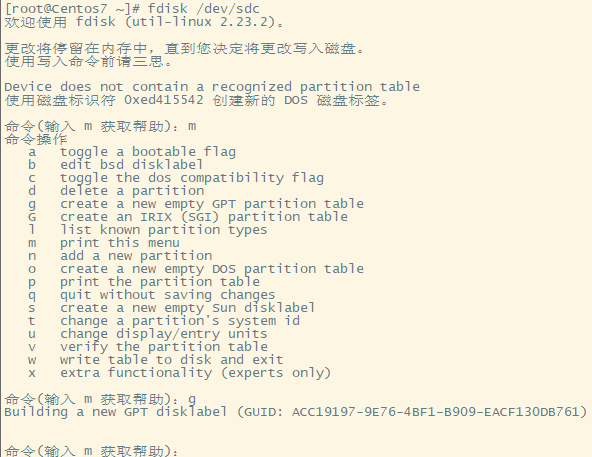
2、[root@Centos7 ~]# fdisk /dev/sdc //磁盘分区( sdc为对应新添加的磁盘)
欢迎使用 fdisk (util-linux 2.23.2)。
更改将停留在内存中,直到您决定将更改写入磁盘。
使用写入命令前请三思。
Device does not contain a recognized partition table
使用磁盘标识符 0xed415542 创建新的 DOS 磁盘标签。
命令(输入 m 获取帮助):m
命令操作
a toggle a bootable flag
b edit bsd disklabel
c toggle the dos compatibility flag
d delete a partition
g create a new empty GPT partition table
G create an IRIX (SGI) partition table
l list known partition types
m print this menu
n add a new partition
o create a new empty DOS partition table
p print the partition table
q quit without saving changes
s create a new empty Sun disklabel
t change a partition's system id
u change display/entry units
v verify the partition table
w write table to disk and exit
x extra functionality (experts only)
命令(输入 m 获取帮助):g
Building a new GPT disklabel (GUID: ACC19197-9E76-4BF1-B909-EACF130DB761)
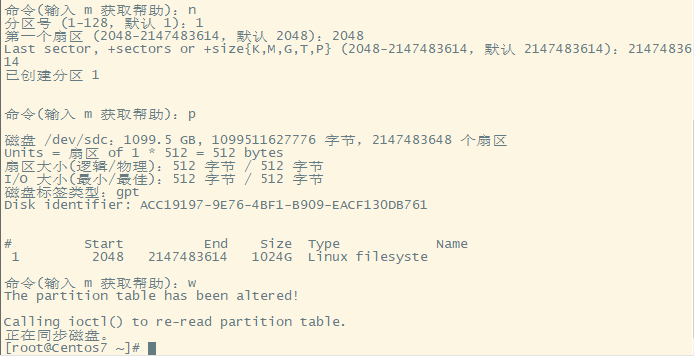
命令(输入 m 获取帮助):n //创建新的分区
分区号 (1-128,默认 1):1
第一个扇区 (2048-2147483614,默认 2048):2048
Last sector, +sectors or +size{K,M,G,T,P} (2048-2147483614,默认 2147483614):2147483614
已创建分区 1
命令(输入 m 获取帮助):p
磁盘 /dev/sdc:1099.5 GB, 1099511627776 字节,2147483648 个扇区
Units = 扇区 of 1 * 512 = 512 bytes
扇区大小(逻辑/物理):512 字节 / 512 字节
I/O 大小(最小/最佳):512 字节 / 512 字节
磁盘标签类型:gpt
Disk identifier: ACC19197-9E76-4BF1-B909-EACF130DB761
# Start End Size Type Name
1 2048 2147483614 1024G Linux filesyste
命令(输入 m 获取帮助):w
The partition table has been altered!
Calling ioctl() to re-read partition table.
正在同步磁盘。
[root@Centos7 ~]#
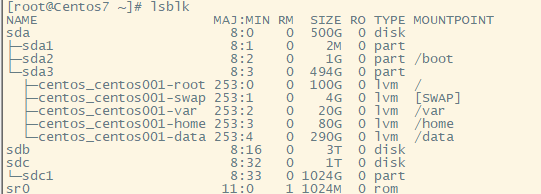
----------查看到分区为sdc1-----------------------------
二、添加逻辑卷
1、 pvcreate /dev/sdc1 //创建物理卷
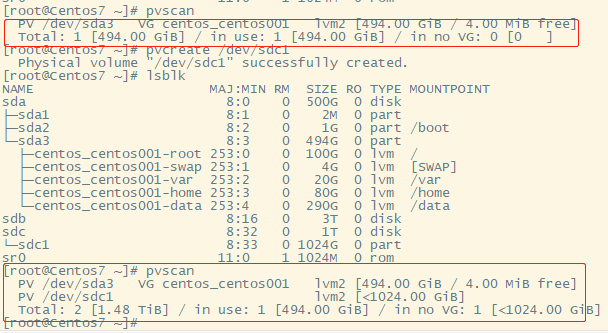
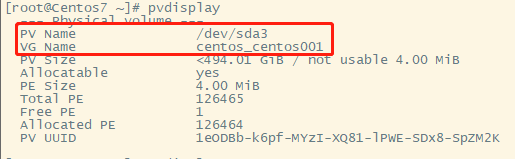
2、# pvdisplay //查看物理卷(物理卷添加到卷组后查看用)
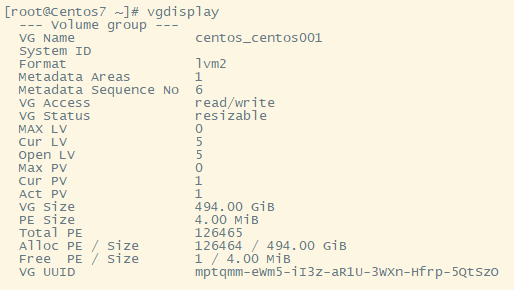
3、# vgdisplay //查看卷组(记住卷组名VG Name)
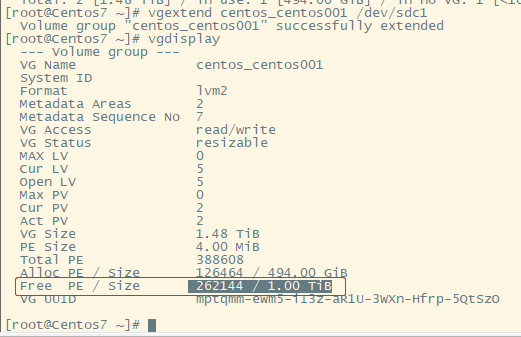
4、# vgextend centos_centos001 /dev/sdc1 //向已有卷组中添加物理卷;(centos_centos001为上面查看到的卷组名,/dev/sdc1为新创建的的物理卷)
5、# lvcreate -L 1TB -n media centos_centos001 //增加逻辑卷(media为新建的逻辑卷名, centos_centos001为现有的卷组名)
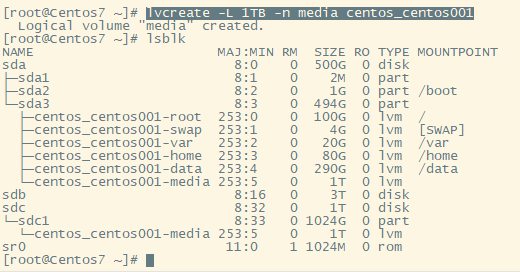
6、# mkfs.xfs /dev/centos_centos001/media //格式化为xfs
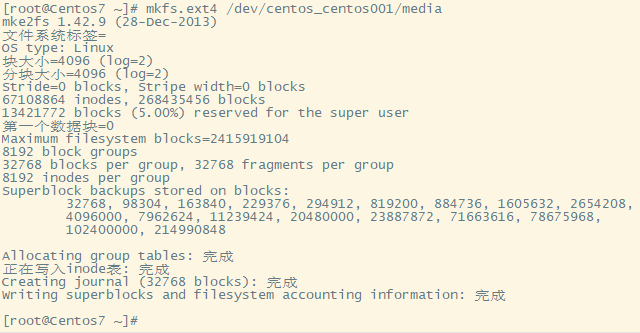
# mkfs.ext4 /dev/centos_centos001/media //格式化为ext4
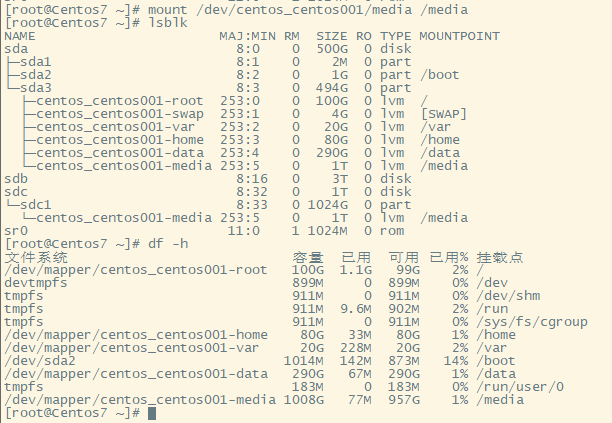
7、mount /dev/centos_centos001/media /media //挂载到/media目录

 浙公网安备 33010602011771号