
用途
个人开发,部署自己的NuGet pkg.
环境
- Win11
- IIS Express (轻度使用,不安装IIS,而使用VS预装的IIS Express)
- VS2022
步骤
开发环境准备
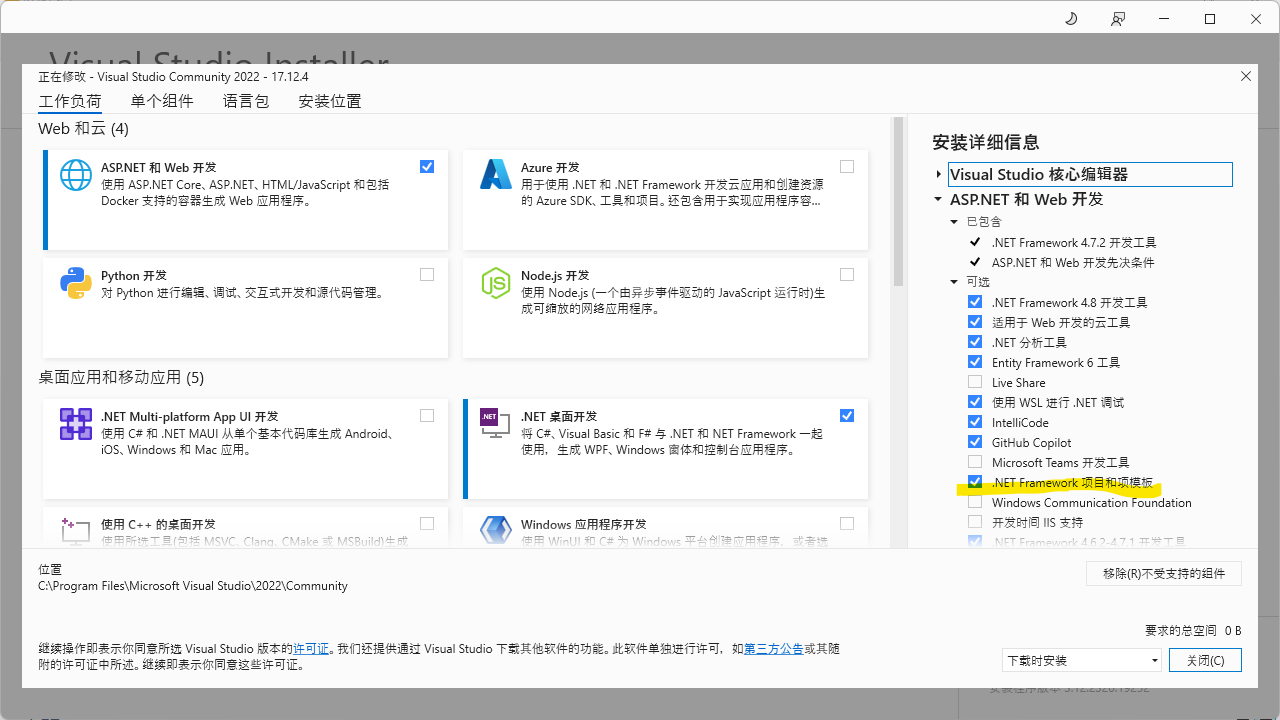
因我拟用NuGet.Server,它最后的版本是基于.NET Framework 4.6。传统的Web项目VS2022默认已不预装,需要手动安装项目模板【.NET Framework 项目和项模板】。
新建Asp.NET Web Application(.NET Framework)
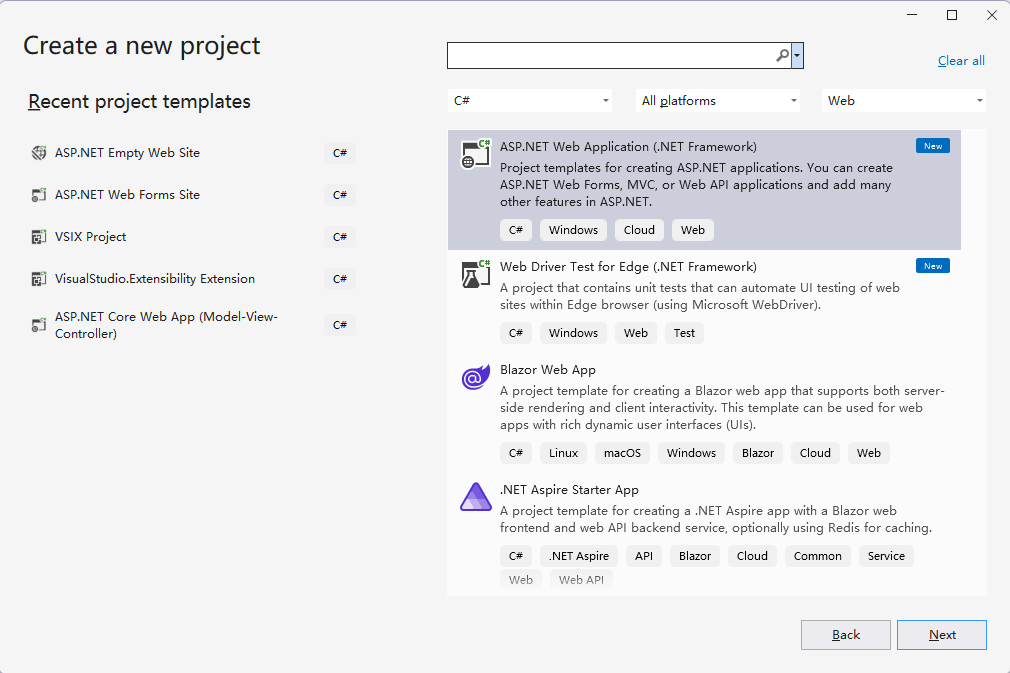
框架版本选择.NET Framework 4.6~4.8均可
安装包NuGet.Server
Install-Package NuGet.Server
因其会向web.config写入一些配置节点,如果你使用的框架不是4.6,注释或删除掉重复的节点,保留任一版本均可
如
 <system.web>
    <!--<compilation debug="true" targetFramework="4.8">-->
    <!--<assemblies>
        <add assembly="System.Net.Http, Version=4.2.0.0, Culture=neutral, PublicKeyToken=B03F5F7F11D50A3A" />
        <add assembly="System.Data.Services, Version=4.0.0.0, Culture=neutral, PublicKeyToken=B77A5C561934E089" />
      </assemblies>
    </compilation>-->
    <!-- maxRequestLength is specified in Kb -->
    <!--<httpRuntime targetFramework="4.8" maxRequestLength="30720" />-->
    <compilation targetFramework="4.6">
      <assemblies>
        <add assembly="System.Net.Http, Version=4.2.0.0, Culture=neutral, PublicKeyToken=B03F5F7F11D50A3A" />
        <add assembly="System.Data.Services, Version=4.0.0.0, Culture=neutral, PublicKeyToken=B77A5C561934E089" />
      </assemblies>
    </compilation>
  </system.web>
发布站点
- 发布站点到本地目录,如C:\NuGetServer
- 编辑IIS Express站点配置文件,路径如C:\Users\Administrator\Documents\IISExpress\config\applicationhost.config
找到节点,添加
<site name="NuGetServer" id="6" serverAutoStart="true">
               <application path="/">.
                   <virtualDirectory path="/" physicalPath="C:\NuGetServer" />
               </application>
               <bindings>
                   <binding protocol="http" bindingInformation=":6666:localhost" />
		   <binding protocol="http" bindingInformation=":80:nuget.me" />
               </bindings>
    </site>
这里我绑定了一个虚拟域名nuget.me
- 编辑Hosts
127.0.0.1 nuget.me - 编写一个bat文件用于启动站点
cd C:\Program Files\IIS Express
iisexpress /siteid:6
- 访问http://nuget.me/
作者:CnSharp工作室
本文版权归CnSharp.com所有,欢迎转载,但未经作者同意必须保留此段声明,且在文章页面明显位置给出原文连接,否则保留追究法律责任的权利.

 浙公网安备 33010602011771号