使用Flutter导航组件TabBar、AppBar等为鸿蒙应用程序构建完整的应用导航体系 - 教程
前言
导航是移动应用中最重要的功能之一,它帮助用户在不同页面和功能之间切换。Flutter 提供了丰富的导航组件,包括 AppBar、BottomNavigationBar、TabBar、Drawer、Scaffold 等,能够构建完整的应用导航体系。
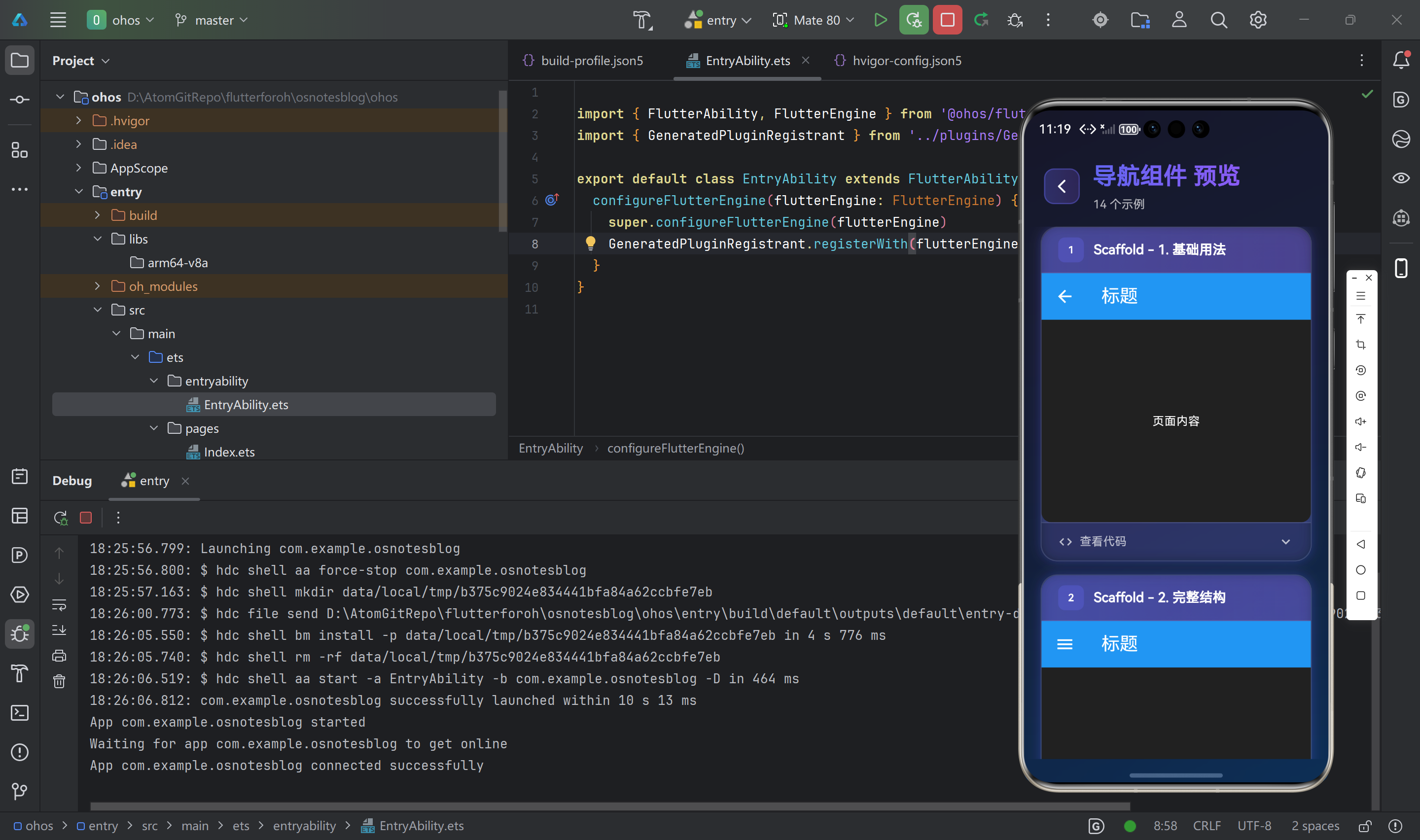
导航组件概览
Flutter 提供了以下导航组件:
| 组件名 | 功能说明 | 适用场景 |
|---|---|---|
Scaffold | 页面骨架 | 应用页面基础结构 |
AppBar | 顶部导航栏 | 页面标题、操作按钮 |
BottomNavigationBar | 底部导航栏 | 主要功能切换 |
TabBar | 标签栏 | 页面内内容分类 |
TabBarView | 标签内容区 | 标签对应的内容 |
Drawer | 侧边抽屉 | 导航菜单、设置 |
BackButton | 返回按钮 | 页面返回 |
CloseButton | 关闭按钮 | 关闭对话框 |
️ Scaffold 组件
Scaffold 是 Material Design 应用的基础结构,提供了页面骨架。
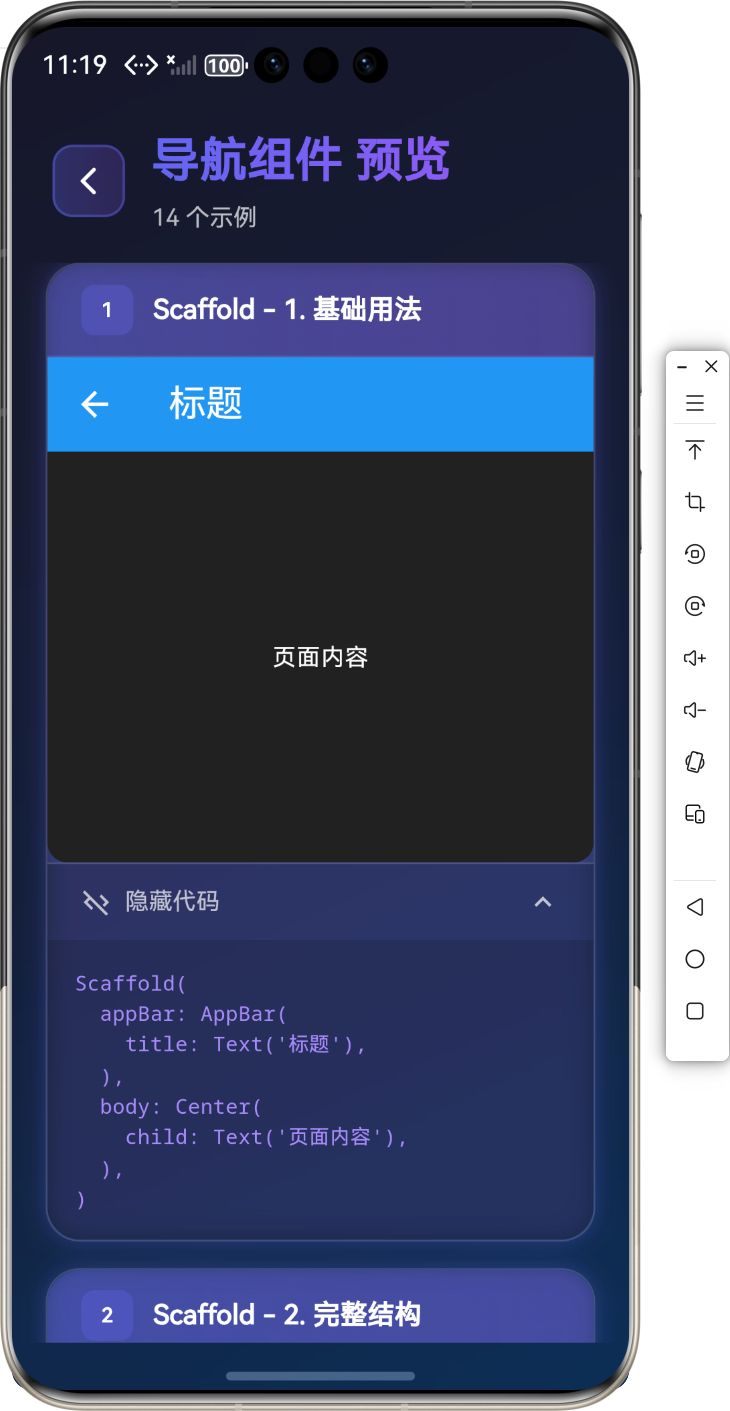
基础用法
Scaffold(
appBar: AppBar(
title: Text('标题'),
),
body: Center(
child: Text('页面内容'),
),
)
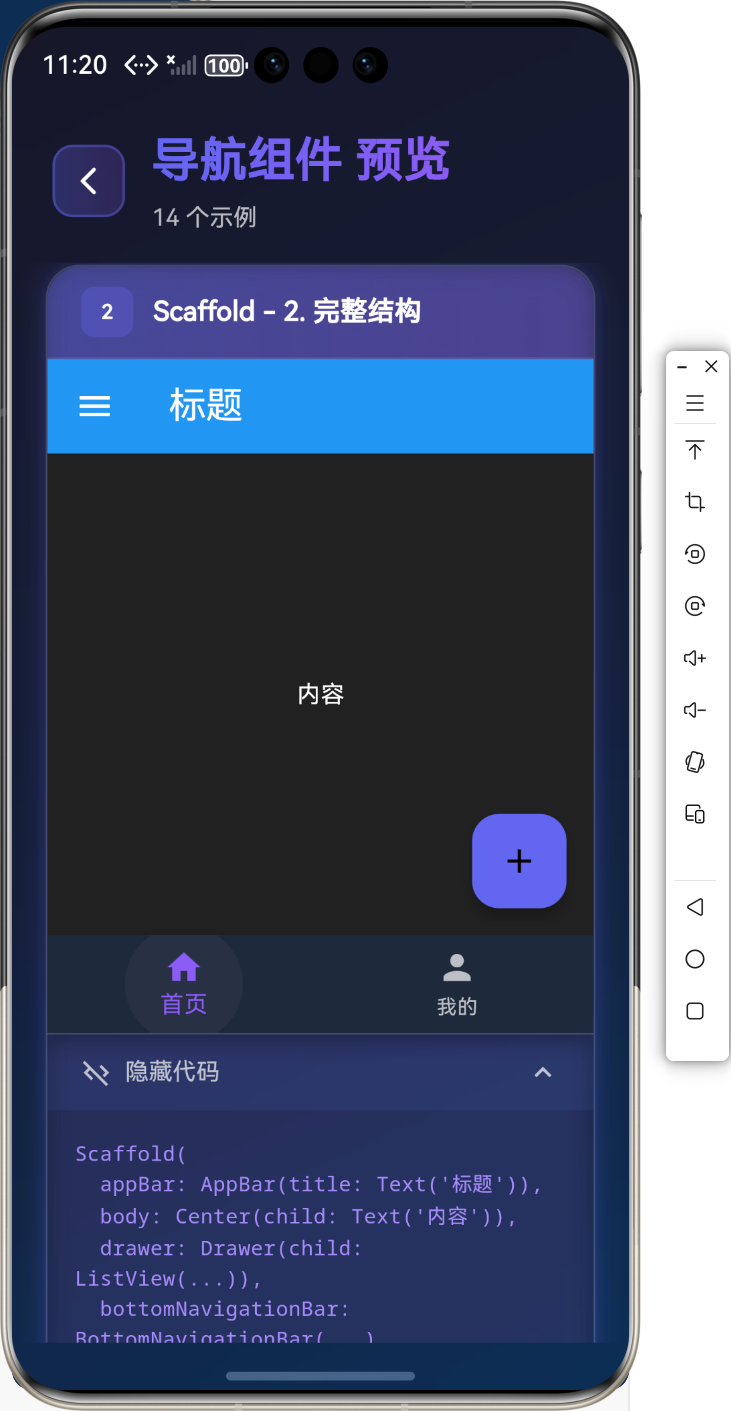
完整结构
Scaffold(
appBar: AppBar(title: Text('标题')),
body: Center(child: Text('内容')),
drawer: Drawer(child: ListView(...)),
bottomNavigationBar: BottomNavigationBar(...),
floatingActionButton: FloatingActionButton(...),
)
AppBar 组件
AppBar 是顶部导航栏,提供标题、返回按钮、操作按钮等功能。
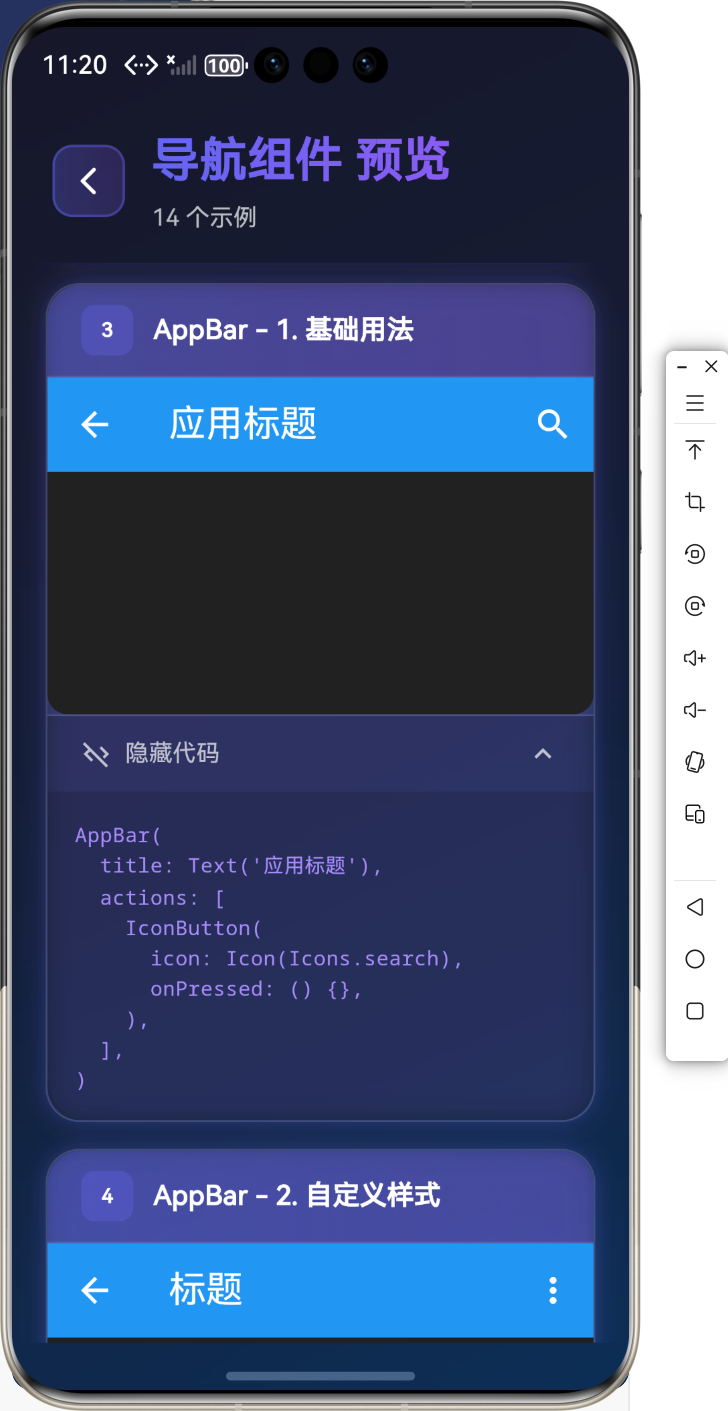
基础用法
AppBar(
title: Text('应用标题'),
actions: [
IconButton(
icon: Icon(Icons.search),
onPressed: () {},
),
],
)
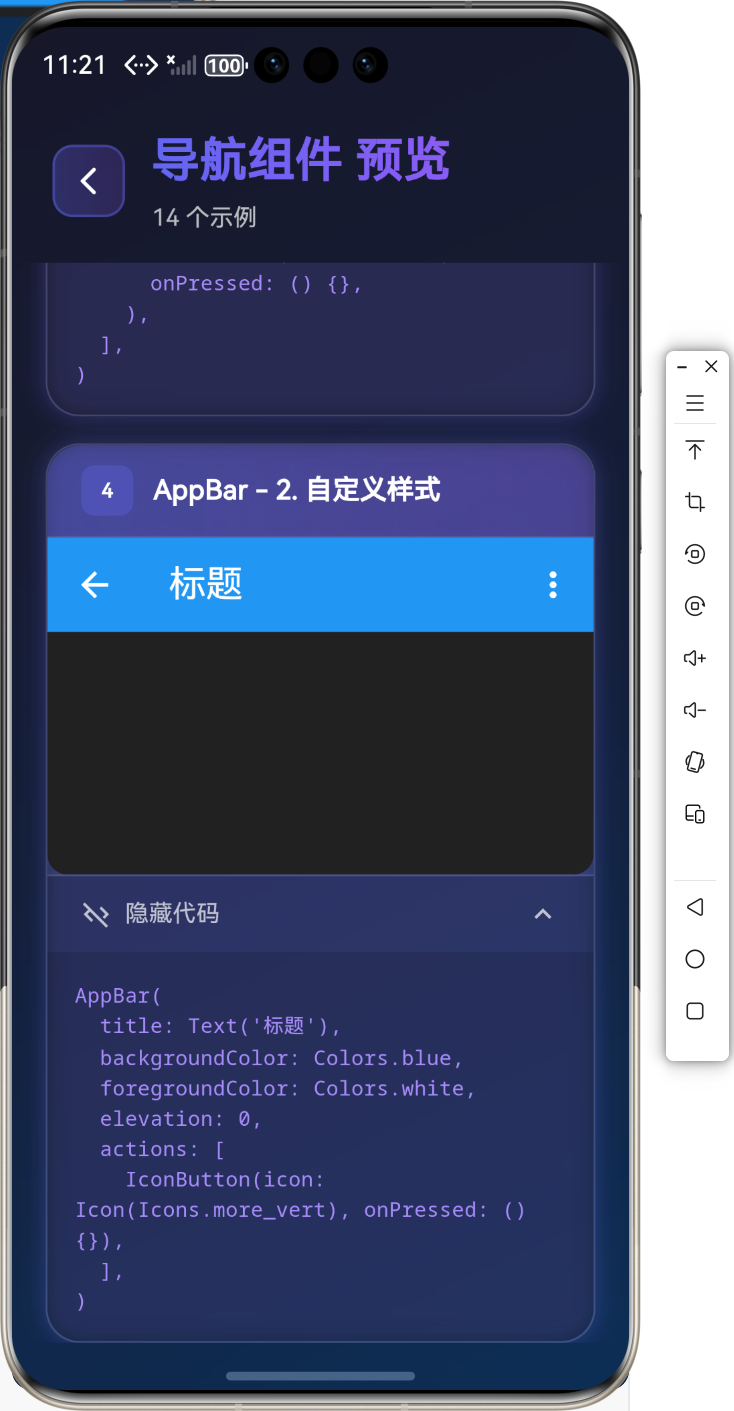
自定义样式
AppBar(
title: Text('标题'),
backgroundColor: Colors.blue,
foregroundColor: Colors.white,
elevation: 0,
actions: [
IconButton(icon: Icon(Icons.more_vert), onPressed: () {}),
],
)
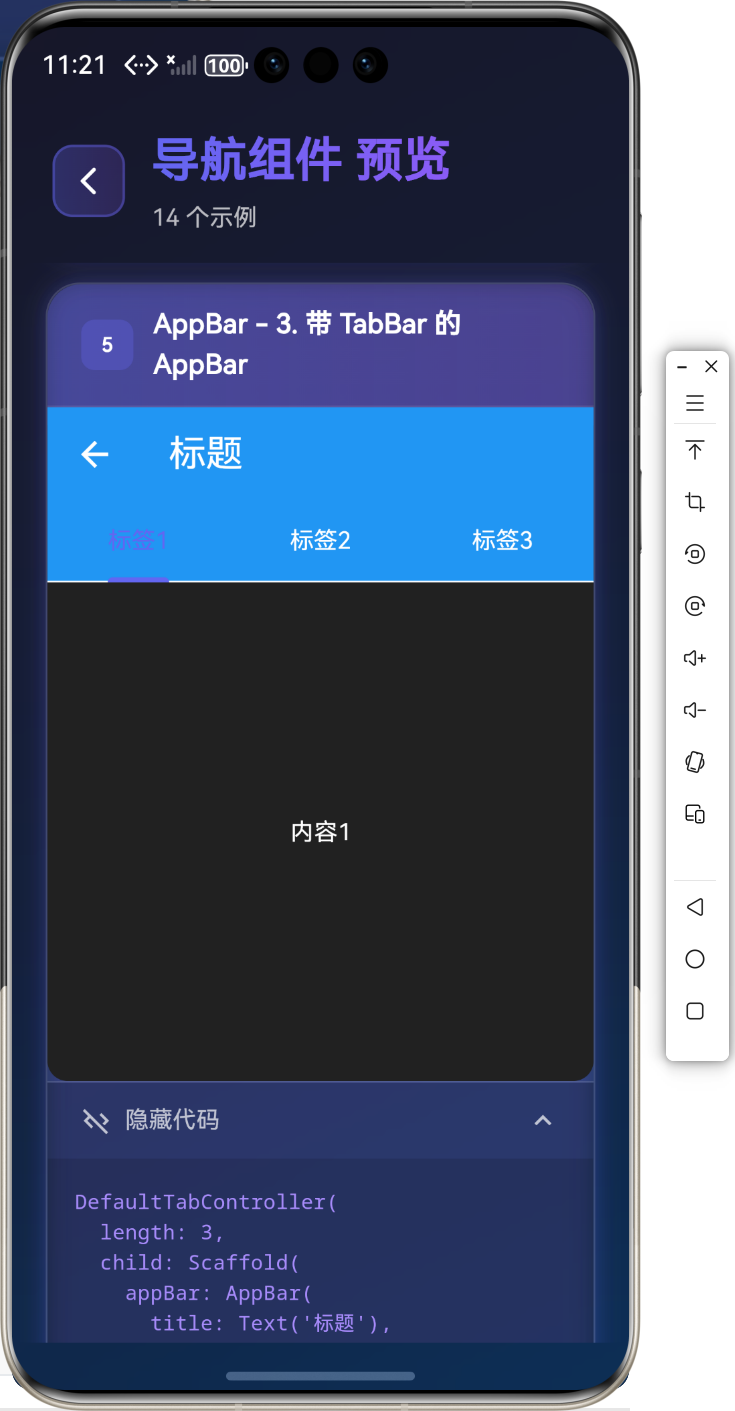
带 TabBar 的 AppBar
DefaultTabController(
length: 3,
child: Scaffold(
appBar: AppBar(
title: Text('标题'),
bottom: TabBar(
tabs: [
Tab(text: '标签1'),
Tab(text: '标签2'),
Tab(text: '标签3'),
],
),
),
body: TabBarView(
children: [
Center(child: Text('内容1')),
Center(child: Text('内容2')),
Center(child: Text('内容3')),
],
),
),
)
BottomNavigationBar 组件
BottomNavigationBar 是底部导航栏,用于主要功能切换。
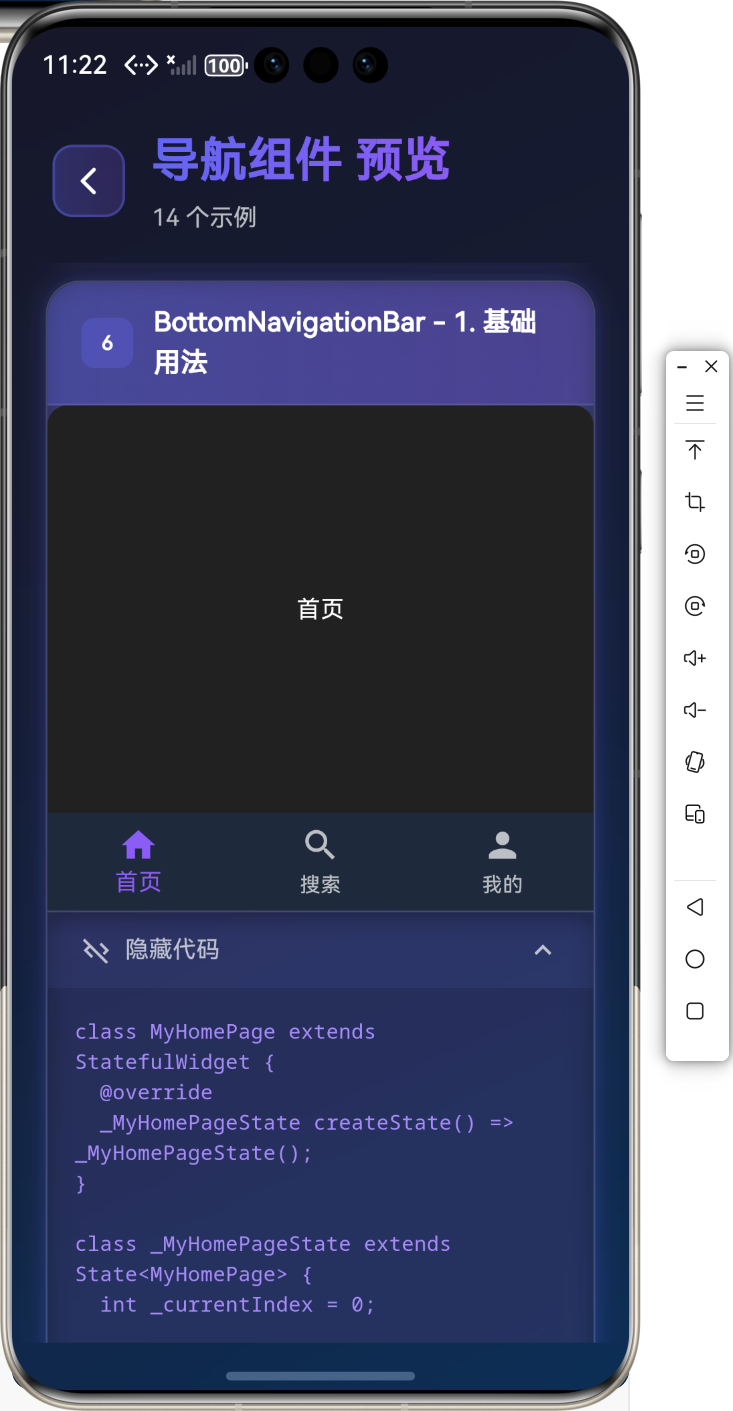
基础用法
class MyHomePage extends StatefulWidget {
_MyHomePageState createState() => _MyHomePageState();
}
class _MyHomePageState extends State<MyHomePage> {
int _currentIndex = 0;
Widget build(BuildContext context) {
return Scaffold(
body: _getPage(_currentIndex),
bottomNavigationBar: BottomNavigationBar(
currentIndex: _currentIndex,
onTap: (index) {
setState(() {
_currentIndex = index;
});
},
items: [
BottomNavigationBarItem(
icon: Icon(Icons.home),
label: '首页',
),
BottomNavigationBarItem(
icon: Icon(Icons.search),
label: '搜索',
),
BottomNavigationBarItem(
icon: Icon(Icons.person),
label: '我的',
),
],
),
);
}
Widget _getPage(int index) {
switch (index) {
case 0:
return HomePage();
case 1:
return SearchPage();
case 2:
return ProfilePage();
default:
return HomePage();
}
}
}
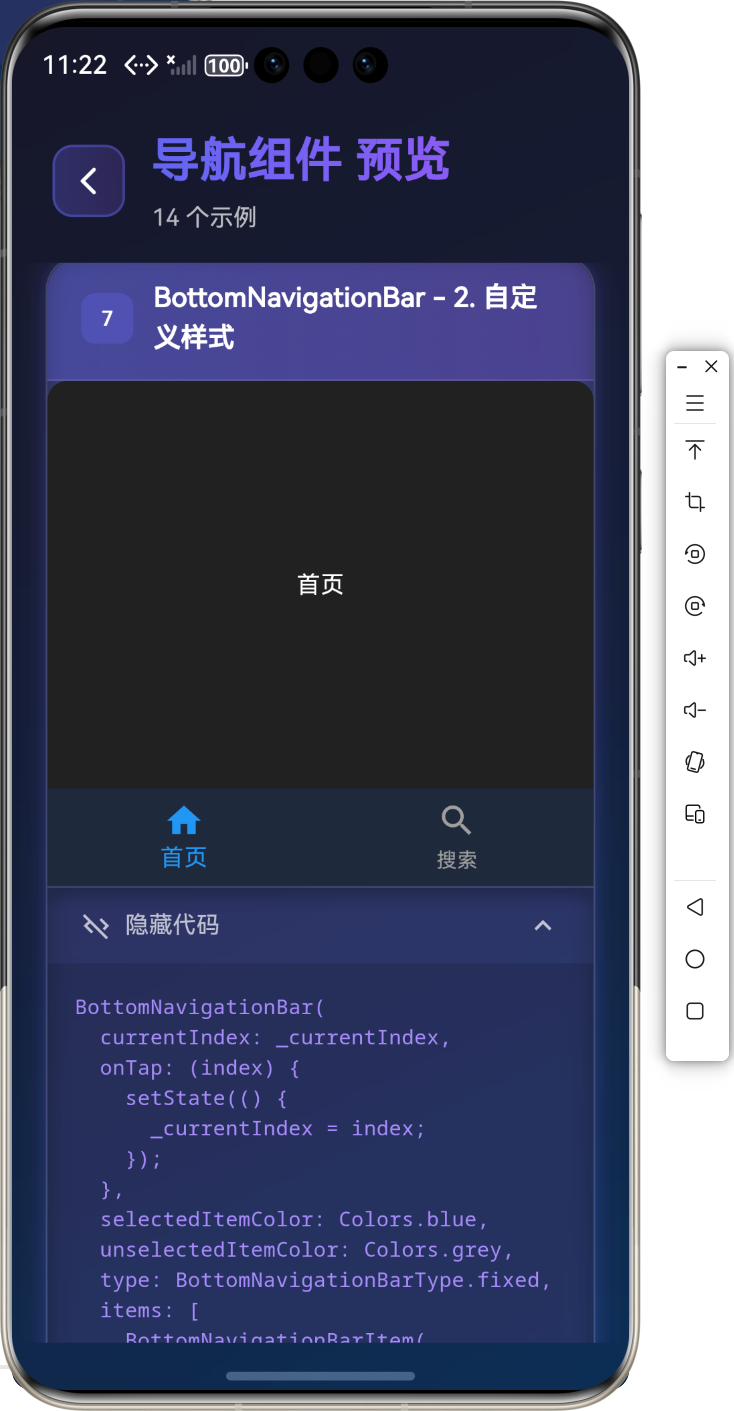
自定义样式
BottomNavigationBar(
currentIndex: _currentIndex,
onTap: (index) {
setState(() {
_currentIndex = index;
});
},
selectedItemColor: Colors.blue,
unselectedItemColor: Colors.grey,
type: BottomNavigationBarType.fixed,
items: [
BottomNavigationBarItem(
icon: Icon(Icons.home),
label: '首页',
),
BottomNavigationBarItem(
icon: Icon(Icons.search),
label: '搜索',
),
],
)
TabBar 和 TabBarView 组件
TabBar 和 TabBarView 用于创建标签页导航。
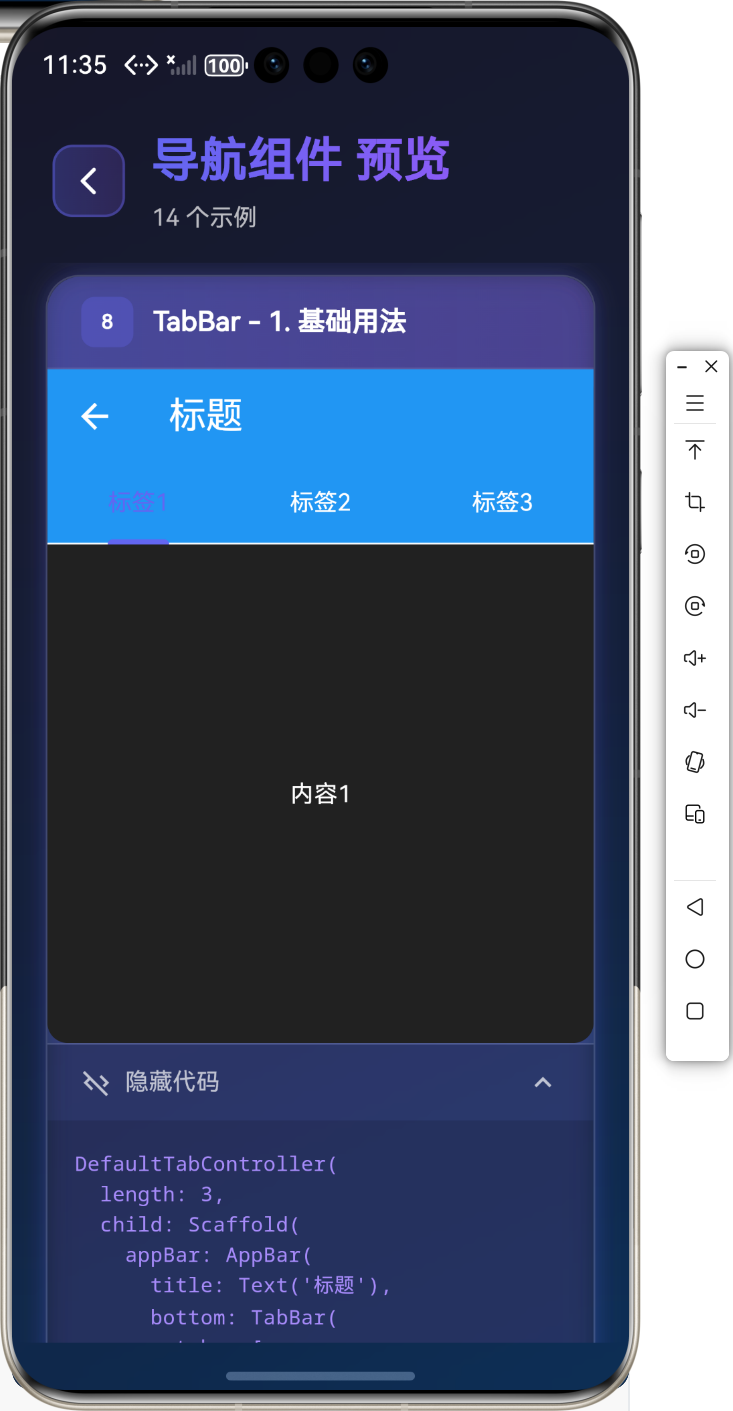
基础用法
DefaultTabController(
length: 3,
child: Scaffold(
appBar: AppBar(
title: Text('标题'),
bottom: TabBar(
tabs: [
Tab(text: '标签1'),
Tab(text: '标签2'),
Tab(text: '标签3'),
],
),
),
body: TabBarView(
children: [
Center(child: Text('内容1')),
Center(child: Text('内容2')),
Center(child: Text('内容3')),
],
),
),
)
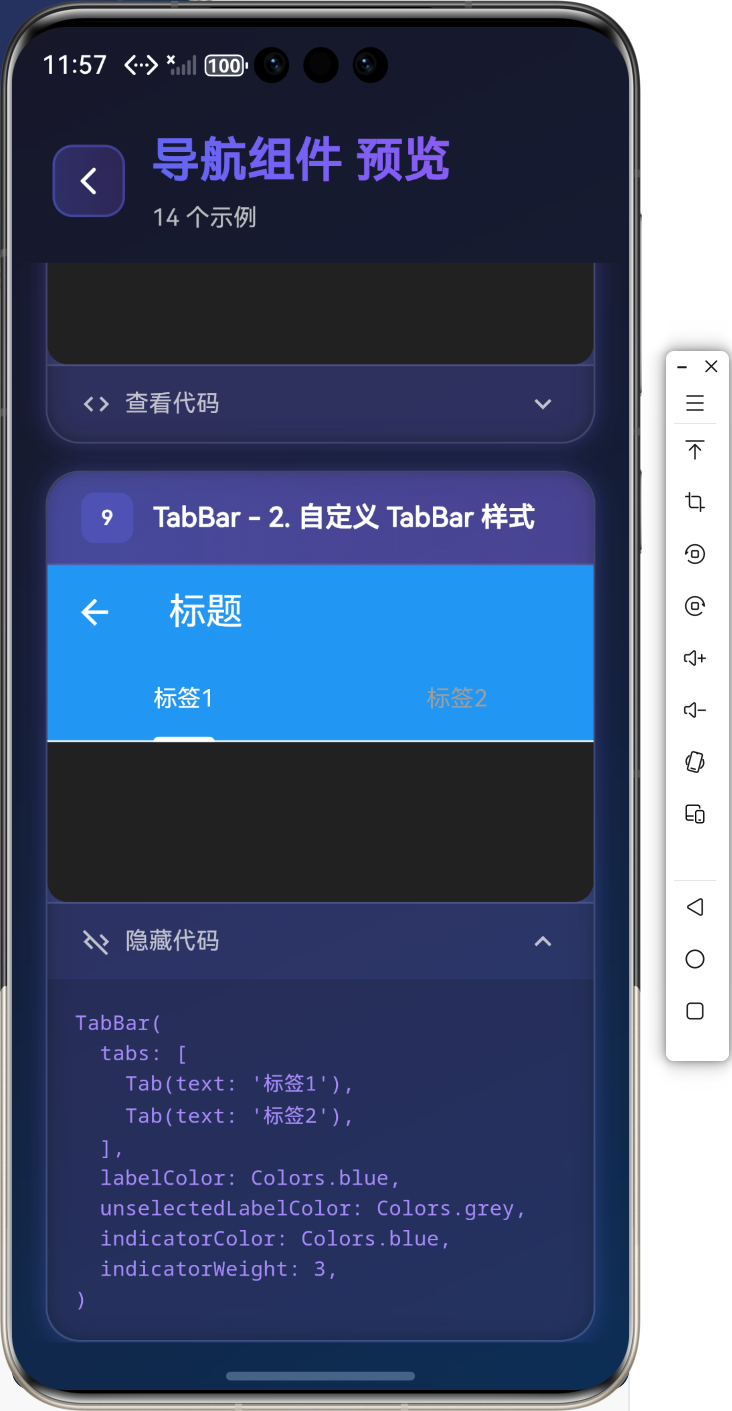
自定义 TabBar 样式
TabBar(
tabs: [
Tab(text: '标签1'),
Tab(text: '标签2'),
],
labelColor: Colors.blue,
unselectedLabelColor: Colors.grey,
indicatorColor: Colors.blue,
indicatorWeight: 3,
)
️ Drawer 组件
Drawer 是侧边抽屉,用于导航菜单和设置。
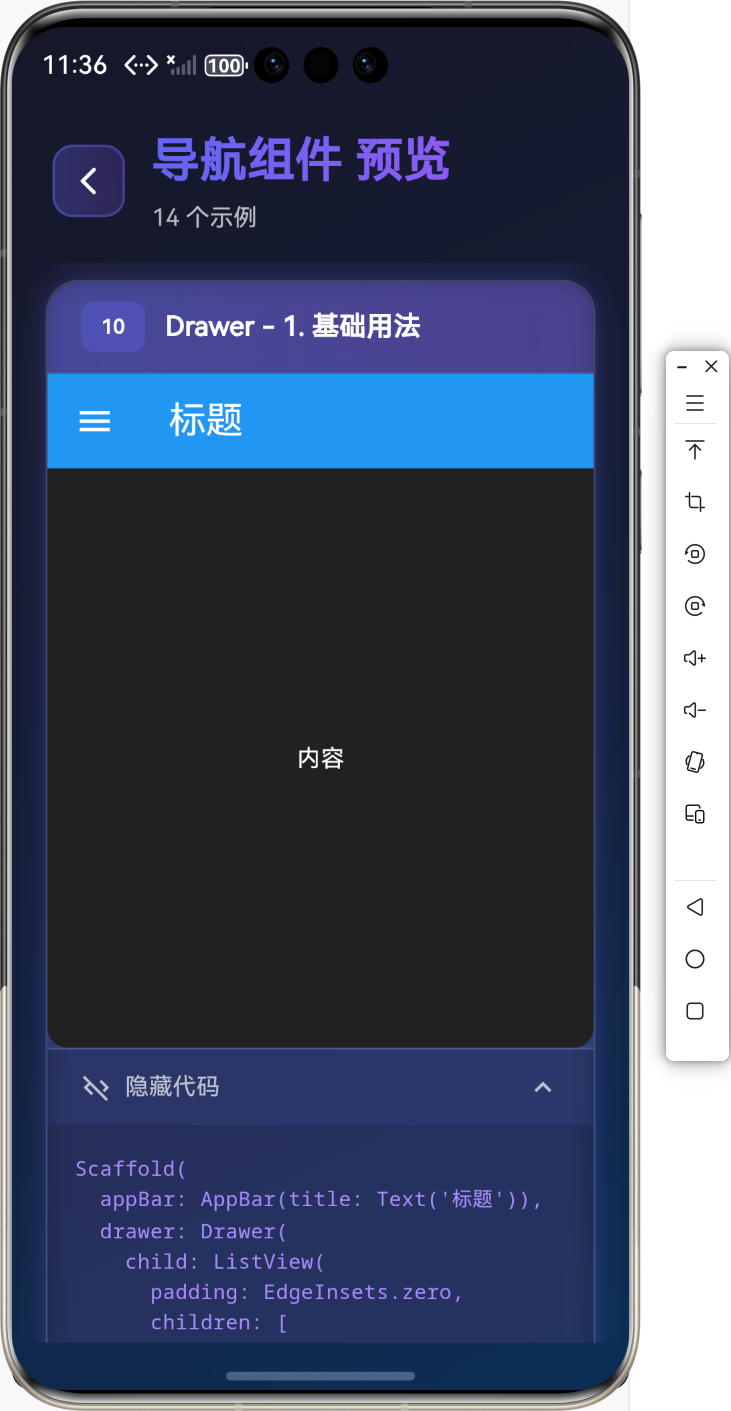
基础用法
Scaffold(
appBar: AppBar(title: Text('标题')),
drawer: Drawer(
child: ListView(
padding: EdgeInsets.zero,
children: [
DrawerHeader(
decoration: BoxDecoration(color: Colors.blue),
child: Text('菜单标题'),
),
ListTile(
leading: Icon(Icons.home),
title: Text('首页'),
onTap: () {
Navigator.pop(context);
},
),
ListTile(
leading: Icon(Icons.settings),
title: Text('设置'),
onTap: () {
Navigator.pop(context);
},
),
],
),
),
body: Center(child: Text('内容')),
)
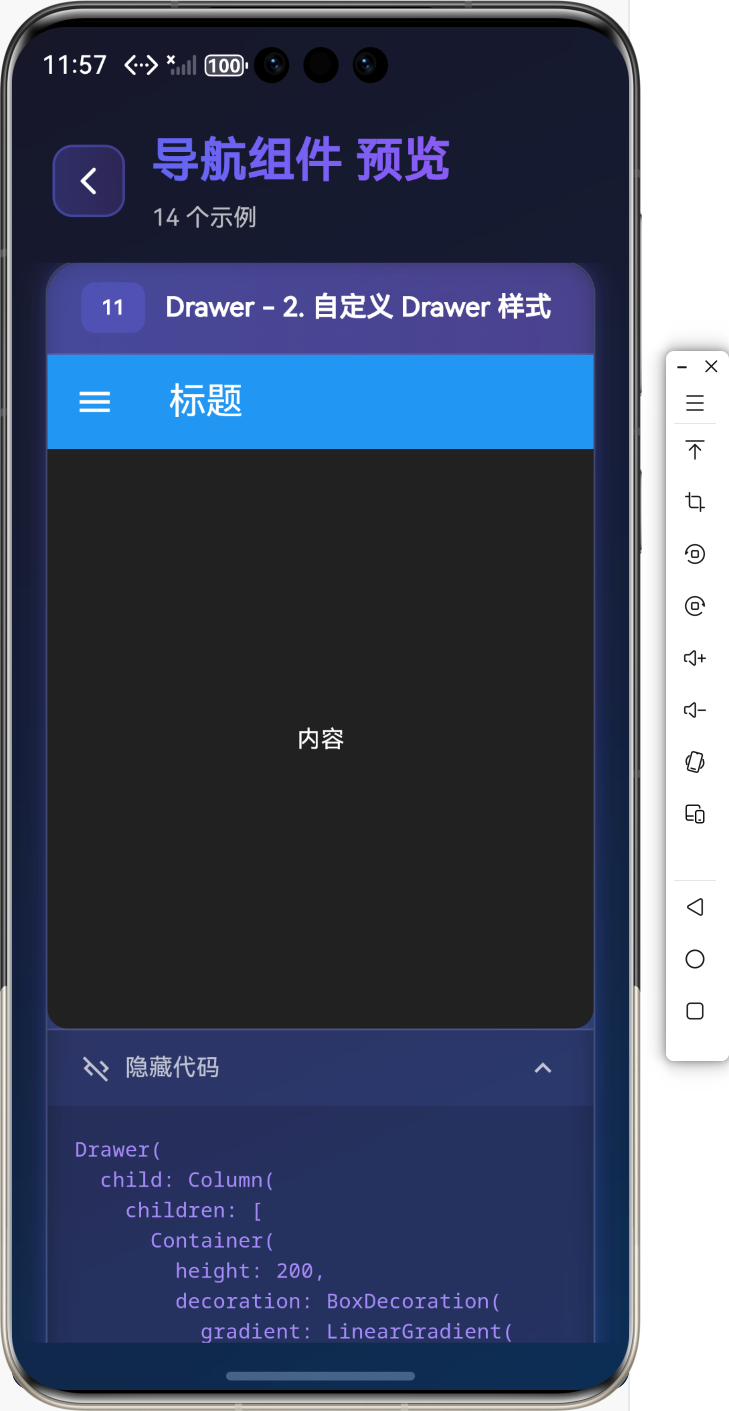
自定义 Drawer 样式
Drawer(
child: Column(
children: [
Container(
height: 200,
decoration: BoxDecoration(
gradient: LinearGradient(
colors: [Colors.blue, Colors.purple],
),
),
child: Center(
child: Column(
mainAxisAlignment: MainAxisAlignment.center,
children: [
CircleAvatar(
radius: 40,
child: Icon(Icons.person, size: 40),
),
SizedBox(height: 16),
Text('用户名', style: TextStyle(color: Colors.white)),
],
),
),
),
Expanded(
child: ListView(
children: [
ListTile(
leading: Icon(Icons.home),
title: Text('首页'),
onTap: () {},
),
Divider(),
ListTile(
leading: Icon(Icons.settings),
title: Text('设置'),
onTap: () {},
),
],
),
),
],
),
)
实际应用场景
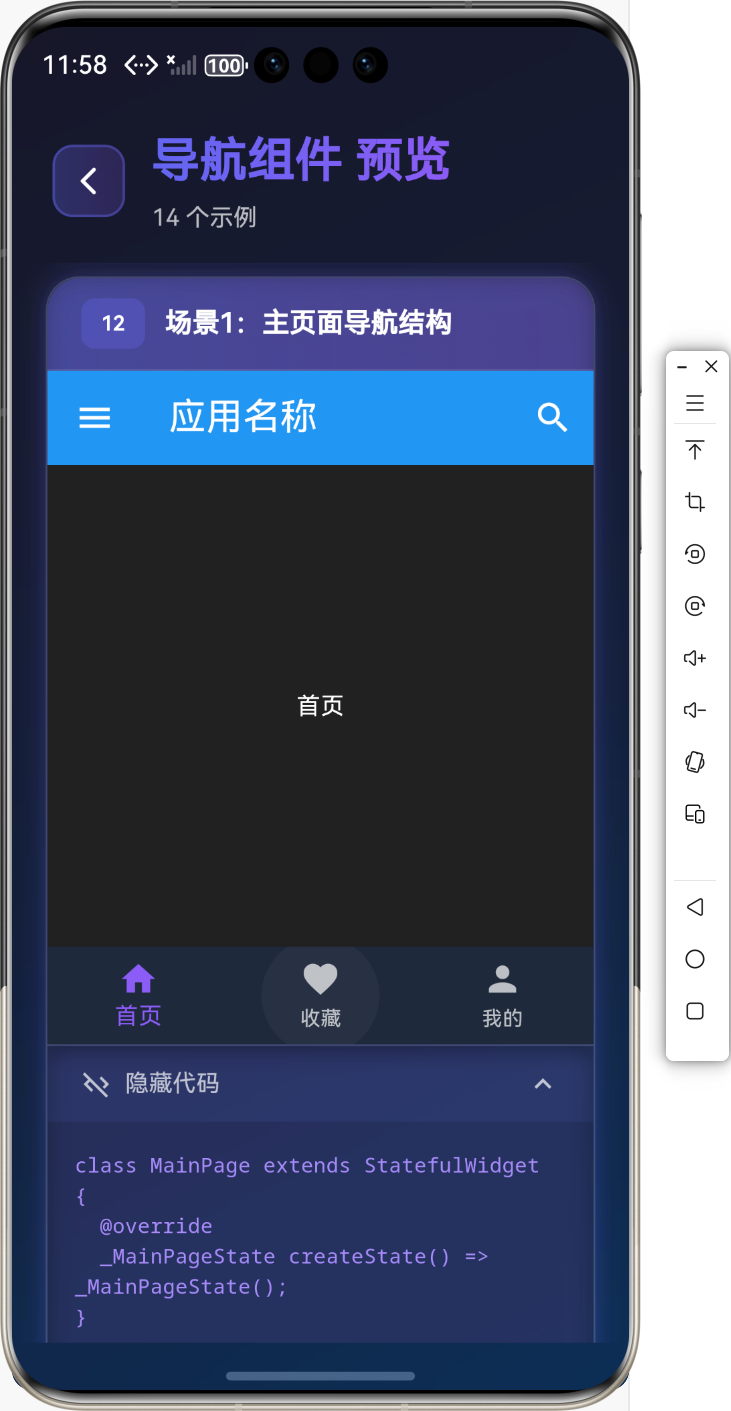
场景1:主页面导航结构
class MainPage extends StatefulWidget {
_MainPageState createState() => _MainPageState();
}
class _MainPageState extends State<MainPage> {
int _currentIndex = 0;
Widget build(BuildContext context) {
return Scaffold(
appBar: AppBar(
title: Text('应用名称'),
actions: [
IconButton(
icon: Icon(Icons.search),
onPressed: () {},
),
],
),
drawer: _buildDrawer(),
body: _getPage(_currentIndex),
bottomNavigationBar: BottomNavigationBar(
currentIndex: _currentIndex,
onTap: (index) {
setState(() {
_currentIndex = index;
});
},
items: [
BottomNavigationBarItem(
icon: Icon(Icons.home),
label: '首页',
),
BottomNavigationBarItem(
icon: Icon(Icons.favorite),
label: '收藏',
),
BottomNavigationBarItem(
icon: Icon(Icons.person),
label: '我的',
),
],
),
);
}
Widget _buildDrawer() {
return Drawer(
child: ListView(
children: [
ListTile(
leading: Icon(Icons.home),
title: Text('首页'),
onTap: () {
Navigator.pop(context);
setState(() {
_currentIndex = 0;
});
},
),
ListTile(
leading: Icon(Icons.settings),
title: Text('设置'),
onTap: () {
Navigator.pop(context);
},
),
],
),
);
}
Widget _getPage(int index) {
switch (index) {
case 0:
return HomePage();
case 1:
return FavoritePage();
case 2:
return ProfilePage();
default:
return HomePage();
}
}
}
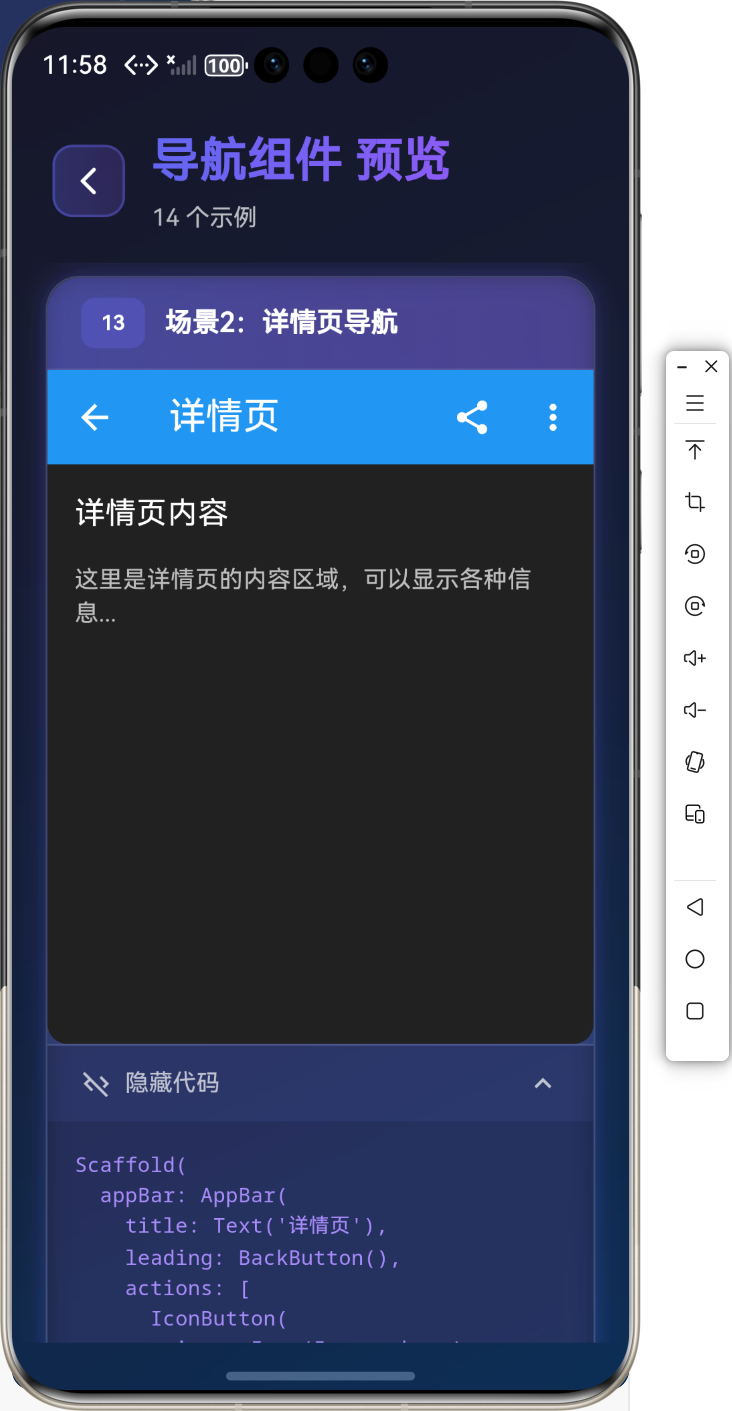
场景2:详情页导航
Scaffold(
appBar: AppBar(
title: Text('详情页'),
leading: BackButton(),
actions: [
IconButton(
icon: Icon(Icons.share),
onPressed: () {},
),
IconButton(
icon: Icon(Icons.more_vert),
onPressed: () {},
),
],
),
body: SingleChildScrollView(
child: Column(
children: [
// 内容
],
),
),
)
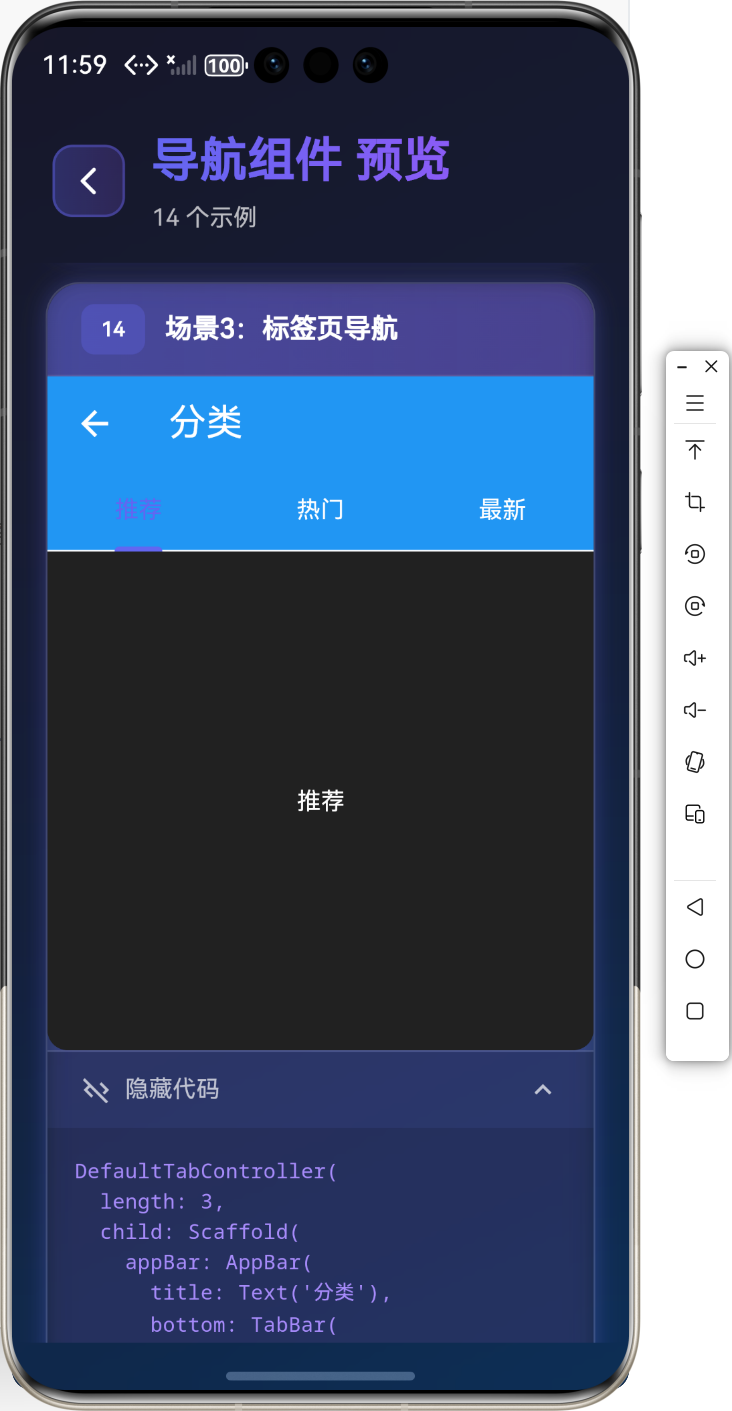
场景3:标签页导航
DefaultTabController(
length: 3,
child: Scaffold(
appBar: AppBar(
title: Text('分类'),
bottom: TabBar(
tabs: [
Tab(text: '推荐'),
Tab(text: '热门'),
Tab(text: '最新'),
],
),
),
body: TabBarView(
children: [
RecommendPage(),
HotPage(),
LatestPage(),
],
),
),
)
⚠️ 常见问题与解决方案
问题1:BottomNavigationBar 切换时页面重建
解决方案:
- 使用
IndexedStack保持页面状态 - 使用状态管理库管理页面状态
问题2:TabBar 和 TabBarView 不同步
解决方案:
- 使用
TabController手动控制 - 确保
DefaultTabController的length正确
问题3:Drawer 无法打开
解决方案:
- 确保
Scaffold有drawer属性 - 检查是否有其他组件遮挡
- 使用
Scaffold.of(context).openDrawer()手动打开
最佳实践
1. 导航状态管理
class NavigationState extends ChangeNotifier {
int _currentIndex = 0;
int get currentIndex => _currentIndex;
void changeIndex(int index) {
_currentIndex = index;
notifyListeners();
}
}
2. 统一导航样式
class AppNavigation {
static AppBar buildAppBar(String title, {List<Widget>? actions}) {
  return AppBar(
  title: Text(title),
  actions: actions,
  elevation: 0,
  );
  }
  static BottomNavigationBar buildBottomNav(
  int currentIndex,
  Function(int) onTap,
  ) {
  return BottomNavigationBar(
  currentIndex: currentIndex,
  onTap: onTap,
  type: BottomNavigationBarType.fixed,
  items: [
  BottomNavigationBarItem(icon: Icon(Icons.home), label: '首页'),
  BottomNavigationBarItem(icon: Icon(Icons.search), label: '搜索'),
  BottomNavigationBarItem(icon: Icon(Icons.person), label: '我的'),
  ],
  );
  }
  }
总结
通过本教程,我们学习了:
- ✅
Scaffold页面骨架的使用 - ✅
AppBar顶部导航栏的使用 - ✅
BottomNavigationBar底部导航栏的使用 - ✅
TabBar和TabBarView标签页的使用 - ✅
Drawer侧边抽屉的使用 - ✅ 实际应用场景和最佳实践
导航组件是 Flutter 应用的基础,掌握好这些组件的用法,能够让你的应用导航更加完善和用户友好!
相关资源
Happy Coding! ✨
欢迎加入开源鸿蒙跨平台社区

 浙公网安备 33010602011771号