
深入解析:基于Nexus的Maven私库搭建
1、安装Nexus私服
1.1、 创建文件夹
mkdir -p /opt/nexus/installPackagemkdir -p /opt/nexus/3.16.21.2、 上传安装文件
进入目录
cd /opt/nexus/installPackage将安装文件nexus-3.16.2-01-unix.tar.gz上传到该目录
1.3、 解压文件
tar -zxvf nexus-3.16.2-01-unix.tar.gz -C /opt/nexus/3.16.21.4、 启动程序
cd /opt/nexus/3.16.2/nexus-3.16.2-01/bin./nexus start1.5、 异常问题
System Requirement: max file descriptors [4096] likely too low,increase to at least [65536]
解决方法是在/etc/security/limits.conf中添加如下信息
vi /etc/security/limits.conf添加信息
*     soft    nofile  65536
*     hard    nofile  65536
重启Nexus私服
./nexus restart2、上传本地仓库
2.1、 传本地仓库到服务器
mkdir -p /home/nexus/3.16.2/maven_repository将项目maven本地仓库上传到该目录
cd /home/nexus/3.16.2/maven_repository2.2、 创建mavenimport.sh脚本
#!/bin/bash
# copy and run this script to the root of the repository directory containing files
# this script attempts to exclude uploading itself explicitly so the script name is important
# Get command line params
while getopts ":r:u:p:" opt; do
	case $opt in
		r) REPO_URL="$OPTARG"
		;;
		u) USERNAME="$OPTARG"
		;;
		p) PASSWORD="$OPTARG"
		;;
	esac
done
find . -type f -not -path './mavenimport\.sh*' -not -path '*/\.*' -not -path '*/\^archetype\-catalog\.xml*' -not -path '*/\^maven\-metadata\-local*\.xml' -not -path '*/\^maven\-metadata\-deployment*\.xml' | sed "s|^\./||" | xargs -I '{}' curl -u "$USERNAME:$PASSWORD" -X PUT -v -T {} ${REPO_URL}/{} ;
2.3、 Nexus创建私有仓库nexus创建私有仓库
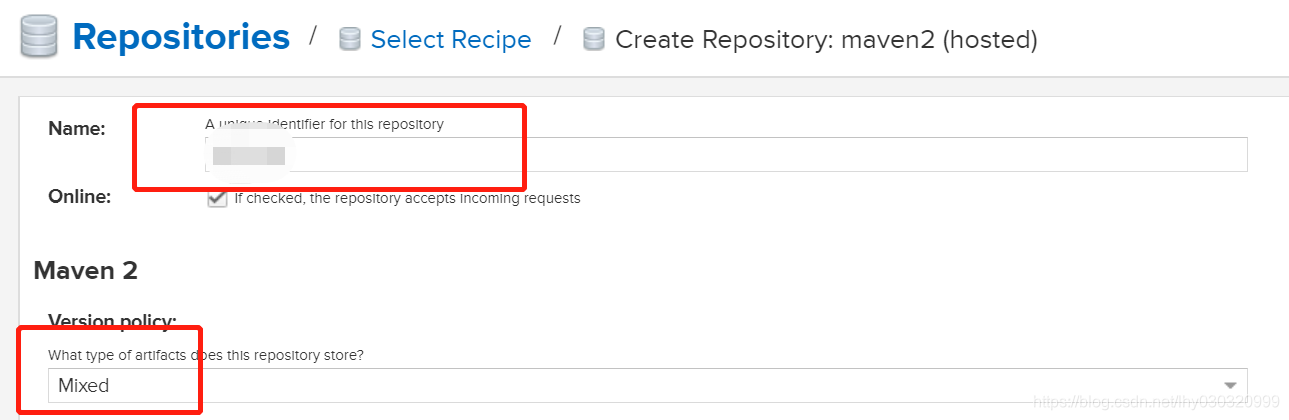
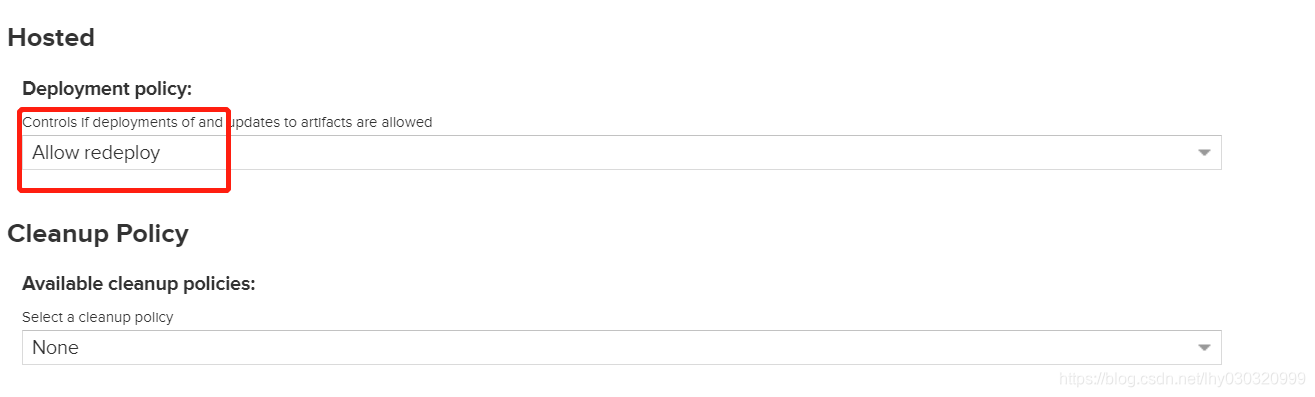
2.4、将新建仓库加入到maven-public中
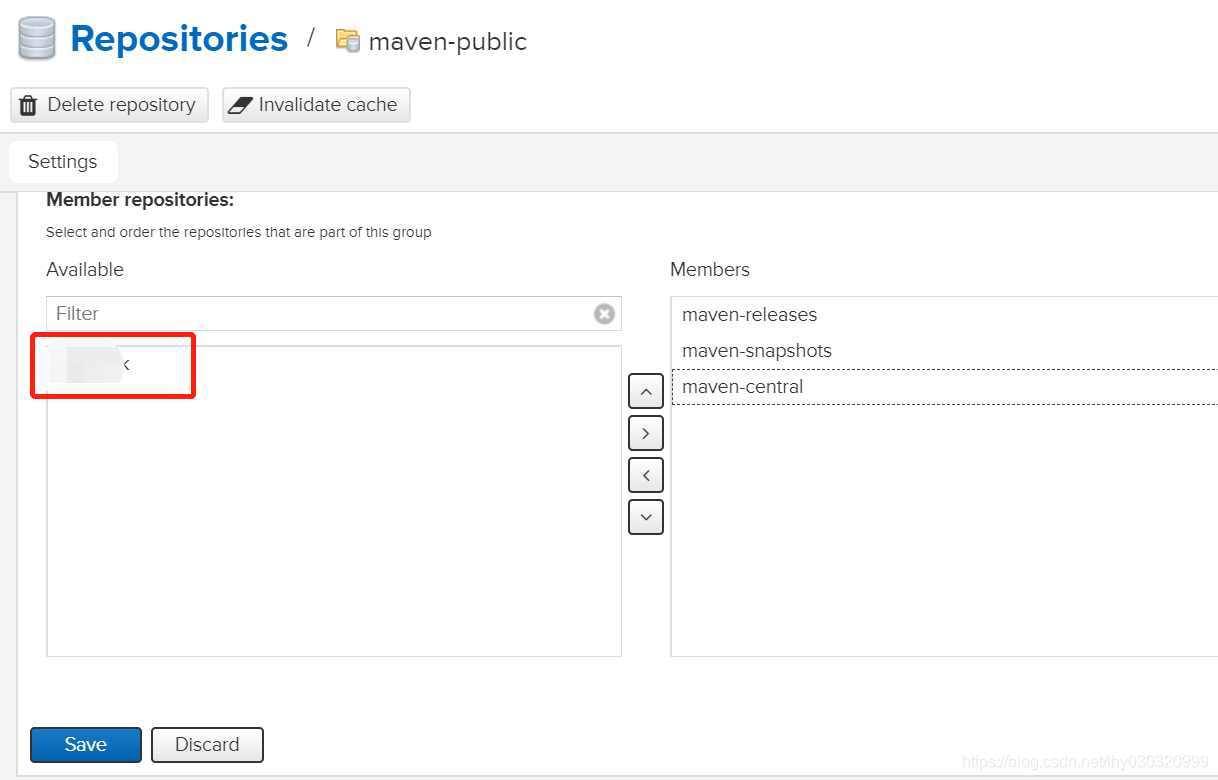
2.5、执行脚本,导入仓库
用户名、密码及仓库请按照真实内容修改
./mavenimport.sh -u admin -p admin123 -r http://10.xxx.xxx.xxx:8081/repository/xx/
 浙公网安备 33010602011771号