
Lay-Vue-Super前后端分离的通用后台管理项目 - 教程
Lay-Vue-Super 项目详细指南
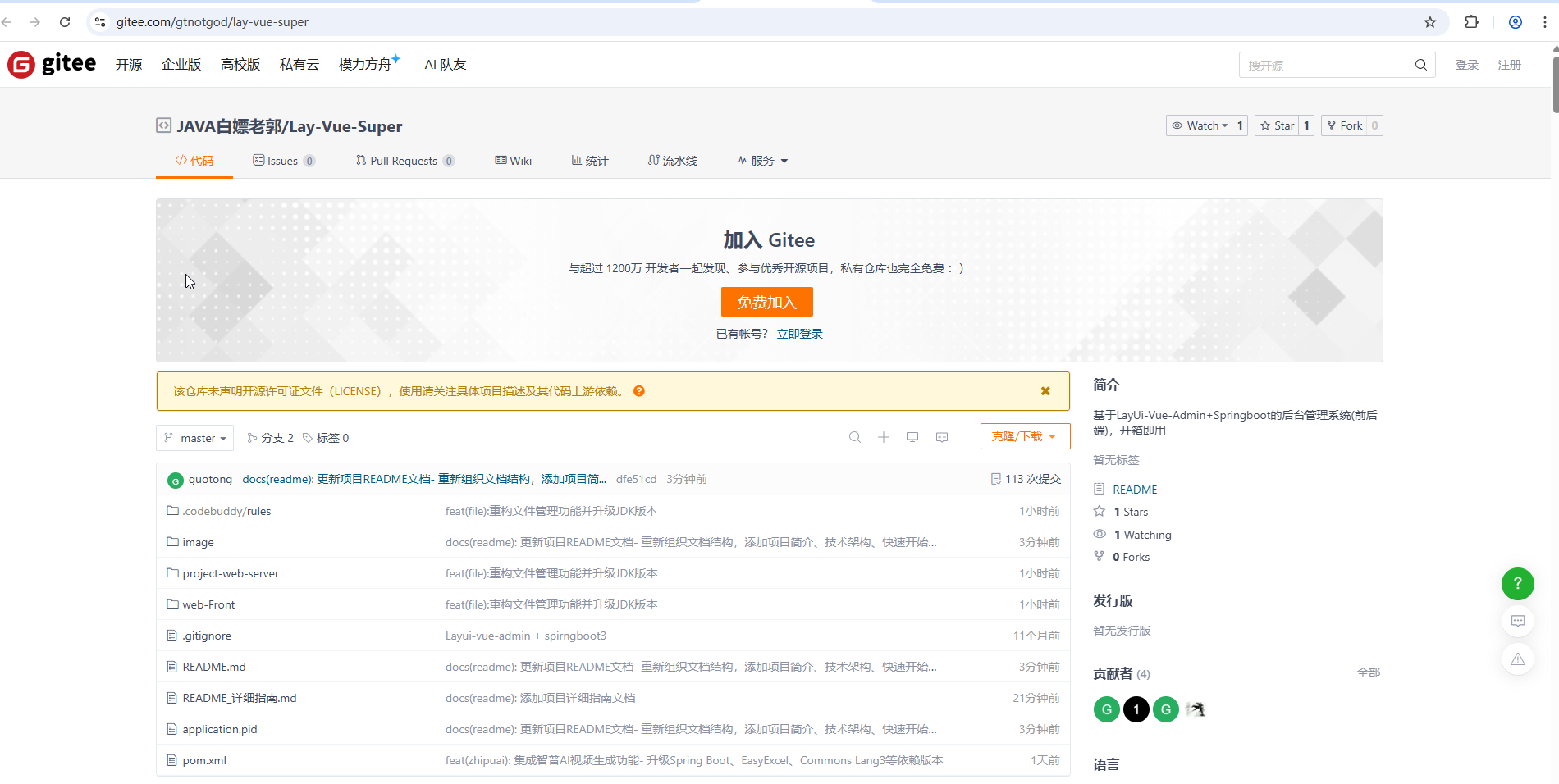
项目地址:https://gitee.com/gtnotgod/lay-vue-super
项目概述
Lay-Vue-Super 是一个基于 Spring Boot 3.x + Vue 3 + Layui Vue 的前后端分离企业级管理系统框架。项目采用现代化的技术栈,提供完整的权限管理、系统监控、文件管理等功能模块。
️ 技术架构
后端技术栈
- 框架: Spring Boot 3.3.10
- JDK: 21
- 数据库: MySQL 8.4.0
- ORM: MyBatis Plus 3.5.14
- 认证: Sa-Token 1.39.0
- 缓存: Redis + Caffeine
- 文档: Knife4j (Swagger3)
- Web服务器: Undertow
- 构建工具: Maven
前端技术栈
- 框架: Vue 3.3.4
- UI组件: Layui Vue 2.21.1
- 构建工具: Vite 4.3.5
- 包管理: pnpm 8.14.0
- 路由: Vue Router 4.2.5
- 状态管理: Pinia 2.1.7
- HTTP客户端: Axios 1.5.1
项目结构
layVueSuper/
├── project-web-server/          # 后端Spring Boot项目
│   ├── src/main/java/
│   │   └── com/gt/quality/
│   │       ├── WebApplication.java     # 启动类
│   │       ├── config/                 # 配置类
│   │       ├── controller/             # 控制器层
│   │       ├── system/                 # 系统模块
│   │       │   ├── controller/         # 系统控制器
│   │       │   ├── entity/             # 实体类
│   │       │   ├── mapper/             # 数据访问层
│   │       │   └── login/              # 登录相关
│   │       ├── apim/                   # API管理模块
│   │       ├── base/                   # 基础类
│   │       └── utils/                  # 工具类
│   └── src/main/resources/
│       ├── application.yml             # 主配置文件
│       ├── application-dev.yml         # 开发环境配置
│       └── log4j2.xml                  # 日志配置
├── web-Front/                         # 前端Vue项目
│   ├── src/
│   │   ├── views/                     # 页面组件
│   │   │   ├── system/                # 系统管理页面
│   │   │   │   ├── user/              # 用户管理
│   │   │   │   ├── file/              # 文件管理
│   │   │   │   ├── role/              # 角色管理
│   │   │   │   └── menu/              # 菜单管理
│   │   │   ├── form/                  # 表单页面
│   │   │   ├── table/                 # 表格页面
│   │   │   └── workSpace/             # 工作空间
│   │   ├── api/                       # API接口
│   │   ├── store/                      # 状态管理
│   │   ├── router/                     # 路由配置
│   │   └── layouts/                    # 布局组件
│   ├── package.json                   # 前端依赖配置
│   └── vite.config.ts                  # Vite配置
└── pom.xml                            # Maven父项目配置
快速开始
环境要求
- JDK: 21+
- Node.js: 16.0.0+
- MySQL: 8.0+
- Redis: 6.0+
- Maven: 3.6+
后端部署
数据库初始化
-- 导入数据库脚本
-- 脚本位置: project-web-server/src/main/initsql/test_admin_123.sql
配置修改
- 修改
application-dev.yml中的数据库连接信息 - 修改 Redis 连接配置
- 调整文件存储路径
- 修改
启动后端服务
# 方式一: IDE直接运行
# 启动类: com.gt.quality.WebApplication
# 方式二: Maven打包运行
mvn clean install
cd project-web-server/target
java -jar layui-manage-system-1.0.0-SNAPSHOT.jar
访问接口文档
- Swagger UI: http://localhost:8090/qa/swagger-ui.html
- Knife4j文档: http://localhost:8090/qa/doc.html
前端部署
环境准备
# 安装Node.js 16.0.0+
nvm install 16.0.0
nvm use 16.0.0
# 安装pnpm
npm install -g pnpm@7.3.0
安装依赖
cd web-Front
pnpm install
启动开发服务器
npm run dev
# 访问: http://localhost:5173
生产构建
npm run build:prod
默认账号
- 用户名: admin
- 密码: admin
核心功能模块
1. 系统管理
- 用户管理: 用户增删改查、角色分配、状态管理
- 角色管理: 角色权限配置、菜单分配
- 菜单管理: 动态菜单配置、权限控制
- 部门管理: 组织架构管理
- 字典管理: 系统字典数据管理
2. 文件管理
- 文件上传下载: 支持多种文件类型
- 文件预览: 在线预览功能
- 文件管理: 文件列表、删除、批量操作
3. 日志管理
- 操作日志: 用户操作记录
- 登录日志: 用户登录历史
4. API管理
- API接口管理: 接口注册、参数配置
- Mock服务: 接口模拟测试
核心配置说明
后端配置
数据库配置 (application-dev.yml)
spring:
datasource:
username: guotong
password: 123456
url: jdbc:mysql://localhost:3306/test_admin_123?useUnicode=true&characterEncoding=utf8
driver-class-name: com.mysql.cj.jdbc.Driver
Redis配置
spring:
data:
redis:
host: 127.0.0.1
port: 6379
password: 123456
database: 1
Sa-Token认证配置
sa-token:
token-name: token
timeout: 2592000  # 30天
is-concurrent: true  # 允许并发登录
is-share: true      # 共享token
前端配置
API配置 (src/api/http.ts)
const http = axios.create({
baseURL: 'http://localhost:8090/qa',
timeout: 10000,
headers: {
'Content-Type': 'application/json',
}
})
路由配置 (src/router/index.ts)
const routes: Array<RouteRecordRaw> = [
  {
  path: '/',
  component: BasicLayout,
  redirect: '/workSpace/console',
  children: [
  // 系统管理路由
  { path: '/system/user', component: () => import('@/views/system/user/index.vue') },
  { path: '/system/file', component: () => import('@/views/system/file/index.vue') },
  // ...其他路由
  ]
  }
  ]
️ 开发指南
后端开发
1. 实体类创建
@Entity
@TableName("sys_file_info")
public class SysFileInfo {
@TableId(type = IdType.AUTO)
private Long fileId;
private String filePath;
private String fileType;
// ...其他字段
}
2. Controller开发
@RestController
@RequestMapping("/sysFile")
@Api(tags = "文件管理")
public class SysFileInfoController {
@Autowired
private SysFileInfoService sysFileInfoService;
@GetMapping("/list")
@ApiOperation("文件列表")
public R list(SysFileInfo sysFileInfo) {
return R.ok(sysFileInfoService.selectSysFileInfoList(sysFileInfo));
}
}
3. Service开发
@Service
public class SysFileInfoServiceImpl extends ServiceImpl<SysFileInfoMapper, SysFileInfo>
  implements SysFileInfoService {
  @Override
  public List<SysFileInfo> selectSysFileInfoList(SysFileInfo sysFileInfo) {
    return baseMapper.selectSysFileInfoList(sysFileInfo);
    }
    }
前端开发
1. 页面组件开发
2. API调用
import { http } from '@/api/http'
export const getFileList = (params: any) => {
return http.get('/sysFile/list', { params })
}
export const deleteFile = (fileId: string) => {
return http.delete(`/sysFile/${fileId}`)
}
核心接口文档
文件管理接口
| 接口 | 方法 | 路径 | 描述 |
|---|---|---|---|
| 文件列表 | GET | /sysFile/list | 获取文件列表 |
| 文件上传 | POST | /sysFile/upload | 上传文件 |
| 文件下载 | GET | /sysFile/download | 下载文件 |
| 文件删除 | DELETE | /sysFile/{fileId} | 删除文件 |
用户管理接口
| 接口 | 方法 | 路径 | 描述 |
|---|---|---|---|
| 用户列表 | GET | /system/user/list | 获取用户列表 |
| 用户新增 | POST | /system/user | 新增用户 |
| 用户修改 | PUT | /system/user | 修改用户 |
| 用户删除 | DELETE | /system/user/{userId} | 删除用户 |
常见问题解决
1. 后端启动失败
- 问题: 端口被占用
- 解决: 修改
application.yml中的server.port
2. 数据库连接失败
- 问题: 数据库配置错误
- 解决: 检查
application-dev.yml中的数据库连接信息
3. 前端依赖安装失败
- 问题: Node.js版本不兼容
- 解决: 使用 nvm 切换至 Node.js 16.0.0
4. 接口调用失败
- 问题: 跨域问题
- 解决: 后端已配置CORS,检查前端API地址配置
5. 文件上传失败
- 问题: 文件大小限制
- 解决: 调整
application.yml中的spring.servlet.multipart配置
性能优化建议
后端优化
- 缓存策略: 合理使用Redis缓存热点数据
- 数据库优化: 添加合适的索引,优化SQL查询
- 连接池配置: 根据实际负载调整连接池参数
- 异步处理: 使用线程池处理耗时操作
前端优化
- 组件懒加载: 使用Vue的异步组件
- 路由懒加载: 按需加载页面组件
- 图片优化: 使用WebP格式,合理压缩
- 代码分割: 利用Vite的代码分割功能
贡献指南
- Fork 本仓库
- 新建功能分支 (
git checkout -b feature/AmazingFeature) - 提交更改 (
git commit -m 'Add some AmazingFeature') - 推送到分支 (
git push origin feature/AmazingFeature) - 开启 Pull Request
许可证
本项目采用开源许可证,具体请查看 LICENSE 文件。
相关链接
注意: 本指南基于当前项目状态编写,具体配置可能因环境差异而需要调整。如有问题,请参考项目中的具体配置文件。

 浙公网安备 33010602011771号