
Springcloud篇8-Elasticsearch-2(DSL查询进阶、RestClient采用及黑马旅游案例)
一、DSL查询语法
Elasticsearch提供了基于JSON的DSL(Domain Specific Language)来定义查询。常见的查询类型包括:
(1)查询所有:查出所有数据。例如match_all。
(2)全文搜索查询:利用分词器对用户输入内容分词,然后去倒排索引库中匹配。例如,match_query,multi_match_query。
(3)精确查询:根据精确词条值查询数据,一般是查找keyword、数值、日期、boolean等类型字段。例如,ids,range,term。
(4)地理(geo)查询:根据经纬度查询。例如,geo_distance,geo_bounding_box。
(5)复合查询:复合查询将上述各种查询条件组合起来,合并查询条件。例如,bool,function_score。
1.1 DSL Query基本语法
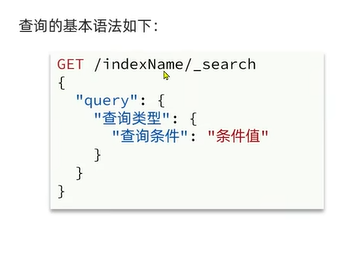
查询类型、查询条件和条件值根据不同类型填写对应值,其他不变。
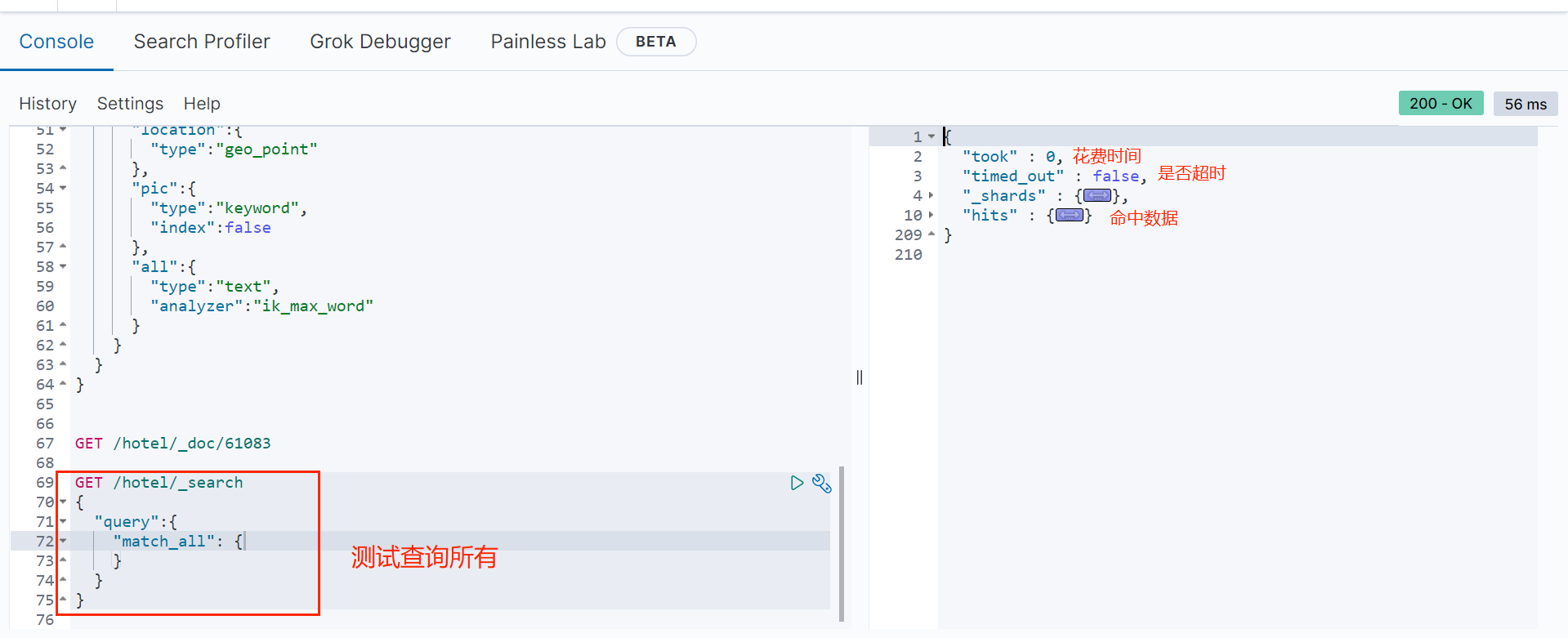
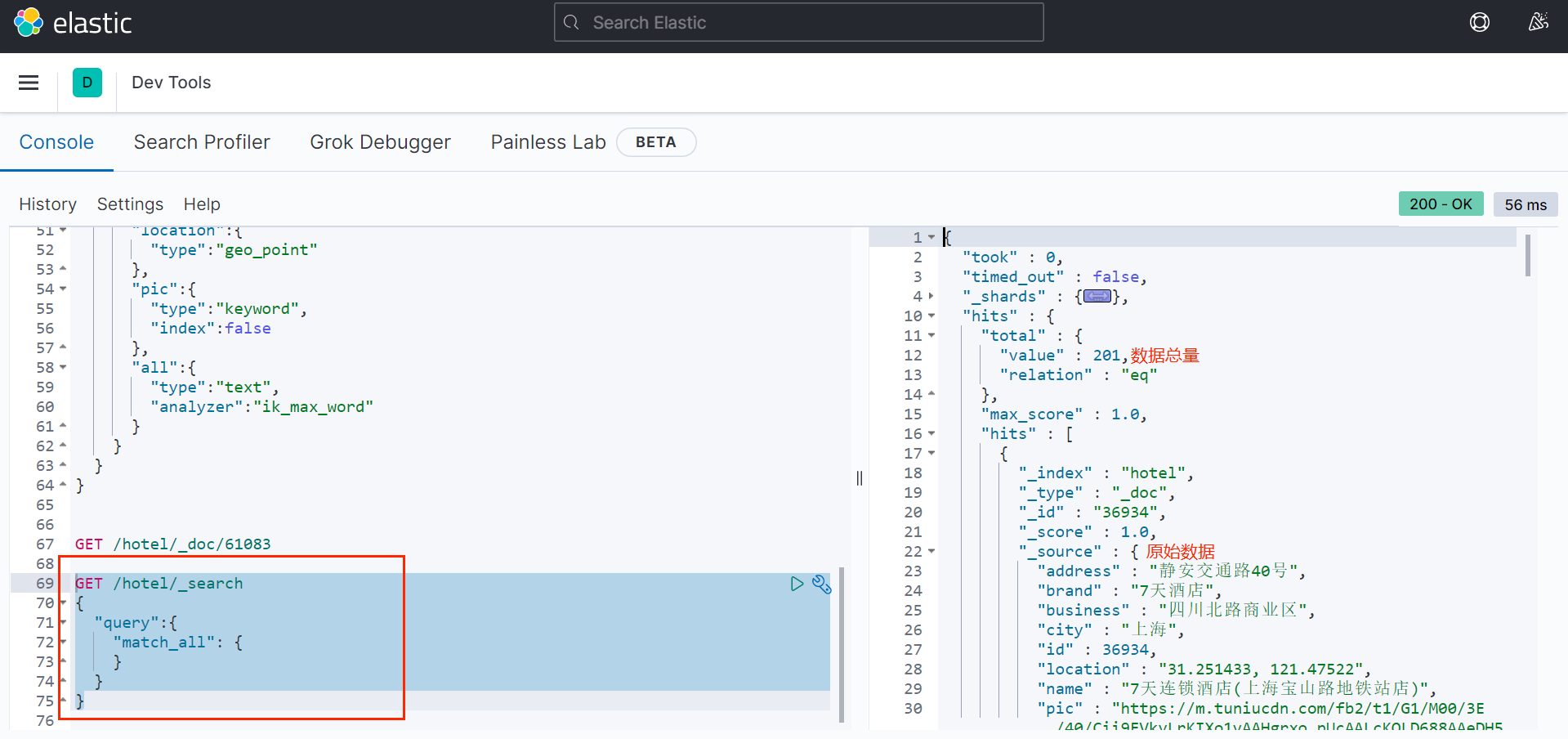
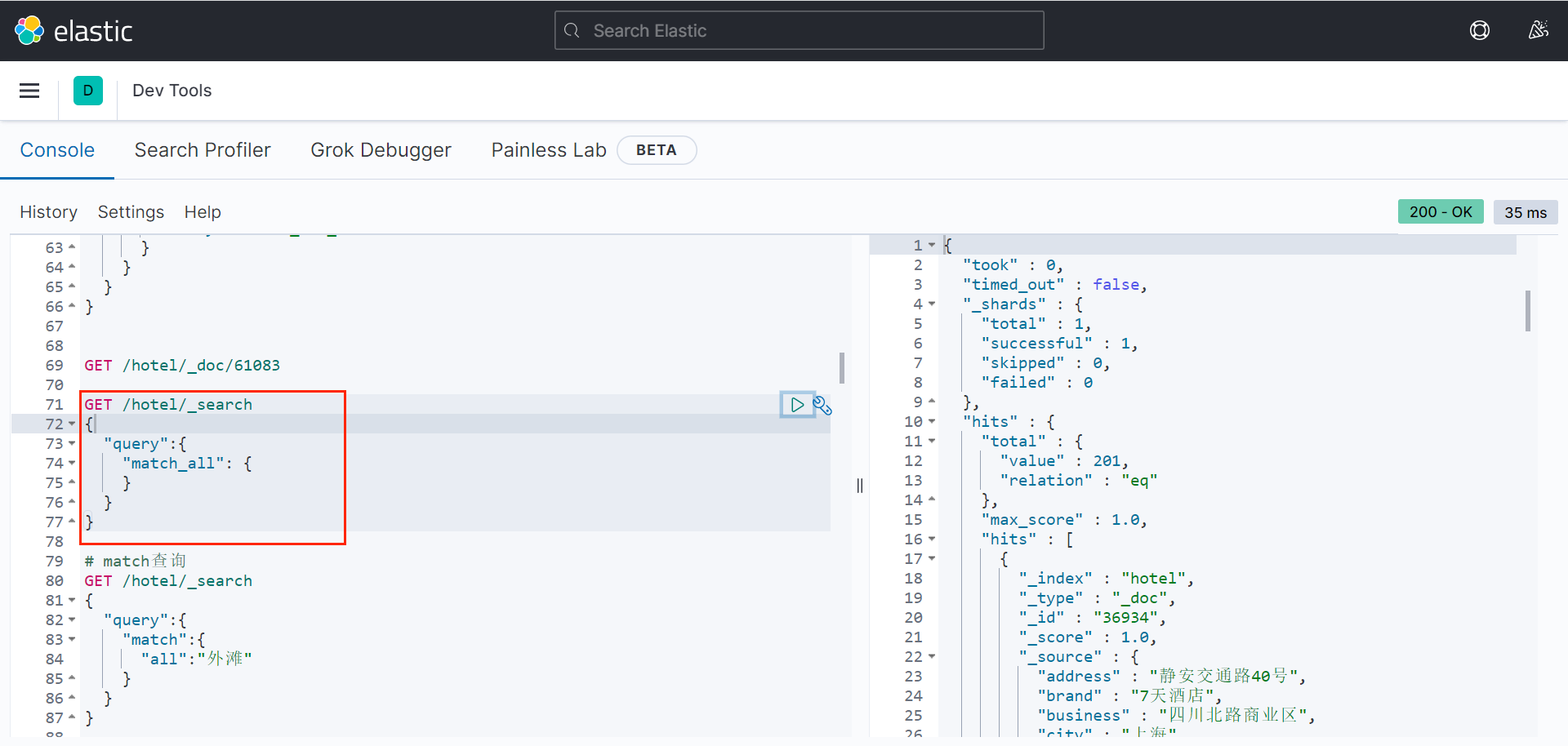
例如,查询所有(条件值为空)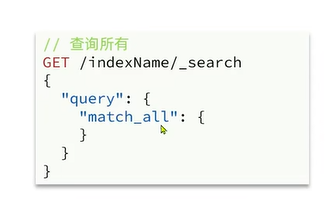
GET /hotel/_search
{
"query":{
"match_all": {
}
}
}
1.2 多种简单查询
1.2.1 全文检索查询
对输入内容分词,常用于搜索框查询。
1.2.1.1 match查询
match查询:全文检索查询的一种,会对用户输入内容分词,然后去倒排索引库检索,语法: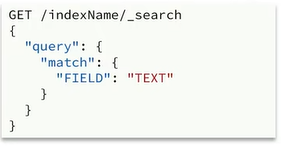
例如,博文springcloud篇7中添加的hotel索引:
# 酒店的mapping
PUT /hotel
{
"mappings":{
"properties":{
"id":{
"type":"keyword"
},
"name":{
"type":"text",
"analyzer":"ik_max_word",
"copy_to":"all"
},
"address":{
"type":"keyword",
"index":false
},
"price":{
"type":"integer"
},
"score":{
"type":"integer"
},
"brand":{
"type":"keyword",
"copy_to":"all"
},
"city":{
"type":"keyword"
},
"starName":{
"type":"keyword"
},
"business":{
"type":"keyword",
"copy_to":"all"
},
"location":{
"type":"geo_point"
},
"pic":{
"type":"keyword",
"index":false
},
"all":{
"type":"text",
"analyzer":"ik_max_word"
}
}
}
}
字段name的类型是text。
根据“外滩”搜索: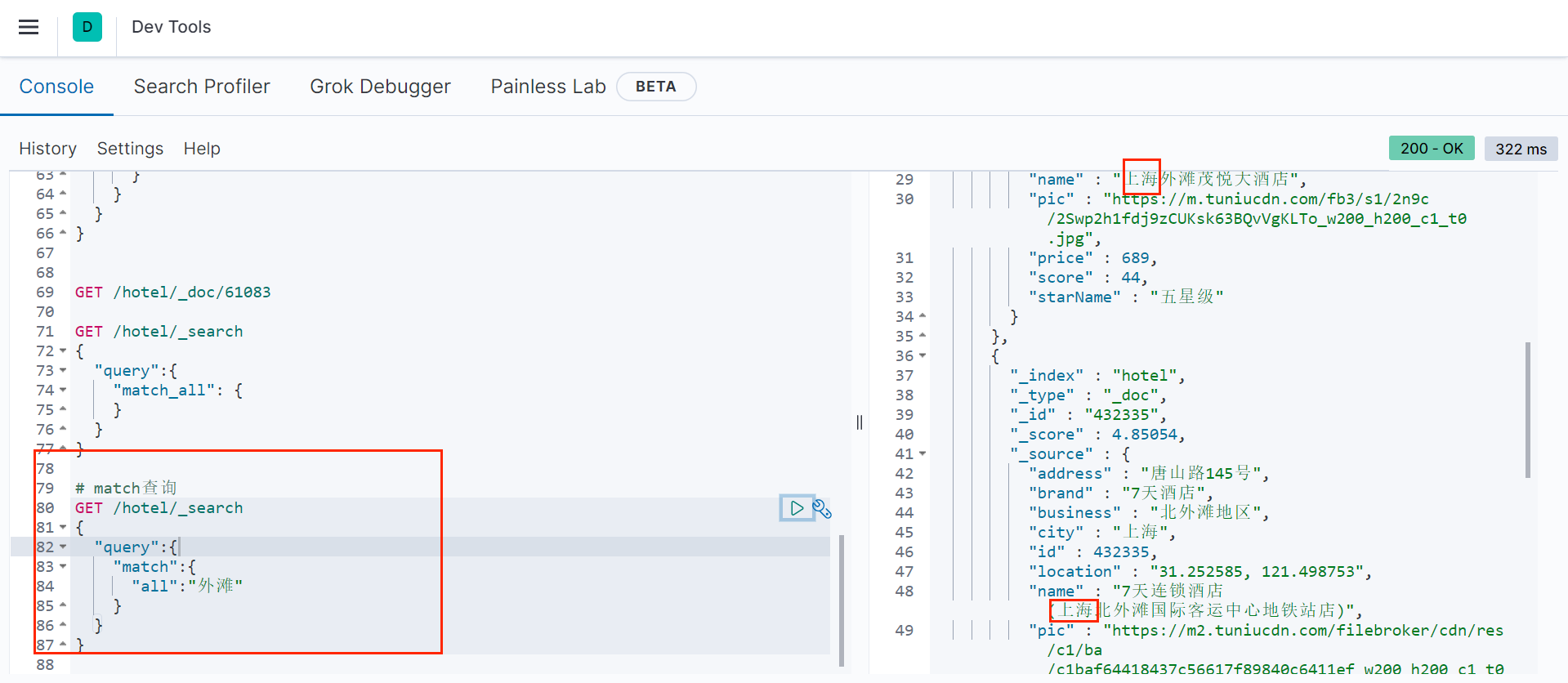
# match查询
GET /hotel/_search
{
"query":{
"match":{
"all":"外滩"
}
}
}
根据“外滩如家搜索”: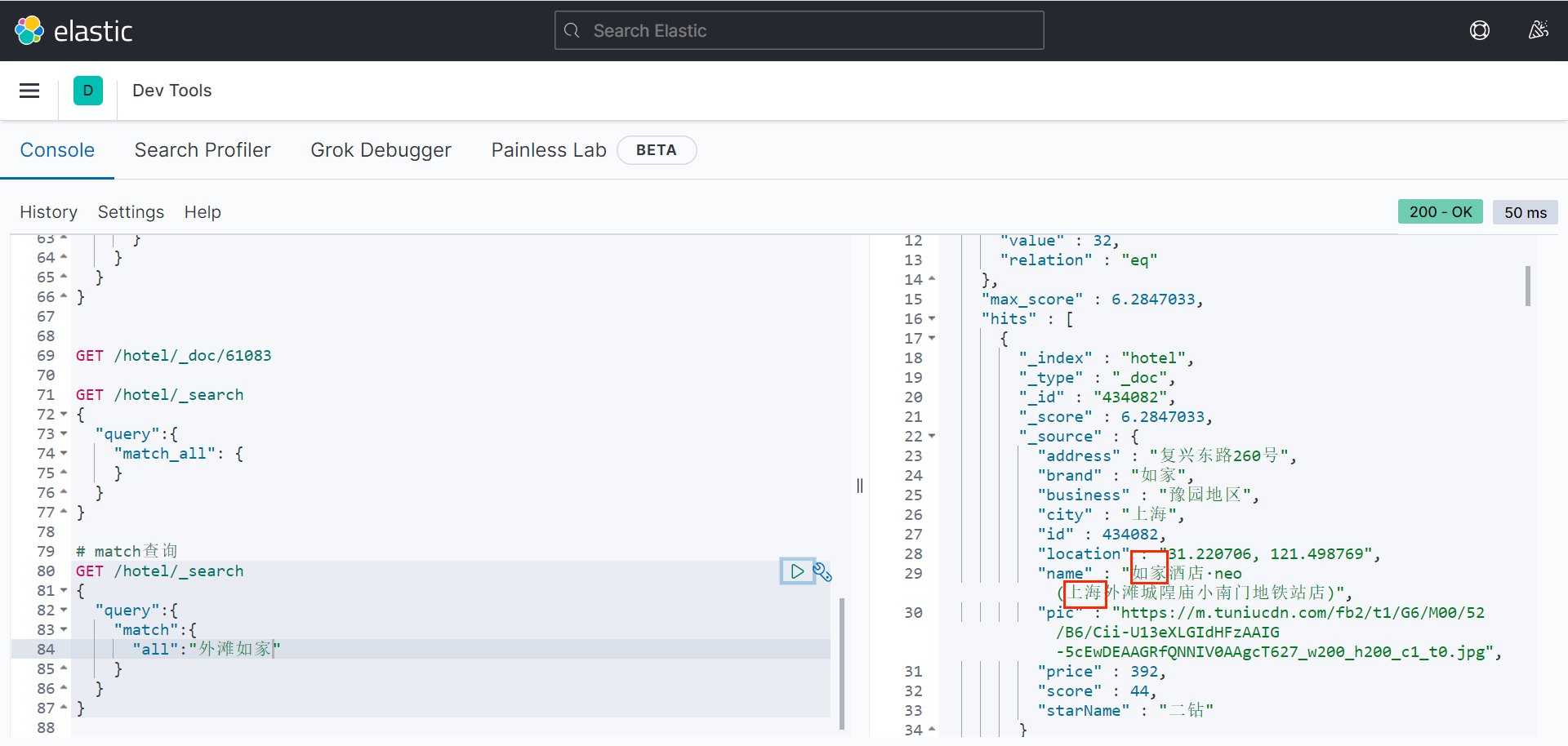
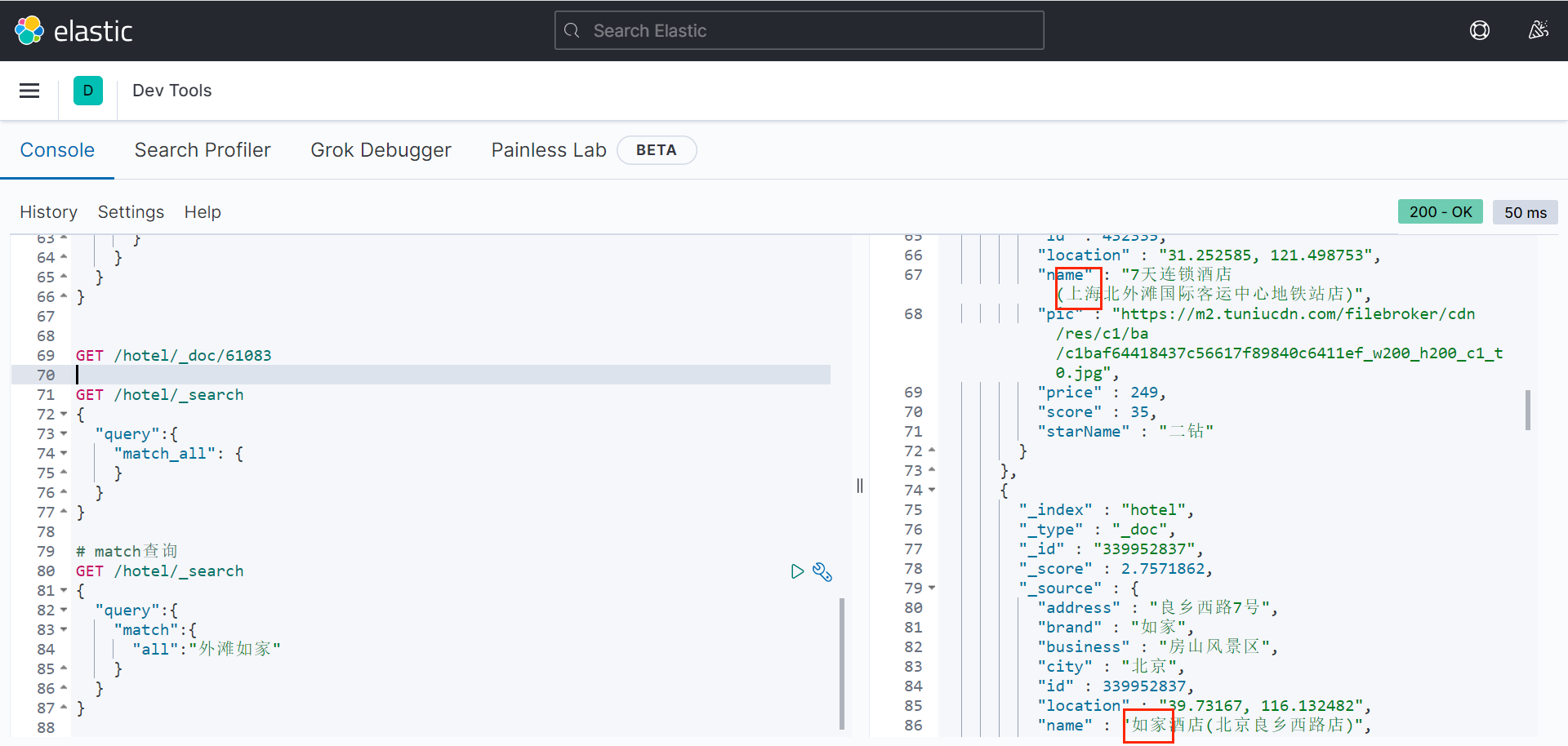
可以看到,会将“外滩”和“如家”两个词进行搜索,且两个词都命中的排在前面。
1.2.1.2 multi_match查询
multi_match查询与match查询类似,只不过允许同时查询多个字段,语法: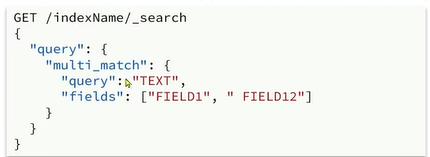
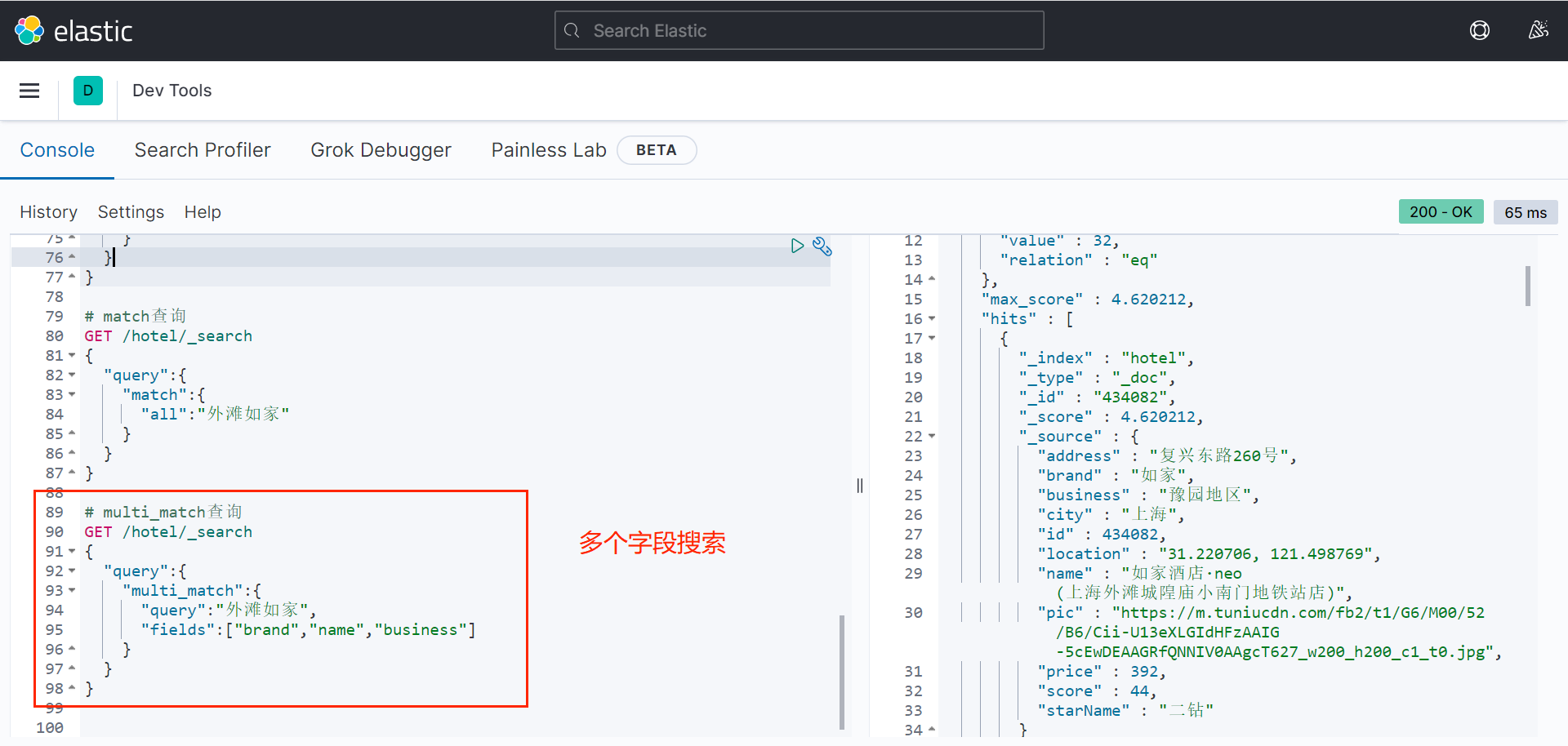
# multi_match查询
GET /hotel/_search
{
"query":{
"multi_match":{
"query":"外滩如家",
"fields":["brand","name","business"]
}
}
}
可以看到,上面的搜索结果与match搜索结果相同,因为这三个字段都copy到all字段中了,但是为使性能更好,建议使用match查询而不是multi_match查询(搜索字段越多效率越低)。
1.2.2 精确查询
不会对搜索条件分词,并且要和查到的字段值精确匹配。
常见的种类为:
(1)term:根据词条精确值查询
(2)range:根据值的范围查询
1.2.2.1 term查询
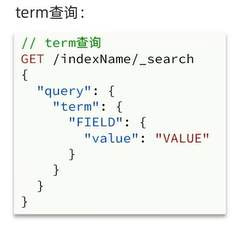
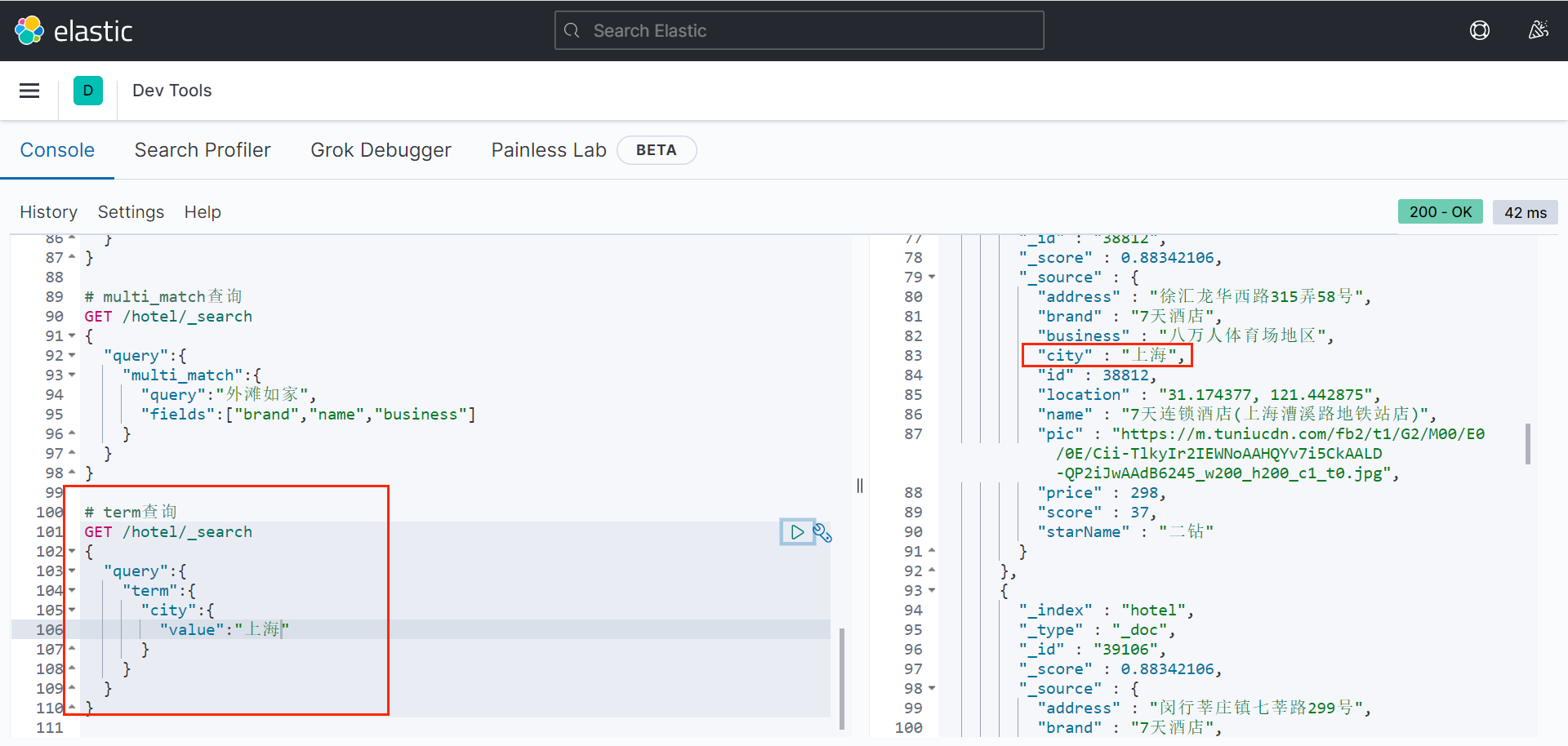
# term查询
GET /hotel/_search
{
"query":{
"term":{
"city":{
"value":"上海"
}
}
}
}
1.2.2.2 range查询
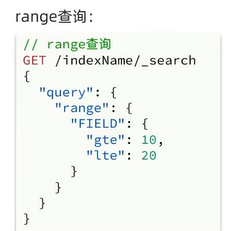
注意:gte,lte是大于等于,小于等于;也可以写gt,le大于、小于。
# range查询
GET /hotel/_search
{
"query":{
"range":{
"price":{
"gte":100,
"lte":300
}
}
}
}
1.2.3 地理查询
根据经纬度查询,常见的场景是搜索附近酒店、出租车等。常见类型为:
(1)geo_bounding_box:查询geo_point值落在某个矩形范围的所有文档
1.2.3.1 geo_bounding_box
根据经纬度查询,查询geo_point值落在某个矩形范围(需要指定两个点的坐标,左上角的点和右下角的点)的所有文档: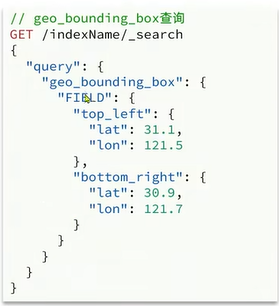
1.2.3.2 geo_distance
查询到指定中心点小于某个距离值的所有文档。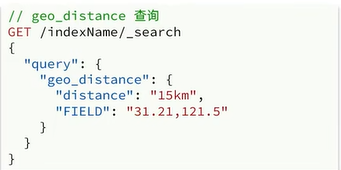
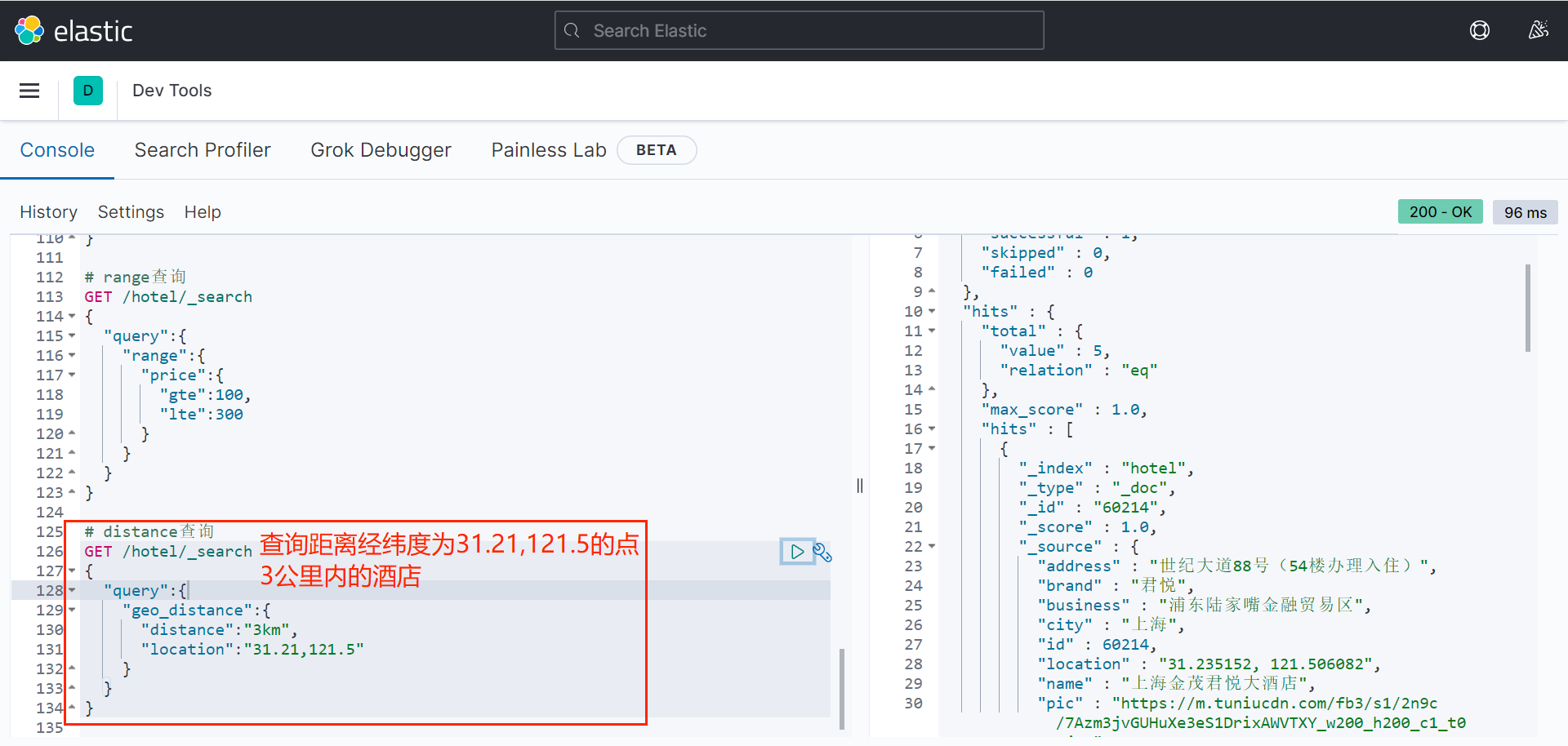
# distance查询
GET /hotel/_search
{
"query":{
"geo_distance":{
"distance":"3km",
"location":"31.21,121.5"
}
}
}
1.3 复合查询
前面的查询都是简单查询操作。复合查询是将简单查询组合起来,实现更复杂的搜索逻辑。
例如:
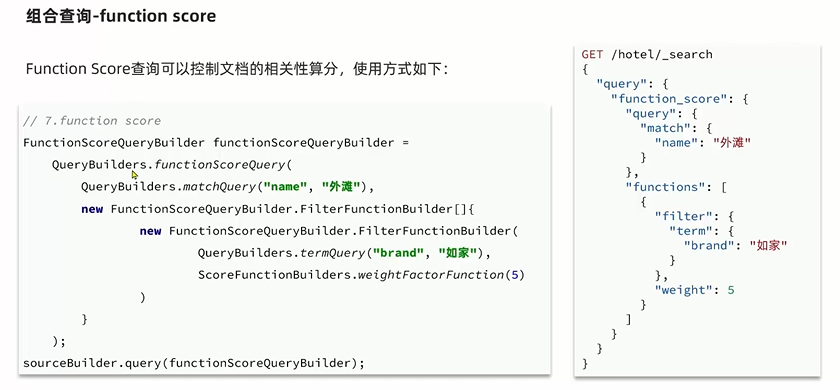
function score:算分函数分析,可以控制文档相关性算分,控制文档排名。例如百度竞价。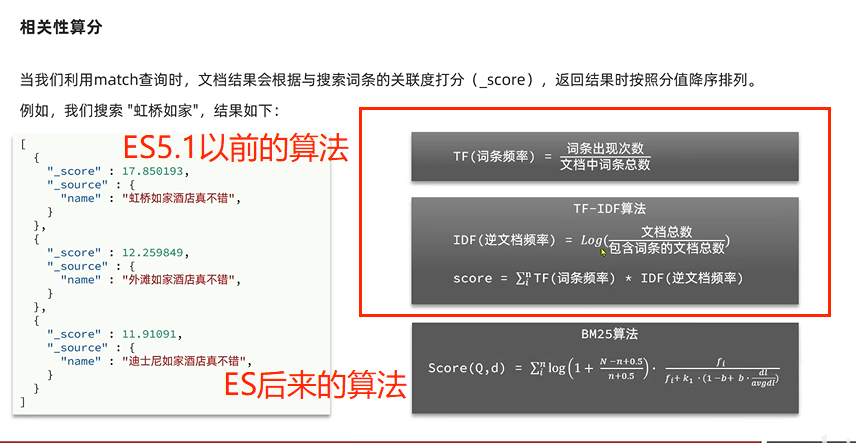
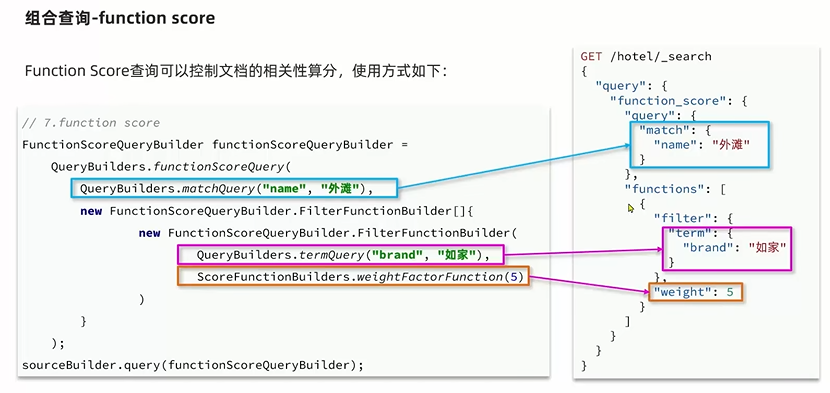
1.3.1 Function Score Query
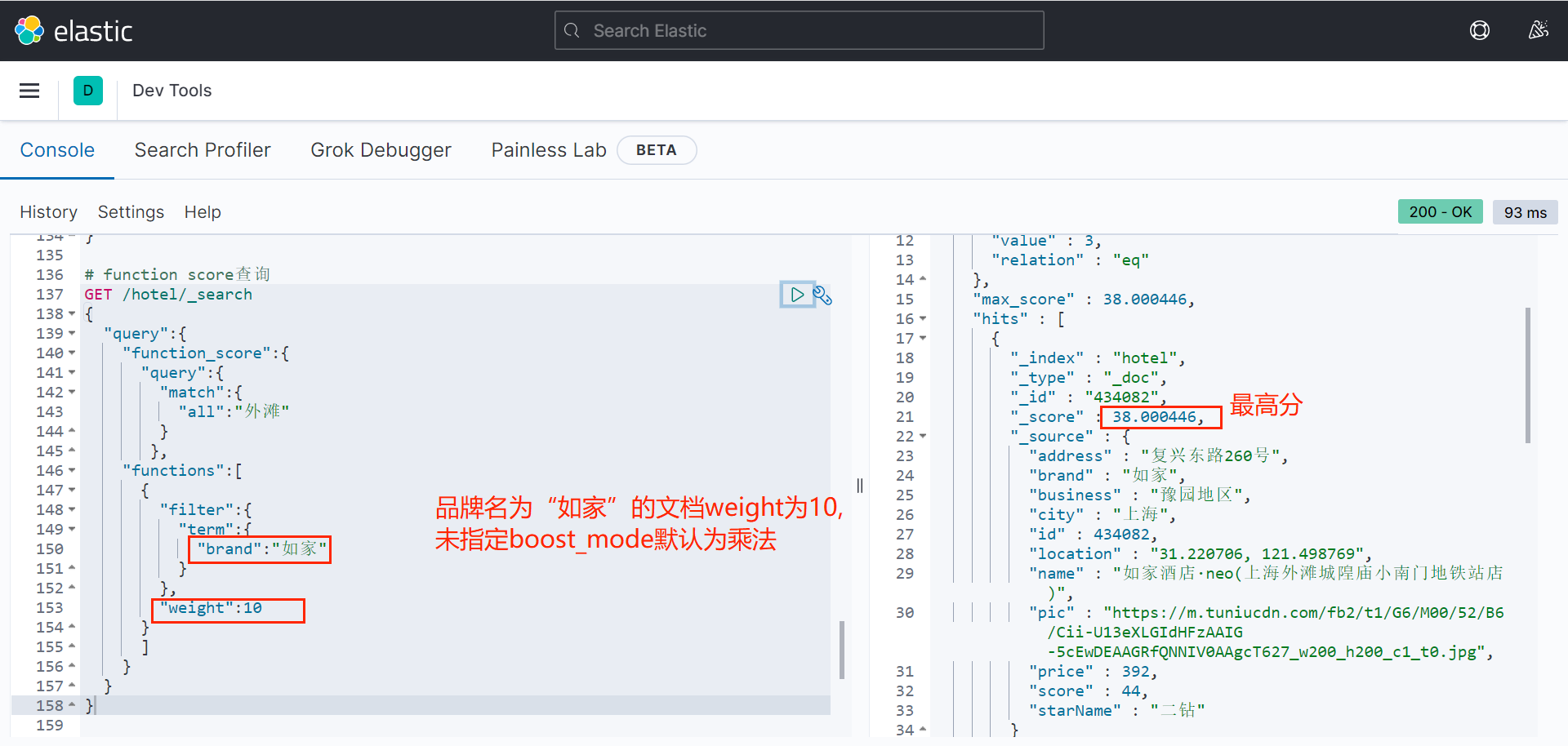
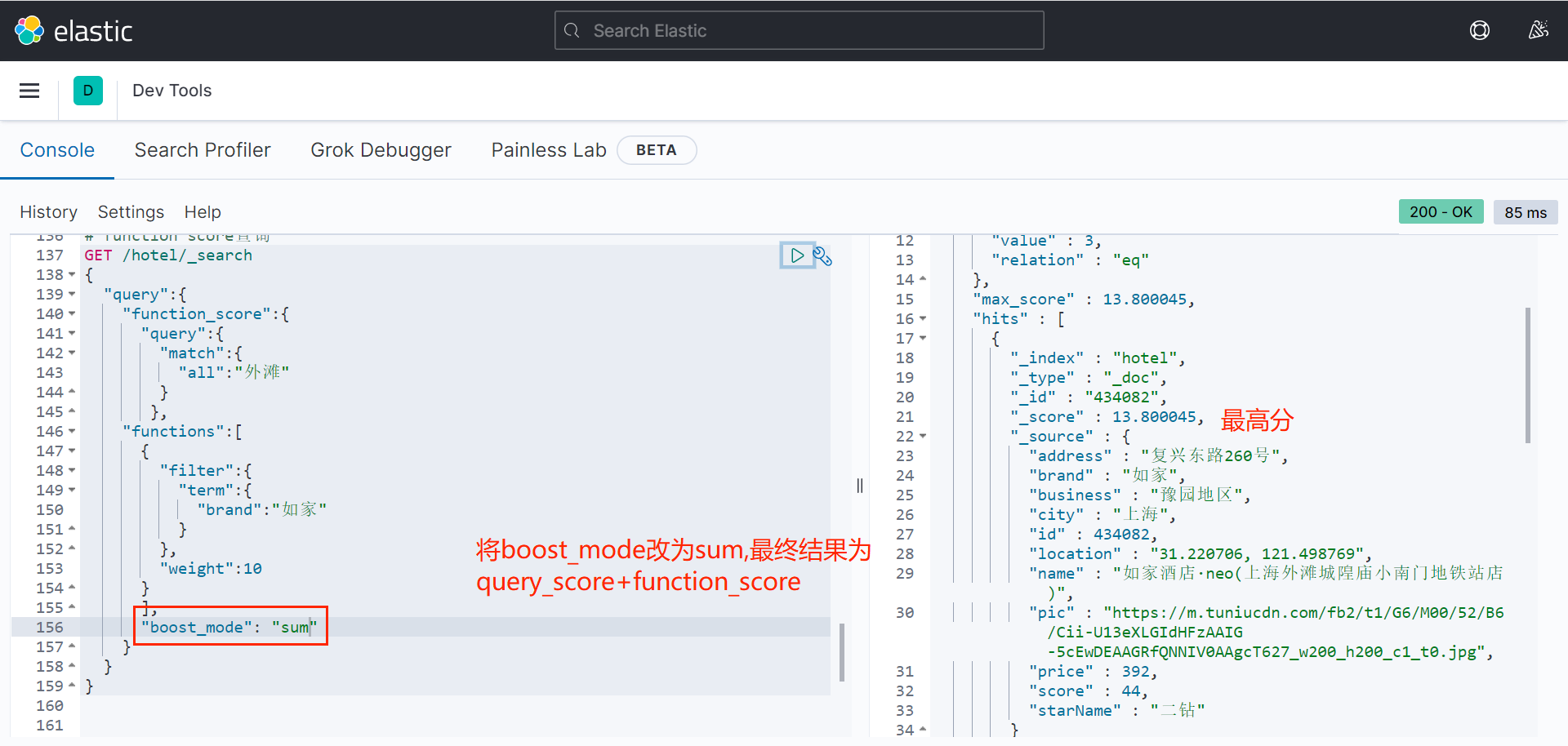
ES会根据相关算法给根据关键词搜索到的记录进行打分,分高的排在前面。
除了打分,还可以通过人工操作(写在复合查询语句中)修改排序(谁给钱多排在前面。)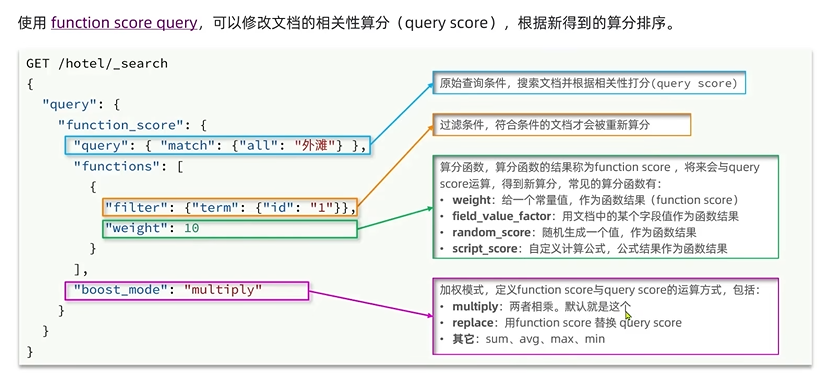
一个案例: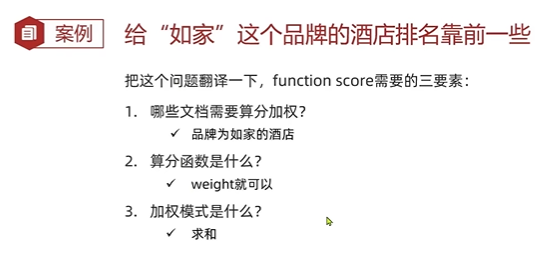
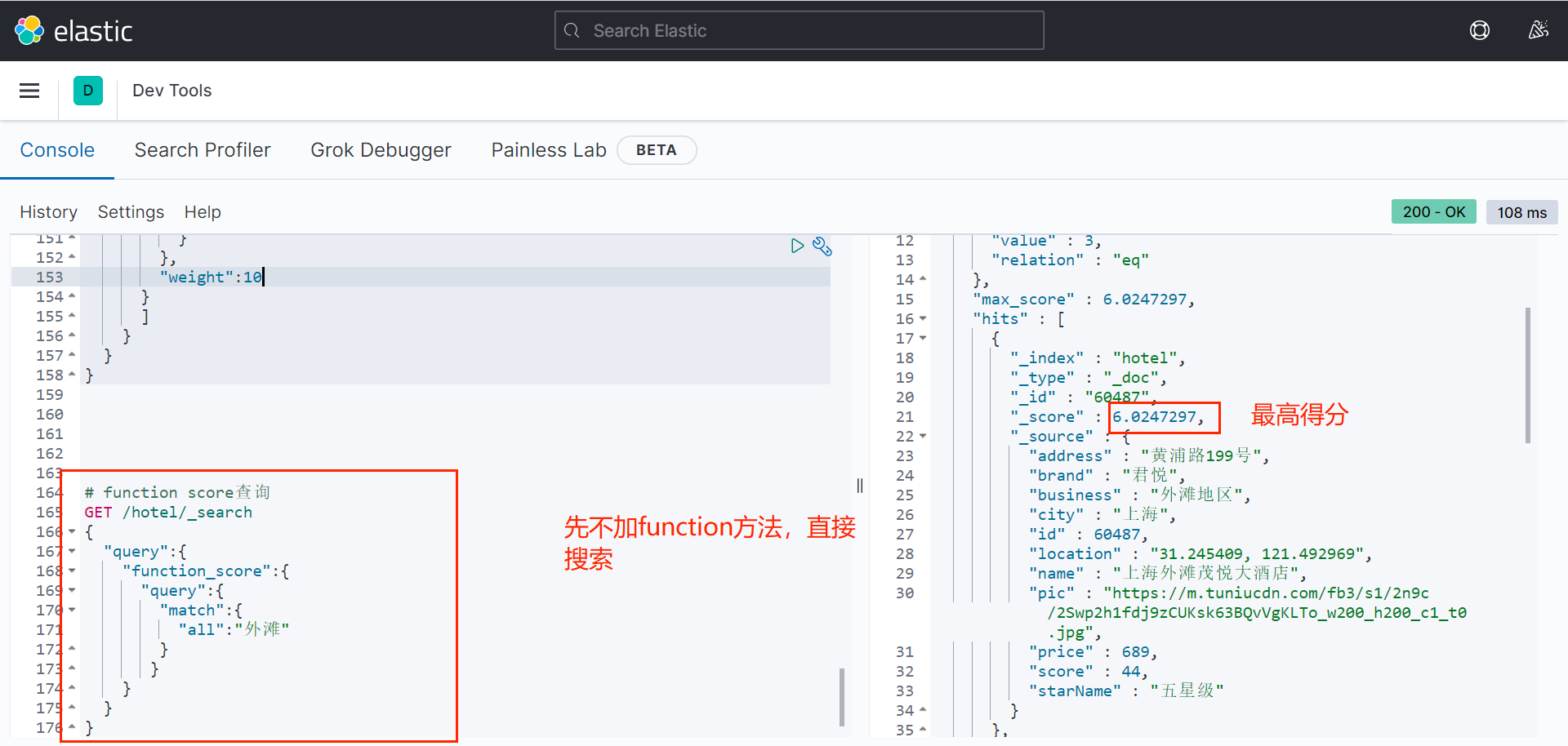
# function score查询
GET /hotel/_search
{
"query":{
"function_score":{
"query":{
"match":{
"all":"外滩"
}
}
}
}
}
# function score查询
GET /hotel/_search
{
"query":{
"function_score":{
"query":{
"match":{
"all":"外滩"
}
},
"functions":[
{
"filter":{
"term":{
"brand":"如家"
}
},
"weight":10
}
]
}
}
}
1.3.2 Boolean Query
布尔查询是一个或多个查询的组合。子查询的组合方式有:
(1)must:必须匹配每个子查询,类似“与”;
(2)should:选择性匹配,类似“或”;
(3)must_not:必须不匹配,不参与算分,类似“非”;
(4)filter:必须匹配,不参与算分。
注意:must和filter的区别时must会根据匹配结果给搜到的文档算分(匹配度),而filter的查询不会进行算分,性能更高。
语法: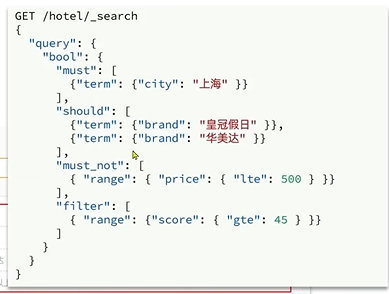
实例中的功能是:搜索位于上海的、品牌为皇冠假日或华美达、加个小于500元,得分大于等于45分的酒店。
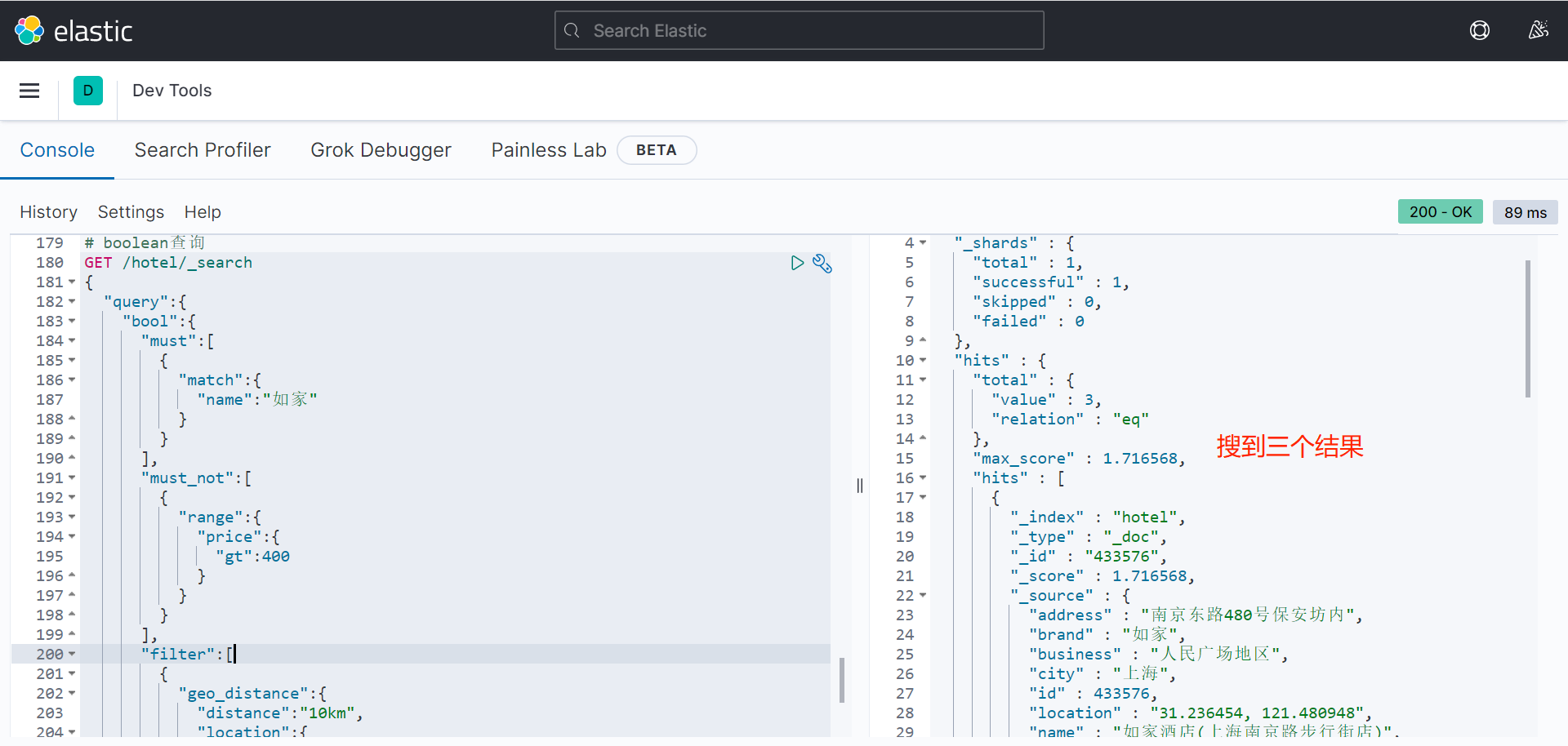
再举一个例子:
# boolean查询
GET /hotel/_search
{
"query":{
"bool":{
"must":[
{
"match":{
"name":"如家"
}
}
],
"must_not":[
{
"range":{
"price":{
"gt":400
}
}
}
],
"filter":[
{
"geo_distance":{
"distance":"10km",
"location":{
"lat":31.21,
"lon":121.5
}
}
}
]
}
}
}
1.4 搜索结果处理
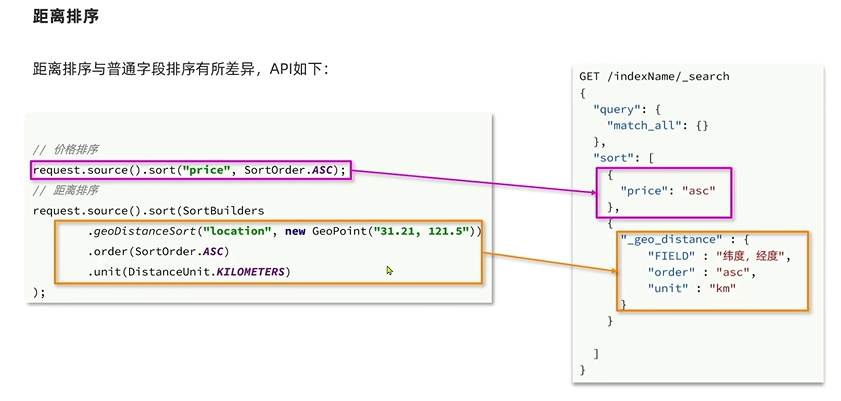
1.4.1 排序
elasticsearch支持对搜索结果排序,默认是根据相关度算分(_score)来排序。可以排序字段类型有:keyword类型、数值类型、地理坐标类型、日期类型等。
语法示例:
简单类型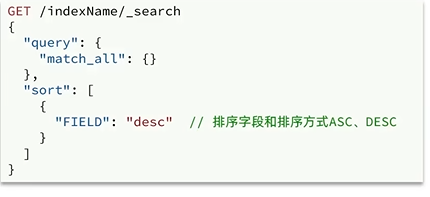
地理坐标类型: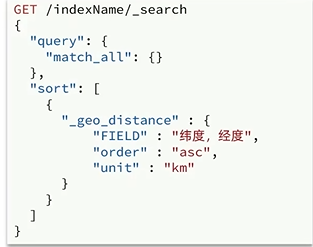
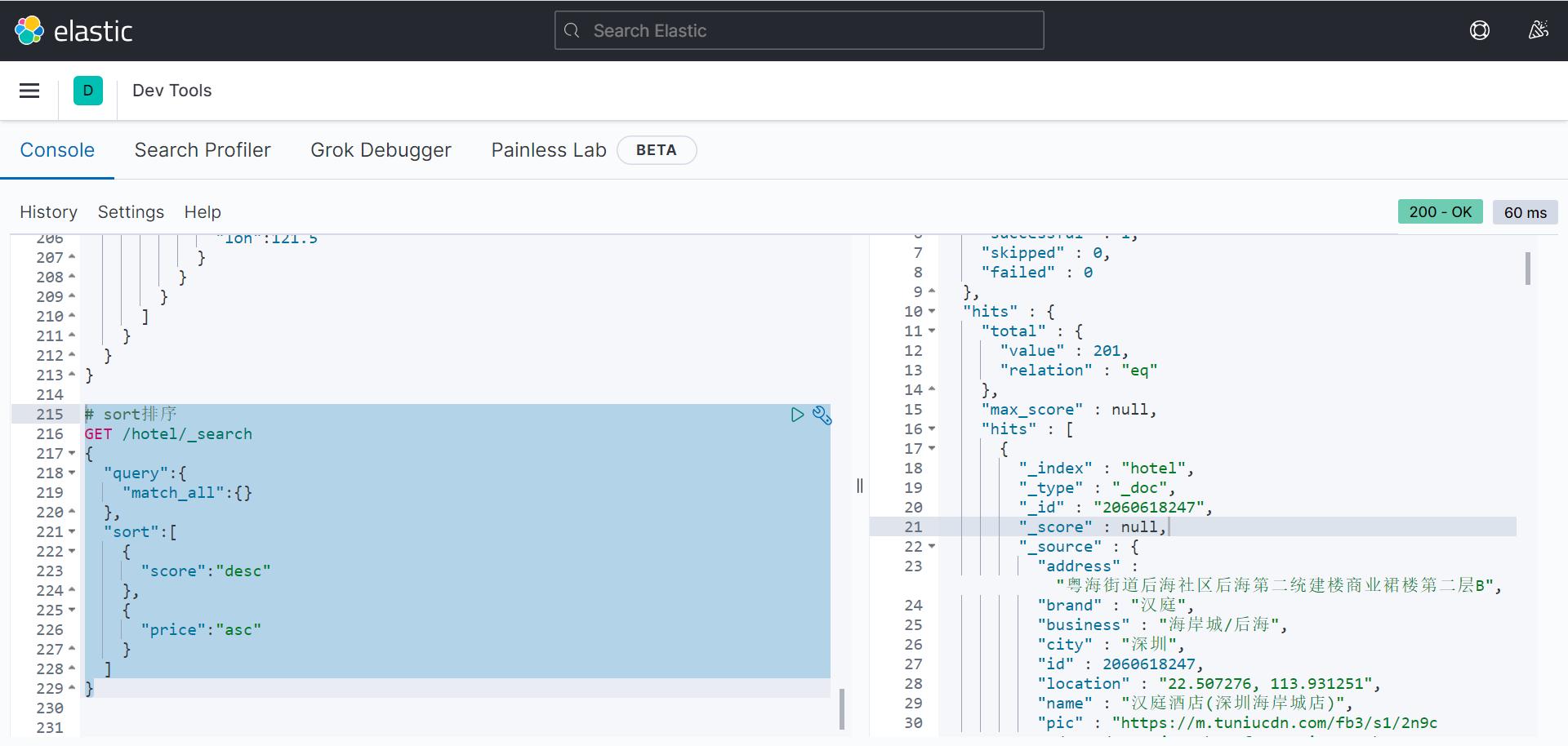
第一个案例: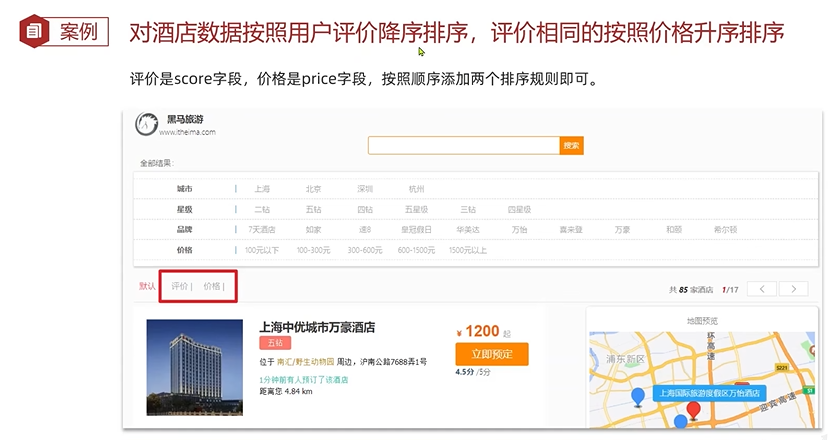
# sort排序
GET /hotel/_search
{
"query":{
"match_all":{}
},
"sort":[
{
"score":"desc"
},
{
"price":"asc"
}
]
}
第二个案例: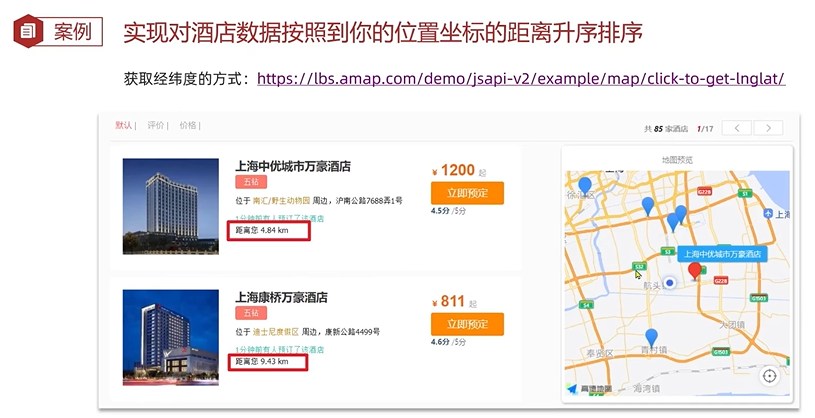
GET /hotel/_search
{
"query":{
"match_all":{}
},
"sort":[
{
"_geo_distance":{
"location":{
"lat":31.034661,
"lon":121.612282
},
"order":"asc",
"unit":"km"
}
}
]
}
搜索结果按距离经纬度为(31.034661,121.612282)的距离从小到大排序。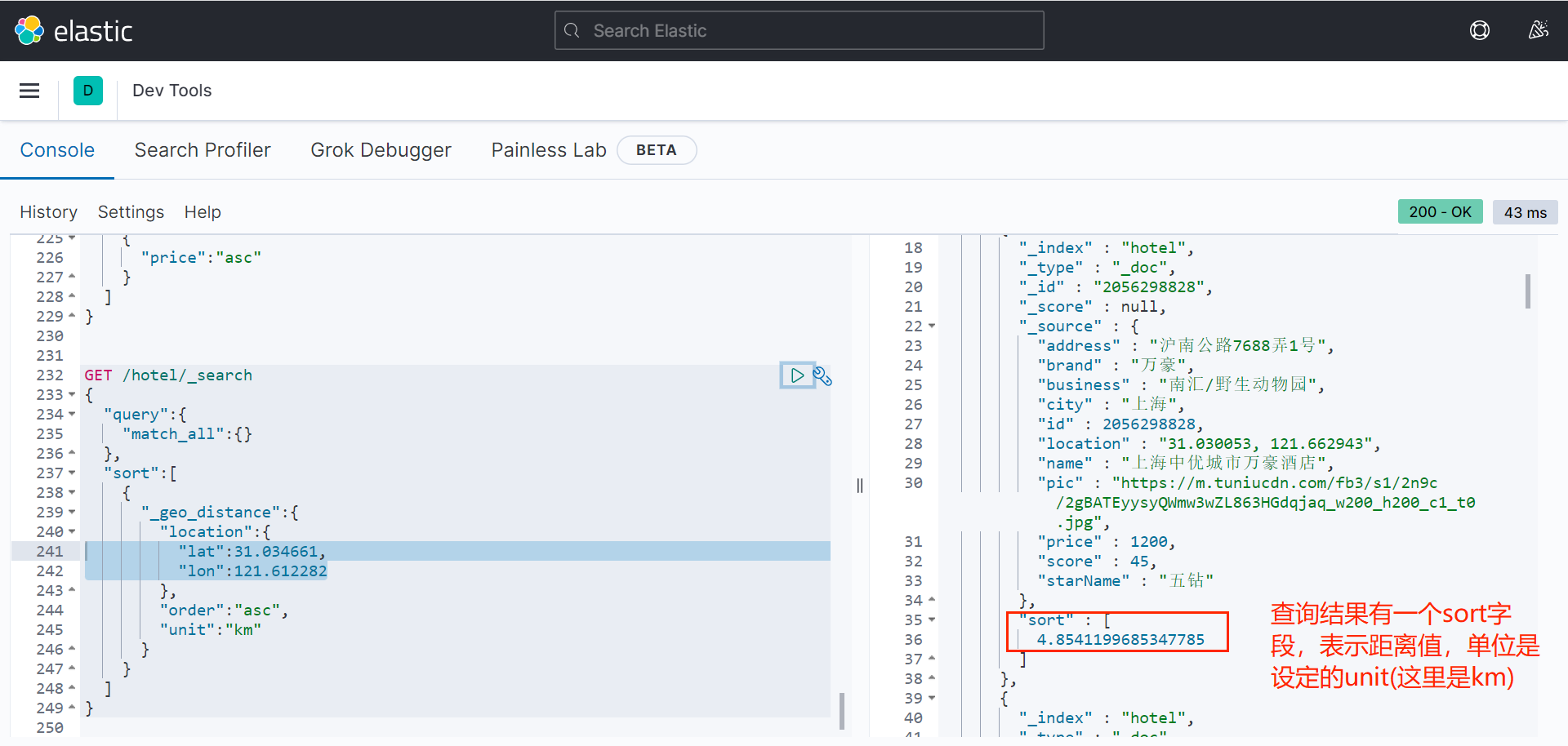
注意:一旦排序,_score为null,不再算分。
1.4.2 分页
elasticsearch默认请款下只返回top10的数据,而如果要查询更多数据就需要修改分页参数。elasticsearch通过修改from、size参数来控制要返回的分页结果。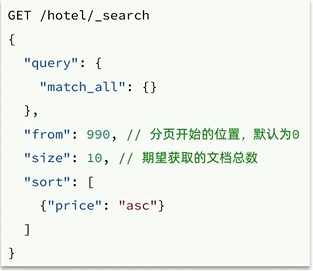
可以联想到,from相当于MySQL查询语句中limit 的第一个参数,size相当于第二个参数。
示例:
# 分页查询
GET /hotel/_search
{
"query":{
"match_all":{}
},
"sort":[
{
"price":"asc"
}
],
"from":10,
"size":10
}
查询第10到20条记录。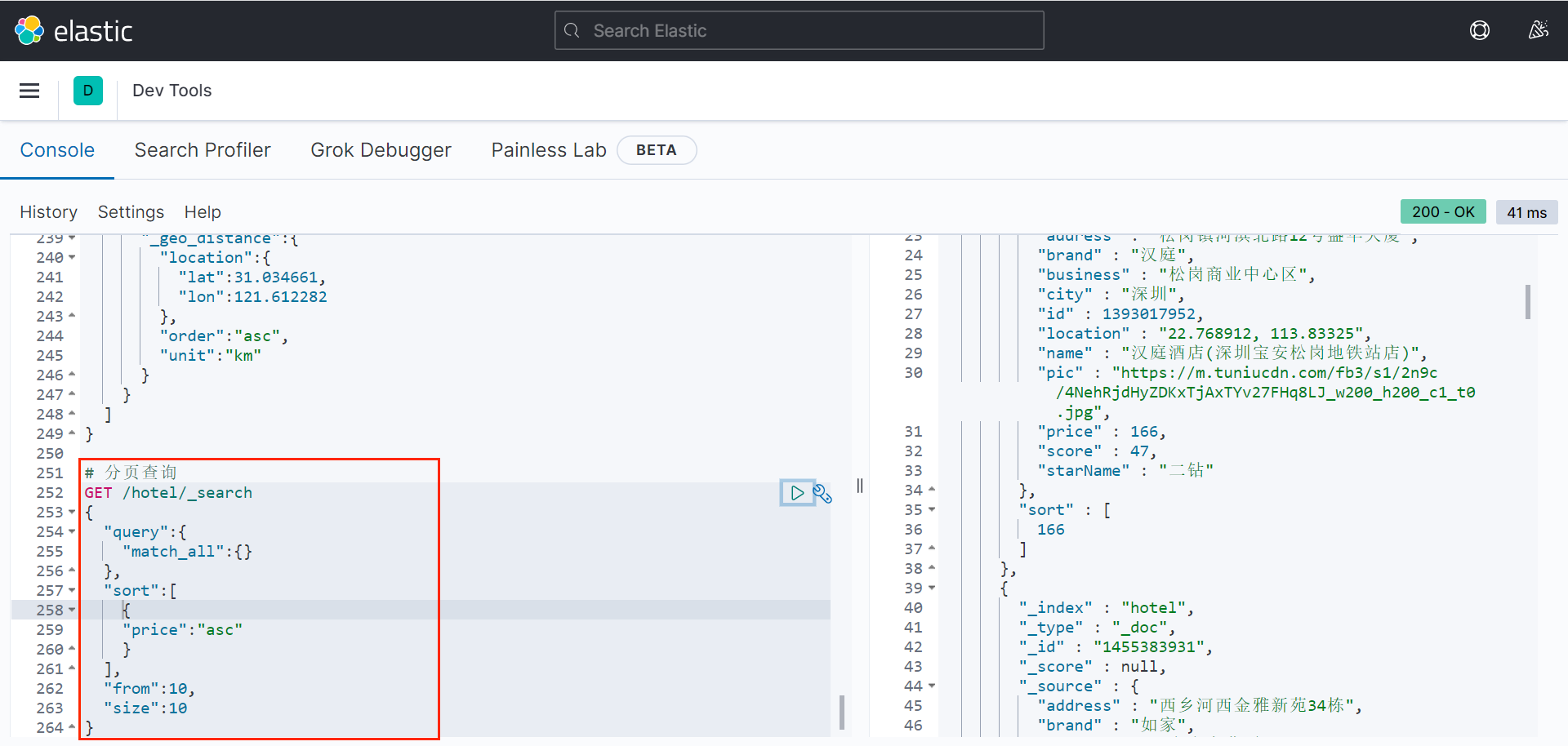
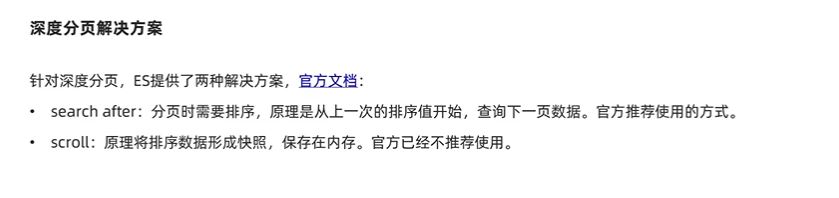
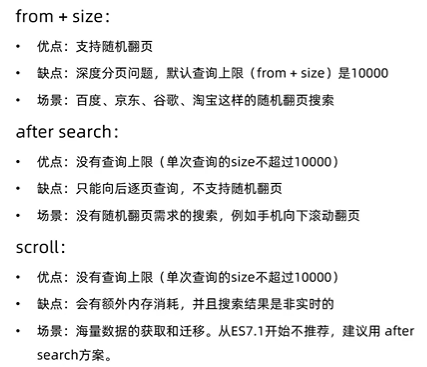
注意:如果搜索页数过深,或者搜索集越大,对内存和CPU的消耗也越高。因此ES设定结果集查询的上限是10000。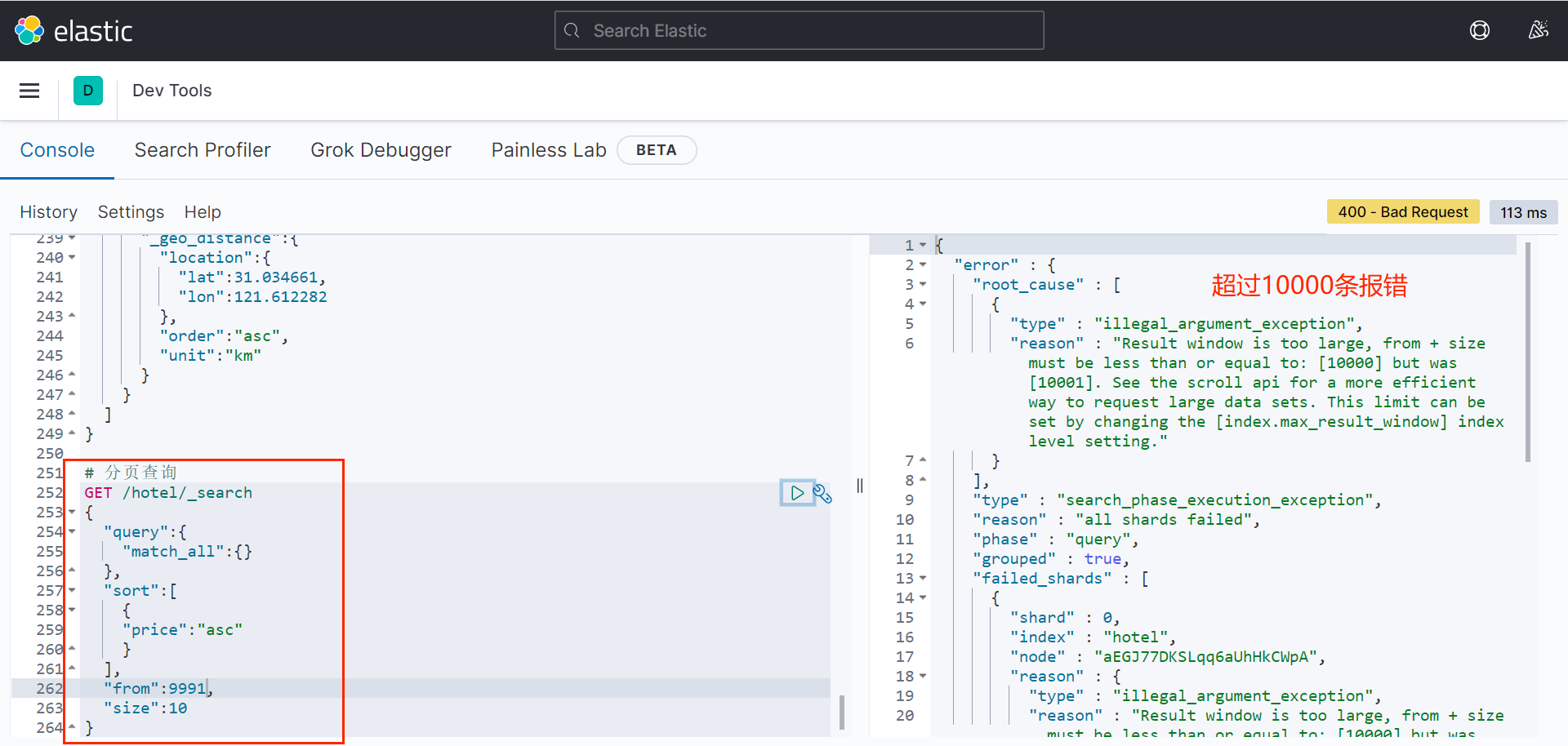
1.4.3 高亮
在搜索结果中把搜索关键字突出显示。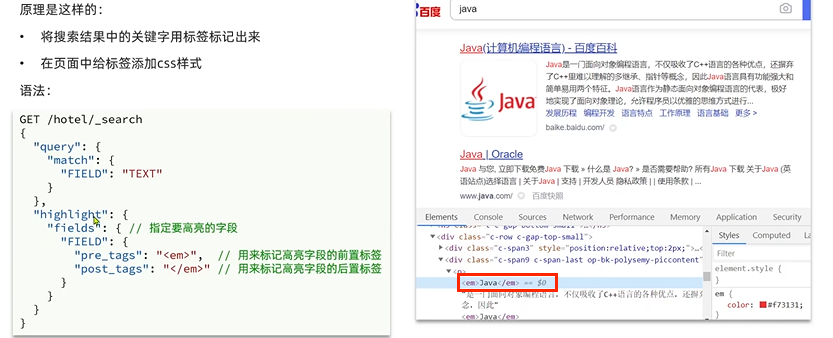
注意,搜索字段需与高亮字段一致,搜索结果才会高亮。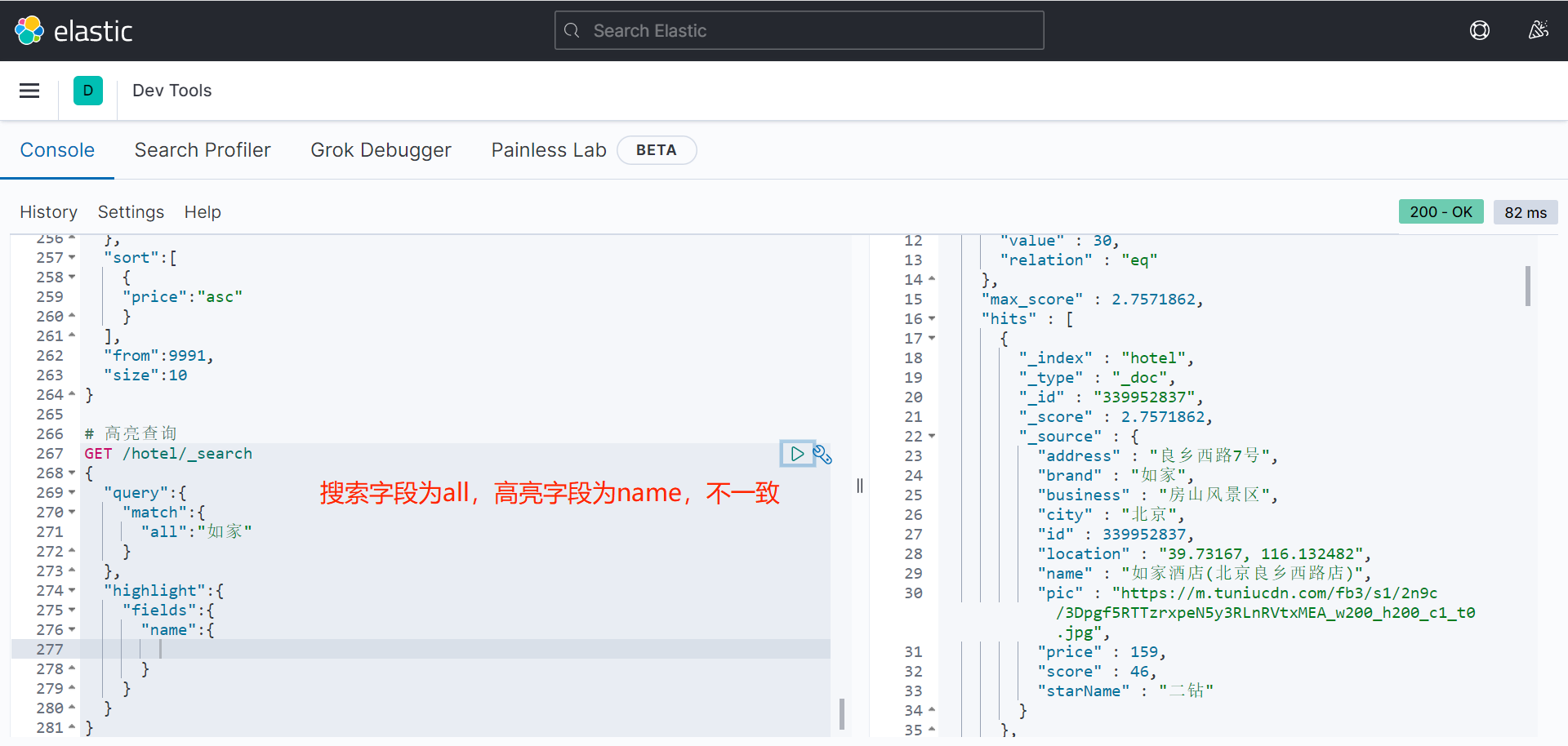
解决方法: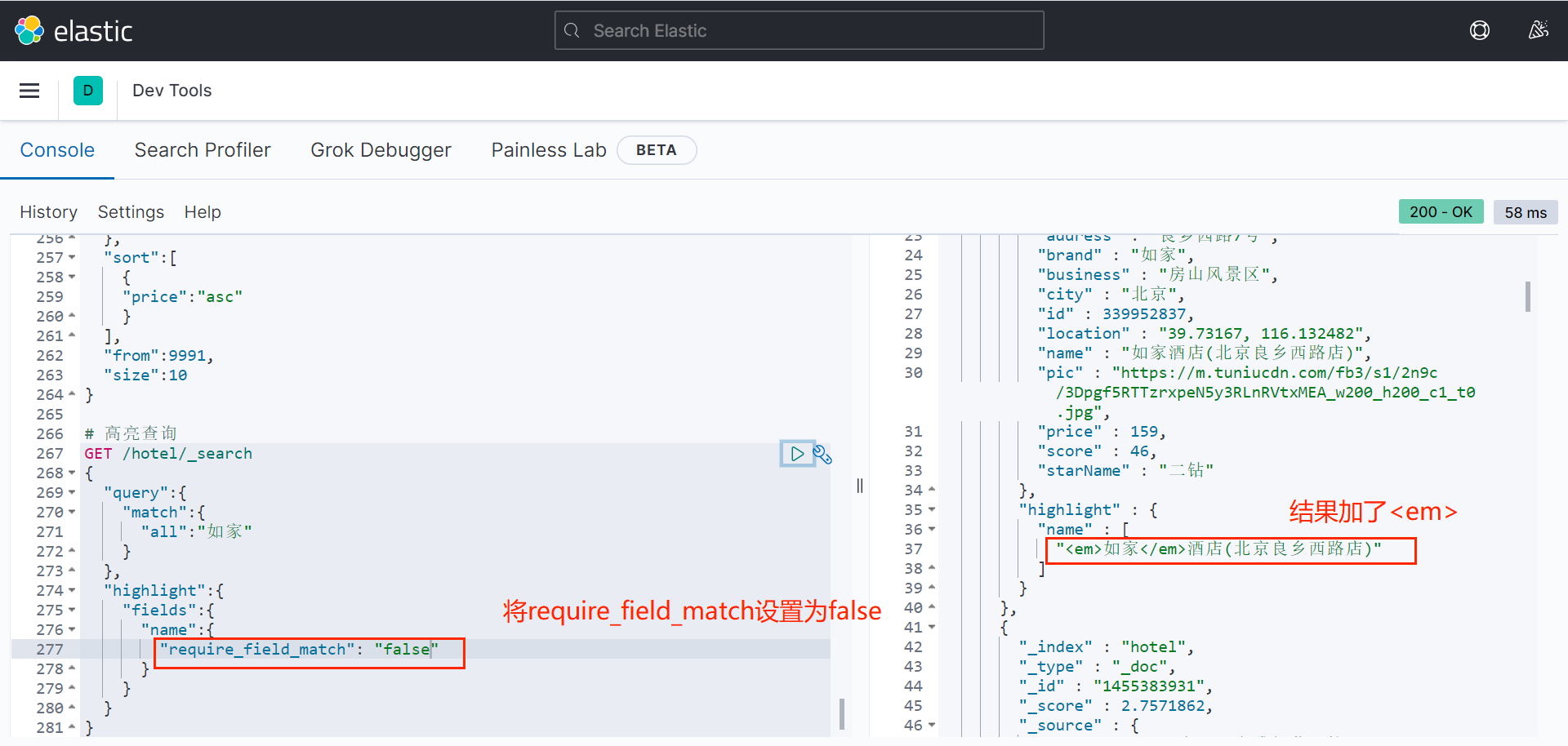
# 高亮查询
GET /hotel/_search
{
"query":{
"match":{
"all":"如家"
}
},
"highlight":{
"fields":{
"name":{
"require_field_match": "false"
}
}
}
}
二、RestClient相关使用
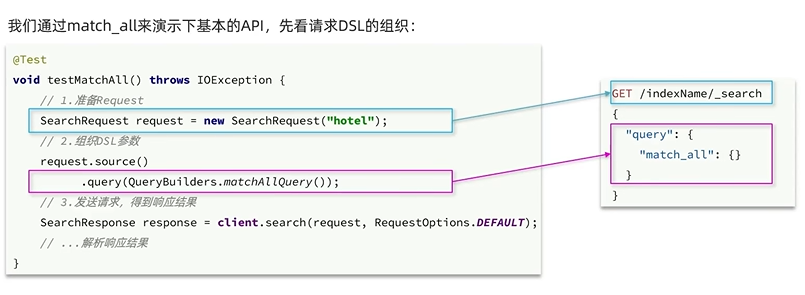
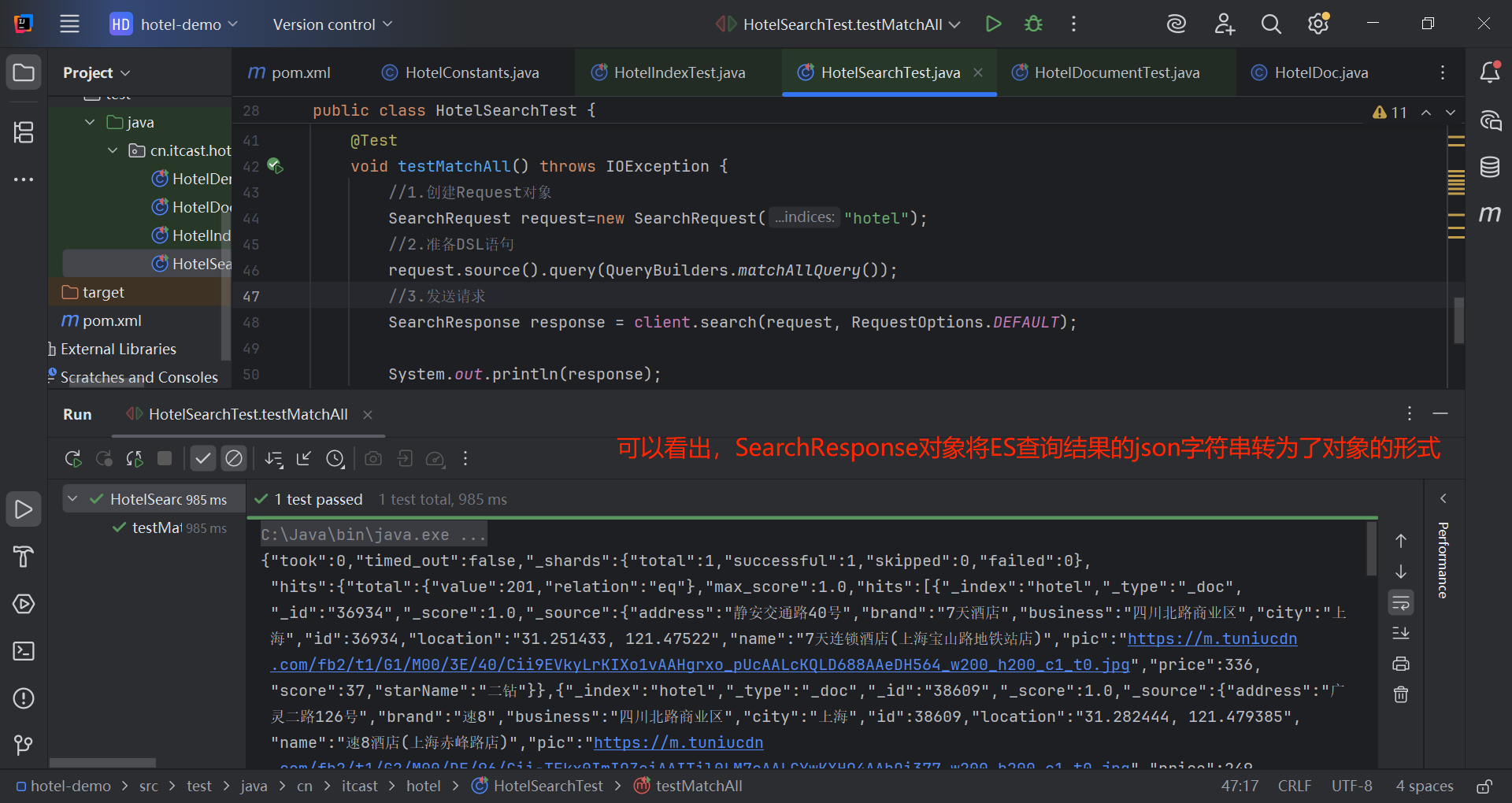
@Test
void testMatchAll() throws IOException {
//1.创建Request对象
SearchRequest request=new SearchRequest("hotel");
//2.准备DSL语句
request.source().query(QueryBuilders.matchAllQuery());
//3.发送请求
SearchResponse response = client.search(request, RequestOptions.DEFAULT);
System.out.println(response);
}
接下来需要解析从SearchResponse对象中得到需要的字段值。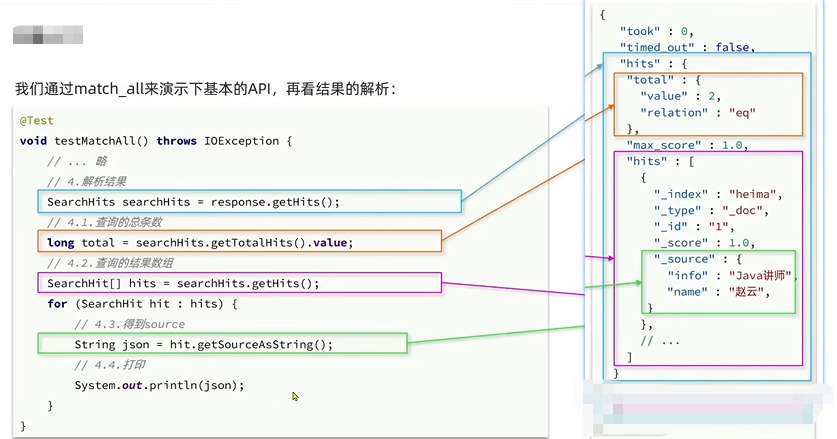
public class HotelSearchTest {
private RestHighLevelClient client;
@BeforeEach
void setUp() {
this.client = new RestHighLevelClient(RestClient.builder(
HttpHost.create("http://10.38.48.12:9200")));
}
@AfterEach
void tearDown() throws IOException {
this.client.close();
}
@Test
void testMatchAll() throws IOException {
//1.创建Request对象
SearchRequest request=new SearchRequest("hotel");
//2.准备DSL语句
request.source().query(QueryBuilders.matchAllQuery());
//3.发送请求
SearchResponse response = client.search(request, RequestOptions.DEFAULT);
//4.解析响应
handleSearchReponse(response);
}
}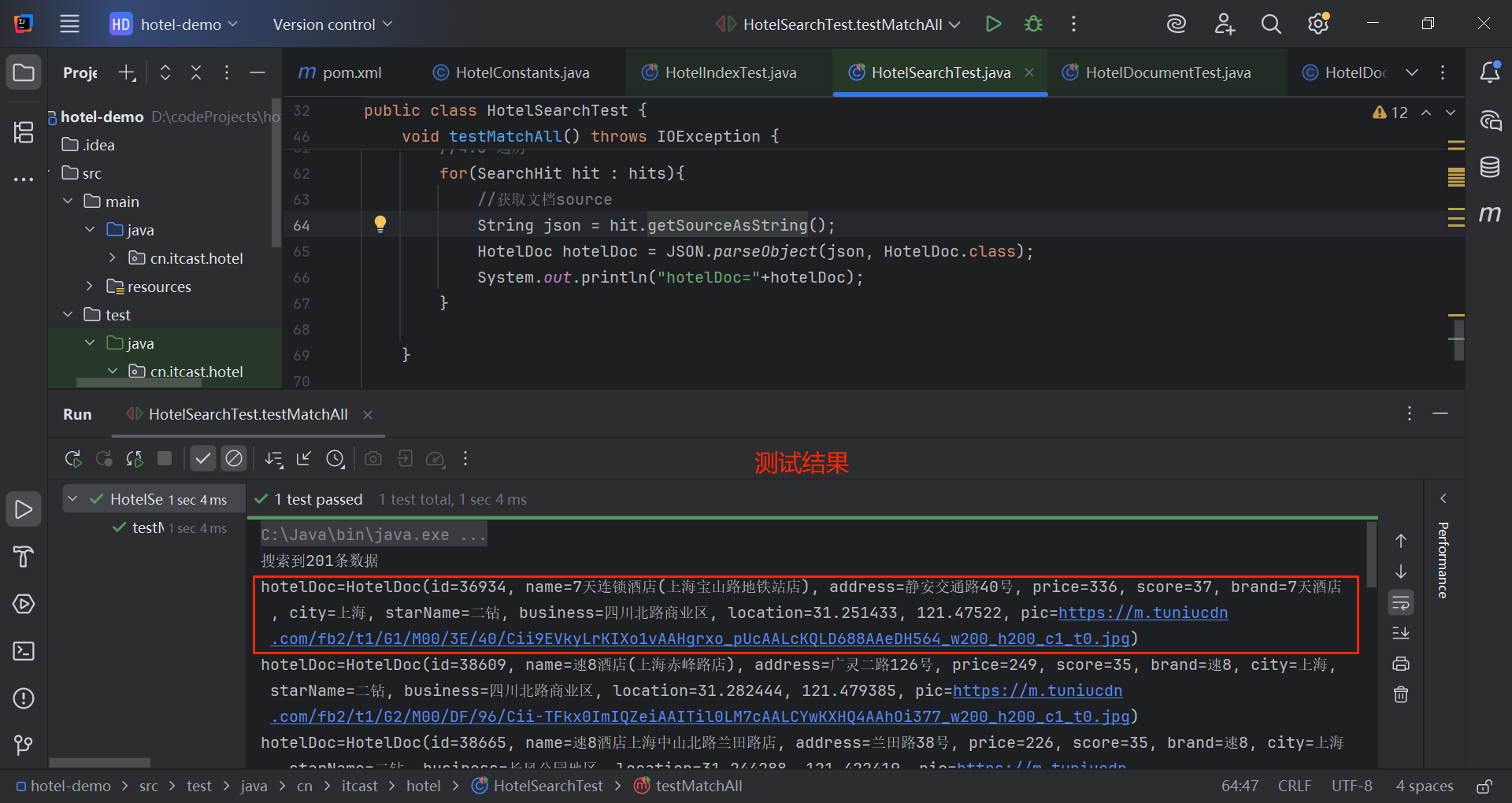
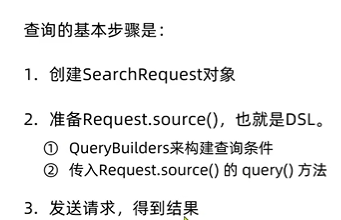
2.1 全文检索查询
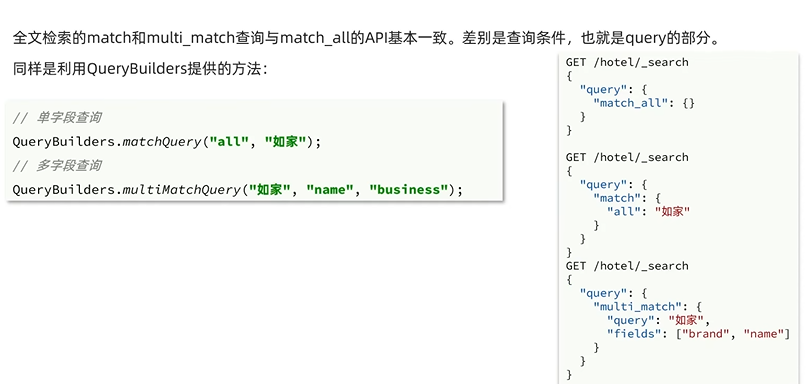
2.2.1 match
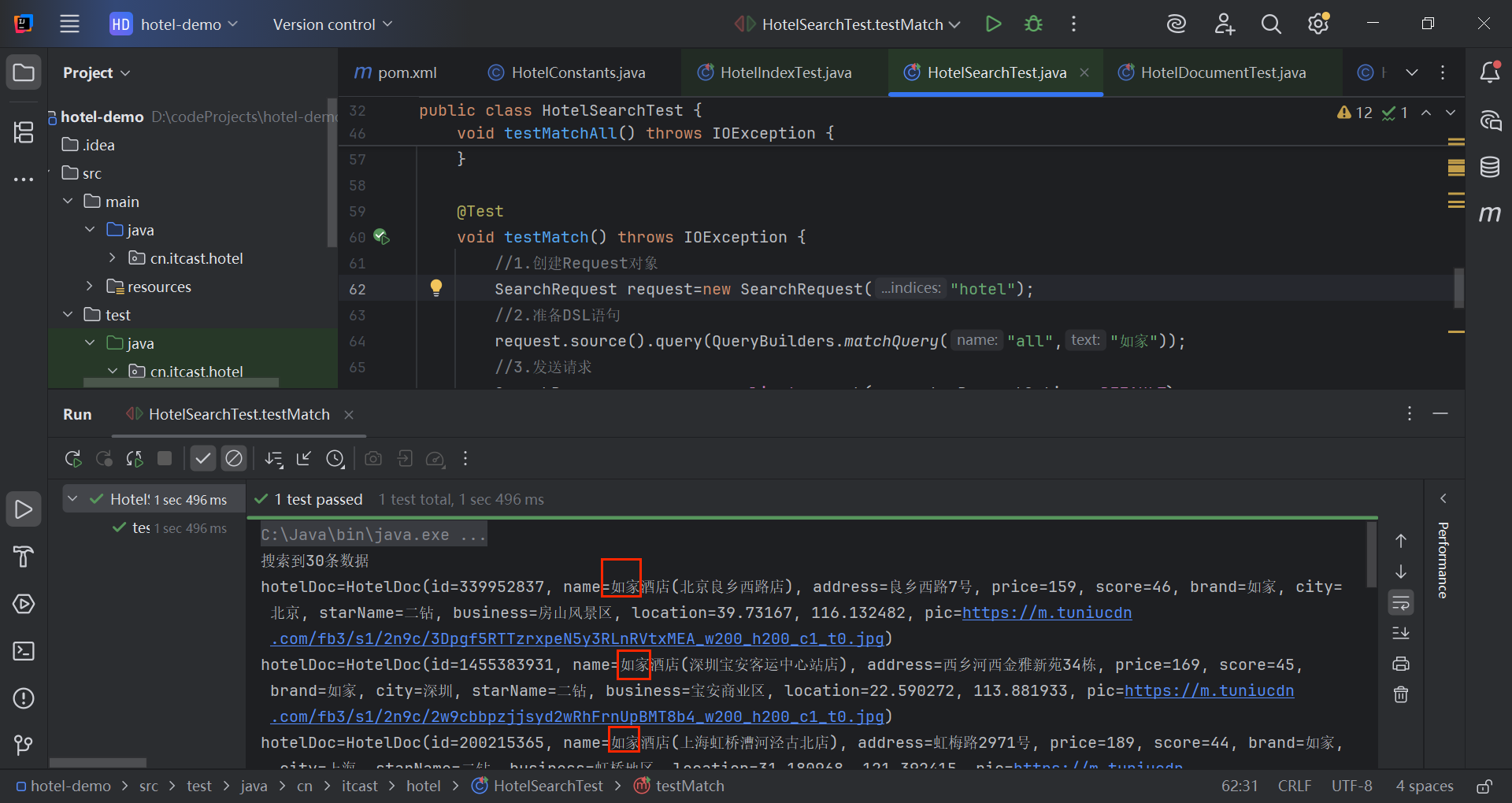
查询name带“如家”的酒店。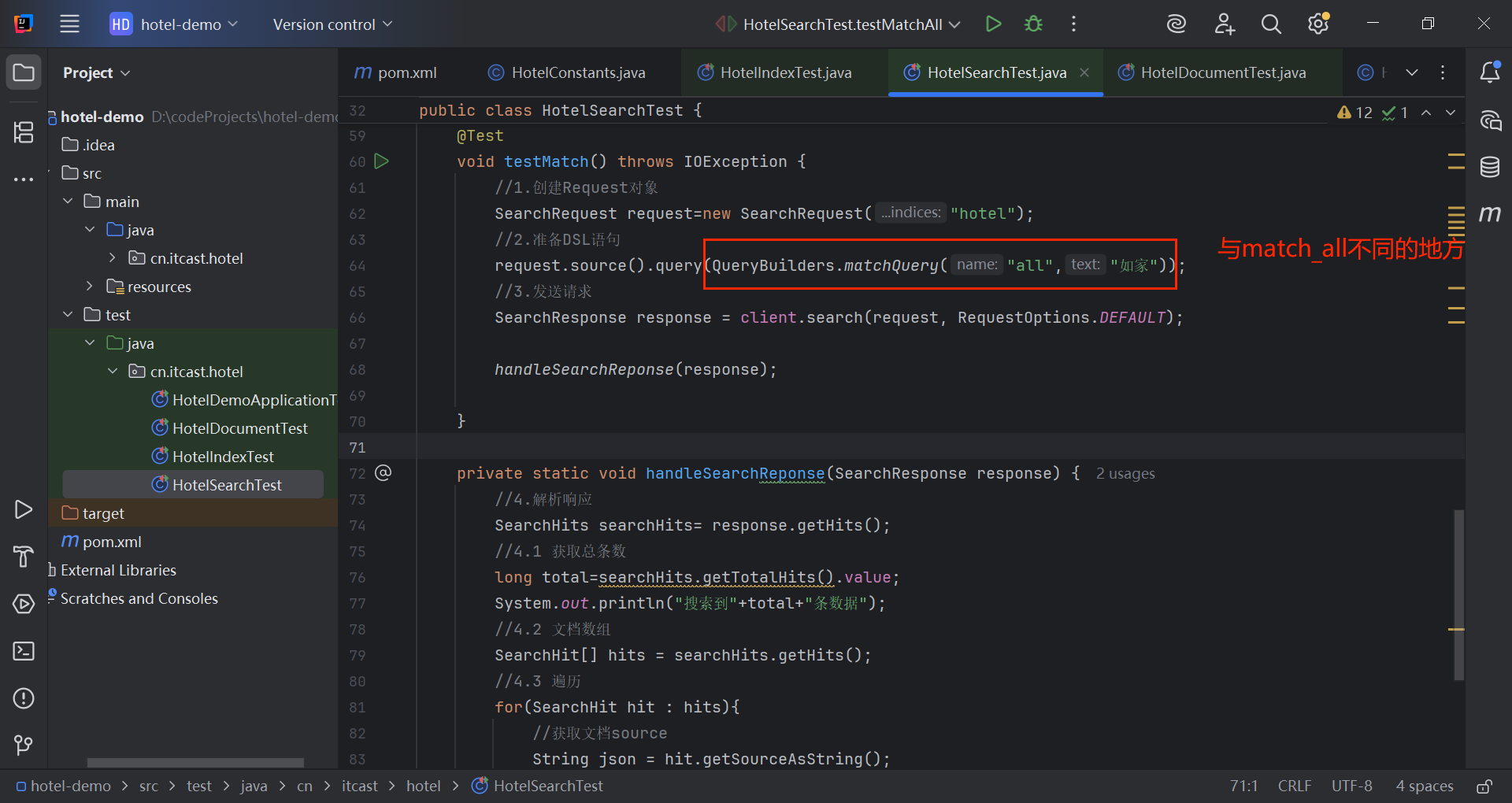
@Test
void testMatch() throws IOException {
//1.创建Request对象
SearchRequest request=new SearchRequest("hotel");
//2.准备DSL语句
request.source().query(QueryBuilders.matchQuery("all","如家"));
//3.发送请求
SearchResponse response = client.search(request, RequestOptions.DEFAULT);
handleSearchReponse(response);
}
//封装解析SearchResponse对象的操作
private static void handleSearchReponse(SearchResponse response) {
//4.解析响应
SearchHits searchHits= response.getHits();
//4.1 获取总条数
long total=searchHits.getTotalHits().value;
System.out.println("搜索到"+total+"条数据");
//4.2 文档数组
SearchHit[] hits = searchHits.getHits();
//4.3 遍历
for(SearchHit hit : hits){
//获取文档source
String json = hit.getSourceAsString();
HotelDoc hotelDoc = JSON.parseObject(json, HotelDoc.class);
System.out.println("hotelDoc="+hotelDoc);
}
}
2.2 精确查询
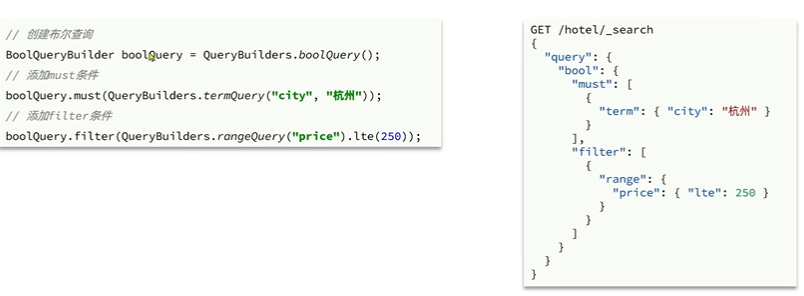
精确查询常见的有term查询和range查询,同样利用QueryBuilders实现。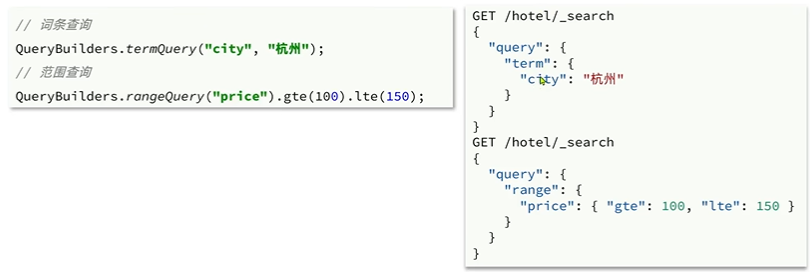
2.3 复合查询
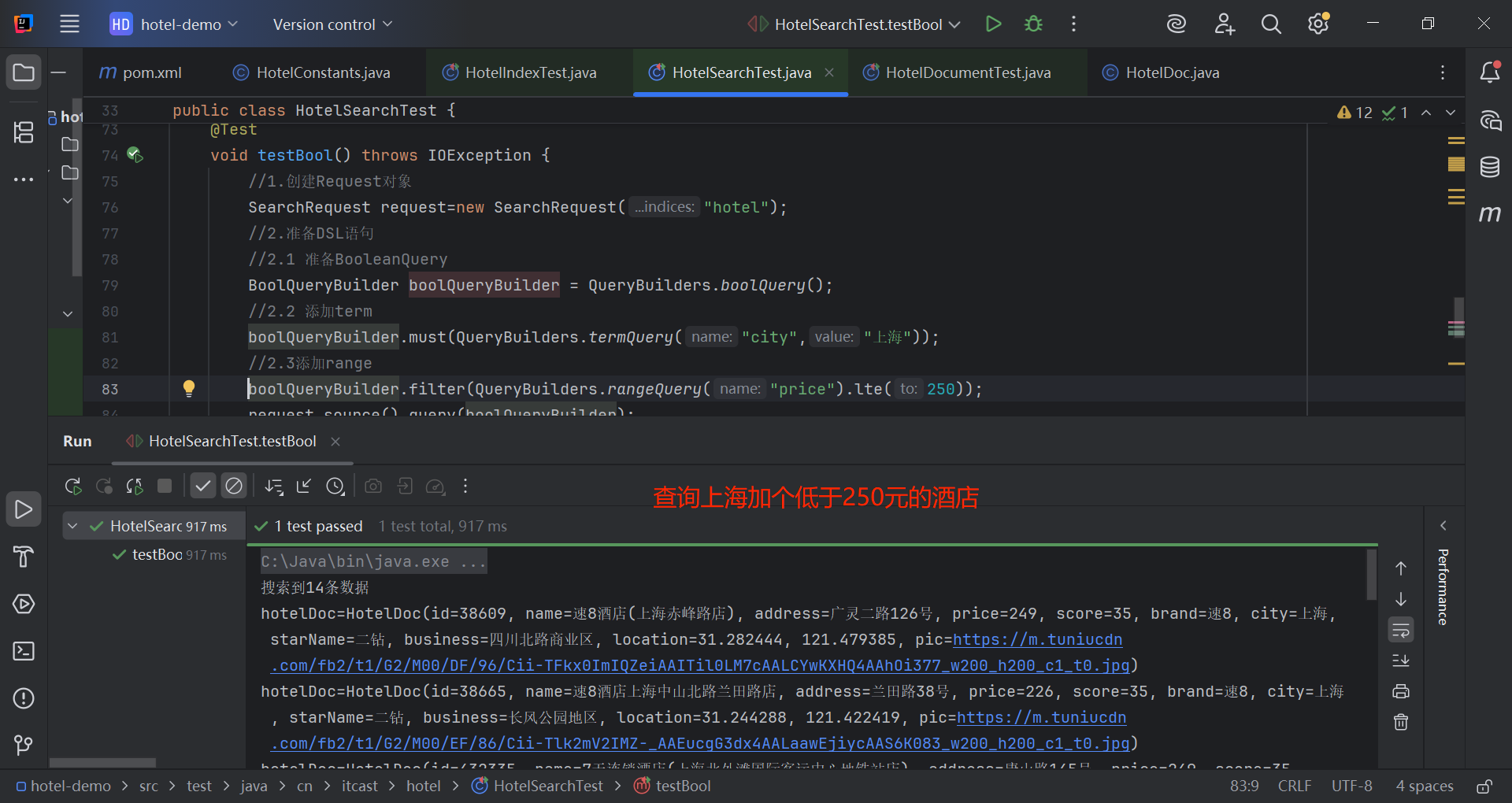
@Test
void testBool() throws IOException {
//1.创建Request对象
SearchRequest request=new SearchRequest("hotel");
//2.准备DSL语句
//2.1 准备BooleanQuery
BoolQueryBuilder boolQueryBuilder = QueryBuilders.boolQuery();
//2.2 添加term
boolQueryBuilder.must(QueryBuilders.termQuery("city","上海"));
//2.3添加range
boolQueryBuilder.filter(QueryBuilders.rangeQuery("price").lte(250));
request.source().query(boolQueryBuilder);
//3.发送请求
SearchResponse response = client.search(request, RequestOptions.DEFAULT);
handleSearchReponse(response);
}
2.4 排序和分页
搜索结果的排序和分页是与query同级的参数,对应的API如下: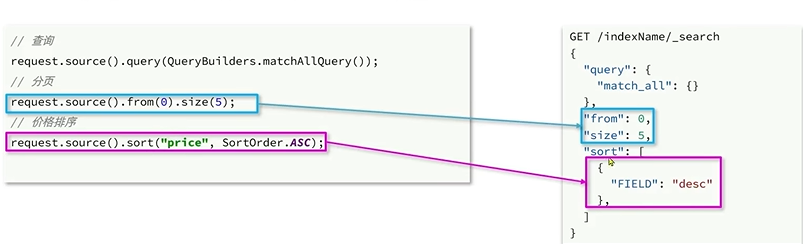
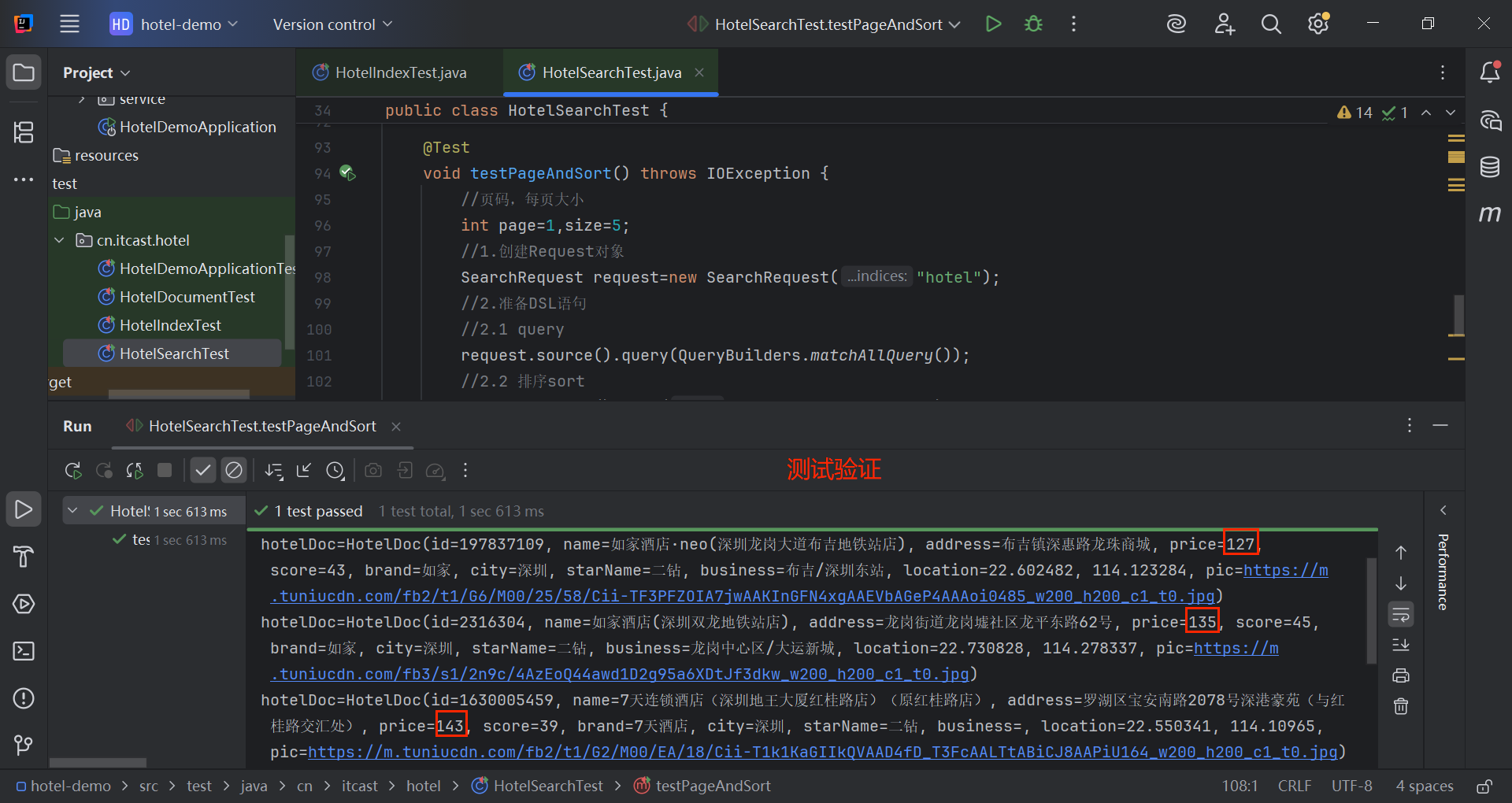
@Test
void testPageAndSort() throws IOException {
//页码,每页大小(模拟前端请求参数)
int page=1,size=5;
//1.创建Request对象
SearchRequest request=new SearchRequest("hotel");
//2.准备DSL语句
//2.1 query
request.source().query(QueryBuilders.matchAllQuery());
//2.2 排序sort
request.source().sort("price", SortOrder.ASC);
//2.3分页
request.source().from((page-1)*size).size(size);
//3.发送请求
SearchResponse response = client.search(request, RequestOptions.DEFAULT);
handleSearchReponse(response);
}
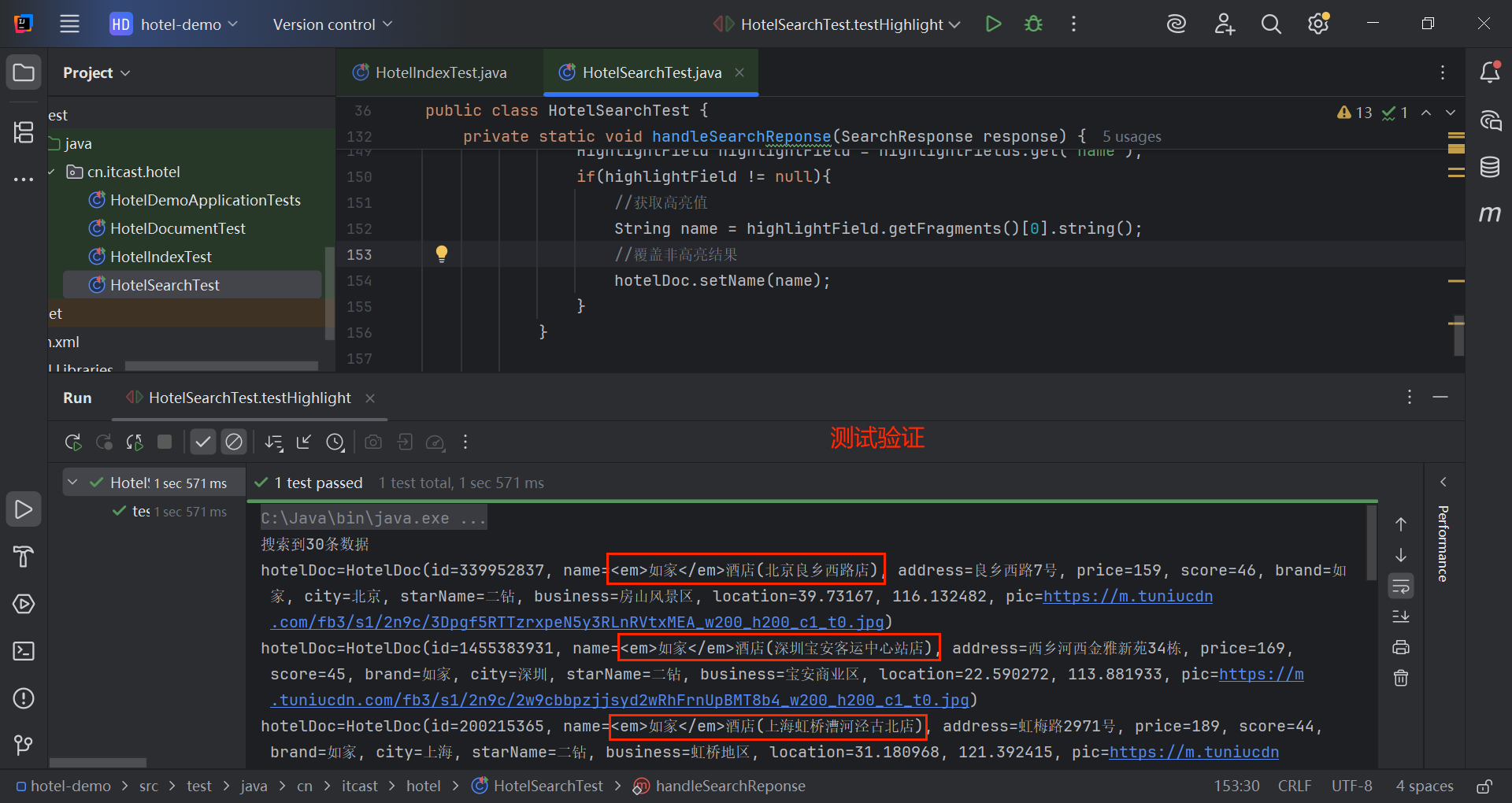
2.5 高亮
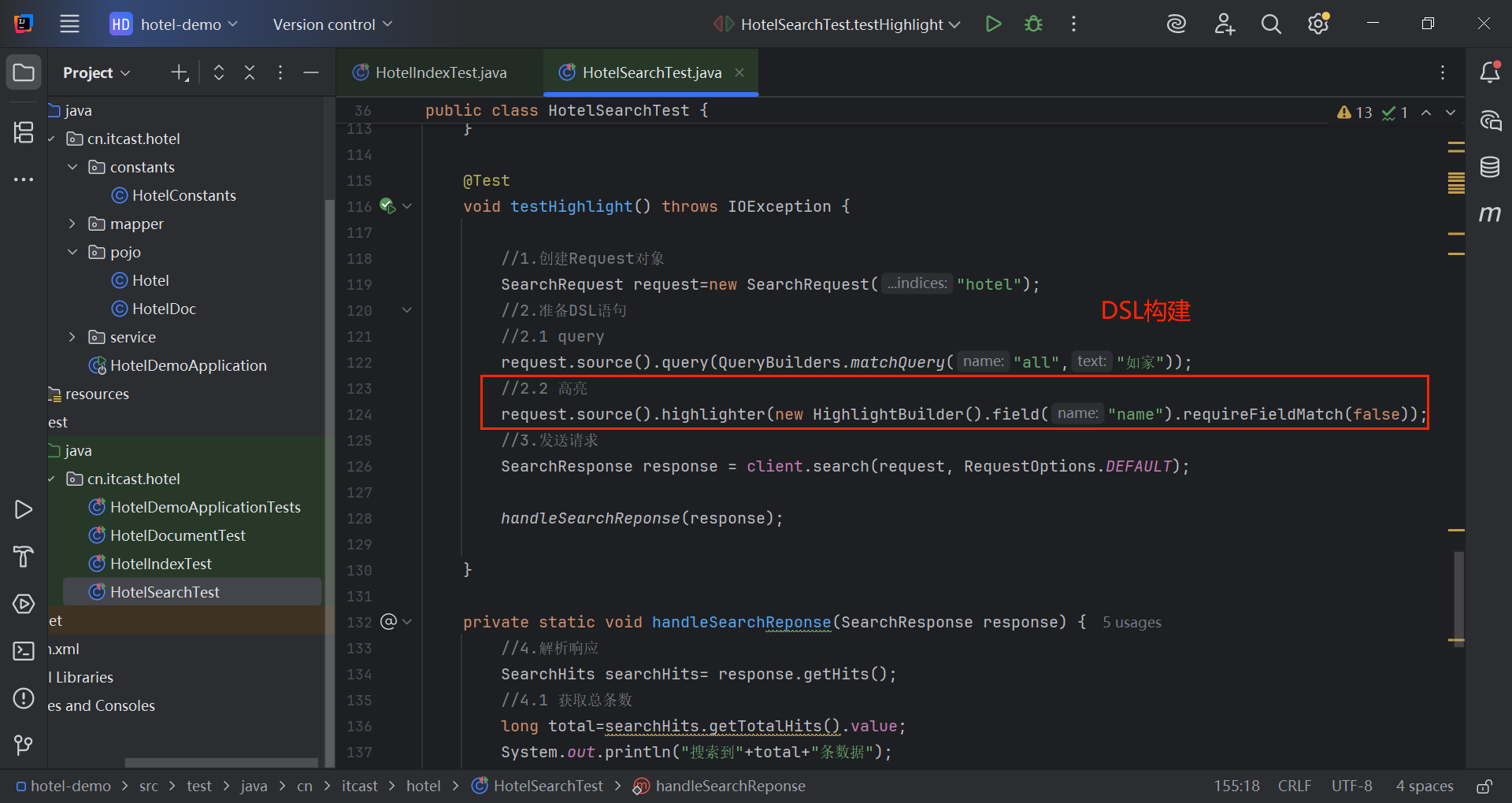
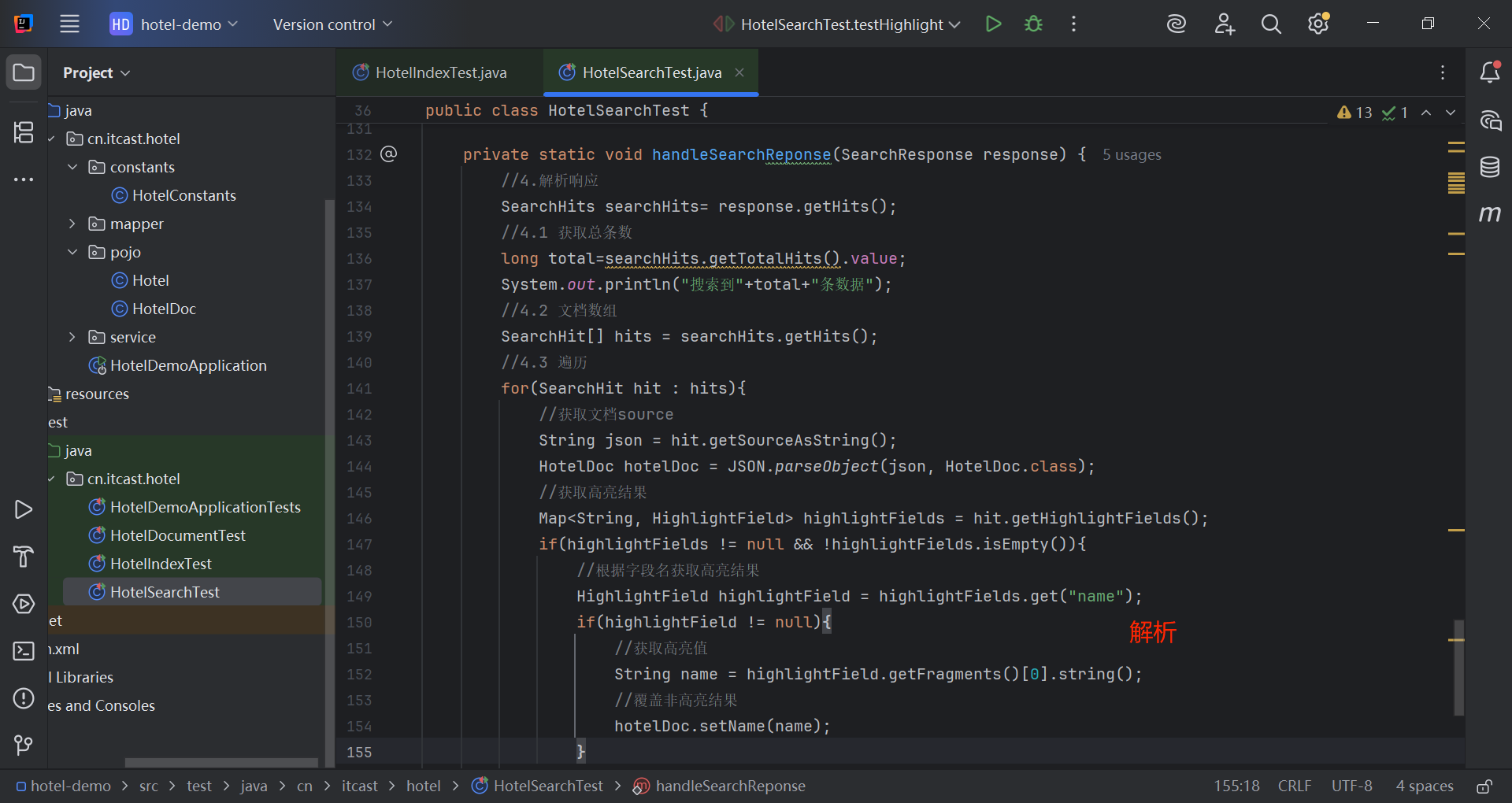
高亮API包括请求DSL构建和结果解析两部分。
构建: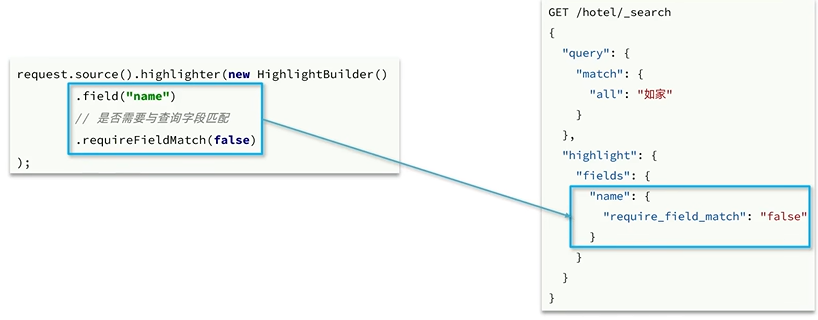
结果解析: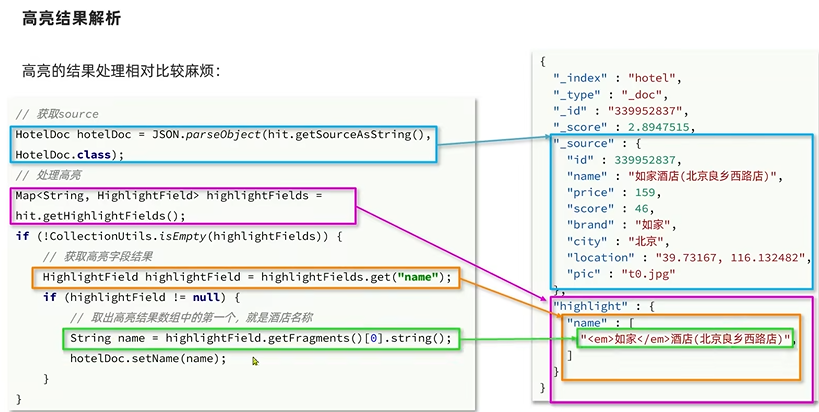
@Test
void testHighlight() throws IOException {
//1.创建Request对象
SearchRequest request=new SearchRequest("hotel");
//2.准备DSL语句
//2.1 query
request.source().query(QueryBuilders.matchQuery("all","如家"));
//2.2 高亮
request.source().highlighter(new HighlightBuilder().field("name").requireFieldMatch(false));
//3.发送请求
SearchResponse response = client.search(request, RequestOptions.DEFAULT);
handleSearchReponse(response);
}
private static void handleSearchReponse(SearchResponse response) {
//4.解析响应
SearchHits searchHits= response.getHits();
//4.1 获取总条数
long total=searchHits.getTotalHits().value;
System.out.println("搜索到"+total+"条数据");
//4.2 文档数组
SearchHit[] hits = searchHits.getHits();
//4.3 遍历
for(SearchHit hit : hits){
//获取文档source
String json = hit.getSourceAsString();
HotelDoc hotelDoc = JSON.parseObject(json, HotelDoc.class);
//获取高亮结果
Map<String, HighlightField> highlightFields = hit.getHighlightFields();
  if(highlightFields != null && !highlightFields.isEmpty()){
  //根据字段名获取高亮结果
  HighlightField highlightField = highlightFields.get("name");
  if(highlightField != null){
  //获取高亮值
  String name = highlightField.getFragments()[0].string();
  //覆盖非高亮结果
  hotelDoc.setName(name);
  }
  }
  System.out.println("hotelDoc="+hotelDoc);
  }
  }
三、黑马旅游案例
3.1 酒店搜索和分页
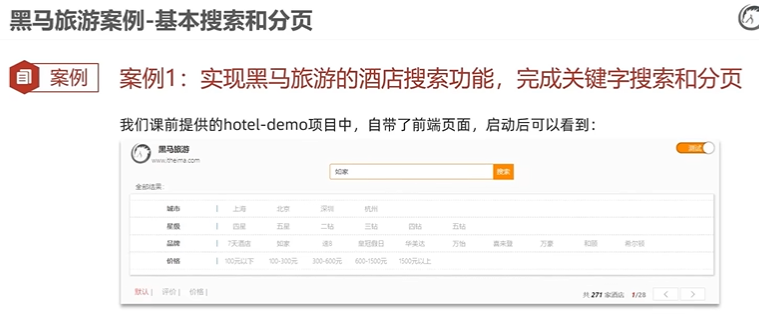
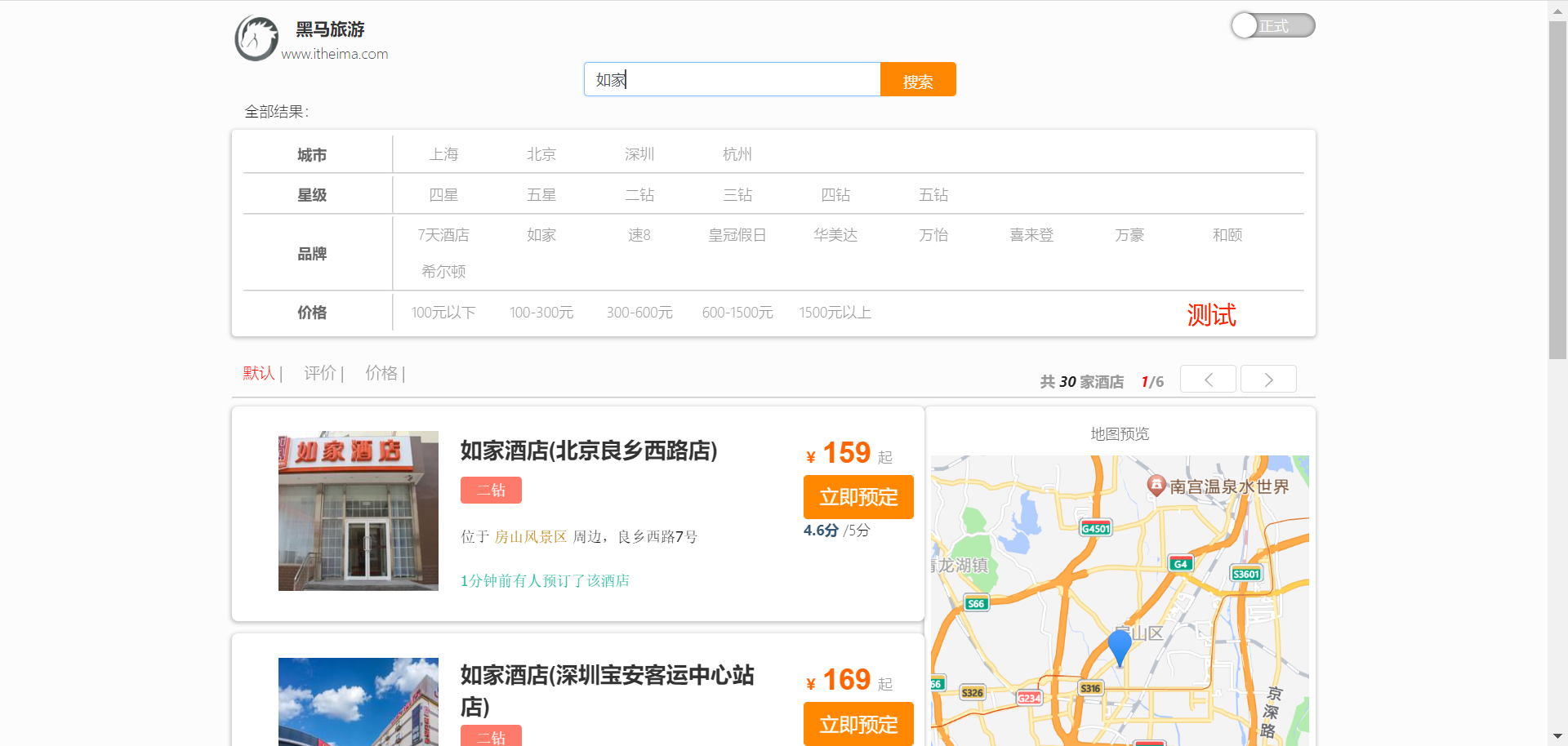
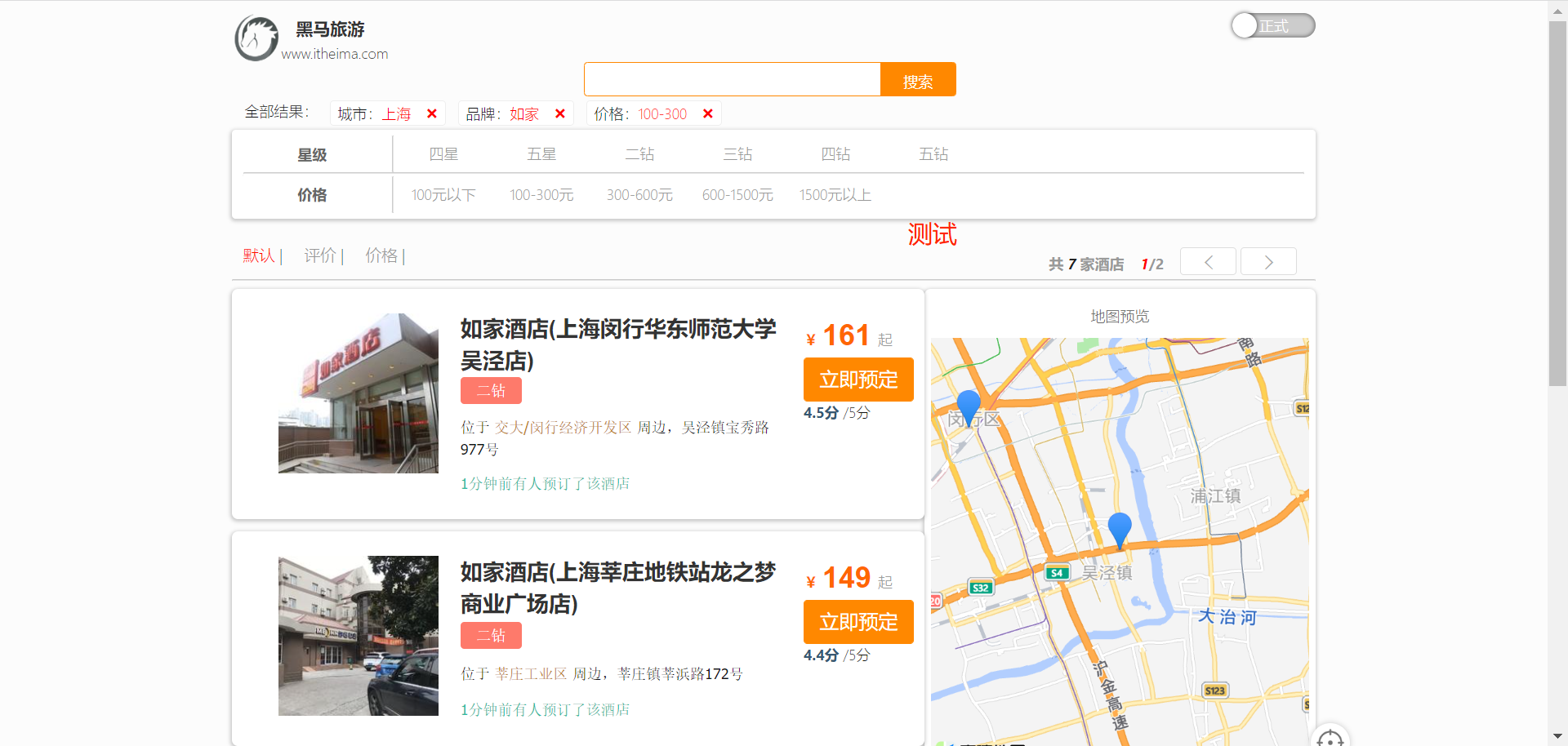
还是学习资料中的项目: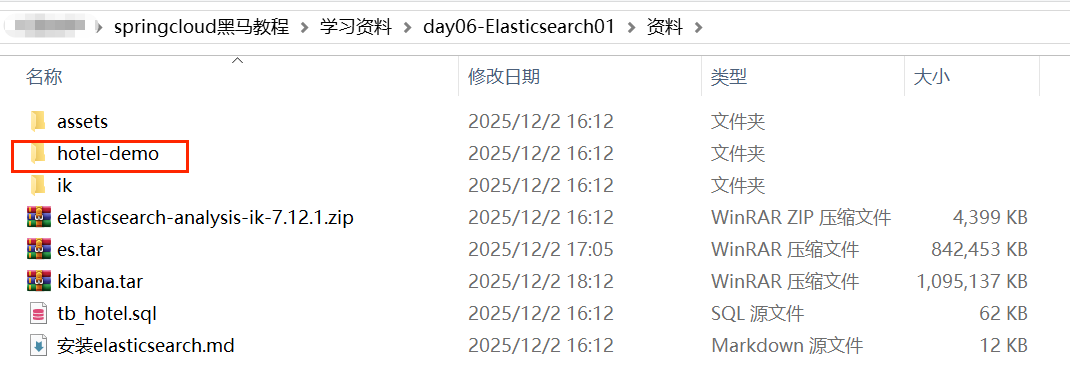
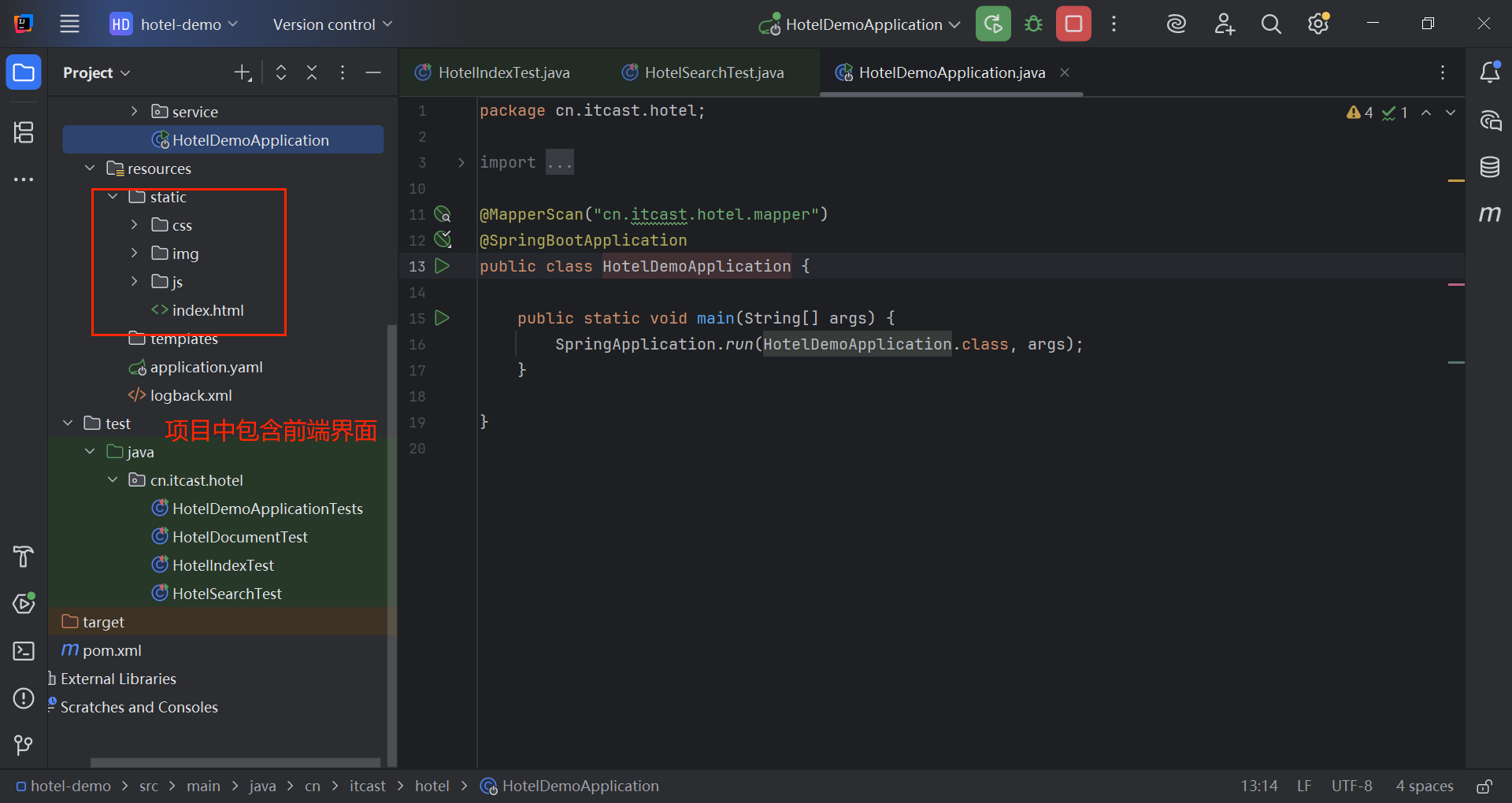
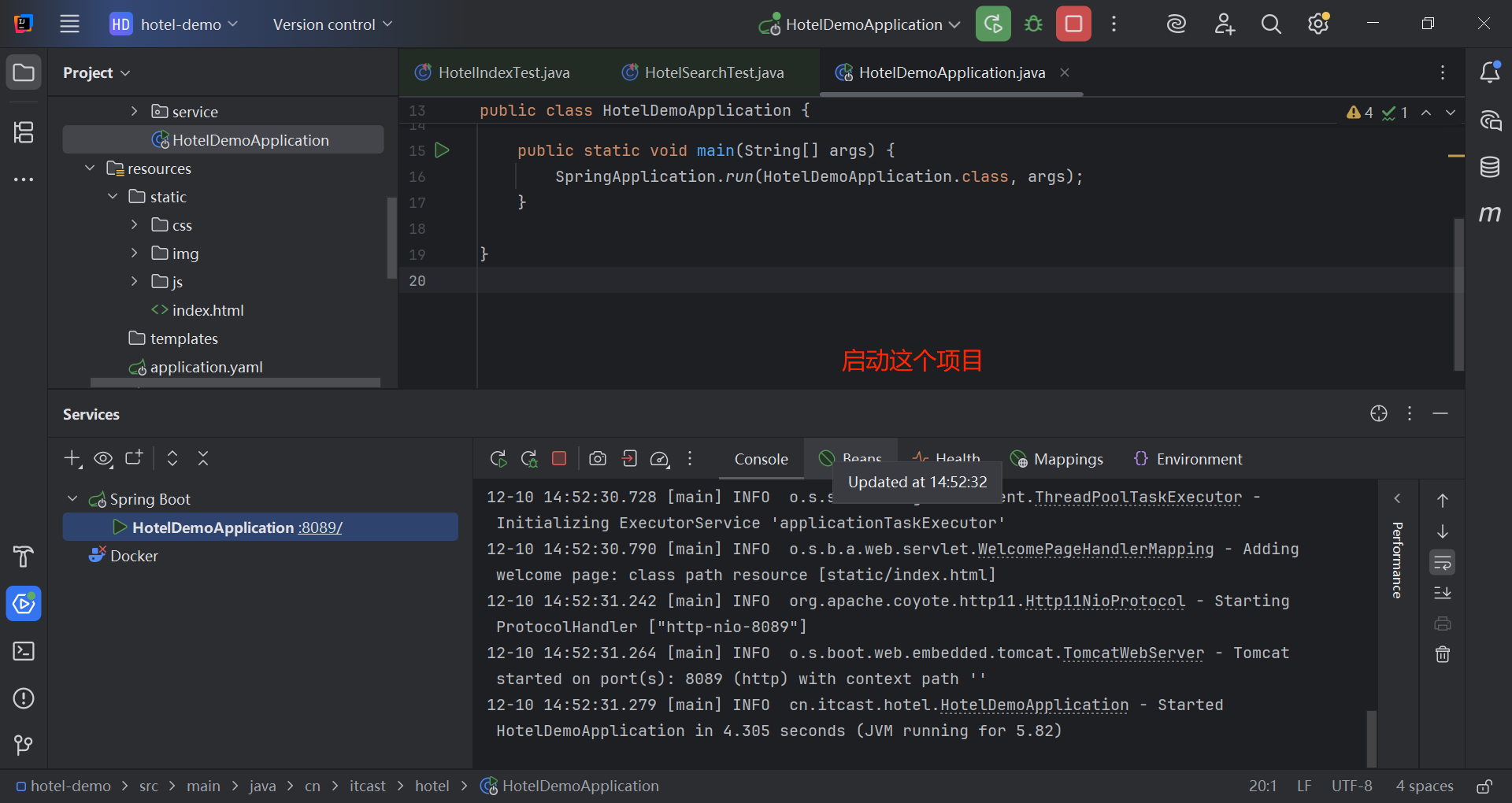
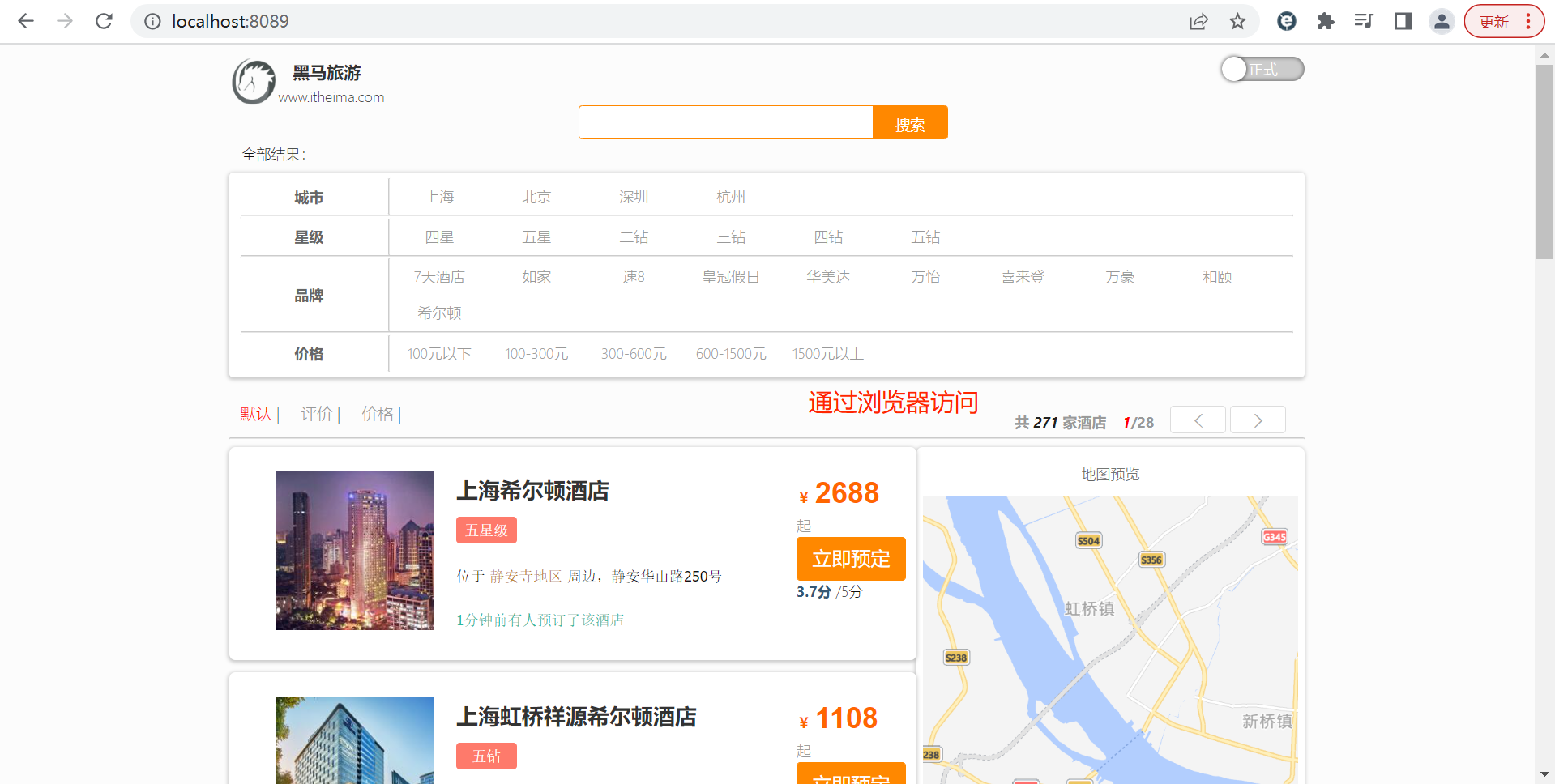
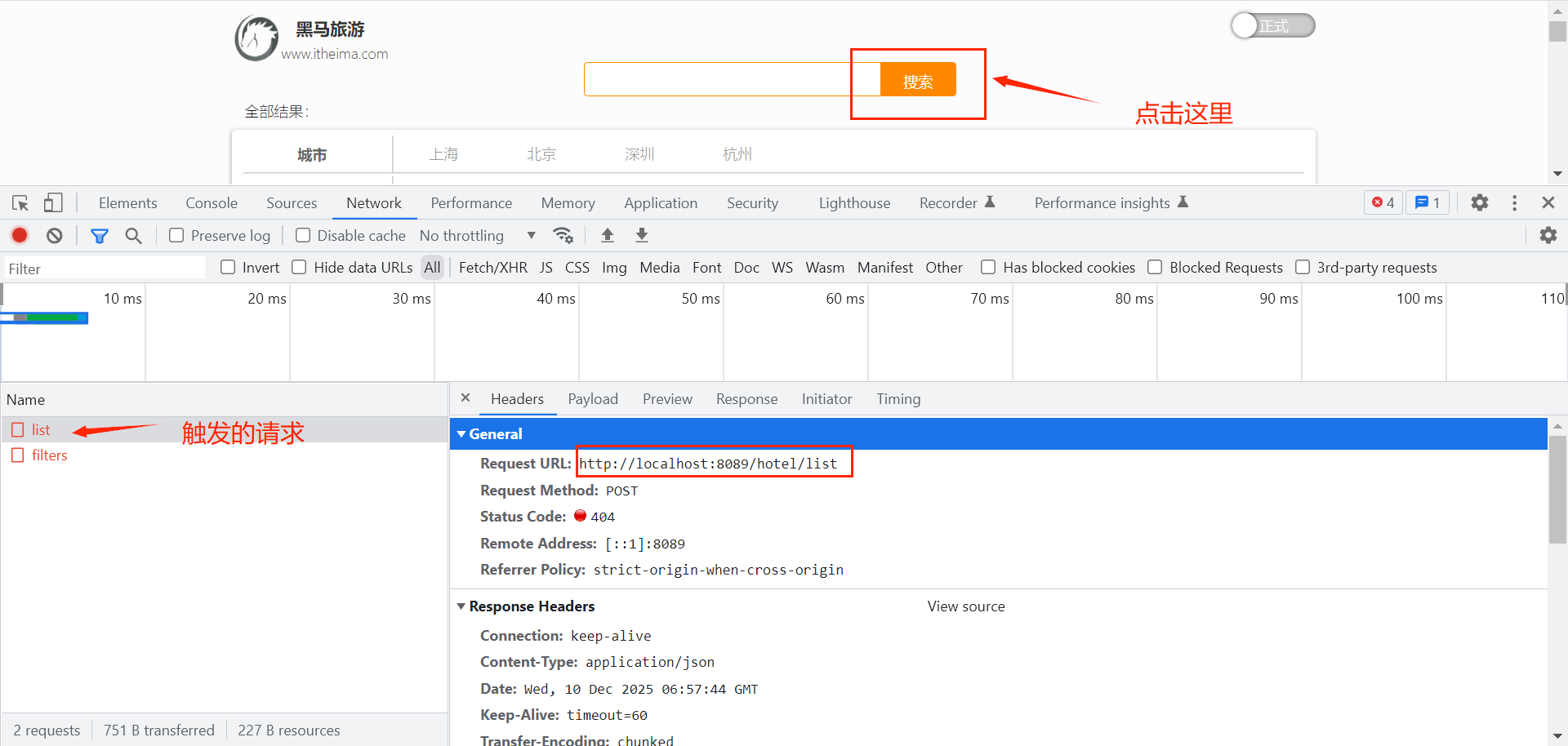
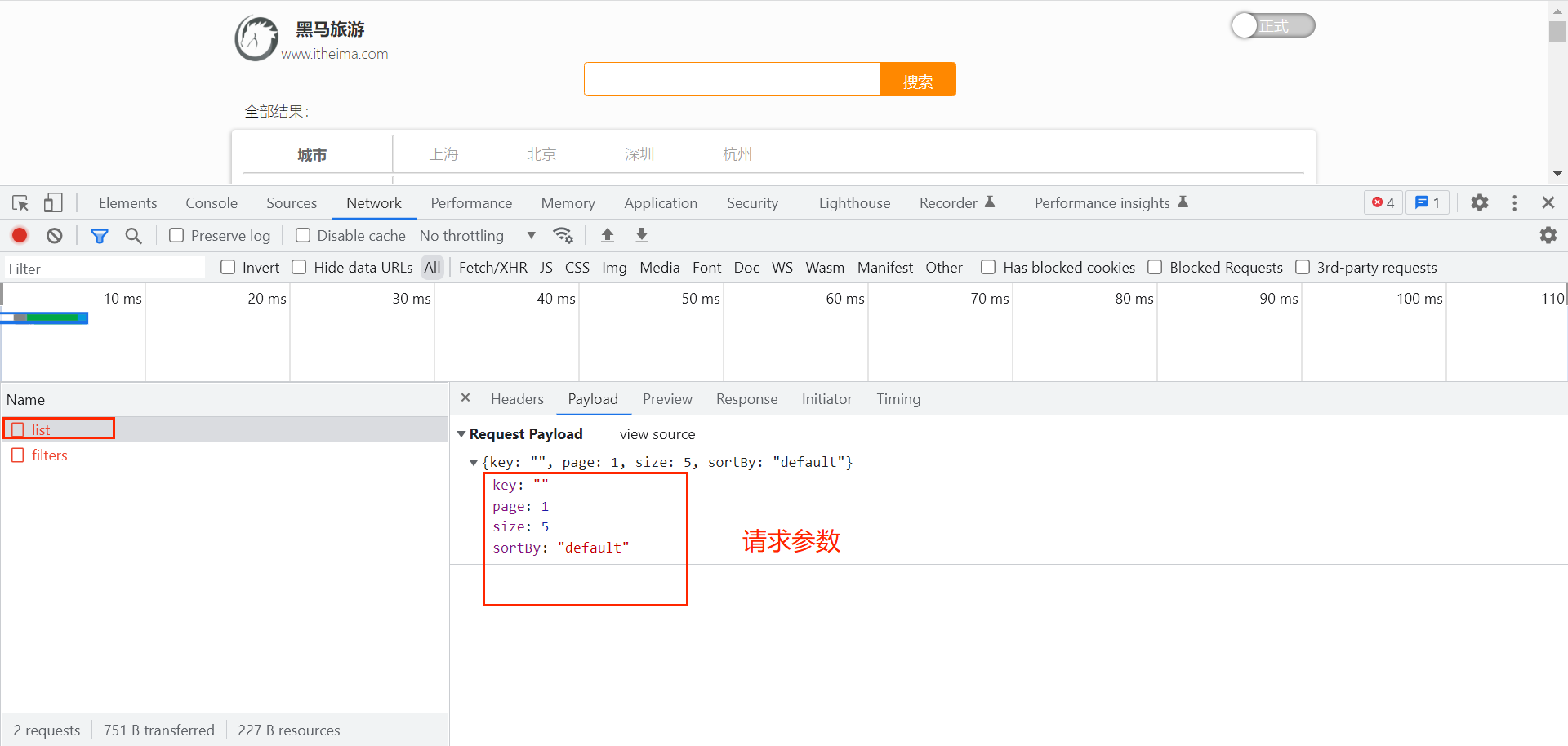
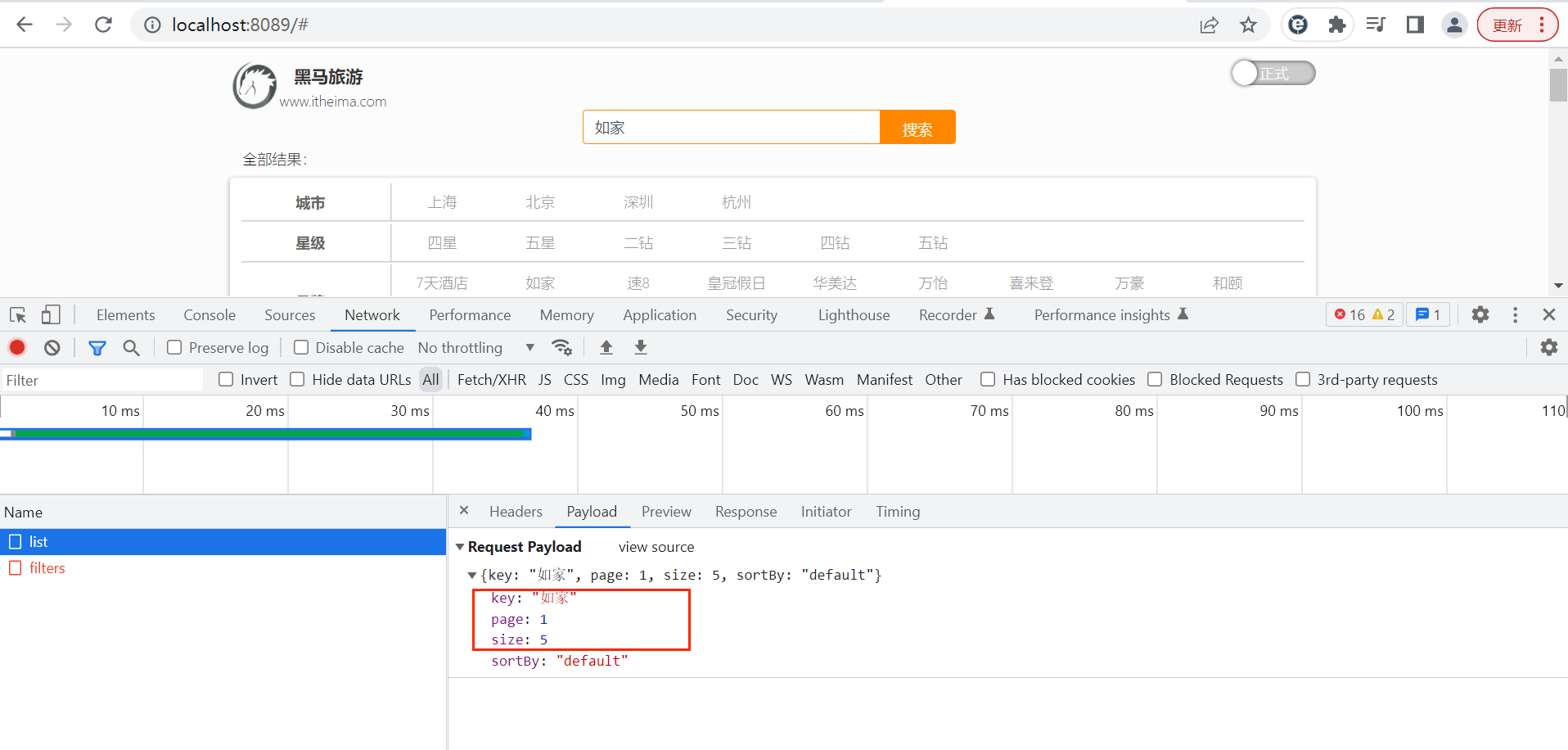
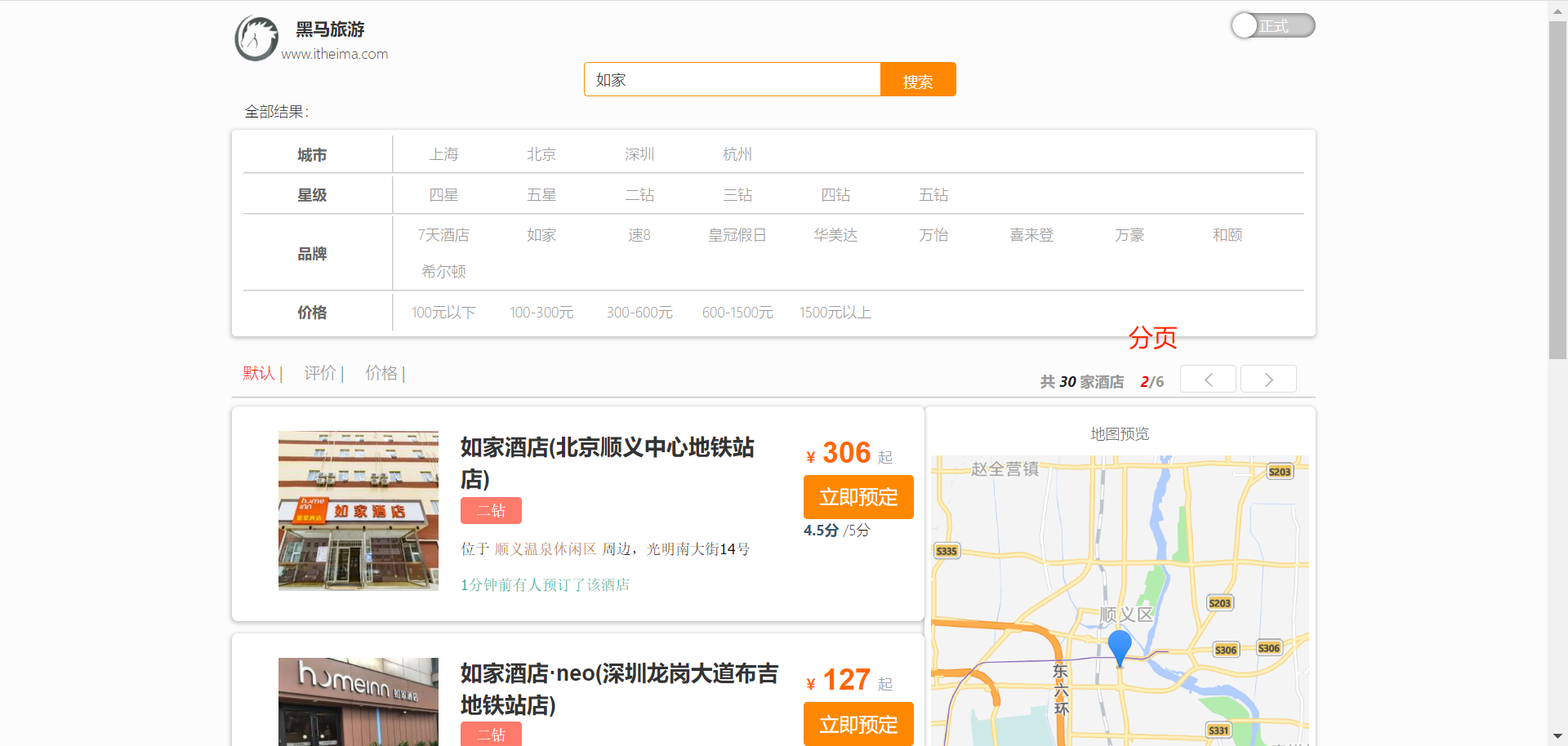
接下来进行接口的开发: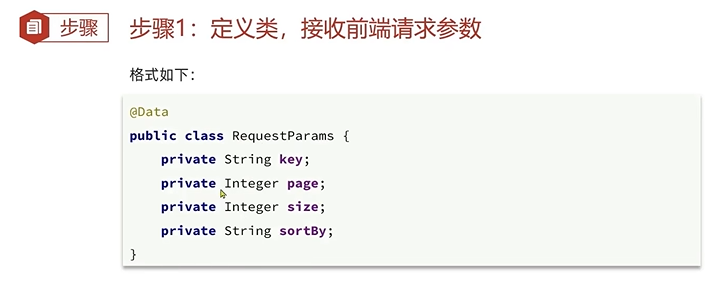
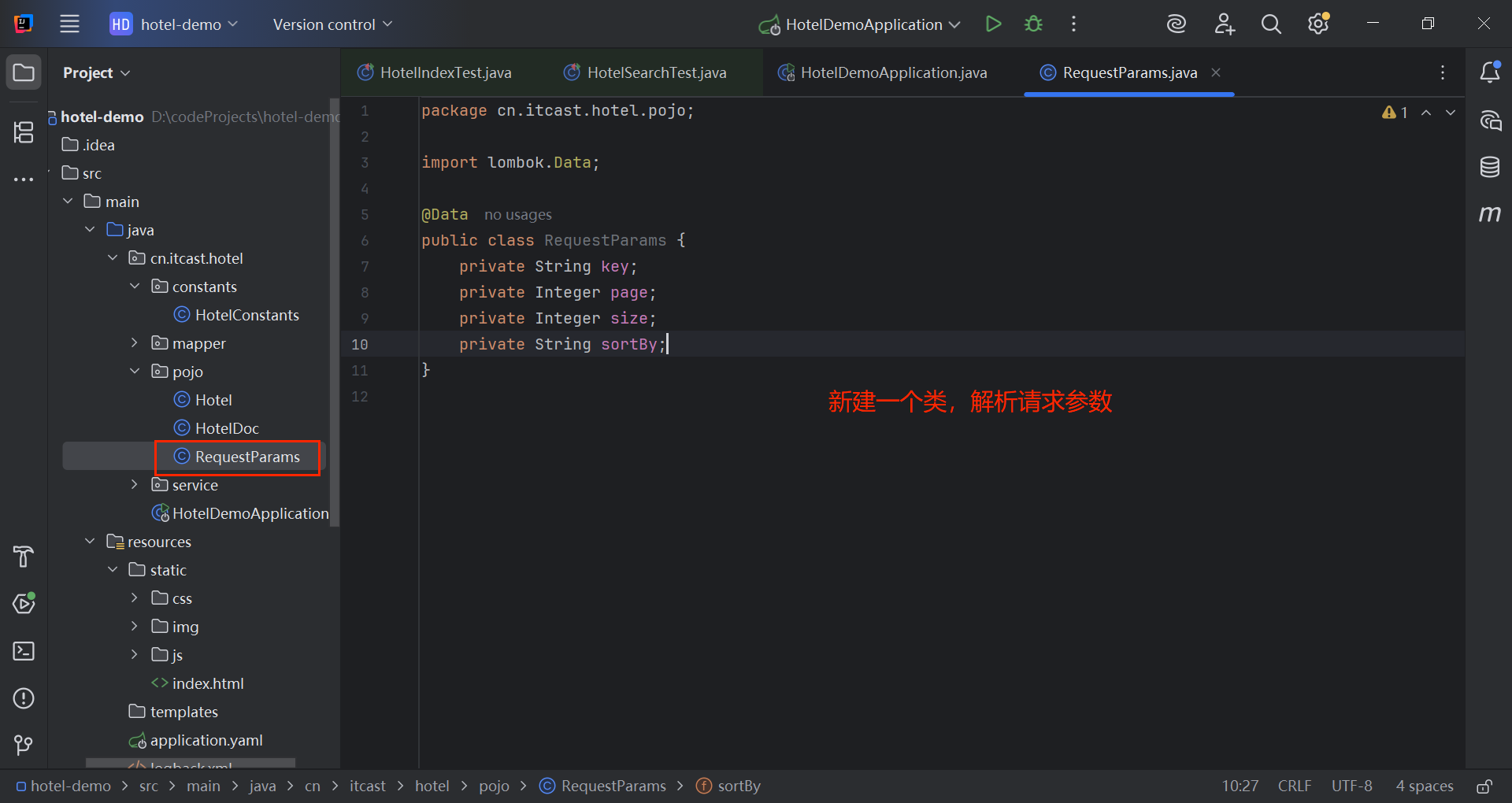
@Data
public class RequestParams {
private String key;
private Integer page;
private Integer size;
private String sortBy;
}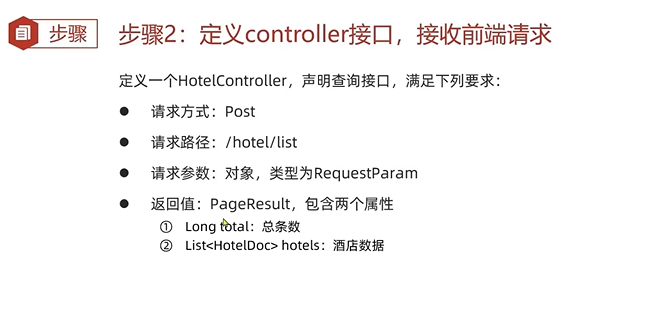
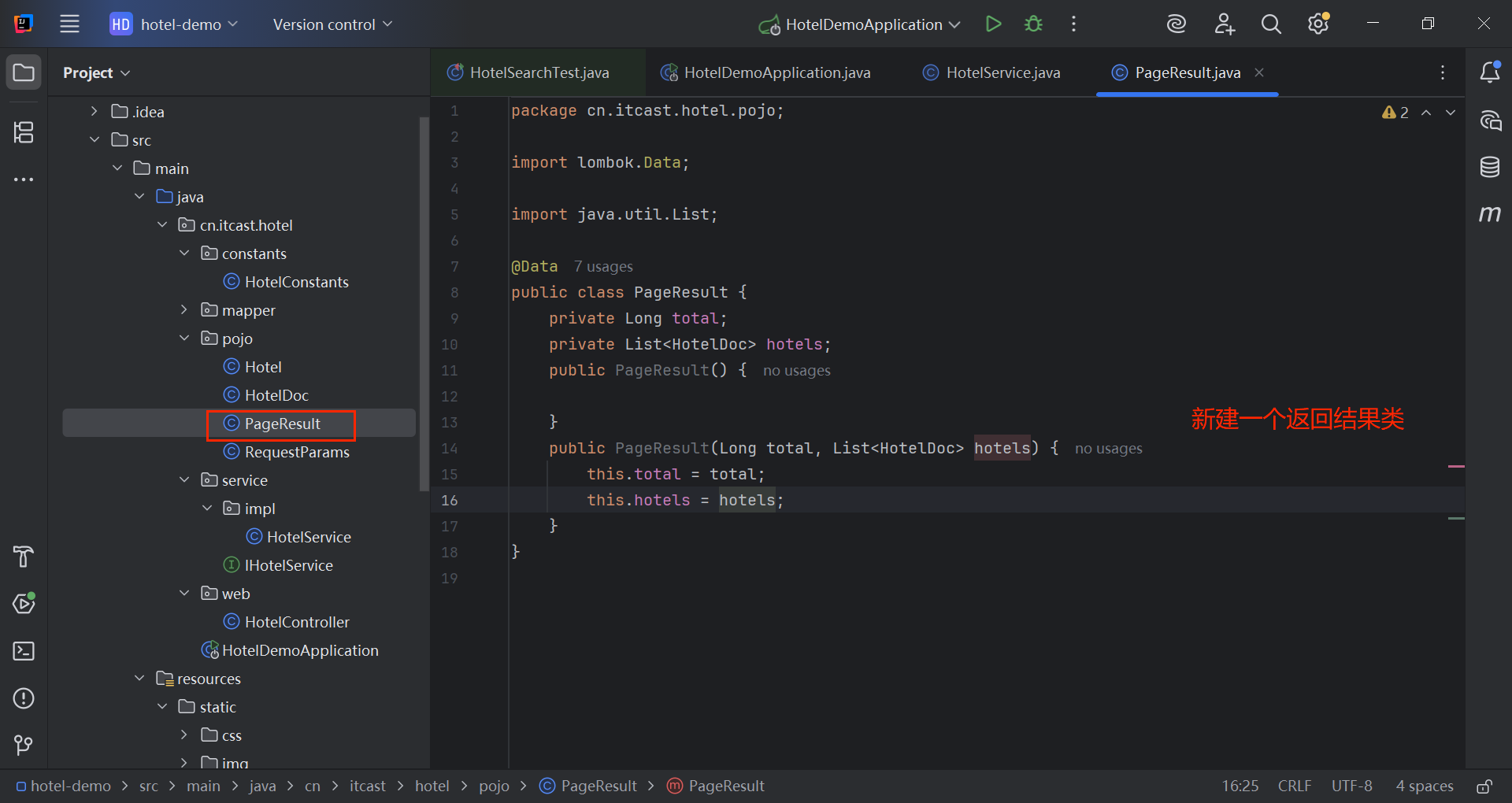
@Data
public class PageResult {
private Long total;
private List<HotelDoc> hotels;
  public PageResult() {
  }
  public PageResult(Long total, List<HotelDoc> hotels) {
    this.total = total;
    this.hotels = hotels;
    }
    }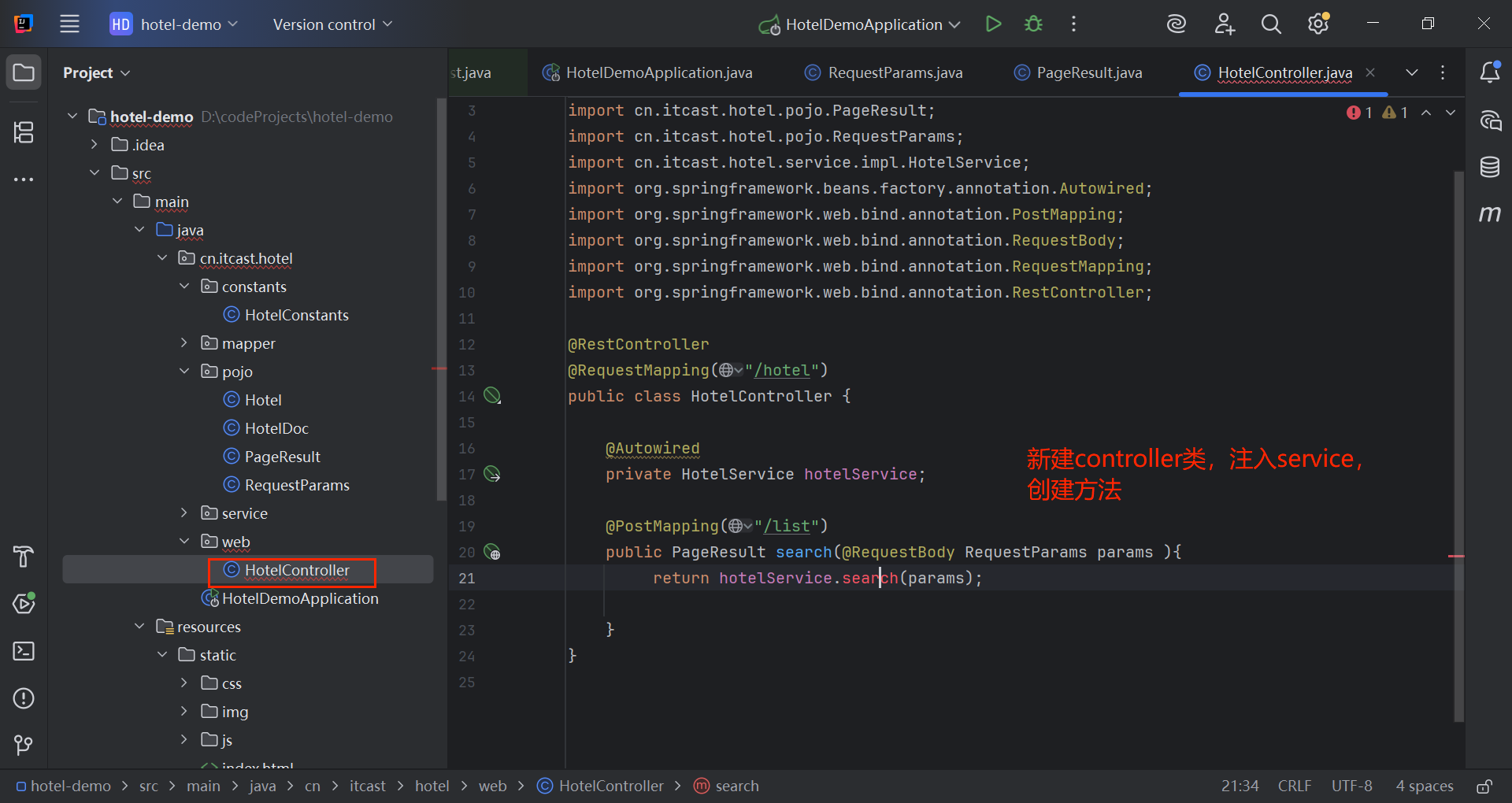
@RestController
@RequestMapping("/hotel")
public class HotelController {
@Autowired
private HotelService hotelService;
@PostMapping("/list")
public PageResult search(@RequestBody RequestParams params ){
return hotelService.search(params);
}
}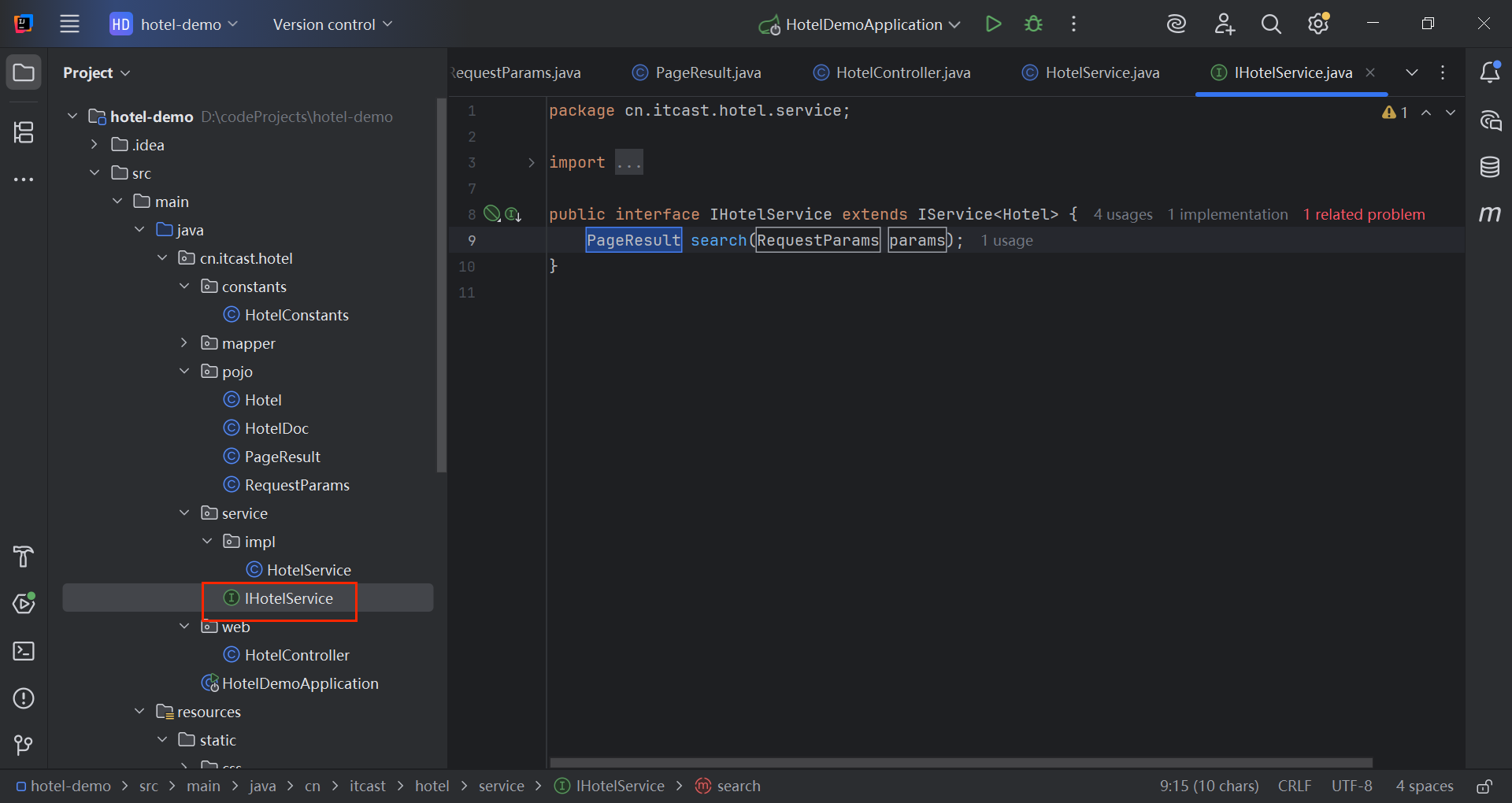
public interface IHotelService extends IService<Hotel> {
  PageResult search(RequestParams params);
  }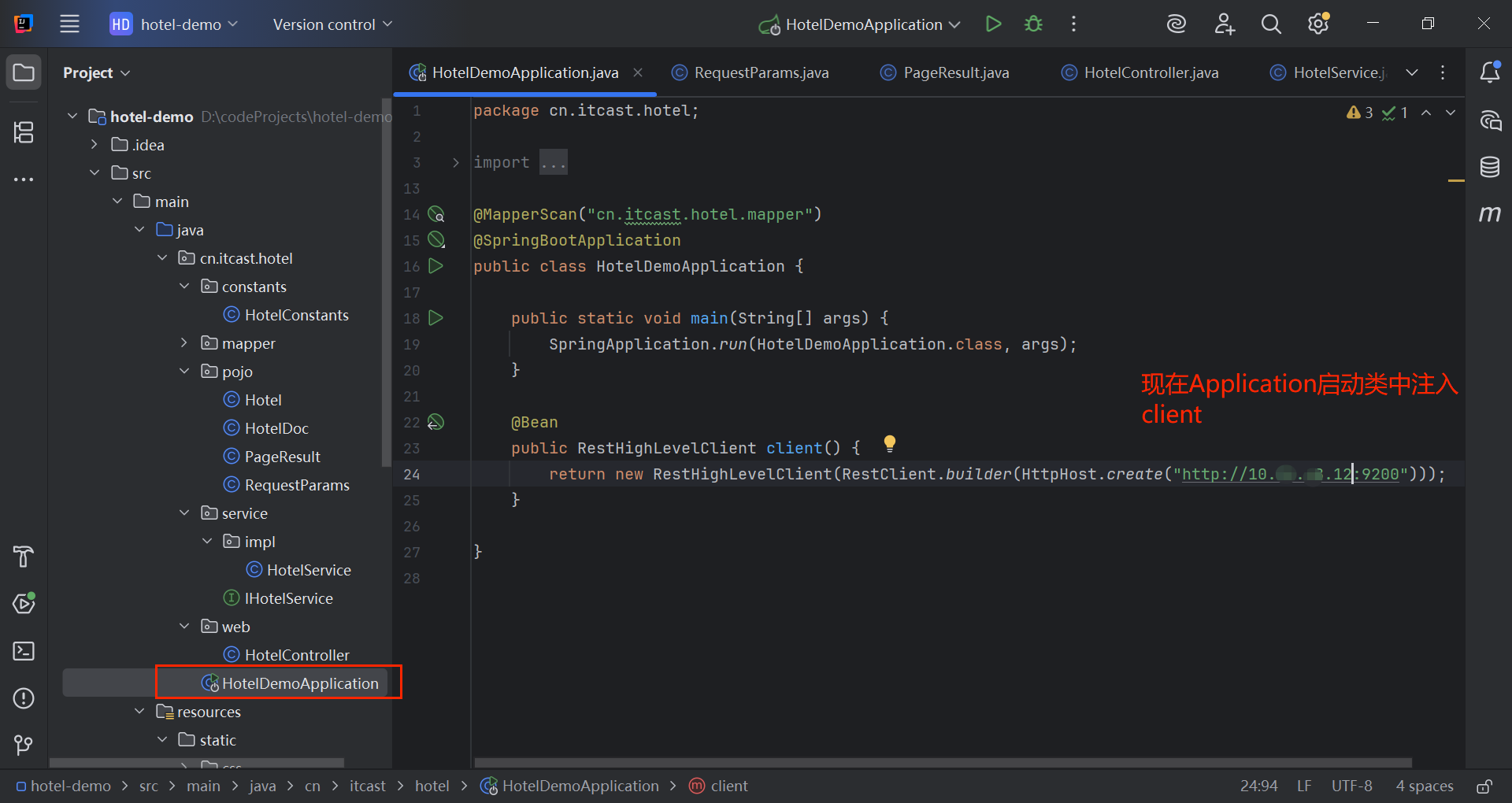
@Bean
public RestHighLevelClient client() {
return new RestHighLevelClient(RestClient.builder(HttpHost.create("http://10.xx.xx.12:9200")));
}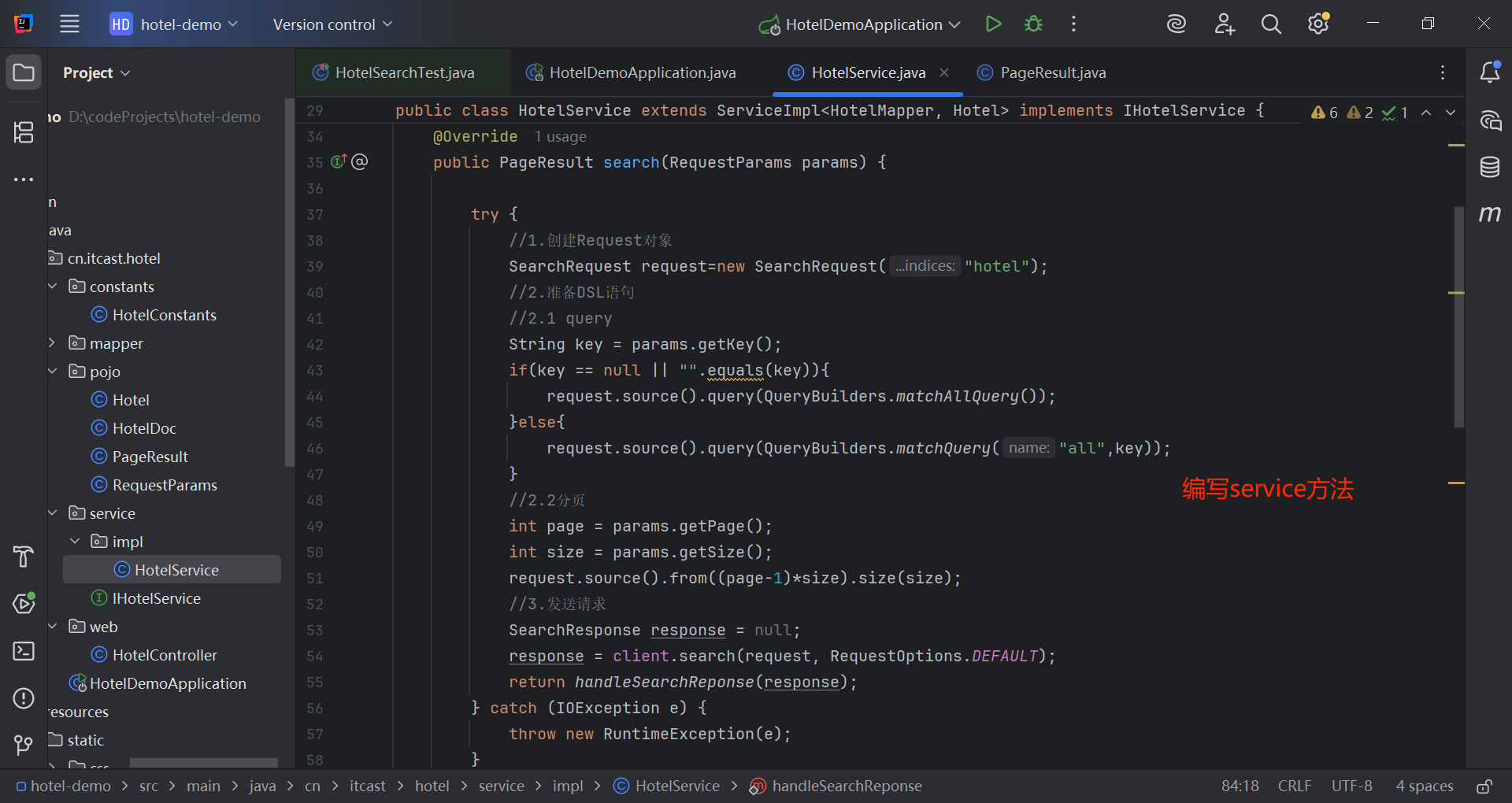
@Service
public class HotelService extends ServiceImpl<HotelMapper, Hotel> implements IHotelService {
  @Autowired
  private RestHighLevelClient client;
  @Override
  public PageResult search(RequestParams params) {
  try {
  //1.创建Request对象
  SearchRequest request=new SearchRequest("hotel");
  //2.准备DSL语句
  //2.1 query
  String key = params.getKey();
  if(key == null || "".equals(key)){
  request.source().query(QueryBuilders.matchAllQuery());
  }else{
  request.source().query(QueryBuilders.matchQuery("all",key));
  }
  //2.2分页
  int page = params.getPage();
  int size = params.getSize();
  request.source().from((page-1)*size).size(size);
  //3.发送请求
  SearchResponse response = null;
  response = client.search(request, RequestOptions.DEFAULT);
  return handleSearchReponse(response);
  } catch (IOException e) {
  throw new RuntimeException(e);
  }
  }
  private static PageResult handleSearchReponse(SearchResponse response) {
  //4.解析响应
  SearchHits searchHits= response.getHits();
  //4.1 获取总条数
  long total=searchHits.getTotalHits().value;
  //4.2 文档数组
  SearchHit[] hits = searchHits.getHits();
  List<HotelDoc> hotels=new ArrayList<>();
    //4.3 遍历
    for(SearchHit hit : hits) {
    //获取文档source
    String json = hit.getSourceAsString();
    HotelDoc hotelDoc = JSON.parseObject(json, HotelDoc.class);
    //4.4 封装返回
    hotels.add(hotelDoc);
    }
    return new PageResult(total, hotels);
    }
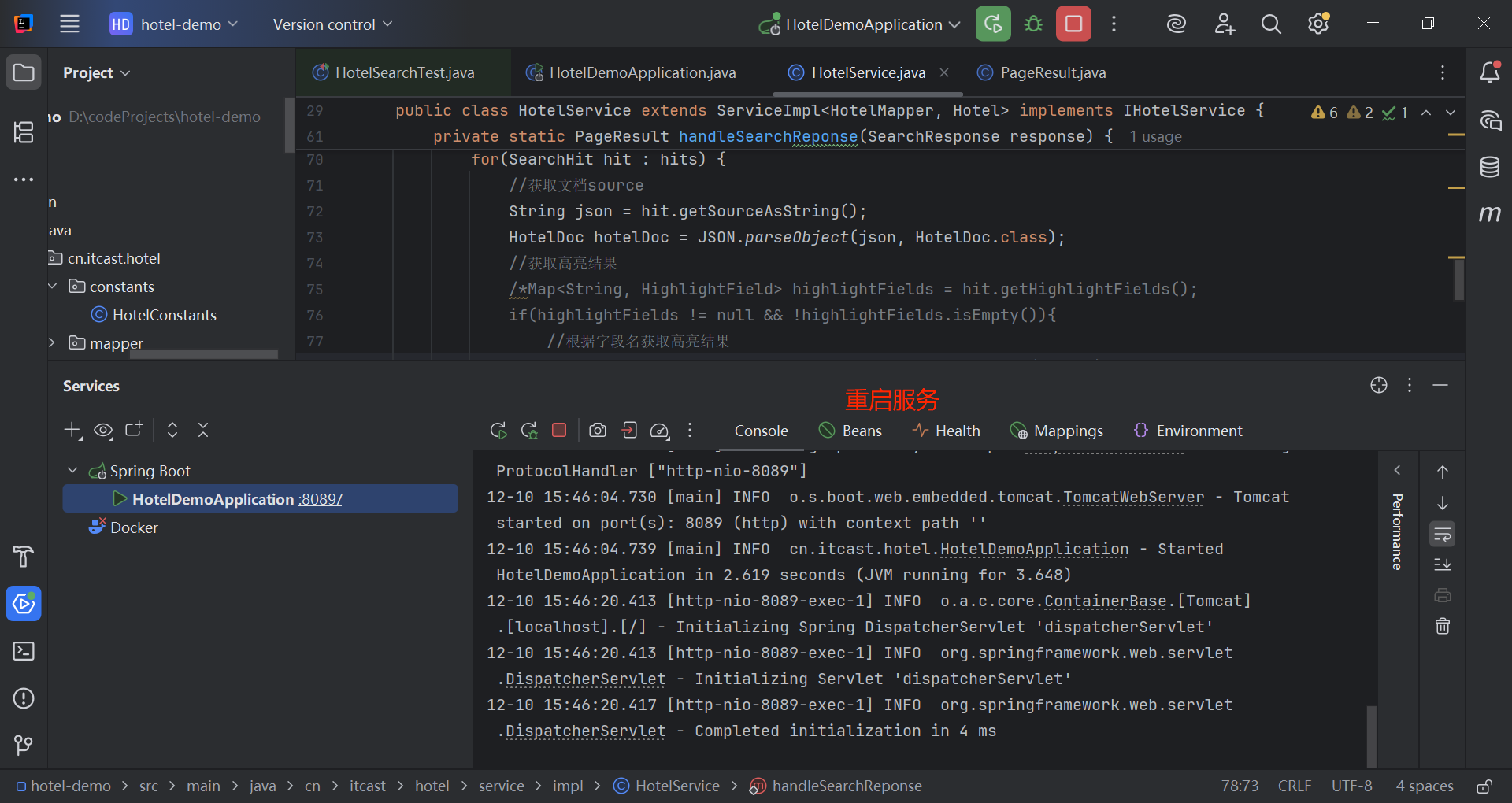
    }
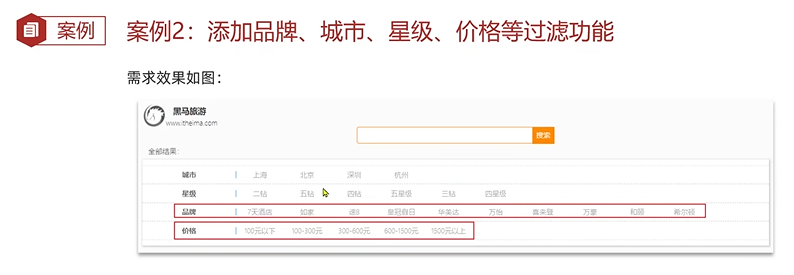
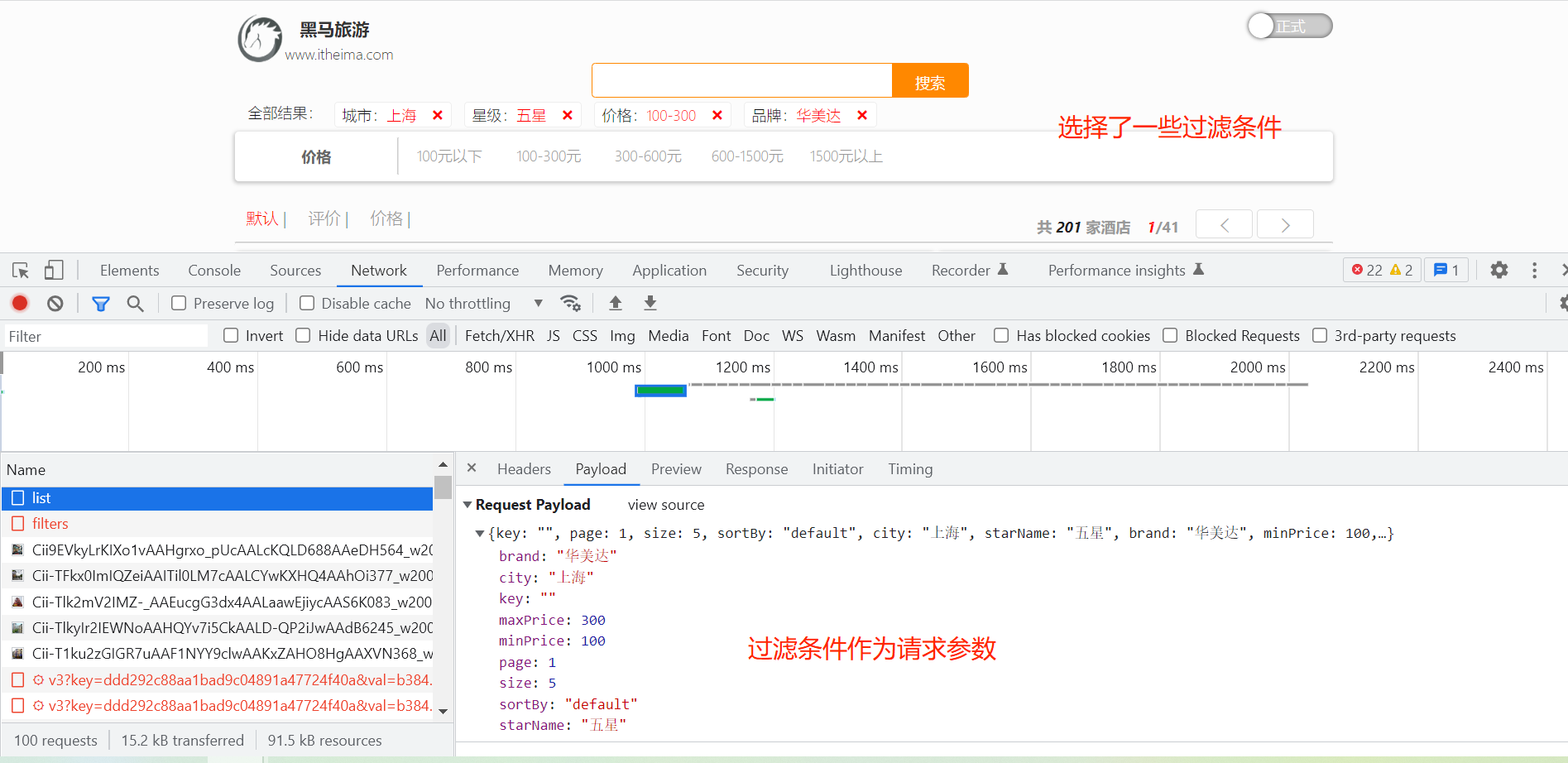
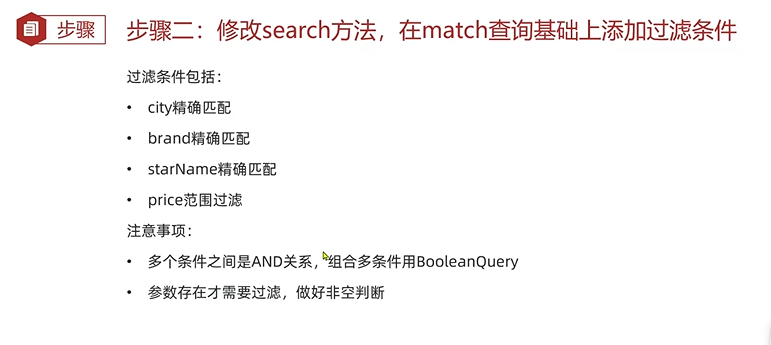
3.2 条件过滤
@Data
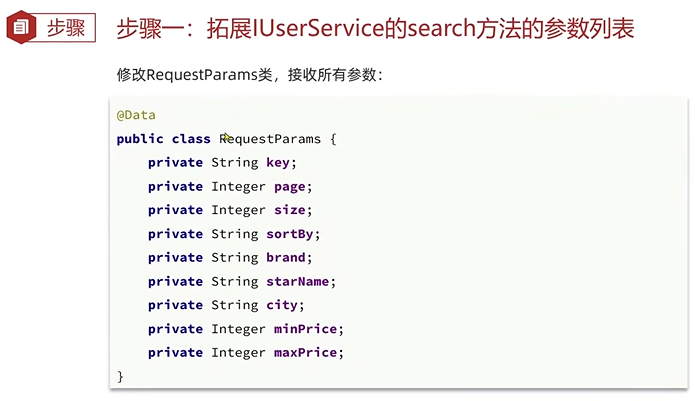
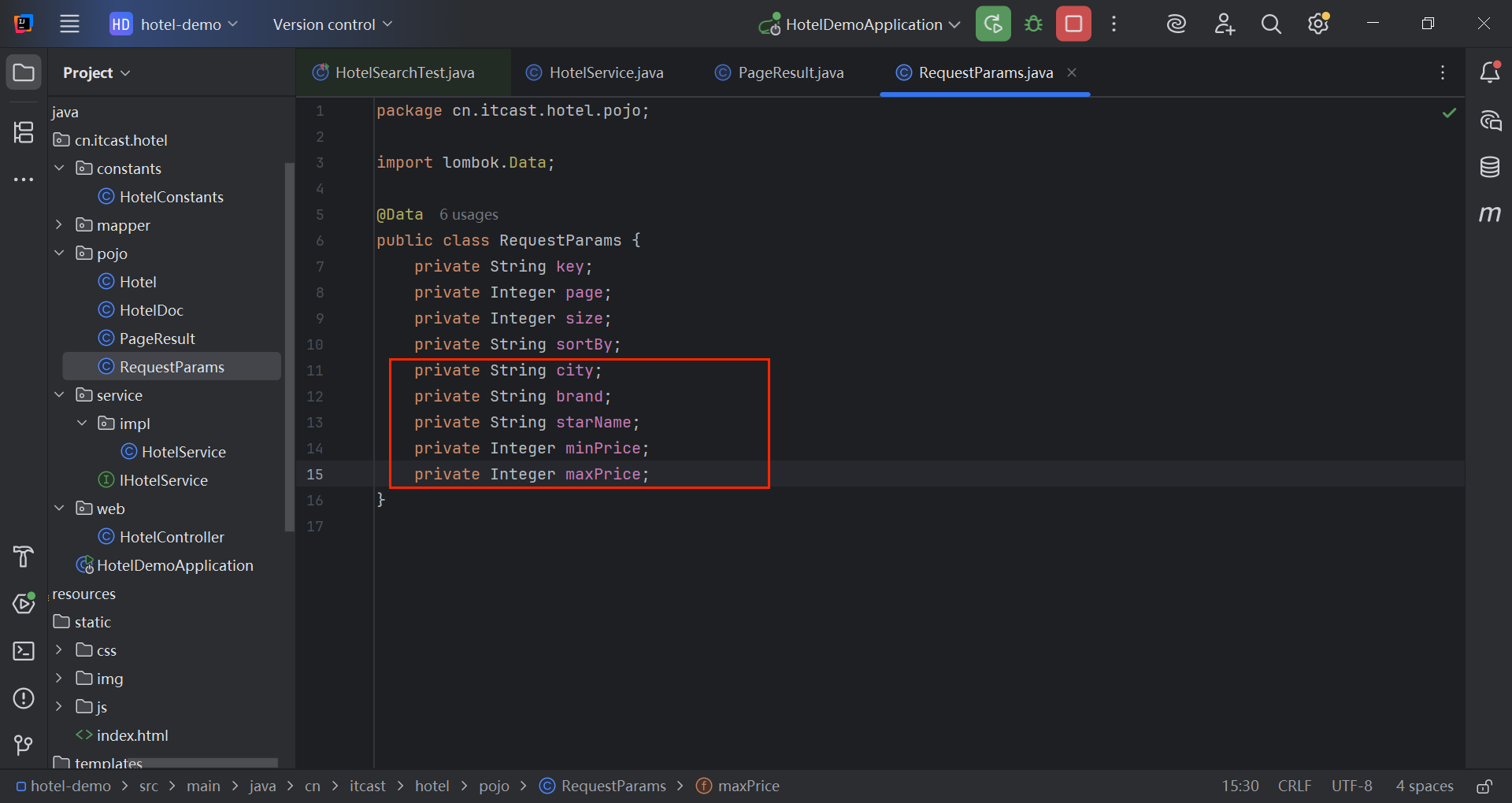
public class RequestParams {
private String key;
private Integer page;
private Integer size;
private String sortBy;
private String city;
private String brand;
private String starName;
private Integer minPrice;
private Integer maxPrice;
}
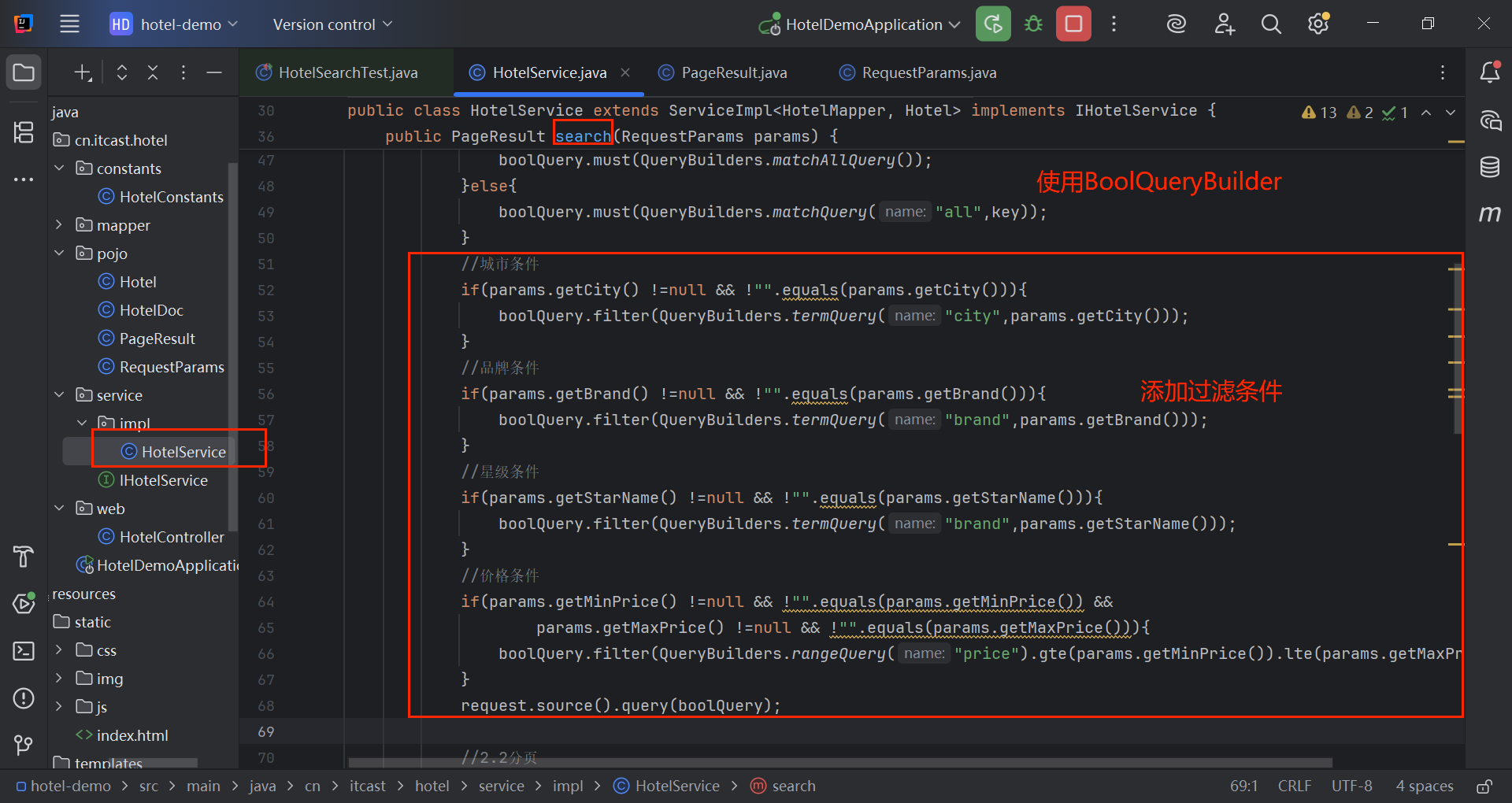
@Service
public class HotelService extends ServiceImpl<HotelMapper, Hotel> implements IHotelService {
  @Autowired
  private RestHighLevelClient client;
  @Override
  public PageResult search(RequestParams params) {
  try {
  //1.创建Request对象
  SearchRequest request=new SearchRequest("hotel");
  //2.准备DSL语句
  //2.1 query
  BoolQueryBuilder boolQuery = QueryBuilders.boolQuery();
  //关键字搜索
  String key = params.getKey();
  if(key == null || "".equals(key)){
  boolQuery.must(QueryBuilders.matchAllQuery());
  }else{
  boolQuery.must(QueryBuilders.matchQuery("all",key));
  }
  //城市条件
  if(params.getCity() !=null && !"".equals(params.getCity())){
  boolQuery.filter(QueryBuilders.termQuery("city",params.getCity()));
  }
  //品牌条件
  if(params.getBrand() !=null && !"".equals(params.getBrand())){
  boolQuery.filter(QueryBuilders.termQuery("brand",params.getBrand()));
  }
  //星级条件
  if(params.getStarName() !=null && !"".equals(params.getStarName())){
  boolQuery.filter(QueryBuilders.termQuery("brand",params.getStarName()));
  }
  //价格条件
  if(params.getMinPrice() !=null && !"".equals(params.getMinPrice()) &&
  params.getMaxPrice() !=null && !"".equals(params.getMaxPrice())){
  boolQuery.filter(QueryBuilders.rangeQuery("price").gte(params.getMinPrice()).lte(params.getMaxPrice()));
  }
  request.source().query(boolQuery);
  //2.2分页
  int page = params.getPage();
  int size = params.getSize();
  request.source().from((page-1)*size).size(size);
  //3.发送请求
  SearchResponse response = null;
  response = client.search(request, RequestOptions.DEFAULT);
  return handleSearchReponse(response);
  } catch (IOException e) {
  throw new RuntimeException(e);
  }
  }
  private static PageResult handleSearchReponse(SearchResponse response) {
  //4.解析响应
  SearchHits searchHits= response.getHits();
  //4.1 获取总条数
  long total=searchHits.getTotalHits().value;
  //4.2 文档数组
  SearchHit[] hits = searchHits.getHits();
  List<HotelDoc> hotels=new ArrayList<>();
    //4.3 遍历
    for(SearchHit hit : hits) {
    //获取文档source
    String json = hit.getSourceAsString();
    HotelDoc hotelDoc = JSON.parseObject(json, HotelDoc.class);
    //4.4 封装返回
    hotels.add(hotelDoc);
    }
    return new PageResult(total, hotels);
    }
    }
可以将组装DSL的代码封装到一个方法里: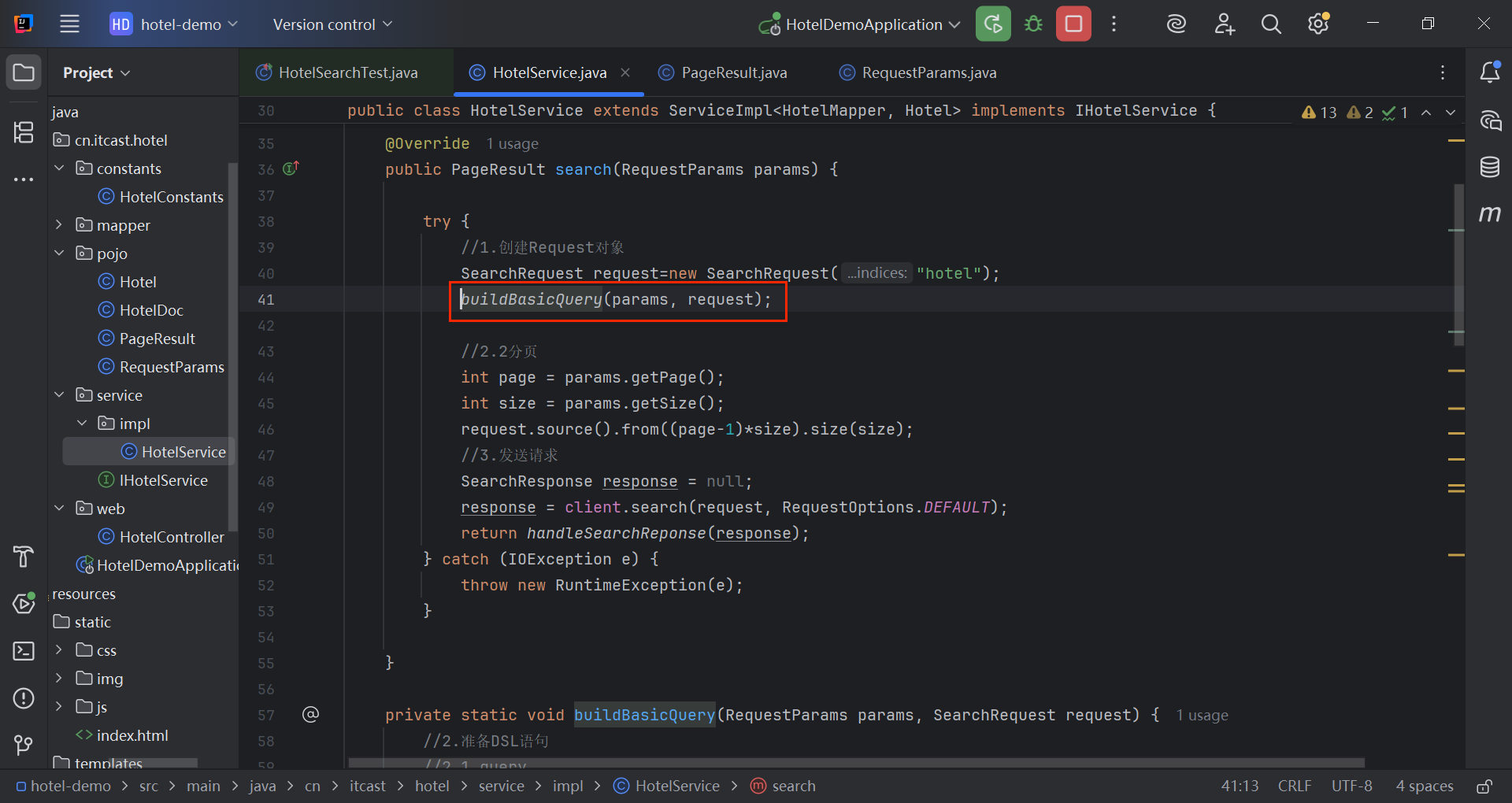
@Service
public class HotelService extends ServiceImpl<HotelMapper, Hotel> implements IHotelService {
  @Autowired
  private RestHighLevelClient client;
  @Override
  public PageResult search(RequestParams params) {
  try {
  //1.创建Request对象
  SearchRequest request=new SearchRequest("hotel");
  buildBasicQuery(params, request);
  //2.2分页
  int page = params.getPage();
  int size = params.getSize();
  request.source().from((page-1)*size).size(size);
  //3.发送请求
  SearchResponse response = null;
  response = client.search(request, RequestOptions.DEFAULT);
  return handleSearchReponse(response);
  } catch (IOException e) {
  throw new RuntimeException(e);
  }
  }
  private static void buildBasicQuery(RequestParams params, SearchRequest request) {
  //2.准备DSL语句
  //2.1 query
  BoolQueryBuilder boolQuery = QueryBuilders.boolQuery();
  //关键字搜索
  String key = params.getKey();
  if(key == null || "".equals(key)){
  boolQuery.must(QueryBuilders.matchAllQuery());
  }else{
  boolQuery.must(QueryBuilders.matchQuery("all",key));
  }
  //城市条件
  if(params.getCity() !=null && !"".equals(params.getCity())){
  boolQuery.filter(QueryBuilders.termQuery("city", params.getCity()));
  }
  //品牌条件
  if(params.getBrand() !=null && !"".equals(params.getBrand())){
  boolQuery.filter(QueryBuilders.termQuery("brand", params.getBrand()));
  }
  //星级条件
  if(params.getStarName() !=null && !"".equals(params.getStarName())){
  boolQuery.filter(QueryBuilders.termQuery("brand", params.getStarName()));
  }
  //价格条件
  if(params.getMinPrice() !=null && !"".equals(params.getMinPrice()) &&
  params.getMaxPrice() !=null && !"".equals(params.getMaxPrice())){
  boolQuery.filter(QueryBuilders.rangeQuery("price").gte(params.getMinPrice()).lte(params.getMaxPrice()));
  }
  request.source().query(boolQuery);
  }
  private static PageResult handleSearchReponse(SearchResponse response) {
  //4.解析响应
  SearchHits searchHits= response.getHits();
  //4.1 获取总条数
  long total=searchHits.getTotalHits().value;
  //4.2 文档数组
  SearchHit[] hits = searchHits.getHits();
  List<HotelDoc> hotels=new ArrayList<>();
    //4.3 遍历
    for(SearchHit hit : hits) {
    //获取文档source
    String json = hit.getSourceAsString();
    HotelDoc hotelDoc = JSON.parseObject(json, HotelDoc.class);
    //4.4 封装返回
    hotels.add(hotelDoc);
    }
    return new PageResult(total, hotels);
    }
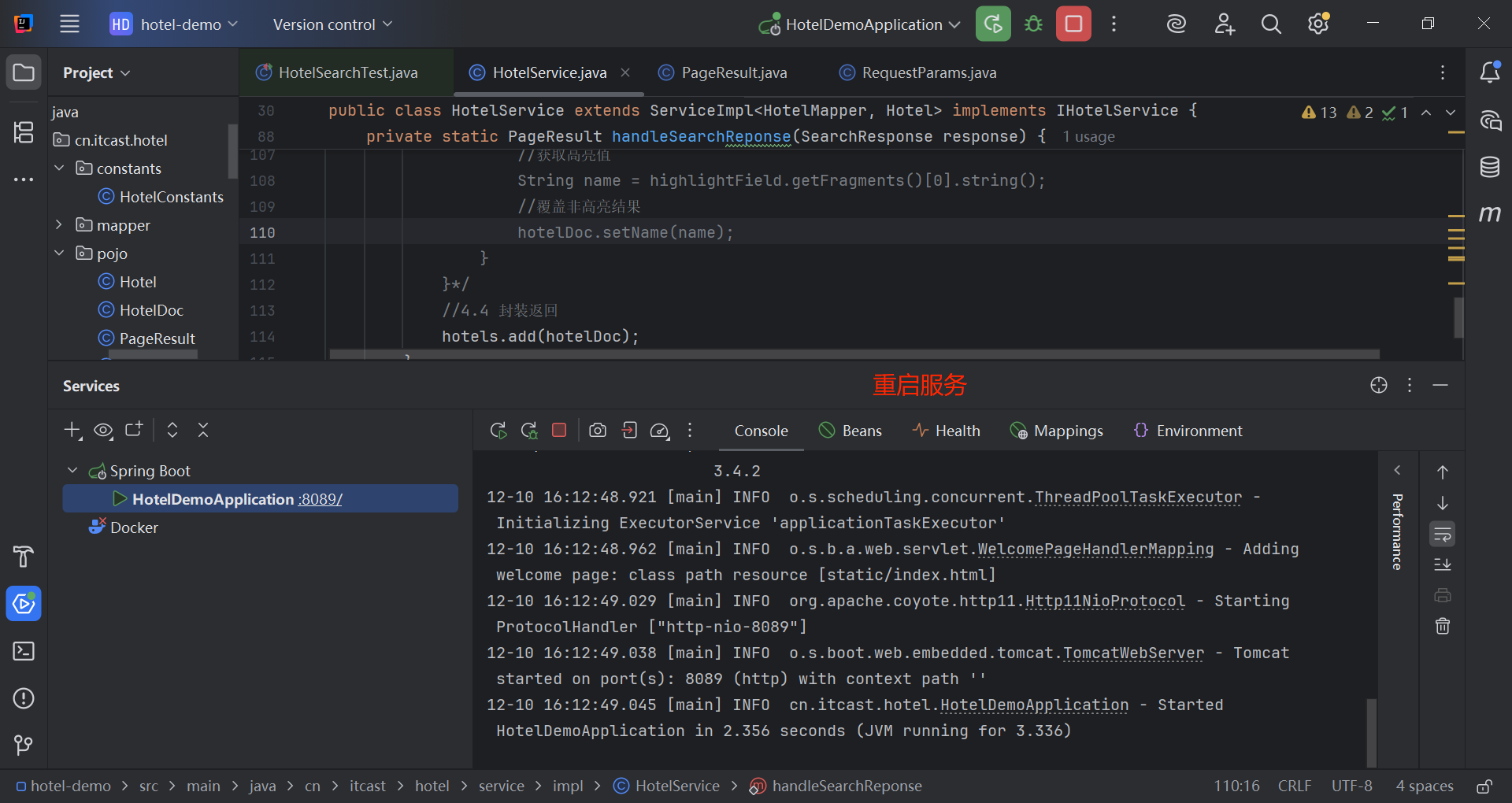
    }
3.3 附近的酒店
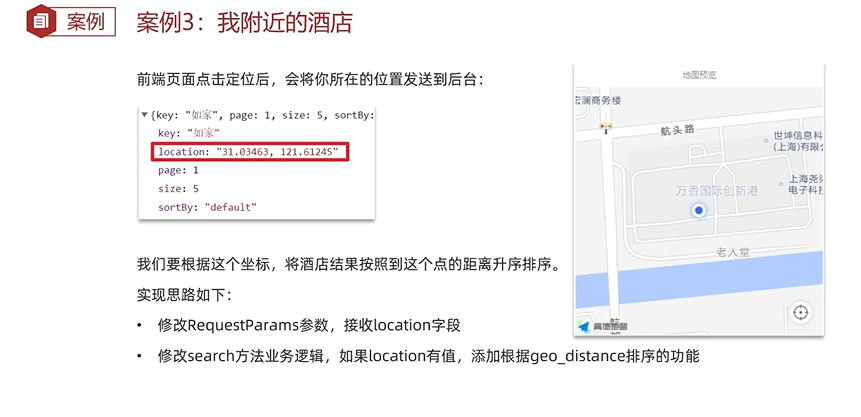
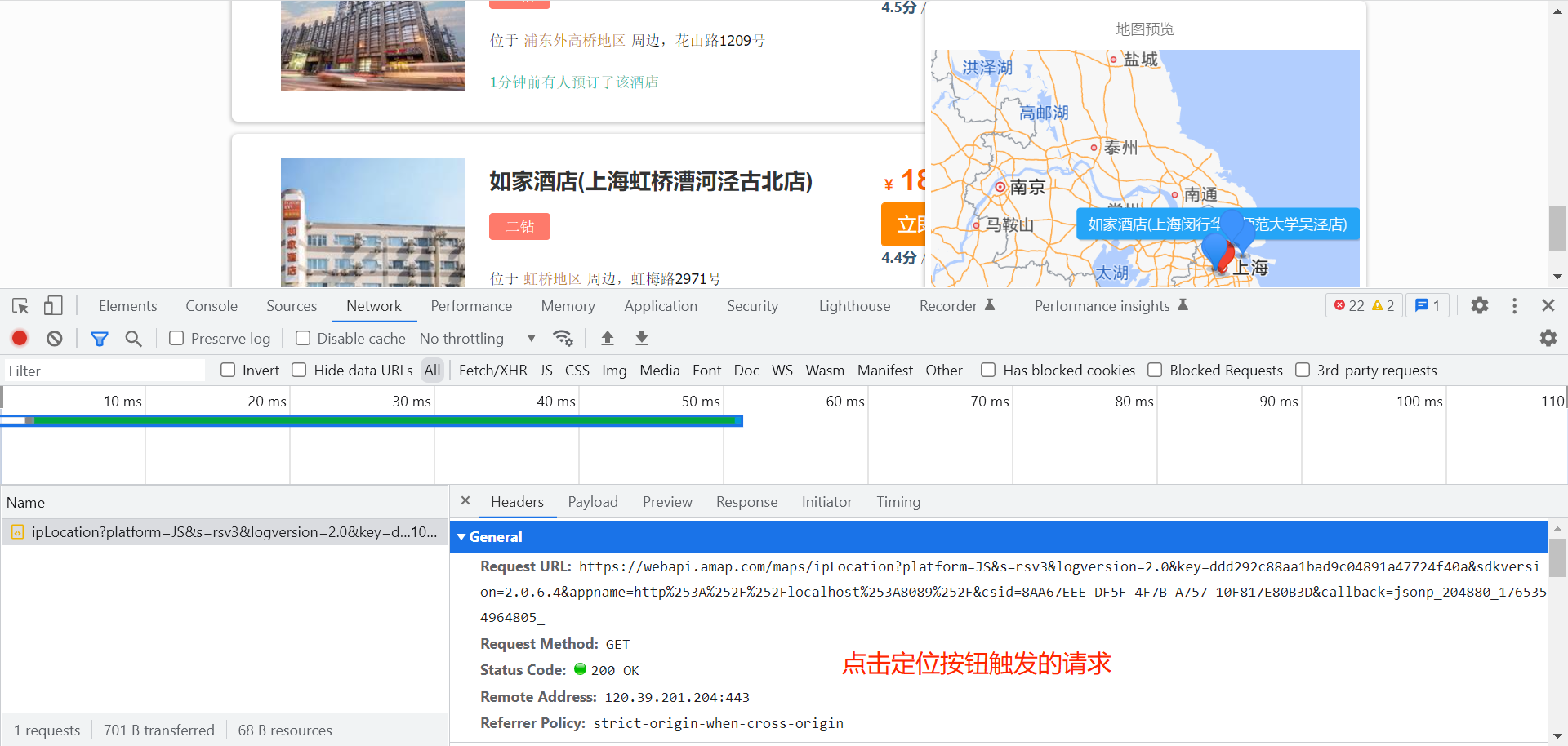
前端演示: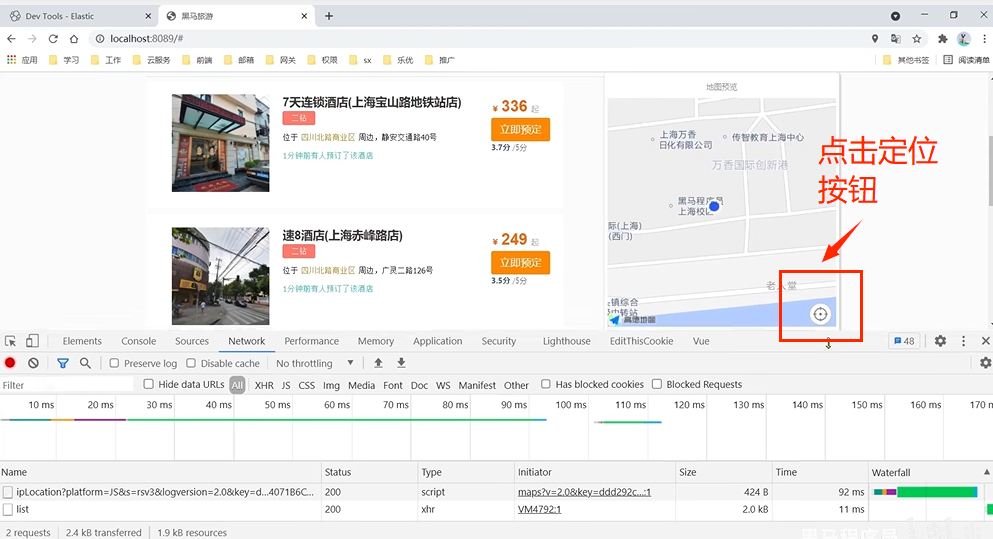
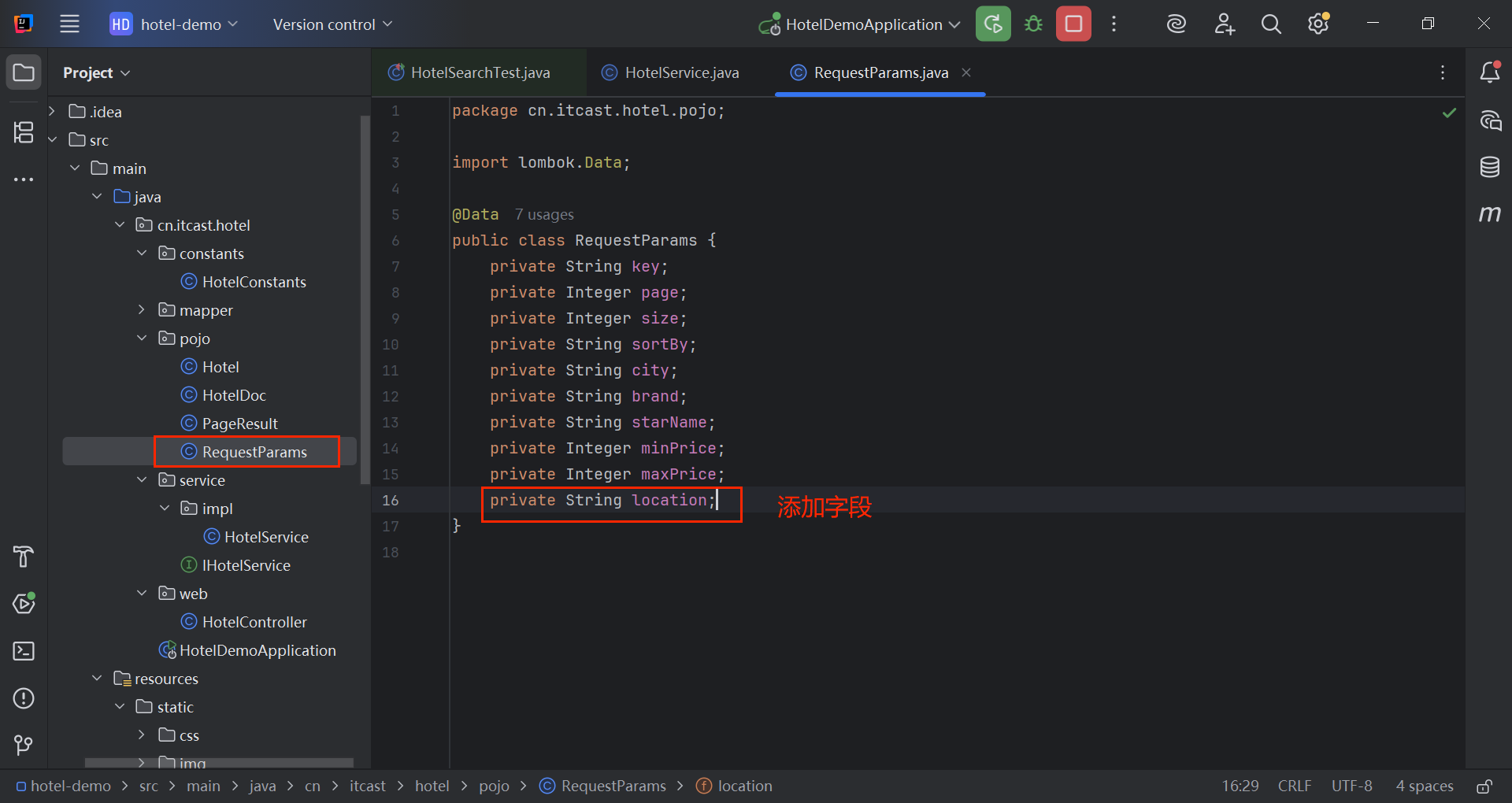
@Data
public class RequestParams {
private String key;
private Integer page;
private Integer size;
private String sortBy;
private String city;
private String brand;
private String starName;
private Integer minPrice;
private Integer maxPrice;
private String location;
}
返回的酒店数据新增一个距离字段,表示酒店距离当前位置的距离: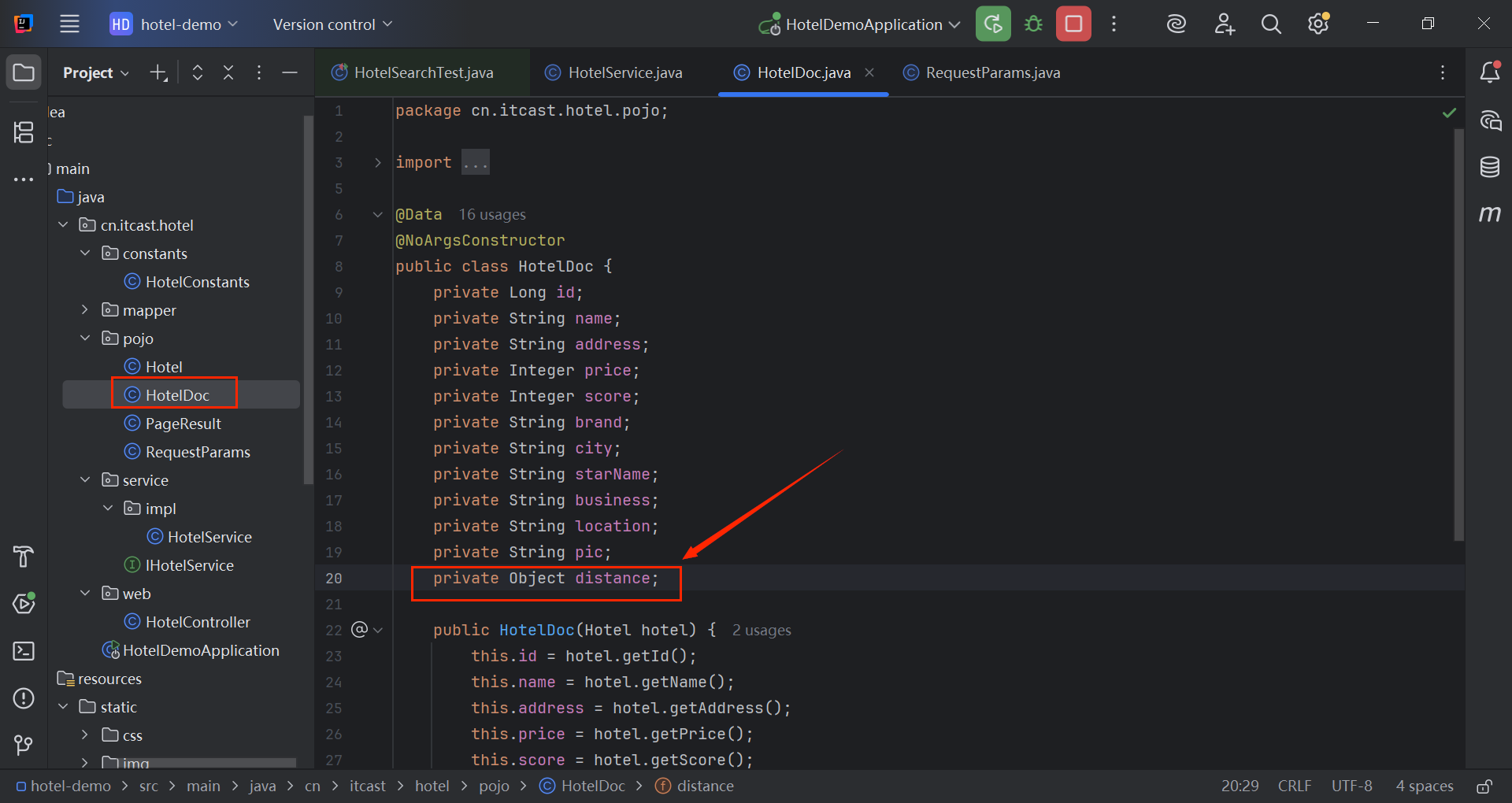
@Data
@NoArgsConstructor
public class HotelDoc {
private Long id;
private String name;
private String address;
private Integer price;
private Integer score;
private String brand;
private String city;
private String starName;
private String business;
private String location;
private String pic;
private Object distance;
public HotelDoc(Hotel hotel) {
this.id = hotel.getId();
this.name = hotel.getName();
this.address = hotel.getAddress();
this.price = hotel.getPrice();
this.score = hotel.getScore();
this.brand = hotel.getBrand();
this.city = hotel.getCity();
this.starName = hotel.getStarName();
this.business = hotel.getBusiness();
this.location = hotel.getLatitude() + ", " + hotel.getLongitude();
this.pic = hotel.getPic();
}
}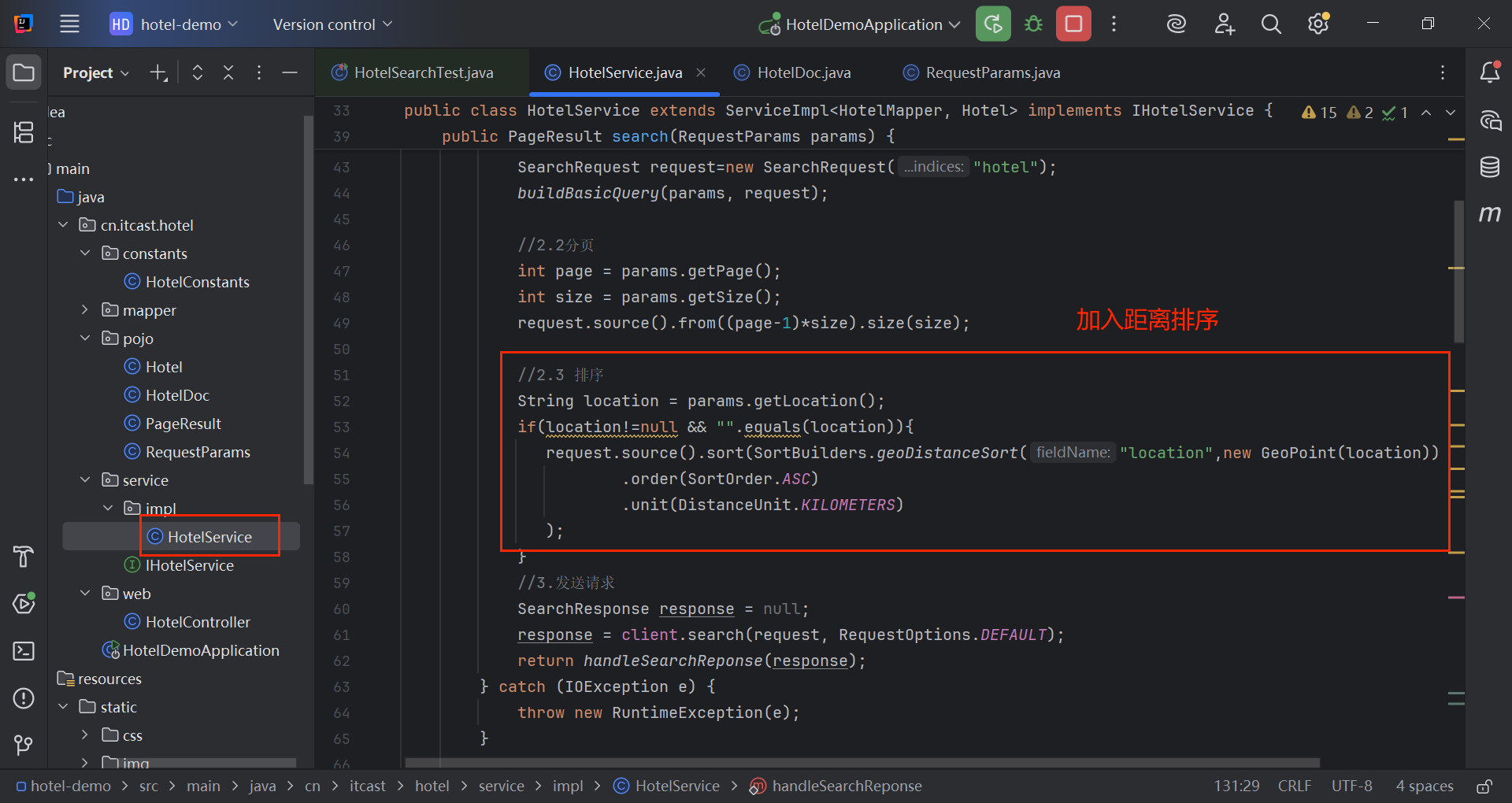
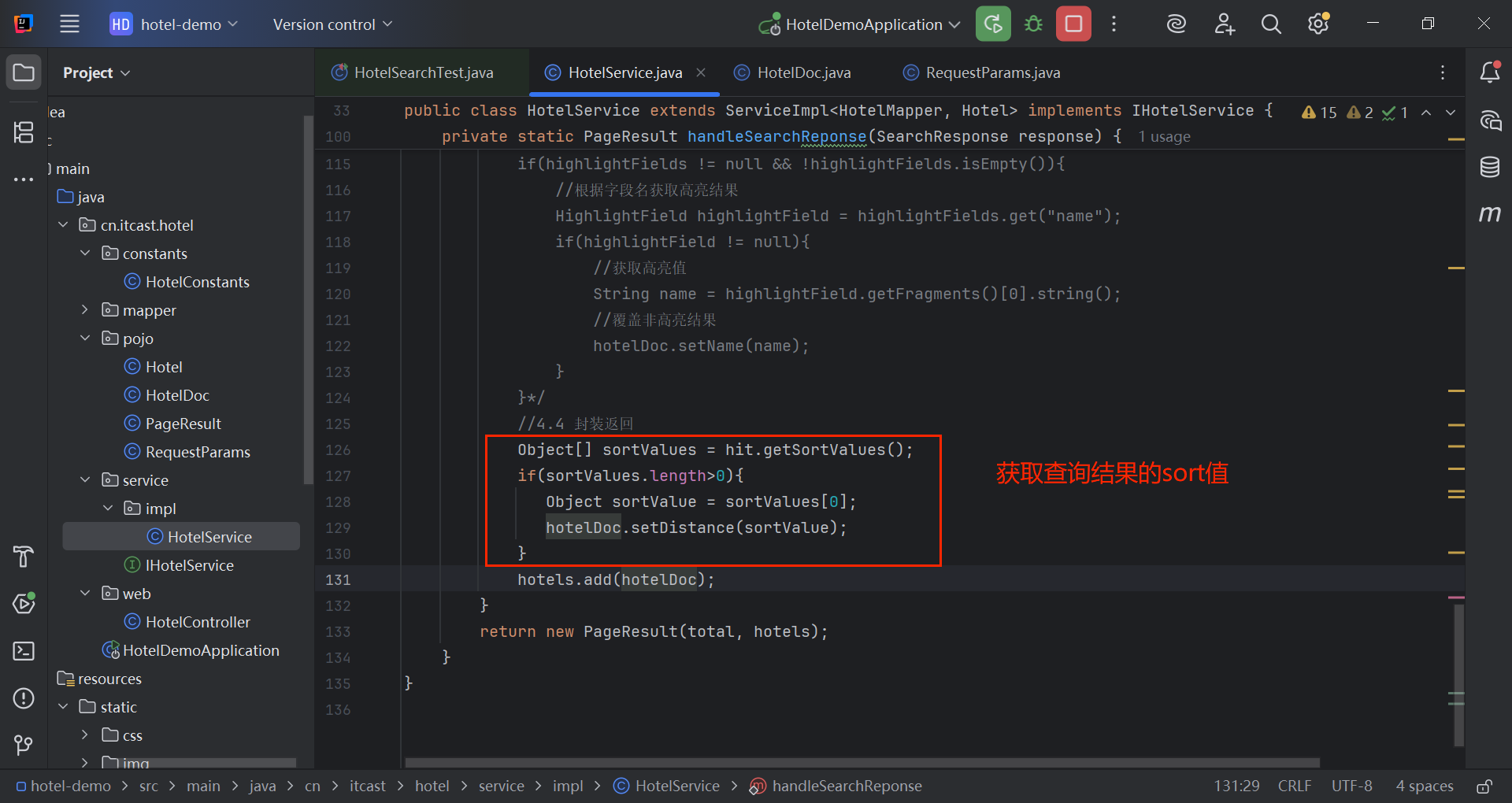
sort字段值见1.2.3地理查询。
@Service
public class HotelService extends ServiceImpl<HotelMapper, Hotel> implements IHotelService {
  @Autowired
  private RestHighLevelClient client;
  @Override
  public PageResult search(RequestParams params) {
  try {
  //1.创建Request对象
  SearchRequest request=new SearchRequest("hotel");
  buildBasicQuery(params, request);
  //2.2分页
  int page = params.getPage();
  int size = params.getSize();
  request.source().from((page-1)*size).size(size);
  //2.3 排序
  String location = params.getLocation();
  if(location!=null && "".equals(location)){
  request.source().sort(SortBuilders.geoDistanceSort("location",new GeoPoint(location))
  .order(SortOrder.ASC)
  .unit(DistanceUnit.KILOMETERS)
  );
  }
  //3.发送请求
  SearchResponse response = null;
  response = client.search(request, RequestOptions.DEFAULT);
  return handleSearchReponse(response);
  } catch (IOException e) {
  throw new RuntimeException(e);
  }
  }
  private static void buildBasicQuery(RequestParams params, SearchRequest request) {
  //2.准备DSL语句
  //2.1 query
  BoolQueryBuilder boolQuery = QueryBuilders.boolQuery();
  //关键字搜索
  String key = params.getKey();
  if(key == null || "".equals(key)){
  boolQuery.must(QueryBuilders.matchAllQuery());
  }else{
  boolQuery.must(QueryBuilders.matchQuery("all",key));
  }
  //城市条件
  if(params.getCity() !=null && !"".equals(params.getCity())){
  boolQuery.filter(QueryBuilders.termQuery("city", params.getCity()));
  }
  //品牌条件
  if(params.getBrand() !=null && !"".equals(params.getBrand())){
  boolQuery.filter(QueryBuilders.termQuery("brand", params.getBrand()));
  }
  //星级条件
  if(params.getStarName() !=null && !"".equals(params.getStarName())){
  boolQuery.filter(QueryBuilders.termQuery("brand", params.getStarName()));
  }
  //价格条件
  if(params.getMinPrice() !=null && !"".equals(params.getMinPrice()) &&
  params.getMaxPrice() !=null && !"".equals(params.getMaxPrice())){
  boolQuery.filter(QueryBuilders.rangeQuery("price").gte(params.getMinPrice()).lte(params.getMaxPrice()));
  }
  request.source().query(boolQuery);
  }
  private static PageResult handleSearchReponse(SearchResponse response) {
  //4.解析响应
  SearchHits searchHits= response.getHits();
  //4.1 获取总条数
  long total=searchHits.getTotalHits().value;
  //4.2 文档数组
  SearchHit[] hits = searchHits.getHits();
  List<HotelDoc> hotels=new ArrayList<>();
    //4.3 遍历
    for(SearchHit hit : hits) {
    //获取文档source
    String json = hit.getSourceAsString();
    HotelDoc hotelDoc = JSON.parseObject(json, HotelDoc.class);
    //4.4 封装返回
    Object[] sortValues = hit.getSortValues();
    if(sortValues.length>0){
    Object sortValue = sortValues[0];
    hotelDoc.setDistance(sortValue);
    }
    hotels.add(hotelDoc);
    }
    return new PageResult(total, hotels);
    }
    }
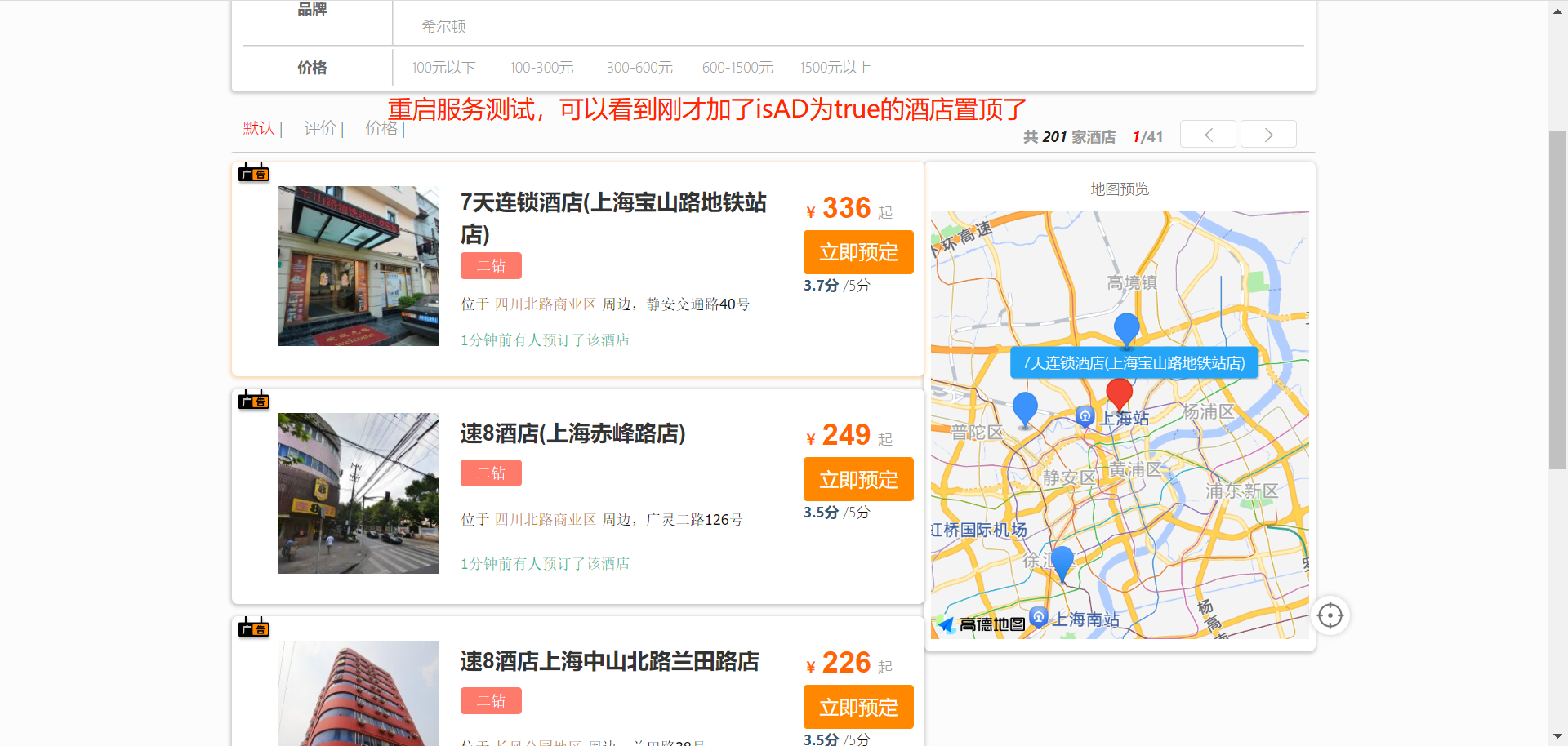
3.4 广告置顶
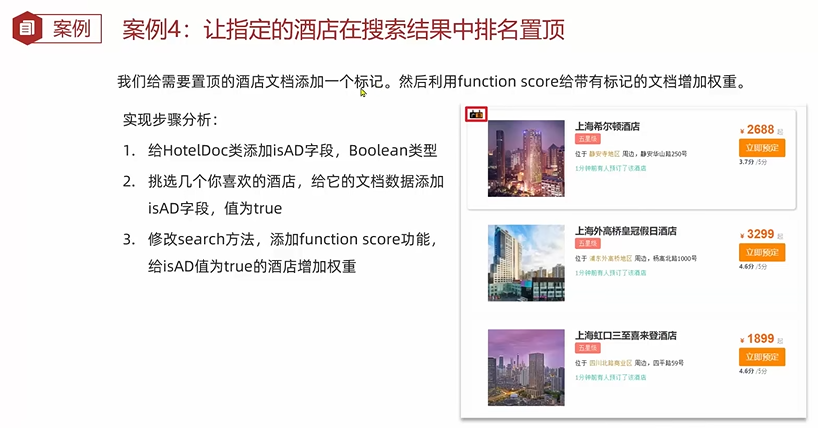
给HotelDoc类添加字段: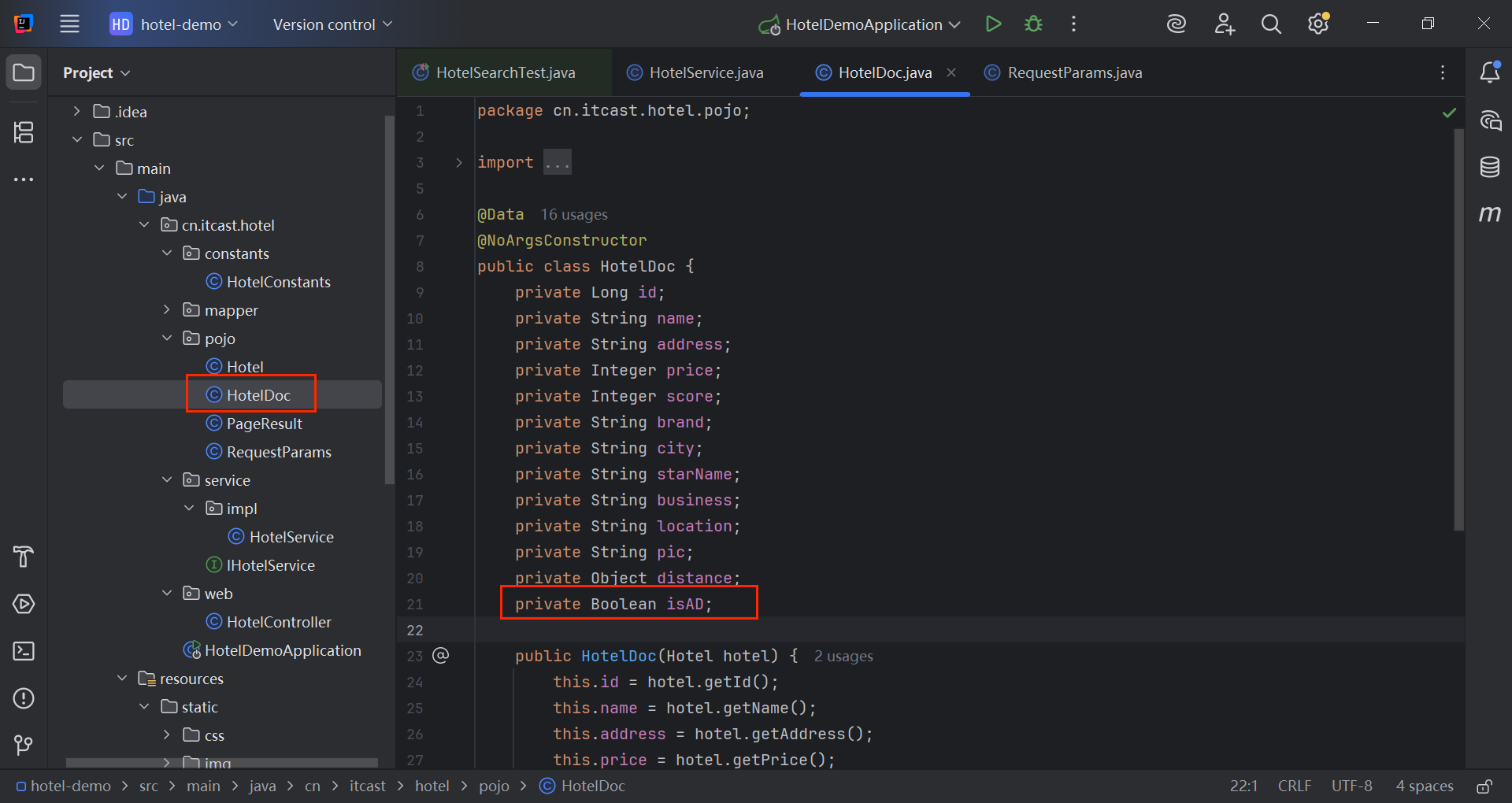
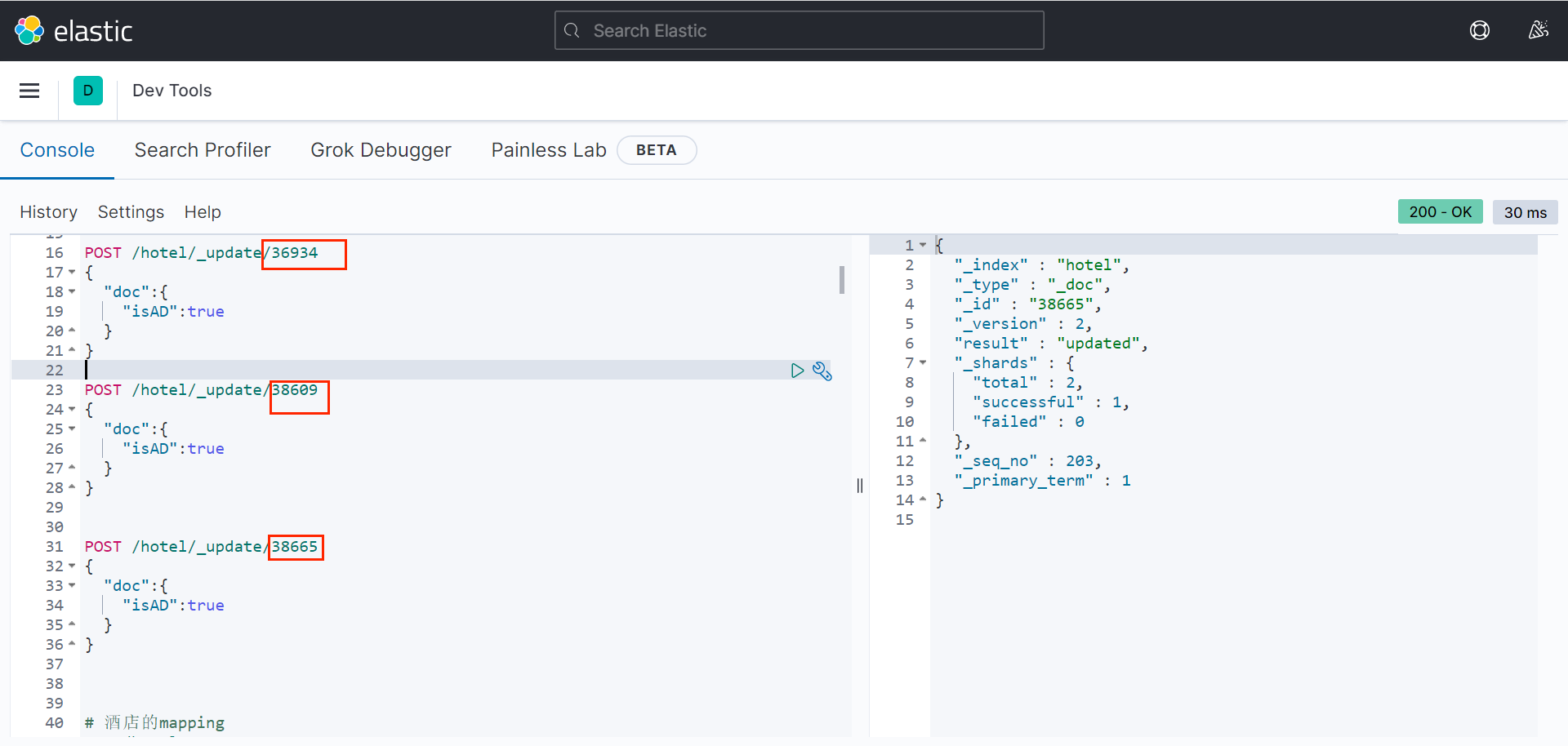
给几个文档数据添加isAD,值为true: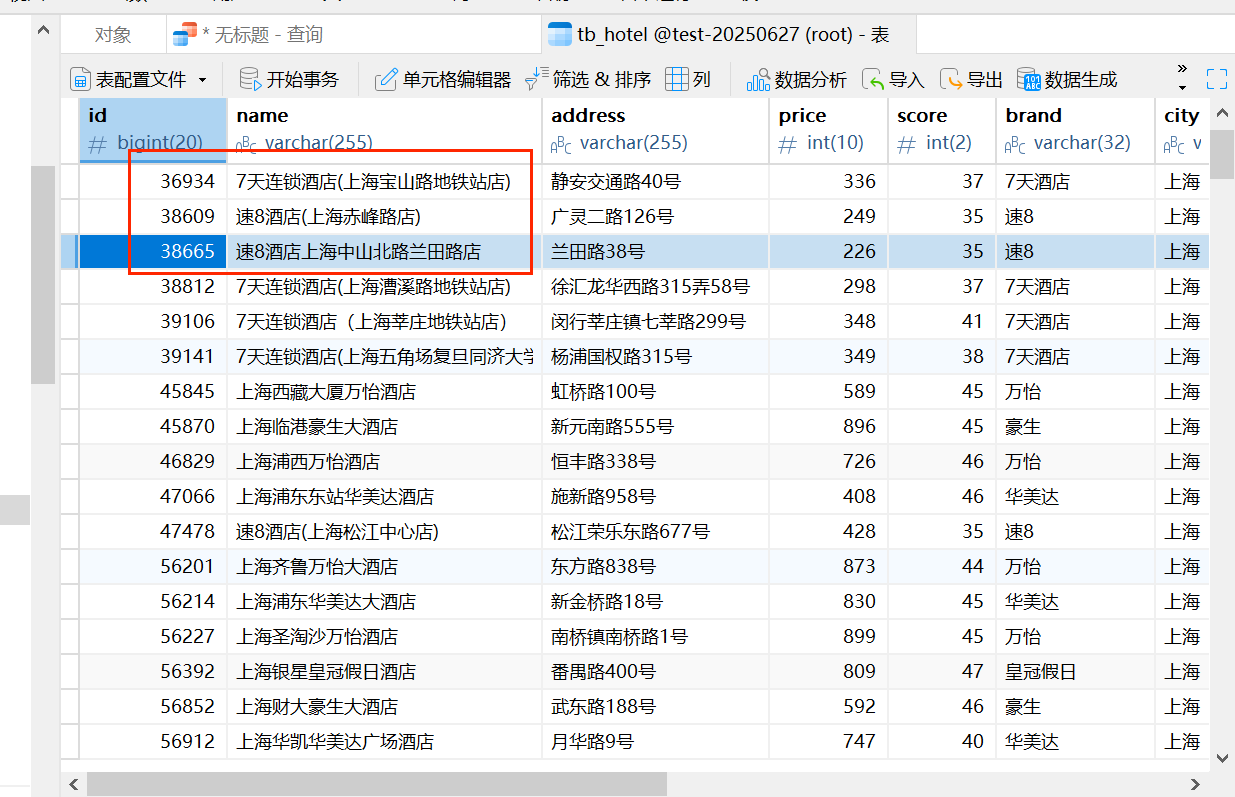
补充:RestClient实现function score
继续刚才的例子,修改search方法: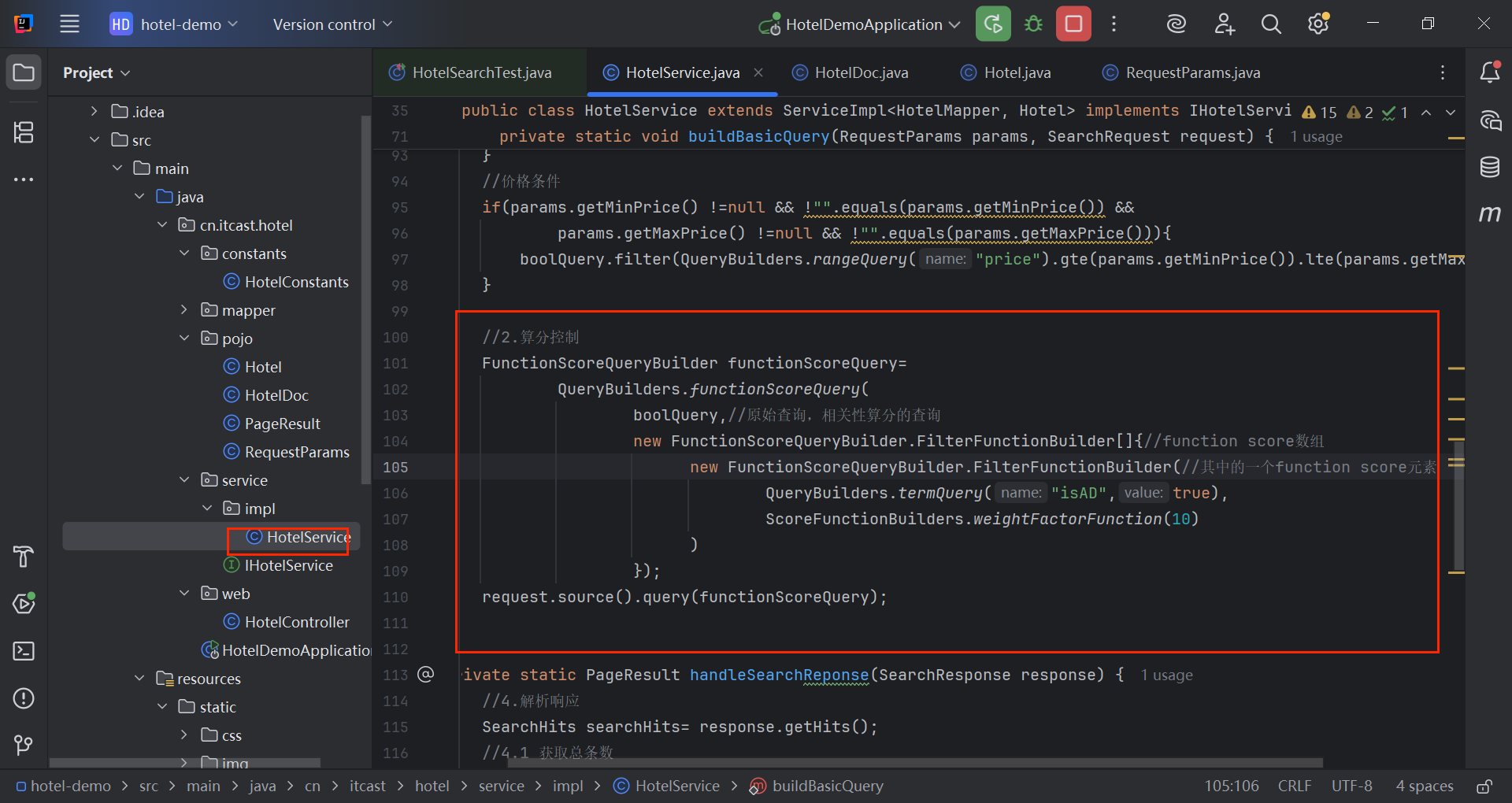
@Service
public class HotelService extends ServiceImpl<HotelMapper, Hotel> implements IHotelService {
  @Autowired
  private RestHighLevelClient client;
  @Override
  public PageResult search(RequestParams params) {
  try {
  //1.创建Request对象
  SearchRequest request=new SearchRequest("hotel");
  buildBasicQuery(params, request);
  //2.2分页
  int page = params.getPage();
  int size = params.getSize();
  request.source().from((page-1)*size).size(size);
  //2.3 排序
  String location = params.getLocation();
  if(location!=null && "".equals(location)){
  request.source().sort(SortBuilders.geoDistanceSort("location",new GeoPoint(location))
  .order(SortOrder.ASC)
  .unit(DistanceUnit.KILOMETERS)
  );
  }
  //3.发送请求
  SearchResponse response = null;
  response = client.search(request, RequestOptions.DEFAULT);
  return handleSearchReponse(response);
  } catch (IOException e) {
  throw new RuntimeException(e);
  }
  }
  private static void buildBasicQuery(RequestParams params, SearchRequest request) {
  //1.准备DSL语句
  //1.1 query
  BoolQueryBuilder boolQuery = QueryBuilders.boolQuery();
  //关键字搜索
  String key = params.getKey();
  if(key == null || "".equals(key)){
  boolQuery.must(QueryBuilders.matchAllQuery());
  }else{
  boolQuery.must(QueryBuilders.matchQuery("all",key));
  }
  //城市条件
  if(params.getCity() !=null && !"".equals(params.getCity())){
  boolQuery.filter(QueryBuilders.termQuery("city", params.getCity()));
  }
  //品牌条件
  if(params.getBrand() !=null && !"".equals(params.getBrand())){
  boolQuery.filter(QueryBuilders.termQuery("brand", params.getBrand()));
  }
  //星级条件
  if(params.getStarName() !=null && !"".equals(params.getStarName())){
  boolQuery.filter(QueryBuilders.termQuery("brand", params.getStarName()));
  }
  //价格条件
  if(params.getMinPrice() !=null && !"".equals(params.getMinPrice()) &&
  params.getMaxPrice() !=null && !"".equals(params.getMaxPrice())){
  boolQuery.filter(QueryBuilders.rangeQuery("price").gte(params.getMinPrice()).lte(params.getMaxPrice()));
  }
  //2.算分控制
  FunctionScoreQueryBuilder functionScoreQuery=
  QueryBuilders.functionScoreQuery(
  boolQuery,//原始查询,相关性算分的查询
  new FunctionScoreQueryBuilder.FilterFunctionBuilder[]{//function score数组
  new FunctionScoreQueryBuilder.FilterFunctionBuilder(//其中的一个function score元素
  QueryBuilders.termQuery("isAD",true),
  ScoreFunctionBuilders.weightFactorFunction(10)
  )
  });
  request.source().query(functionScoreQuery);
  }
  private static PageResult handleSearchReponse(SearchResponse response) {
  //4.解析响应
  SearchHits searchHits= response.getHits();
  //4.1 获取总条数
  long total=searchHits.getTotalHits().value;
  //4.2 文档数组
  SearchHit[] hits = searchHits.getHits();
  List<HotelDoc> hotels=new ArrayList<>();
    //4.3 遍历
    for(SearchHit hit : hits) {
    //获取文档source
    String json = hit.getSourceAsString();
    HotelDoc hotelDoc = JSON.parseObject(json, HotelDoc.class);
    //4.4 封装返回
    Object[] sortValues = hit.getSortValues();
    if(sortValues.length>0){
    Object sortValue = sortValues[0];
    hotelDoc.setDistance(sortValue);
    }
    hotels.add(hotelDoc);
    }
    return new PageResult(total, hotels);
    }
    }

 浙公网安备 33010602011771号