POI创建Excel记录
文章目录
1、背景
需求中有需要用户自定义Excel表格表头,然后生成Excel文件,使用EasyExcel更适合生成固定表头的Excel文档,所以此处采用POI原生方式进行开发。文档如下:
2、创建表格
主要的代码逻辑如下,非主要方法可以在完整代码中找到。
2.1 定义表头对象
根据需求,表头需要制定2级表头,我们先定义一个Excel表头对象。
@Data
@NoArgsConstructor
@AllArgsConstructor
public class ExcelModelDto {
/*** 名称 */
private String fieldName;
/*** 提示语 */
private String comment;
/*** 类型 */
private Integer type;
/*** 背景色 */
private short backgroundColor;
/*** 子标题 */
private List<Child> children;
  @Data
  @NoArgsConstructor
  @AllArgsConstructor
  public static class Child {
  /*** 字段编码 */
  private String fieldCode;
  /*** 字段名称 */
  private String fieldName;
  /*** 提示语 */
  private String comment;
  /*** 类型 */
  private Integer type;
  /*** 下拉框选项 */
  private String[] items;
  }
  }
2.2 Excel生成器
创建一个Excel文件生成对象,包含多个属性,其中包括:文件路径、文件名称、是否需要下拉框、文件后缀名、最大文本行数等。
@Slf4j
public class ExcelGenerator {
private final String localPath;
private final String sheetName;
private final String fileName;
private final String file;
private final Boolean needItems;
private final List<ExcelModelDto> data;
  /*** 字段编码集合,从data中解析 */
  private final List<String> fieldCodeList;
    public static final Integer FIRST_ROW = 2;
    public static final Integer LAST_ROW = 65535;
    public static final String FILE_SUFFIX = ".xlsx";
    public static final String PATH_SUFFIX = "/";
    public static final String ITEM_SHEET_NAME = "itemSheet";
    public static final String END_FLAG = "*";
    public static final Integer MAX_CONTENT_ROW_NUMBER = 1002;
    /**
    * 扩展字段sheet页行数记录key值
    */
    public static final String EXTEND_PAGE_ROW_NUMBER_KEY = "extend";
    public ExcelGenerator(String localPath, String fileName, String sheetName, List<ExcelModelDto> data) {
      this(localPath, fileName, sheetName, true, data);
      }
      public ExcelGenerator(String localPath, String fileName, String sheetName, Boolean needItems, List<ExcelModelDto> data) {
        this.localPath = localPath;
        this.fileName = fileName;
        this.sheetName = sheetName;
        this.file = localPath + fileName;
        this.needItems = needItems;
        this.data = data;
        fieldCodeList = this.parseField(data);
        }
        }
2.3 创建模板
/**
* 生成模板
*
* @throws IOException 异常
*/
public void createTemplate() throws IOException {
this.doCreateSheet(Paths.get(file), sheetName, data);
}
/**
* 向Excel文件新增一个新的工作表,并处理表头。
*
* @param pathForFile 新工作表将要保存的文件路径。
* @throws IOException 如果读写文件时发生异常。
*/
private void doCreateSheet(Path pathForFile, String sheetName, List<ExcelModelDto> data)
  throws IOException {
  long startTime = System.currentTimeMillis();
  Workbook workbook = new XSSFWorkbook();
  Sheet sheet = this.getSheetByName(workbook, sheetName, false);
  // 处理Excel表头
  this.dealExcelHeadingCell(workbook, sheet, data);
  // 处理Excel内容单元格,默认都是有二级标题
  this.dealExcelContentCell(workbook, sheet, data);
  // 将inputStream转换为outputStream,并重新写入文件
  try (OutputStream outputStream = Files.newOutputStream(pathForFile)) {
  workbook.write(outputStream);
  } finally {
  long endTime = System.currentTimeMillis();
  log.info("创建Excel模板文件共耗时:{}秒。", (endTime - startTime) / 1000);
  }
  }
2.4 处理Excel表头
/**
* 处理 Excel 表头数据,包括第一行和第二行的标题单元格样式设置、数据填充和合并单元格。
*
* @param workbook 工作簿对象
* @param sheet    主表的工作表对象
* @param data     表头数据
*/
private void dealExcelHeadingCell(Workbook workbook, Sheet sheet, List<ExcelModelDto> data) {
  // 创建第一行和第二行表头数据,并设置行高
  Row row1 = this.getRow(sheet, 0);
  Row row2 = this.getRow(sheet, 1);
  row1.setHeightInPoints(20);
  row2.setHeightInPoints(20);
  // 已经存在的列号
  int lastCellNum = this.getLastCellNum(sheet, 1);
  int currentCellNum = lastCellNum;
  int startCellNum = lastCellNum;
  int endCellNum;
  for (ExcelModelDto excelModelDto : data) {
  // 一级标题名称
  String firstTitleName = excelModelDto.getFieldName();
  // 一级标题单元格样式
  CellStyle firstTitleCellStyle = this.buildFirstTitleCellStyle(workbook, excelModelDto);
  // 二级标题的单元格样式
  CellStyle secondTitleCellStyle = this.getCellStyle(workbook, IndexedColors.WHITE.getIndex());
  List<ExcelModelDto.Child> children = excelModelDto.getChildren();
    if (children == null || children.size() == 0) {
    continue;
    }
    for (ExcelModelDto.Child child : children) {
    // 处理表头单元格
    this.dealTitleCell(workbook, sheet, child, firstTitleName, firstTitleCellStyle, secondTitleCellStyle, currentCellNum);
    // 处理完后列号加一
    currentCellNum++;
    }
    endCellNum = currentCellNum - 1;
    // POI 版本升级后,合并单元格需要大于一个单元格
    if (startCellNum != endCellNum) {
    CellRangeAddress region = new CellRangeAddress(0, 0, startCellNum, endCellNum);
    sheet.addMergedRegion(region);
    }
    startCellNum = endCellNum + 1;
    }
    }
2.5 处理Excel内容单元格样式
/**
* 格式化内容单元格。
*
* @param sheet    工作表对象。
* @param workbook 工作簿对象。
*/
private void dealExcelContentCell(Workbook workbook, Sheet sheet, List<ExcelModelDto> data) {
  // 获取统一的单元格样式,不用每个单元格获取一个对象,防止对象过多
  CellStyle childCellStyle = this.getContentCellStyle(workbook);
  // 只格式化内容单元格,且有上限
  int maxContentRowNumber = MAX_CONTENT_ROW_NUMBER;
  // 跳过表头,从文本行开始
  for (int rowNumber = 2; rowNumber < maxContentRowNumber; rowNumber++) {
  Row row = sheet.createRow(rowNumber);
  // 列号从0开始
  int cellNumber = 0;
  for (ExcelModelDto excelModelDto : data) {
  List<ExcelModelDto.Child> children = excelModelDto.getChildren();
    for (ExcelModelDto.Child child : children) {
    String[] items = child.getItems();
    if (Objects.isNull(items) || items.length == 0) {
    Cell cell = row.createCell(cellNumber);
    cell.setCellStyle(childCellStyle);
    }
    // 每处理完一个单元格,列号加1
    cellNumber++;
    }
    }
    }
    }
2.6 处理单个表头
在处理表头过程中,如果items 不为空,则说明此列需要下拉框,数组为供用户选择的下拉内容,防止下拉框内容过大,所以将下拉内容单独生成到一个隐藏的sheet页中,并且使用表达式来表达下拉框内容,设定到单元格中。
/**
* 处理Excel表格的标题单元格。
*
* @param workbook             工作簿对象
* @param sheet                工作表对象
* @param child                ExcelModelDto.Child 对象,包含字段名、注释和下拉框选项等信息
* @param firstTitleName       一级标题名称
* @param firstTitleCellStyle  一级标题单元格样式
* @param secondTitleCellStyle 二级标题单元格样式
* @param index                当前处理的列索引
*/
private void dealTitleCell(Workbook workbook, Sheet sheet,
ExcelModelDto.Child child, String firstTitleName,
CellStyle firstTitleCellStyle, CellStyle secondTitleCellStyle,
int index) {
Row row1 = this.getRow(sheet, 0);
Row row2 = this.getRow(sheet, 1);
String secondFieldName = child.getFieldName();
String comment = child.getComment();
String[] items = child.getItems();
// 一级表头
Cell cell1 = row1.createCell(index);
cell1.setCellValue(firstTitleName);
cell1.setCellStyle(firstTitleCellStyle);
// 二级表头,标题如果以* 号结尾,则* 置为红色
Cell cell2 = row2.createCell(index);
RichTextString textString = this.parseCellValue(workbook, Font.COLOR_NORMAL, true, secondFieldName);
cell2.setCellValue(textString);
cell2.setCellStyle(secondTitleCellStyle);
// 设置下拉框
if (items != null && items.length > 0 && needItems) {
this.appendItems(workbook, sheet, secondTitleCellStyle, secondFieldName, items, index);
}
// 设置表头备注
if (!org.apache.commons.lang.StringUtils.isEmpty(comment)) {
this.setComment(sheet, cell2, comment);
}
// 根据字段长度自动调整列的宽度
sheet.setColumnWidth(index, 100 * 50);
}
/**
* 在指定的工作簿和工作表中追加枚举类型的项,并设置公式引用。
*
* @param workbook        工作簿对象
* @param sheet           工作表对象
* @param childCellStyle  子单元格样式
* @param secondTitleName 第二级标题名称
* @param items           枚举类型的项数组
* @param index           当前项在总体中的索引位置
*/
private void appendItems(Workbook workbook, Sheet sheet, CellStyle childCellStyle, String secondTitleName, String[] items, int index) {
// 如果有序列单元格,则创建一个sheet页,来保存所有的枚举类型,同时隐藏该sheet页
Sheet itemsSheet = this.getSheetByName(workbook, ITEM_SHEET_NAME, true);
// 追加sheet的时候,需要看隐藏sheet的列已经到哪一列了,避免追加时将原有隐藏列覆盖掉
int existItemCell = this.getLastCellNum(itemsSheet, 0);
// 将枚举数组写入到独立的sheet页中,同时设置表头格式
String formula = this.writeItems(itemsSheet, childCellStyle, secondTitleName, existItemCell, items);
// 设置公式到模板的sheet页中,格式化后的最终公式为
// =itemSheet!$B$1:$B$88
// 表明该单元格引用的是 itemSheet sheet页中 B1~B88的数据
formula = String.format("=%s!%s", ITEM_SHEET_NAME, formula);
this.setItems(sheet, formula, FIRST_ROW, LAST_ROW, index, index);
}
3、追加sheet
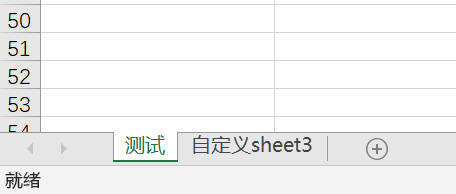
有些需要在已有的Excel文档中追加新的sheet表格内容,效果如下:
/**
* 在指定的 Excel 文件中添加一个新的工作表,并填充数据。
*
* @param sheetName 新工作表的名称
* @param data      要填充的数据列表
* @throws IOException 如果在操作文件时发生了 I/O 错误
*/
public void appendSheet(String sheetName, List<ExcelModelDto> data) throws IOException {
  long startTime = System.currentTimeMillis();
  // 路径不存在则创建,保证路径是存在的
  Path pathForLocalPath = Paths.get(localPath);
  boolean existPath = Files.exists(pathForLocalPath);
  if (!existPath) {
  Files.createDirectories(pathForLocalPath);
  }
  // 如果文件不存在,则走创建sheet逻辑
  Path pathForFile = Paths.get(file);
  if (!Files.exists(pathForFile)) {
  this.doCreateSheet(pathForFile, sheetName, data);
  return;
  }
  // 如果文件存在则走追加sheet逻辑
  try (InputStream inputStream = Files.newInputStream(pathForFile)) {
  this.doAppendSheet(inputStream, pathForFile, sheetName, data);
  long endTime = System.currentTimeMillis();
  log.info("追加Excel模板文件共耗时:{}秒。", (endTime - startTime) / 1000);
  } catch (Exception e) {
  log.error("追加Excel模板文件失败!", e);
  throw new BizException(e);
  }
  }
  /**
  * 向Excel文件追加一个新的工作表,并处理表头。
  *
  * @param inputStream Excel文件的输入流。
  * @param pathForFile 新工作表将要保存的文件路径。
  * @throws IOException 如果读写文件时发生异常。
  */
  private void doAppendSheet(InputStream inputStream, Path pathForFile, String sheetName, List<ExcelModelDto> data)
    throws IOException {
    Workbook workbook = new XSSFWorkbook(inputStream);
    Sheet sheet = this.getSheetByName(workbook, sheetName, false);
    // 处理Excel表头
    this.dealExcelHeadingCell(workbook, sheet, data);
    // 处理Excel内容单元格,默认都是有二级标题
    this.dealExcelContentCell(workbook, sheet, data);
    // 将inputStream转换为outputStream,并重新写入文件
    try (OutputStream outputStream = Files.newOutputStream(pathForFile)) {
    IOUtils.copy(inputStream, outputStream);
    workbook.write(outputStream);
    }
    }
4、静态工具
每次使用都需要new一个对象来创建Excel文件,所以创建一个静态工具类,来通过静态方法实现文档的创建与追加。
public class ExcelGeneratorExecutors {
/**
* 创建 Excel 模板文件。
*
* @param localPath 本地路径
* @param fileName  文件名
* @param sheetName 工作表名称
* @param data      数据列表
* @throws IOException 如果创建模板文件失败
*/
public static void createTemplate(String localPath, String fileName, String sheetName, List<ExcelModelDto> data) throws IOException {
  ExcelGenerator excelGenerator = new ExcelGenerator(localPath, fileName, sheetName, data);
  excelGenerator.createTemplate();
  }
  /**
  * 在指定路径的Excel文件中追加一个新的工作表,并填充数据。
  *
  * @param localPath Excel文件的本地路径。
  * @param fileName  Excel文件的名称。
  * @param sheetName 新增工作表的名称。
  * @param data      填充到新增工作表的数据。
  * @throws IOException 如果在追加工作表或填充数据时发生I/O错误。
  */
  public static void appendSheet(String localPath, String fileName, String sheetName, List<ExcelModelDto> data) throws IOException {
    ExcelGenerator excelGenerator = new ExcelGenerator(localPath, fileName, sheetName, data);
    excelGenerator.appendSheet(sheetName, data);
    }
    }
5、单元测试
@Test
public void testGenerate() {
String localPath = "D:\\mytmp\\template\\";
String dateTime = DateUtils.format(new Date(), DateUtils.DATE_FORMAT_COMMENT_2);
String fileName = String.format("生成模板-%s.xlsx", dateTime);
String sheetName = "测试";
List<ExcelModelDto> data = this.buildExcelModelDtoList();
  ExcelGenerator excelGenerator = new ExcelGenerator(localPath, fileName, sheetName, data);
  try {
  excelGenerator.createTemplate();
  List<ExcelModelDto> data2 = this.buildExcelModelDtoList2();
    excelGenerator.appendSheet("自定义sheet", data);
    excelGenerator.appendSheet("自定义sheet2", data2);
    excelGenerator.appendSheet("自定义sheet3", data2);
    log.info("模板文件生成,名称为:{}", fileName);
    } catch (IOException e) {
    e.printStackTrace();
    }
    }
    @Test
    public void testGenerate2() {
    String localPath = "D:\\mytmp\\template\\";
    String dateTime = DateUtils.format(new Date(), DateUtils.DATE_FORMAT_COMMENT_2);
    String fileName = String.format("生成模板-%s.xlsx", dateTime);
    String sheetName = "测试";
    List<ExcelModelDto> data = this.buildExcelModelDtoList();
      try {
      ExcelGeneratorExecutors.createTemplate(localPath, fileName, sheetName, data);
      ExcelGeneratorExecutors.appendSheet(localPath, fileName, sheetName, data);
      ExcelGeneratorExecutors.appendSheet(localPath, fileName, "自定义sheet3", data);
      log.info("模板文件生成,名称为:{}", fileName);
      } catch (IOException e) {
      e.printStackTrace();
      }
      }
      public List<ExcelModelDto> buildExcelModelDtoList() {
        List<ExcelModelDto> data = new ArrayList<>();
          ExcelModelDto excelModelDto = new ExcelModelDto();
          excelModelDto.setFieldName("电器");
          excelModelDto.setComment("song");
          excelModelDto.setType(2);
          excelModelDto.setBackgroundColor((short) 2);
          List<ExcelModelDto.Child> children = new ArrayList<>();
            ExcelModelDto.Child child1 = new ExcelModelDto.Child();
            child1.setComment("类目1");
            child1.setFieldCode("category");
            child1.setFieldName("类目1");
            List<String> list1 = Lists.newArrayList("冰箱", "洗衣机", "空调");
              child1.setItems(list1.toArray(new String[0]));
              ExcelModelDto.Child child2 = new ExcelModelDto.Child();
              child2.setComment("数量1");
              child2.setFieldCode("qty");
              child2.setFieldName("数量1");
              List<String> list2 = Lists.newArrayList("1", "2", "3");
                child2.setItems(list2.toArray(new String[0]));
                ExcelModelDto.Child child3 = new ExcelModelDto.Child();
                child3.setComment("文本内容");
                child3.setFieldCode("textValue");
                child3.setFieldName("文本内容");
                children.add(child1);
                children.add(child2);
                children.add(child3);
                excelModelDto.setChildren(children);
                data.add(excelModelDto);
                return data;
                }
                public List<ExcelModelDto> buildExcelModelDtoList2() {
                  List<ExcelModelDto> data = new ArrayList<>();
                    ExcelModelDto excelModelDto0 = new ExcelModelDto();
                    excelModelDto0.setFieldName("商家运单号");
                    excelModelDto0.setComment("商家运单号");
                    excelModelDto0.setType((int) IndexedColors.TURQUOISE1.getIndex());
                    excelModelDto0.setBackgroundColor(IndexedColors.TURQUOISE1.getIndex());
                    ExcelModelDto.Child child0 = new ExcelModelDto.Child();
                    child0.setComment("关联第一个sheet页的商家运单号");
                    child0.setFieldCode("orderNo");
                    child0.setFieldName("商家运单号*");
                    List<ExcelModelDto.Child> children0 = new ArrayList<>();
                      children0.add(child0);
                      excelModelDto0.setChildren(children0);
                      ExcelModelDto excelModelDto = new ExcelModelDto();
                      excelModelDto.setFieldName("购买电器");
                      excelModelDto.setComment("song");
                      excelModelDto.setType((int) IndexedColors.TURQUOISE1.getIndex());
                      excelModelDto.setBackgroundColor(IndexedColors.TURQUOISE1.getIndex());
                      ExcelModelDto.Child child1 = new ExcelModelDto.Child();
                      child1.setComment("类目");
                      child1.setFieldCode("category");
                      child1.setFieldName("类目");
                      List<String> list1 = Lists.newArrayList("冰箱", "洗衣机", "空调");
                        child1.setItems(list1.toArray(new String[0]));
                        ExcelModelDto.Child child2 = new ExcelModelDto.Child();
                        child2.setComment("数量");
                        child2.setFieldCode("qty");
                        child2.setFieldName("数量");
                        //List<String> list2 = Lists.newArrayList("1", "2", "3");
                          //child2.setItems(list2.toArray(new String[0]));
                          List<ExcelModelDto.Child> children = new ArrayList<>();
                            children.add(child1);
                            children.add(child2);
                            excelModelDto.setChildren(children);
                            data.add(excelModelDto0);
                            data.add(excelModelDto);
                            return data;
                            }
6、完整代码示例
@Slf4j
public class ExcelGenerator {
private final String localPath;
private final String sheetName;
private final String fileName;
private final String file;
private final Boolean needItems;
private final List<ExcelModelDto> data;
/*** 字段编码集合,从data中解析 */
private final List<String> fieldCodeList;
public static final Integer FIRST_ROW = 2;
public static final Integer LAST_ROW = 65535;
public static final String FILE_SUFFIX = ".xlsx";
public static final String PATH_SUFFIX = "/";
public static final String ITEM_SHEET_NAME = "itemSheet";
public static final String END_FLAG = "*";
public static final Integer MAX_CONTENT_ROW_NUMBER = 1002;
/**
* 扩展字段sheet页行数记录key值
*/
public static final String EXTEND_PAGE_ROW_NUMBER_KEY = "extend";
public ExcelGenerator(String localPath, String fileName, String sheetName, List<ExcelModelDto> data) {
this(localPath, fileName, sheetName, true, data);
}
public ExcelGenerator(String localPath, String fileName, String sheetName, Boolean needItems, List<ExcelModelDto> data) {
this.localPath = localPath;
this.fileName = fileName;
this.sheetName = sheetName;
this.file = localPath + fileName;
this.needItems = needItems;
this.data = data;
fieldCodeList = this.parseField(data);
}
/**
* 创建对象时,将ExcelModel中的字段按顺序排好,保存到List中
*
* @param data 入参
* @return 返回值
*/
public List<String> parseField(List<ExcelModelDto> data) {
List<String> fieldCodeList = new ArrayList<>();
for (ExcelModelDto modelDto : data) {
List<ExcelModelDto.Child> children = modelDto.getChildren();
for (ExcelModelDto.Child child : children) {
String fieldCode = child.getFieldCode();
fieldCodeList.add(fieldCode);
}
}
return fieldCodeList;
}
/**
* 生成模板
*
* @throws IOException 异常
*/
public void createTemplate() throws IOException {
this.doCreateSheet(Paths.get(file), sheetName, data);
}
/**
* 在指定的 Excel 文件中添加一个新的工作表,并填充数据。
*
* @param sheetName 新工作表的名称
* @param data 要填充的数据列表
* @throws IOException 如果在操作文件时发生了 I/O 错误
*/
public void appendSheet(String sheetName, List<ExcelModelDto> data) throws IOException {
long startTime = System.currentTimeMillis();
// 路径不存在则创建,保证路径是存在的
Path pathForLocalPath = Paths.get(localPath);
boolean existPath = Files.exists(pathForLocalPath);
if (!existPath) {
Files.createDirectories(pathForLocalPath);
}
// 如果文件不存在,则走创建sheet逻辑
Path pathForFile = Paths.get(file);
if (!Files.exists(pathForFile)) {
this.doCreateSheet(pathForFile, sheetName, data);
return;
}
// 如果文件存在则走追加sheet逻辑
try (InputStream inputStream = Files.newInputStream(pathForFile)) {
this.doAppendSheet(inputStream, pathForFile, sheetName, data);
long endTime = System.currentTimeMillis();
log.info("追加Excel模板文件共耗时:{}秒。", (endTime - startTime) / 1000);
} catch (Exception e) {
log.error("追加Excel模板文件失败!", e);
throw new BizException(e);
}
}
/**
* 向Excel文件新增一个新的工作表,并处理表头。
*
* @param pathForFile 新工作表将要保存的文件路径。
* @throws IOException 如果读写文件时发生异常。
*/
private void doCreateSheet(Path pathForFile, String sheetName, List<ExcelModelDto> data)
throws IOException {
long startTime = System.currentTimeMillis();
Workbook workbook = new XSSFWorkbook();
Sheet sheet = this.getSheetByName(workbook, sheetName, false);
// 处理Excel表头
this.dealExcelHeadingCell(workbook, sheet, data);
// 处理Excel内容单元格,默认都是有二级标题
this.dealExcelContentCell(workbook, sheet, data);
// 将inputStream转换为outputStream,并重新写入文件
try (OutputStream outputStream = Files.newOutputStream(pathForFile)) {
workbook.write(outputStream);
} finally {
long endTime = System.currentTimeMillis();
log.info("创建Excel模板文件共耗时:{}秒。", (endTime - startTime) / 1000);
}
}
/**
* 向Excel文件追加一个新的工作表,并处理表头。
*
* @param inputStream Excel文件的输入流。
* @param pathForFile 新工作表将要保存的文件路径。
* @throws IOException 如果读写文件时发生异常。
*/
private void doAppendSheet(InputStream inputStream, Path pathForFile, String sheetName, List<ExcelModelDto> data)
throws IOException {
Workbook workbook = new XSSFWorkbook(inputStream);
Sheet sheet = this.getSheetByName(workbook, sheetName, false);
// 处理Excel表头
this.dealExcelHeadingCell(workbook, sheet, data);
// 处理Excel内容单元格,默认都是有二级标题
this.dealExcelContentCell(workbook, sheet, data);
// 将inputStream转换为outputStream,并重新写入文件
try (OutputStream outputStream = Files.newOutputStream(pathForFile)) {
IOUtils.copy(inputStream, outputStream);
workbook.write(outputStream);
}
}
/**
* 处理 Excel 表头数据,包括第一行和第二行的标题单元格样式设置、数据填充和合并单元格。
*
* @param workbook 工作簿对象
* @param sheet 主表的工作表对象
* @param data 表头数据
*/
private void dealExcelHeadingCell(Workbook workbook, Sheet sheet, List<ExcelModelDto> data) {
// 创建第一行和第二行表头数据,并设置行高
Row row1 = this.getRow(sheet, 0);
Row row2 = this.getRow(sheet, 1);
row1.setHeightInPoints(20);
row2.setHeightInPoints(20);
// 已经存在的列号
int lastCellNum = this.getLastCellNum(sheet, 1);
int currentCellNum = lastCellNum;
int startCellNum = lastCellNum;
int endCellNum;
for (ExcelModelDto excelModelDto : data) {
// 一级标题名称
String firstTitleName = excelModelDto.getFieldName();
// 一级标题单元格样式
CellStyle firstTitleCellStyle = this.buildFirstTitleCellStyle(workbook, excelModelDto);
// 二级标题的单元格样式
CellStyle secondTitleCellStyle = this.getCellStyle(workbook, IndexedColors.WHITE.getIndex());
List<ExcelModelDto.Child> children = excelModelDto.getChildren();
if (children == null || children.size() == 0) {
continue;
}
for (ExcelModelDto.Child child : children) {
// 处理表头单元格
this.dealTitleCell(workbook, sheet, child, firstTitleName, firstTitleCellStyle, secondTitleCellStyle, currentCellNum);
// 处理完后列号加一
currentCellNum++;
}
endCellNum = currentCellNum - 1;
// POI 版本升级后,合并单元格需要大于一个单元格
if (startCellNum != endCellNum) {
CellRangeAddress region = new CellRangeAddress(0, 0, startCellNum, endCellNum);
sheet.addMergedRegion(region);
}
startCellNum = endCellNum + 1;
}
}
/**
* 格式化内容单元格。
*
* @param sheet 工作表对象。
* @param workbook 工作簿对象。
*/
private void dealExcelContentCell(Workbook workbook, Sheet sheet, List<ExcelModelDto> data) {
// 获取统一的单元格样式,不用每个单元格获取一个对象,防止对象过多
CellStyle childCellStyle = this.getContentCellStyle(workbook);
// 只格式化内容单元格,且有上限
int maxContentRowNumber = MAX_CONTENT_ROW_NUMBER;
// 跳过表头,从文本行开始
for (int rowNumber = 2; rowNumber < maxContentRowNumber; rowNumber++) {
Row row = sheet.createRow(rowNumber);
// 列号从0开始
int cellNumber = 0;
for (ExcelModelDto excelModelDto : data) {
List<ExcelModelDto.Child> children = excelModelDto.getChildren();
for (ExcelModelDto.Child child : children) {
String[] items = child.getItems();
if (Objects.isNull(items) || items.length == 0) {
Cell cell = row.createCell(cellNumber);
cell.setCellStyle(childCellStyle);
}
// 每处理完一个单元格,列号加1
cellNumber++;
}
}
}
}
/**
* 处理Excel表格的标题单元格。
*
* @param workbook 工作簿对象
* @param sheet 工作表对象
* @param child ExcelModelDto.Child 对象,包含字段名、注释和下拉框选项等信息
* @param firstTitleName 一级标题名称
* @param firstTitleCellStyle 一级标题单元格样式
* @param secondTitleCellStyle 二级标题单元格样式
* @param index 当前处理的列索引
*/
private void dealTitleCell(Workbook workbook, Sheet sheet,
ExcelModelDto.Child child, String firstTitleName,
CellStyle firstTitleCellStyle, CellStyle secondTitleCellStyle,
int index) {
Row row1 = this.getRow(sheet, 0);
Row row2 = this.getRow(sheet, 1);
String secondFieldName = child.getFieldName();
String comment = child.getComment();
String[] items = child.getItems();
// 一级表头
Cell cell1 = row1.createCell(index);
cell1.setCellValue(firstTitleName);
cell1.setCellStyle(firstTitleCellStyle);
// 二级表头,标题如果以* 号结尾,则* 置为红色
Cell cell2 = row2.createCell(index);
RichTextString textString = this.parseCellValue(workbook, Font.COLOR_NORMAL, true, secondFieldName);
cell2.setCellValue(textString);
cell2.setCellStyle(secondTitleCellStyle);
// 设置下拉框
if (items != null && items.length > 0 && needItems) {
this.appendItems(workbook, sheet, secondTitleCellStyle, secondFieldName, items, index);
}
// 设置表头备注
if (!org.apache.commons.lang.StringUtils.isEmpty(comment)) {
this.setComment(sheet, cell2, comment);
}
// 根据字段长度自动调整列的宽度
sheet.setColumnWidth(index, 100 * 50);
}
/**
* 设置单元格下拉框
* 下拉框引用单独一个sheet页中的数据
*
* @param sheet sheet
* @param formula 公式
* @param firstRow 起始行
* @param lastRow 结束行
* @param firstCol 起始列
* @param lastCol 结束列
*/
public void setItems(Sheet sheet, String formula, int firstRow, int lastRow, int firstCol, int lastCol) {
CellRangeAddressList addressList = new CellRangeAddressList(firstRow, lastRow, firstCol, lastCol);
DataValidationHelper helper = sheet.getDataValidationHelper();
DataValidationConstraint constraint = helper.createFormulaListConstraint(formula);
DataValidation validation = helper.createValidation(constraint, addressList);
validation.setShowErrorBox(true);
sheet.addValidationData(validation);
}
/**
* 设置单元格备注信息
*
* @param sheet sheet
* @param cell 单元格
* @param textString 提示信息
*/
public void setComment(Sheet sheet, Cell cell, String textString) {
Drawing<?> drawing = sheet.createDrawingPatriarch();
CreationHelper factory = sheet.getWorkbook().getCreationHelper();
// 设置提示框大小,默认根据 提示信息的大小来确认提示框高度
/// ClientAnchor anchor = factory.createClientAnchor();
textString = StringUtils.defaultIfBlank(textString, "");
int length = textString.length();
int row2 = length / 25 + 6;
// (int dx1, int dy1, int dx2, int dy2, short col1, int row1, short col2, int row2)
// 前四个参数是坐标点,后四个参数是编辑和显示批注时的大小.
ClientAnchor anchor = new XSSFClientAnchor(0, 0, 0, 0, (short) 4, 2, (short) 6, row2);
Comment comment = drawing.createCellComment(anchor);
RichTextString str = factory.createRichTextString(textString);
comment.setString(str);
comment.setAuthor("Auto+");
// 以上参数不设置时会有默认值,当一个被重复设置批注时会报错
// Multiple cell comments in one cell are not allowed
// 故在设置批注前检查锚点位置有无批注,有的话移除
if (cell.getCellComment() != null) {
cell.removeCellComment();
}
cell.setCellComment(comment);
}
/**
* 获取单元格样式对象
*
* @param workbook 工作簿
* @param backGroundColor 背景色
* @return 返回样式对象
*/
public CellStyle getCellStyle(Workbook workbook, short backGroundColor) {
CellStyle cellStyle = workbook.createCellStyle();
CreationHelper createHelper = workbook.getCreationHelper();
cellStyle.setDataFormat(createHelper.createDataFormat().getFormat("yyyy-MM-dd HH:mm:ss"));
// IndexedColors.YELLOW.getIndex()
cellStyle.setFillForegroundColor(backGroundColor);
cellStyle.setFillPattern(FillPatternType.SOLID_FOREGROUND);
// 水平居中
cellStyle.setAlignment(HorizontalAlignment.CENTER);
// 垂直居中
cellStyle.setVerticalAlignment(VerticalAlignment.CENTER);
// 设置边框及颜色
cellStyle.setBorderTop(BorderStyle.DOUBLE);
cellStyle.setBorderBottom(BorderStyle.DOUBLE);
cellStyle.setBorderLeft(BorderStyle.DOUBLE);
cellStyle.setBorderRight(BorderStyle.DOUBLE);
cellStyle.setTopBorderColor(IndexedColors.BLACK.getIndex());
cellStyle.setBottomBorderColor(IndexedColors.BLACK.getIndex());
cellStyle.setLeftBorderColor(IndexedColors.BLACK.getIndex());
cellStyle.setRightBorderColor(IndexedColors.BLACK.getIndex());
return cellStyle;
}
/**
* 向sheet中写入 序列内容
*
* @param sheet sheet
* @param cellStyle 单元格格式,表头格式
* @param itemsType 序列类型
* @param col 列号
* @param items 序列数组
* @return 返回坐标
*/
protected String writeItems(Sheet sheet, CellStyle cellStyle, String itemsType, int col, String[] items) {
// 第一行为表头数据
Row row = sheet.getRow(0);
if (row == null) {
row = sheet.createRow(0);
}
Cell cell = row.createCell(col);
// 获取单元格列所对应的字母,即 0=A,1=B ...
String columnLetter = CellReference.convertNumToColString(col);
cell.setCellValue(itemsType);
cell.setCellStyle(cellStyle);
int length = items.length;
for (int i = 0; i < length; i++) {
Row itemRow = sheet.getRow(i + 1);
if (itemRow == null) {
itemRow = sheet.createRow(i + 1);
}
Cell itemRowCell = itemRow.createCell(col);
itemRowCell.setCellValue(items[i]);
}
// 格式化后的公式坐标为 $B$1:$B$88
return String.format("$%s$%s:$%s$%s", columnLetter, 2, columnLetter, items.length + 1);
}
/**
* 格式化单元格字体样式
*
* @param workbook 工作簿
* @param fontColor 字体颜色
* @param isBold 是否加粗
* @param value 单元格值
*/
public RichTextString parseCellValue(Workbook workbook, short fontColor, boolean isBold, String value) {
value = StringUtils.defaultIfBlank(value, "");
XSSFRichTextString textString = new XSSFRichTextString(value);
Font font1 = getFontStyle(workbook, fontColor, isBold);
if (StringUtils.isNotBlank(value)) {
int length = value.length();
// 如果内容是以 * 号结尾的,则将 * 号置为红色,默认黑色
if (value.endsWith(END_FLAG)) {
int point = length - 1;
textString.applyFont(0, point, font1);
Font font2 = getFontStyle(workbook, Font.COLOR_RED, isBold);
textString.applyFont(point, length, font2);
} else {
textString.applyFont(0, length, font1);
}
}
return textString;
}
/**
* 获取字体样式
*
* @param workbook 工作簿
* @param fontColor 字体颜色
* @param isBold 是否加粗
* @return 返回值
*/
public Font getFontStyle(Workbook workbook, short fontColor, boolean isBold) {
Font font = workbook.createFont();
font.setColor(fontColor);
if (isBold) {
font.setBold(true);
}
font.setFontName("宋体");
// 字体大小
font.setFontHeightInPoints((short) 10);
return font;
}
/**
* 获取指定行在给定工作表中的最后一个单元格的索引。
*
* @param sheet 工作表对象
* @param rowNum 行号(从0开始计数)
* @return 最后一个单元格的索引,若行不存在则返回0
*/
private int getLastCellNum(Sheet sheet, int rowNum) {
int existCell = 0;
// 指定sheet页不为空,则获取已经有多少列
Row row = sheet.getRow(rowNum);
if (Objects.nonNull(row)) {
existCell = row.getLastCellNum();
// 如果不存在返回的是-1,业务上从0开始计算
if (existCell < 0) {
existCell = 0;
}
}
return existCell;
}
/**
* 获取或创建指定名称的工作表并将其隐藏。
*
* @param workbook 工作簿对象
* @return 指定名称的工作表对象
*/
private Sheet getSheetByName(Workbook workbook, String sheetName, boolean hide) {
Sheet itemsSheet = workbook.getSheet(sheetName);
// 指定sheet页为空则创建
if (Objects.isNull(itemsSheet)) {
itemsSheet = workbook.createSheet(sheetName);
int sheetIndex = workbook.getSheetIndex(sheetName);
workbook.setSheetHidden(sheetIndex, hide);
}
return itemsSheet;
}
/**
* 根据行号获取或创建指定Sheet中的Row对象。
*
* @param sheet 要操作的Sheet对象。
* @param rowNum 需要获取或创建的行号。
* @return 指定行号的Row对象。
*/
private Row getRow(Sheet sheet, int rowNum) {
Row row = sheet.getRow(rowNum);
if (Objects.isNull(row)) {
row = sheet.createRow(rowNum);
}
return row;
}
/**
* 构建第一行标题单元格样式。
*
* @param workbook 工作簿对象。
* @param excelModelDto Excel模型数据传输对象。
* @return 第一行标题单元格样式。
*/
private CellStyle buildFirstTitleCellStyle(Workbook workbook, ExcelModelDto excelModelDto) {
// 根据字段类型来获取背景色
short backGroundColor = excelModelDto.getBackgroundColor();
CellStyle cellStyle = this.getCellStyle(workbook, backGroundColor);
Font font = this.getFontStyle(workbook, Font.COLOR_NORMAL, true);
cellStyle.setFont(font);
return cellStyle;
}
/**
* 在指定的工作簿和工作表中追加枚举类型的项,并设置公式引用。
*
* @param workbook 工作簿对象
* @param sheet 工作表对象
* @param childCellStyle 子单元格样式
* @param secondTitleName 第二级标题名称
* @param items 枚举类型的项数组
* @param index 当前项在总体中的索引位置
*/
private void appendItems(Workbook workbook, Sheet sheet, CellStyle childCellStyle, String secondTitleName, String[] items, int index) {
// 如果有序列单元格,则创建一个sheet页,来保存所有的枚举类型,同时隐藏该sheet页
Sheet itemsSheet = this.getSheetByName(workbook, ITEM_SHEET_NAME, true);
// 追加sheet的时候,需要看隐藏sheet的列已经到哪一列了,避免追加时将原有隐藏列覆盖掉
int existItemCell = this.getLastCellNum(itemsSheet, 0);
// 将枚举数组写入到独立的sheet页中,同时设置表头格式
String formula = this.writeItems(itemsSheet, childCellStyle, secondTitleName, existItemCell, items);
// 设置公式到模板的sheet页中,格式化后的最终公式为
// =itemSheet!$B$1:$B$88
// 表明该单元格引用的是 itemSheet sheet页中 B1~B88的数据
formula = String.format("=%s!%s", ITEM_SHEET_NAME, formula);
this.setItems(sheet, formula, FIRST_ROW, LAST_ROW, index, index);
}
/**
* 获取单元格样式对象
*
* @param workbook 工作簿
* @return 返回样式对象
*/
public CellStyle getContentCellStyle(Workbook workbook) {
CellStyle cellStyle = workbook.createCellStyle();
CreationHelper createHelper = workbook.getCreationHelper();
cellStyle.setDataFormat(createHelper.createDataFormat().getFormat("yyyy-MM-dd HH:mm:ss"));
// 背景色为纯色
cellStyle.setFillPattern(FillPatternType.NO_FILL);
// 设置单元格格式为文本格式
DataFormat format = workbook.createDataFormat();
cellStyle.setDataFormat(format.getFormat("@"));
return cellStyle;
}
}
 浙公网安备 33010602011771号