

前台手机验证码登录
<view>手机号:</view>
<input value="{{phone}}" bindinput="bindPhone" placeholder="请输入手机号"></input>
<view>验证码:
  <view bindtap="messageCode">点击获取验证码 </view>
</view>
<input value="{{code}}" bindinput="bindCode" placeholder="请输入验证码"></input>
<button bindtap="login">登录</button>
js
    data: {
      phone:"",
      code:""
    },
    bindPhone:function(e){
      this.setData({ phone:e.detail.value});
    },
    bindCode: function (e) {
      this.setData({ code: e.detail.value });
    },
    messageCode:function(){
      // 手机长度限制
      if (this.data.phone.length !=11){
        // 弹窗
        wx.showToast({
          title: '手机号长度错误',
          icon:"none", // loading/success/none
        })
        return;
      }

      // 正则匹配手机格式
      var reg = /^(1[3|4|5|6|7|8|9])\d{9}$/;
      if(!reg.test(this.data.phone)){
        wx.showToast({
          title: '手机号格式错误',
          icon: "none", // loading/success/none
        })
        return;
      }

      wx.request({
        url: ' ',
        data: { phone: this.data.phone },
        method: 'GET',
        success: function (res) {
          console.log(res);
        }
      })
    },
    login:function(){
      console.log(this.data.phone, this.data.code);
        // 将手机号和验证码发送到后端,后端进行登录。
        wx.request({
          url: 'http://127.0.0.1:8000/api/login/',
          data: { phone: this.data.phone, code: this.data.code},
          method: 'POST',
          success: function(res) {
            console.log(res);
          }
        })
    },
后台API 使用django + drf
创建项目和APP
django-admin startproject huaizhuang
diango-admin startapp api
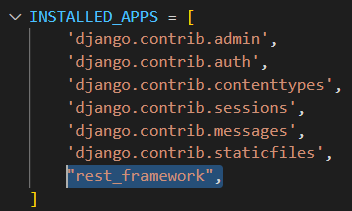
在huaizhuang/setings.py INSTALLD_APPS 追加 rest_framework
在huaizhuang/urls.py 引入 api的urls
from django.contrib import admin
from django.urls import path,include

urlpatterns = [
    path("admin/", admin.site.urls),
    path('api/', include('api.urls'))
]
创建view
api/views.py
from django.shortcuts import render
from rest_framework.views import APIView
from rest_framework.response import Response

# Create your views here.

class LoginView(APIView):

    def post(self,request,*args,**kwargs):
        print(request.data)
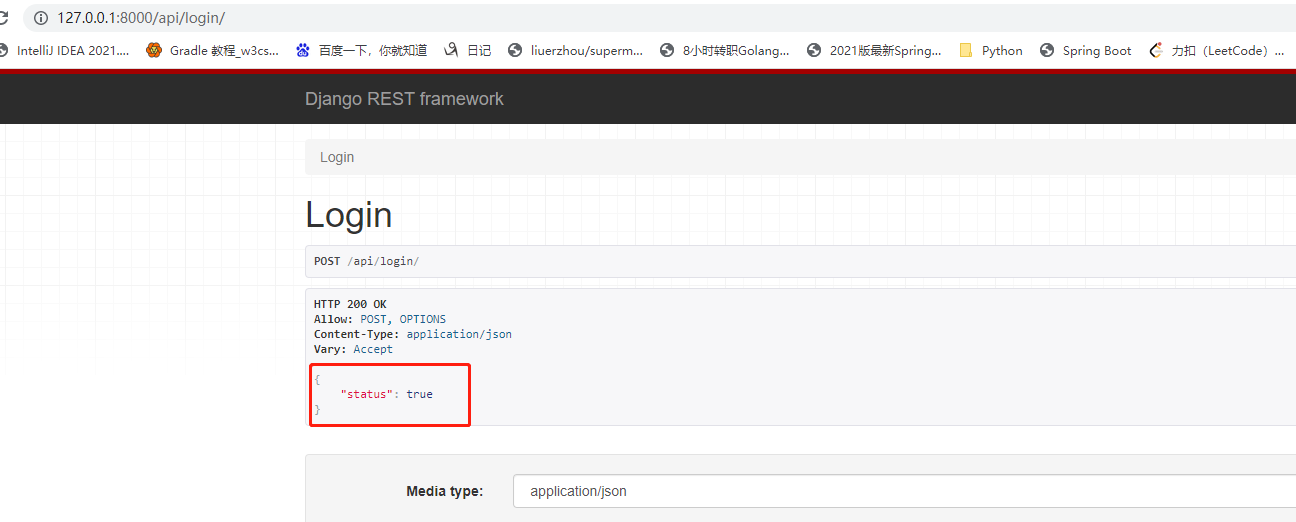
        return Response({"status":True})
api/urls.py 配置 rest url 对应 的view
from django.urls import path,include
from api import views

urlpatterns = [
    path('login/', views.LoginView.as_view()),
]
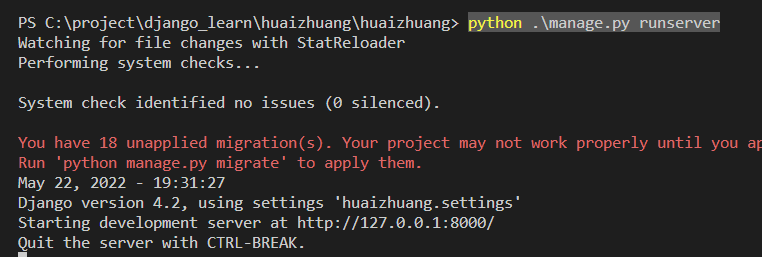
启动项目
python .\manage.py runserver
验证:
微信小程序验证
注意要勾选:本地设置>不检验合法域名
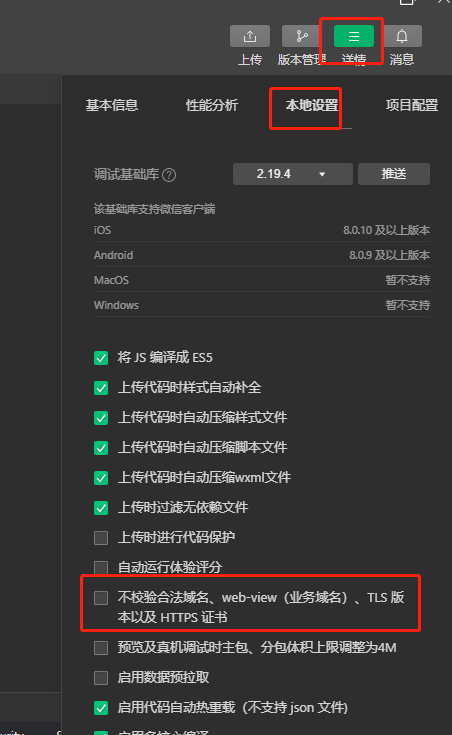
验证OK
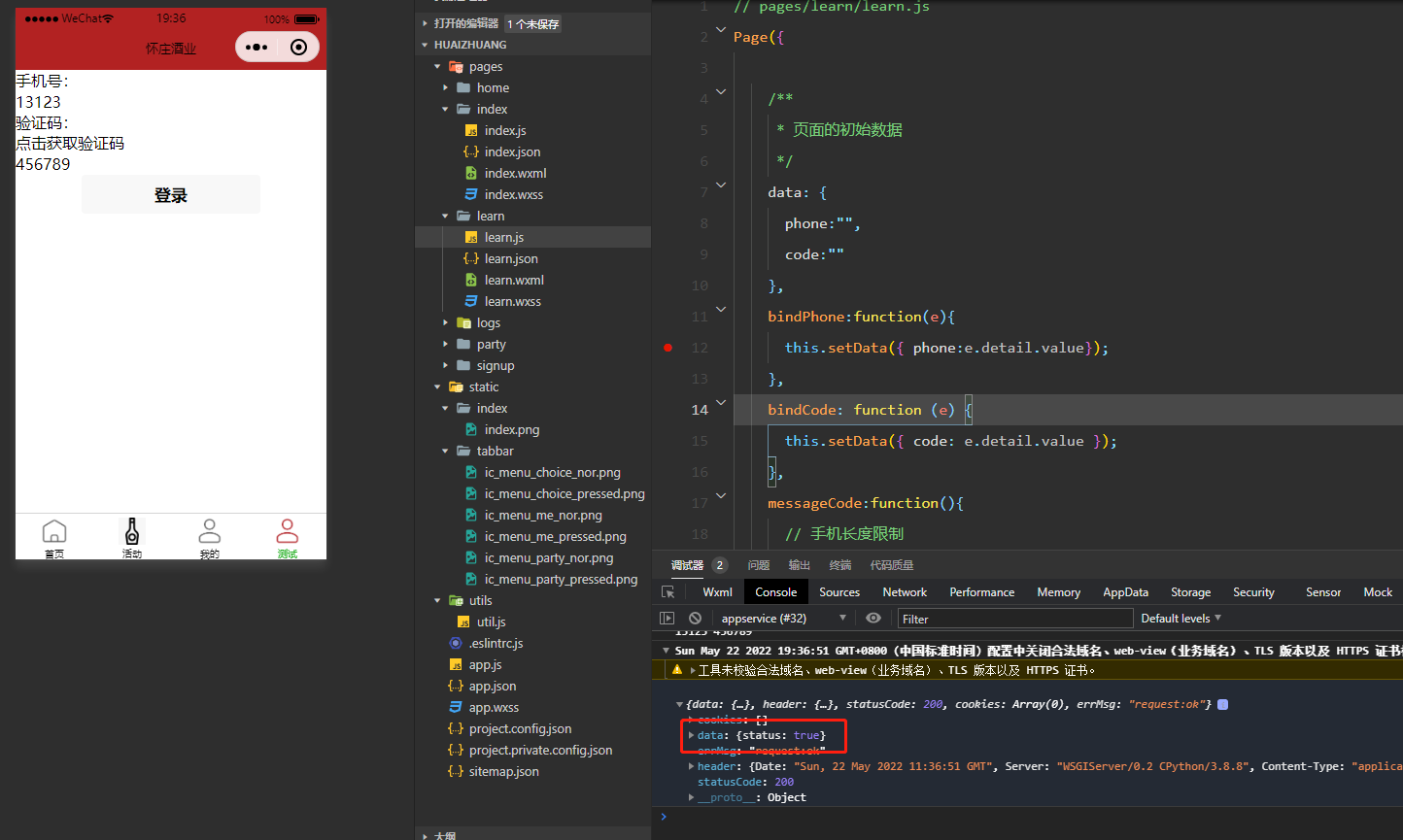
前后端交互没问题。


 浙公网安备 33010602011771号