
第二次作业
[实验目的]
1.掌握软件开发的基本流程
2.掌握常用的软件开发方式和工具。
[实验内容]
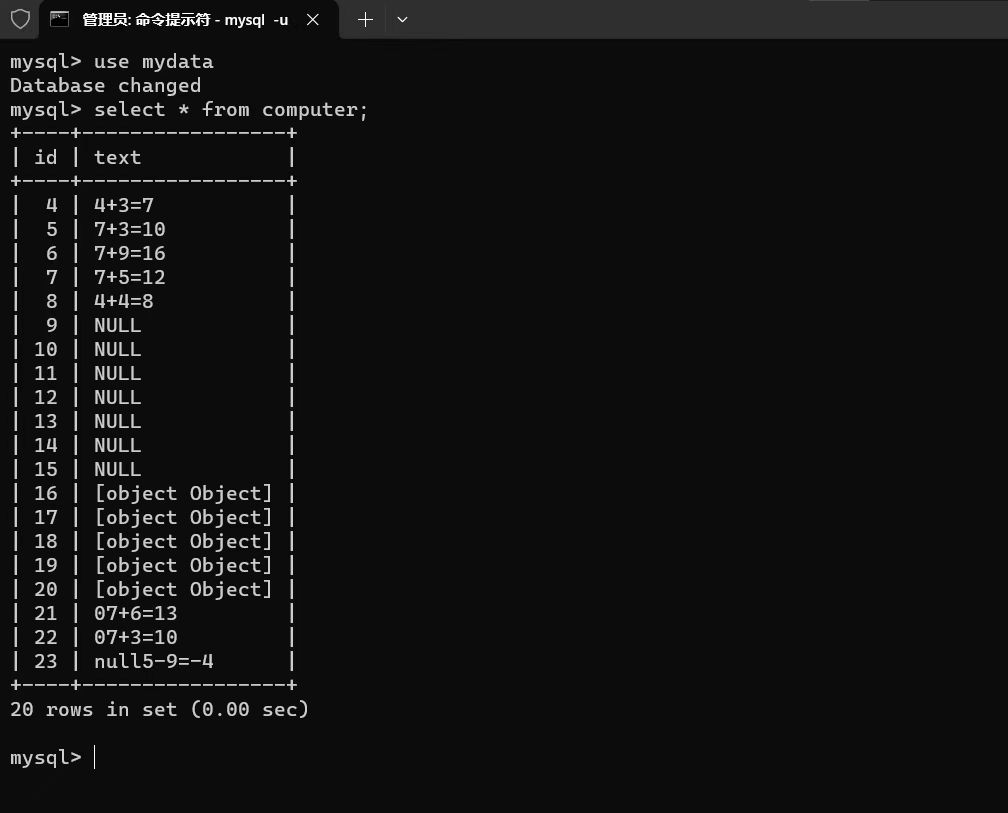
设计一个包含登录界面的计算器软件,该软件可以实现第一次作业中的全部功能,同时可以保存用户的历史计算记录(保存数据最好使用数据库)。
[实验步骤及结果]
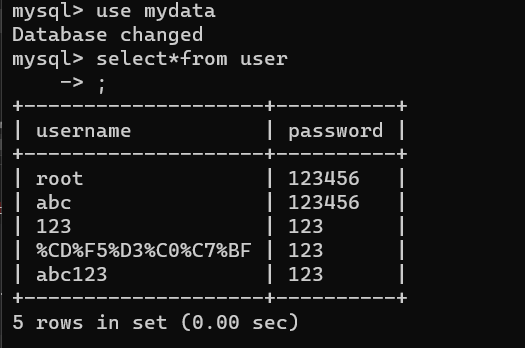
在数据库中建立user表
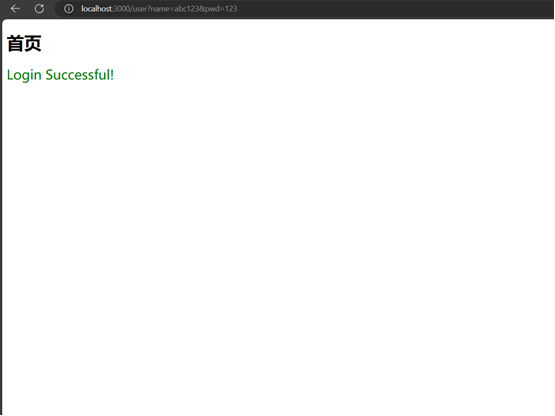
首页
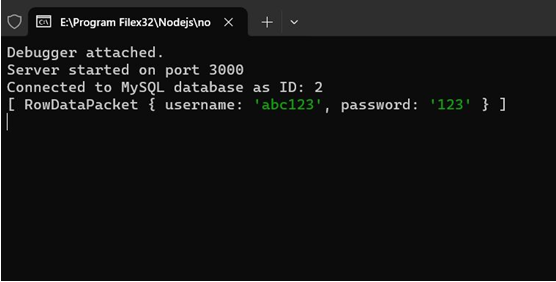
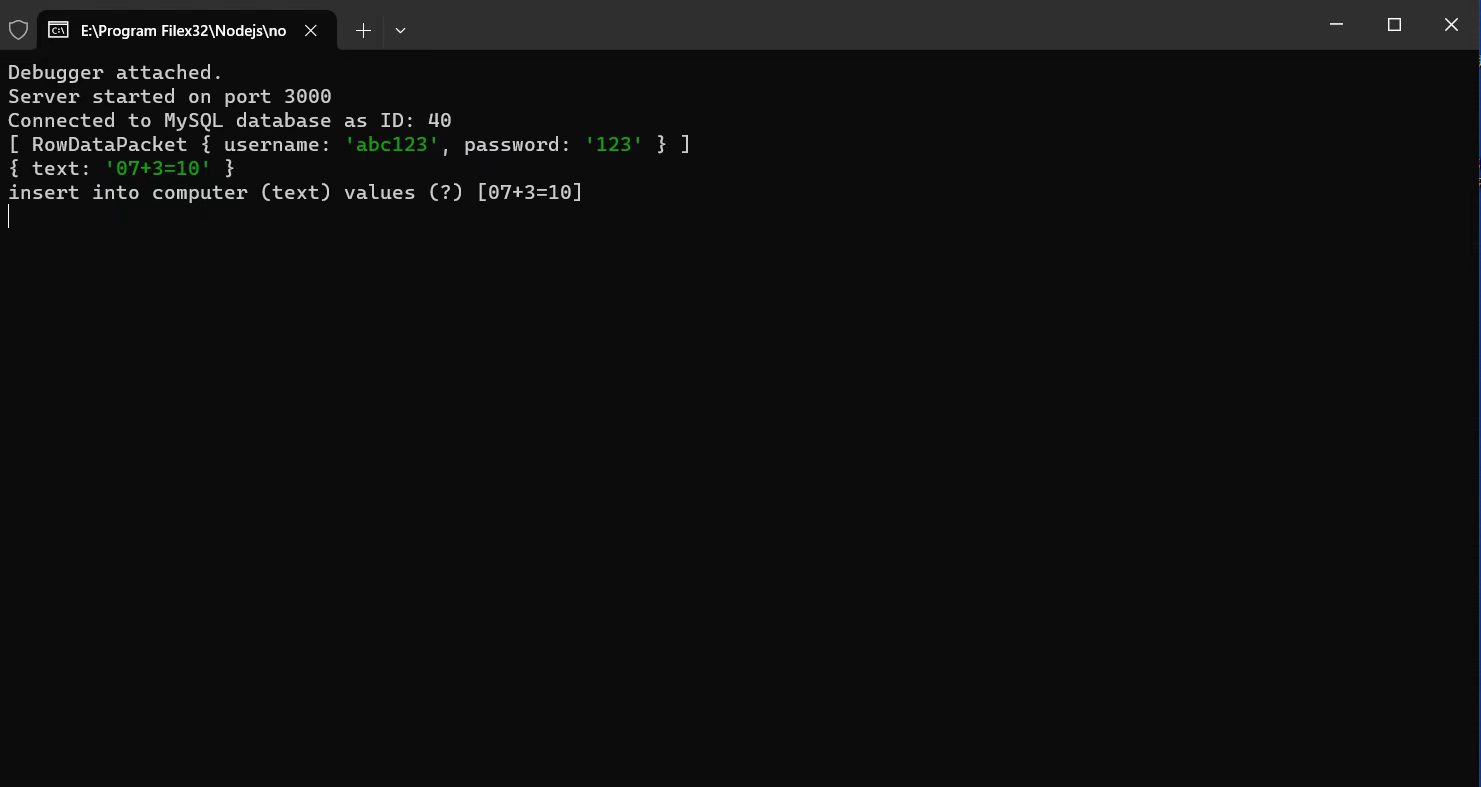
后台登录日志
前端HTML文件
<!DOCTYPE html>
<html>
<head>
<title>My Page</title>
<meta charset="utf-8">
<style>
body {
background-image: url('http://localhost:3000/bg.png');
background-repeat: no-repeat;
background-size: cover;
background-position: center;
background-attachment: fixed;
}
.login-form {
position: absolute;
top: 50%;
left: 50%;
transform: translate(-50%, -50%);
background-color: #ffffff;
padding: 20px;
border-radius: 5px;
opacity: 1;
}
.last {
position: fixed;
bottom: 0;
left: 0;
width: 100%;
background-color: #333333;
color: #ffffff;
text-align: center;
padding: 10px;
}
.login-form input[type="text"],
.login-form input[type="password"] {
width: 100%;
padding: 10px;
margin-bottom: 10px;
border: 1px solid #b6ff00;
border-radius: 4px;
}
.login-form input[type="submit"] {
width: 100%;
padding: 10px;
background-color: yellow;
color: white;
border: none;
border-radius: 4px;
cursor: pointer;
}
h1 {
text-align: center;
margin-top: 0;
padding-top: 20px;
background-color:wheat;
color:seagreen;
}
h2 {
text-align: center;
margin-top: 0;
padding-top: 20px;
}
text{
color:red;
}
</style>
</head>
<body>
<h1>My second assignment</h1>
<div class="login-form">
<h2>register</h2>
<form action="http://localhost:3000/sub
后端逻辑
'use strict';
var http = require('http');
var port = process.env.PORT || 1337;
var ejs = require('ejs');
var fs = require('fs');
var mysql = require('mysql');//导入模块
var express = require('express');
var bodyParser = require('body-parser');
var app = express();
//MySQL数据库连接配置
var connection = mysql.createConnection({//用var操作符定义的变量将成为定义该变量的作用域中的局部变量
host: 'localhost',
user: 'root',
password: 'xiaolele',
database: 'data'
});
//建立数据库连接
connection.connect(function (err) {
if (err) {
console.error('Error connecting to MySQL database: ' + err.stack);
return;//退出
}
console.log('Connected to MySQL database as ID: ' + connection.threadId);
});
//解析表单请求体的中间件
app.use(bodyParser.urlencoded({ extended: false }));
app.use(express.static('public'));
http.createServer(function (req, res) {
res.writeHead(200, { 'Content-Type': 'text/html; charset=utf-8' });
fs.readFile('html/index.html', 'utf8', function (err, html) {
if (err) {
res.end('Error reading HTML file');
} else {
var renderedHtml = ejs.render(html);
res.end(renderedHtml);
}
});
}).listen(port);
//处理表单提交的路由--注册功能
app.get('/submit-form', (req, res) => {
res.setHeader('Content-Type', 'text/html; charset=utf-8');
const { name, pwd } = req.query;
const query = 'insert into user (username,password) values (?,?)';
connection.query(query, [name, pwd], (error, results) => {
if (error) {
console.log('error222');
//console.log(error);
console.log(req.body);
console.log(req.query);
return res.status(500).send('Failed to insert data');
}
console.log('Data inserted successfully');
return res.send('From submitted successfully');
})
});
app.get('/user', (req, res) => {
const { name, pwd } = req.query;
const query = 'select * from user where username = ?';
connection.query(query, [name], (error, results) => {
if (error) {
console.log('error555');
console.log(req.query);
return res.status(500).send('error555');
} else {
console.log(results);//结果集是一个数组,数组的每个元素是一个对象,通过句点访问对象的属性
//console.log(results[0].username);
//console.log(results[0].password);
//如果查询到的结果为空,使用数组下标时就会抛出异常,因此在访问结果集之前,要先判断是否为空
if (!results.length>0) {
return res.status(201).send('success but null!');
}
else if (results[0].password == pwd) {
res.status(222);
var response = { status: 222 };
fs.readFile('html/success.html', (err, data) => {
if (err) {res.status(500).send('Failed to load login page.');
} else {
res.send(data.toString().replace('${response.status}', response.status));
}
});
return;
}
else return res.status(200).send('success but password error!');
}
app.get('/abc', (req, res) => {
const text = req.query;
console.log(req.query);
const decodedVar = decodeURIComponent(text.text);
const query = 'insert into computer (text) values (?)';
connection.query(query, decodedVar, (error, results) => {
if (error) {
console.log(query, [decodedVar]);
console.log('error888');
console.log(req.query);
return res.status(500).send('error888');
} else {
const fullQuery = `${query} [${decodedVar}]`;
console.log(fullQuery);
//console.log(results);//结果集是一个数组,数组的每个元素是一个对象,通过句点访问对象的属性
return res.status(200);
}
})
})
})
})
//监听端口
app.listen(3000, () => {
console.log('Server started on port 3000');
});
登录成功之后的首页
<!DOCTYPE html>
<html xmlns="http://www.w3.org/1999/xhtml">
<head>
<meta charset="utf-8" />
<title></title>
</head>
<body>
<h1>首页</h1>
<div class="message"></div>
<script>
const message = document.querySelector('.message');
if (${response.status} === 222) {
message.innerText = 'Login Successful!';
message.style.color = 'green';
message.style.fontSize = '24px';
}
</script>
</body>
</html>
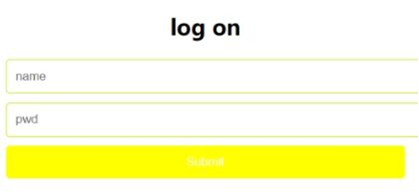
登录界面
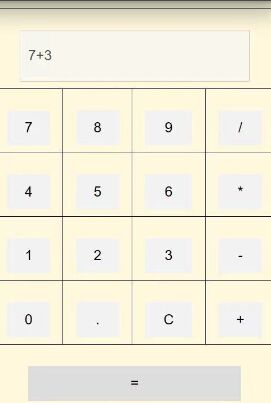
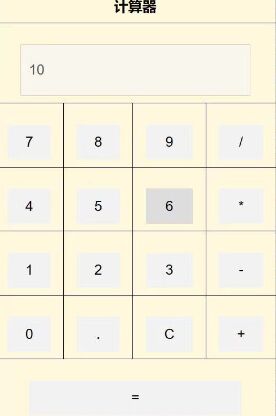
计算器功能的实现
<!DOCTYPE html>
<html xmlns="http://www.w3.org/1999/xhtml">
<head>
<meta charset="utf-8" />
<title>计算器</title>
<style>
table {
border-collapse: collapse;
width: 400px;
margin: 0 auto;
text-align: center;
background-color:palevioletred;
}
th, td {
border: 1px solid #000;
padding: 10px;
font-size: 20px;
background-color:cornsilk;
}
input {
width: 80%;
height: 50px;
font-size: 20px;
padding: 10px;
margin-top: 20px;
}
input[type="button"] {
background-color: #f2f2f2;
border: none;
cursor: pointer;
}
input[type="button"]:hover {
background-color: #ddd;
}
body {
background-image: url('http://localhost:3000/bg.png');
background-repeat: no-repeat;
background-size: cover;
background-position: center;
background-attachment: fixed;
}
.abc {
}
</style>
</head>
<body>
<dir class="abc">
<h1>首页</h1>
<div class="message"></div>
<script>
const message = document.querySelector('.message');
if (${ response.status } === 222) {
message.innerText = 'Login Successful!';
message.style.color = 'green';
message.style.fontSize = '24px';
}
</script>
<table>
<tr>
<th colspan="4">计算器</th>
</tr>
<tr>
<td colspan="4"><input type="text" id="display" disabled></td>
</tr>
<tr>
<td><input type="button" value="7" onclick="addToDisplay('7')"></td>
<td><input type="button" value="8" onclick="addToDisplay('8')"></td>
<td><input type="button" value="9" onclick="addToDisplay('9')"></td>
<td><input type="button" value="/" onclick="addToDisplay('/')"></td>
</tr>
<tr>
<td><input type="button" value="4" onclick="addToDisplay('4')"></td>
<td><input type="button" value="5" onclick="addToDisplay('5')"></td>
<td><input type="button" value="6" onclick="addToDisplay('6')"></td>
<td><input type="button" value="*" onclick="addToDisplay('*')"></td>
</tr>
<tr>
<td><input type="button" value="1" onclick="addToDisplay('1')"></td>
<td><input type="button" value="2" onclick="addToDisplay('2')"></td>
<td><input type="button" value="3" onclick="addToDisplay('3')"></td>
<td><input type="button" value="-" onclick="addToDisplay('-')"></td>
</tr>
<tr>
<td><input type="button" value="0" onclick="addToDisplay('0')"></td>
<td><input type="button" value="." onclick="addToDisplay('.')"></td>
<td><input type="button" value="C" onclick="clearDisplay()"></td>
<td><input type="button" value="+" onclick="addToDisplay('+')"></td>
</tr>
<tr>
<td colspan="4"><input type="button" value="=" onclick="calculate()"></td>
</tr>
</table>
<script>
var text=0;//记录结果
function addToDisplay(value) {//用于将用户点击的按钮的值添加到显示器上方的 <input> 元素中。
document.getElementById("display").value += value;
text = text+ value;
}
function clearDisplay() {//clearDisplay()函数:用于清空显示器上方的 <input> 元素的值。
document.getElementById("display").value = "";
}
function calculate() {//用于计算显示器上方的 <input> 元素中的表达式的值,并将计算结果显示在显示器上方的 <input> 元素中。
let result = eval(document.getElementById("display").value); // 使用 eval 函数计算表达式的值
document.getElementById("display").value = result;
text = text + 'is'+result;
var url = 'http://localhost:3000/abc?text=' + text;
var xhr = new XMLHttpRequest();
xhr.open('GET', url, true);
xhr.send();
alert(text);
alert(url);
text = null;
}
</script>
</dir>
</body>
</html>
测试结果
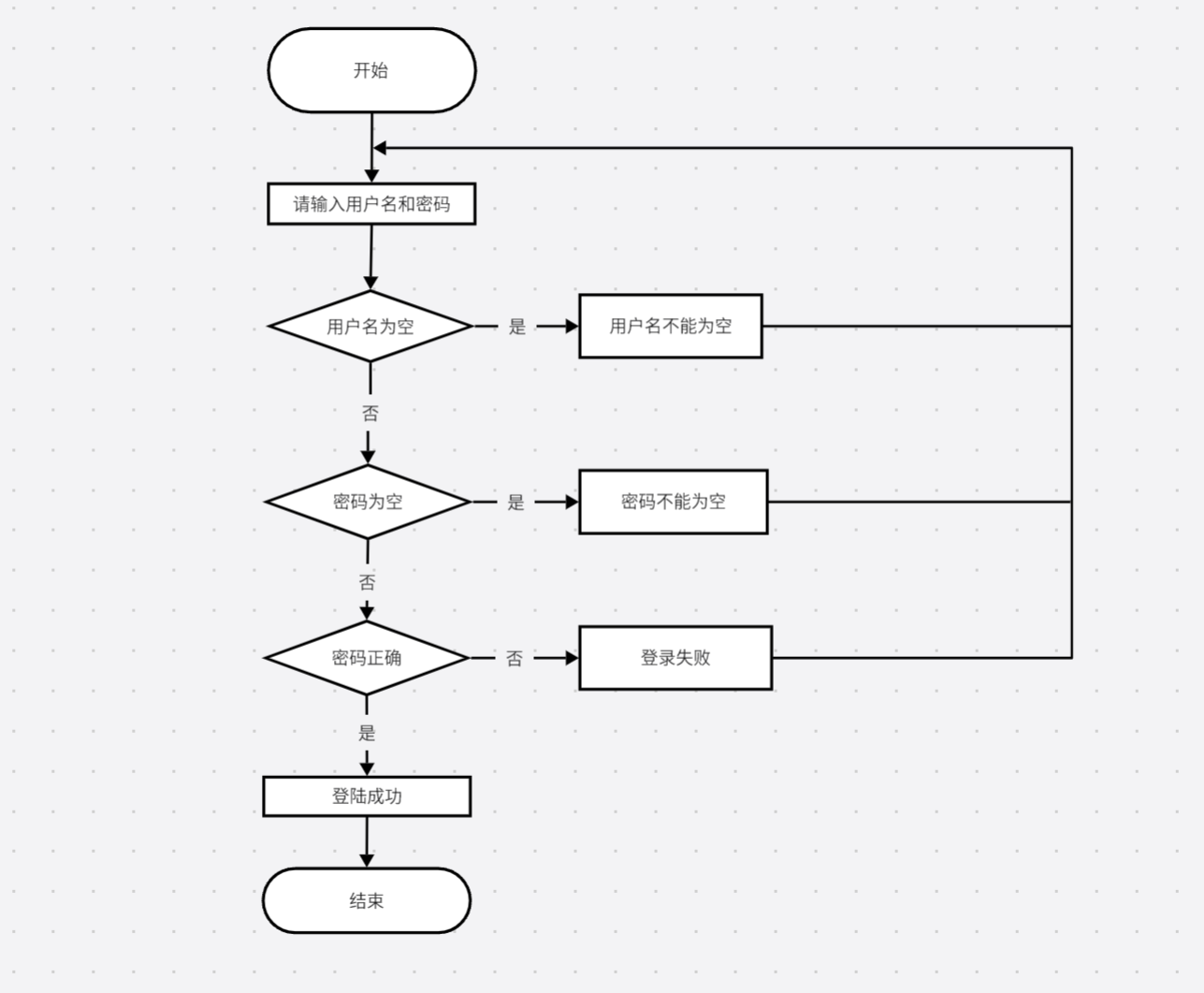
登录流程图

 浙公网安备 33010602011771号