
14-Final_Lab
14-Final_Lab
实验目的
- 掌握CCNA阶段的主要路由交换技术
- 掌握部署中小型企业网络技能
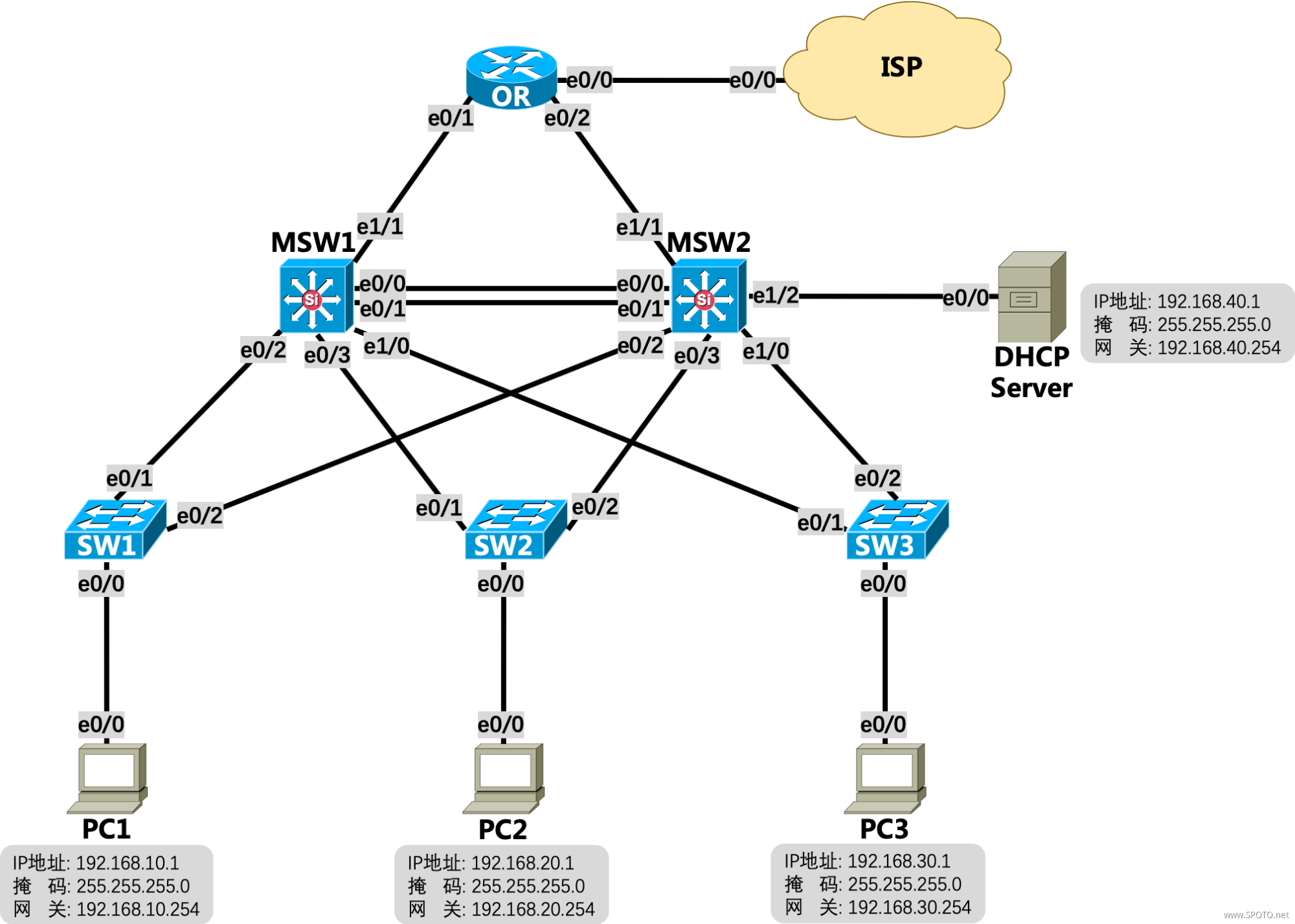
拓扑与需求
拓扑:
需求:
- PC1属于VLAN10,PC2属于VLAN20,PC3属于VLAN30,DHCP Server属于VLAN40,PC1、PC2、PC3的IP地址均采用DHCP方式获取;
- VLAN10、20的网关为MSW1对应的SVI,VLAN30、40的网关为MSW2对应的SVI;
- 所有5台交换机之间线路均为Trunk,其中MSW1和MSW2之间E0/0-1需使用EtherChannel进行捆绑;
- 所有5台交换机均启用Rapid-PVST(RSTP),其中MSW1为VLAN10、20的根桥,MSW2为备份根桥,MSW2为VLAN30、40的根桥,MSW1为备份根桥;
- 配置DHCP Server,创建3个地址池,分别为Sales:192.168.10.0/24,网关为192.168.10.254、Product:192.168.20.0/24,网关为192.168.20.254、Services:192.168.30.0/24,网关为192.168.30.254,VLAN10、20、30的网关配置DHCP中继至DHCP Server;
- OR、MSW1、MSW2之间运行OSPF,进程ID:100,Area ID:0,OR下发默认路由仅当本身存在默认路由时;
- OR配置PPPoE,用户名:
SPOTO密码:SPOTO123,ISP没有告知使用哪种认证方式,拨号成功后自动获取IP信息,以及本地自动生成一条默认路由指向ISP; - OR配置端口复用NAT,使得内网PC1~3能成功ping通ISP上的8.8.8.8;
- PC1 ping 8.8.8.8时,手动关闭SW1的E0/1口模拟线路故障,观察PC1的数据通信情况。
配置与实现
1. PC1属于VLAN10,PC2属于VLAN20,PC3属于VLAN30,DHCP Server属于VLAN40,PC1、PC2、PC3的IP地址均采用DHCP方式获取;
SW1
1 interface Ethernet0/0
2  switchport access vlan 10
3  switchport mode access
SW2
1 interface Ethernet0/0
2  switchport access vlan 20
3  switchport mode access
SW3
1 interface Ethernet0/0
2  switchport access vlan 30
3  switchport mode access
MSW2
1 interface Ethernet1/2
2  switchport access vlan 40
3  switchport mode access
PC1/PC2/PC3
1 interface Ethernet0/0
2  ip address dhcp
3  no shutdown
2. VLAN10、20的网关为MSW1对应的SVI,VLAN30、40的网关为MSW2对应的SVI;
MSW1
1 vlan 10,20,30,40
2 interface Vlan10
3  ip address 192.168.10.254 255.255.255.0
4  no shutdown
5 interface Vlan20
6  ip address 192.168.20.254 255.255.255.0
7  no shutdown
MSW2
1 vlan 10,20,30,40
2 interface Vlan30
3  ip address 192.168.30.254 255.255.255.0
4  no shutdown
5 interface Vlan40
6  ip address 192.168.40.254 255.255.255.0
7  no shutdown
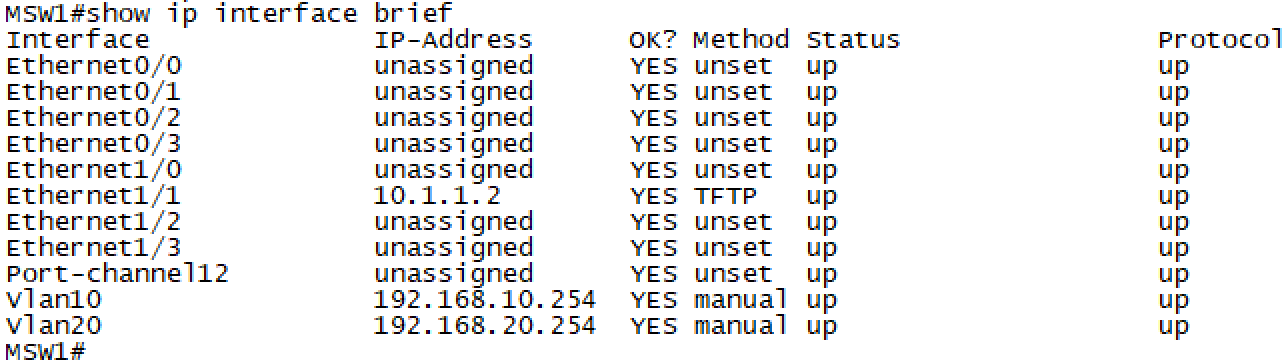
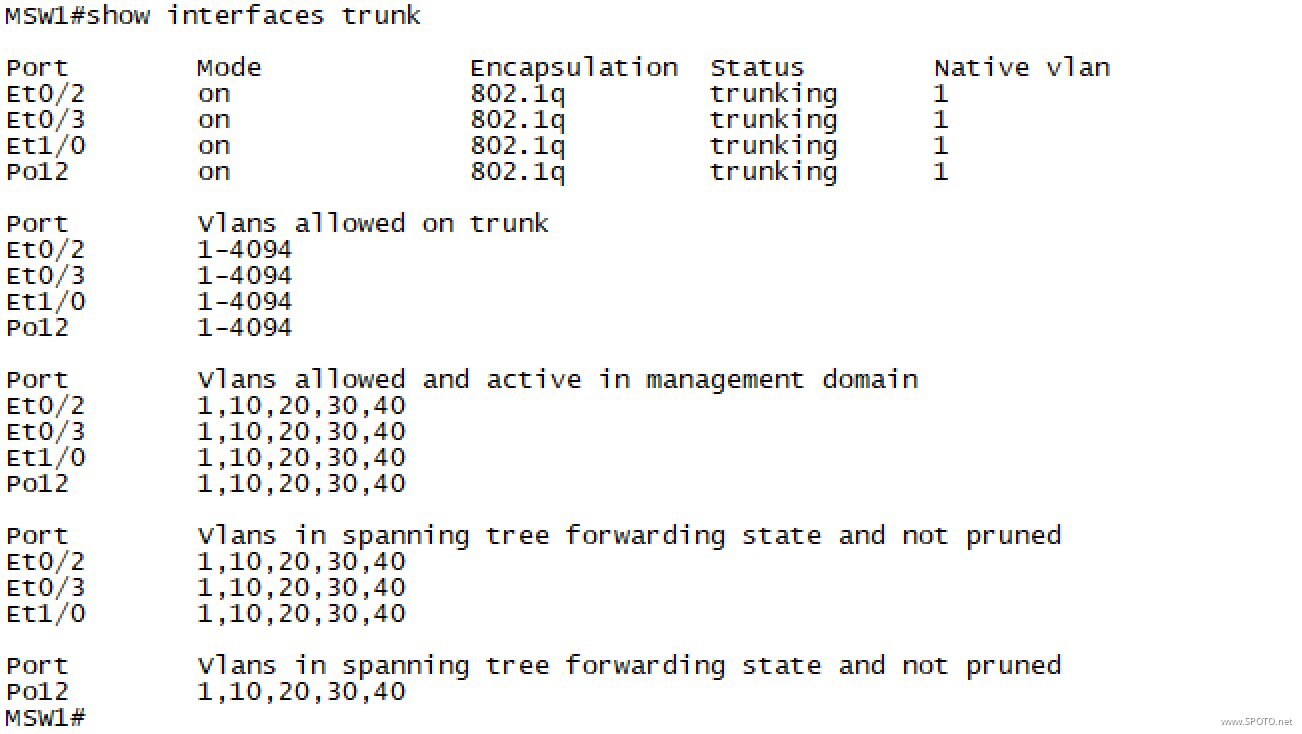
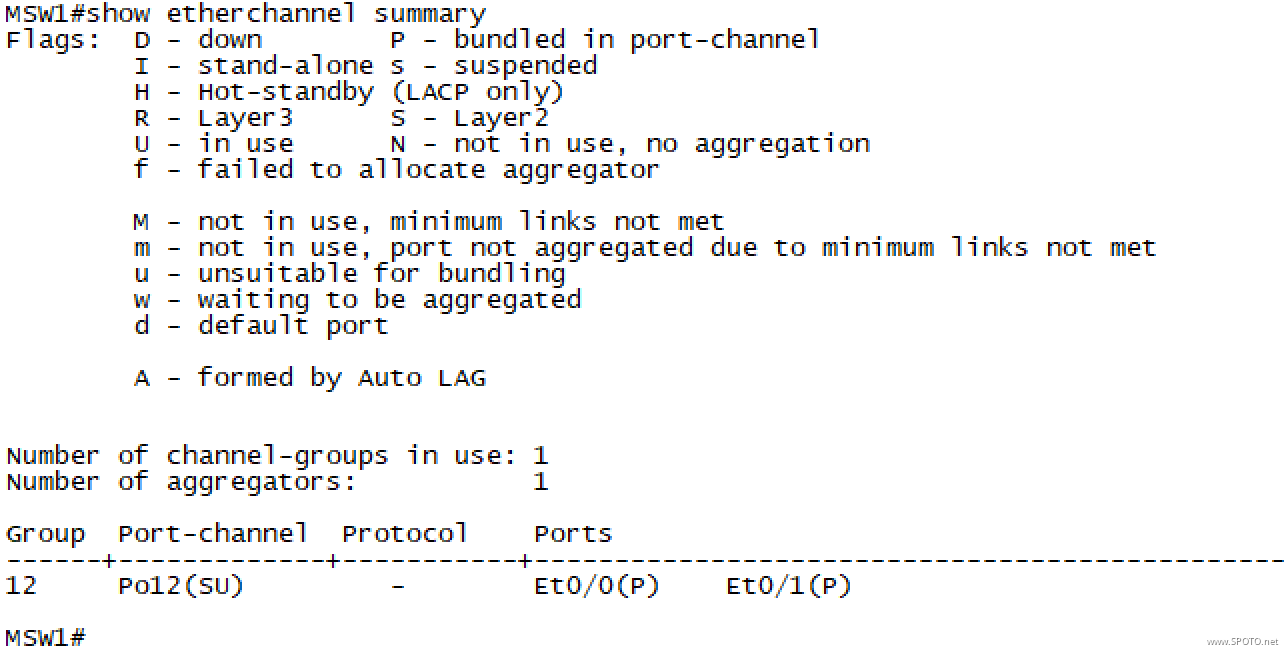
3. 所有5台交换机之间线路均为Trunk,其中MSW1和MSW2之间E0/0-1需使用EtherChannel进行捆绑;
MSW1/MSW2
1 interface range Ethernet0/0-3,Ethernet1/0
2  switchport trunk encapsulation dot1q
3  switchport mode trunk
4 interface range Ethernet0/0-1
5  channel-group 12 mode on
SW1/SW2/SW3
1 interface range Ethernet0/1-2
2  switchport trunk encapsulation dot1q
3  switchport mode trunk
验证
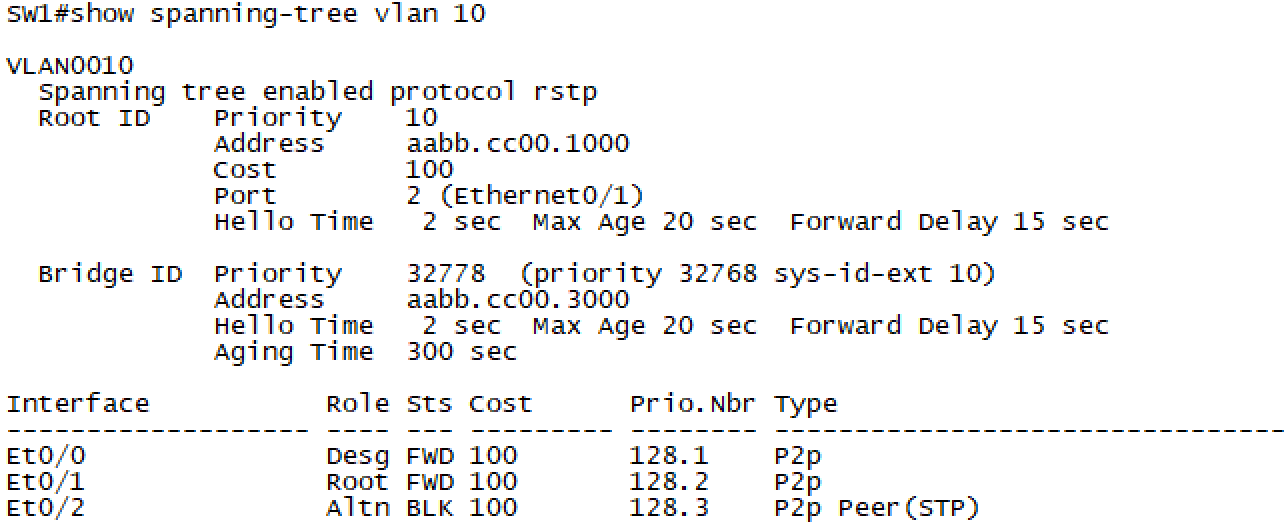
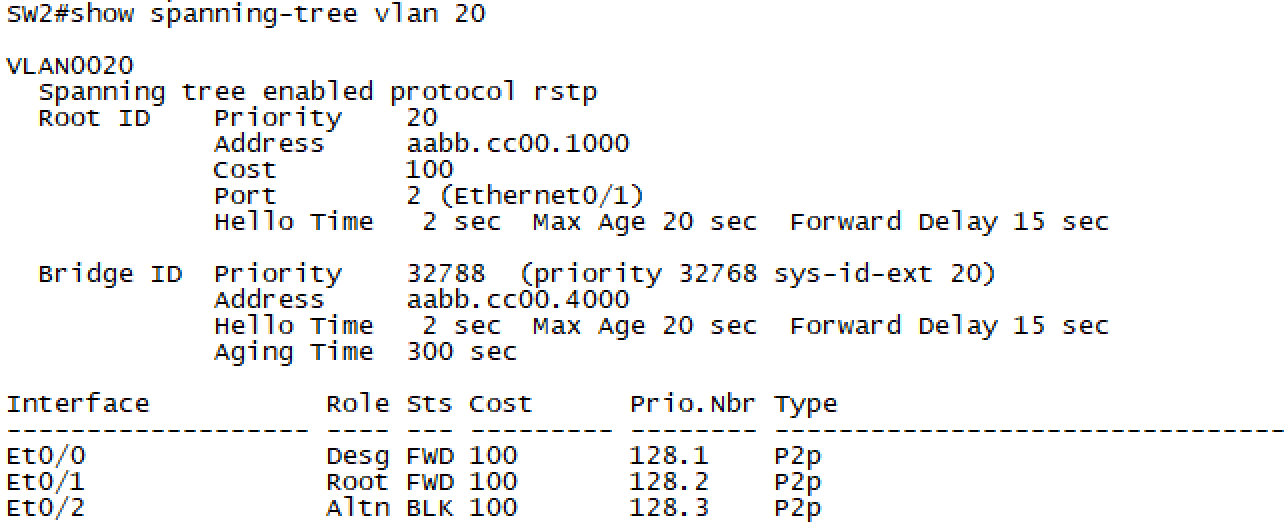
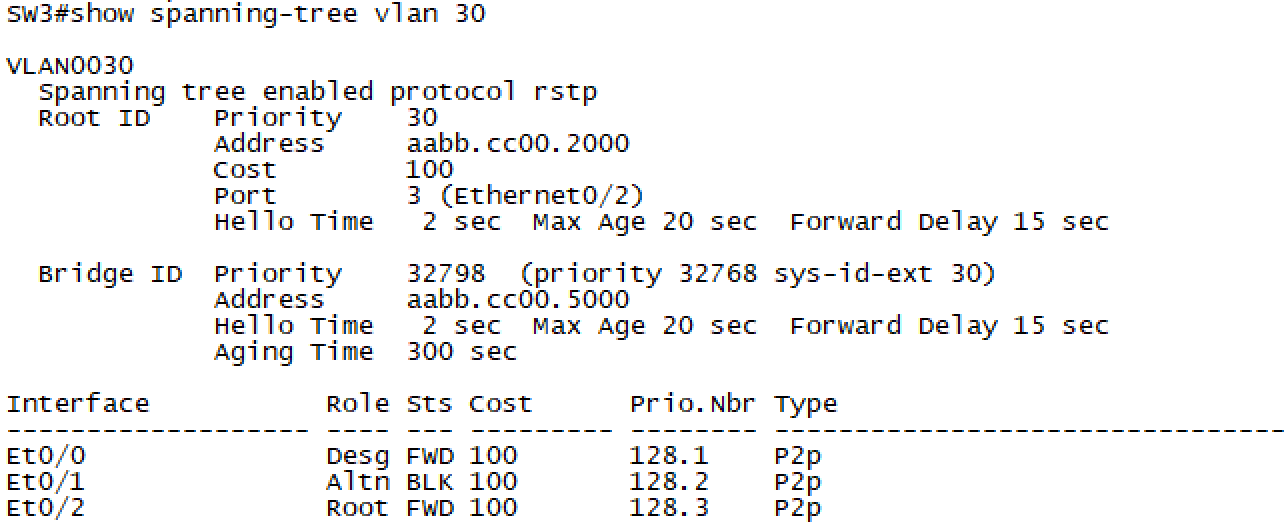
4. 所有5台交换机均启用Rapid-PVST(RSTP),其中MSW1为VLAN10、20的根桥,MSW2为备份根桥,MSW2为VLAN30、40的根桥,MSW1为备份根桥;
MSW1
1 spanning-tree mode rapid-pvst
2 spanning-tree vlan 10,20 priority 0
3 spanning-tree vlan 30,40 priority 4096
MSW2
1 spanning-tree mode rapid-pvst
2 spanning-tree vlan 10,20 priority 4096
3 spanning-tree vlan 30,40 priority 0
建议采用直接指定最小优先级的方式配置根桥和备份根桥
SW1/SW2/SW3
1 spanning-tree mode rapid-pvst
验证
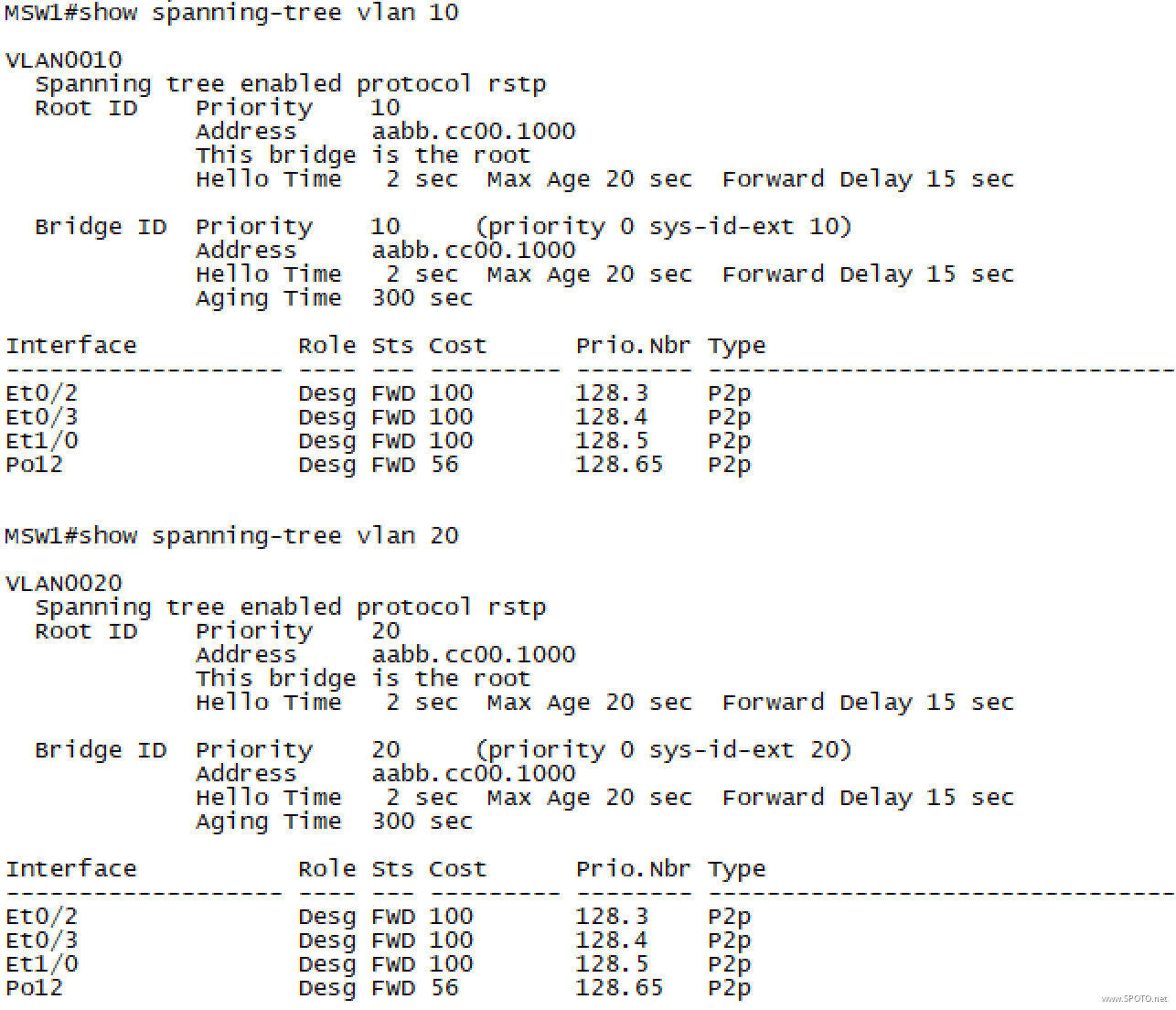
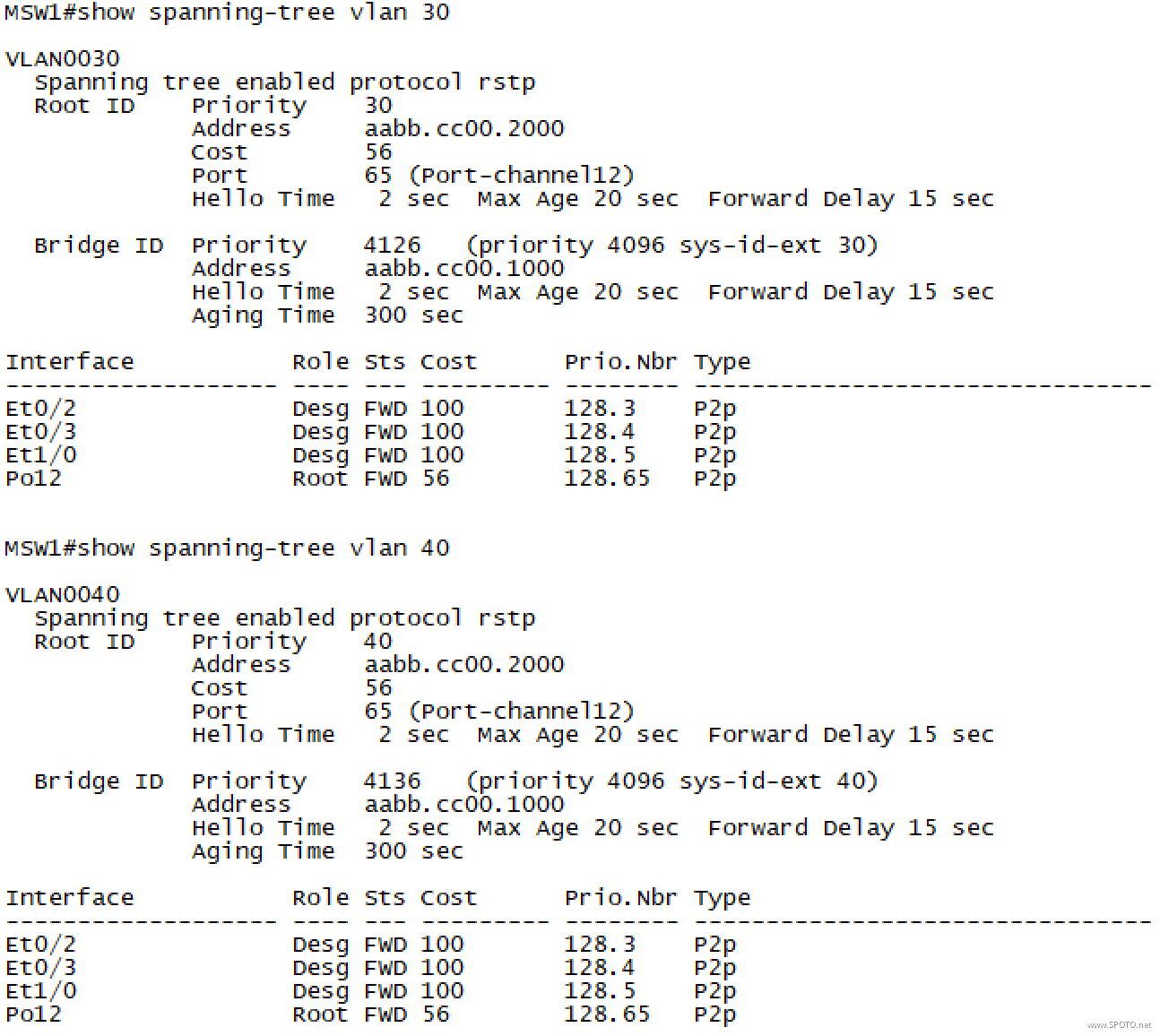
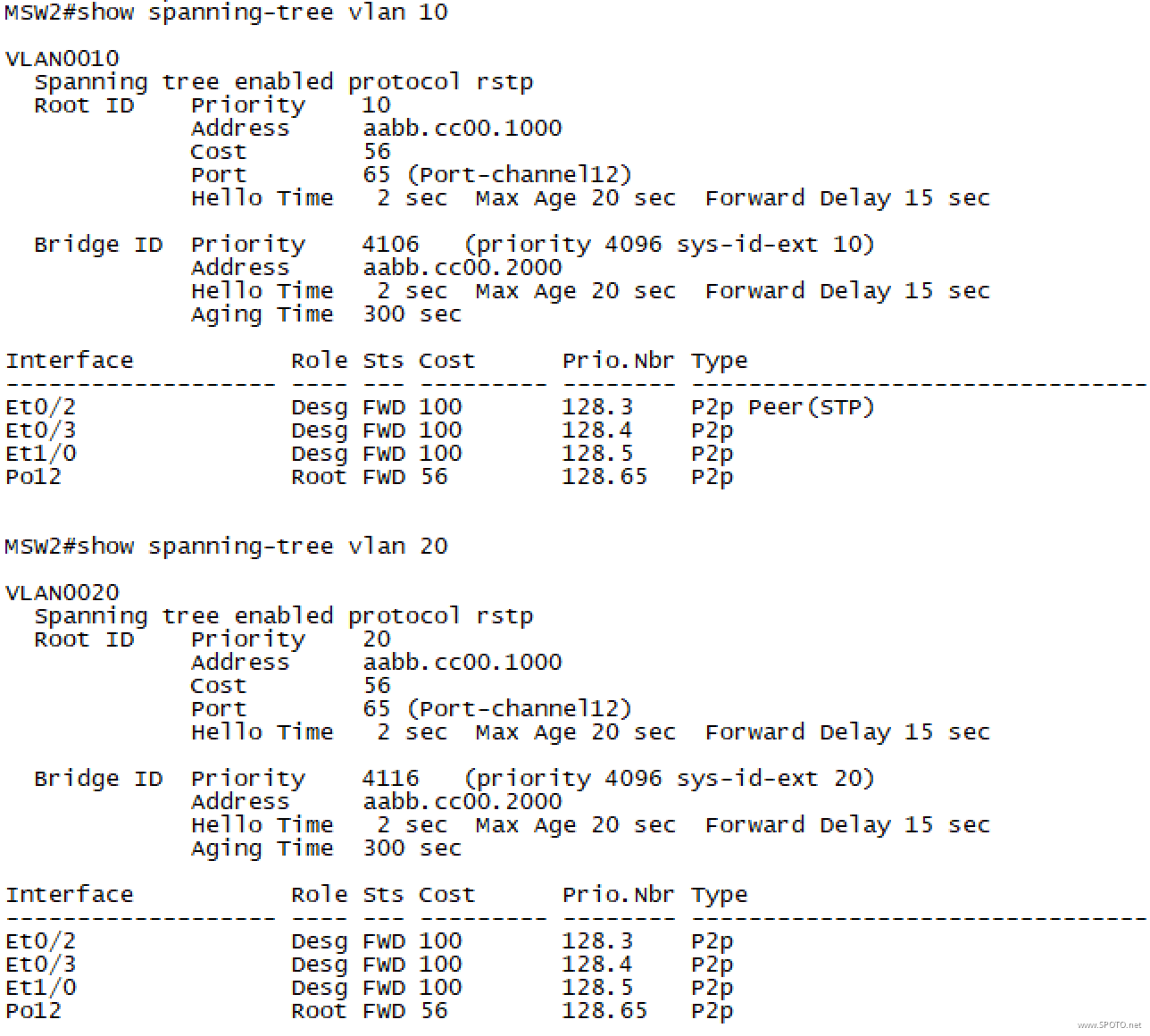
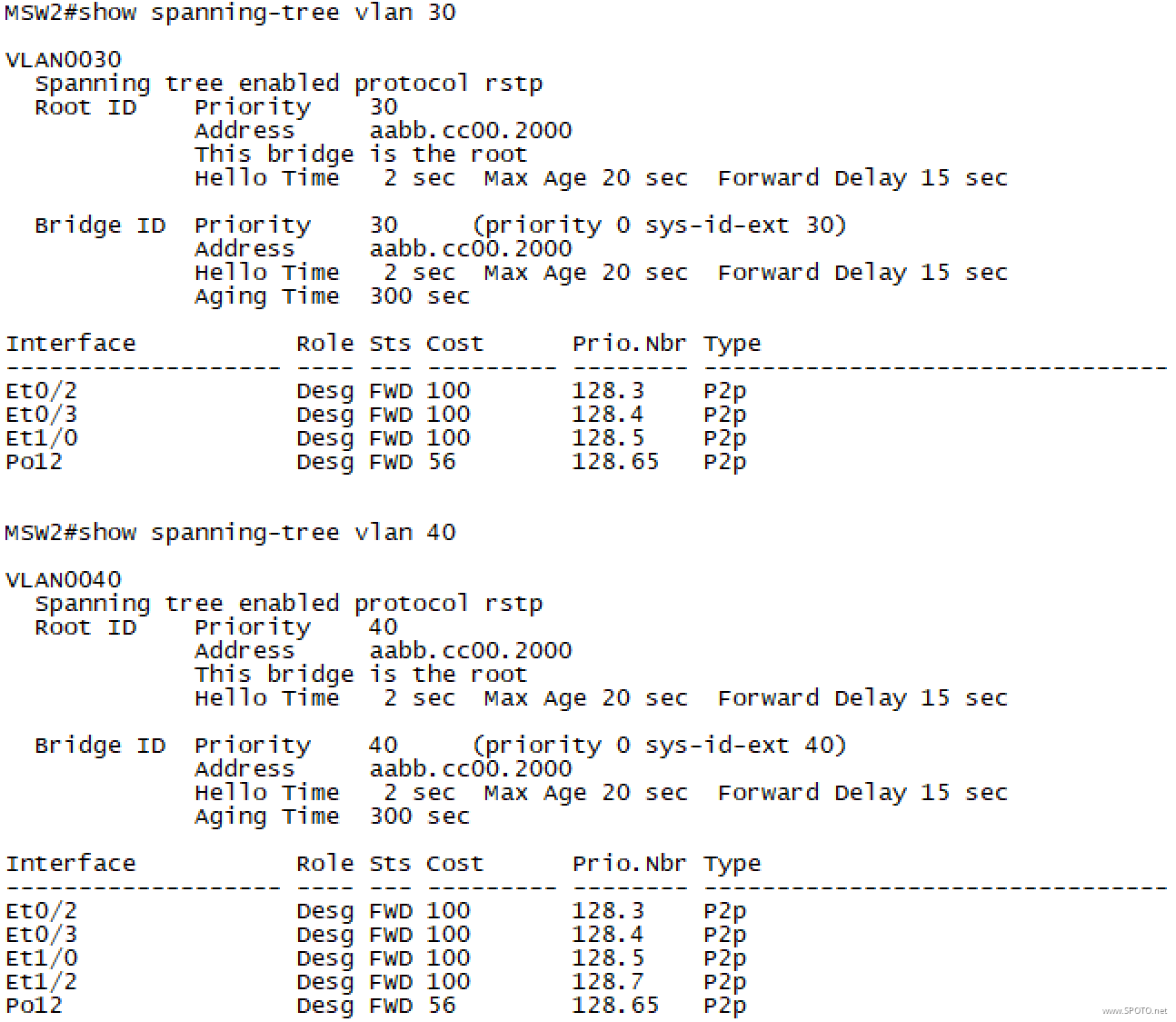
5.配置DHCP Server,创建3个地址池,分别为Sales:192.168.10.0/24,网关为192.168.10.254、Product:192.168.20.0/24,网关为192.168.20.254、Services:192.168.30.0/24,网关为192.168.30.254,VLAN10、20、30的网关配置DHCP中继至DHCP Server;
DHCP_Server
1 ip dhcp pool Sales
2  network 192.168.10.0 255.255.255.0
3  default-router 192.168.10.254
4 ip dhcp pool Product
5  network 192.168.20.0 255.255.255.0
6  default-router 192.168.20.254
7 ip dhcp pool Services
8  network 192.168.30.0 255.255.255.0
9  default-router 192.168.30.254
MSW1
1 interface Vlan10
2  ip helper-address 192.168.40.1
3 interface Vlan20
4  ip helper-address 192.168.40.1
MSW2
1 interface Vlan30
2  ip helper-address 192.168.40.1
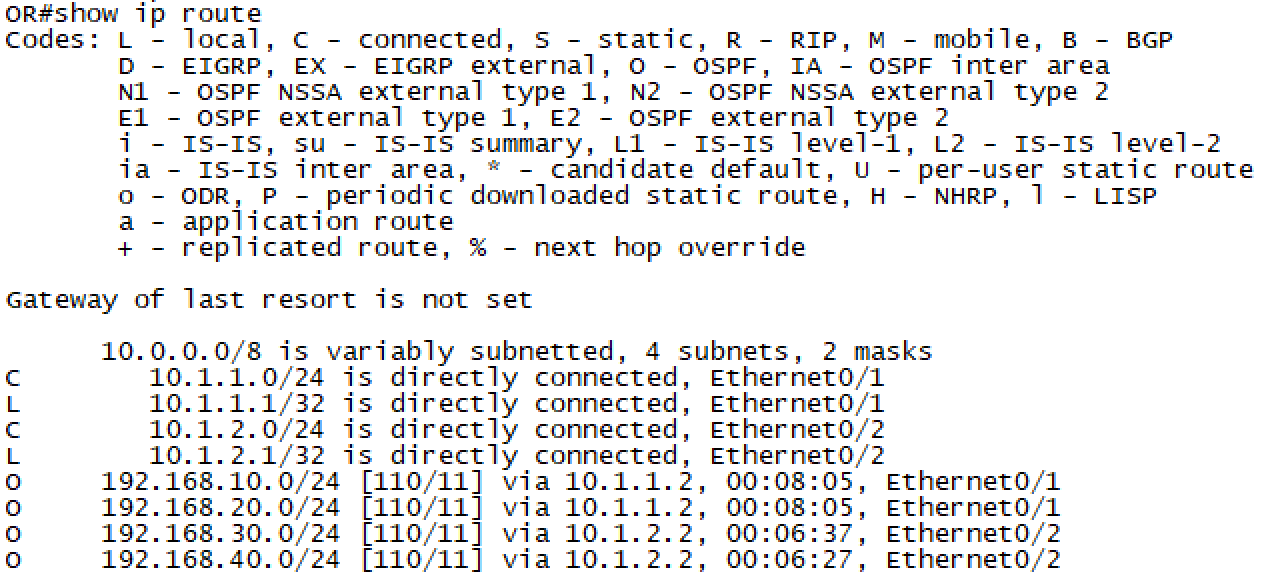
6. OR、MSW1、MSW2之间运行OSPF,进程ID:100,Area ID:0,OR下发默认路由仅当本身存在默认路由时;
OR
1 router ospf 100
2  network 10.1.1.1 0.0.0.0 area 0
3  network 10.1.2.1 0.0.0.0 area 0
4  default-information originate
MSW1/MSW2
1 router ospf 100
2  network 0.0.0.0 255.255.255.255 area 0
验证

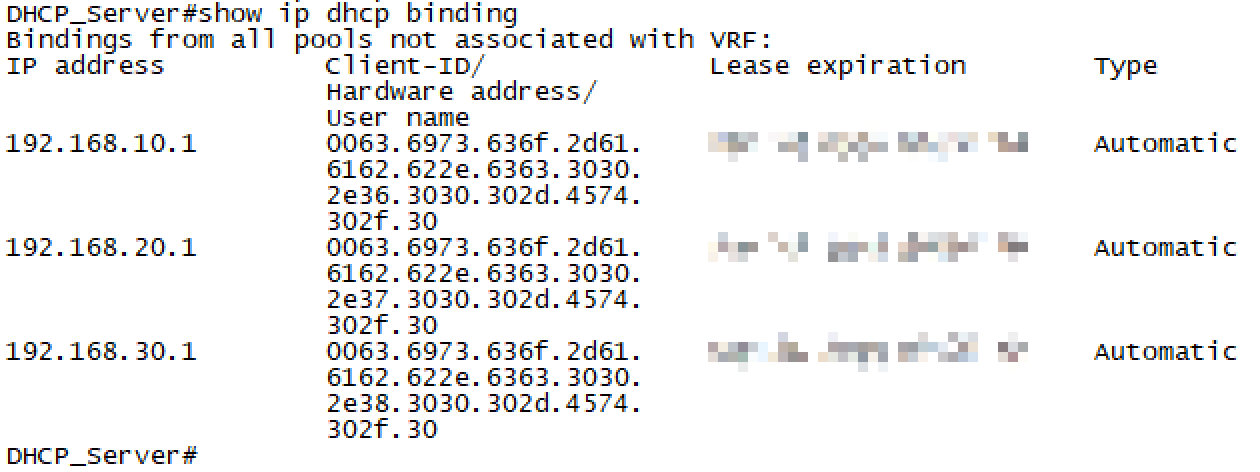
PC无法获取IP地址时,可尝试shutdown然后no shutdown接口
7.OR配置PPPoE,用户名:SPOTO 密码:SPOTO123,ISP没有告知使用哪种认证方式,拨号成功后自动获取IP信息,以及本地自动生成一条默认路由指向ISP;
OR
 1 interface dialer0
 2  ip address negotiated
 3  ip mtu 1492
 4  encapsulation ppp
 5  dialer pool 1
 6  ppp chap hostname SPOTO
 7  ppp chap password 0 SPOTO123
 8  ppp pap sent-username SPOTO password 0 SPOTO123
 9  ppp ipcp route default
10 interface Ethernet0/0
11  pppoe enable group global
12  pppoe-client dial-pool-number 1
13  no shutdown
验证

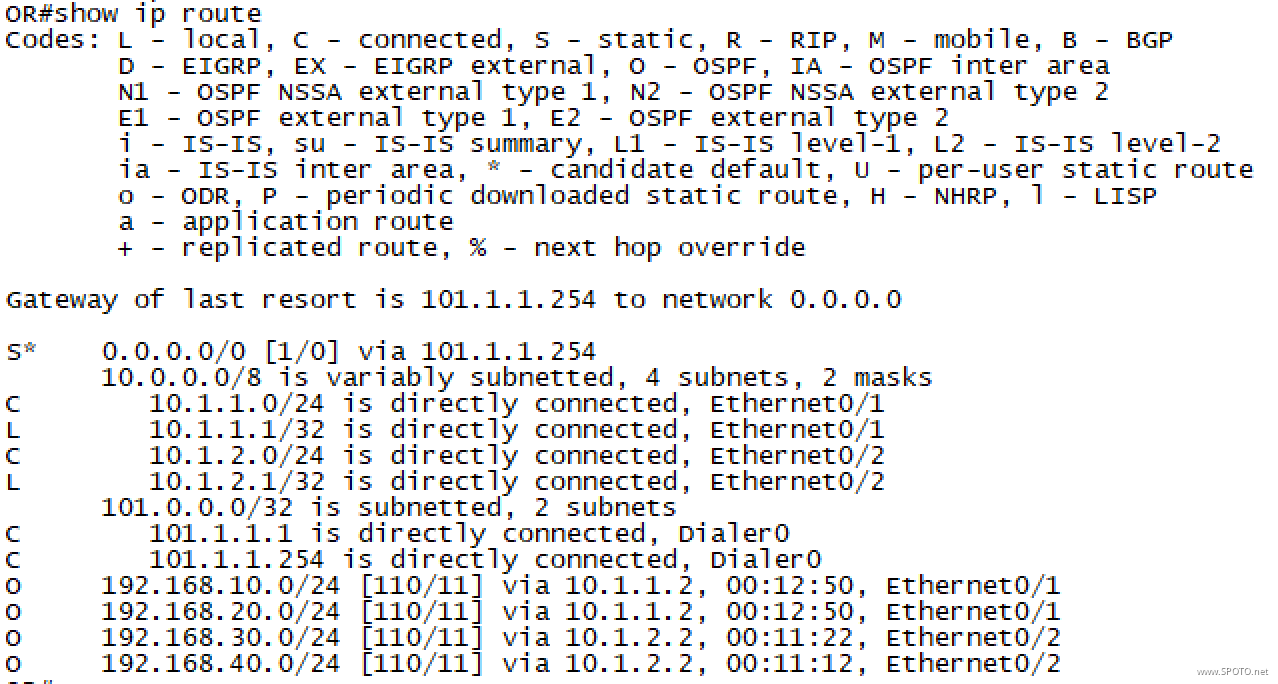
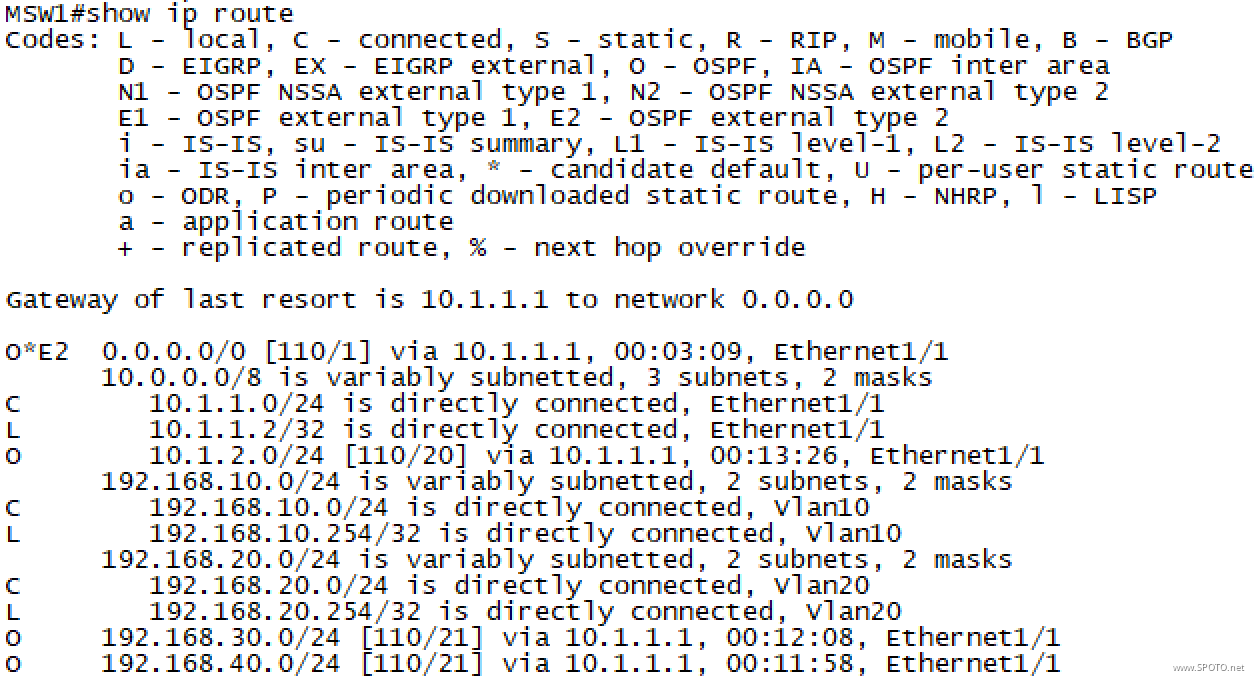
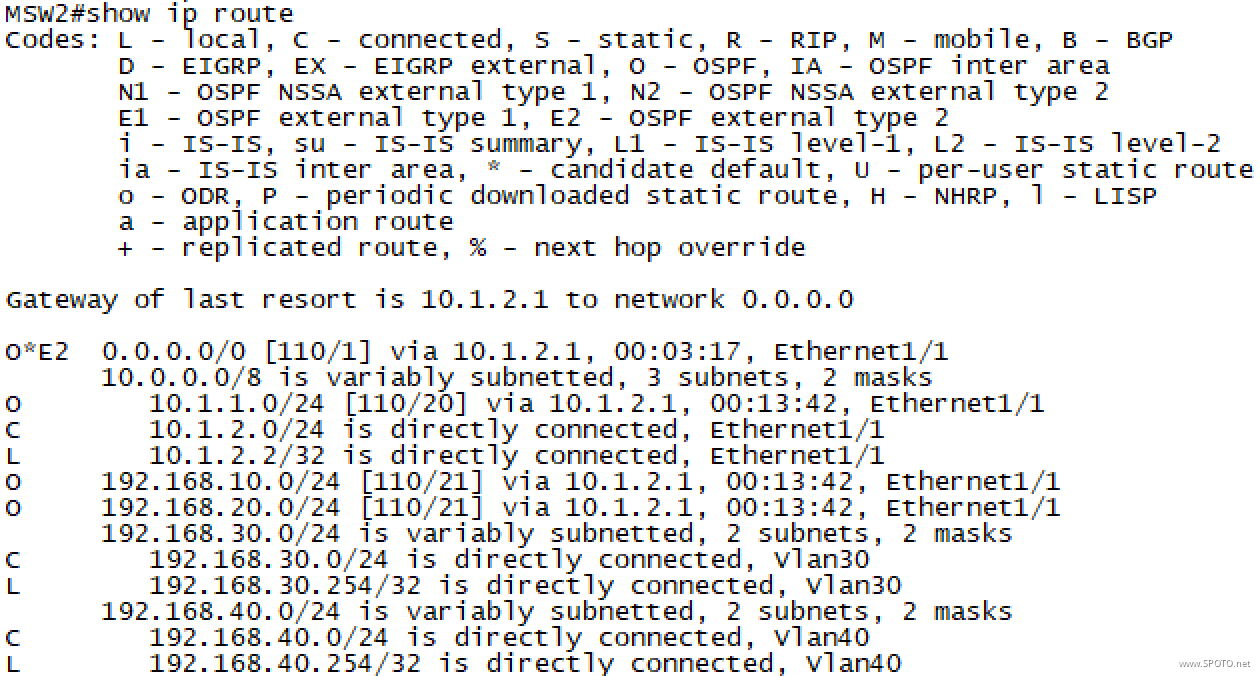
8. OR配置端口复用NAT,使得内网PC1~3能成功ping通ISP上的8.8.8.8;
OR
1 interface Dialer0
2  ip nat outside
3 interface Ethernet0/1
4  ip nat inside
5 interface Ethernet0/2
6  ip nat inside
7 access-list 1 permit any
8 ip nat inside source list 1 interface Dialer0 overload
ACL也可仅匹配内网网段
验证



9. PC1 ping 8.8.8.8时,手动关闭SW1的E0/1口模拟线路故障,观察PC1的数据通信情况。
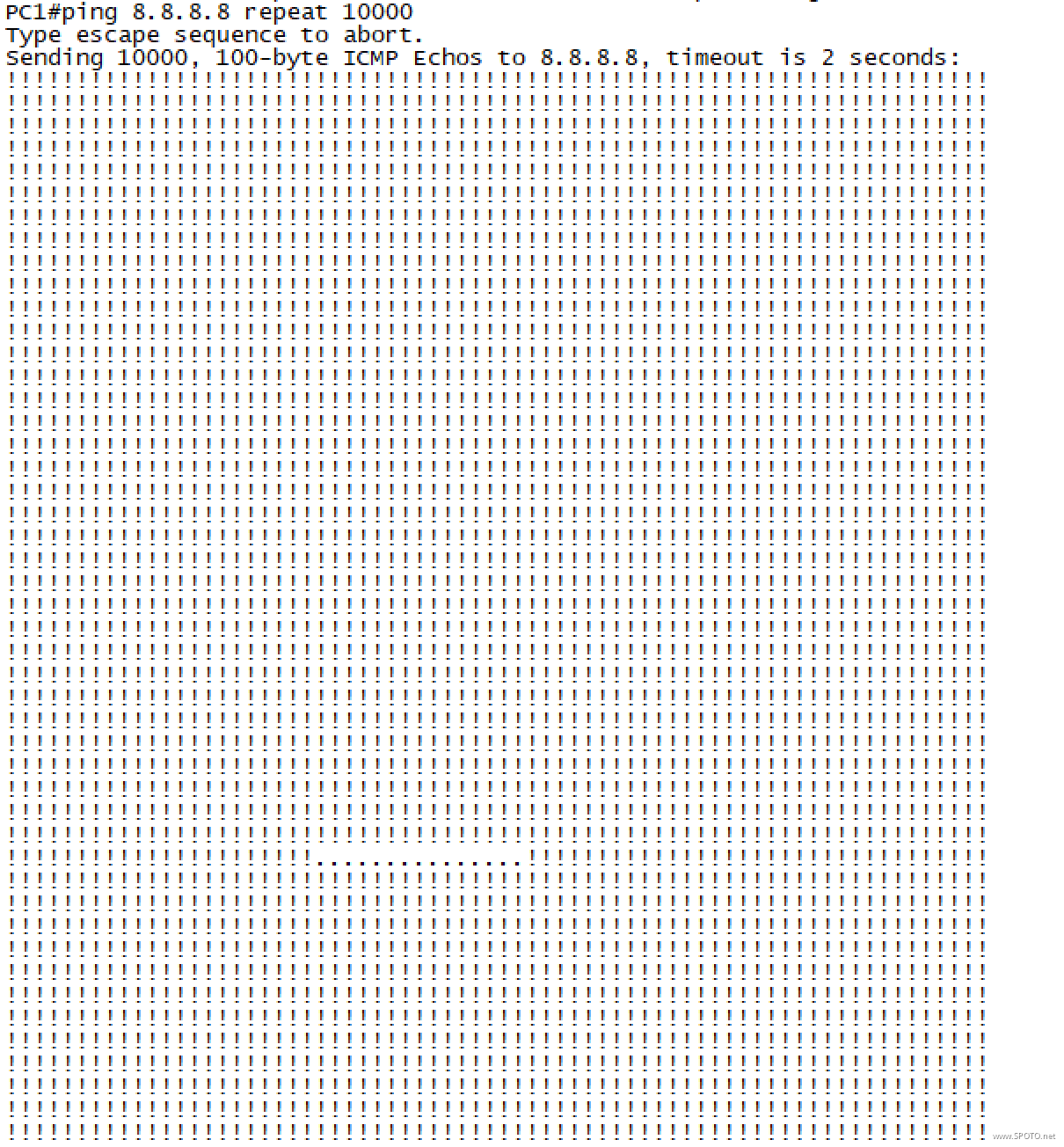
共计丢包15个,每个2s,切换用时30s
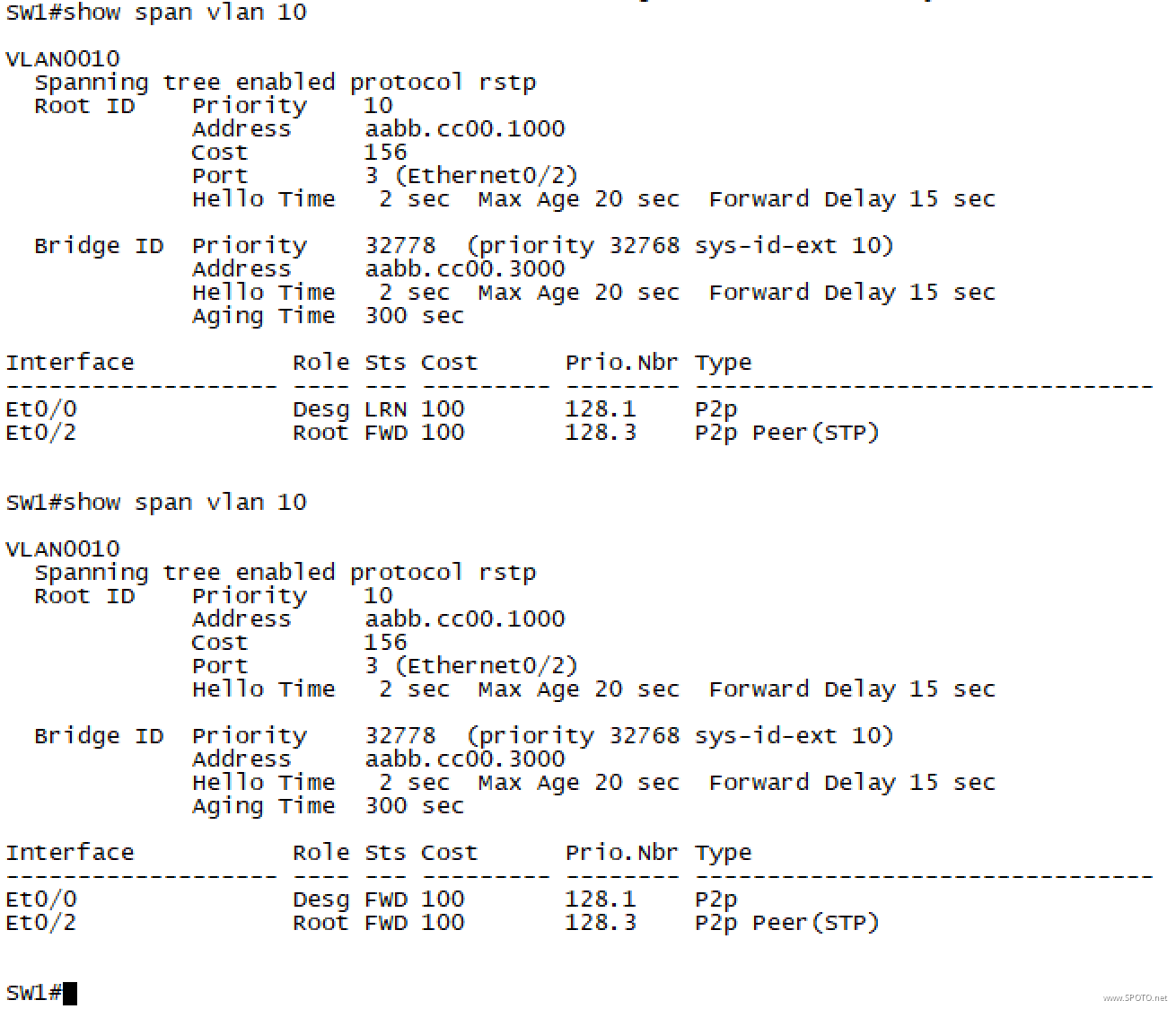
切换过程中查看SW1的STP收敛状态发现:备用接口E0/2很快进入Forwarding转发状态,但由于下联PC的接口E0/0在收敛过程中未处于Forwarding状态导致下联PC无法通信;
优化建议:
下联PC的接口E0/0属于边缘接口,主要用于连接终端设备,而不是其他交换机,故可以开启Portfast功能,加快此类接口的切换速度(可缩短至1s内)

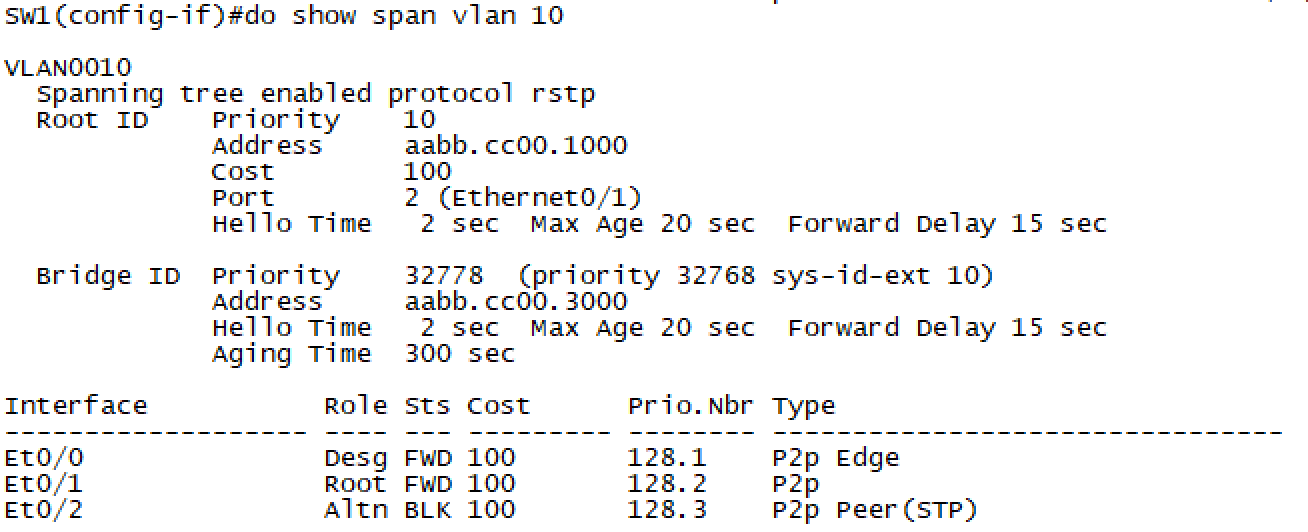
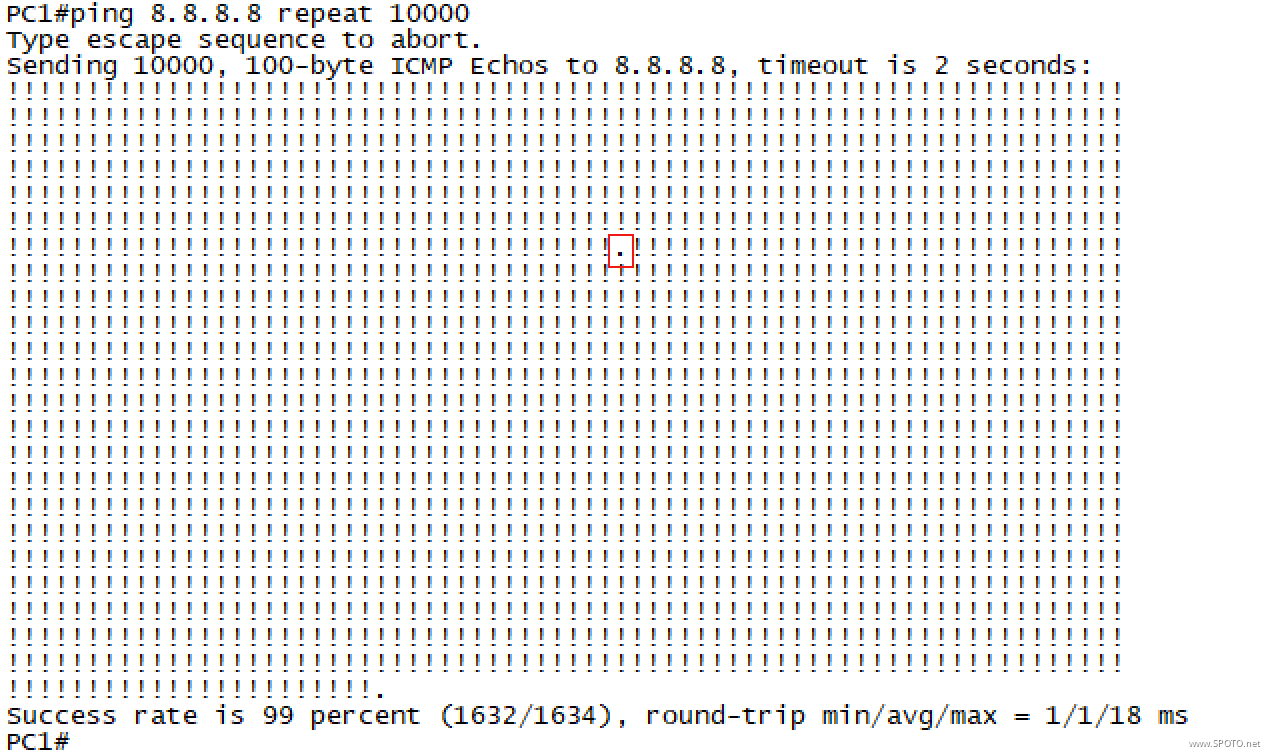
再次测试发现整个切换过程仅丢失了1个报文,较之前有大幅优化

 浙公网安备 33010602011771号