
07-Static_Routing
07-Static_Routing
实验目的
- 掌握静态路由的操作
- 掌握默认路由的用途
拓扑与需求
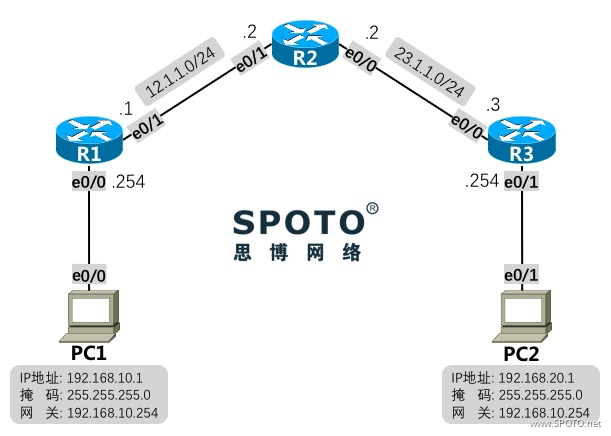
拓扑:
需求:
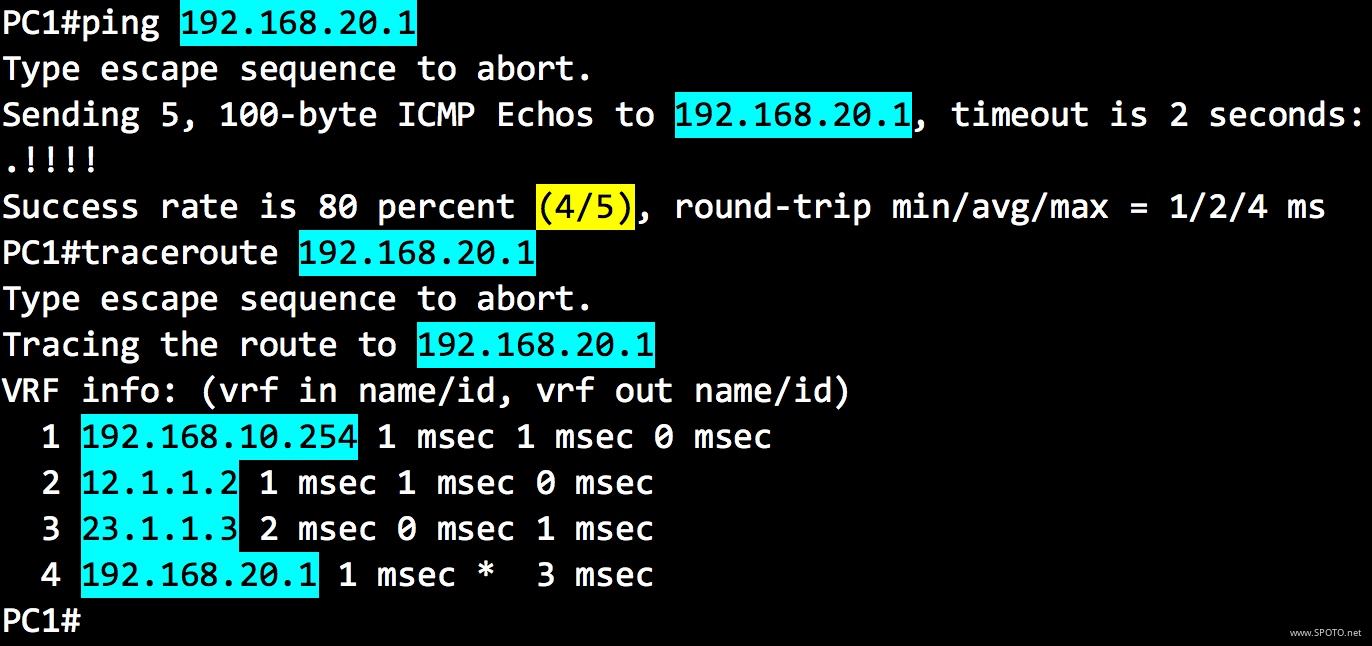
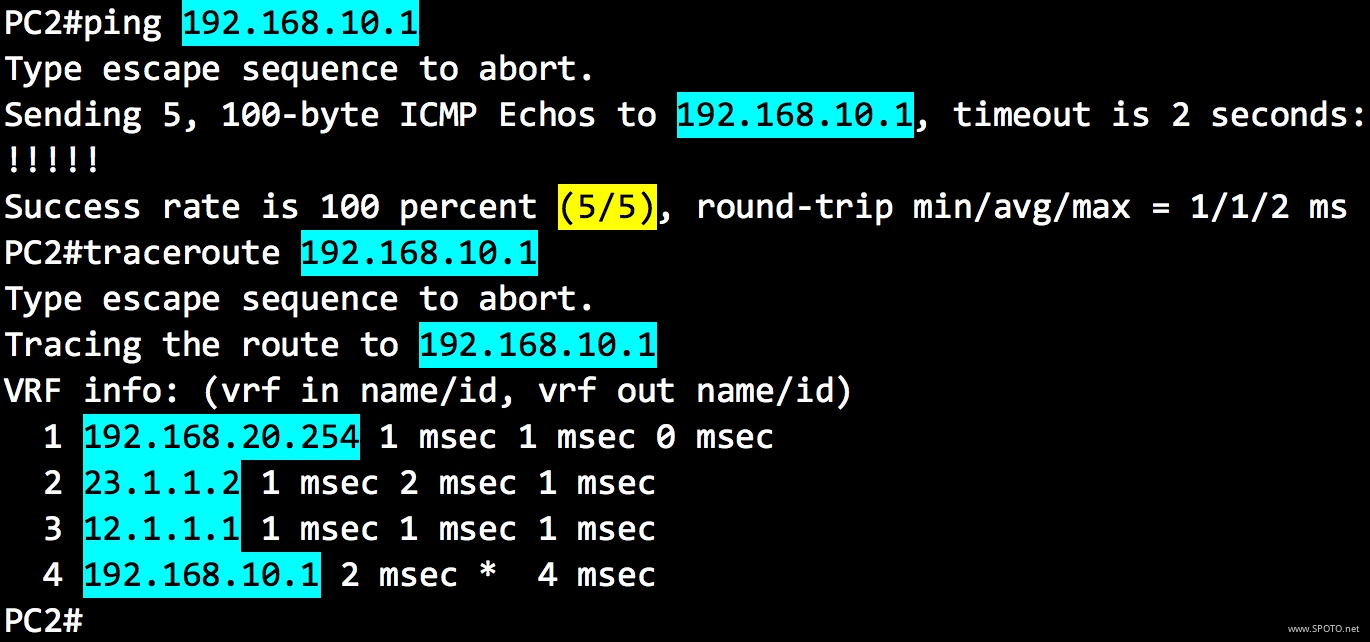
1. PC1在LAN1中,PC2在LAN2中,配置静态路由实现两个LAN中的PC能够通信;
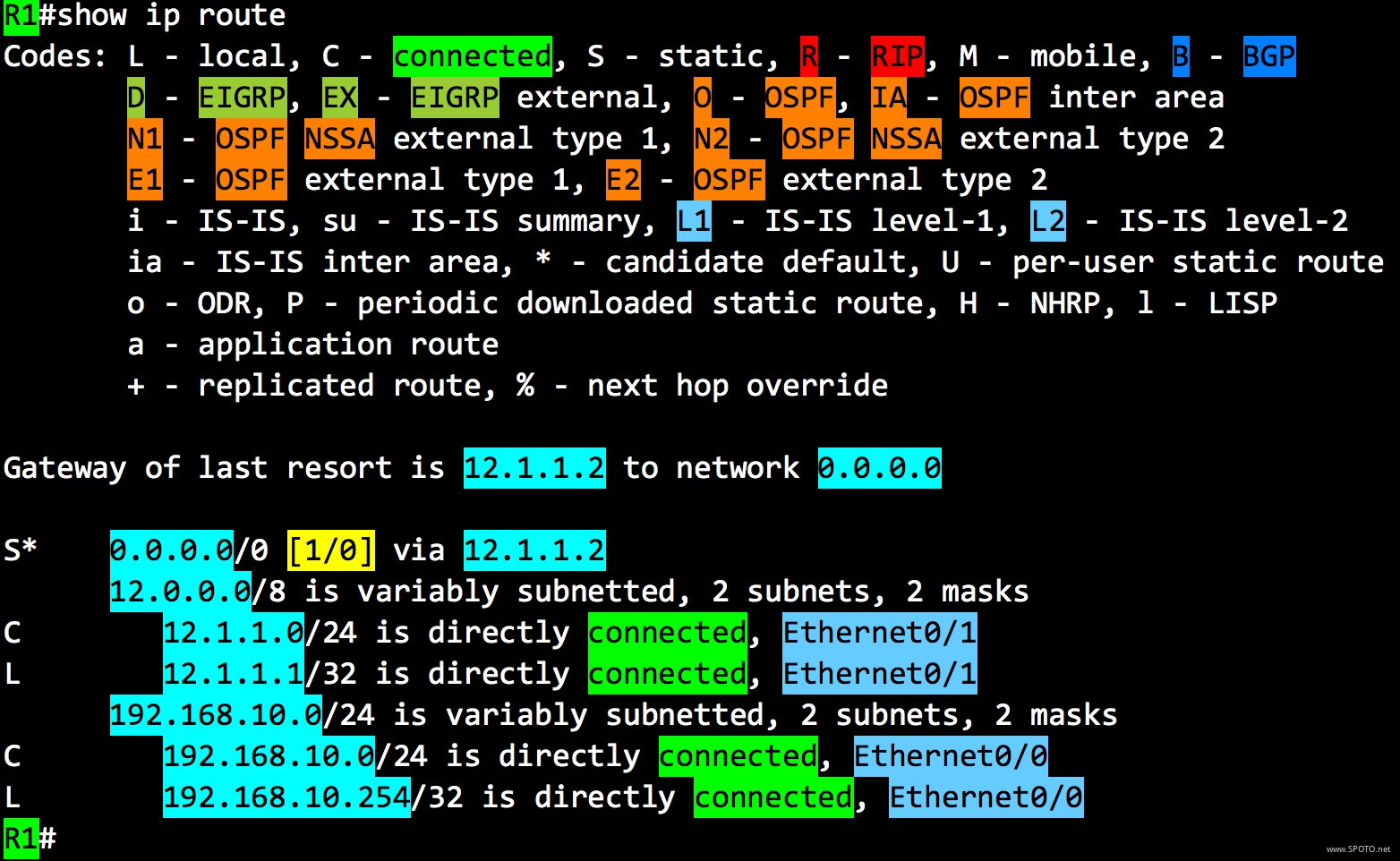
2. 去掉R1和R3上刚刚配置的静态路由,配置默认路由使PC1与PC2能够通信;
配置与实现
1. PC1在LAN1中,PC2在LAN2中,配置静态路由实现两个LAN中的PC能够通信;
R1
1 R1(config)#ip route 192.168.20.0 255.255.255.0 12.1.1.2
或
1 R1(config)#ip route 192.168.20.0 255.255.255.0 ethernet0/1
R2
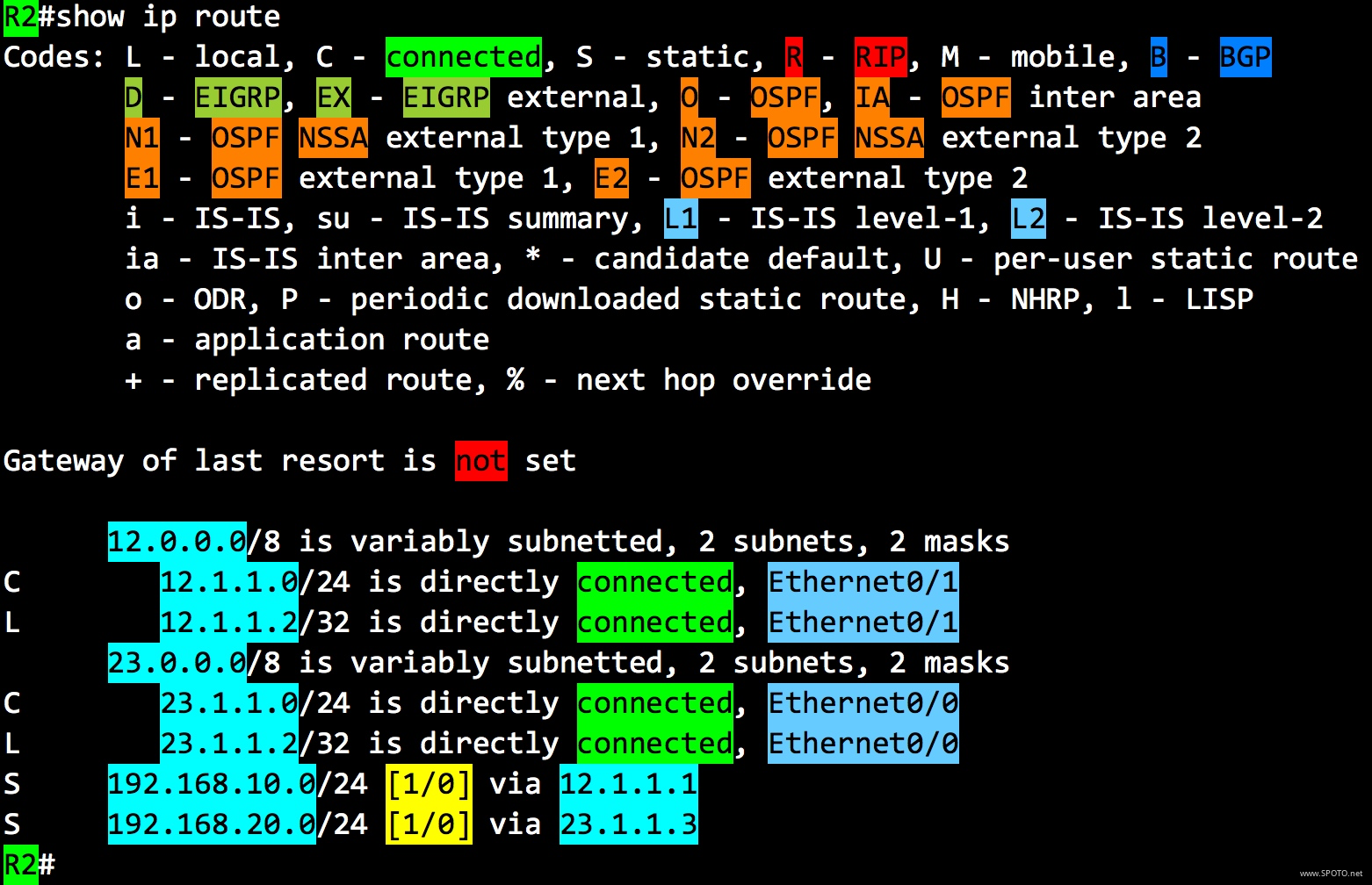
1 R2(config)#ip route 192.168.10.0 255.255.255.0 12.1.1.1
2 R2(config)#ip route 192.168.20.0 255.255.255.0 23.1.1.3
或
1 R2(config)#ip route 192.168.10.0 255.255.255.0 ethernet0/1
2 R2(config)#ip route 192.168.20.0 255.255.255.0 ethernet0/0
R3
1 R3(config)#ip route 192.168.10.0 255.255.255.0 23.1.1.2
或
1 R3(config)#ip route 192.168.10.0 255.255.255.0 ethernet0/0
2. 去掉R1和R3上刚刚配置的静态路由,配置默认路由使PC1与PC2能够通信;
R1
1 R1(config)#no ip route 192.168.20.0 255.255.255.0 12.1.1.2
2 R1(config)#ip route 0.0.0.0 0.0.0.0 12.1.1.2
或
1 R1(config)#no ip route 192.168.20.0 255.255.255.0 12.1.1.2
2 R1(config)#ip route 0.0.0.0 0.0.0.0 ethernet0/1
R3
1 R3(config)#no ip route 192.168.10.0 255.255.255.0 23.1.1.2
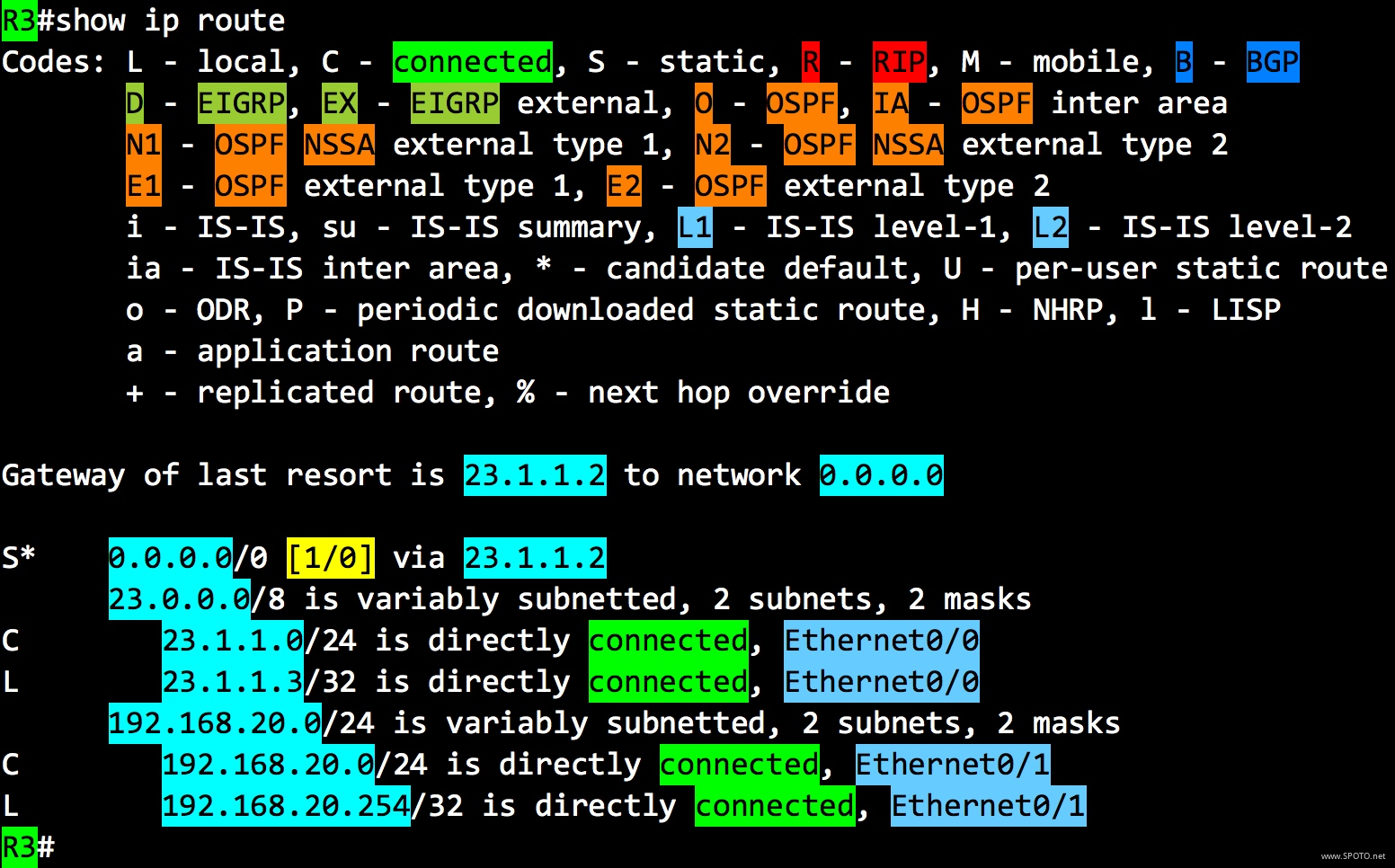
2 R3(config)#ip route 0.0.0.0 0.0.0.0 23.1.1.2
或
1 R3(config)#no ip route 192.168.10.0 255.255.255.0 23.1.1.2
2 R3(config)#ip route 0.0.0.0 0.0.0.0 ethernet0/0

 浙公网安备 33010602011771号